Infiniti QX80 (2023 year). Manual in english - page 13
 

  Index      Manuals     Infiniti QX80 (2023 year). Manual in english


Search            copyright infringement  


Content      ..     11      12      13      14     ..


Infiniti QX80 (2023 year). Manual in english - page 13


5-86

Starting and driving

ahead or when a vehicle suddenly
appears in front of you. Always stay
alert when using the DCA system.

.

If the vehicle ahead comes to a stop,
the vehicle decelerates to a standstill
within the limitations of the system.
The system will cancel with a warning
chime once it judges that the vehicle
has come to a standstill. To prevent
the vehicle from moving, the driver
must depress the brake pedal.

JVS1154X

The DCA system is intended to assist the
driver in keeping a following distance from
the vehicle ahead traveling in the same lane
and direction.
If the radar sensor

detects a slower

moving vehicle ahead, the system will reduce
the vehicle speed to help assist the driver to
maintain a following distance.
The system automatically controls the throt-
tle and applies the brakes (up to approxi-
mately 40% of vehicle braking power) if
necessary.
The detection range of the sensor is approxi-
mately 650 ft (200 m) ahead.

CarManuals2.com

-------------------------------------------------------------------------------------------------------------------------------------------------------------

WAF0917X

DCA ON indicator (on the vehicle
information display)
Vehicle ahead detection indicator (on
the vehicle information display)
Vehicle information display
Dynamic driver assistance switch

DCA SYSTEM OPERATION

WARNING

Failure to follow the warnings and
instructions for proper use of the DCA
system could result in serious personal
injury or death.

.

When the vehicle ahead detection
indicator is not illuminated, system
will not control the vehicle or warn
the driver.

.

Never place your foot under the
brake pedal. Your foot may be caught
when the system controls the brake.

.

Depending on the position of the
accelerator pedal, the system may
not be able to assist the driver to
release the accelerator pedal appro-
priately.

The DCA system brakes and moves the
accelerator pedal upward according to the
distance from and the relative speed of the
vehicle ahead to help assist the driver in
maintaining a following distance. The sys-
tem will decelerate as necessary and if the
vehicle ahead comes to a stop, the vehicle
decelerates to a standstill. However, the
DCA system can only apply up to approxi-

Starting and driving

5-87

CarManuals2.com

-------------------------------------------------------------------------------------------------------------------------------------------------------------

5-88

Starting and driving

mately 40% of the vehicle’s total braking
power. If a vehicle moves into the traveling
lane ahead or if a vehicle traveling ahead
rapidly decelerates, the distance between
vehicles may become closer because the
DCA system cannot decelerate the vehicle
quickly enough. If this occurs, the DCA
system will sound a warning chime and blink
the system display to notify the driver to
take necessary action.
See “Approach warning” (P.5-89).

WAF0348X

System set display without a vehicle
ahead
System set display with a vehicle ahead
(brake operation is necessary)

The DCA system helps assist the driver to
keep a following distance to the vehicle
ahead by braking and moving the accelera-
tor pedal upward in the normal driving
condition.

When a vehicle ahead is detected:

The vehicle ahead detection indicator (green)
comes on.

When the vehicle approaches a vehicle
ahead:

.

If the driver’s foot is not on the accel-

erator pedal, the system activates the
brakes to decelerate smoothly as neces-
sary. If the vehicle ahead comes to a
stop, the vehicle decelerates to a stand-
still within the limitations of the system.

.

If the driver’s foot is on the accelerator

pedal, the system moves the accelerator
pedal upward to assist the driver to
release the accelerator pedal.

When brake operation by the driver is
required:

The system alerts the driver by a warning
chime and blinking the vehicle ahead detec-

CarManuals2.com

-------------------------------------------------------------------------------------------------------------------------------------------------------------

tion indicator (orange). If the driver’s foot is
on the accelerator pedal after the warning,
the system moves the accelerator pedal
upward to assist the driver to switch to the
brake pedal.

NOTE:

.

The stop lights of the vehicle come on

when braking is performed by the DCA
system.

.

When the brake operates, a noise may be

heard and/or vibration may be felt. This
is not a malfunction.

Overriding the system:

The following driver’s operation overrides
the system operation.

.

When the driver depresses the accelera-

tor pedal even further while the system is
moving the accelerator pedal upward,
the DCA system control of the accel-
erator pedal is canceled.

.

When the driver’s foot is on the accel-

erator pedal, the brake control by the
system is not operated.

.

When the driver’s foot is on the brake

pedal, neither the brake control nor the
alert by the system operates.

.

When the Intelligent Cruise Control (ICC)

system is set, the DCA system will be
cancelled.

Approach warning

If your vehicle comes closer to the vehicle
ahead due to rapid deceleration of that
vehicle or if another vehicle cuts in, the
system warns the driver with the chime and
DCA system display. Decelerate by depres-
sing the brake pedal to maintain a safe
vehicle distance if:

.

The chime sounds.

.

The vehicle ahead detection indicator

(orange) blinks.

The warning chime may not sound in some
cases when there is a short distance be-
tween vehicles. Some examples are:

.

When the vehicles are traveling at the

same speed and the distance between
vehicles is not changing

.

When the vehicle ahead is traveling

faster and the distance between vehicles
is increasing

.

When a vehicle cuts in near your vehicle

The warning chime will not sound when your
vehicle approaches vehicles that are parked
or moving slowly.

NOTE:

The approach warning chime may sound
and the system display may blink when the
radar sensor detects objects on the side of
the vehicle or on the side of the road. This
may cause the DCA system to decelerate or

accelerate the vehicle. The radar sensor may
detect these objects when the vehicle is
driven on winding roads, narrow roads, hilly
roads or when entering or exiting a curve. In
these cases you will have to manually
control the proper distance ahead of your
vehicle.

Also, the sensor sensitivity can be affected
by vehicle operation (steering maneuver or
driving position in the lane) or traffic or
vehicle condition (for example, if a vehicle is
being driven with some damage).

Starting and driving

5-89

CarManuals2.com

-------------------------------------------------------------------------------------------------------------------------------------------------------------

5-90

Starting and driving

WAF0736X

Steering-wheel-mounted control (left
side)
Vehicle information display
Dynamic driver assistance switch

HOW TO ENABLE/DISABLE THE
DCA SYSTEM

1. Push the

button until “Settings”

appears in the vehicle information dis-
play. Use the

button to select “Driver

Assistance.” Then push the OK button.

2. Select “Forward” and push the OK

button.

3. Select “Distance Control Assist” and

push the OK button.

4. Push the dynamic driver assistance

switch to turn the system on or off.

The dynamic driver assistance switch

is

used for the BSI, LDP and DCA systems.
When the dynamic driver assistance switch

is pushed, the BSI and LDP systems will

also turn on or off simultaneously. The DCA
system can be individually set to on the
vehicle information display. If the system is
set to off, the system will not turn on even if
the dynamic driver assistance switch

is

pushed to on.
When the Conventional (fixed speed) cruise
control mode is operating, the DCA system
will not operate. (To use the DCA system,
turn the conventional (fixed speed) cruise
control mode off, then push the dynamic
driver assistance switch

.)

For details about the Conventional (fixed
speed) cruise control mode, see “Intelligent
Cruise Control (ICC)” (P.5-64).
When the engine is turned off, the system is
automatically turned off.

CarManuals2.com

-------------------------------------------------------------------------------------------------------------------------------------------------------------

WAE0787X

DCA SYSTEM DISPLAY AND IN-
DICATORS

The display is located between the speed-
ometer and tachometer.
Vehicle ahead detection indicator:
Indicates whether it detects a vehicle in front
of you.
DCA system indicator:
The indicator will appear in orange if there is
a malfunction in the DCA system.

DCA SYSTEM LIMITATIONS

WARNING

Listed below are the system limitations
of the DCA system. Failure to operate
the vehicle in accordance with these
system limitations could result in serious
injury or death.

.

This system will not adapt automati-
cally to road conditions. Do not use
the system on roads with sharp
curves, or on icy roads, in heavy rain
or in fog.

.

The DCA system will not apply brake
control while the driver’s foot is on
the accelerator pedal.

.

As there is a performance limit to the
distance control function, never rely
solely on the DCA system. This sys-
tem does not correct careless, inat-
tentive or absent-minded driving, or
overcome poor visibility in rain, fog,
or other bad weather. Decelerate the
vehicle speed by depressing the brake
pedal, depending on the distance to
the vehicle ahead and the surround-
ing circumstances in order to main-
tain a safe distance between vehicles.

.

The system may not detect the
vehicle in front of you in certain road
or weather conditions. To avoid ac-
cidents, never use the DCA system
under the following conditions:

— On roads with sharp curves

— On slippery road surfaces such as

on ice or snow, etc.

— On off-road surfaces such as on

sand or rock, etc.

— During bad weather (rain, fog,

snow, etc.)

— When rain, snow or dirt adhere to

the system sensor

— On steep downhill roads (fre-

quent braking may result in over-
heating the brakes)

— On repeated uphill and downhill

roads

— When towing a trailer or other

vehicle

.

In some road or traffic conditions, a
vehicle or object can unexpectedly
come into the sensor detection zone
and cause automatic braking. You
may need to control the distance
from other vehicles using the accel-
erator pedal. Always stay alert and

Starting and driving

5-91

CarManuals2.com

-------------------------------------------------------------------------------------------------------------------------------------------------------------

5-92

Starting and driving

avoid using the DCA system when it
is not recommended in this section.

The radar sensor will not detect the follow-
ing objects:

.

Stationary and slow moving vehicles

.

Pedestrians or objects in the roadway

.

Oncoming vehicles in the same lane

.

Motorcycles traveling offset in the travel

lane

The following are some conditions in which
the sensor cannot detect the signals:

.

When the snow or road spray from

traveling vehicles reduces the sensor’s
visibility

.

When excessively heavy baggage is

loaded in the rear seat or the luggage
room of your vehicle

SSD0252

The detection zone of the sensor is limited. A
vehicle ahead must be in the detection zone
for the system to operate.
A vehicle ahead may move outside of the
detection zone due to its position within the
same lane of travel. Motorcycles may not be
detected in the same lane ahead if they are
traveling offset from the centerline of the
lane. A vehicle that is entering the lane ahead
may not be detected until the vehicle has
completely moved into the lane.

If this

occurs, the system may warn you by blink-
ing the system indicator and sounding the
chime. The driver may have to manually
control the proper distance away from
vehicle traveling ahead.

CarManuals2.com

-------------------------------------------------------------------------------------------------------------------------------------------------------------

SSD0253

When driving on some roads, such as wind-
ing, hilly, curved, narrow roads, or roads
which are under construction, the sensor
may detect vehicles in a different lane, or
may temporarily not detect a vehicle travel-
ing ahead. This may cause the system to
work inappropriately.
The detection of vehicles may also be
affected by vehicle operation (steering man-
euver or traveling position in the lane, etc.) or
vehicle condition.

If this occurs, the system

may warn you by blinking the system
indicator and sounding the chime unexpect-
edly. You will have to manually control the
proper distance away from the vehicle
traveling ahead.

SYSTEM TEMPORARILY UNA-
VAILABLE

Condition A:

Under the following conditions, the DCA
system is automatically canceled. The chime
will sound and the following message will
appear. The system will not be able to be set.

.

“Currently unavailable/Currently not

available”:
— When the VDC system is off (To use

the DCA system, turn on the VDC,
then push the dynamic driver assis-
tance switch.)
For details about the VDC system,
see “Vehicle Dynamic Control (VDC)

system” (P.5-135).

— When the SNOW mode switch is ON

(To use the DCA system, turn off the
SNOW mode switch, then turn on the
dynamic driver assistance switch.)
For details about the SNOW mode
switch, see “SNOW mode switch”
(P.2-57).

— When the 4WD shift switch is in the

4H or 4L position (for 4WD models)

— When the radar signal is temporarily

interrupted

.

“Not available: Poor Road Conditions”:

— When the VDC or ABS (including the

traction control system) operates

Action to take:

When the conditions listed above are no
longer present, turn the system off with the
dynamic driver assistance switch. Turn the
DCA system back on to use the system.

.

If the vehicle is parked in direct sunlight

under high temperature conditions (over
approximately 104 °F (40 °C)) and then
started, the DCA system may be deacti-
vated automatically and the “Unavail-
able: High Accelerator Temperature”
message will appear in the vehicle in-
formation display for a period of time.

Action to take:

When the interior temperature is reduced,

Starting and driving

5-93

CarManuals2.com

-------------------------------------------------------------------------------------------------------------------------------------------------------------

5-94

Starting and driving

turn on the DCA system again.

Condition B:

Under the following conditions, making it
impossible to detect a vehicle ahead, the
DCA system is automatically canceled.
The chime will sound, the DCA system
indicator (orange) will come on and the
“Forward Driving Aids temporarily disabled
Front Sensor blocked See Owner’s Manual”
warning message will appear in the vehicle
information display.

.

When the radar sensor area of the front

bumper is covered with dirt or is ob-
structed

Action to take:

If the DCA system indicator (orange) comes
on and the warning message appears, stop
the vehicle in a safe place, place the shift
lever in the P (Park) position and turn the
engine off. When the radar signal is tem-
porarily interrupted, clean the sensor area of
the front bumper and restart the engine. If
the warning message continues to be dis-
played, have the DCA system checked. It is
recommended you visit an INFINITI retailer
for this service.

.

When driving on roads with limited road

structures or buildings (for example, long
bridges, deserts, snow fields, driving next
to long walls)

Action to take:

When the above conditions no longer exist,
turn the DCA system back on to use the
system.

SYSTEM MALFUNCTION

Condition:

When the DCA system is not operating
properly, the chime sounds and the system
warning message “Malfunction” will appear.

Action to take:

If the warning message appears, park the
vehicle in a safe place. Turn the engine off,
restart the engine, and turn on the DCA
system again.

If it is not possible to set the system or the
indicator stays on, it may indicate that the
system is malfunctioning. Although the
vehicle is still driveable under normal con-
ditions, have the vehicle checked. It is
recommended you visit an INFINITI retailer
for this service.

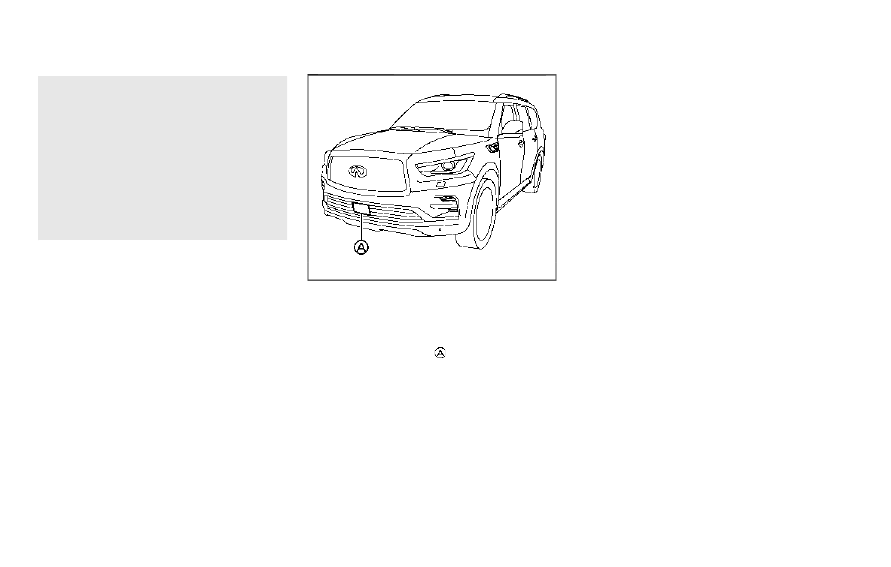
JVS1154X

SYSTEM MAINTENANCE

The sensor for the DCA system

is located

behind the grille of the front bumper.
The DCA system is designed to automati-
cally check the sensor’s operation. When the
sensor is covered with dirt or is obstructed,
the system will automatically be canceled. If
the sensor is covered with ice, a transparent
or translucent vinyl bag, etc., the DCA
system may not detect them. In these
instances, the DCA system may not be able
to decelerate the vehicle properly. Be sure to
check and clean the sensor regularly.

CarManuals2.com

-------------------------------------------------------------------------------------------------------------------------------------------------------------

To keep the DCA system operating properly,
be sure to observe the following:

.

Always keep the sensor area of the front

bumper clean.

.

Do not strike or damage the areas around

the sensor.

.

Do not cover or attach stickers or similar

objects on the front bumper near the
sensor area. This could cause failure or
malfunction.

.

Do not attach metallic objects near the

sensor area (brush guard, etc.). This
could cause failure or malfunction.

.

Do not alter, remove or paint the front

bumper. Before customizing or restoring
the front bumper, it is recommended you
contact an INFINITI retailer.

Radio frequency statement

Model: ARS4–A
IC: 4135A-ARS4A
FCC ID: OAYARS4A
This device complies with Part 15 of the FCC
Rules and with Industry Canada licence
exempt RSS standard(s). Operation is sub-
ject to the following two conditions:

(1)

This device may not cause harmful
interference, and

(2) This device must accept any interfer-

ence received, including interference
that may cause undesired operation.

WARNING

Failure to follow the warnings and
instructions for proper use of the FEB
with Pedestrian Detection system could
result in serious injury or death.

.

The FEB with Pedestrian Detection
system is a supplemental aid to the
driver. It is not a replacement for the
driver’s attention to traffic condi-
tions or responsibility to drive safely.
It cannot prevent accidents due to
carelessness or dangerous driving
techniques.

.

The FEB with Pedestrian Detection
system does not function in all driv-
ing, traffic, weather and road condi-
tions.

The FEB with Pedestrian Detection system
can assist the driver when there is a risk of a
forward collision with

.

a vehicle ahead in the travelling lane

.

a pedestrian ahead in the travelling lane

JVS1158X

The FEB with Pedestrian Detection system
uses a radar sensor

located on the front of

the vehicle to measure the distance to the
vehicle ahead in the same lane.
For pedestrians, the FEB system uses a
camera

installed behind the windshield in

addition to the radar sensor.

Starting and driving

5-95

FORWARD EMERGENCY BRAKING (FEB)
WITH PEDESTRIAN DETECTION SYSTEM

CarManuals2.com

-------------------------------------------------------------------------------------------------------------------------------------------------------------

5-96

Starting and driving

WAF0740X

FEB emergency warning indicator
Vehicle ahead detection indicator (on
the vehicle information display)
FEB system warning light (on the meter
panel)
Steering-wheel-mounted controls (left
side)

FEB WITH PEDESTRIAN DETEC-
TION SYSTEM OPERATION

The FEB with Pedestrian Detection system
will function when your vehicle is driven at
speeds above approximately 3 MPH (5
km/h).
For the pedestrian detection function, the
FEB with Pedestrian Detection system op-
erates at speeds between 6 – 37 MPH (10 –
60 km/h).
If a risk of a forward collision is detected, the
FEB with Pedestrian Detection system will
firstly provide the warning to the driver by
flashing the vehicle ahead detection indica-
tor (yellow) in the vehicle information display
and providing an audible alert. In addition,
the system applies partial braking.
If the driver applies the brakes quickly and
forcefully after the warning, and the FEB
with Pedestrian Detection system detects
that there is still the possibility of a forward
collision, the system will automatically in-
crease the braking force.
If the driver does not take action, the FEB
with Pedestrian Detection system issues the
second visual (flashing) (red) and audible
warning. Then the system applies partial
braking.
If the risk of a collision becomes imminent,
the FEB with Pedestrian Detection system

CarManuals2.com

-------------------------------------------------------------------------------------------------------------------------------------------------------------

applies harder braking automatically.
While the FEB with Pedestrian Detection
system is operating, you may hear the sound
of brake operation. This is normal and
indicates that the FEB with Pedestrian
Detection system is operating properly.

NOTE:

The vehicle’s stop lights come on when
braking is performed by the FEB with
Pedestrian Detection system.

Depending on vehicle speed and distance to
the vehicle or pedestrian ahead, as well as
driving and roadway conditions, the system
may help the driver avoid a forward collision
or may help mitigate the consequences of a
collision should one be unavoidable.
If the driver is handling the steering wheel,
accelerating or braking, the FEB with Pe-
destrian Detection system will function later
or will not function.
The automatic braking will cease under the
following conditions:

.

When the steering wheel is turned as far

as necessary to avoid a collision.

.

When the accelerator pedal is depressed.

.

When there is no longer a vehicle,

pedestrian detected ahead.

If the FEB with Pedestrian Detection system
has stopped the vehicle, the vehicle will
remain at a standstill for approximately 2

seconds before the brakes are released.
When the brake pedal is depressed while the
brake is applied by the system, you may feel
the pedal effort is changed and may hear a
sound and vibration noise. This is normal and
does not indicate a malfunction. In addition,
the braking force can be increased by adding
the pedal effort.

Starting and driving

5-97

CarManuals2.com

-------------------------------------------------------------------------------------------------------------------------------------------------------------

5-98

Starting and driving

WAF0741X

FEB system warning light (on the meter
panel)
Vehicle information display
Steering-wheel-mounted controls (left
side)

TURNING THE FEB WITH PE-
DESTRIAN DETECTION SYSTEM
ON/OFF

Perform the following steps to turn the FEB
with Pedestrian Detection system on or off.

1. Push the

button until “Settings”

appears in the vehicle information dis-
play. Use the

button to select “Driver

Assistance.” Then push the OK button.

2. Select “Emergency Brake” and push the

OK button.

3. Select “Front” and use the OK button to

turn the system on or off.

When the FEB with Pedestrian Detection
system is turned off, the FEB system warn-
ing light illuminates.

NOTE:

.

The FEB with Pedestrian Detection

system will be automatically turned
ON when the engine is restarted.

.

The Predictive Forward Collision Warn-

ing (PFCW) system is integrated into
the FEB system. There is not a separate
selection for the PFCW system. When
the PFCW system is also turned off.

FEB WITH PEDESTRIAN DETEC-
TION SYSTEM LIMITATIONS

WARNING

Listed below are the system limitations
for the FEB with Pedestrian Detection
system. Failure to operate the vehicle in
accordance with these system limita-

CarManuals2.com

-------------------------------------------------------------------------------------------------------------------------------------------------------------

tions could result in serious injury or
death.

.

The FEB with Pedestrian Detection
system cannot detect all vehicles or
pedestrians under all conditions.

.

The FEB with Pedestrian Detection
system does not detect the following:

— Pedestrians that are small (for

example, children), in a sitting
position, operating toys/skate-
boards, on scooters or in wheel-
chairs, or not in an upright
standing or walking position.

— Animals of any size.

— Obstacles (for example, cargo or

debris) on the roadway or road-
side.

— Oncoming or crossing vehicles.

— Vehicles where the tires are diffi-

cult to see or the shape of the rear
of the vehicle is unclear or ob-
structed.

— Parked vehicles.

.

The FEB with Pedestrian Detection
system has some performance limita-
tions.

— If a stationary vehicle is in the

vehicle’s path, the system will not

function when the vehicle ap-
proaches the stationary vehicle
at speeds over approximately 50
MPH (80 km/h).

— Pedestrian detection will not

function when the vehicle is driven
at speeds over approximately 37
MPH (60 km/h) or below ap-
proximately 6 MPH (10 km/h).

.

For pedestrians, the FEB with Pedes-
trian Detection system will not issue
the first warning.

.

The FEB with Pedestrian Detection
system may not function properly or
detect a vehicle or pedestrian ahead
in the following conditions:

— In poor visibility conditions (such

as rain, snow, fog, dust storms,
sand storms, smoke, and road
spray from other vehicles).

— If dirt, ice, snow, fog or other

material is covering the radar
sensor area or camera area of
the windshield.

— If strong light (for example, sun-

light or high beams) enters the
front camera or a sudden change
in brightness occurs (for example,
entering a tunnel or driving in
lightning).

— In dark or dimly lit conditions,

such as at night or in tunnels,
including cases where your vehi-
cle’s headlights are off or dim, or
the tail lights of the vehicle ahead
are off.

— When the direction of the camera

is misaligned.

— When driving on a steep downhill

slope, on roads with sharp curves,
and/or bumpy or dirt roads.

— If there is interference by other

radar sources.

— When your vehicle’s position or

movement is changed quickly or
significantly (for example, lane
change, turning vehicle, abrupt
steering, sudden acceleration or
deceleration).

— When your vehicle or the vehicle

or pedestrian ahead moves quickly
or significantly such that the sys-
tem cannot detect and react in
time (for example, pedestrian
moving quickly toward the vehicle
at close range, vehicle cutting in,
changing lanes, making a turn,
steering abruptly, sudden accel-
eration or deceleration).

Starting and driving

5-99

CarManuals2.com

-------------------------------------------------------------------------------------------------------------------------------------------------------------

5-100

Starting and driving

— When the vehicle or pedestrian is

offset from the vehicle’s forward
path.

— If the speed difference between

the two vehicles is small.

— The pedestrian’s profile is par-

tially obscured or unidentifiable;
for example, due to transporting
luggage, pushing a stroller, wear-
ing bulky or very loose-fitting
clothing or accessories, or being
in a unique posture (such as rais-
ing hands).

— There is poor contrast of a person

to the background, such as having
clothing color or pattern which is
similar to the background.

— For approximately 15 seconds

after starting the engine

— If the vehicle ahead has a unique

or unusual shape, extremely low
or high clearance heights, or unu-
sual cargo loading or is narrow
(for example, a motorcycle).

— When the vehicle or pedestrian is

located near a traffic sign, a
reflective area (for example,
water on road), or is in a shadow.

— When multiple pedestrians are

grouped together.

— When the view of the pedestrian

is obscured by a vehicle or other
object.

— While towing a trailer or other

vehicle.

.

The system performance may be
degraded in the following conditions:

— The vehicle is driven on a slippery

road.

— The vehicle is driven on a slope.

— Excessively heavy baggage is

loaded in the rear seat or the
cargo area of your vehicle.

.

The system is designed to automati-
cally check the sensor (radar and
camera)’s functionality, within cer-
tain limitations. The system may not
detect some forms of obstruction of
the sensor area such as ice, snow or
stickers, for example. In these cases,
the system may not be able to warn
the driver properly. Be sure that you
check, clean and clear sensor areas
regularly.

.

In some road and traffic conditions,
the FEB with Pedestrian Detection
system may unexpectedly apply par-

tial braking. When acceleration is
necessary, depress the accelerator
pedal to override the system.

.

The FEB with Pedestrian Detection
system may operate when a pattern,
object, shadow or lights are detected
that are similar to the outline of
vehicles or pedestrians, or if they
are the same size and position as a
vehicle or motorcycle’s tail lights.

.

The system may keep operating when
the vehicle ahead is turning right or
left.

.

The system may operate when your
vehicle is approaching and passing a
vehicle ahead.

.

Depending on the road shape (curved
road, entrance and exit of the curve,
winding road, lane regulation, under
construction, etc.), the system may
operate temporarily for the oncoming
vehicle in front of your vehicle.

CarManuals2.com

-------------------------------------------------------------------------------------------------------------------------------------------------------------

WAF0785X

WARNING

Listed below are the system limitations
for the FEB with Pedestrian Detection
system. Failure to operate the vehicle in
accordance with these system limita-
tions could result in serious injury or
death.

.

The FEB with Pedestrian Detection
system may react to:

— objects on the roadside (traffic

sign, guardrail, pedestrian, vehi-
cle, etc.)

— pedestrians when driving on the

narrow alleys, etc.

— pedestrians who temporarily pro-

trude into or approaching the
driving lane to avoid the obstacles
on the road shoulder

— objects above road (low bridge,

traffic sign, etc.)

— objects on the road surface (rail-

road track, grate, steel plate, etc.)

— objects in the parking garage

(beam, pillar, etc.)

— pedestrians approaching the tra-

veling lane

— vehicles, pedestrians or objects in

adjacent lanes or close to the
vehicle

— oncoming pedestrians

— objects on the road (such as trees)

.

Braking distances increase on slip-
pery surfaces.

.

Excessive noise will interfere with the
warning chime sound, and the chime
may not be heard.

Starting and driving

5-101

CarManuals2.com

-------------------------------------------------------------------------------------------------------------------------------------------------------------

5-102

Starting and driving

SSD0253

When driving on some roads, such as wind-
ing, hilly, curved, narrow roads, or roads
which are under construction or on a slope,
the sensor may detect vehicles in a different
lane, or may temporarily not detect a vehicle
traveling ahead. This may cause the system
to work inappropriately.
The detection of vehicles may also be
affected by vehicle operation (steering man-
euver or traveling position in the lane, etc.) or
vehicle condition.

If this occurs, the system

may warn you by blinking the system
indicator and sounding the chime unexpect-
edly. You will have to manually control the
proper distance away from the vehicle
traveling ahead.

SYSTEM TEMPORARILY UNA-
VAILABLE

Condition A

In the following conditions, the FEB system
warning light (orange) will blink and the
system will be turned off automatically.

.

The camera area of windshield is misted

or frozen.

.

Strong light is shining from the front.

.

The cabin temperature is over approxi-

mately 104°F (40°C) in direct sunlight.

.

The camera area of windshield glass is

continuously covered with dirt, etc.

Action to take:

When the above conditions no longer exist,
the FEB with Pedestrian Detection system
will resume automatically.

NOTE:

When the inside of the windshield on
camera area is misted or frozen, it will take
a period of time to remove it after air
conditioner turns on. If dirt appears on this
area, it is recommended you visit an
INFINITI retailer.

Condition B

When the radar sensor picks up interference
from another radar source, making it im-
possible to detect a vehicle ahead, the FEB
system is automatically turned off. The FEB
system warning light (orange) will illuminate.

Action to take:

When the above conditions no longer exist,
the FEB system will resume automatically.

Condition C

Under the following conditions, making it
impossible to detect a vehicle ahead, the
FEB with Pedestrian Detection system is
automatically turned off.
The FEB system warning light (orange) will
illuminate and the “Forward Driving Aids
temporarily disabled Front Sensor blocked
See Owner’s Manual” warning message will
appear in the vehicle information display.

CarManuals2.com

-------------------------------------------------------------------------------------------------------------------------------------------------------------

.

When the sensor area of the front

bumper is covered with dirt or is ob-
structed

Action to take:

If the FEB system warning light (orange)
comes on, stop the vehicle in a safe place,
place the shift lever in the P (Park) position
and turn the engine off. Clean the radar
cover below the front bumper with a soft
cloth, and restart the engine. If the FEB
system warning light continues to illuminate,
have the FEB with Pedestrian Detection
system checked. It is recommended you visit
an INFINITI retailer for this service.

.

When driving on roads with limited road

structures or buildings (for example, long
bridges, deserts, snow fields, driving next
to long walls)

Action to take:

When the above conditions no longer exist,
the FEB with Pedestrian Detection system
will resume automatically.

Condition D

When the accelerator pedal actuator detects
that the internal motor temperature is high,
the FEB with Pedestrian Detection system is
automatically turned off. The FEB system
warning light (orange) will illuminate.

Action to take:

When the above conditions no longer exist,
the FEB with Pedestrian Detection system
will resume automatically.

Condition E

When VDC system is OFF, the FEB brake
will not operate. In this case only visible and
audible warning operates. The FEB system
warning light (orange) will illuminate.

Action to take:

When VDC system is ON, the FEB with
Pedestrian Detection system will resume
automatically.

SYSTEM MALFUNCTION

If the FEB with Pedestrian Detection system
malfunctions, it will be turned off automa-
tically, a chime will sound, the FEB system
warning light will (orange) will illuminate and
the “Malfunction” warning message will
appear in the vehicle information display.

Action to take:

If the warning light (orange) comes on, stop
the vehicle in a safe location. Turn the engine
off and restart the engine. If the warning
light continues to illuminate, have the FEB
with Pedestrian Detection system checked.
It is recommended that you visit an INFINITI
retailer for this service.

JVS1158X

SYSTEM MAINTENANCE

The radar sensor

is located on the front of

the vehicle. The camera

is located on the

upper side of the windshield.
To keep the FEB with Pedestrian Detection
system operating properly, be sure to ob-
serve the following:

.

Always keep the sensor area on the front

of the vehicle and windshield clean.

.

Do not strike or damage the areas around

the sensors (ex. bumper, windshield).

.

Do not cover or attach stickers or similar

objects on the front of the vehicle near
the sensor area. This could cause failure
or malfunction.

Starting and driving

5-103

CarManuals2.com

-------------------------------------------------------------------------------------------------------------------------------------------------------------

5-104

Starting and driving

.

Do not attach metallic objects near the

radar sensor area (brush guard, etc.).
This could cause failure or malfunction.

.

Do not place reflective materials, such as

white paper or a mirror, on the instru-
ment panel. The reflection of sunlight
may adversely affect the camera unit’s
detection capability.

.

Do not alter, remove or paint the front of

the vehicle near the sensor area. Before
customizing or restoring the sensor area,
it is recommended that you visit an
INFINITI retailer.

Radio frequency statement

Model: ARS4–A
IC: 4135A-ARS4A
FCC ID: OAYARS4A
This device complies with Part 15 of the FCC
Rules and with Industry Canada licence
exempt RSS standard(s). Operation is sub-
ject to the following two conditions:

(1)

This device may not cause harmful
interference, and

(2) This device must accept any interfer-

ence received, including interference
that may cause undesired operation.

WARNING

Failure to follow the warnings and
instructions for proper use of the PFCW
system could result in serious injury or
death.

.

The PFCW system helps warn the
driver before a collision but will not
avoid a collision. It is the driver’s
responsibility to stay alert, drive
safely and be in control of the vehicle
at all times.

The PFCW system can help alert the driver
when there is a sudden braking of a second
vehicle traveling in front of the vehicle ahead
in the same lane.

JVS1154X

The PFCW system uses a radar sensor
located on the front of the vehicle to
measure the distance to a second vehicle
ahead in the same lane.

PREDICTIVE FORWARD
COLLISION WARNING (PFCW)

CarManuals2.com

-------------------------------------------------------------------------------------------------------------------------------------------------------------

WAF0743X

Vehicle ahead detection indicator (on
the vehicle information display)
Forward Emergency Braking (FEB)
system warning light (on the meter
panel)

Starting and driving

5-105

CarManuals2.com

-------------------------------------------------------------------------------------------------------------------------------------------------------------

5-106

Starting and driving

JVS0294X

PFCW SYSTEM OPERATION

The PFCW system operates at speeds above
approximately 3 MPH (5 km/h).
If there is a potential risk of a forward
collision, the PFCW system will warn the
driver by blinking the vehicle ahead detection
indicator, and sounding an audible alert.

CarManuals2.com

-------------------------------------------------------------------------------------------------------------------------------------------------------------

WAF0741X

FEB system warning light (on the meter
panel)
Vehicle information display
Steering-wheel-mounted controls (left
side)

TURNING THE PFCW SYSTEM
ON/OFF

Perform the following steps to turn the
PFCW system on or off.
1. Push the

button until “Settings”

appears in the vehicle information dis-

play. Use the

button to select “Driver

Assistance.” Then push the OK button.

2. Select “Emergency Brake” and push the

OK button.

3. Select “Front” and use the OK button to

turn the system on or off.

When the PFCW system is turned off, the
FEB system warning light (orange) illumi-
nates.

NOTE:

.

The PFCW system will be automatically

turned on when the engine is restarted.

.

The PFCW system is integrated into the

FEB system. There is not a separate
selection for the PFCW system. When
the FEB system is turned off, the PFCW
system is also turned off.

Starting and driving

5-107

CarManuals2.com

-------------------------------------------------------------------------------------------------------------------------------------------------------------

5-108

Starting and driving

JVS0295X

Illustration A

JVS0296X

Illustration B

JVS0297X

Illustration C

CarManuals2.com

-------------------------------------------------------------------------------------------------------------------------------------------------------------

JVS0298X

Illustration D

PFCW SYSTEM LIMITATIONS

WARNING

Listed below are the system limitations
for the PFCW system. Failure to operate
the vehicle in accordance with these
system limitations could result in serious
injury or death.

.

The PFCW system cannot detect all
vehicles under all conditions.

.

The radar sensor does not detect the
following objects:

— Pedestrians, animals or obstacles

in the roadway

— Oncoming vehicles

— Crossing vehicles

.

(Illustration A) The PFCW system
does not function when a vehicle
ahead is a narrow vehicle, such as a
motorcycle.

.

The radar sensor may not detect a
vehicle ahead in the following condi-
tions:

— Snow or heavy rain

— Dirt, ice, snow or other material

covering the radar sensor

— Interference by other radar

sources

— Snow or road spray from travel-

ling vehicles.

— Driving in a tunnel

— Towing a trailer

.

(Illustration B) When the vehicle
ahead is being towed.

.

(Illustration C) When the distance to
the vehicle ahead is too close, the
beam of the radar sensor is ob-
structed.

.

(Illustration D) When driving on a
steep downhill slope or roads with
sharp curves.

.

The system is designed to automati-
cally check the sensor’s functionality,
within certain limitations. The system
may not detect some forms of ob-
struction of the sensor area such as
ice, snow, stickers, for example. In
these cases, the system may not be
able to warn the driver properly. Be
sure that you check, clean and clear
the sensor area regularly.

.

Excessive noise will interfere with the
warning chime sound, and the chime

Starting and driving

5-109

CarManuals2.com

-------------------------------------------------------------------------------------------------------------------------------------------------------------

5-110

Starting and driving

may not be heard.

SSD0253

When driving on some roads, such as wind-
ing, hilly, curved, narrow roads, or roads
which are under construction, the radar
sensor may detect vehicles in a different
lane, or may temporarily not detect a vehicle
traveling ahead. This may cause the PFCW
system to work inappropriately.
The detection of vehicles may also be
affected by vehicle operation (steering man-
euver or traveling position in the lane, etc.) or
vehicle condition.

If this occurs, the system

may warn you by blinking the vehicle ahead
detection indicator and sounding the chime
unexpectedly. You will have to manually
control the proper distance away from the
vehicle traveling ahead.

SYSTEM TEMPORARILY UNA-
VAILABLE

Condition A

When the radar sensor picks up interference
from another radar source, making it im-
possible to detect a vehicle ahead, the
PFCW system is automatically turned off.
The FEB system warning light (orange) will
illuminate.

Action to take:

When the above conditions no longer exist,
the PFCW system will resume automatically.

CarManuals2.com

-------------------------------------------------------------------------------------------------------------------------------------------------------------

Condition B

Under the following conditions, making it
impossible to detect a vehicle ahead, the
PFCW system is automatically turned off.
The FEB system warning light (orange) will
illuminate and the “Forward Driving Aids
temporarily disabled Front Sensor blocked
See Owner’s Manual” warning message will
appear in the vehicle information display.

.

When the sensor area of the front of the

vehicle is covered with dirt or is ob-
structed

Action to take:

If the warning light (orange) flashes, stop the
vehicle in a safe place, push the park button
to engage the P (Park) position and turn the
engine off. Clean the radar cover on the
front of the vehicle with a soft cloth, and
restart the engine. If the warning light
continues to illuminate, have the PFCW
system checked. It is recommended you visit
an INFINITI retailer for this service.

.

When driving on roads with limited road

structures or buildings (for example, long
bridges, deserts, snow fields, driving next
to long walls)

Action to take:

When the above conditions no longer exist,
the PFCW system will resume automatically.

SYSTEM MALFUNCTION

If the PFCW system malfunctions, it will be
turned off automatically, a chime will sound,
the FEB system warning light (orange) will
illuminate and the "Malfunction" warning
message will appear in the vehicle informa-
tion display.

Action to take:

If the warning light (orange) illuminates, stop
the vehicle in a safe location. Turn the engine
off and restart the engine. If the warning
light continues to illuminate, have the PFCW
system checked. It is recommended you visit
an INFINITI retailer for this service.

JVS1154X

SYSTEM MAINTENANCE

The radar sensor

is located on the front of

the vehicle.
To keep the system operating properly, be
sure to observe the following:

.

Always keep the sensor area on the front

of the vehicle clean.

.

Do not strike or damage the areas around

the sensor.

.

Do not cover or attach stickers or similar

objects on the front bumper near the
sensor area. This could cause failure or
malfunction.

.

Do not attach metallic objects near the

sensor area (brush guard, etc.). This

Starting and driving

5-111

CarManuals2.com

-------------------------------------------------------------------------------------------------------------------------------------------------------------

5-112

Starting and driving

could cause failure or malfunction.

.

Do not alter, remove or paint the front

bumper. It is recommended you contact
an INFINITI retailer before customizing
or restoring the front bumper.

Radio frequency statement

Model: ARS4–A
IC: 4135A-ARS4A
FCC ID: OAYARS4A
This device complies with Part 15 of the FCC
Rules and with Industry Canada licence
exempt RSS standard(s). Operation is sub-
ject to the following two conditions:

(1)

This device may not cause harmful
interference, and

(2) This device must accept any interfer-

ence received, including interference
that may cause undesired operation.

WARNING

Failure to follow the warnings and
instructions for proper use of the DAA
system could result in serious injury or
death.

.

The DAA system is only a warning to
inform the driver of a potential lack
of driver attention or drowsiness. It
will not steer the vehicle or prevent
loss of control.

.

The DAA system does not detect and
provide an alert of the driver’s lack of
attention or fatigue in every situa-
tion.

.

It is the driver’s responsibility to:

— Stay alert.

— Drive safely.

— Keep the vehicle in the traveling

lane.

— Be in control of the vehicle at all

times.

— Avoid driving when tired.

— Avoid distractions (texting, etc).

The DAA system helps alert the driver if the
system detects a lack of attention or driving

fatigue.
The system monitors driving style and
steering behavior over a period of time,
and it detects changes from the normal
pattern. If the system detects that driver
attention is decreasing over a period of time,
the system uses audible and visual warnings
to suggest that the driver take a break.

DRIVER ATTENTION ALERT (DAA)

CarManuals2.com

-------------------------------------------------------------------------------------------------------------------------------------------------------------

WAF0641X

Example

DAA SYSTEM OPERATION

If the system detects driver fatigue or that
driver attention is decreasing, the message
“Take a Break?” appears in the vehicle
information display and a chime sounds
when the vehicle is driven at speeds above
37 MPH (60 km/h).
The system continuously monitors driver
attention and can provide multiple warnings
per trip.
The system resets and starts reassessing
driving style and steering behavior when the
ignition switch is cycled from the ON to the
OFF position and back to the ON position.

WAF0718X

Steering-wheel-mounted control (left
side)
Vehicle information display

HOW TO ENABLE/DISABLE THE
DAA SYSTEM

Perform the following steps to enable or
disable the DAA system.
1. Push the

button until “Settings”

appears in the vehicle information dis-

Starting and driving

5-113

CarManuals2.com

-------------------------------------------------------------------------------------------------------------------------------------------------------------

5-114

Starting and driving

play. Use the

button to select “Driver

Assistance.” Then push the OK button.

2. Select “Driver Attention Alert” and push

the OK button to turn the system on or
off.

NOTE:

The setting will be retained even if the
engine is restarted.

DAA SYSTEM LIMITATIONS

WARNING

Listed below are the system limitations
for the DAA system. Failure to operate
the vehicle in accordance with these
system limitations could result in serious
injury or death.

.

The DAA system may not operate
properly and may not provide an alert
in the following conditions:

— Poor road conditions such as an

uneven road surface or pot holes.

— Strong side wind.

— If you have adopted a sporty

driving style with higher cornering
speeds or higher rates of accel-
eration.

— Frequent lane changes or changes

to vehicle speed.

.

The DAA system will not provide an
alert in the following conditions:

— Vehicle speeds lower than 37

MPH (60 km/h).

— Short lapses of attention.

— Instantaneous distractions such

as dropping an object.

SYSTEM MALFUNCTION

If the DAA system malfunctions, the “Driver
Attention Alert Malfunction” warning mes-
sage will appear in the vehicle information
display and the function will be stopped
automatically.

Action to take

Stop the vehicle in a safe location, place the
vehicle in P (Park) position, turn the engine
off and restart the engine. If the warning
message continues to appear, have the
system checked. It is recommended that
you visit an INFINITI retailer for this service.

CAUTION

During the first 1,200 miles (2,000 km),
follow these recommendations to obtain
maximum engine performance and en-
sure the future reliability and economy
of your new vehicle.

Failure to follow these recommendations
may result in shortened engine life and
reduced engine performance.

.

Avoid driving for long periods at constant

speed, either fast or slow. Do not run the
engine over 4,000 rpm.

.

Do not accelerate at full throttle in any

gear.

.

Avoid quick starts.

.

Avoid hard braking as much as possible.

.

Do not tow a trailer for the first 500

miles (805 km).

BREAK-IN SCHEDULE

CarManuals2.com

-------------------------------------------------------------------------------------------------------------------------------------------------------------

Follow these easy-to-use Fuel Efficient
Driving Tips to help you achieve the most
fuel economy from your vehicle.
1. Use smooth accelerator and brake pedal

application.

.

Avoid rapid starts and stops.

.

Use smooth, gentle accelerator and

brake application whenever possible.

.

Maintain constant speed while com-

muting and coast whenever possible.

2. Maintain constant speed.

.

Look ahead to try and anticipate and

minimize stops.

.

Synchronizing your speed with traffic

lights allows you to reduce your
number of stops.

.

Maintaining a steady speed can mini-

mize red light stops and improve fuel
efficiency.

3. Use air conditioning (A/C) at higher

vehicle speeds.

.

Below 40 MPH (64 km/h), it is more

efficient to open windows to cool the
vehicle due to reduced engine load.

.

Above 40 MPH (64 km/h), it is more

efficient to use A/C to cool the
vehicle due to increased aerodynamic
drag.

.

Recirculating the cool air in the cabin

when the A/C is on reduces cooling
load.

4. Drive at economical speeds and dis-

tances.

.

Observing the speed limit and not

exceeding 60 MPH (97 km/h) (where
legally allowed) can improve fuel
efficiency due to reduced aerody-
namic drag.

.

Maintaining a safe following distance

behind other vehicles reduces unne-
cessary braking.

.

Safely monitoring traffic to anticipate

changes in speed permits reduced
braking and smooth acceleration
changes.

.

Select a gear range suitable to road

conditions.

5. Use cruise control.

.

Using cruise control during highway

driving helps maintain a steady speed.

.

Cruise control is particularly effective

in providing fuel savings when driving
on flat terrains.

6. Plan for the shortest route.

.

Utilize a map or navigation system to

determine the best route to save time.

7. Avoid idling.

.

Shutting off your engine when safe

for stops exceeding 30-60 seconds
saves fuel and reduces emissions.

8. Buy an automated pass for toll roads.

.

Automated passes permit drivers to

use special lanes to maintain cruising
speed through the toll and avoid
stopping and starting.

9. Winter warm up.

.

Limit idling time to minimize impact to

fuel economy.

.

Vehicles typically need no more than

30 seconds of idling at start-up to
effectively circulate the engine oil
before driving.

.

Your vehicle will reach its ideal oper-

ating temperature more quickly while
driving versus idling.

10. Keeping your vehicle cool.

.

Park your vehicle in a covered parking

area or in the shade whenever possi-
ble.

.

When entering a hot vehicle, opening

the windows will help to reduce the
inside temperature faster, resulting in
reduced demand on your A/C system.

Starting and driving

5-115

FUEL EFFICIENT DRIVING TIPS

CarManuals2.com

-------------------------------------------------------------------------------------------------------------------------------------------------------------

5-116

Starting and driving

.

Keep your engine tuned up.

.

Follow the recommended scheduled

maintenance.

.

Keep the tires inflated to the correct

pressure. Low tire pressure increases tire
wear and lowers fuel economy.

.

Keep the wheels in correct alignment.

Improper alignment increases tire wear
and lowers fuel economy.

.

Use the recommended viscosity engine

oil. (See “Engine oil and oil filter recom-
mendation” (P.10-6).)

WARNING

.

Do not attempt to raise two wheels
off the ground and shift the trans-
mission to any drive or reverse posi-
tion with the engine running. Doing
so may result in drivetrain damage or
unexpected vehicle movement which
could result in serious vehicle damage
or personal injury.

.

Do not attempt to test a 4WD
equipped vehicle on a 2-wheel dy-
namometer or similar equipment even
if the other two wheels are raised off
the ground. Make sure you inform
test facility personnel that your ve-
hicle is equipped with 4WD before it
is placed on a dynamometer. Using
the wrong test equipment may result
in drivetrain damage or unexpected
vehicle movement which could result
in serious vehicle damage or personal
injury.

CAUTION

.

Do not drive the vehicle in the 4HI or
4LO position on dry hard surface
roads. Driving on dry, hard surfaces

in 4HI or 4LO may cause unnecessary
noise, tire wear and increased fuel
consumption.

If the Four-Wheel Drive (4WD)
warning light turns on when driving
on dry hard surface roads:

— in the 4HI position, shift the

4WD shift switch to AUTO.

— in the 4LO position, stop the

vehicle and shift the transmission
lever to the N (Neutral) position
with the brake pedal depressed
and shift the 4WD shift switch to
AUTO.

If the 4WD warning light is still on
after the above operation, have
your vehicle checked. It is recom-
mended you visit an INFINITI
retailer for this service.

.

The transfer case may be damaged if
you continue driving with the 4WD
warning light blinking.

See “On-pavement and off-road driving
precautions” (P.5-8) for other precautions
for offroad driving.

INCREASING FUEL ECONOMY

INFINITI ALL-MODE 4WD

®

(if so equipped)

CarManuals2.com

-------------------------------------------------------------------------------------------------------------------------------------------------------------

INFINITI ALL-MODE 4WD

®

SYSTEM

The all mode 4WD system provides 3 positions (AUTO, 4HI and 4LO), so you can select the desired drive mode according to the driving
conditions.
4WD shift procedure:

SSD1100

Starting and driving

5-117

CarManuals2.com

-------------------------------------------------------------------------------------------------------------------------------------------------------------


Content      ..     11      12      13      14     ..