Infiniti QX80 (2023 year). Manual in english - page 5
 

  Index      Manuals     Infiniti QX80 (2023 year). Manual in english


Search            copyright infringement  


Content      ..     3      4      5      6     ..


Infiniti QX80 (2023 year). Manual in english - page 5


2-38

Instruments and controls

VEHICLE SECURITY SYSTEM

The vehicle security system provides visual
and audio alarm signals if someone opens
the doors, hood, or liftgate when the system
is armed. It is not, however, a motion
detection type system that activates when
a vehicle is moved or when a vibration
occurs.
The system helps deter vehicle theft but
cannot prevent it, nor can it prevent the
theft of interior or exterior vehicle compo-
nents in all situations. Always secure your
vehicle even if parking for a brief period.
Never leave your Intelligent Key(s) in the
vehicle, and always lock it when unattended.
Be aware of your surroundings, and park in
secure, well-lit areas whenever possible.
Many devices offering additional protection,
such as component locks, identification
markers, and tracking systems, are available
at auto supply stores and specialty shops.
Your INFINITI retailer may also offer such
equipment. Check with your insurance com-
pany to see if you may be eligible for
discounts for various theft protection fea-
tures.

SIC2045

How to arm the vehicle security
system

1. Close all windows.

The system can be armed even if the
windows are open.

2. Push the ignition switch to the OFF

position.

3. Remove the Intelligent Key from the

vehicle.

4. Close all doors, hood and liftgate. Lock

all doors. The doors can be locked with
the Intelligent Key, door handle request
switch, power door lock switch or me-
chanical key.

5. Confirm that the security indicator light

comes on. The security indicator light
stays on for about 30 seconds. The
vehicle security system is now pre-
armed. After about 30 seconds the
vehicle security system automatically
shifts into the armed phase. The security
light begins to flash once every approxi-
mately 3 seconds. If, during this 30-
second pre-arm time period, the door is
unlocked, or the ignition switch is pushed
to ACC or ON, the system will not arm.

Even when the driver and/or passengers
are in the vehicle, the system will activate
with all doors, hood, and liftgate locked
with the ignition switch in the LOCK
position. When pushing the ignition switch
to the ACC or ON position, the system will
be released.

Vehicle security system activation

The vehicle security system will give the
following alarm:

.

The headlights blink and the horn sounds

intermittently.

.

The alarm automatically turns off after

approximately 50 seconds. However, the
alarm reactivates if the vehicle is tam-
pered with again.

CarManuals2.com

-------------------------------------------------------------------------------------------------------------------------------------------------------------

The alarm is activated by:

.

Unlocking the door or opening the lift-

gate without using the button on the
Intelligent Key, the door handle request
switch or the mechanical key. (Even if the
door is opened by releasing the door
inside lock knob, the alarm will activate.)

.

Opening the hood.

How to stop an activated alarm

The alarm will stop when a door is unlocked
by pushing the unlock button on the Intelli-
gent Key, the door handle request switch or
using the mechanical key, or when the
ignition switch is pushed to the ACC or ON
position.

If the system does not operate as described
above, it is recommended you have it
checked by an INFINITI retailer.

INFINITI VEHICLE IMMOBILIZER
SYSTEM

The INFINITI Vehicle Immobilizer System
will not allow the engine to start without
the use of the registered Intelligent Key.

Never leave these keys in the vehicle.

FCC Notice:

For USA:

This device complies with Part 15 of the
FCC Rules. Operation is subject to the

following two conditions: (1) This device
may not cause harmful interference, and (2)
this device must accept any interference
received, including interference that may
cause undesired operation.

NOTE:

Changes or modifications not expressly
approved by the party responsible for
compliance could void the user’s authority
to operate the equipment.

For Canada:

This device contains licence-exempt trans-
mitter(s)/receiver(s) that comply with In-
n o v a t i o n , S c i e n c e a n d E c o n o m i c
Development Canada’s licence-exempt
RSS(s). Operation is subject to the follow-
ing two conditions: (1) This device may not
cause interference. (2) This device must
accept any interference, including interfer-
ence that may cause undesired operation of
the device.

SIC2045

Security indicator light

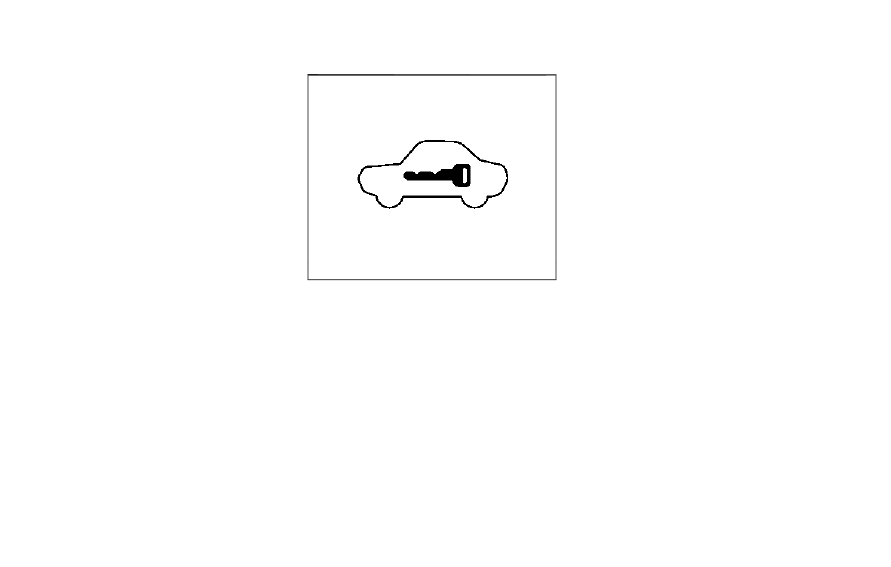
The security indicator light is located on the
meter panel. It indicates the status of the
INFINITI Vehicle Immobilizer System.
The light blinks after the ignition switch was
in the ACC, OFF and LOCK position. This
function indicates the security systems
equipped on the vehicle are operational.
If the INFINITI Vehicle Immobilizer System is
malfunctioning, this light will remain on
while the ignition switch is in the ON
position.

If the light still remains on and/or the
engine will not start, seek service for the
INFINITI Vehicle Immobilizer System as

Instruments and controls

2-39

CarManuals2.com

-------------------------------------------------------------------------------------------------------------------------------------------------------------

2-40

Instruments and controls

soon as possible. Please bring all registered
keys that you have. It is recommended you
visit an INFINITI retailer for this service.

WARNING

In freezing temperatures the washer
solution may freeze on the window and
obscure your vision which may lead to an
accident. Warm the window with the
defroster before you wash the window.

CAUTION

.

Do not operate the washer continu-
ously for more than 30 seconds.

.

Do not operate the washer if the
reservoir tank is empty.

.

Do not fill the window washer re-
servoir tank with washer fluid con-
centrates at full strength. Some
methyl alcohol based washer fluid
concentrates may permanently stain
the grille if spilled while filling the
window washer reservoir tank.

.

Pre-mix washer fluid concentrates
with water to the manufacturer’s
recommended levels before pouring
the fluid into the window washer
reservoir tank. Do not use the win-
dow washer reservoir tank to mix the
washer fluid concentrate and water.

If the windshield wiper operation is inter-
rupted by snow or ice, the wiper may stop
moving to protect its motor. If this occurs,
turn the wiper switch to the OFF position
and remove the snow or ice that is on and
around the wiper arms. In approximately 1
minute, turn the switch on again to operate
the wiper.

WIPER AND WASHER SWITCH

CarManuals2.com

-------------------------------------------------------------------------------------------------------------------------------------------------------------

JVI0738X

The windshield wiper and washer operates
when the ignition switch is in the ON
position.
Push the lever down to operate the wiper at
the following speed:

AUTO — operates the rain-sensing
auto wiper system. (See “Rain-sensing
auto wiper system” (P.2-41).)
LO — continuous low speed operation
HI — continuous high speed operation
MIST — one sweep operation of the
wiper

WASHER OPERATION

To operate the washer, pull the lever toward
the back of the vehicle

until the desired

amount of washer fluid is spread on the
windshield. The wiper will automatically
operate several times.
The headlight washer (if so equipped) will
also operate with operation of the wind-
shield washer. (See “Headlight washer” (P.2-
50).)

Wiper drip wipe system:

The wiper will also operate once about 3
seconds after the washer and wiper are
operated. This operation is to wipe washer
fluid that has dripped on the windshield.

JVI0739X

RAIN-SENSING AUTO WIPER
SYSTEM

The rain-sensing auto wiper system can
automatically turn on the wipers and adjust
the wiper speed depending on the rainfall
and the vehicle speed by using the rain
sensor located on the upper part of the
windshield.
To set the rain-sensing auto wiper system,
push the lever down to the AUTO position

. The wiper will sweep once while the

ignition switch is in the ON position.
The rain sensor sensitivity level can be
adjusted by turning the knob toward the
front

(High) or toward the rear

(Low).

Instruments and controls

2-41

CarManuals2.com

-------------------------------------------------------------------------------------------------------------------------------------------------------------

2-42

Instruments and controls

.

High — High sensitive operation

.

Low — Low sensitive operation

To turn the rain-sensing auto wiper system
off, push up the lever to the OFF position, or
pull down the lever to the LO or HI position.

CAUTION

Do not touch the rain sensor and around
it when the wiper switch is in the AUTO
position and the ignition switch is in the
ON position. The wipers may operate
unexpectedly and cause to an injury or
may damage a wiper.

.

The rain-sensing auto wipers are in-

tended for use during rain. If the switch
is left in the AUTO position, the wipers
may operate unexpectedly when dirt,
fingerprints, oil film or insects are stuck
on or around the sensor. The wipers may
also operate when exhaust gas or
moisture affect the rain sensor.

.

The rain-sensing auto wipers may not

operate if rain does not hit the rain
sensor even if it is raining.

.

When the windshield glass is coated

with water repellent, the speed of the
rain-sensing auto wipers may be higher
even though the amount of the rainfall is
small.

.

Be sure to turn off the rain-sensing auto

wiper system when you use a car wash.

.

When the ignition switch is in the ON

position and the vehicle speed is below
approximately 5 MPH (8 km/h) with
the shift lever in the N (Neutral) posi-
tion, the rain-sensing auto wipers will
not operate.

.

Using genuine wiper blades is recom-

mended for proper operation of the
rain-sensing auto wiper system. (See
“Windshield wiper blades” (P.8-15) for
wiper blade replacement.)

JVI0972X

REAR WINDOW WIPER AND
WASHER OPERATION

If the rear window wiper operation is
interrupted by snow etc., the wiper may
stop moving to protect its motor. If this
occurs, turn the wiper switch to OFF and
remove the snow etc. on and around the
wiper arms. After about 1 minute, turn the
switch ON again to operate the wiper.

The rear window wiper and washer operate
when the ignition switch is in the ON
position.
Turn the switch clockwise from the OFF
position to operate the wiper.

CarManuals2.com

-------------------------------------------------------------------------------------------------------------------------------------------------------------

Intermittent (INT) — intermittent op-
eration (not adjustable)
Low (ON) — continuous low speed
operation

Push the switch forward

to operate the

washer. Then the wiper will also operate
several times.

WAC0617X

REAR WINDOW AND OUTSIDE
MIRROR DEFROSTER

To defog/defrost the rear window glass and
outside mirrors, start the engine and push
the switch

on. The indicator light

will

come on. Push the switch again to turn the
defroster off.
It will automatically turn off in approxi-
mately 15 minutes.

CAUTION

When cleaning the inner side of the rear
window, be careful not to scratch or

damage the rear window defroster.

Instruments and controls

2-43

REAR WINDOW AND OUTSIDE
MIRROR DEFROSTER SWITCH

CarManuals2.com

-------------------------------------------------------------------------------------------------------------------------------------------------------------

2-44

Instruments and controls

SIC3267

Type A (if so equipped)

WAC0775X

Type B (if so equipped)

HEADLIGHT SWITCH

Lighting

Turn the switch to the

position:

The front parking, side marker, tail,
license plate and instrument lights will
come on. The autolight system will be
set (Type B).
Turn the switch to the

position:

Headlights will come on and all the
other lights remain on.

SIC3268

Autolight system

Type A (if so equipped):

The autolight system allows the headlights
to be set so they turn on and off auto-
matically.
To set the autolight system:
1. Make sure the headlight switch is in the

AUTO position

.

2. Push the ignition switch to the ON

position.

3. The autolight system automatically turns

the headlights on and off.

To turn the autolight system off, turn the
switch to the OFF,

or

position.

HEADLIGHT AND TURN SIGNAL SWITCH

CarManuals2.com

-------------------------------------------------------------------------------------------------------------------------------------------------------------

The autolight system can turn on the head-
lights automatically when it is dark and turn
off the headlights when it is light.
The headlights will also be turned on auto-
matically at twilight or in rainy weather
(when the windshield wiper is operated
continuously).
If the ignition switch is pushed to the OFF
position and one of the doors is opened and
this condition is continued, the headlights
remain on for 5 minutes.

WAC0776X

Type B (if so equipped):

The autolight system allows the headlights
to be set so they turn on and off auto-
matically.
To set the autolight system:
1. Make sure the headlight switch is in the

AUTO position

or

position

.

2. Push the ignition switch to the ON

position.

3. The autolight system automatically turns

the headlights on and off.

To turn the autolight system off, turn the
switch to the

position.

The autolight system can turn on the head-
lights automatically when it is dark and turn

off the headlights when it is light.
If the ignition switch is pushed to the ON
position when the parking brake is applied,
the headlights remain off.
With the

position selected, the head-

lights turn off when the ignition switch is
pushed to the OFF position, the shift lever is
in the P (Park) position, or the parking brake
is applied. (The front parking, tail, license
plate, and instrument lights are on.)
How to turn off all lights:
With the AUTO position selected, all lights
turn off when the engine is restarted after
the parking brake is applied.

NOTE:

When driving at night, the headlights
remain on and cannot be turned off.

When the vehicle is stopped, the headlights
can be turned off when the headlight switch
is in the

position.

With the AUTO position selected (headlights
are on), the headlights will remain on for 5
minutes when the ignition switch is pushed
to the OFF position and one of the doors is
opened.

Automatic headlights off delay:

You can keep the headlights on for up to 180
seconds after you push the ignition switch to
OFF and open any door then close all the

Instruments and controls

2-45

CarManuals2.com

-------------------------------------------------------------------------------------------------------------------------------------------------------------

2-46

Instruments and controls

doors.
You can adjust the period of the automatic
headlights off delay from 0 seconds (OFF)
to 180 seconds. The factory default setting
is 45 seconds.
See “Vehicle settings” (P.2-23).

SIC3784A

Be sure not to put anything on top of the
photo sensor

located on the top of the

instrument panel. The photo sensor controls
the autolight; if it is covered, the photo
sensor reacts as if it is dark and the head-
lights will illuminate.

SIC3269

Example

Headlight beam select

To select the low beam, put the lever in
the neutral position as shown.
To select the high beam, push the lever
forward while the switch is in the
position. Pull it back to select the low
beam.
Pulling the lever toward you will flash
the headlight high beam even when the
headlight switch is in the OFF position
(if so equipped).

CarManuals2.com

-------------------------------------------------------------------------------------------------------------------------------------------------------------

High beam assist

The high beam assist system will operate
when the vehicle is driven at speeds of
approximately 22 MPH (35 km/h) and
above. If an oncoming vehicle or leading
vehicle appears in front of your vehicle when
the headlight high beam is on, the headlight
will be switched to the low beam automa-
tically.

Precautions on high beam assist:

WARNING

.

The high beam assist system is a
convenience but it is not a substitute
for safe driving operation. The driver
should remain alert at all times,
ensure safe driving practices and
switch the high beams and low beam
manually when necessary.

.

The high beam or low beam may not
switch automatically under the fol-
lowing conditions. Switch the high
beam and low beam manually.

— During bad weather (rain, fog,

snow, wind, etc.).

— When a light source similar to a

headlight or tail light is in the
vicinity of the vehicle.

— When the headlights of the on-

coming vehicle or the leading
vehicle are turned off, when the
color of the light is affected due to
foreign materials on the lights, or
when the light beam is out of
position.

— When there is a sudden, contin-

uous change in brightness.

— When driving on a road that

passes over rolling hills, or a road
that has level differences.

— When driving on a road with

many curves.

— When a sign or mirror-like sur-

face is reflecting intense light
towards the front of the vehicle.

— When the container, etc. being

towed by a leading vehicle is
reflecting intense light.

— When a headlight on your vehicle

is damaged or dirty.

— When the vehicle is leaning at an

angle due to a punctured tire,
being towed, etc.

.

The timing of switching the low beam
and high beam may change under the
following situations.

— The brightness of the headlights

of the oncoming vehicle or leading
vehicle.

— The movement and direction of

the oncoming vehicle and the
leading vehicle.

— When only one light on the on-

coming vehicle or the leading
vehicle is illuminated.

— When the oncoming vehicle or the

leading vehicle is a two-wheeled
vehicle.

— Road conditions (incline, curve,

the road surface, etc.).

— The number of passengers and

the amount of luggage.

Instruments and controls

2-47

CarManuals2.com

-------------------------------------------------------------------------------------------------------------------------------------------------------------

2-48

Instruments and controls

JVI0686X

High beam assist operations:

To activate the high beam assist system,
turn the headlight switch to the AUTO
position

(or

position, depending on

the model) and push the lever forward
(high beam position). The high beam assist
indicator light in the meter will illuminate
while the headlights are turned on.
If the high beam assist indicator light does
not illuminate in the above condition, it may
indicate that the system is not functioning
properly. It is recommended you have the
system checked by an INFINITI retailer.
When the vehicle speed lowers to less than
approximately 17 MPH (27 km/h), the head-
light remains the low beam.

To turn off the high beam assist system, turn
the headlight switch to the

position or

select the low beam position by placing the
lever in the neutral position.

JVI1740X

Ambient image sensor maintenance:

The ambient image sensor

for the high

beam assist system is located as shown. To
keep the proper operation of the high beam
assist system and prevent a system mal-
function, be sure to observe the following:

.

Always keep the windshield clean.

.

Do not attach a sticker (including trans-

parent material) or install an accessory
near the ambient image sensor.

.

Do not strike or damage the areas around

the ambient image sensor. Do not touch
the sensor lens that is located on the
ambient image sensor.

If the ambient image sensor is damaged due
to an accident, it is recommended you visit

CarManuals2.com

-------------------------------------------------------------------------------------------------------------------------------------------------------------

an INFINITI retailer for this service.

Battery saver system

A chime will sound when the driver side door
is opened with the headlight switch in the

or

position and the ignition switch in

the OFF or LOCK position.
When the headlight switch is in the

or

position while the ignition switch is in

the ON position, the lights will automatically
turn off after a period of time when the
ignition switch has been pushed to the OFF
position.
When the headlight switch remains in the

or

position after the lights auto-

matically turn off, the lights will turn on
when the ignition switch is pushed to the ON
position.

CAUTION

.

When you turn on the headlight
switch again after the lights auto-
matically turn off, the lights will not
turn off automatically. Be sure to
turn the headlight switch to the OFF
(if so equipped) or the AUTO position
when you leave the vehicle for ex-
tended periods of time, otherwise the
battery will be discharged.

.

Never leave the headlight switch on
when the engine is not running for
extended periods of time even if the
headlights turn off automatically.

SIC2275

Headlight aiming control (if so
equipped)

Depending on the number of occupants in
the vehicle and the load it is carrying, the
headlight axis may be higher than desired. If
the vehicle is traveling on a hilly road, the
headlights may directly hit the rearview
mirror of the vehicle ahead or the windshield
of the oncoming vehicle. The light axis can be
lowered with the operation of the switch.
The larger the number designated on the
switch, the lower the axis.
When traveling with no heavy load or on a
flat road, select position 0.

Instruments and controls

2-49

CarManuals2.com

-------------------------------------------------------------------------------------------------------------------------------------------------------------

2-50

Instruments and controls

Daytime Running Light (DRL) sys-
tem

The LED Daytime Running Lights (DRL)
automatically illuminate when the engine is
started and the parking brake is released.
The LED DRL operate with the headlight
switch in the OFF (if so equipped),

, or

AUTO (when the headlights are off) posi-
tion. When you turn the headlight switch to
the

position for full illumination, the LED

lights switch from LED DRL to the park
function.

Type A (if so equipped):

If the parking brake

is applied before the engine is started, the
LED DRL do not illuminate. The LED DRL
illuminate when the parking brake is re-
leased. This feature will work in the

,

AUTO or OFF position. The LED DRL will
remain on until the ignition switch is pushed
to the OFF position.

Type B (if so equipped):

If the parking brake

is applied before the engine is started, the
LED DRL do not illuminate. The LED DRL
illuminate when the parking brake is re-
leased. This feature will work in the AUTO or

position. The LED DRL will remain on

until the ignition switch is pushed to the OFF
position.

WARNING

When the LED DRL system is active with
the headlight switch in the OFF position
(if so equipped), tail lights on your
vehicle are not on. It is necessary at dusk
to turn on your headlights. Failure to do
so could cause an accident injuring
yourself and others.

Adaptive Front lighting System
(AFS) (if so equipped)

The Adaptive Front lighting System (AFS)
will automatically adjust the headlights (low
beam) toward the turning direction to
improve the driver’s view. When the head-
light switch is ON and the driver operates
the steering wheel in a turn, the AFS system
will be activated.
The AFS will operate:

.

when the headlight switch is ON.

.

when the shift lever is in any position

other than P (Park) or R (Reverse).

.

when the vehicle is driven at above 3

MPH (5 km/h) for the left-side head-
light. Note that the right-side low beam
headlight will swivel but the left-side
headlight will not swivel when the vehicle
is below 3 MPH (5 km/h) and the

steering wheel is turned.

AFS will also adjust the headlight to a proper
axis automatically, depending on the number
of occupants in the vehicle, the load the
vehicle is carrying and the road conditions.
If the AFS OFF indicator light blinks after
the ignition switch has been pushed to the
ON position, this may indicate that the AFS
is not functioning properly. Have the system
checked. It is recommended you visit an
INFINITI retailer for this service. When the
engine is started, the headlights will vibrate
to check the system condition. This is not a
malfunction.

HEADLIGHT WASHER (if so
equipped)

The headlight washer operates when the
headlight is on and the ignition switch is in
the ON position.
Pull the windshield washer switch toward
you. The headlight washer operates with the
windshield washer operation. This operation
activates once each time either the ignition
switch or the headlight is turned off and on.
After the first operation, the headlight
washer operates once at every fifth opera-
tion of the windshield washer.

CarManuals2.com

-------------------------------------------------------------------------------------------------------------------------------------------------------------

CAUTION

.

Do not operate the washer continu-
ously for longer than 30 seconds.

.

Do not operate the headlight washer
if the window washer fluid reservoir
is empty.

SIC4378

INSTRUMENT BRIGHTNESS
CONTROL

The instrument brightness control switch
(upper

and lower

) can be operated when

the ignition switch is in the ON position.

WAC0256X

When the instrument brightness control
switch is operated, the vehicle information
display switches to the brightness adjust-
ment mode.
Push the upper switch

to brighten the

meter panel lights and instrument panel
lights.
Push the lower switch

to dim the lights.

If the bar reaches the maximum or minimum
brightness, a chime will sound.
The vehicle information display returns to
the normal display when the instrument
brightness control switch is not operated
for more than 5 seconds.

Instruments and controls

2-51

CarManuals2.com

-------------------------------------------------------------------------------------------------------------------------------------------------------------

2-52

Instruments and controls

SIC3271

Example

TURN SIGNAL SWITCH

Turn signal

Move the lever up or down to signal the
turning direction. When the turn is com-
pleted, the turn signals cancel automatically.

Lane change signal

.

Move the lever up or down until the turn

signal begins to flash, but the lever does
not latch, to signal a lane change. Hold
the lever until the lane change is com-
pleted.

.

Move the lever up or down until the turn

signal begins to flash, but the lever does

not latch, and release the lever. The turn
signal will automatically flash three
times.

Choose the appropriate method to signal a
lane change based on road and traffic
conditions.

SIC3272

Example

FOG LIGHT SWITCH

To turn the fog lights on, turn the headlight
switch to the

position, then turn the

switch to the

position. To turn them off,

turn the switch to the OFF position.
The headlights must be on with the low
beams selected for the fog lights to operate.
The fog lights automatically turn off when
the high beam headlights are selected.

CarManuals2.com

-------------------------------------------------------------------------------------------------------------------------------------------------------------

JVI0395X

The heated steering wheel system is de-
signed to operate only when the surface
temperature of the steering wheel is below
68°F (20°C).
Push the heated steering wheel switch to
warm the steering wheel after the engine
starts. The indicator light

on the switch

will illuminate.
If the surface temperature of the steering
wheel is below 68°F (20°C), the system will
heat the steering wheel and cycle off and on
to maintain a temperature above 68°F
(20°C). The indicator light will remain on as
long as the system is on.
Push the switch again to turn the heated
steering wheel system off manually. The

indicator light will turn off.

NOTE:

If the surface temperature of the steering
wheel is above 68°F (20°C) when the switch
is turned on, the system will not heat the
steering wheel. This is not a malfunction.

SIC4444

To sound the horn, push the center pad area
of the steering wheel.

WARNING

Do not disassemble the horn. Doing so
could affect proper operation of the
supplemental front air bag system. Tam-
pering with the supplemental front air
bag system may result in serious perso-
nal injury.

Instruments and controls

2-53

HEATED STEERING WHEEL

HORN

CarManuals2.com

-------------------------------------------------------------------------------------------------------------------------------------------------------------

2-54

Instruments and controls

WARNING

Do not use or allow occupants to use the
seat heater if you or the occupants
cannot monitor elevated seat tempera-
tures or have an inability to feel pain in
body parts that contact the seat. Use of
the seat heater by such people could
result in serious injury.

CAUTION

.

The battery could run down if the
seat heater is operated while the
engine is not running.

.

Do not use the seat heater for
extended periods or when no one is
using the seat.

.

Do not put anything on the seat
which insulates heat, such as a blan-
ket, cushion, seat cover, etc. Other-
w i s e , t h e s e a t m a y b e c o m e
overheated.

.

Do not place anything hard or heavy
on the seat or pierce it with a pin or
similar object. This may result in
damage to the heater.

.

Any liquid spilled on the heated seat
should be removed immediately with
a dry cloth.

.

When cleaning the seat, never use
gasoline, thinner, or any similar ma-
terials.

.

If any malfunctions are found or the
heated seat does not operate, turn
the switch off and have the system
checked. It is recommended you visit
an INFINITI retailer for this service.

WAC0524X

FRONT

The front seats can be warmed by built-in
heaters. The switches located on the instru-
ment panel can be operated independently
of each other.
1. Start the engine.
2. Push the heated seat switch and select

the desired heat range.

.

For high heat, push the switch once.

.

For medium heat, push the switch

twice.

.

For low heat, push the switch three

times.

.

The indicator light

on the switch will

illuminate depending on the heat level

HEATED SEATS

CarManuals2.com

-------------------------------------------------------------------------------------------------------------------------------------------------------------

when the heater is on.

3. To turn off the heater, push the heated

seat switch until the indicator light turns
off.
The heater is controlled by a control
module, automatically adjusting the heat
level to maintain comfort according to
the selected heat range.
The indicator light will remain on as long
as the switch is on.
When the vehicle’s interior is warmed, or
before you leave the vehicle, be sure to
turn off the seat heater.

SIC2770

REAR (if so equipped)

The 2nd row outboard seats are warmed by
built-in heaters. The switches located on the
back side of the center console can be
operated independently of each other.
1. Start the engine.
2. Select heat range.

For high heat, push the HI (High) side

of the switch.

For low heat, push the LO (Low) side

of the switch.
The indicator light in the switch

will

illuminate when the heater is on.

3. To turn off the heater, return the switch

to the level position. Make sure the
indicator light goes off.
The heater is controlled by a thermostat,
automatically turning the heater on and
off. The indicator light will remain on as
long as the switch is on.
When the vehicle’s interior is warmed, or
before you leave the vehicle, be sure to
turn off the switch.

Instruments and controls

2-55

CarManuals2.com

-------------------------------------------------------------------------------------------------------------------------------------------------------------

2-56

Instruments and controls

WAC0640X

The climate controlled seat cools down the
front seats by blowing cool air from the
surface of the seat. The switches located on
the instrument panel can be operated in-
dependently of each other.
1. Start the engine.
2. Push the climate controlled seat switch

to cool the seat. The indicator light

on

the corresponding switch will illuminate
depending on the cool level.

3. Adjust the desired amount of air by

pushing the switch again. The climate
controlled seat blower remains on low
speed for approximately 60 seconds
after pushing the switch on.

4. When the vehicle’s interior is warmed or

cooled, or before you leave the vehicle,
be sure to turn off the climate controlled
seats. To turn off the climate controlled
seats, push the switch until the indicator
light turns off.
To check the air filters for the climate
controlled seat, it is recommended you
visit an INFINITI retailer for this service.

WARNING

Do not use or allow occupants to use the
climate controlled seats if you or the
occupants cannot monitor seat tem-
peratures or have an inability to feel
pain in those body parts in contact with
the seat. Use of the climate controlled
seats by such people could result in
serious injury.

CAUTION

.

The battery could run down if the
climate controlled seat is operated
while the engine is not running.

.

Do not use the climate controlled seat
for extended periods or when no one
is using the seat.

.

Do not put anything on the seat
which insulates heat, such as a blan-
ket, cushion, seat cover, etc. Other-
w i s e , t h e s e a t m a y b e c o m e
overheated.

.

Do not place anything hard or heavy
on the seat or pierce it with a pin or
similar object. This may result in
damage to the climate controlled
seat.

.

Any liquid spilled on the seat should
be removed immediately with a dry
cloth.

.

The climate controlled seat has an air
filter. Do not operate climate con-
trolled seat without an air filter. This
may result in damage to the system.

.

When cleaning the seat, never use
gasoline, thinner, or any similar ma-
terials.

.

If any malfunctions are found or the
climate controlled seat does not op-
erate, turn the switch off and have
the system checked. It is recom-
mended you visit an INFINITI retailer
for this service.

CLIMATE CONTROLLED SEATS
(if so equipped)

CarManuals2.com

-------------------------------------------------------------------------------------------------------------------------------------------------------------

SSD0956

The warning systems switch is used to turn
on and off the warning systems (Lane
Departure Warning (LDW) and Blind Spot
Warning (BSW) systems) that are activated
using the “Driver Assistance” menu displayed
in the vehicle information display. (See
“Driver Assistance” (P.2-21).)
When the warning systems switch is turned
off, the indicator

on the switch is off. The

indicator will also be off if all of the warning
systems are deactivated using the settings
menu.
The LDW system will vibrate the steering
wheel and blink the Lane Departure Warning
(LDW) indicator on the vehicle information
display to alert the driver if the vehicle is

traveling close to either the left or the right
of a traveling lane with detectable lane
markers. (See “Lane Departure Warning
(LDW)” (P.5-22).)
The BSW system will turn on the side
indicator lights, located on the outside
mirrors, if the radar sensors detect a vehicle
in the detection zone. If the turn signal is
activated in the direction of the detected
vehicle, a chime sounds twice and the side
indicator light will flash. (See “Blind Spot
Warning (BSW)” (P.5-34).)

SIC4454

For driving or starting the vehicle on snowy
roads or slippery areas, push on the SNOW
mode switch. The SNOW mode indicator will
illuminate. When the SNOW mode is acti-
vated, engine output is controlled to avoid
wheel spin.
Push off the SNOW mode for normal
driving.

NOTE:

When the SNOW mode is activated, the
Lane Departure Prevention (LDP), Blind
Spot Intervention (BSI), Distance Control
Assist (DCA), and Intelligent Cruise Control
(ICC) systems will be turned off automati-
cally if the vehicle is equipped with them.

Instruments and controls

2-57

WARNING SYSTEMS SWITCH

SNOW MODE SWITCH

CarManuals2.com

-------------------------------------------------------------------------------------------------------------------------------------------------------------

2-58

Instruments and controls

SIC4474

TOW mode should be used when pulling a
heavy trailer or hauling a heavy load. Driving
the vehicle in TOW mode with no trailer/
load or light trailer/light load will not cause
any damage. However, fuel economy may be
reduced, and the transmission/engine driv-
ing characteristics may feel unusual.
Push the TOW mode switch to activate
TOW mode. The indicator light in the vehicle
information display illuminates when TOW
mode is selected. Push the TOW mode
switch again to turn TOW mode off.
TOW mode is automatically canceled when
the ignition switch is placed in the OFF
position.

SIC4455

The vehicle should be driven with the Vehicle
Dynamic Control (VDC) system on for most
driving conditions.
If the vehicle is stuck in mud or snow, the
VDC system reduces the engine output to
reduce wheel spin. The engine speed will be
reduced even if the accelerator is depressed
to the floor. If maximum engine power is
needed to free a stuck vehicle, turn the VDC
system off.
To turn off the VDC system, push the VDC
OFF switch. The

indicator will illumi-

nate.
Push the VDC OFF switch again or restart
the engine to turn on the system. (See
“Vehicle Dynamic Control (VDC) system”

(P.5-135).)

TOW MODE SWITCH

VEHICLE DYNAMIC CONTROL
(VDC) OFF SWITCH

CarManuals2.com

-------------------------------------------------------------------------------------------------------------------------------------------------------------

The Rear Door Alert system functions under
certain conditions to indicate there may be
an object or passenger in the rear seat(s).
Check the seat(s) before exiting the vehicle.
The Rear Door Alert system is initially
enabled. The driver can disable the system
using the vehicle information display. (See
“Vehicle settings” (P.2-23).)
When the system is enabled:

.

The system is activated when a rear door

is opened and closed. When the vehicle is
started and the system is activated, a
visual message appears in the vehicle
information display. (See “40. Rear Door
Alert is activated” (P.2-32).)

.

If a rear door is opened and closed but

the vehicle is not driven, the system will
not be activated. A rear door must be
opened and closed and the car driven for
the system to activate.

.

The time interval to activate the system

between when the rear door is opened
and closed and the vehicle is started is
about 10 minutes. A longer interval does
not indicate a malfunction.

When the Rear Door Alert system is acti-
vated:

.

When the driver puts the vehicle in the P

(Park) position, a notification message
appears in the vehicle information dis-
play with the options to “Dismiss Mes-

sage” or “Disable Alert” if desired.
— Select “Disable Alert” to temporarily

disable for that stop.

— No selection or ‘Dismiss Message” will

keep the alert enabled for that stop.

.

If the alert is enabled when a driver exits

the vehicle, a message will appear in the
vehicle information display that states
“Check Rear Seat for All Articles.”
If “Horn & Alert” setting is selected:
— An audible horn sound will occur after

a short time unless a rear door is
opened and closed within a short time
to deactivate the alert.

— If the doors are locked before the alert

is deactivated by opening a rear door,
the horn will sound.

— If the liftgate is opened before a rear

door is opened, the horn will be
delayed until after the liftgate is
closed.

NOTE:

If “Alert Only” setting is selected, the
message alert will still be shown in the
vehicle information display but the horn will
not sound.

WARNING

.

If the driver selects “Disable Alert”,
no audible alert will be provided
regardless of rear door open/close
status.

.

There may be times when there is an
object or passenger in the rear seat(s)
but the audible alert does not sound.
For example, this may occur if rear
seat passengers enter or exit the
vehicle during a trip.

.

The system does not directly detect
objects or passengers in the rear seat
(s). Instead, it can detect when a rear
door is opened and closed, indicating
that there may be something in the
rear seat(s).

NOTE:

There may be times when the horn sounds
but there are no objects or passengers in the
rear seat(s).

(See “40. Rear Door Alert is activated” (P.2-
32).)

Instruments and controls

2-59

REAR DOOR ALERT

CarManuals2.com

-------------------------------------------------------------------------------------------------------------------------------------------------------------

2-60

Instruments and controls

CAUTION

.

Use power outlet with the engine
running to avoid discharging the
vehicle battery.

.

Avoid using power outlet when the
air conditioner, headlights or rear
window defroster is on.

.

Before inserting or disconnecting a
plug, be sure the electrical accessory
being used is turned OFF.

.

When not in use, be sure to close the
cap. Do not allow water or any liquid
to contact the outlet.

WAC0777X

Instrument panel

The power outlet is located inside the lid.
Push the lid release button

up to open the

lid.

SIC4456

Back side of front console

SIC4391

Luggage room

POWER OUTLET

CarManuals2.com

-------------------------------------------------------------------------------------------------------------------------------------------------------------

Type A (if so equipped)

The power outlet is used for powering
electrical accessories such as cellular tele-
phones.

CAUTION

.

The outlet and plug may be hot
during or immediately after use.

.

Do not use with accessories that
exceed a combined power draw of
12 volts, 120W (10A) for all the
power outlets. Do not use double
adapters or more than one electrical
accessory.

.

This power outlet is not designed for
use with a cigarette lighter unit.

.

Push the plug in as far as it will go. If
good contact is not made, the plug
may overheat or the internal tem-
perature fuse may blow.

SIC2648

Main switch

Type B (if so equipped)

The power outlet (plug type) is located on
the back side of the front console. It can
operate when the ignition switch in the ON
position and the main switch (located in the
console box) is ON.

The specification of this power outlet is for
use of a 120 volt, 150W (1.25A) power
draw.

To turn on or off the power supply to the
outlet, push the ON

or OFF

side of the

main switch. When the switch is turned to
the ON position, the indicator light

will

illuminate.

JVI1638X

Power outlet

Pull up the cover and plug in.
After using the power outlet, be sure to turn
off the main switch.

CAUTION

.

Do not use with accessories that
exceed a 120 volt, 150W (1.25A)
power draw.

.

Use this power outlet with the engine
running. (If the engine is stopped, this
could result in a discharged battery.)

Instruments and controls

2-61

CarManuals2.com

-------------------------------------------------------------------------------------------------------------------------------------------------------------

2-62

Instruments and controls

JVI1604X

USB (Universal Serial Bus) CHAR-
GING CONNECTOR

The USB connector

can be used only for

charging an external device.
Connect a USB device into the connector.
Charging will start automatically (maximum
output up to 5 volt, 12W, 2.4A).
The external device will be charged continu-
ously while the ignition switch is in the ACC
or ON position.
Some mobile devices cannot be charged
depending on their specifications.

CAUTION

.

Do not force a USB device into the
connector. Depending on the USB
connection port, inserting the USB
device tilted or up-side-down may
damage the port. Make sure that the
USB device is connected correctly
into the connector.

.

Do not use a reversible USB cable.
Using the reversible USB cable may
damage the connector.

.

Do not grab the USB connector cover
when pulling the USB device out of
the connector. This could damage the
connector and the cover.

WAC0778X

1. Lid release button
2. Charging pad
3. Indicator

CarManuals2.com

-------------------------------------------------------------------------------------------------------------------------------------------------------------

WIRELESS CHARGER (if so
equipped)

The wireless charger is located inside the lid.
Push the lid release button up to open the lid.
Place the smartphone on the pad of the
wireless charger with screen face up. Char-
ging will start automatically. The smart-
phone will be charged continuously while
the ignition switch is in the ON position.

NOTE:

The wireless charger requires the vehicle
doors to be closed before charging will
start. If the doors are opened, the charging
function will not operate.

WARNING

.

Never put metallic materials between
the wireless charger and a smart-
phone.

.

Those who use a pacemaker or other
medical equipment should contact
the electric medical equipment man-
ufacturer for the possible influences
before use.

.

Never put cloth over the smartphone
during charging process.

.

Never charge a smartphone when it is
wet.

.

Never put metallic materials or small
goods such as a cigarette lighter,
Intelligent Key or memory drive.

CAUTION

.

Do not put an RFID/NFC/credit card
between the wireless charger and a
smartphone. This could cause data
corruption in the card.

.

Do not use the wireless charger with
dust accumulated or dirt on the pad.

.

Do not hit the surface of the wireless
charger.

.

Do not spill liquid (water, drinks, etc.)
on the charging pad.

.

Do not use grease, oil or alcohol for
cleaning charging pad.

Wireless charger Indicator

The indicator

will illuminate in orange

when the charging process is started.
When the charging has completed, the
indicator illuminates in green.
If a malfunction occurs or the charging
process has stopped, the indicator will blink
in orange for 8 seconds then turn off.

Operation of the wireless charger

To use the wireless charger, it is necessary to
properly position the smartphone on the
charging pad with the screen facing up. To
maximize charging performance, ensure the
smartphone is fully seated on the center of
the charging pad over the

logo

.

Because the location of the power receiver
may vary depending on the smartphone, you
will need to try and find the area that suits
your smartphone.
Because some smartphone cases or acces-
sories may adversely affect charging, re-
move them before wireless charging.
Turn off the vibration function of the
smartphone before wireless charging.

NOTE:

.

Only a Qi compatible smartphone can be

used.

.

The smartphone or the wireless charger

may be warmed during charging process
and the charging may stop by the
protection function of the smartphone
or the wireless charger. This is not a
malfunction. If this occurs, restart char-
ging after the smartphone or the wire-
less charger cooled down. The indicator
will blink in orange then turn off.

.

The wireless charging process may be

stopped by the status of the smart-

Instruments and controls

2-63

CarManuals2.com

-------------------------------------------------------------------------------------------------------------------------------------------------------------

2-64

Instruments and controls

phone (battery temperature, etc.).

.

If a radio noise interference occurs

during charging process, put the smart-
phone onto the center (

logo) posi-

tion of the wireless charger.

.

The wireless charging process will stop

during process of searching the Intelli-
gent Key.

.

The wireless charging process will not be

started when a USB (Universal Serial
Bus) cable is connected to the smart-
phone. The indicator may illuminate in
orange or blink if the smartphone is put
on the wireless charger with a USB cable
connected. However, charging is not
performed.

.

Depending on the type of the smart-

phone, the indicator may remain illumi-
nated in orange even when the charging
process has been completed.

FCC ID: BEJWC500MNM

IC: 2703H-WC500MNM

This device complies with part 15 of the
FCC Rules and RSS-Gen of IC Rules.

Operation is subject to the following two
conditions:

(1) This device may not cause harmful
interference, and

(2) This device must accept any interference
received, including interference that may

cause undesired operation.

Changes or modifications not expressly
approved by the party responsible for
compliance could void the user’s authority
to operate the equipment.

RF Radiation Exposure Statement: This
equipment complies with FCC RF Radiation
exposure limits set forth for an uncontrolled
environment.

This device and its antenna must not be co-
located or operating in conjunction with any
other antenna or transmitter.

This equipment should be installed and
operated with a minimum distance of
15cm between the radiator and your body.

ISED Compliance Statement

This device complies with RSS-Gen of IC
Rules

Operation is subject to the following two
conditions:

(1) This device may not cause harmful
interference, and

(2) This device must accept any interference
received, including interference that may
cause undesired operation.

Changes or modifications made to this
device, not expressly approved by LG
Vehicle Components Company, will void

the user’s authority to operate the equip-
ment.

ISED RF Radiation Exposure Statement:
This equipment complies with ISED RF
Radiation exposure limits set forth for an
uncontrolled environment. This device and
its antenna must not be co-located or
operating in conjunction with any other
antenna or transmitter. This equipment
should be installed to operate with a
minimum distance of 15cm between the
radiator and the end-user’s body and arms.

CarManuals2.com

-------------------------------------------------------------------------------------------------------------------------------------------------------------

EMERGENCY SUPPORT

INFINITI InTouch

®

Services provide various

services to support dealing with emergen-
cies of the subscribed vehicle and the driver.
For example, in case of an illness or serious
injury, you can seek support by pushing the
in-vehicle E-Call* (SOS) button and con-
necting to the INFINITI InTouch

®

Services

Response Center. The INFINITI InTouch

®

Services Response Center can specify the
location of the vehicle via GPS, and the
information will be sent to the police or other
agencies as needed.
*: "E-Call" is an abbreviation for the "Emer-
gency Call".
For information about other INFINITI In-
Touch

®

Services emergency support related

services, contact the INFINITI InTouch

®

Services support line at 1-855-444-7244
or refer to the INFINITI InTouch

®

Services

website www.infinitiusa.com/intouch (for
U.S.)/www.infiniti.ca/intouch/en/ (for Ca-
nada).

WARNING

.

Please note that the Automatic Colli-
sion Notification service and Emer-
gency Call function cannot be used in
the following conditions:

— Emergency functions and services

will not be available without a
paid subscription to INFINITI In-
Touch

®

Services.

— The INFINITI InTouch

®

Services

network system is disabled.

— The vehicle moves outside the

service area where the TCU (Tele-
matics Control Unit) is connected
to the system.

— The vehicle is outside the area

where the cellular network service
is receivable.

— The vehicle is in a location with

poor signal reception such as
tunnels, underground parking
garages, behind buildings or in
mountainous areas.

— The line is busy.

— The TCU (Telematics Control

Unit) or other systems of your
vehicle are not working properly.

— It may not be possible to make an

emergency call depending on the
severity of a collision and/or
emergency.

.

Park the vehicle in a safe location and
set the parking brake before operat-
ing the E-Call (SOS) button.

.

Only use this service in case of an
emergency. There may be a penalty
for inappropriate use of the service.

.

Radio waves could adversely affect
electric medical equipment. Indivi-
duals who use a pacemaker should
contact the device manufacturer re-
garding any possible effects before
using the system.

.

The TCU (Telematics Control Unit)
antenna is installed inside the upper
central part of the instrument panel.
An occupant should not get any
closer to the antenna than specified
by the pacemaker manufacturer. The
radio waves from the TCU antenna
may adversely affect the operation of
the pacemaker while using the
INFINITI InTouch

®

Services.

Instruments and controls

2-65

E-CALL (SOS) BUTTON (if so equipped)

CarManuals2.com

-------------------------------------------------------------------------------------------------------------------------------------------------------------

2-66

Instruments and controls

WAC0510X

Making an emergency call

The E-Call (SOS) button is located near the
map light.
1. Push the E-Call (SOS) button.
2. When the line is connected, speak to the

Response Specialist.

If you want to cancel the emergency call,
push and hold the E-Call (SOS) button for a
few seconds.

NOTE:

.

After the E-Call (SOS) button is pushed,

it may take some time until the system
initiates connection, depending on the
technical environment and whether the
TCU (Telematics Control Unit) is being

used by other services.

.

An indicator light on the E-Call (SOS)

button shows the readiness of the
emergency support system. If the in-
dicator light is not illuminated, pushing
the E-Call (SOS) button does not con-
nect your vehicle to the Response Spe-
cialist.
The indicator light blinks while con-
nected to the INFINITI InTouch

®

Ser-

vices Response Center.

.

Even when the indicator light is illumi-

nated, connection to the INFINITI In-
Touch

®

Services Response Center may

not be possible. If this occurs in an
emergency situation, contact the autho-
rities by other means.

.

To avoid disconnecting the line, do not

place the ignition switch in the OFF
position.

CUP HOLDERS

CAUTION

.

Avoid abrupt starting and braking
when the cup holder is being used to
prevent spilling the drink. If the liquid
is hot, it can scald you or your
passenger.

.

Use only soft cups in the cup holder.
Hard objects can injure you in an
accident.

.

Do not recline the rear seatback when
you use the cup holders on the rear
armrest. Doing so may cause the
beverages to spill over, and if they
are hot, they may scald the passen-
gers.

STORAGE

CarManuals2.com

-------------------------------------------------------------------------------------------------------------------------------------------------------------

WAC0779X

Front

To open the cup holder, push the lid

.

To close, lower the cup holder lid and push it
down lightly.
The cup holder is not designed to store
personal items.

SIC3118

2nd row seat

Type A:

To open the cup holder, push the lid

.

The flap will be folded down when inserting
a large container.
To close, lower the cup holder lid and push it
down lightly.
To clean the front cup holder, pull up the
inside tray

and remove it.

The cup holder is not designed to store
personal items.

SIC2915

Type B:

To open the cup holder, pull the lid.

Instruments and controls

2-67

CarManuals2.com

-------------------------------------------------------------------------------------------------------------------------------------------------------------

2-68

Instruments and controls

SIC4419

3rd row seat

SIC4501

Soft bottle holder

CAUTION

.

Do not use bottle holder for any other
objects that could be thrown about in
the vehicle and possibly injure people
during sudden braking or an accident.

.

Do not use bottle holder for open
liquid containers.

JVI0619X

SUNGLASSES HOLDER

To open the sunglasses holder, push and
release it. Only store one pair of sunglasses
in the holder.

WARNING

Keep the sunglasses holder closed while
driving to avoid obstructing the driver’s
view and to help prevent an accident.

CarManuals2.com

-------------------------------------------------------------------------------------------------------------------------------------------------------------

CAUTION

.

Do not use for anything other than
glasses.

.

Do not leave glasses in the sunglasses
holder while parking in direct sun-
light. The heat may damage the
glasses.

SIC4393

GLOVE BOX

WARNING

Keep glove box lid closed while driving to
help prevent injury in an accident or a
sudden stop.

To open the glove box, pull the handle

.

To close, push the lid in until the lock latches.
To lock

/unlock

the glove box, use the

mechanical key. For the mechanical key
usage, see “Keys” (P.3-2).

Instruments and controls

2-69

CarManuals2.com

-------------------------------------------------------------------------------------------------------------------------------------------------------------


Content      ..     3      4      5      6     ..