FM 7-100.4 Opposing Force. Organization Guide (MAY 2007) - page 3
Appendix B
B-21. The task-organized BTG—
Gains a mechanized infantry battalion (APC) in lieu of the one motorized infantry battalion.
This battalion was allocated from a mechanized infantry brigade subordinate to the same higher
headquarters.
Gains a guerrilla battalion
(hunter/killer). This battalion was probably subordinate to an
insurgent organization operating in the area but, by mutual agreement between the higher
headquarters of the guerrilla battalion and that of the BTG, has been made subordinate to the
BTG only for the duration of the mission for which this task organization was created.
Gains an SPF company. This company, originally part of a larger SPF organization, was
allocated through higher headquarters.
Upgrades from a sniper platoon to a sniper company. The upgrade was allocated by higher
headquarters from a division that is also subordinate to the same higher headquarters. In turn,
that division might receive the sniper platoon that was originally part of the separate motorized
infantry brigade.
Gains an SPF deep attack/reconnaissance platoon. This platoon was originally part of a larger
SPF organization and was allocated through higher headquarters.
Summarized Sub-Steps of Step 9
B-22. Some trainers and planers may be very proficient with MS Office®. For these people, the steps for
converting an AFS baseline unit to a task-organized OPFOR are straightforward and simple. Once the units
comprising the task-organization have been identified and the AFS baseline unit has been selected, the
following sub-steps are then followed:
Step 9a. Create folders in MS Windows Explorer® to accommodate the MS Word® and MS
Excel® files copied and/or modified from those in the AFS directories using in the process
explained below.
Step 9b. Modify the organizational graphics in the MS Word® document using the inserted
PowerPoint® graphic. Remove the units not needed in the task organization and add the new
ones that are required. Re-insert the PowerPoint® graphic into the MS Word® document.
Step 9c. Modify personnel and equipment charts. Even for those lower-level units that have
only an MS Word® document in the AFS organizational directories, it is recommended to use
an MS Excel® chart as a tool for rolling up personnel and equipment totals for the modified
unit. Update the subordinate units at the tops of the columns on the Excel® spreadsheet page.
Adjust all of the equipment numbers in appropriate rows, by unit columns. Once the new
personnel and equipment numbers are updated in MS Excel®, transfer the appropriate numbers
back to the basic Word® organizational document.
Step 9d. Adjust equipment tiers, if necessary, to reflect different levels of modernity and
capability (see chapter 4).
Step 9e. Update folders and file paths to reflect the conversion from an AFS organization to a
task-organized unit.
The task-organized detachment, BTG, DTG, or OSC is finished. If there are any questions on the steps
outlined above, see the detailed instructions directly below in this appendix.
Step 9a. Create Folders
B-23. A preliminary step before beginning to actually build the OPFOR task organization is for trainers to
create folders in MS Windows Explorer® to accommodate the MS Word® and MS Excel® files they will
copy and/or modify from those in the AFS directories using in the process explained below. The use of a
sequential numbering of folders and files (see the arrangement in the AFS organizational directories)
ensures the units are presented in the proper sequence when accessed in Windows Explorer®. This method
has proven by far to be the simplest when dealing with a large number of documents, many with similar
B-8
FM 7-100.4
3 May 2007
Building an OPFOR Task Organization
titles. Figure B-4 shows the folders that will be required for creating the BTG (Mtzd) (Antiarmor-Light)
and the Local Insurgent Organization.
01 BTG (Mtzd) (Antiarmor-Lt) (or fictitious title/number assigned for training)
01 BTG (Mtzd) (Antiarmor-Lt)
02 BTG Hqs and Staff
03 Motorized Infantry Bn (x2)
04 Mechanized Infantry Bn (APC)
05 Guerrilla Battalion (Hunter-Killer)
06 Antitank Battalion (Sep Bde)
07 Composite Artillery Bn (Sep Bde)
08 Recon Battalion (APC-Mtzd) (Sep)
09 SPF Company (not a separate unit in AFS, must be broken out)
10 Sniper Company (Div)
11 SPF Deep Attack-Recon Plt (not a separate unit, must be broken out)
12 Air Defense Bn (Mtzd) (Sep Bde)
13 Engineer Battalion (Sep Bde)
14 Materiel Support Battalion (Sep Bde)
15 Maintenance Battalion (APC-Mtzd)
16 Signal Company (Sep Bde)
17 Chemical Defense Co (Sep Bde)
18 Medical Company (Sep Bde)
02 Local Insurgent Organization (or fictitious title assigned for training)
Note. In order to keep path lengths within practical limits, folder names had to be shortened by
using abbreviations in unit titles, some of which are not used within the documents and
spreadsheets themselves.
Figure B-4. Folders for Task Organization
Step 9b. Modify Organizational Graphics into a Task-Organized OPFOR Unit
B-24. The organizational graphics in the AFS are built using either MS Office 2000® or MS Office
2003®. Therefore, the modifications should be made using similar software. The graphics are built in MS
PowerPoint® and then inserted into the MS Word® document. Figure B-2 on page B-5 shows the
organization used as the baseline for modification in this example. Figure B-5 on page B-12 shows the
finished task-organized unit. The following paragraphs walk through the process of making the changes in
PowerPoint® and then re-inserting the finished organizational graphic back into the MS Word® document.
B-25. There are several steps to modifying an existing MS PowerPoint® graphic and reinserting it into the
MS Word® document. None of these steps is difficult, but most are sequential. These steps apply only to
MS Word® and MS PowerPoint® in MS Office 2000® or MS Office 2003®.
Step 9b(1). Save as New Document
B-26. Save the MS Word® document titled “Separate Motorized Infantry Brigade” as the “Brigade
Tactical Group (Motorized) (Antiarmor-Light).” In the Save As process, save the new document into the
“01 BTG (Mtzd) (Antiarmor-Lt)” folder created in Step 9a.
Step 9b(2). Change Title Line
B-27. In the newly saved MS Word® document “Brigade Tactical Group (Motorized) (Antiarmor-Light),”
change the title line above the graphic from “Separate Motorized Infantry Brigade” to read “Brigade
Tactical Group (Motorized) (Antiarmor-Light).”
3 May 2007
FM 7-100.4
B-9
Appendix B
Step 9b(3). Open the Graphic
B-28. To open the PowerPoint®graphic—
Click once on the center of the graphic (the PowerPoint® slide inserted into the Word®
document).
The outline of the box containing the graphic should appear highlighted, showing small squares
on the four corners and a small square in the center of each side.
Right click once on the box (outline).
A drop-down menu appears.
Select Presentation Object and Open.
This opens the PowerPoint® slide to allow making changes to it.
Step 9b(4). Make Changes in the Graphic
B-29. Make the following changes in PowerPoint®:
B-30. Step
9b(4)(a). Change title box at the top of the line-and-block chart from
“SEPARATE
MOTORIZED INFANTRY BRIGADE” to “BRIGADE TACTICAL GROUP (Mtzd) (Antiarmor-Lt).”
Stretch the box left-to-right to allow for word spacing.
B-31. Step 9b(4)(b). Change “BRIGADE HQ” to read “BTG HQ”.
B-32. Step 9b(4)(c). Delete one of the three “MOTORIZED INFANTRY BATTALION” boxes.
B-33. Step 9b(4)(d). Change the “TANK BATTALION (41-Tank)” to read “MECHANIZED INFANTRY
BN (APC).” Stretch the box left-to-right to allow for word spacing.
B-34. Step
9b(4)(e). Change the
“LIGHT TANK BATTALION (41-Tank) to read “GUERRILLA
BATTALION (Hunter/Killer).”
B-35. Step 9b(4)(f). Add an additional (entire) row of four organizational boxes with all lines. Since there
are now more units than the separate brigade template, the additional units require additional boxes.
Highlight all of the lines and blocks in the PowerPoint® graphic. This can be done by holding
down the Shift key while selecting them individually. However, an easier method is to move the
mouse to the upper left hand corner, left click on that corner, and then hold down the left mouse
button while moving the cursor diagonally downward to the bottom right corner before releasing
it.
Leave all of the graphics highlighted and tap the UP arrow key (↑) until all organizations have
moved towards the top of the slide enough to make room for the additional row. Remember
always save after each step.
Highlight the bottom box (three units) similar to the process in the first bullet under Step
9b(4)(f). Move them down toward the bottom of the slide enough to leave room to insert the
fourth row. Tap the DOWN arrow key (↓) if necessary to bring the bottom row down.
Highlight the entire next-to-last-row (starts with Air Defense Battalion). Include all units on that
row and all lines. Copy that row (either using the Copy function from the Edit menu at the top
left of the PowerPoint® slide, or hit Control + C while it is highlighted). Paste the copied row
(next to last from the bottom) using the Paste function from the Edit menu (or Control + V)
above the bottom row into the space created when you moved the bottom row down.
Move the copied row (with text still in the box) to become the fourth row.
Properly align/adjust the spacing of the rows.
B-36. Step 9b(4)(g). Change “SNIPER PLATOON” at the right end of the third row to read “SPF
COMPANY.”
B-37. Step 9b(4)(h). Change the four units in the fourth row as follows:
Change “AIR DEFENSE BATTALION (Mtzd) (Sep)” to read “SNIPER COMPANY.”
Change “ENGINEER BATTALION (Sep)” to read “SPF DEEP ATK/RECON PLT.”
B-10
FM 7-100.4
3 May 2007
Building an OPFOR Task Organization
Change “MATERIEL SUPPORT BATTALION” to read “AIR DEFENSE BATTALION
(Mtzd) (Sep).”
Change “MAINT BATTALION (APC/Mtzd)” to read “ENGINEER BATTALION (Sep.)”
B-38. Step 9b(4)(i). Change the four units on the next to last (fifth) row to read—
MATERIEL SUPPORT BATTALION
MAINT BATTALION (APC/Mtzd)
SIGNAL COMPANY (Sep)
CHEMICAL DEFENSE CO (Sep)
B-39. Step 9b(4)(j). Keep only the middle box on the bottom (sixth) row:
Delete the box on either side of the middle one.
Add “MEDICAL COMPANY (Sep) in the last (middle) box in the bottom (sixth) row.
B-40. Step 9b(4)(k). Extend the line running from the “BRIGADE TACTICAL GROUP (Motorized)
(Antiarmor-Light)” box at the top of the diagram to the “MEDICAL COMPANY (Sep)” box at the bottom.
B-41. Step 9b(4)(l). In PowerPoint®, highlight all of the unit boxes. Then click on Draw at the bottom
left. Click on Order, then Bring to Front. This puts the lines behind the boxes and puts multiple boxes in
their proper sequence. In order for this to work all of the boxes must have white Fill.
Note. If trainers use PowerPoint® often for this purpose, they might wish to go to Tools at the
top of the screen, select Customize, Drawing, and Bring to Front. Drag the Bring to Front icon
to their tool bar. Then all that is necessary is to highlight all of the unit boxes and click on the
Bring to Front icon.
B-42. Step 9b(4)(m). Add fictitious unit designators, if desired for training purposes. The last step to
building the task-organization graphic might be the addition of fictitious alphanumeric unit designators or
fictitious honorific tiles to the task organization and/or its subordinates. Some example fictitious
designators or titles might be the 66th BTG (Mtzd) (Antiarmor-Lt), the Ali-Babba Battalion instead of
Guerrilla Battalion, or the Glorious Path Organization instead of Local Insurgent Organization.
Note. If such fictitious unit designators are used in the graphic, they should also appear in the
corresponding folder and file names for these units and in the unit names as they appear in MS
Word® documents and MS Excel® spreadsheets.
B-43. Step 9b(4)(n). In PowerPoint®, go to File at the top left of the screen. Select Update and click on it.
(If trainers would like to save this as a PowerPoint® file separate from the Word® document, they can also
click on Save As under File.) Under File again, select Close and Return. This updates the PowerPoint® in
the Word® document. Use the Crop function to eliminate extra spacing in the Word® document. Be
careful not grab the document by the top or sides without clicking on the Crop function. If the Crop
function is not used the document will be either stretched or compressed out of relational aspect.
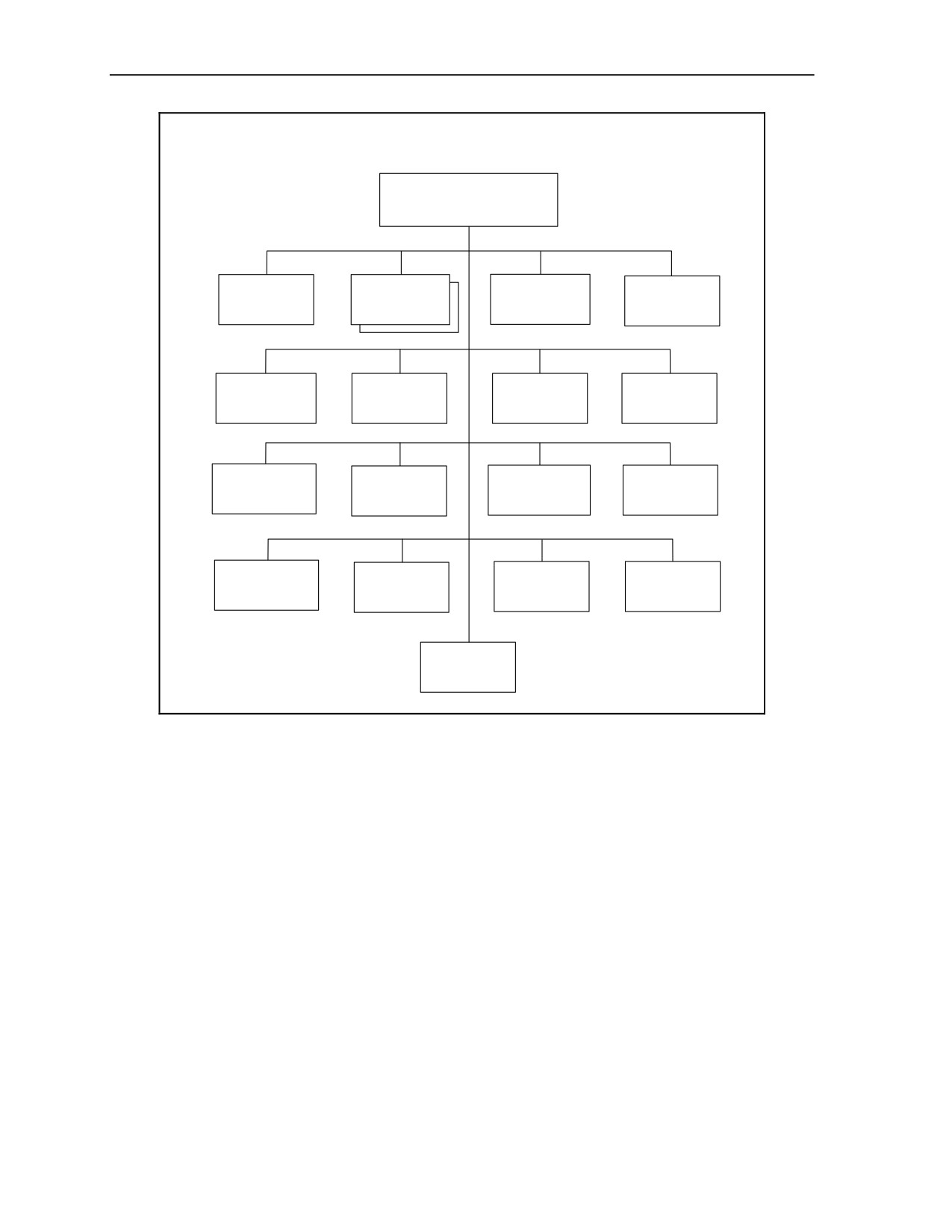
B-44. Step 9b(4)(o). The completed BTG graphic in the MS Word® document should look exactly like
that shown in figure B-5 on page B-12.
3 May 2007
FM 7-100.4
B-11
Appendix B
Brigade Tactical Group (Motorized) (Antiarmor-Light) _______
BRIGADE
TACTICAL GROUP
(Mtzd) (Antiarmor-Lt)
MOTORIZED
MECHANIZED
GUERRILLA
BTG
INFANTRY
INFANTRY
BATTALION
HQ
BATTALION
BN (APC)
(Hunter/Killer)
ANTITANK
COMPOSITE
RECON
SPF
BATTALION
ARTILLERY
BATTALION
COMPANY
(Div)
BN (Sep)
(Mtzd)(Sep)
SPF
AIR DEFENSE
ENGINEER
SNIPER
DEEP ATK/
BATTALION
BATTALION
COMPANY
RECON PLT
(Mtzd) (Sep)
(Sep)
MATERIEL
MAINT
SIGNAL
CHEMICAL
SUPPORT
BATTALION
COMPANY
DEFENSE
BATTALION
(APC/Mtzd)
(Sep)
CO (Sep)
MEDICAL
COMPANY
(Sep)
Figure B-5. Brigade Tactical Group (Motorized) (Antiarmor-Light)
B-45. In this example, for the sake on simplicity, none of the battalions or companies subordinate to the
BTG has been task-organized into a detachment. If they were, trainers would also need to modify the
organizational graphics of those subordinates to reflect how they are task-organized. In this simplified
example, however, all that is required is to copy the files for these battalions and companies “as-is” from
the AFS organizational directories into the proper folder created in Step 9a.
Step 9c. Modify Personnel and Equipment Charts
B-46. For the BTG in this example, the personnel and equipment numbers are contained in an MS Excel®
spreadsheet. Although it is possible to build a new MS Excel® chart from scratch, it is not recommended.
The simplest method of creating the new Excel® chart is similar to that used for modifying organizational
graphics, as described above. Training planners should find an existing MS Excel® chart for a similar unit
in the AFS organizational directories and modify it into a personnel and equipment chart reflecting the
newly created task-organized OPFOR unit. For illustrative purposes, this part of appendix B will continue
to use the AFS separate motorized infantry brigade as the example baseline OPFOR unit. It remains the
OPFOR unit with subordinates most closely resembling those of the initial listing of units for the task
organization in Step 7. The end result is the conversion of the “Separate Motorized Infantry Brigade” MS
Excel® chart into the
“Brigade Tactical Group
(Motorized)
(Antiarmor-Light)” MS Excel® chart
reflecting all of the units in the task organization. The completed organization will include a complete
B-12
FM 7-100.4
3 May 2007
Building an OPFOR Task Organization
listing of all personnel and equipment, by subordinate unit, in the newly formed BTG (Mtzd) (Antiarmor-
Lt) and the totals for the BTG.
B-47. There are several steps to modifying an existing MS Excel® chart into the example task-organized
BTG (Mtzd) (Antiarmor-Lt). None of these steps is difficult but most are sequential. These steps apply
only to MS Excel® in MS Office 2000® or MS Office 2003®.
Step 9c(1). Save Chart as New Chart
B-48. Save the MS Excel® chart titled “Separate Motorized Infantry Brigade” in the AFS as the “Brigade
Tactical Group (Motorized) (Antiarmor-Light).” In the Save As process, save the new chart under the “01
BTG (Mtzd) (Antiarmor-Lt)” folder created in Step 9a. The resulting chart will serve as the basis for
making the necessary modifications.
Step 9c(2). Change Chart Title in Row 1
B-49. In the newly saved MS Excel® chart “Brigade Tactical Group (Motorized) Antiarmor-Light),” at the
top of the page (Row 1), change the title line from “Separate Motorized Infantry Brigade” to read “Brigade
Tactical Group (Mtzd) (Antiarmor-Light).”
Step 9c(3). Modify the List of Subordinate Units in Row 2
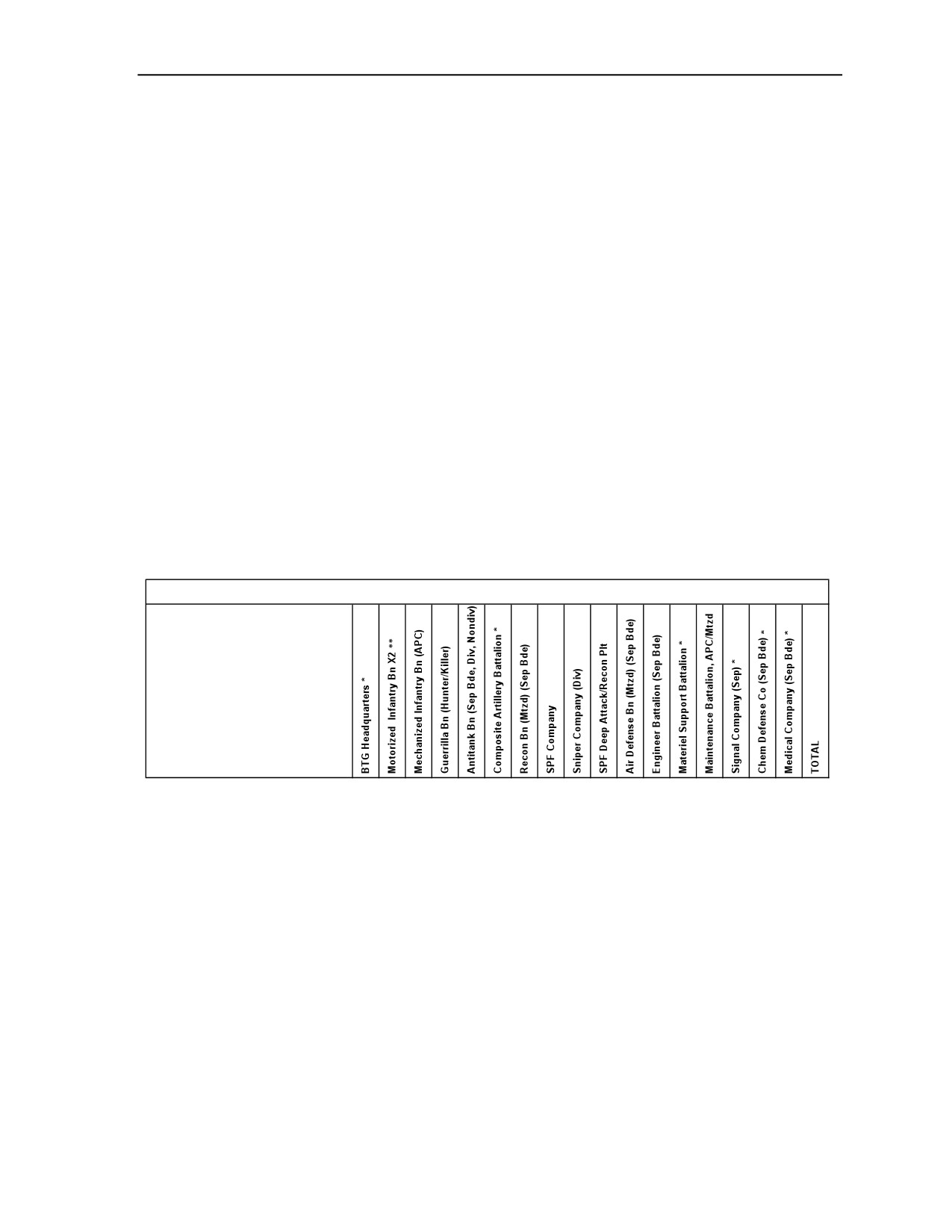
B-50. Row 2 of the MS Excel® chart should reflect the units in the BTG (Mtzd) (Antiarmor-Lt). For
consistency in the task-organizing process, Row 2 should show the subordinate units in the same sequential
order as they appear in the organizational chart shown in figure B-5 on page B-12. Thus, Row 2 for the
BTG (Mtzd) (Antiarmor-Lt) should appear as shown in figure B-6.
Brigade Tactical Group (Mtzd) (Antiarmor-Light)
Personnel and Items of Equipment
Figure B-6. Rows 1 and 2
B-51. Therefore, the next task is to modify the subordinate units (old Sep Mtzd Inf Bde) listed in Row 2 to
reflect the units selected to be part of the task-organized BTG (Mtzd) (Antiarmor-Lt). This modification
consists of several steps of deleting some units not used in the task organization and adding new columns
to provide a space for including new units into the task organization:
Change “Brigade Headquarters” in Column B to read “BTG Headquarters.” The asterisk (note)
still applies; so it remains.
The “Motorized Infantry Bn X3” in Column C should be modified to reflect two motorized
infantry battalions required for the task-organized BTG vice the three originally in the separate
motorized infantry brigade. Change the “X3” to “X2”. Delete all the items of equipment
numbers in Column C under the motorized infantry battalion. They are no longer correct, since
these numbers reflect three battalions rather than the two required now. Delete the numbers now
rather than try to recall later if the numbers reflect two or three battalions. Later, at Step
9c(4)(a), it will be time to enter the proper numbers of equipment for the total of two motorized
infantry battalions. Keep the note reference ** after the “X2.” However, Note ** at the bottom
3 May 2007
FM 7-100.4
B-13
Appendix B
of the page is now incorrect and must be modified to read: “The values in this column are the
total number for two battalions.” Repeat on all pages.
The two tank battalions in Columns D and E of the original chart are not part of the BTG. To
delete these two columns, highlight the entire columns by clicking on the “D” and “E” at the top
of the chart, then go to Edit at the top left of the screen, and click Delete.
Note. To remove a column or row from a spreadsheet, do not use the “Del” button on the
keyboard; that only “clears” the content of cells in the column or row, but the column or row
still exists (just with empty cells). Columns (labeled A, B, C, and so forth) or rows (labeled 1, 2,
3, and so forth) can be removed only by highlighting the entire column or row and then going to
the toolbar at the very top of the screen and clicking on Edit/Delete.
Now it is necessary to add the mechanized infantry battalion (APC), which is a new unit, to the
chart. However, there is no column in which to put it. The mechanized infantry battalion (APC)
should be listed in the proper sequence (reflecting the sequence in the BTG organizational
graphic in figure B-5 on page B-12). Therefore, this battalion is placed directly to the right of
the “Motorized Infantry Bn X2” in Column C. Highlight the original Column D, click on Insert
at the top of the screen, and then click on Columns. There should now be an empty Column D in
between the “Motorized Infantry Bn X2” in Column C and the antitank battalion (now in
Column E). The newly inserted Column D should automatically be included in the summing
formulas which roll up the personnel and equipment numbers to provide totals in the right-hand
column. Click on the cell in Column D, Row 2, which is still vacant. Type in one space and then
“Mechanized Infantry Bn (APC).” The one space before typing moves the text off the line for
easier reading. The personnel and equipment numbers will be added in Step 9c(4)(b).
Add the guerrilla battalion (hunter/killer) as the fourth entry. This is also a new unit to the BTG,
and thus there is no column in which to put it. The guerrilla battalion (hunter/killer) must also be
listed in the proper sequence (as in the organizational graphic in figure B-5 on page B-12).
Therefore, this battalion must be directly to the right of the mechanized infantry battalion (APC)
in column D. Highlight the current Column E, click on Insert at the top of the screen, and then
click on Columns. There should now be an empty Column E in between the mechanized
infantry battalion (APC) in Column D and the antitank battalion in what is now Column F. This
new column also should automatically be included in the summing formulas. Click on the cell in
Column E, Row 2, which is still vacant. Type in one space and then “Guerrilla Battalion
(Hunter/Killer).” The personnel and equipment numbers will be added in Step 9c(4)(c).
Column F, (Antitank Battalion), Column G (Composite Artillery Battalion), and Colum H
(Recon Battalion) do not require any modification. They remain as they were in the separate
motorized infantry brigade. The personnel and equipment numbers in these organizations are
correct and require no further action.
The sniper platoon now in Column I is not part of the BTG. Delete Column I, Sniper Platoon, by
clicking on the “I” at the top of the chart to highlight the entire column, then clicking on Edit at
the top left of the screen, and clicking Delete.
The SPF company is the eighth entry. This is another unit new to the BTG. Once again, there is
no column in which to enter it. The SPF company should be listed in the proper sequence (as in
the organization graphic in figure B-5 on page B-12). The SPF company must be positioned
directly after the Recon Bn (Mtzd) (Sep Bde) now in column H. Highlight the current Column I,
click on Insert at the top of the screen, and then click on Columns. There should now be an
empty Column I between the Recon Bn (Mtzd) (Sep Bde) in Column H and the air defense
battalion (Mtzd) (Sep Bde) which moved to Column J. Click on the cell in Column I, Row 2,
which is still vacant. Type in one space and then “SPF Company.” The personnel and equipment
numbers will be added in Step 9c(4)(e).
The sniper company is the ninth entry. This is another unit new to the BTG. Once again, there is
no column in which to enter it. The sniper company is placed directly to the right of the SPF
company now in Column I. Highlight the current Column J, click on Insert at the top of the
B-14
FM 7-100.4
3 May 2007
Building an OPFOR Task Organization
screen, and then click on Columns. There should now be an empty Column J between the SPF
company in Column I and the air defense battalion (Mtzd) (Sep Bde) which moved to Column
K. Click on the cell in Column J, Row 2, which is still vacant. Type in one space and then
“Sniper Company.” The personnel and equipment numbers will be added in Step 9c(4)(f).
The SPF deep attack/reconnaissance platoon is the tenth entry. This is another unit new to the
BTG. Once again, there is no column in which to enter it. The SPF deep attack/reconnaissance
platoon should be positioned directly to the right of the sniper company now in Column J.
Highlight the current Column K, click on Insert at the top of the screen, and then click on
Columns. There should now be an empty Column K between the sniper company in Column J
and the air defense battalion (Mtzd) (Sep Bde) which moved to Column L. Click on the cell in
Column K, Row 2, which is still vacant. Type in one space and then “SPF Deep Attack/Recon
Plt.” The personnel and equipment numbers will be added in Step 9c(4)(g).
The following units listed in Columns L thru R require no further action—
Column L = Air defense battalion.
Column M = Engineer battalion.
Column N = Materiel support battalion.
Column O = Maintenance battalion.
Column P = Signal company.
Column Q = Chemical defense company.
Column R = Medical company.
The totals in Column S will be automatically calculated using the summing formulas. No action
is required for this column. Once the personnel and equipment numbers have been added to new
and modified units and the chart completely updated, Column S (Total) will accommodate the
update by automatically calculating the sums. For additional guidance on automatic summation,
see Using Spreadsheets to Facilitate Roll-Ups in the section on Building from the Bottom Up
later in this appendix.
Note. When making changes to the unit titles in Row 2, do not forget to carry those changes to
all of the pages in the chart. Also check any asterisks in Row 2 and ensure the notes to which
they are linked at the bottom of the page(s) still apply.
Step 9c(4). Update Personnel and Equipment Numbers
B-52. Once Row 2 has been modified to reflect all of the units in the BTG, the personnel and items of
equipment must be updated. The items of equipment in Column A are modified by adding equipment not
listed in the baseline Excel® chart and deleting equipment no longer used by units in the task organized
BTG. After all the proper items of equipment are reflected in Column A, training planners must enter the
appropriate personnel and equipment totals for each individual unit in Columns B through R.
Note. When entering numbers in columns, it is recommended to highlight the column currently
being worked on, in order to limit confusion and avoid placing numbers into the wrong column.
Highlight the column by clicking on the letter designating that column at the very top of the
Excel® chart and then click on the Fill Color icon in the toolbar and select a color. The column
will remain highlighted during entry of numbers. (Just clicking on the letter at the top of the
column temporarily highlights the entire column, but the highlighting turns off as soon as one
clicks on a cell to enter data.) When entries in that column are complete, click on the letter at the
top of the column again, then click on the Fill Color icon and select No Fill to turn off the
highlighting in the completed column.
B-53. Task-organized units generally require additional types of equipment. Specific types of equipment in
Column A should not be deleted until the Excel® chart is completely finished. If the item of equipment is
3 May 2007
FM 7-100.4
B-15
Appendix B
deleted too early in the process, the piece of equipment may not be available in the event another unit
modified later in the process requires that piece of equipment. Trainers would then need to go back and re
enter the item they just deleted (by creating a new row and filling in the information). The best method is to
wait until all other modifications to the Excel® chart have been made and then delete the rows for any
items of equipment for which the total is Column S is a zero.
B-54. Make sure that all units carried over from the original Excel® chart have not been altered in ways
that would change their personnel and equipment numbers. Units that have been modified, or are new, to
the BTG must have the appropriate personnel and equipment numbers entered into the chart (cell by cell).
The data must be entered individually by unit (column). Units new to the BTG often have some items of
equipment that were not included in the original equipment listing in Column A. New rows for these
additional items of equipment will be added, one unit (column) at a time, when updating the equipment
data.
B-55. In this example BTG, the following units require new or modified personnel and equipment data:
Column C: Motorized Infantry Battalion (x2).
Column D: Mechanized Infantry Battalion (APC).
Column E: Guerrilla Battalion (Hunter/Killer).
Column I: SPF Company.
Column J: Sniper Company.
Column K: SPF Deep Attack/Reconnaissance Platoon.
B-56. Step 9c(4)(a). Column C: Motorized Infantry Battalion (x2). In the AFS organizational directories,
go to Volume II - Echelons Above Division, 01 Separate Combat Brigades, 04 Sep Motorized Inf Bde,
03A Mtzd Inf Bn Equip.xls to select the appropriate baseline unit. Multiply the total numbers in Column L
(in the Mtzd Inf Bn chart) by two, to reflect the total numbers for the two motorized infantry of battalions
that are part of the BTG. Transfer the numbers of the motorized infantry battalion (which have been
multiplied by two) into the appropriate cells in Column C, Motorized Infantry Bn X2 of the BTG (Mtzd)
(Antiarmor-Lt) MS Excel® chart.
Note. The values in Column C (of the BTG chart) are the total numbers for two battalions.
Ensure that the footnote with the same number of asterisks as in the reference at the top of
Column C, Row 2 states this. This column does not require any modifications to the equipment
list in Column A. It is simply a matter of changing the numbers from three battalions to two
battalions.
Note. In this particular example, neither of the motorized infantry battalions in Column C was
task-organized into a detachment. If that were the case, it would be necessary to create a
separate column for the unit that became a BDET, since its personnel and equipment numbers
would be different from those of a battalion. Even if both the motorized infantry battalions
retained in this BTG were transformed into BDETs, it is unlikely that they would both be task-
organized in the same way. Therefore, the two BDETs would still require separate columns in
the Excel® chart.
B-57. Step 9c(4)(b). Column D: Mechanized Infantry Battalion (APC). In the AFS organizational
directories, go to Volume I - Division and Divisional Units, 02 Mechanized Infantry Division (APC), 04
Mech Inf Bde (APC), 03A Mech Inf Bn (APC) Equip.xls to select the appropriate baseline unit. Transfer
the numbers of the mechanized infantry battalion (APC) from Column K (TOTAL) of the mechanized
infantry battalion (APC) into the appropriate cells in Column D, Mechanized Inf Bn (APC) of the BTG
(Mtzd) (Antiarmor-Lt) MS Excel® chart. Start with transferring the personnel numbers and then add the
numbers of equipment.
B-58. Some of the types of equipment belonging to the mechanized infantry battalion (APC) are yet not
listed in Column A. This equipment must be added. Although the process is sequential, it is simple.
B-16
FM 7-100.4
3 May 2007
Building an OPFOR Task Organization
Trainers should begin updating (adding) personnel and equipment numbers in Column D of the Excel®
chart until they run across an item of equipment not listed in Column A.
B-59. The first item of equipment not listed in Column A of the BTG Excel® chart is the ACRV, 1V152.
The proper sequential placement for the ACRV, 1V152 in the BTG Excel® chart is between the ACRV,
1V14-3, Cmd & Observation Post in Row 11 and the ACRV 1V15-3, Cmd & Observation Post in Row 12.
A new row (in which to place the ACRV, 1V152) needs to be created in between Rows 11 and 12. In order
to insert the new row, highlight the entire Row 12 from the left side of the chart. Once Row 12 is
highlighted, click on Insert at the top of the screen, and then Row. A blank row has now been inserted
between previous Rows 11 and 12. In Column A of that row, type “ACRV, 1V152.” Since there is one
ACRV, 1V152 in the mechanized infantry battalion (APC), add the number “1” in Row 12 (ACRV,
1V152), Column D (Mech Inf Bn (APC).
B-60. Once the new row has been added and filled in with the updated data/number, ensure the automatic
summing formula is entered in Column S “Total” on the right side of the chart. To create the correct
formula for automatic summing in the “Total” column, users can click on any cell in the “Total” column
containing the correct formula for its row and Copy and Paste that formula into the “Total” cell in the new
row; the letters designating the row in the formula should automatically change to the letter of the new row.
The chart should automatically add the numbers in columns B thru R, with the total shown in Column S.
B-61. Continue transferring the numbers from the mechanized infantry battalion (APC) personnel and
equipment chart to the BTG chart. Insert any new rows necessary. Fill them out and follow the instructions
above until Column D, mechanized infantry battalion (APC) is completed in the BTG chart. When
complete, move on to Column E, guerrilla battalion (hunter/killer).
B-62. Step
9c(4)(c). Column E: Guerrilla Battalion
(Hunter/Killer). In the AFS organizational
directories, go to Volume III - Paramilitary and Nonmilitary Organizations, 01 Guerrilla Brigade, 02
Guerrilla Bn, Guer Bde, 02A Guer Bn-Equip.xls to select the appropriate baseline unit. Transfer the
personnel and equipment numbers from the AFS guerrilla battalion (hunter/killer) Excel® chart to Column
E, guerrilla battalion (hunter/killer) of the BTG chart in accordance with the instructions above. Once the
transfer and update is complete, move on to Column I, SPF Company.
B-63. Step 9c(4)(d). Column F (Antitank Bn) thru Column H (Recon Bn). These units were part of the
baseline AFS separate motorized infantry brigade. Since no internal modifications are involved here, the
columns for these units are complete and require no modification.
B-64. Step 9c(4)(e). Column I: SPF Company. In the AFS organizational directories, go to volume II -
Nondivisional Units, 02 Combat Brigades, 01 Special-Purpose Forces Brigade, 03B SPF Bn Equip.xls,
Column C (SPF Company in the Excel® equipment chart) to select the appropriate baseline unit. In this
case, the SPF company is not listed separately in the MS Excel® document. In that document, it is rolled
up as a part of “SPF Company (X3)” of the SPF Battalion. Therefore, the numbers in Column C of the SPF
Bn Excel® chart must be divided by three to acquire the number for a single SPF company. Once the
personnel and equipment numbers for only one SPF company have been determined, transfer those
numbers into Column I, SPF Company, of the BTG chart in accordance with the instructions above. Once
the transfer and update is complete, move on to Column J, Sniper Company.
B-65. Step 9c(4)(f). Column J: Sniper Company. In the AFS organizational directories, go to volume I -
Divisions and Divisional Units, 04 Motorized Infantry Division, 11 Sniper Co to select the appropriate
baseline unit. Then transfer the sniper company numbers into Column J, Sniper Company, of the BTG
chart in accordance with the instructions above.
B-66. Step 9c(4)(g). Column K: SPF Deep Attack/Reconnaissance Platoon. In the AFS organizational
directories, go to volume II - Nondivisional Units, 02 Combat Brigades, 01 Special-Purpose Forces
Brigade, 03B SPF Bn Equip.xls, Column D (SPF Deep Attack/Reconnaissance Platoon in the Excel®
equipment chart) to select the appropriate baseline unit. Then transfer the Deep Attack/Reconnaissance
Platoon numbers into Column K, SPF Deep Attack/Reconnaissance Platoon, of the BTG chart in
accordance with the instructions above.
3 May 2007
FM 7-100.4
B-17
Appendix B
B-67. Step 9c(4)(h). Column L through Column R. These units were part of the baseline AFS separate
motorized infantry brigade. Since no internal modifications are involved here, the columns for these units
are complete and require no modification.
B-68. Step 9c(4)(i). Column S: Total. This column automatically totals the equipment numbers in
Columns A through R. It should not require any action.
Step 9c(5). Delete Unused Rows
B-69. Once the Excel® chart is complete and all units have their equipment entered, it is easy to determine
which items of equipment are not needed in the chart. A look at the totals column (the last Column on the
right-hand side) reveals that some items of equipment have “0” (zero) for the total. These items of
equipment may then be deleted. After reviewing the notes at the bottom of the page for applicability, the
final formatting adjustments may then be made to the Excel® chart.
Step 9c(6). Update Notes
B-70. The “Notes” listed at the bottom of the page amplify either the units listed in Row 2 or items of
equipment listed in Column A. Care must be taken to ensure the asterisk (*) reference(s) in Row 2 or
Column A match the appropriate note(s). For the convenience of the user, the notes pertaining to units in
Row 2 (which appears at the top of each page in a multi-page Excel® chart) are repeated at the bottom of
each page. Update these notes as necessary, to correspond to changes in organization or equipment.
Step 9c(7). Format the Chart
B-71. In this BTG example, the MS Excel® personnel and equipment chart is five pages long (323 rows)
and 19 columns wide. This example chart uses portrait orientation and fits on a standard-size, 8.5x11-inch
paper. If necessary, equipment charts can easily be formatted to landscape orientation to fit the standard-
size paper. The heights of the rows and widths of columns are adjusted by first highlighting the row (or
column), clicking on Format at the top of the screen and selecting Row (or Column) and adjusting the row
height (or column width). Several attempts may be needed until the adjustments are satisfactory. In order to
fit this chart on standard paper, with a portrait orientation, the following format parameters were used:
Column Width.
A = 36.14
B through Column R= 4.29
S (Totals) = 5
Row Height.
1 = 25
2 = 170
All other rows = 13
Step 9c(8). Completed Chart
B-72. The task-organized Brigade Tactical Group (Motorized) (Antiarmor-Light) personnel and equipment
roll up in MS Excel® should now be complete. The completed BTG (Mtzd) (Antiarmor-Lt) equipment
charts are seen in figures B-7 through B-11 (on pages B-19 through B-23).
B-18
FM 7-100.4
3 May 2007

Building an OPFOR Task Organization
Brigade Tactical Group (Mtzd) (Antiarmor)
Personnel and Items of Equipment
Personnel
Officer
41
74
33
35
26
39
26
14
5
4
38
23
25
32
5
6
47
473
NCO
43
402
133
211
73
151
82
27
42
8
124
104
59
94
20
30
31
1634
Enlisted
105
1396
555
765
355
515
378
118
78
25
595
572
487
497
118
111
109
6779
Total Personnel
189
1872
721
1011
454
701
486
159
135
37
757
699
571
623
143
147
187
8892
Equipment
ACRV, 1V110, Battery FDC
2
2
ACRV, 1V13-3, Fire Control Post
4
4
ACRV, 1V14-3, Cmd & Observation Post
4
4
ACRV, 1V152, Artillery Command Post
1
1
ACRV, 1V15-3, Cmd & Observation Post
1
1
ACRV, 1V16-3, Fire Control Post
1
1
ACV, BMP-1KSh, Cmd & Staff Veh
1
2
8
11
ACV, BRDM-2UM
1
1
ACV, BTR-80, Kushetka, Cmd & Staff Veh
6
1
2
4
1
2
2
2
20
ACV, BTR-80, Kushetka, Comms Jammer
2
2
ACV, BTR-80, Kushetka, Ground Station
1
1
ACV, BTR-80, Kushetka, Radar Intcpt/DF
3
3
ACV, BTR-80, Kushetka, Radio Intcpt/DF
3
3
ACV, Air Def, Sborka w/DOG EAR Radar
4
4
Air Def Acq & Coord Unit, ACU (Crotale)
3
3
APC, BTR-80A
2
46
2
9
59
APC, BTR-80AK, Command Veh
4
2
6
Artillery Locating Radar, IL220U/IL219
1
1
ATGM Launcher Vehicle, AMX-10 HOT 3
12
12
CRV, BRDM-2M w/ATGM Lchr, HOT 3
1
13
14
CRV, BRM-3K, Combat Recon Veh
3
3
IFV, BMP-2M
9
7
16
Mobile Recon Post, PRP-4M
4
12
16
Multipurpose Vehicle, MT-LBT
12
1
13
SAM Launcher, Firing Unit (Crotale)
6
6
Sound Ranging Set, SORAS 6
1
1
Sensor Vehicle-Tracked, HJ-62C
2
2
Towed AA Gun/Missile Sys, Skyguard
4
4
w/Aspide MK 1 Missile Launcher &
8
8
Towed AA Gun, GDF-003
8
8
Truck, Command and Staff Vehicle
13
4
1
1
1
20
9-mm Pistol, PM
4
114
37
39
3
3
7
159
37
3
3
3
3
44
459
5.45-mm Assault Rifle, AK-74M
170
1478
380
289
654
345
30
99
5
654
574
540
586
121
141
143
6209
5.45-mm Carbine, AKS-74U
15
214
269
162
44
134
88
26
96
122
28
34
22
6
1260
5.45-mm LMG, RPK-74
10
10
7.62-mm Assault Rifle, AKM
765
46
811
7.62-mm Carbine, AKMS
90
90
7.62-mm GP MG, PKM
10
160
41
64
8
12
32
14
34
24
8
38
3
5
11
464
7.62-mm LMG, RPK
80
80
7.62-mm Sniper Rifle, Mosin/Nagant
30
30
7.62-mm Sniper Rifle, SVD
66
36
6
1
28
36
6
2
181
.50 BMG Antimateriel Rifle, M82A1
12
6
6
14
36
3
77
12.7-mm HMG, NSV
8
94
28
9
38
29
29
16
26
3
76
20
22
31
14
5
448
23-mm Chain Gun
3
3
35-mm AGL-Light, W-87
7
66
42
4
7
16
4
2
7
2
2
159
40-mm AGL-Heavy, CIS 40
12
18
4
34
40-mm Grenade Launcher, BG-15
141
141
40-mm Grenade Launcher, GP-30
43
344
150
87
123
103
29
65
5
115
104
39
101
31
31
15
1385
NOTES:
* Same basic organization for IFV, APC, and motorized units. APC units substitute wheeled APCs for IFVs in the tracked units, etc.
** The values in this column are the total number for two battalions.
*** Tactical Utility Veh, Amphib, VBR w/Trailer, Amphib, can be substituted for Tactical Utility Vehicle, UAZ-469
Page 1
(continued)
Figure B-7. BTG (Mtzd) (Antiarmor-Lt) Personnel and Equipment List, Page 1
3 May 2007
FM 7-100.4
B-19

Appendix B
Brigade Tactical Group (Mtzd) (Antiarmor) (continued)
Personnel and Items of Equipment
60-mm Mortar, Light, Type 90 or
18
9
9
36
60-mm Commando Mortar, M70
73-mm Recoilless Gun, SPG-9/9M
3
3
82-mm Recoilless Gun, Type 65-1
9
9
81-mm W-87, or 82-mm 2B14-1 Mortars
6
6
or 100-mm Mortar, Type 71
or 120-mm Mortar, Type 86 (W86)
107-mm MRL, Type 63/63-1 or Type 85
3
3
120-mm SP Combination Gun, 2S23
6
6
120-mm Towed Combo Gun, 2B16
12
12
or 120-mm Towed Mortar, MO-120-RT
122-mm MRL, 9A51/PRIMA
6
6
125-mm Antitank Gun, 2A45M
12
12
155-mm SP How, G6/Rhino
18
18
Air Defense/Antiarmor System, Starstreak
3
3
6
ATGM Launcher, 9P151, AT-13/METIS-M
4
4
ATGM Launcher, HOT-3
6
7
13
26
ATGM Launcher, Manportable, AT-13
9
9
ATGM Lchr, Manportable-SR, Eryx
18
5
2
12
3
40
ATGM Launcher, Milan 3
18
18
ATGL-Long Range, RPG-29
36
18
54
ATGL, Panzerfaust 3-T600
3
58
31
21
1
3
14
3
3
4
141
ATGL, RPG-7V
62
62
ATDL, Armbrust
54
36
24
3
2
119
ATDL, RPG-22
102
26
128
ATDL, RPG-27
15
154
94
65
54
85
28
4
88
66
32
40
14
8
747
Bunkerbuster
4
26
3
9
42
Demolition Material
Assort Assort Assort Assort
Assort Assort
Assort
Assort
Assort
Demolition Set, Underwater
3
4
7
Flame Weapon, RPO-A Series
6
138
45
77
8
15
6
27
6
3
27
15
9
15
2
3
402
MANPADS Launcher, SA-14
2
2
MANPADS Launcher, SA-18
12
6
6
6
18
48
Mine Detector, Handheld
5
5
10
Minefield Control Set
6
6
12
Mine-Scattering System, Manport, PKM
3
30
25
2
24
14
3
2
24
127
Mines (AP&AT)
Assort Assort Assort Assort
Assort Assort
Assort Assort Assort
Assort
Aircraft, Ultra-Light
6
6
Ambulance
6
3
3
3
3
3
3
6
30
Ambulance, BMM-1
3
3
6
Armored Engineer Tractor, IMR-2M
1
1
ARV, Tracked
3
3
3
3
3
5
20
ARV, Tracked, BREM-1
3
3
ARV, Tracked, Repair (w/crane), RM-G
3
3
ARV, Wheeled, BREM-K
6
6
Back Hoe, Wheeled
2
2
Boat, Assault w/Motor
11
11
Boat, Inflatable, Zodiac
4
4
Bridge, Tank-Launched, AVLB
3
3
Bridge, Truck-Launched, TMM-3
4
4
Ditching Machine, MDK-3
2
2
Dozer
1
1
Engineer Recon Vehicle, IRM
3
3
Fork Lift, Tactical
1
1
Front End Loader, Wheeled
2
2
Light Strike Vehicle, FAV
14
14
NOTES:
* Same basic organization for IFV, APC, and motorized units. APC units substitute wheeled APCs for IFVs in the tracked units, etc.
** The values in this column are the total number for two battalions.
*** Tactical Utility Veh, Amphib, VBR w/Trailer, Amphib, can be substituted for Tactical Utility Vehicle, UAZ-469
Page 2
(continued)
Figure B-8. BTG (Mtzd) (Antiarmor-Lt) Personnel and Equipment List Continued, Page 2
B-20
FM 7-100.4
3 May 2007

Building an OPFOR Task Organization
Brigade Tactical Group (Mtzd) (Antiarmor) (continued)
Personnel and Items of Equipment
Medical Aid Station, BMM-2
1
1
2
Medical Aid Station,Van
2
2
Mine Detector Vehicle, DIM
2
2
Minefield Breaching Vehicle, UR-77
2
2
Minefield Breach Sys-Explosive ZRP-2
18
3
4
27
52
Minelayer, GMZ-3
3
3
Minelayer, Scatterable, UMZ
9
9
Minelayer, Towed, PMZ-4
3
3
Motorcycle
24
6
10
3
3
12
3
3
3
3
3
73
NBC Recon Vehicle, RKhM/RKhM-4-01
3
3
Radar, EW/TA/AD C2, GIRAFFE AMB
2
2
Route-Clearing Vehicle, BAT-2
2
2
Skid Loader w/Trailer
2
2
Tactical Utility Veh, Amphib, VBR ***
12
1
9
22
Tactical Utility Vehicle, UAZ-469 ***
21
146
19
3
21
42
52
52
21
56
17
29
35
12
3
22
551
Tracked Amphibian, PTS-2
12
12
Tracked Ferry, PMM-2
8
8
Tractor, Grader
1
1
Transloader
24
32
56
Truck, Concrete
1
1
Truck, Crane
2
2
2
7
2
2
5
8
4
34
Truck, Crane Shovel
2
2
Truck, Decon, ARS-14K
6
1
7
Truck, Decon DDA-52/66
4
1
5
Truck, Decon, TMS-65M
4
4
Truck, Dump
3
3
Truck, Heavy
10
80
90
Truck, Heavy w/Crane
9
9
Truck, Kitchen
1
4
1
2
2
1
2
2
2
2
1
20
Truck, Light
9
28
13
26
16
22
7
10
4
22
18
5
16
9
2
8
215
Truck, Light (Dig ital Data)
2
1
1
1
1
1
1
1
1
1
3
14
Truck, Light (Prime Mover)
12
3
15
Truck, Light (Wire)
2
1
1
1
1
1
1
1
1
1
11
Truck, Medium
6
80
9
15
22
48
11
1
44
69
73
45
1
20
34
478
Truck, Medium, Refrigerated
1
1
Truck, Medium w/Crane
19
2
21
Truck, Meterological Complex
1
1
Truck, POL (5,000-Liter)
4
4
12
5
25
Truck, POL (7,000-Liter)
7
7
Truck, Sawmill
1
1
Truck, Signal
1
1
Truck, Tractor, HET
8
8
Truck, Van
1
1
Truck, Water (2,000-Liter)
4
2
2
2
2
2
2
6
22
Truck, Water (9,500-Liter)
6
17
23
Truck, Water Purification
1
1
Truck, Wrecker
6
3
3
3
3
3
7
28
UAV, Fox-AT2
4
4
UAV Launcher, Trailer, 2-Axle
1
1
UAV, Manportable, Skylark
6
6
UAV Transport, Truck, Medium
1
1
Van, Hospital
9
9
Van, Light
12
12
Van, Maintenance
1
6
1
3
15
1
17
3
3
68
118
Van, Missile Test & Maint
12
12
Van, Signal
2
1
1
1
1
1
1
1
1
5
15
Van, Signal (Net)
2
2
NOTES:
* Same basic organization for IFV, APC, and motorized units. APC units substitute wheeled APCs for IFVs in the tracked units, etc.
** The values in this column are the total number for two battalions.
*** Tactical Utility Veh, Amphib, VBR w/Trailer, Amphib, can be substituted for Tactical Utility Vehicle, UAZ-469
Page 3
(continued)
Figure B-9. BTG (Mtzd) (Antiarmor-Lt) Personnel and Equipment List Continued, Page 3
3 May 2007
FM 7-100.4
B-21

Appendix B
Brigade Tactical Group (Mtzd) (Antiarmor) (continued)
Personnel and Items of Equipment
Van, Signal (Relay)
3
3
Van, Signal (SATCOM)
2
2
Van, Signal (Tactical Phone)
3
3
Van, Sound Ranging
1
1
Van, Survey
2
2
Trailer, Amphibious, PKP
12
12
Trailer, Air Compressor
1
1
2
Trailer, Cargo, 1-Axle
6
24
12
19
17
17
6
4
4
16
16
6
23
15
4
3
192
Trailer, Cargo, 2-Axle
6
80
9
15
20
60
11
1
65
67
150
42
1
14
33
574
Trailer, Decon (OWR DEKON 6000)
4
1
5
Trailer, Generator
2
6
2
3
3
8
3
14
5
3
17
11
14
91
Trailer, Kitchen
1
1
1
1
4
Trailer, POL (2,000-Liter)
2
2
Trailer, POL (4,200-Liter)
8
4
4
10
4
4
4
4
4
17
63
Trailer, POL (5,800-Liter)
12
12
Trailer, Semi, HET
8
8
Trailer, Refrigerated, 2-Axle
1
1
Trailer, Ultra-Light Aircraft
3
3
Trailer, Utility, Amphib ***
12
1
9
22
Trailer, Utility ***
21
144
19
3
21
42
52
52
21
14
56
17
32
35
12
3
17
561
Trailer, Van
8
8
Trailer, Water (1,200-Liter)
1
12
1
4
2
2
1
2
3
2
2
9
41
Trailer, Water (2,000-Liter)
2
1
3
Trailer, Water (4,200-Liter)
21
21
Trailer, Water (5,800-Liter)
6
6
Smoke Pots, Drums, Barrels & Grenades
Assort
Assort
Assort
Assort
Assort
Assort
Assort
Assort
Assort
Aiming Circle/Goniometer
10
2
18
4
34
Anti-Veh/Anti-Personnel Wire-Rolls
9
Assort
9
Automated Fire Control System
8
4
1
13
Binocular Laser Rangefinder
15
372
92
86
39
84
59
62
45
18
53
54
13
19
6
10
1027
Boat, Assault w/Motor
Assort
Assort
Assort
Boat, Inflatable, Zodiac, w/Motor
6
6
Camera, CCD-UAV
4
4
Camera Digital
12
6
11
21
34
12
13
109
Camera, FLIR-UAV
4
4
Closed-Circuit Rebreather System
24
24
Comms Radio DF Set, Manportable
12
3
15
Comms Radio Intercept Set, Manportable
12
3
15
Diving Set, Indiv, SCUBA
24
23
47
Electrical, Carpentry, & Plumbing Sets
Assort
Assort
Assort
Assort
Assort
Electric Welding/Cut Equip, Underwater
4
4
8
Electronic Plotting Board
12
6
2
6
6
3
3
18
56
Flexible Stor Tank (POL) (500/1000-Liter)
4
2
6
Flexible Stor Tank (Water) (500/1000-Liter)
4
2
6
Flexible Storage Tank (40,000-Liter)
4
4
5
2
15
Generator Set, Portable
10
23
33
GPS Jammer, Manportable, 4-25 Watt
48
6
54
GPS Receiver, Handheld
47
570
129
94
105
225
118
154
64
33
251
193
230
205
43
47
65
2573
GPS Receiver, Divers, Underwater w/Ant
8
8
Laser Guidance Unit, 9S53
12
12
Laser Rangefinder
6
6
8
2
22
Laser Target Designator
40
16
14
12
17
16
36
3
2
156
Laser Target Designator Pod-UAV
4
4
NOTES:
* Same basic organization for IFV, APC, and motorized units. APC units substitute wheeled APCs for IFVs in the tracked units, etc.
** The values in this column are the total number for two battalions.
*** Tactical Utility Veh, Amphib, VBR w/Trailer, Amphib, can be substituted for Tactical Utility Vehicle, UAZ-469
Page 4
(continued)
Figure B-10. BTG (Mtzd) (Antiarmor-Lt) Personnel and Equipment List Continued, Page 4
B-22
FM 7-100.4
3 May 2007

Building an OPFOR Task Organization
Brigade Tactical Group (Mtzd) (Antiarmor) (continued)
Personnel and Items of Equipment
Litters, Medical
10
12
22
Medical Set, Autopsy
1
1
Medical Set, Dental
3
3
Medical Set, General
1
4
10
15
Medical Set, Surgical
2
7
9
Minefield Control Sets
13
13
Mine Detector, Handheld
16
16
Mixer, Concrete
1
1
Mortuary Set
2
2
Observation Scope, Day/Night
12
18
16
36
3
85
Oxygen Support System (Abn)
Assort
Assort
Periscopic Aiming Circle, PAB2A
11
11
Parachutes, Cargo
Assort
Assort
Parachutes, High-Altitude Precision
Assort
Assort
Parachutes, Individual
Assort
Assort
Parachutes, Powered
Assort
Assort
Parachutes, Ramair
Assort
Assort
Pharmacy Set
1
1
2
Piledriver, Set
1
1
Radar, GSR, Manportable, Fara-1
1
60
29
12
11
24
3
2
142
Radar, GSR, Portable, Credo-1E
6
3
1
10
Sensor Sets
6
4
3
20
15
3
2
53
Soil Penetrometer, Portable
2
6
8
Antenna, GPS Jamming, Directional
12
3
15
Antenna, Mast HF/UHF/VHF
6
3
12
3
3
35
18
3
3
3
3
3
28
2
125
Antenna, Satellite
6
3
12
3
3
35
18
3
3
3
3
3
16
1
112
Telephone Field Cable, 1 km
16
8
8
8
8
8
8
8
8
8
8
96
Telephone, Landline
30
15
15
15
15
15
8
15
15
15
15
173
Telephone Set
8
4
4
4
4
4
4
4
4
4
4
48
Telephone Switchboard
2
1
1
1
1
1
4
1
1
1
1
15
Tent, Command Post
3
3
Tent, General Purpose
21
21
Tent, Medical
6
6
Tent, Medical Aid Station
2
4
6
Tent, Medium
1
1
Tent, Mortuary, Refrigerated
1
1
UAV Ground Station, Computer, Laptop
4
3
7
UAV Maintenance & Repair Kit
4
3
7
Water Purification Set
1
1
Wire Cutter, Set
13
3
16
Thermal Viewer, Handheld, Sophie
10
170
33
30
20
45
44
36
14
27
11
4
444
Night-Vision Goggles
6
608
21
89
50
199
44
67
74
18
188
195
222
191
17
35
56
2080
Night-Vision Goggles (Driver)
50
328
70
33
95
224
103
61
26
14
233
226
231
196
40
62
84
2076
Night-Vision Goggles (AK w/GP-30)
43
344
150
87
123
95
29
65
5
115
104
39
101
31
31
15
1377
Night-Vision Sight (Aiming Circle)
6
11
4
21
Radios:
Base Station, LR Cordless Telephone
15
15
Handheld, LR Cordless Telephone
67
67
Handheld, Satellite Telephone
32
14
46
Handheld, Very-Low-Power
8
388
117
233
18
57
80
148
79
37
44
45
7
24
4
1
14
1304
Manpack, Burst Transceiver
17
14
31
Manpack, Low-Power
2
174
45
62
69
125
54
51
39
4
56
68
186
98
17
25
5
1080
Manpack, SATCOM Transceiver
19
4
23
Vehicle Mount, High-Power
1
1
Vehicle Mount, Medium-Power
76
248
96
43
84
190
109
60
24
14
217
134
54
68
81
37
49
1584
Vehicle Mount, Radio-Relay
4
4
Vehicle Mount, SATCOM Transceiver
19
14
33
Warning Receiver
10
38
14
11
20
35
47
34
1
4
48
21
21
27
2
12
4
349
NOTES:
* Same basic organization for IFV, APC, and motorized units. APC units substitute wheeled APCs for IFVs in the tracked units, etc.
** The values in this column are the total number for two battalions.
*** Tactical Utility Veh, Amphib, VBR w/Trailer, Amphib, can be substituted for Tactical Utility Vehicle, UAZ-469
Page 5
Figure B-11. BTG (Mtzd) (Antiarmor-Lt) Personnel and Equipment List Continued, Page 5
3 May 2007
FM 7-100.4
B-23
Appendix B
Step 9d. Adjust Equipment Tiers
B-73. In this example, there was no demonstrable need to change the equipment listed in the AFS
organizational directories for the units making up this task organization to equipment in a different tier (or
to something in the same tier listed in a substitution matrix). Four tiers of system capability are available,
with Tier 1 representing the greatest level of capability and modernization. The separate motorized infantry
brigade used as the base unit for the BTG task organization is a Tier 2 unit. Tier 2 reflects modern,
competitive systems fielded in significant numbers for the last 10 to 20 years. The SPF company and the
SPF deep attack/reconnaissance platoon added to the BTG are elite units that have more high-technology,
state-of-the-art, Tier 1 equipment. The guerrilla battalion that becomes part of this BTG has a mixture of
Tier 3 and Tier 4 equipment. However, forces with lower-tier systems can use adaptive tactics or make
adaptive use of existing technologies is ways that challenge the technological advantages of modern forces.
B-74. Thus, the OPFOR units selected to counter ARTs have a mix of Tier 1, 2, 3, and 4 units, which are
appropriate for the OPFOR in this situation. In other situations, however, organizations in the AFS
directories may or may not reflect the appropriate mix of systems for a particular training requirement.
When necessary, therefore, the Tier Tables and Systems Substitution Matrices in the Worldwide
Equipment Guide (WEG) are another tool for trainers and planners to use to alter systems in simulations to
reflect different levels of modernity and capability. The proper mix (tiering) of OPFOR weapons and
equipment has a major impact on the quality of training received. See chapter 4 for further detail on Tier
Tables and Systems Substitution Matrices.
Step 9e. Update Folders and File Paths
B-75. Once the organizational graphics and personnel and equipment data for the OPFOR task-organized
BTG (Mtzd) (Antiarmor-Lt) have been completed, the paths to the documents and files in MS Windows
Explorer® may need to be reorganized and arranged to reflect the conversion from an AFS organization to
a task-organized unit. Trainers can arrange the folders and files to suit their needs or whatever they are the
most comfortable with. However, the use of a sequential numbering of folders and files ensures the units
are presented in the proper sequence when accessed in Windows Explorer®. This method has proven by
far to be the simplest when dealing with a large number of documents, many with similar titles. For the
BTG (Mtzd) (Antiarmor-Lt), the recommended folders (in bold), MS Word® documents, and MS Excel®
spreadsheet titles are as shown in figures B-12 and B-13 (on pages B-26 and B-26).
B-24
FM 7-100.4
3 May 2007
Building an OPFOR Task Organization
Note. In order to keep path lengths within practical limits, folder and file names had to be shortened by using
abbreviations (some of which are not used within the documents and spreadsheets themselves).
01 BTG (Mtzd) (Antiarmor-Lt) (or title/number assigned for training) (Folder)
01 BTG (Mtzd) (Antiarmor-Lt) (Folder)
01 BTG (Mtzd) (Antiarmor-Lt).doc
01A BTG (Mtzd) (Antiarmor-Lt) Equip.xls
02 BTG Hqs and Staff (Folder)
02 Bde Hqs and Staff.doc
03 Motorized Infantry Bn (x2) (Folder)
03 Motorized Inf Bn.doc
03A Mtzd Inf Bn-Equip.xls
03B Mtzd Inf Co-Equip.xls
03C Mtzd Inf Plt-Equip.xls
03D Weapons Plt-Equip.xls
04 Mechanized Infantry Bn (APC) (Folder)
04 Mech Inf Bn (APC).doc
04A Mech Inf Bn (APC)-Equip.xls
05 Guerrilla Battalion (Hunter-Killer) (Folder)
01 Guer Bn (Hunter-Killer).doc
02 Guer Bn-Equip.xls
03A Hunter-Killer Co, HK Bn-Equip.xls
03B Hq and Cmd Sect, HK Co-Equip.xls
03C Hunter-Killer Group, HK Co-Equip.xls
03D Hunter-Killer Sect 1,2, and 3-Equip.xls
03E Hunter-Killer Sect 4-Equip.xls
04A Guer HK Co-Equip.xls
04B Hq and Svc Sect, Guer Co-Equip.xls
04C Guer Plt, Guer Co-Equip.xls
04D Wpns Plt, Guer Co-Equip.xls
05A Wpns Co, Guer Bn-Equip.xls
06 Antitank Battalion (Sep Bde) (Folder)
06 AT Bn (Sep).doc
06A AT Bn (Sep)-Equip.xls
07 Composite Artillery Bn (Sep Bde) (Folder)
07 Composite Arty Bn (Sep).doc
07A Composite Arty Bn (Sep)-Equip.xls
08 Recon Battalion (APC-Mtzd) (Sep) (Folder)
08 Recon Battalion (APC-Mtzd) (Sep).doc
08A Recon Battalion (APC-Mtzd) (Sep)-Equip.xls
09 SPF Company (Folder) (not a separate unit in AFS; must be broken out)*
09 SPF Company.doc
09A SPF Company-Equip.xls
*Note. This is not separate stand-alone unit in the AFS organizational directories. It is organic to a
larger organization and must be split out in order to use it in a task-organization. The best method is
to copy the parent organization to a blank MS Word® document and Save As a separate unit. In
this case the document is saved as “SPF Company.doc.” The process is similar for the MS Excel®
charts. Simply locate the Excel® chart of the parent unit and Save As a new chart with the title
of the subordinate unit being split out (SPF Company-Equip.xls). Once saved as a new Excel®
chart, simply delete all that does not apply. What is left should be the Excel® chart for the
split-out organization (SPF Company).
(continued)
Figure B-12. Folders and Files for Task Organization
3 May 2007
FM 7-100.4
B-25
Appendix B
TASK-ORGANIZED OPFOR (continued)
Note. In order to keep path lengths within practical limits, folder and file names had to be shortened by using
abbreviations (some of which are not used within the documents and spreadsheets themselves).
10 Sniper Company (Div) (Folder)
10 Sniper Company (Div).doc
10A Sniper Company (Div)-Equip.xls
11 SPF Deep Attack-Recon Plt (Folder) (not a separate unit in AFS; must be broken out)*
11 SPF Deep Attack-Recon Plt.doc
11A SPF Deep Attack-Recon Plt-Equip.xls
12 Air Defense Bn (Mtzd) (Sep Bde) (Folder)
12 Air Defense Bn (Mtzd) (Sep).doc
12A Air Defense Bn (Mtzd) (Sep)-Equip.xls
13 Engineer Battalion (Sep Bde) (Folder)
13 Engineer Battalion (Sep) (APC-Mtzd).doc
13A Engineer Battalion (Sep) (APC-Mtzd)-Equip.xls
14 Materiel Support Battalion (Sep Bde) (Folder)
14A Materiel Support Battalion.doc
14B Materiel Support Battalion-Equip.xls
14C Ammo Trans Co-Equip.xls
14D Cargo Trans Co-Equip.xls
15 Maintenance Battalion (APC-Mtzd) (Folder)
15 Maint Bn (APC-Mtzd).doc
15A Maint Bn (APC-Mtzd)-Equip.xls
16 Signal Company (Sep Bde) (Folder)
16 Signal Company (Sep).doc
17 Chemical Defense Co (Sep Bde) (Folder)
17 Chemical Defense Co (Sep).doc
17A Chemical Defense Co (Sep)-Equip.xls
18 Medical Company (Sep Bde) (Folder)
18 Medical Company (Sep).doc
18A Medical Company (Sep)-Equip.xls
02 Local Insurgent Organization (or fictitious title assigned for training) (Folder)
01 Local Insurgent Organization.doc
02 Local Insurgent Organization-Equip.xls
03 Direct Action Cells-Insurgency-Equip.xls
04 Direct Action Cells-Multifunction-Equip.xls
05 Technical Support Cell-Equipment.xls
*Note. This is not separate stand-alone unit in the AFS organizational directories. It is organic to a
larger organization and must be split out in order to use it in a task-organization. The best method is
to copy the parent organization to a blank MS Word® document and Save As a separate unit. In
this case the document is saved as “SPF Deep Attack-Recon Plt.doc.” The process is similar for
the MS Excel® charts. Simply locate the Excel® chart of the parent unit and Save As a new chart
with the title of the subordinate unit being split out (SPF Deep Attack-Recon Plt-Equip.xls). Once
saved as a new Excel® chart, simply delete all that does not apply. What is left should be the
Excel® chart for the split-out organization (SPF Deep Attack-Recon Plt).
Figure B-13. Folders and Files for Task Organization (Continued)
B-26
FM 7-100.4
3 May 2007
Building an OPFOR Task Organization
STEP 10. CONSTRUCT THE LOCAL INSURGENT ORGANIZATION
B-76. The sub-steps for creating the appropriate local insurgent organization are the same as those outlined
for the BTG task organization in Step 9. Therefore, the discussion here will be limited to the differences.
B-77. One key difference is that insurgent organizations are irregular forces, meaning that there is no
“regular” table of organization and equipment. There is no
“standard” structure for an insurgent
organization. Thus, the baseline insurgent organizations in the AFS organizational directories represent
only the “default setting” for a “typical” insurgent organization. The organizational graphic for a “typical”
local insurgent organization
(see figure B-3 on page B-7) therefore included several dashed boxes
indicating the possibility of different multiples of the basic cell types. The baseline organizational charts
and lists of personnel and equipment include many “Notes” on possible variations in organization or in
numbers of people or equipment within a given organization.
B-78. When developing an OB for a specific insurgent organization for use in training, training planners
need to take several things into consideration:
What functions the insurgents need to be able to perform.
What equipment is needed to perform those functions.
How many people are required to employ the required equipment.
The number of vehicles in relation to the people needed to drive them or the people and
equipment that must be transported.
Equipment associated with other equipment (for example, an aiming circle/goniometer used
with a mortar or a day/night observation scope used with a sniper rifle).
B-79. When task-organizing insurgent organizations, guerrilla units might be subordinate to a larger
insurgent organization, or they might be loosely affiliated with an insurgent organization of which they are
not a part. A guerrilla unit or other insurgent organization might be temporarily subordinated to or
affiliated with a regular military organization.
B-80. For illustrative purposes, the local insurgent organization in this example uses the “default setting”
shown in the spreadsheet in the organizational directories (see figure B-15). This provides a reasonable
number of multifunction direct action cells (four) and at least one of each of the other types of more
specialized direct action cells and other cells. Since the ARTs chosen for the U.S. training unit’s METL did
not specify what kind of insurgent actions or terror tactics would be employed, this “default” organization
offers a wide variety of capabilities that can stress the training unit’s METL. For details on the local
insurgent organization, including personnel and equipment listings, see appendix C. In this example, the
local insurgent organization is not actually part of the BTG, but rather is only loosely affiliated with it.
Step 10a. Create Folders
B-81. Since the local insurgent organization is affiliated with the BTG in this example, a folder “02 Local
Insurgent Organization” was already created in Step 9a (see figure B-4). Now it is time to make necessary
modifications to the files that go into that folder.
Step 10b. Modify Organizational Graphics
B-82. Since the “default setting” shown in the AFS Excel® chart seems appropriate for the local insurgent
organization in this example, only a few modifications are necessary in the PowerPoint® organizational
graphic. Save the Word® document as a new document under the “02 Local Insurgent Organization”
folder created in Step 9a. In the Word® document, change the title line by deleting the “(Typical).” Open
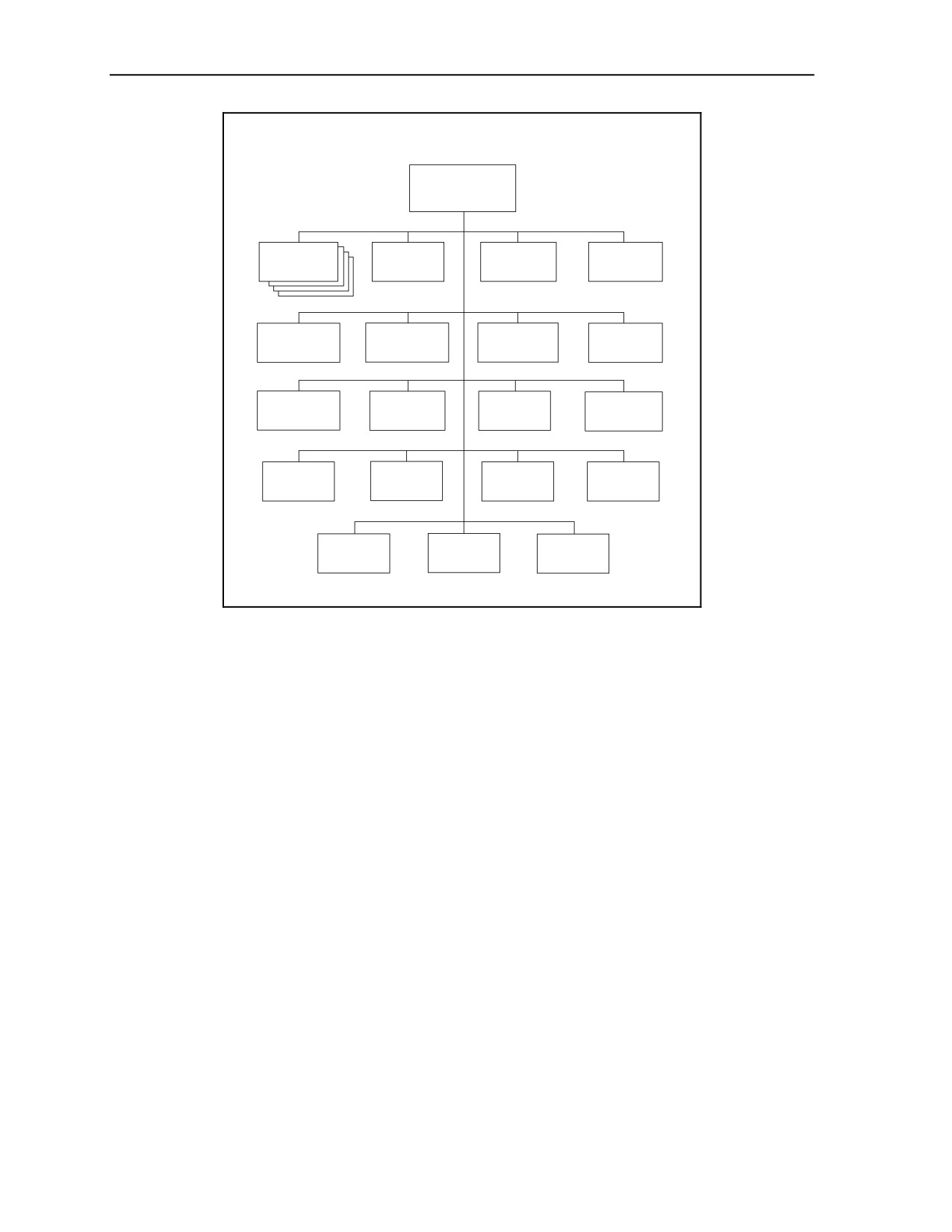
the PowerPoint® graphic and delete all the dashed boxes. The result is shown in figure B-14 on page B-28.
If desired for training purposes, change the generic name “Local Insurgent Organization” to a fictitious
name, such as “Glorious Path Organization.”
B-83. The Word® document in the AFS organizational directories also includes several pages of “Notes.”
Trainers will need to delete or modify notes that do not apply to this particular local insurgent organization.
3 May 2007
FM 7-100.4
B-27
Appendix B
Local Insurgent Organization ______________________________
LOCAL
INSURGENT
ORGANIZATION
DA CELL
DA CELL
DA CELL
DA CELL
(Multi-
(Assassin/
(Kidnapping
(Information
Function)
Sniper)
& Extortion)
Warfare)
DA CELL
CI & INTERNAL
INTELLIGENCE
PLANNING
(Mortar
SECURITY
CELL
CELL
& Rocket)
CELL
INFORMATION
TECHNICAL
COMMS &
LOGISTICS
WARFARE
SUPPORT
TRADECRAFT
CELL
CELL
CELL
CELL
SHELTER
FINANCE
TRAINING
RECRUITING
CELL
CELL
CELL
CELL
(Safe Houses)
CIVIL
TRANSPORT
MEDICAL
AFFAIRS
CELL
CELL
CELL
Figure B-14. Local Insurgent Organization (Affiliated)
Step 10c. Modify Personnel and Equipment Charts
B-84. The training planners in this example elected to use the “default setting” for subordinate units, as
shown in the local insurgent organization Excel® chart in the AFS organizational directories. Therefore,
no modifications are necessary. The result is figure B-15.
B-85. For a given local insurgent organization (other than the one chosen for this example), it may be
necessary to change the numbers of various types of cells in the organization from the “default setting”
shown in the AFS organizational directories. The
“default” local insurgent organization has four
multifunction direct action cells. If the desired organization needs a different number of such cells, training
planners will have to divide the personnel and equipment by four and multiply by the actual number of
these cells. If the actual OB has only one of these cells, it will be necessary to delete the “(X4)*” after
“Direct Action Cell (Multifunction)” in Row 2 and the corresponding Note at the bottom of the Excel®
chart. If the actual number of such cells is a multiple other than “(X4),” the asterisk should remain, but the
Note must change “four” to the appropriate number.
B-86. The “default” local insurgent organization has one of each of the other possible types of cells. In an
actual OB, some of these types of cells could appear in multiples. Both the PowerPoint® organizational
chart and the Excel® personnel and equipment chart must be modified to reflect the actual numbers of each
type of cell. When there are multiple units in several columns of the Excel® chart, it is simpler to use the
same reference asterisk(s) in Row 2 for each such unit, with one Note saying: “The values in these columns
are the total number for multiple cells for each type.”
B-87. Likewise, some types of cells might not be used in a particular insurgent organization. In that case, it
will be necessary to delete their boxes in the MS PowerPoint® organizational chart and their columns in
the MS Excel® spreadsheet.
B-28
FM 7-100.4
3 May 2007
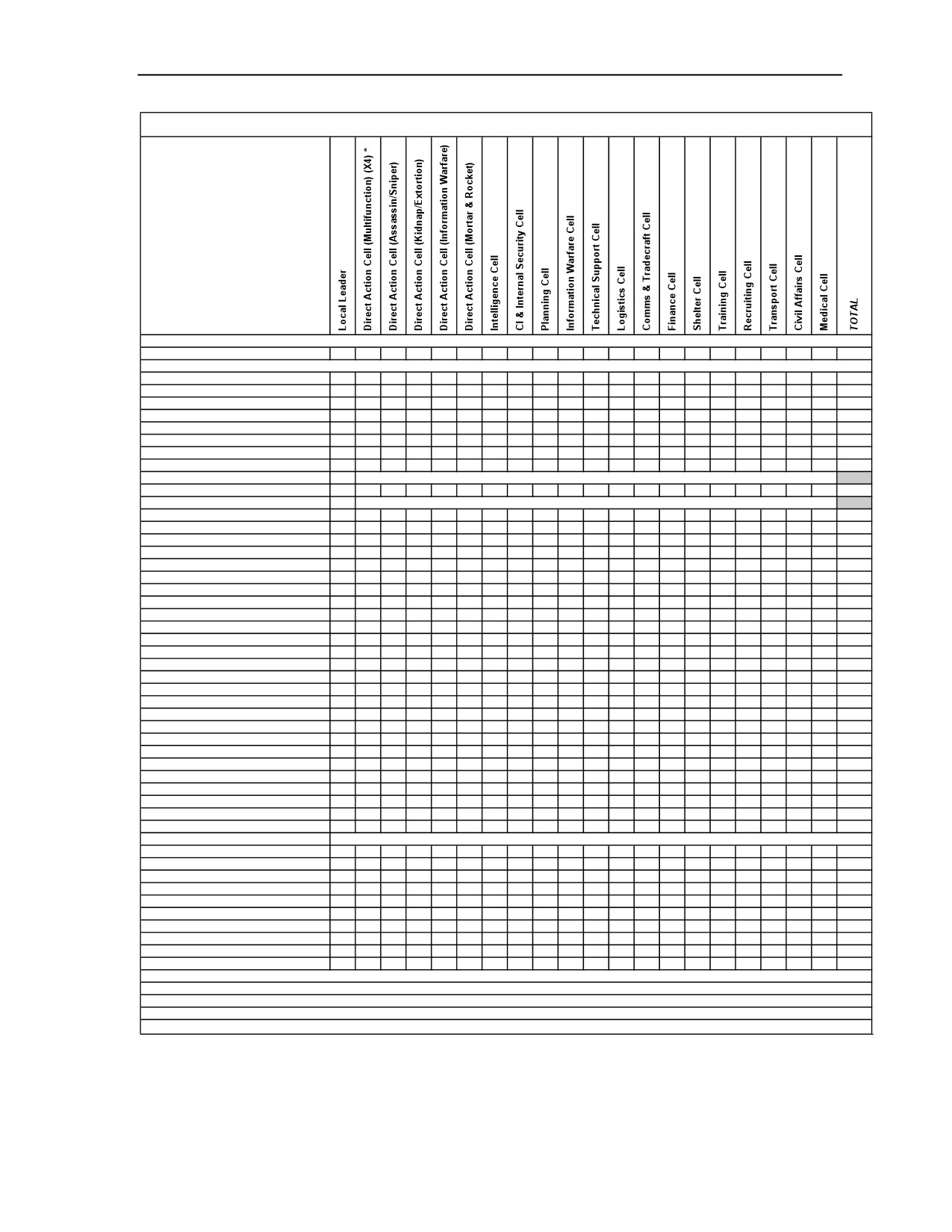
Building an OPFOR Task Organization
Local Insurgent Organization
Personnel and Items of Equipment
Personnel
Total Personnel
1
32
8
8
8
13
5
5
5
13
21
5
8
5
5
5
5
8
5
6
171
9-mm Pistol, PM
1
8
2
2
2
3
4
4
4
5
9
4
5
4
4
4
4
2
4
4
79
7.62-mm Assault Rifle, AKM
4
2
1
1
2
1
1
1
1
4
1
1
1
1
1
1
1
1
1
27
7.62-mm Carbine, AKMS
1
16
4
4
4
7
3
3
3
11
13
3
6
3
3
3
3
6
3
4
103
7.62-mm GP MG, PKM
4
1
1
1
1
8
7.62-mm LMG, RPK
4
2
1
1
2
1
1
1
1
4
1
1
1
1
1
1
1
1
1
27
7.62-mm Sniper Rifle, Mosin/Nagant
4
2
1
1
1
9
40-mm Grenade Launcher, BG-15
4
2
1
1
2
1
1
1
1
4
1
1
1
1
1
1
1
1
1
27
60-mm Mortar, Light, Type 90 or
1
1
60-mm Commando Mortar, M70
107-mm Lchr Single-Tube, Type 85,
1
1
or 107-mm Single-Tube, MONOTUBE
ATGL, RPG-7V
8
2
2
2
2
16
ATDL, RPG-22
4
1
1
1
1
8
Demolitions Fuze/Detonators
Assort
Assort
Assort
Assort
Assort
Assort
Assort
Demolitions Materiel
Assort
Assort
Assort
Assort
Assort
Assort
Assort
IED, Individual, Vest
3
3
IED, Vehicle Borne (VBIED)
2
2
IED, WMD
1
1
Improvised Explosive Device (IED)
16
4
4
4
4
20
52
Mines (AP&AT)
Assort
Assort
Assort
Assort
Assort
Assort
Assort
Motorcycle/motorscooter/bicycle
3
3
Sedan, Civilian
4
1
1
1
2
2
1
1
2
4
1
1
2
1
1
2
2
1
1
31
Truck, Medium, Commercial
1
1
Truck, Pickup 1/2 ton, Civilian
4
1
2
1
1
1
1
1
1
1
1
1
16
Van, Civilian
1
1
4
1
1
1
1
10
Aiming Circle/Goniometer
1
1
Antenna, Satellite
2
2
3
2
1
10
Binoculars
4
2
2
1
3
3
2
1
2
5
1
1
1
2
1
1
1
1
1
35
Camcorder, Video
4
1
2
3
2
2
1
4
4
1
2
1
1
1
1
1
2
1
34
Camera, Digital
4
1
2
3
2
2
1
1
4
4
1
2
1
1
1
1
1
2
1
35
Electrician Set
1
1
8
10
GPS Receiver, Handheld
1
4
1
1
1
3
2
1
2
2
9
2
4
2
2
2
2
4
2
2
49
Laser Rangefinder, Handheld
2
2
Litters, Medical
3
3
Medical Set
2
2
Observation Scope, Day/Night
2
2
Night-Vision Goggles
4
4
1
2
3
2
2
1
2
4
2
4
1
2
2
2
4
2
2
46
Radios:
Base Station, LR Cordless Telephone
2
1
1
4
Cell Pho ne
1
12
3
3
4
7
5
5
5
12
51
5
5
5
5
5
5
8
5
6
157
Computer, Desktop
4
8
2
3
3
1
3
24
Computer, Laptop
1
4
1
1
8
3
5
5
5
12
13
3
5
5
5
5
5
3
5
2
96
Computer, PDA
1
4
1
1
8
3
5
5
5
12
9
5
5
5
5
5
5
3
5
2
94
Handheld, LR Cordless, Telephone
1
4
1
1
4
2
5
5
5
8
13
5
5
5
5
5
3
5
1
83
Handheld, Very-Low-Power
1
32
8
8
8
13
5
5
5
12
21
5
5
5
5
5
5
3
5
6
162
Manpack, Low-Power
4
8
5
17
Portable, Satellite Telephone
1
4
1
1
3
1
1
1
1
5
5
1
3
3
1
1
1
1
2
1
38
Vehicle Mount, Medium Power
1
1
2
NOTES :
* The values in this column are the total number for four Multifunction Direct Action Cells.
Page 1
Figure B-15. Local Insurgent Organization Equipment (Affiliated)
3 May 2007
FM 7-100.4
B-29
Appendix B
B-88. As indicated in notes in the MS Word® document for the AFS local insurgent organization, there
might be cases where the functions normally performed by specialized cells would be combined into a
single cell. If the structure of the “Direct Action Cell (Multifunction)” does not cover the requirements for
the necessary merging of functions, training planners might need to create a new, task-organized cell that
combines the necessary functions. Examples of the latter might be a combined Intelligence and Information
Warfare Cell, a combined Logistics and Transport Cell, or a combined Recruiting and Training Cell. If it is
necessary to create such “hybrid” cells, training planners will need to use the “bottom-up” process to get
the right organization, personnel, and equipment at the lowest level and then roll it up into the next higher
organization.
Step 10d. Adjust Equipment Tiers
B-89. In this example, there was no demonstrable need to change the equipment listed in the AFS local
insurgent organization to equipment in a different tier (or to something in the same tier listed in a
substitution matrix). When necessary, however, the Tier Tables and Systems Substitution Matrices in the
Worldwide Equipment Guide (WEG) are another tool for trainers and planners to use to alter systems in
simulations to reflect different levels of modernity and capability. Although four tiers of systems capability
are available, a typical local insurgent organization, as shown in the AFS organizational directories, would
have mostly Tier 4 equipment. However, even an insurgent organization, especially one that is well
financed, can have some higher-tier systems, perhaps in certain niche technology areas. The proper mix
(tiering) of OPFOR weapons and equipment has a major impact on the quality of training received.
Organizations in the AFS directories may or may not reflect the appropriate mix for a particular training
requirement.
B-90. For this example, Tier 4 was deemed appropriate. However, forces with lower-tier systems can use
adaptive tactics or make adaptive use of existing technologies is ways that challenge the technological
advantages of modern forces. See chapter 4 for further detail on Tier Tables and Systems Substitution
Matrices.
Step 10e. Update Folders and File Paths
B-91. Once the organizational graphics and personnel and equipment data for the OPFOR task-organized
local insurgent organization have been completed, the paths to the documents and files in MS Windows
Explorer® may need to be reorganized and arranged to reflect the conversion from an AFS organization to
a task-organized unit. The users can arrange the folders and files to suit their needs or whatever they are
the most comfortable with. However, the use of a sequential numbering of folders and files ensures the
units are presented in the proper sequence when accessed in Windows Explorer®. This method has proven
by far to be the simplest when dealing with a large number of documents, many with similar titles. For the
local insurgent organization, the recommended folders (in bold), MS Word® documents, and MS Excel®
spreadsheet titles are as shown in figure B-13 on page B-26.
BUILDING FROM THE BOTTOM UP
B-92. For the sake of simplicity, the BTG (Mtzd) (Antiarmor-Lt) example above did not include any task
organizations below the BTG level. In reality, however, it may be necessary to task-organize at lower
levels in order to achieve the desired challenges to the training unit. If all units in an OB come straight out
of the AFS organizational directories with no modifications, that OB probably does not portray adequately
the OPFOR’s ability to organize its forces adaptively to achieve the optimal effect.
B-93. Training planners need to start at the very bottom to look for places where task-organizing is
appropriate to the training requirements. At whatever organizational level the need for a task organization
is identified, they must make the appropriate modifications to personnel, equipment, and organization
charts. Then, they must roll up the personnel and equipment to the place in the OB where the higher-level
headquarters has received no assets from outside its own original organization—thus, it is not a detachment
or a tactical group, but has the same name given to it in the AFS.
B-30
FM 7-100.4
3 May 2007
Building an OPFOR Task Organization
STEP 9. CONSTRUCT TASK-ORGANIZED BTG SUBORDINATES
B-94. The same basic procedures used in the BTG example in the first part of this appendix also apply to
the creation of lower-level task organizations. One difference is that many organizations below brigade
level do not have an MS Excel® chart in the AFS organizational directories. Instead, they list personnel
and equipment numbers as part of the basic MS Word® document for the organization in question. If
training planners task-organize any of these lower-level units, however, it is recommended to use Excel®
charts as a tool to keep things straight when rolling up modified personnel and equipment numbers into
each successive higher organization.
B-95. Adjustments and/or modification to the existing organizations and equipment charts are
uncomplicated and easy to make, as long as the adjustments are taken one at a time and remain bite-size.
Otherwise, the trainer making the changes might easily become completely overwhelmed and lost in the
process.
Step 9a. Create Folders
B-96. If one or more of the BTG subordinates is task-organized into a detachment, the folder name should
change to reflect that. If one of the two motorized infantry battalions becomes a detachment, or if both
become detachments but in different ways, this will require two separate folders to replace the single folder
“03 Motorized Infantry Bn (x2).”
Step 9b. Modify Organizational Graphics
B-97. Any change from company to CDET or battalion to BDET status needs to be reflected in the
appropriate organizational graphics. This affects the graphic for the unit becoming a detachment, as well as
the graphic for the parent unit to which the detachment is subordinate. When the unit task-organized as a
detachment is one of multiple like units displayed as “stacked” boxes in the organizational graphic for its
parent organization, it will need to be “unstacked” and split out from like units that did not become
detachments.
Step 9c. Modify Personnel and Equipment Lists
B-98. In the interest of space, the AFS organizational directories did not use MS Excel® spreadsheets for
some smaller units. For those units, personnel and equipment were listed in the MS Word® portion of the
directory. This Word® document contains three basic sets of information: organizational graphics;
personnel information, and principal items of equipment (unless personnel and equipment are listed in a
separate MS Excel® spreadsheet). A typical personnel and equipment list for a lower-level OPFOR unit is
similar to the infantry squad, infantry platoon (extracted from the AFS motorized infantry battalion folder)
shown in figure 2-2 in chapter 2 (page 2-4). Appendix D contains the complete motorized infantry
company and the motorized infantry battalion personnel and equipment spreadsheet. The complete
motorized infantry battalion, the motorized infantry brigade, and the motorized infantry division are all
available in the AFS organizational directories on BCKS.
Total Personnel and Principal Items of Equipment
B-99. The recommended process for making modifications and adjustments to personnel and equipment is
similar to the way the organizations were built in the AFS organizational directories—from bottom up. The
process of building the necessary units, with any required modifications, begins with the very lowest levels
and culminates in the desired OPFOR countertask capability at the highest levels.
B-100. For the lowest-level units, the Word® document in the organizational directories includes a listing
of all individual members of the unit, their title or function, and their assigned personal weapons. (See
figure 2-5 in chapter 2 [page 2-20] for the example of the infantry squad.) For example, at infantry squad
level, make the changes to each individual’s weapons and equipment first. After these changes have been
made, add up all the personnel and equipment in the squad to update the listings of “Total Personnel” and
“Principal Items of Equipment” in the Word®document. Then move to the next level (the infantry
3 May 2007
FM 7-100.4
B-31
Appendix B
platoon), make changes, and add all the totals for the platoon. The listing of total personnel and principal
items of equipment for the infantry platoon includes the entire infantry platoon and all its subordinates: the
platoon headquarters, three infantry squads, and a weapons squad. All of equipment and personnel of these
subordinates are rolled up into the listing for the infantry platoon organization. The infantry platoon and
other infantry company subordinates are, in turn, rolled up to become the infantry company. The infantry
company and other battalion subordinates are then rolled up to become the motorized infantry battalion,
and so forth. If training planners change anything in any subordinate unit, it affects the roll-up for the next
higher unit.
B-101. The build progresses upward from there, individual-by-individual, weapon-by-weapon, system-
by-system, page-by-individual page, until each subordinate organization is built and rolled up into its
parent organization. This is a very detailed process requiring knowledge at many different levels. Often,
the organizational directories specify even the vehicle in which each individual rides. If there is a key to
success in building a proper OPFOR organization to stress specific training requirements (other than
knowledge or research), it is to focus on bite-size portions. Address only one page at a time. Follow this
procedure a step at a time until the organization is complete, whether it is a company or CDET, a battalion
or BDET, a brigade or BTG, a division or DTG, or an OSC.
B-102. The personnel and equipment lists in the MS Word® document do not automatically roll up
numbers for a total. At this stage, each individual unit (and multiples of units) must be totaled manually.
The sum is then entered manually in building the personnel and equipment list for the parent organization.
Because of the possibility of human error in rolling up the totals, it is recommended to use MS Excel® as a
tool for doing this process in a systematic and accurate manner. Once trainers have built the appropriate
personnel and equipment totals in an Excel® chart, they can transfer these numbers into the corresponding
Word® document.
Using Spreadsheets to Facilitate Roll-Ups
B-103. Training planners may need to create a new spreadsheet for a lower-level organization that did not
have a spreadsheet in the AFS organizational directories, in order to keep track of adjustments to it. If so,
an easy way to create one is to make a copy of the spreadsheet of a higher-level organization that includes
the unit in question. That way, the spreadsheet automatically has rows for all the equipment types needed
for the smaller subordinate unit (and some other rows that may need to be deleted). It also has summing
formulas in its
“Total” column for adding up equipment numbers in each row. Find the existing
spreadsheet to serve as the basis for the new one. Then, Save As and rename this spreadsheet with the
name of the smaller unit or task organization.
B-104. The next step is to clear (but not delete) the columns for units that will not be used in the smaller
baseline organization. Do not clear Column A with equipment names or the “Total” column. Also, do not
clear the columns for any unit(s) of the original parent organization that will be added to this lower-level
base unit during task-organizing (see note below).
Note. If any unit(s) from original parent organization will become part of the task organization
based on the smaller unit, trainers may wish to “save” the columns for these units rather than
having to re-create them. However, retaining the columns for these units in their original
positions can interfere with the next step (creating a spreadsheet with personnel and equipment
totals for the smaller base organization). Therefore, it is necessary to temporarily move the
columns for these units to be saved to a position to the right of the “Total” column; thus, for the
time being, they will not affect the building of the new totals for the smaller baseline unit from
the summing formulas contained in the cells of the “Total” column (for summing of columns to
its left). To do so, highlight the column(s) to be saved, click on Edit/Copy, highlight a column to
the right of the “Total” column, and click on Edit/Paste. Once trainers have built the correct
totals for the smaller base unit and are ready to begin task-organizing, they can move these
“saved” columns into their correct positions at the left. To do so, highlight the column(s) to be
moved, click on Edit/Cut, highlight a column to the left of the “Total” column, and click on
Edit/Paste.
B-32
FM 7-100.4
3 May 2007
Building an OPFOR Task Organization
B-105. Then create new column headings in Row 2 for the target smaller unit’s original subordinates and
break down the original overall personnel and equipment totals among them, using numbers from the
appropriate Word® documents. When entering numbers in columns, it is recommended to highlight the
column currently being worked on, in order to limit confusion and avoid placing numbers into the wrong
column. Highlight the column by clicking on the letter designating that column at the very top of the
Excel® chart and then click on the Fill Color icon in the toolbar and select a color. The column will
remain highlighted during entry of numbers.
(Just clicking on the letter at the top of the column
temporarily highlights the entire column, but the highlighting turns off as soon as one clicks on a cell to
enter data.) When entries in that column are complete, click on the letter at the top of the column again,
then click on the Fill Color icon and select No Fill to turn off the highlighting in the completed column.
Make sure that the numbers summed in the “Total” column match the totals for the base unit, before task-
organizing (see note below).
Note. When creating an Excel® chart for a smaller baseline unit that does not have one in the
AFS organizational directories, trainers should ensure that the resulting personnel and
equipment totals match the previous AFS listings. As a quality-control yardstick, they should
compare the totals in the new Excel® chart with the totals shown in an AFS Word® document
for the smaller unit or in that unit’s column of the Excel® chart for its parent unit. This quality
control measure should occur before the trainers begin making modifications to the smaller
unit—adding or deleting from the base units originally subordinate to it—during the task-
organizing process.
B-106. At this point, move columns for any temporarily “saved” to the right of the “Total” column into
their correct positions to the left (see note above). This may again place numbers in the “Total” column for
some equipment rows not used in the smaller base unit.
B-107. Then insert new columns for additional units made subordinate in the task organization, look up
those units in the organizational directories, and enter their equipment numbers in the appropriate rows. At
this point, it may be necessary to insert additional rows in the spreadsheet in order to accommodate
equipment types that were not in the base unit or its parent organization. To create the right formula for
automatic summing of a new row in the “Total” column, users can click on any cell in the “Total” column
containing the correct formula for its row and Copy and Paste that formula into the “Total” cell in the new
row; the letters designating the row in the formula should automatically change to the letter of the new row.
To determine whether there is a formula associated with a cell in the “Total” column, click on that cell; it
there is a formula, it should appear in the formula bar at the top of the screen—for example,
“=SUM(B26:L26)” for automatically summing the numbers in Columns B through L of Row 26. To copy
this formula into another row, highlight the cell that has a formula and then click on Edit/Copy. The
selected cell will appear with a flashing dotted line around it. Then move the cursor to the cell that needs
the formula and click on Edit/Paste. This cell will then receive the same formula, except that it will have a
different row number—for example, “=SUM(B27:L27).” Repeat the Edit/Paste procedure to insert similar
formulas into as many cells as need them. Finally, hit the “Esc” (escape) key to stop the flashing on the
original cell from which you copied the formula. The spreadsheet should automatically revise the summing
formulas to include any added columns (if the inserted column is not to the left of columns included in the
original formulas).
B-108. After completing the above steps, any row with a “0” (zero) in the “Total” column should contain
equipment not actually found in the unit that is the subject of this spreadsheet. Double-check the source
documents and charts for the numbers entered manually to make sure this is true. Then delete the rows for
equipment not found in this unit (before and after task-organizing). Delete any columns not used for this
unit’s subordinates.
B-109. Upon completion of each stage for lower-level subordinates of an organization, it is recommended
that trainers enter the data into an MS Excel® spreadsheet for the next-higher organization. When the MS
Excel® chart has appropriate summing formulas entered into it, it rolls up the numbers automatically into
personnel and equipment totals for the higher organization. The automatic roll-up feature of MS Excel®
3 May 2007
FM 7-100.4
B-33
Appendix B
significantly reduces mathematical fatigue and resultant errors. The Excel® charts provide quick access to
totals of personnel and primary equipment at each echelon, which are the information most frequently
needed.
Note. As trainers build to each successively higher-level organization, they must keep in mind
that some units or parts of units that were originally directly subordinate to that command in the
AFS are now subordinate to a lower-level task organization. Personnel and equipment totals for
those units should now be rolled up into the higher organization as part of the respective lower-
level task organization. Therefore, it will be necessary to delete or decrement some entries in
Excel® charts for the higher-level organization in order to avoid double-counting these assets.
Step 9d. Adjust Equipment Tiers
B-110. A big difference when building task organizations from the bottom up is that this step is likely to
occur at an earlier stage in the process. Start the substitution at the lowest level where the system is found,
so that the numbers of it (and related systems) get rolled up into higher organizations. In an infantry squad,
for example, trainers could select a different assault rifle or a different antitank grenade launcher from the
appropriate Tier Table or Systems Substitution Matrix. Some substitutions might apply only to elite units
(for example, SPF) or to a unit given niche technology for a special mission. The proper mix (tiering) of
OPFOR weapons and equipment has a major impact on the quality of training received. See chapter 4 for
further detail on Tier Tables and Systems Substitution Matrices.
Step 9e. Update Folders and File Paths
B-111. Once the organizational graphics and personnel and equipment data have been completed up to the
desired organizational level, the paths to the documents and files in MS Windows Explorer® may need to
be reorganized and arranged to reflect the conversion from AFS organizations to task-organized units.
Trainers might need to arrange newly created Excel® charts or Word® documents in their proper places in
the sequence. They can arrange the folders and files to suit their needs or whatever they are the most
comfortable with. However, the use of a sequential numbering of folders and files ensures the units are
presented in the proper sequence when accessed in Windows Explorer®. This method has proven by far to
be the simplest when dealing with a large number of documents, many with similar titles.
STEP 10. CONSTRUCT OTHER TASK ORGANIZATIONS
B-112. Then, the training planners start again at the lowest level in any other part of the OB that requires a
task organization. Again, they build up the place where the higher headquarters has received no assets from
outside its own original organization and would still have the same name as in the AFS. They repeat this
process for as many “branches” of the organizational “tree” as need task organization.
B-34
FM 7-100.4
3 May 2007
Appendix C
Local Insurgent Organization from the AFS Organizational
Directories
This appendix provides an example of the information for a local insurgent
organization found in the administrative force structure
(AFS) organizational
directories. It also describes various cells within such an organization.
Note. For illustrative purposes, this FM contains several examples from the online AFS
organizational directories. Readers are reminded that even the baseline OPFOR organizations
are subject to change over time. Therefore, readers should always consult the online directories
for the latest, most up-to-date versions of organizational data.
INSURGENT ORGANIZATIONS
C-1. Insurgent organizations have no regular
“table of organization and equipment” structure. The
mission, environment, geographic factors, and many other variables determine the configuration and
composition of each insurgent organization and its subordinate cells.
C-2. Insurgent organizations are typically composed of from three to over 30 cells. All of the direct action
cells could be multifunction (or multipurpose), or some may have a more specialized focus. The single
focus may be a multifunction direct action mission, assassination, sniper, ambush, kidnapping, extortion,
hijacking and hostage taking, or mortar and rocket attacks. Each of these may be the focus of one or more
cells. More often, the direct action cells are composed of a mix of these capabilities and several
multifunction cells. There are also a number of types of supporting cells with various functions that
provide support to the direct action cells or to the insurgent organization as a whole. Thus, a particular
insurgent organization could be composed of varying numbers of multifunction or specialty direct action
cells, supporting cells, or any mix of these.
LOCAL INSURGENT ORGANIZATION EXAMPLE
C-3. This appendix provides an example of a typical local insurgent organization, taken from volume III
of the AFS organizational directories. For illustrative purposes, this example includes a reasonable number
of multifunction direct action cells (four) and at least one cell of each of the 18 other, more specialized
types. The dashed boxes in the organizational graphic indicate the possibilities for varying numbers of each
type of cell, depending on the functions required for the insurgent organization to accomplish its mission.
For the overall local insurgent organization and for any cell where organizational diagrams show varying
numbers of subordinate teams, personnel and equipment totals reflect only the cells in solid boxes.
3 May 2007
FM 7-100.4
C-1
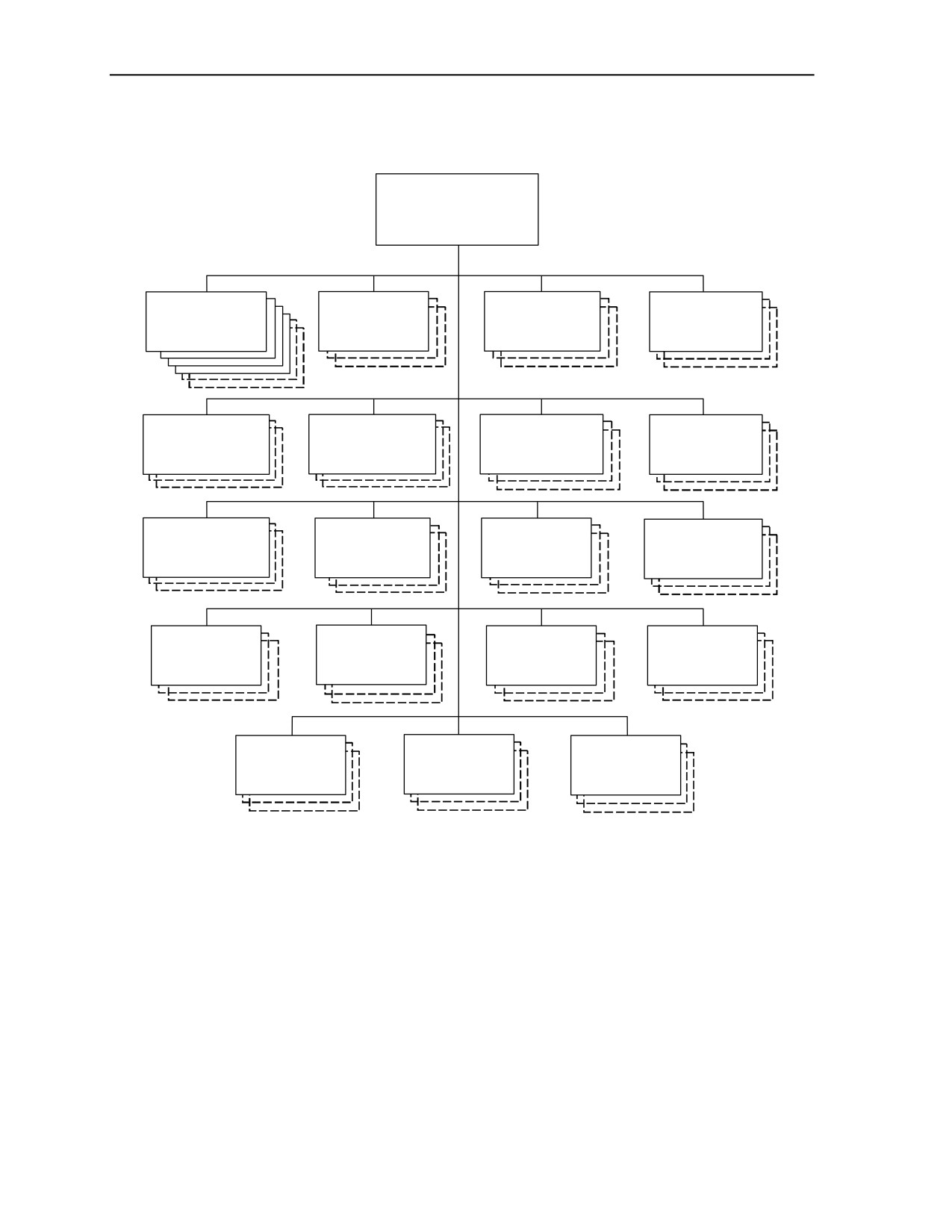
Appendix C
Local Insurgent Organization (Typical) ___________________________________
LOCAL
INSURGENT
ORGANIZATION
DA CELL
DA CELL
DA CELL
DA CELL
(Multi-
(Assassin/
(Kidnapping
(Information
Function)
Sniper)
& Extortion)
Warfare)
DA CELL
CI & INTERNAL
INTELLIGENCE
PLANNING
(Mortar
SECURITY
CELL
CELL
& Rocket)
CELL
INFORMATION
TECHNICAL
COMMS &
LOGISTICS
WARFARE
SUPPORT
TRADECRAFT
CELL
CELL
CELL
CELL
SHELTER
FINANCE
TRAINING
RECRUITING
CELL
CELL
CELL
CELL
(Safe Houses)
CIVIL
TRANSPORT
MEDICAL
AFFAIRS
CELL
CELL
CELL
Local Insurgent Leader (x1)
PM/AKMS
Total Personnel
171
NOTES: See next page.
C-2
FM 7-100.4
3 May 2007
Local Insurgent Organization from the AFS Organizational Directories
Local Insurgent Organization (Typical) (continued) ________________________
NOTES:
1. Personnel and equipment totals for the “typical” example reflect only the cells shown in solid
boxes in the organizational diagram for the Local Insurgent Organization (Typical).
2. Insurgent organizations are amorphous. Their ability to continually adapt to all aspects of their
environment is directly relational to their survivability and lethality. These dynamic organizations
manifest themselves primarily by their unpredictability; their ability to influence and to blend in with
the population; their shifting architectures, affiliations, alliances, behaviors, TTP (tactics, techniques,
and procedures), and players; and their spectrum of lethality—ranging from improvised explosive
devices (IEDs) to weapons of mass destruction (WMD).
3.
The term local insurgent organization includes any insurgent organization below regional,
provincial, or district level. This includes small cities, towns, villages, parishes, communities,
neighborhoods, and/or other lower-level insurgent organizations. Cities with a large population or
covering a large area may be considered regions; therefore, they may control several local insurgent
organizations.
4. The leader of any insurgent organization may be one individual, with or without advisors; several
individuals and advisors; or a council. The leader may also be a tribal, cultural, political, or religious
leader. A leadership council may be comprised of tribal, religious, political, secular, radical sectarian,
or other personnel, or any combination of the above.
5. There are several factors that differentiate the structure and capability of the insurgent organization
(direct action cells) from the structure and capability of a guerrilla organization. The insurgent
organization is primarily a covert organization. Its structure is cellular and more typical of groups
using terror tactics, while the guerrilla’s organization reflects their kinship to a more formal military
structure (battalion, company, platoon or hunter/killer [H/K] group, H/K section, H/K team).
The weapons of the insurgents are generally limited to small arms, RPG-7Vs, and IEDs with very
few crew-served weapons (82-mm mortar, 107-mm single tube rocket launcher). A guerrilla
organization contains weapons up to and including 120-mm mortars, ATGMs, and MANPADS, and
can conduct limited mine warfare and sapper attacks. While both organizations are very effective and
lethal in close and populated terrain, the guerrilla organizations can perform more typical fire and
maneuver tactics. The guerrilla organization can, and often does, use terror tactics; however, it is best
suited to conduct irregular or unconventional warfare tactics.
6. Local insurgent organizations are not always subordinate to a regional, national, or transnational
insurgent organization. The local insurgent organization may not be associated with a larger
insurgent movement in any way. Local insurgent organizations can be either subordinate or loosely
affiliated, or they may be completely autonomous/independent of regional and national insurgent
organizations. Similarly, a regional insurgent organization may or may not be associated with or
subordinate to a larger insurgent organization. Any relationship of independent local insurgent
organizations to regional or national structures may be one of affiliation or dependant upon only a
single shared or similar goal. These relationships are generally fluctuating and may be fleeting,
mission dependent, event- or agenda-oriented, or for any other reasons or motivations.
7. Many insurgent organizations operate independently, without central guidance or direction from
the overall movement. In some cases, the local insurgent organization may provide only financial
support and general guidance to their action elements (organic direct action cells). There may be
loose coordination of attacks due to a specific affiliation, after which the organizations revert back to
their independent modes.
Continued
3 May 2007
FM 7-100.4
C-3
Appendix C
Local Insurgent Organization (Typical) (continued)_________________________
NOTES: (continued)
8. The decentralized characteristic of many of the insurgent organizations enhances the security of
the organization by effectively eliminating the ability of the enemy to penetrate the organization. This
same decentralized structure allows the organization to survive to fight another day without a current
leader. When the leader of the organization is eliminated, the remaining direct action cells (or cell
members) simply merge into another insurgent organization, splinter off on their own, or offer their
services up for bid. When individual fighters are killed, they are simply replaced, with limited down
time for the cell.
9. Local insurgent organizations may have some type of relationship with guerrilla organizations
and/or criminal organizations or noncombatants, based on similar or a shared goal(s) and/or
interest(s). The nature of the shared goal or interest determines the tenure and type of relationship and
the degree of affiliation. The affiliation with criminal organizations is dependent only on the needs of
the criminal organization at a particular time. In some cases, lower-level guerrilla organizations may
be subordinate to a local insurgent organization.
10. Insurgent organizations generally do not possess much of the heavier and more sophisticated
equipment that guerrilla organizations possess. Some examples of equipment and capability the
guerrillas have in their organizations that the insurgents generally do not have are: 73/82/84-mm
recoilless guns; 100-mm and 120-mm mortars; 107-mm MRLs; 122-mm rocket launchers; 12.7-mm
HMGs; .50-cal BMG antimateriel rifles; ATGMs; MANPADS; GPS jammers; and mine warfare and
signals intelligence capabilities. In the event the insurgents require these weapons or capabilities,
they may either obtain them from guerrillas or the guerrilla organization may provide its services
depending on the relationship between the two organizations at the time.
11. Insurgent organizations receive a wide variety of support from noncombatants, on and off the
battlefield. The support provided by many different categories of noncombatants ranges from only
being sympathetic to the goals of the insurgents, to providing monetary support, to actively
supporting and engaging in combat alongside the insurgents and/or guerrillas. The relational
dynamics includes all of the players in the insurgents’ environment. Direct action personnel may use,
fight alongside of, or assist affiliated forces and guerrillas to achieve their common goals or for any
other agenda.
12. Although the local insurgent organization may use irregular or unconventional warfare and/or
terror tactics to achieve their goals, their primary tactic is terror. The local insurgent organization is
the action arm of the overall insurgent movement. The subordinate direct action cells are the actual
fighters and shooters. They perform the sabotage and assassinations, IED emplacement, and other
functions.
13.
The mission, environment, geographic factors, and many other variables determine the
configuration and composition of each insurgent organization and its subordinate direct action cells.
Insurgent organizations are typically composed of anywhere from 3 to over 30 cells (22 cells is the
“default” for a
“typical” local insurgent organization). The cells can be all multifunction
(or
multipurpose), or each with a different focus, or all the cells may be composed of a single focus or
specialty, supporting cells, or any mix of these. The single focus may be a multifunction direct action
mission, assassination, sniper, ambush, kidnapping, extortion, hijacking and hostage-taking, or mortar
and rocket attacks. Each of these may also be the focus of one or two cells (possibly more). More
often, the direct action cells are composed of a mix of these capabilities and several multifunction
cells, regardless of the number of cells employed at one time.
Continued
C-4
FM 7-100.4
3 May 2007
Local Insurgent Organization from the AFS Organizational Directories
Local Insurgent Organization (Typical) (continued) ________________________
NOTES: (continued)
14. Most insurgent organizations are composed of mix of separate specialty cells and multifunction
cells, all designed to operate independently (if necessary) once they have started their missions. The
insurgent organization will always possess all the specialty capabilities listed above (although not
necessarily in separate cells).
15. The multifunction direct action cell should be used as a default for all direct action cells not
requiring unique specialties. The multifunction direct action cell possesses all of the specialized
capabilities to a lesser degree. Every direct action cell is capable of performing all of the missions
listed above. When not engaged in specialized activities, the specialized cells also serve as
multifunction direct action cells.
16. The people in an insurgent organization are likely to be indistinguishable from the local
population (other than weaponry, which they may conceal or discard) because they generally are part
of the population. This is a great strength. Their ability to blend in with the population usually has
direct impact on their survivability. When weapons are required, insurgents may attempt to appear as
if they are local militia, police, security guards, or other acceptable armed groups.
17. Insurgent organizations usually contain a mixture of men, women, and children. Local women
and children may be used as runners, videographer/camera operators, messengers, scouts, guides,
suicide bombers, drivers, porters, snipers, lookouts, or in other roles. They may also emplace and/or
detonate IEDs, booby traps, and mines. Women (and possibly children) may be fighters and
participate in “drive-bys,” assassinations, ambushes and/or assaults. They may also serve (willingly or
unwillingly) as suicide bombers.
18. The intelligence, counterintelligence and security, planning, information warfare, logistics,
communications and tradecraft, technical support, finance, training, recruiting, transport, civil affairs,
shelter, and medical cells also subordinate to the insurgent organization either support the role of the
direct action cells or exploit their successes. Some insurgent organizations may not have separate
cells for all of the above functions; however, someone in the organization must be designated to
perform these functions. For example, the intelligence cell may also incorporate the
counterintelligence and security functions, or a local cell working out of a member’s home may not
require additional shelter or transportation.
19. Key events (and results) of all direct action cell activities are digitally recorded on video and still
cameras. Upon mission completion, the digitized recordings are turned over to the information
warfare cell for manipulation and exploitation. The videographer/camera operator may attempt to
blend in with the crowds and may disassociate him/herself from the operation. In other situations, the
key event/activity will be staged for the camera.
20. Depending on the mission, the local insurgent organization may be augmented by any and every
type of personnel and/or vehicle. Vehicles could be motorcycles, trucks, agricultural trucks,
commercial trucks, liquid cargo carriers (for POL or water), flat beds, busses, farm trailers, tractors,
sedans, ½ ton civilian pickup trucks (such as Toyotas or Nissans), high-mobility/all terrain vehicles,
bicycles, or carts.
21. Insurgents may have no vehicles or supplies at all and depend completely on caches, porters, or
other transportation or supply means. Local sympathizers may volunteer their equipment and
services. Insurgents may requisition or confiscate local civilian transportation assets and materiel.
This includes the use of civilian personnel for porters and possibly as lookouts and security
personnel. Draft animals may also be used as bearers or porters.
22. For additional information on the insurgent organization see FM 7-100.3.
3 May 2007
FM 7-100.4
C-5
Appendix C
Local Insurgent Organization (Typical) (continued)_________________________
PRINCIPAL ITEMS OF EQUIPMENT
Equipment
Total
Equipment
Total
9-mm Pistol, PM
79
Antenna, Satellite
10
7.62-mm Assault Rifle, AKM
27
Binoculars
33
7.62-mm Carbine, AKMS
103
Camcorder, Video
34
7.62-mm GP MG, PKM
8
Camera, Digital
35
7.62-mm LMG, RPK
27
Electrician Set
10
7.62-mm Sniper Rifle, Mosin/Nagant
9
GPS Receiver, Handheld
49
40-mm Grenade Launcher, BG-15
27
Laser Rangefinder, Handheld
2
60-mm Mortar, Light, Type 90 or
Litters, Medical
3
60-mm Commando Mortar, M70
1
Medical Set
2
107-mm Single-Tube, Type 85 or
Observation Scope, Day/Night
2
107-mm Single-Tube, MONOTUBE
1
Night-Vision Goggles
46
ATGL, RPG-7V
16
Radios:
ATDL, RPG-22
8
Base Station, Long Range
Demolition, Fuzes & Detonators
Assorted
Cordless Telephone
4
Demolition Materiel
Assorted
Cell Phone
157
IED, Individual, Vest
3
Computer, Desktop
24
IED, Vehicle Borne (VBIED)
2
Computer, Laptop
96
IED, WMD
1
Computer, PDA
94
Improvised Explosive Devices (IED)
52
Handheld, Long-Range Cordless-
Mines (AP, AT, & AV)
Assorted
Telephone
83
Motorcycle/motorscooter/bicycle
3
Handheld, Very-Low-Power
162
Sedan, Civilian
31
Manpack, Low-Power
17
Truck, Medium, Commercial
1
Portable, Satellite Telephone
38
Truck, Pickup ½ ton, Civilian
16
Vehicle Mount, Medium Power
2
Van, Civilian
10
Aiming Circle/Goniometer
1
C-6
FM 7-100.4
3 May 2007
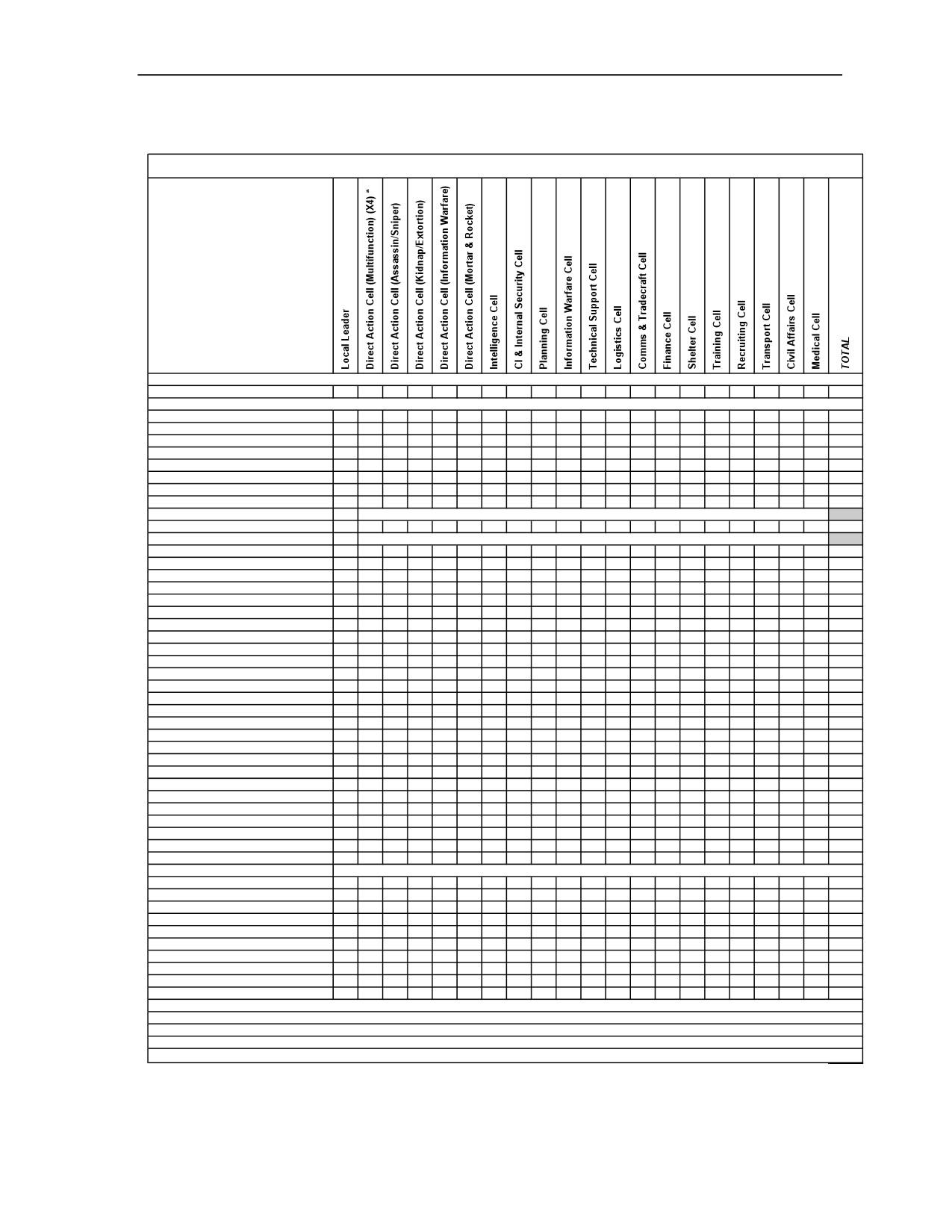
Local Insurgent Organization from the AFS Organizational Directories
Local Insurgent Organization (Typical) (continued) ________________________
Local Insurgent Organization
Personnel and Items of Equipment
Personnel
Total Personnel
1
32
8
8
8
13
5
5
5
13
21
5
8
5
5
5
5
8
5
6
171
9-mm Pistol, PM
1
8
2
2
2
3
4
4
4
5
9
4
5
4
4
4
4
2
4
4
79
7.62-mm Assault Rifle, AKM
4
2
1
1
2
1
1
1
1
4
1
1
1
1
1
1
1
1
1
27
7.62-mm Carbine, AKMS
1
16
4
4
4
7
3
3
3
11
13
3
6
3
3
3
3
6
3
4
103
7.62-mm GP MG, PKM
4
1
1
1
1
8
7.62-mm LMG, RPK
4
2
1
1
2
1
1
1
1
4
1
1
1
1
1
1
1
1
1
27
7.62-mm Sniper Rifle, Mosin/Nagant
4
2
1
1
1
9
40-mm Grenade Launcher, BG-15
4
2
1
1
2
1
1
1
1
4
1
1
1
1
1
1
1
1
1
27
60-mm Mortar, Light, Type 90 or
1
1
60-mm Commando Mortar, M70
107-mm Lchr Single-Tube, Type 85,
1
1
or 107-mm Single-Tube, MONOTUBE
ATGL, RPG-7V
8
2
2
2
2
16
ATDL, RPG-22
4
1
1
1
1
8
Demolitions Fuze/Detonators
Assort
Assort
Assort
Assort
Assort
Assort
Assort
Demolitions Materiel
Assort
Assort
Assort
Assort
Assort
Assort
Assort
IED, Individual, Vest
3
3
IED, Vehicle Borne (VBIED)
2
2
IED, WMD
1
1
Improvised Explosive Device (IED)
16
4
4
4
4
20
52
Mines (AP, AT & AV)
Assort
Assort
Assort
Assort
Assort
Assort
Assort
Motorcycle/motorscooter/bicycle
3
3
Sedan, Civilian
4
1
1
1
2
2
1
1
2
4
1
1
2
1
1
2
2
1
1
31
Truck, Medium, Commercial
1
1
Truck, Pickup 1/2 ton, Civilian
4
1
2
1
1
1
1
1
1
1
1
1
16
Van, Civilian
1
1
4
1
1
1
1
10
Aiming Circle/Goniometer
1
1
Antenna, Satellite
2
2
3
2
1
10
Binoculars
4
2
2
1
3
3
2
1
2
5
1
1
1
2
1
1
1
1
1
35
Camcorder, Video
4
1
2
3
2
2
1
4
4
1
2
1
1
1
1
1
2
1
34
Camera, Digital
4
1
2
3
2
2
1
1
4
4
1
2
1
1
1
1
1
2
1
35
Electrician Set
1
1
8
10
GPS Receiver, Handheld
1
4
1
1
1
3
2
1
2
2
9
2
4
2
2
2
2
4
2
2
49
Laser Rangefinder, Handheld
2
2
Litters, Medical
3
3
Medical Set
2
2
Observation Scope, Day/Night
2
2
Night-Vision Goggles
4
4
1
2
3
2
2
1
2
4
2
4
1
2
2
2
4
2
2
46
Radios:
Base Station, LR Cordless Telephone
2
1
1
4
Cell Phone
1
12
3
3
4
7
5
5
5
12
51
5
5
5
5
5
5
8
5
6
157
Computer, Desktop
4
8
2
3
3
1
3
24
Computer, Laptop
1
4
1
1
8
3
5
5
5
12
13
3
5
5
5
5
5
3
5
2
96
Computer, PDA
1
4
1
1
8
3
5
5
5
12
9
5
5
5
5
5
5
3
5
2
94
Handheld, LR Cordless, Telephone
1
4
1
1
4
2
5
5
5
8
13
5
5
5
5
5
3
5
1
83
Handheld, Very-Low-Power
1
32
8
8
8
13
5
5
5
12
21
5
5
5
5
5
5
3
5
6
162
Manpack, Low-Power
4
8
5
17
Portable, Satellite Telephone
1
4
1
1
3
1
1
1
1
5
5
1
3
3
1
1
1
1
2
1
38
Vehicle Mount, Medium Power
1
1
2
NOTES :
* The values in this column are the total number for four Multifunction Direct Action Cells.
Page 1
3 May 2007
FM 7-100.4
C-7
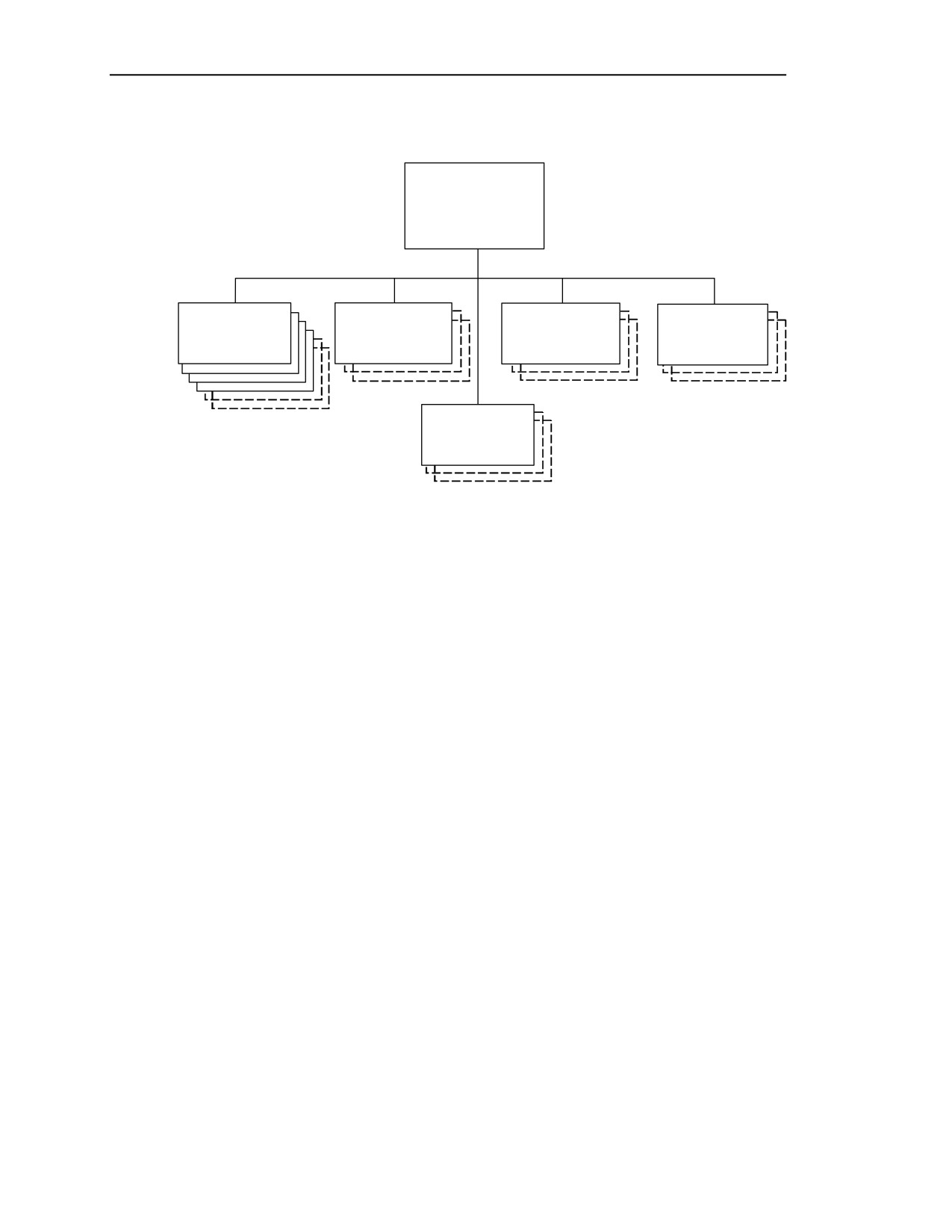
Appendix C
Direct Action Cells (Typical), Insurgent Organization _______________________
DIRECT
ACTION
CELLS
(Examples)
DA CELL
DA CELL
DA CELL
DA CELL
(Multi-
(Assassin/
(Kidnapping
(Information
Function)
Sniper)
& Extortion)
Warfare)
DA CELL
(Mortar
& Rocket)
Total Personnel
69
PRINCIPAL ITEMS OF EQUIPMENT
Equipment
Total
Equipment
Total
9-mm Pistol, PM
17
Aiming Circle/Goniometer
1
7.62-mm Assault Rifle, AKM
10
Antenna, Satellite
2
7.62-mm Carbine, AKMS
35
Binoculars
12
7.62-mm GP MG, PKM
8
Camcorder, Video
12
7.62-mm LMG, RPK
10
Camera, Digital
12
7.62-mm Sniper Rifle, Mosin/Nagant
9
Electrician Set
1
40-mm Grenade Launcher, BG-15
10
GPS Receiver, Handheld
10
60-mm Mortar, Light, Type 90 or
Laser Rangefinder, Handheld
2
60-mm Commando Mortar, M70
1
Observation Scope, Day/Night
2
107-mm Single-Tube, Type 85 or
Night-Vision Goggles
14
107-mm Single-Tube, MONOTUBE
1
Radios:
ATGL, RPG-7V
16
Cell Phone
29
ATDL, RPG-22
8
Computer, Desktop
4
Demolition, Fuzes & Detonators
Assorted
Computer, Laptop
17
Demolition Materiel
Assorted
Computer, PDA
17
Improvised Explosive Devices (IED)
32
Handheld, Long-Range Cordless-
Mines (AP, AT, & AV)
Assorted
Telephone
12
Sedan, Civilian
9
Handheld, Very-Low-Power
69
Truck, Pickup ½ ton, Civilian
7
Portable, Satellite Telephone
10
Van, Civilian
2
NOTES: See next page.
C-8
FM 7-100.4
3 May 2007
Local Insurgent Organization from the AFS Organizational Directories
Direct Action Cells (Typical),
Insurgent Organization (continued) _____________________________________
NOTES:
1. Personnel and equipment totals for the “typical” direct action cells in this example reflect only the
cells shown in solid boxes in the organizational diagram for the Direct Action Cells (Typical).
2. The direct action cells are the action element of the insurgency movement. They contain the
actual fighters and shooters of the insurgency. The direct action cells perform the sabotage and
assassinations, IED/VBIED
(and suicide bombers) emplacement and detonation, extortion,
kidnapping, hostage-taking, sniping, firing of mortars and rockets, and other functions. Direct action
cells may also use irregular or unconventional warfare tactics when these tactics better suit their
mission, but their primary tactic to achieve their goals is terror. The organizational structure,
weapons mix, and other factors limit the direct action cell’s ability to use tactics other than terror
tactics.
3.
The mission, environment, geographic factors, and many other variables determine the
configuration and composition of each direct action cell. Direct action cells do not have a fixed
structure. Cell composition is not fixed and varies from cell to cell, mission to mission, environment
to environment. The structure, personnel, equipment, and weapons mix all depend on specific
mission requirements. The size, specialty, and number of cells employed also depend on the size,
number, and specialties required for specific missions, environment, geographic factors, and other
variables.
4. The insurgent organization may consist of as few as one direct action cell or as many as 20 or
more direct action cells, depending on the mission and other factors. The “default” number of
direction action cells is eight (four multifunction cells and four specialty cells).
5. A direct action cell typically contains from 6 to 10 personnel (8 personnel is the default, which
includes 2 drivers). The cells can be as small as 2 people or consist of over 20 people (broken into
teams if necessary), depending on mission, vehicle requirements, support and security personnel, and
other variables.
6. Direct action cells easily lend themselves to be broken down into subordinate teams whenever
necessary. Example direct action teams may include functions such as security team, support team,
transportation team, or sniping team. As always, this depends on the size of the cell, the nature of its
mission, cell dispersion, command and control requirements, and other variables or functions required
for mission success.
7. Direct action personnel may use, fight alongside of, or assist affiliated forces and guerrillas to
achieve their common goals or for any other agenda.
8. In order to accommodate capabilities representing missions unique to the OPFOR insurgent
organization, several example direct action cell structures are provided, each representing a different
specialty and capability. Some examples of these specialty cells include, but are not limited to,
assassination and sniper; kidnapping and extortion; information warfare; and mortar and rocket cells.
9. Direct actions cells can be all multifunction, or each with a different focus, or all the cells may be
composed of a single focus or specialty, or any mix of these. The single focus may be a
multifunction direct action mission, assassination, sniper, ambush, kidnapping, extortion, hijacking
and hostage-taking, computer attack, or mortar and rocket attacks. Each of these may also be the
focus of one or two cells (possibly more). More often, the direct action cells are composed of a mix of
these capabilities and several multifunction cells, regardless of the number of cells employed at one
time.
Continued
3 May 2007
FM 7-100.4
C-9
Appendix C
Direct Action Cells (Typical),
Insurgent Organization (continued)_____________________________________
NOTES: (continued)
10. All direct action cells are designed to operate independently (if necessary) once they have started
their mission. The insurgent organization will always possess all the specialty capabilities listed
above (although not necessarily in separate cells). The multifunction direct action cell should be used
as a default for all direct action cells not requiring unique specialties. The multifunction direct action
cell possesses all of the specialized capabilities to a lesser degree. Every direct action cell is capable
of performing all of the missions listed above. When not engaged in specialized activities, the
specialized cells also serve as multifunction direct action cells.
11. In some cases, the insurgent organization may only provide financial support and general
guidance to its subordinate direct action cells. While these direct action cells may not be completely
independent of the insurgent organization, they may be forced to provide for themselves in several
areas. A typical example of this is a smaller direct action cell separated from the parent organization
by distance, population, or ability to communicate securely (or all of these). It may not have access to
the expertise or products (IEDs) provided by the technical support cell. An IED cell of this nature is
generally quite small and may consist of only three or four personnel, including a lookout, a
triggerman, and the IED emplacer. The IED cell emplaces the IEDs, and the triggerman detonates
them at the appropriate time. Direct action (multifunction) IED cells of this type may represent a
fairly large number of direct action cells.
12. Direct action cells are dispersed. They are not normally colocated with each other or with the
control element of the local insurgent organization. Although in some cases direct action cells may
come together to provide mutual support to another cell, they usually carry out their mission
independent of other cells. The direct action cells may be widely dispersed due to geographical
reasons, to cover a large segment of the population, or for security reasons. The dispersion of the
direct action cells not only distributes the influence of the insurgency to a wider area, but also
enhances the security of the local insurgent organization.
13. Direct action personnel are likely to be indistinguishable from the local population (other than
weaponry, which they may conceal or discard) because they generally are part of the population.
Their ability to blend in with the population usually is in direct relationship to their ability to survive.
When weapons are required, they may attempt to appear as if they are local militia, police, security
guards, or other acceptable armed groups.
14. Depending on the mission, direct action cells may be augmented by any and every type of
personnel and/or vehicle. Vehicles could be motorcycles, trucks, agricultural trucks, commercial
trucks, liquid cargo carriers (for POL or water), flat beds, busses, farm trailers, tractors, sedans, ½ ton
civilian pickup trucks (such as Toyotas or Nissans), high-mobility/all terrain vehicles, bicycles, or
carts. Insurgent personnel may have no vehicles or supplies at all and depend completely on caches,
porters, or other transportation or supply means.
15. Local sympathizers may volunteer their equipment and services. The cells may requisition or
confiscate local civilian transportation assets and materiel. This includes the use of civilian personnel
for porters and possibly as lookouts and security personnel. Draft animals may also be used as
bearers or porters.
Continued
C-10
FM 7-100.4
3 May 2007
Local Insurgent Organization from the AFS Organizational Directories
Direct Action Cells (Typical), Insurgent Organization (continued) ____________
NOTES: (continued)
16. Direct action personnel may be a mixture of men, women, and children. Local women and
children may be used as runners, videographer/camera operators, messengers, scouts, guides, suicide
bombers, drivers, porters, snipers, lookouts, or in other roles. They may also emplace and/or detonate
IEDs, booby traps, and mines. Women (and possibly children) may be fighters and participate in
“drive-bys,” assassinations, ambushes, and/or assaults. They may also serve (willingly or unwillingly)
as suicide bombers.
17. Key events (and results/successes) of all direct action cell activities are digitally recorded on
digital video and still cameras. Upon mission completion, the recordings are turned over to the
information warfare cell for manipulation and exploitation. The videographer/camera operator may
attempt to blend in with the crowds and may disassociate him/herself from the operation. In other
situations the key event/activity will be staged for the camera. Sympathizers among the local
populace may also serve in this role.
18. For additional information, see FM 7-100.3.
3 May 2007
FM 7-100.4
C-11
Appendix C
Direct Action Cell (Multifunction), Insurgent Organization __________________
DA CELL
(Multi-
Function)
Cell Leader (x1)
PKM
Asst Cell Leader (x1)
AKM/BG-15
Grenadiers (x2)
RPG/AKMS
Security Pers/Marksman (x1)
Mosin/Nagant
Security Pers (x1)
RPK
Driver (x2)
PM/AKMS
Total Personnel
8
PRINCIPAL ITEMS OF EQUIPMENT
Equipment
Total
Equipment
Total
9-mm Pistol, PM
2
Binoculars
1
7.62-mm Assault Rifle, AKM
1
Camcorder, Video
1
7.62-mm Carbine, AKMS
4
Camera, Digital
1
7.62-mm GP MG, PKM
1
Electrician Set
1
7.62-mm LMG, RPK
1
GPS Receiver, Handheld
1
7.62-mm Sniper Rifle, Mosin/Nagant
1
Night-Vision Goggles
1
40-mm Grenade Launcher, BG-15
1
Radios:
ATGL, RPG-7V
2
Cell Phone
3
ATDL, RPG-22 *
1
Computer, Laptop
1
Demolition, Fuzes&Detonators **
Assorted
Computer, PDA
1
Demolition Materiel ***
Assorted
Handheld, Long-Range Cordless-
Improvised Explosive Device (IED) ****
4
Telephone
1
Mines (AP, AT, & AV) *****
Assorted
Handheld, Very-Low-Power
8
Sedan, Civilian
1
Portable, Satellite Telephone
1
Truck, Pickup ½ ton, Civilian
1
NOTES: See next page.
_______________________________
* The ATDL is issued as ammunition rather than a weapon—the BOI may vary. They are not
assigned to an individual.
** Assorted fuzes/detonators include time, optical, pressure, pressure release, command armed
fuzes, sensor fuzes
(acoustic, optical, infrared, seismic, magnetic), command detonated
(electronic, radio frequency [RF], pressure release).
*** Includes bangalore torpedoes, shaped charges, AT grenades, other tactical demolitions.
**** Each multifunction direct action cell has at least four assorted types of IED and remote
detonation devices. The number and type of IED varies and is determined by the current
mission.
***** Includes remotely detonated mines, booby traps, and side-attack (AT & anti-vehicle) mines.
The mix is mission dependent and varies.
C-12
FM 7-100.4
3 May 2007
Local Insurgent Organization from the AFS Organizational Directories
Direct Action Cell (Multifunction), Insurgent Organization (continued)___________
NOTES:
1. The multifunction direct action cell is the backbone of the insurgency. These are the fighters. These
cells may also use irregular or unconventional warfare tactics when these tactics better suit their mission,
but their primary tactic to achieve their goals is terror. When using IEDs, the multifunction direct action
cell usually breaks down into teams.
2.
Bombs (specifically IEDs) are the weapon of choice for the insurgent organization. They are
inexpensive, relatively easy to build, and extremely destructive. Bombs may be very sophisticated or
extremely simple. Bombs (IEDs) are used in support of assassination, maiming, sabotage, and producing
mass casualties. The multifunction direct action cells acquire IEDs
(usually unassembled pre-
manufactured components) from the technical support cell. The multifunction cell assembles and adds
fuzes and detonators to the IEDs. The IED team usually includes at least three people; a lookout, a
triggerman, and the IED emplacer. The team emplaces the IEDs, and the triggerman detonates them at the
appropriate time. If additional assistance or IED expertise is required, they receive it from the technical
support cell.
3. In some cases, the insurgent organization may only provide financial support and general guidance to
its subordinate direct action cells. While these direct action cells may not be completely independent of
the insurgent organization, they may be forced to provide for themselves in several areas. A typical
example of this is a smaller direct action cell separated from the parent organization by distance,
population, or ability to communicate securely (or all of these). The cell may not have access to the
expertise or products (IEDs) provided by the technical support cell. An IED cell of this nature is
generally quite small and may consist of only three or four personnel, including a lookout, a triggerman,
and the IED emplacer. The IED cell emplaces the IEDs, and the triggerman detonates them at the
appropriate time. Small direct action (multifunction) IED cells of this type may represent a fairly large
number of direct action cells.
4. The multifunction cells can also perform sabotage, assassinations, extortion, kidnapping, hostage-
taking, sniping, firing of mortars and rockets, and other functions. The multifunction direct action cell is
the basic direct action cell structure. All direct action cells are built around this structure.
5. The mission, environment, geographic factors, and many other variables determine the configuration
and composition of each direct action cell. Direct action cells do not have a fixed structure. Cell
composition is not fixed and varies from cell to cell, mission to mission, environment to environment.
The structure, personnel, equipment, and weapons mix all depend on specific mission requirements.
Personnel select weapons appropriate to the mission. The RPG, RPK, and/or sniper rifle may be needed in
some cases and not in others. Other weapons and equipment are added as required.
6.
There may be as few as one multifunction direct action cell as many as twenty or more
multifunction direct action cells, depending on the mission and other factors. The default number of
multifunction direction action cells is four.
7. The multifunction cell typically contains from 6 to 10 personnel (8 personnel is the default, which
includes 2 drivers). The cells can be as small as two people or consist of over 20 people (broken into
teams if necessary), depending on mission, vehicle requirements, support and security personnel, and
other variables.
Continued
3 May 2007
FM 7-100.4
C-13
Appendix C
Direct Action Cell (Multifunction),
Insurgent Organization (continued)_____________________________________
NOTES: (continued)
8. The multifunction direct action cell should be used as a default for all direct action cells not
requiring unique specialties. All multifunction cells are cross-trained to perform all functions and thus
possess all of the specialized capabilities to a lesser degree. When not engaged in specialized
activities, the specialized cells also serve as multifunction direct action cells.
9. Direct action personnel may be a mixture of men, women, and children. Local women and
children may be used as runners, videographer/camera operators, messengers, scouts, guides, suicide
bombers, drivers, porters, snipers, lookouts, or in other roles. They may also emplace and/or detonate
IEDs, booby traps, and mines. Women (and possibly children) may be fighters and participate in
“drive-bys,” assassinations, ambushes and/or assaults. They may also serve (willingly or unwillingly)
as suicide bombers. These functions can also be performed by personnel outside of the cell.
10. Direct action personnel may use, fight alongside of, or assist affiliated forces, other direct action
cells, and guerrillas to achieve their common goals or for any other agenda.
11. Key events (and results/successes) of all direct action cell activities are digitally recorded on
digital video and still cameras. Upon mission completion, the recordings are turned over to the
information warfare cell for manipulation and exploitation. The videographer/camera operator may
attempt to blend in with the crowds and may disassociate him/herself from the operation. In other
situations, the key event/activity will be staged for the camera. Sympathizers among the local
populace may also serve in this role.
12. For additional information on insurgent direct action cells, see FM 7-100.3.
C-14
FM 7-100.4
3 May 2007