Volkswagen New Beetle. Manual - part 471
 

  Index      Volkswagen     Volkswagen New Beetle 1998-2008 year - service repair manual


Search            


Content   ..  469  470  471  472   ..


Volkswagen New Beetle. Manual - part 471


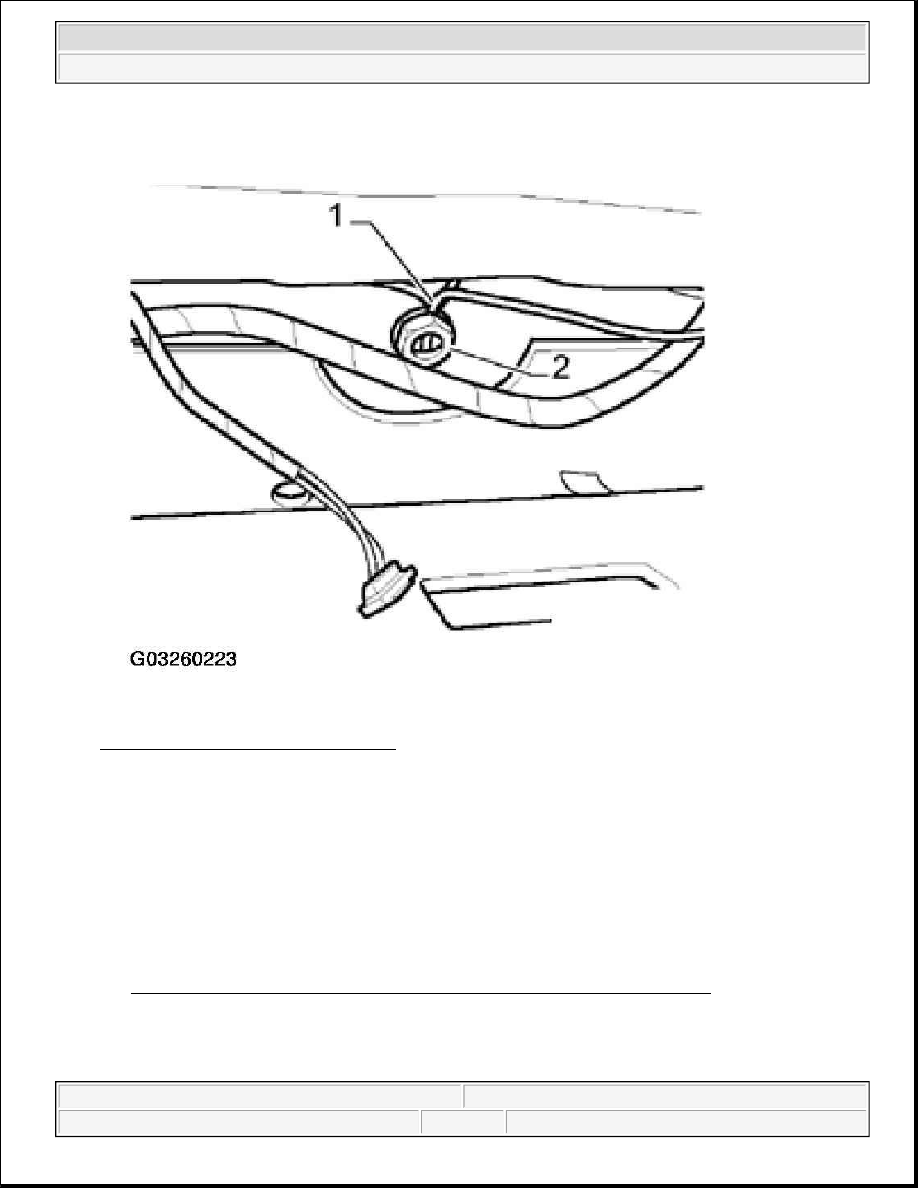
Fig. 98: Installing Antenna Cables Nut 
Courtesy of VOLKSWAGEN UNITED STATES, INC. 

TELEPHONE MICROPHONE -R38-, REMOVING AND INSTALLING 

Telephone Microphone -R38- is integrated with the interior rear view mirror and cannot be removed or serviced 
separately. 

Removing 

z

Remove interior rear view mirror 

See INTERIOR REAR VIEW MIRROR, REMOVING AND INSTALLATION . 

Installing 

Install in reverse order of removal. 


2003 Volkswagen New Beetle GLS 

1998-2004 ACCESSORIES & EQUIPMENT Radio, Telephone, Navigation, Trip Computer - New Beetle


TELEMATICS SYSTEM, TROUBLESHOOTING USING TELEMATICS INDICATOR LAMP

The following allows technicians to perform an initial evaluation of Telematics system operation status for 
troubleshooting using the OnStar(R) telematics indicator lamp (and pre-recorded system messages where 
applicable). 

The telematic indicator lamp LED is located in the telematic control head. LED indications are red or green, 
lighting continuously, blinking slowly or quickly. 

Telematic system status can be determined via the LED with the ignition switched on and referenced from 
TELEMATICS LED INDICATION CHART table: 

TELEMATICS LED INDICATION CHART 

Indications, overview: 

z

LED is off when ignition is off.  

z

The green LED comes on after a self-check routine is performed (approx. 10- 15 seconds after ignition is 
switched on). Sending or receiving voice communication with the OnStar(R) call center is now possible. 
LED remains on even in areas without cellular coverage.  

z

The green LED slowly blinking indicates a communication request has taken place and the system is in 
the process of establishing a cellular connection.  

z

The red LED indicates a malfunction in the telematics hardware was determined during the self check.  

Condition - telematics indicator lamp "green" plus: 

z

message "unable to contact OnStar(R) and disconnect, 

NOTE:

This serves only as an initial evaluation only and is not meant to supercede 
detailed OBD program procedures carried out with VAS 5051 Vehicle Diagnostic 
Testing and Information System in operating mode "Guided Fault Finding"

LED indication

System status:

Off

No connection, no malfunction

Red - continuously

No connection, malfunction in telematics hardware

Green -continuously

After completion of self-test or when OBD program is performed

Red - blinking slowly

Establishing connection, malfunction in telematics hardware

Red - blinking quickly

Connection active, malfunction in telematics hardware

Green - blinking slowly

Establishing connection, no malfunction

Green - blinking quickly

Connection active, no malfunction

NOTE:

After pressing either the OnStar(R) or Emergency button, a recorded message 
announces: "connecting to OnStar," followed by progression tones. Normal 
connection time is 10 - 15 seconds. However, due to local cellular/GPS 
conditions, making a connection could take up to three minutes. Be patient.


2003 Volkswagen New Beetle GLS 

1998-2004 ACCESSORIES & EQUIPMENT Radio, Telephone, Navigation, Trip Computer - New Beetle


z

message "OnStar(R) request ended",  

z

nothing happens,  

z

or a cellular message  

indicates system cellular reception is affected. Proceed as follows: 

z

Relocate vehicle to a more elevated or open area and repeat connection attempts. Depending on the local 
cellular/GPS traffic conditions, several connection attempts may be necessary (and are normal).  

z

Shortcomings in the vehicle's cellular/GPS antenna system also affects connectivity. Check all 
cellular/GPS antenna connections, and perform OBD program using VAS 5051 Vehicle Diagnostic 
Testing and Information System in mode "Guided Fault Finding". Check for DTCs related to antenna 
function.  

z

If you are still unable to connect, record the VIN and customer details and call OnStar(R) Customer Care 
at 1 -888-390-4050. Identify yourself to the advisor as an Volkswagen Technician. The advisor will 
verify the customer's OnStar(R) account is active. Further troubleshooting assistance may be given.  

Condition - telematics indicator lamp "red" 

indicates system hardware (vehicle portion) is affected. Proceed as follows: 

z

Perform OBD using VAS 5051 Vehicle Diagnostic Testing and Information System in mode "Guided 
Fault Finding". Check/perform:  

z

DTC memory (function 02)  

z

Output DTM (function 03)  

z

Read Measuring Value Block (function 08)  

TRANSPORT MODE DEACTIVATING 

The Telematic system is disabled (switched-off) when Transport Mode is activated. This is necessary when 
vehicles are transported over long distances or stored for longer periods of time. 

Some Volkswagen vehicles are initially delivered to dealerships with the Telematics system in Transport Mode, 
and must be deactivated before delivery to the customer using OBD program (VAS 5051 Vehicle Diagnostic 
Testing and Information System in mode "Guided Fault Finding".)

NOTE:

In the event any of the OnStar(R) control buttons are either inadvertently or 
deliberately pressed for longer than 15 seconds, the OBD program assumes a 
button is sticking. The red status light will come on and a DTC loads in memory. 
Perform OBD program using VAS 5051 Vehicle Diagnostic Testing and 
Information System in mode "Guided Fault Finding". Check DTC memory for 
DTC 01526 "mechanical malfunction". Inform customers accordingly.


2003 Volkswagen New Beetle GLS 

1998-2004 ACCESSORIES & EQUIPMENT Radio, Telephone, Navigation, Trip Computer - New Beetle


1998-2004 ACCESSORIES & EQUIPMENT

Front Doors, Central Locking System - New Beetle 

FRONT DOOR 

TOOLS 

Special tools, workshop equipment, testers, measuring instruments and auxiliary items required 

z

T 10011 Socket Insert.  

z

3320 and 3320/2 Door Adjustment Wrench and Box Spanner.  

FRONT DOOR, ASSEMBLY OVERVIEW 

1. Door 

z

Removing and installing, see DOOR, REMOVING AND INSTALLING .  

2. Lock cylinder housing 

z

Removing, see LOCK CYLINDER HOUSING, REMOVING .  

3. Door handle with base 

z

Removing and installing, see DOOR HANDLE, REMOVING AND INSTALLING .  

4. Cover cap  

5. Bolt/screw 

z

20 N.m.  

z

Installed with locking compound D 185 400 A2.  

6. Lock plate  

7. Bolt/screw 

z

20 N.m.  

8. Locking button 

z

Removing and installing, see LOCKING KNOB FOR RELEASE ROD, REMOVING AND 
INSTALLING
  

9. Locking button  

10. Boot  

11. Door lock 

z

Removing and installing, see DOOR LOCK, REMOVING AND INSTALLING 

NOTE:

The hinge bolts (apart from -16- and -22-) and pins -24- must always be replaced 
if loosened. See Fig. 1 .

NOTE:

The following list applies to items in Fig. 1 .


2003 Volkswagen New Beetle GLS 

1998-2004 ACCESSORIES & EQUIPMENT Front Doors, Central Locking System - New Beetle


2003 Volkswagen New Beetle GLS 

1998-2004 ACCESSORIES & EQUIPMENT Front Doors, Central Locking System - New Beetle


Content   ..  469  470  471  472   ..