Content .. 2139 2140 2141 2142 ..
Volkswagen New Beetle. Manual - part 2141
DIAGNOSTIC TROUBLE CODE (DTC) MEMORY, CHECKING
1. Connect VAG 1551 Scan Tool and enter address word "02 Transmission electronics".
2. Advance until "Select function XX" appears in display. See Connecting & Selecting Functions .
3. Press buttons -0- and -2- to select "Check DTC memory". See Fig. 38 .
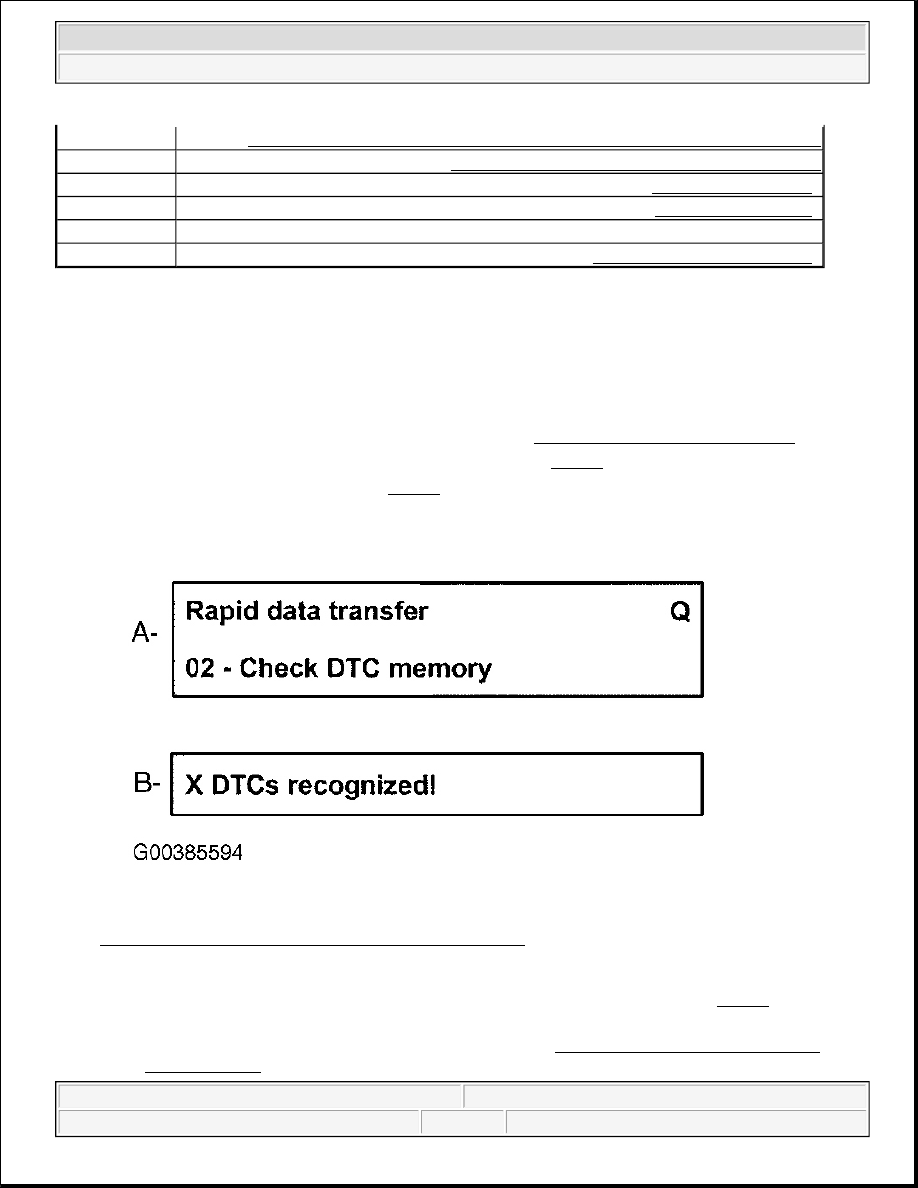
4. Confirm entry with -Q- button (A). See Fig. 39 .
Fig. 39: Scan Tool Check DTC Memory Display Screen
Courtesy of VOLKSWAGEN UNITED STATES, INC.
5. The number of stored DTCs or "No DTC recognized" appears in the display (B). See Fig. 39 . The stored
DTCs are displayed in turn and printed out. After the last DTC has been displayed and printed out:
z
Correct malfunctions as described in the DTC table. See DIAGNOSTIC TROUBLE CODE
(DTC) TABLE .
01
Check Control Module Version - On Board Diagnostic (OBD), Conducting
02
Check Diagnostic Trouble Code (DTC) Memory
04
Initiate Basic Setting .
05
Erase DTC Memory .
06
End Output.
08
Read Measured Value Block .
NOTE:
Further functions, which can be printed out by pressing the HELP button, need
not be considered.
2003 Volkswagen New Beetle GLS
1998-2004 AUTOMATIC TRANSMISSIONS Diagnosis - 01M