Volkswagen Golf Variant / Jetta. Manual - part 172
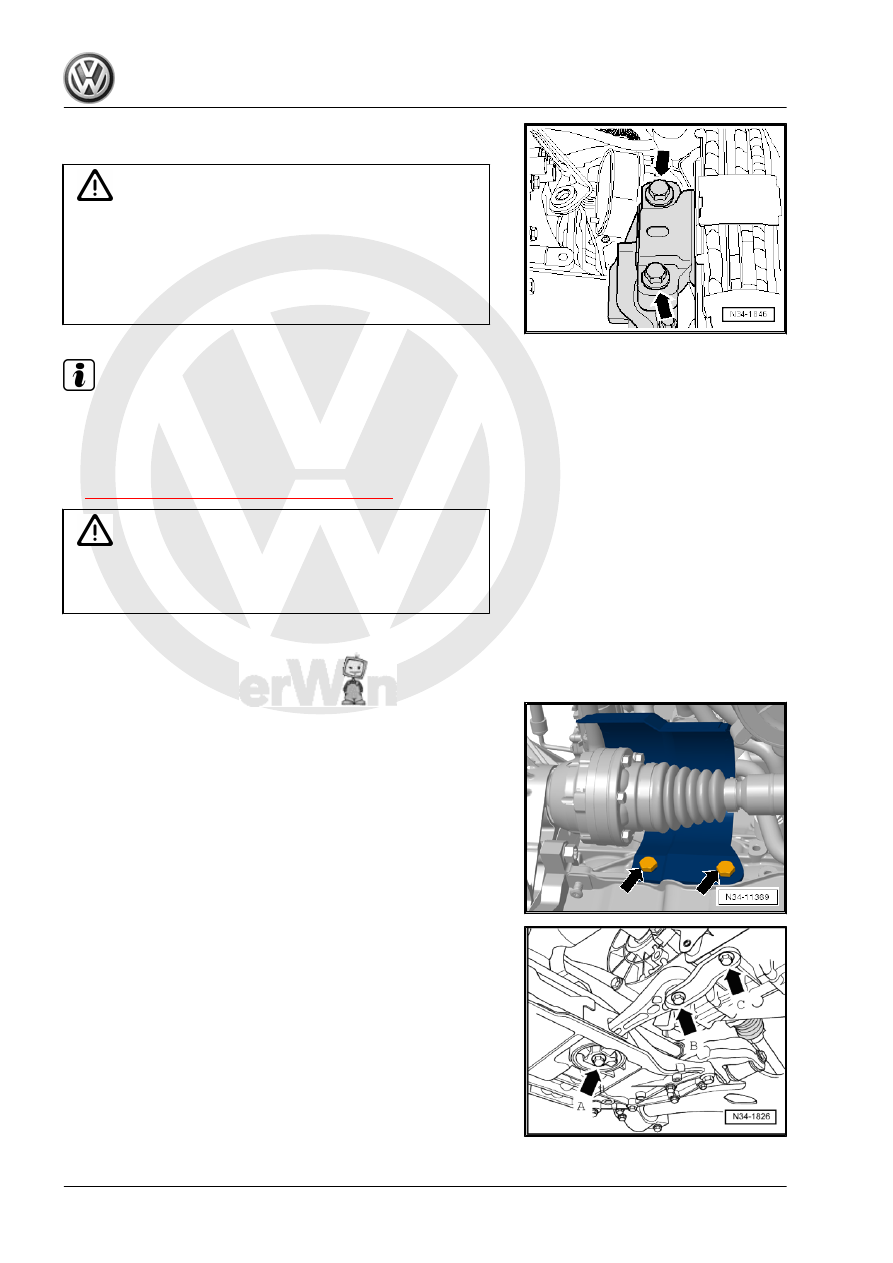
Support Bridge - 10 - 222 A- in the installation position.
Caution
There is a risk of damaging the threads in transmission bracket
by inserting bolts at an angle.
♦ Before installing bolts -arrows-, transmission bracket and
transmission mount support arm must be absolutely par‐
allel to each other. If necessary, lift the back of the trans‐
mission using the Engine and Gearbox Jack .
Note
Install the engine/transmission mount free of tension. Refer to ⇒
Rep. Gr. 10 ; Engine, Removing and Installing .
– Install new bolts -arrows- of left assembly mounting into trans‐
mission mount and tighten to tightening specification. Refer to
⇒ “4.1 Overview - Subframe Mount”, page 154
WARNING
Only remove Engine Support Bridge - 10 - 222 A- when the left
and right subframe mount bolts are tightened to the tightening
specification.
– Attach the drive axles to the transmission. Refer to ⇒ Sus‐
pension, Wheels, Steering; Rep. Gr. 40 ; Drive Axles, Re‐
moving and Installing .
– If equipped install the drive axle heat shield -arrows-. Refer to
⇒ Suspension, Wheels, Steering; Rep. Gr. 40 ; Drive Axles,
Overview and Servicing; Drive Axle Heat Shield .
– Install pendulum support with new bolts -arrows A, B and C-.
frame; Overview - Subframe .
– Assemble the exhaust system and then attach the exhaust
Exhaust System .
150