Infiniti Q50 (2023 year). Manual in english - page 6
 

  Index      Manuals     Infiniti Q50 (2023 year). Manual in english


Search            copyright infringement  


Content      ..     4      5      6      7     ..


Infiniti Q50 (2023 year). Manual in english - page 6


that people become locked inside the trunk
or in the event of the loss of electrical power
such as a discharged battery.

Releasing inside the trunk

To open the trunk lid from the inside, pull the
release handle

until the lock releases and

push up on the trunk lid. The release lever is
made of a material that glows in the dark
after a brief exposure to ambient light.
The handle is located on the back of the
trunk lid as illustrated.

Releasing from the rear seat

You can access the release handle through
the trunk pass-through (rear seat armrest).
(See “Armrest” (P.1-7).)

To open the trunk lid from the rear seat, pull
the release handle towards front of vehicle
until the lock releases.

If you cannot reach the release handle,
contact an INFINITI retailer.

SPA2735

OPENING THE FUEL-FILLER
DOOR

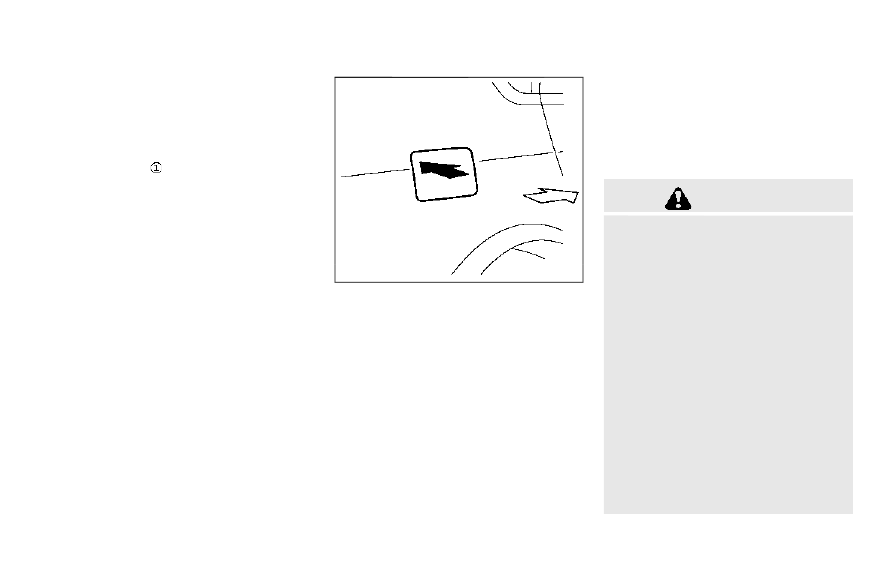
To open the fuel-filler door, unlock the fuel-
filler door by using one of the following
operations, then push the upper left side of
the door.

.

Touch the one touch unlock sensor on

one of the front door handles and then
push the door handle request switch
while carrying the Intelligent Key.

.

Push the UNLOCK button on the Intel-

ligent Key twice.

.

Push the power door lock switch to the

UNLOCK position.

To lock, close the fuel-filler door securely
and lock all doors by operating the door
handle request switch, the LOCK button on
the Intelligent Key or the power door lock
switch.

FUEL-FILLER CAP

WARNING

.

Gasoline is extremely flammable and
highly explosive under certain condi-
tions. You could be burned or ser-
iously injured if it is misused or
mishandled. Always stop engine and
do not smoke or allow open flames or
sparks near the vehicle when refuel-
ing.

.

Do not attempt to top off the fuel
tank after the fuel pump nozzle shuts
off automatically. Continued refuel-
ing may cause fuel overflow, resulting
in fuel spray and possibly a fire.

.

Use only an original equipment type
fuel-filler cap as a replacement. It has
a built-in safety valve needed for
proper operation of the fuel system
and emission control system. An in-
correct cap can result in a serious
malfunction and possible injury. It
could also cause the Malfunction

Pre-driving checks and adjustments

3-25

FUEL-FILLER DOOR

CarManuals2.com

-------------------------------------------------------------------------------------------------------------------------------------------------------------

3-26

Pre-driving checks and adjustments

Indicator Light (MIL) to come on.

.

Never pour fuel into the throttle body
to attempt to start your vehicle.

.

Do not fill a portable fuel container in
the vehicle or trailer. Static electricity
can cause an explosion of flammable
liquid, vapor or gas in any vehicle or
trailer. To reduce the risk of serious
injury or death when filling portable
fuel containers:

— Always place the container on the

ground when filling.

— Do not use electronic devices

when filling.

— Keep the pump nozzle in contact

with the container while you are
filling it.

— Use only approved portable fuel

containers for flammable liquid.

CAUTION

.

If fuel is spilled on the vehicle body,
flush it away with water to avoid
paint damage.

.

Insert the cap straight into the fuel-
filler tube, then tighten the fuel-filler
cap until a single click is heard. Failure

to tighten the fuel-filler cap properly
may cause the

Malfunction In-

dicator Light (MIL) to illuminate. If
the

light illuminates because the

fuel-filler cap is loose or missing,
tighten or install the cap and con-
tinue to drive the vehicle. The
light should turn off after a few
driving trips. If the

light does

not turn off after a few driving trips,
have the vehicle inspected. It is
recommended you visit an INFINITI
retailer for this service.

.

The Loose Fuel Cap warning will
appear if the fuel-filler cap is not
properly tightened. It may take a few
driving trips for the warning to be
displayed. Failure to tighten the fuel-
filler cap properly after the Loose
Fuel Cap warning appears may cause
the

Malfunction Indicator Light

(MIL) to illuminate.

.

For additional information, see “Mal-
function Indicator Light (MIL)” (P.2-
15).

JVP0204X

To remove the fuel-filler cap:
1. Turn the fuel-filler cap counterclockwise

to remove.

2. Put the fuel-filler cap on the cap holder

while refueling.

To install the fuel-filler cap:
1. Insert the fuel-filler cap straight into the

fuel-filler tube.

2. Turn the fuel-filler cap clockwise until a

single click is heard.

CarManuals2.com

-------------------------------------------------------------------------------------------------------------------------------------------------------------

JVP0455X

Loose Fuel Cap warning

The Loose Fuel Cap warning appears in the
vehicle information display when the fuel-
filler cap is not tightened correctly after the
vehicle has been refueled. It may take a few
driving trips for the warning to be displayed.
To turn off the warning, perform the
following:
1. Remove and install the fuel-filler cap as

soon as possible. (See “Fuel-filler cap”
(P.3-25).)

2. Tighten the fuel-filler cap until a single

click is heard.

3. Push the

or

switch

on the

steering wheel for longer than 1 second

to turn off the Loose Fuel Cap warning
after tightening the fuel-filler cap.

WARNING

.

Do not adjust the steering wheel
while driving. You could lose control
of your vehicle and cause an accident.

.

Do not adjust the steering wheel any
closer to you than is necessary for
proper steering operation and com-
fort. The driver’s air bag inflates with
great force. If you are unrestrained,
leaning forward, sitting sideways or
out of position in any way, you are at
greater risk of injury or death in a
crash. You may also receive serious or
fatal injuries from the air bag if you
are up against it when it inflates.
Always sit back against the seatback
and as far away as practical from the
steering wheel. Always use the seat
belts.

Pre-driving checks and adjustments

3-27

TILT/TELESCOPIC STEERING

CarManuals2.com

-------------------------------------------------------------------------------------------------------------------------------------------------------------

3-28

Pre-driving checks and adjustments

SPA2328

MANUAL OPERATION (if so
equipped)

Tilt or telescopic operation

Pull the lock lever

down and adjust the

steering wheel up, down, forward or rear-
ward to the desired position.
Push the lock lever up securely to lock the
steering wheel in place.

JVP0205X

ELECTRIC OPERATION (if so
equipped)

Tilt or telescopic operation

Move the switch to adjust the steering
wheel up or down, forward or rearward to
the desired position.

Entry/Exit function operation:

The memory seat system will make the
steering wheel move up automatically when
the driver’s door is opened with the ignition
switch in the LOCK position. This lets the
driver get into and out of the seat more
easily.

For more information, see “Memory seat”
(P.3-33).

CarManuals2.com

-------------------------------------------------------------------------------------------------------------------------------------------------------------

SPA2471

1. To block glare from the front, swing

down the sun visor

.

2. To block glare from the side, remove the

sun visor from the center mount and
swing the visor to the side

.

3. Slide the sun visor

in or out as needed.

SPA2447

INSIDE MIRROR

Adjust the height and the angle of the inside
mirror to the desired position.

Pre-driving checks and adjustments

3-29

SUN VISORS

MIRRORS

CarManuals2.com

-------------------------------------------------------------------------------------------------------------------------------------------------------------

3-30

Pre-driving checks and adjustments

SPA2450-A

Automatic anti-glare type

The inside mirror is designed so that it
automatically changes reflection according
to the intensity of the headlights of the
following vehicle.
The anti-glare system will be automatically
turned on when the ignition switch is pushed
to the ON position.
The anti-glare system also operates for the
outside mirrors (if so equipped).
When the anti-glare system is turned on, the
indicator light

will illuminate and excessive

glare from the headlights of the vehicle
behind you will be reduced.
Push the “

*

” switch

to make the inside

mirror operate normally. The indicator light
will turn off. Push the “I” switch

to turn the

system on.

Do not allow any object to cover the sensors

or apply glass cleaner on them. Doing so

will reduce the sensitivity of the sensor,
resulting in improper operation.

For the HomeLink

®

Universal Transceiver

operation, see “HomeLink

®

Universal Trans-

ceiver” (P.2-61).

OUTSIDE MIRRORS

WARNING

Objects viewed in the outside mirror on
the passenger side are closer than they
appear. Be careful when moving to the
right. Using only this mirror could cause
an accident. Use the inside mirror or
glance over your shoulder to properly
judge distances to other objects.

JVP0246X

Adjusting outside mirrors

The outside mirror control switch is located
on the driver’s armrest.
The outside mirror will operate only when
the ignition switch is in the ACC or ON
position.
Move the switch

right or left to select the

right or left side mirror, then adjust using the
control switch

.

Defrosting outside mirrors

The outside mirrors will be heated when the
rear window defroster switch is operated.
If the engine is started using the remote start
function (if so equipped) when the outside

CarManuals2.com

-------------------------------------------------------------------------------------------------------------------------------------------------------------

air temperature, the interior temperature
and the engine coolant temperature are
low, the rear window glass and outside
mirror defroster may turn on automatically.
For additional information about the remote
engine start function, see “Remote engine
start” (P.3-19).

SPA2738

Foldable outside mirrors

Power folding type (if so equipped):

The outside mirror remote control operates
when the ignition switch is in the ACC or ON
position.
The outside mirrors automatically fold when
the outside mirror folding switch is pushed
to the CLOSE position

. To unfold, push to

the OPEN position

.

If mirrors are manually operated or bumped,
the mirror body can become loose at the
pivot point. To correct electronic mirror
operation, cycle mirrors by pushing CLOSE
until completely closed, then push OPEN
until the mirror is in the OPEN position.

WARNING

Do not drive with the mirrors stored. You
will be unable to see behind the vehicle.

CAUTION

.

Continuously performing the fold/
unfold operation of the outside mir-
ror may cause the switch to stop the
operation.

.

Do not touch the mirrors while they
are moving. Your hand may be
pinched, and the mirror may malfunc-
tion.

.

If the mirrors were folded or unfolded
by hand, there is a chance that the
mirror will move forward or back-
ward during driving. If the mirrors
were folded or unfolded by hand, be
sure to adjust them again electrically
before driving.

Pre-driving checks and adjustments

3-31

CarManuals2.com

-------------------------------------------------------------------------------------------------------------------------------------------------------------

3-32

Pre-driving checks and adjustments

SPA1829

Manual folding type (if so equipped):

Fold the outside mirror by pushing it toward
the rear of the vehicle.

Reverse tilt-down feature (if so
equipped)

When backing up the vehicle, the right and
left outside mirrors will turn downward
automatically to provide better rear visibility.
1. Push the ignition switch to the ON

position.

2. Move the shift lever to the R (Reverse)

position.

3. Select the right or left side mirror by

operating the outside mirror control

switch.

4. The outside mirror surface moves down-

ward.

When one of the following conditions has
occurred, the outside mirror surface will
return to its original position.

.

The shift lever is moved to any position

other than R (Reverse).

.

The outside mirror control switch is set to

the center position.

.

The ignition switch is pushed to the OFF

position.

Automatic anti-glare (if so
equipped)

The outside mirrors are designed so that
they automatically change reflection ac-
cording to the intensity of the headlights of
the vehicle following you.
The anti-glare system will be automatically
turned on when the ignition switch is placed
in the ON position.

SIC3869

VANITY MIRROR

To use the front vanity mirror, pull down the
sun visor and pull up the cover.

CarManuals2.com

-------------------------------------------------------------------------------------------------------------------------------------------------------------

The memory seat system has two features:

.

Entry/exit function

.

Memory storage

ENTRY/EXIT FUNCTION

This system is designed so that the driver’s
seat and steering column will automatically
move when the shift lever is in the P (Park)
position. This allows the driver to get into
and out of the driver’s seat more easily.
The driver’s seat will slide backward and the
steering wheel will move up when the
driver’s door is opened with the ignition
switch in the LOCK position.
The driver’s seat and steering wheel will
return to the previous positions when the
ignition switch is pushed to the ACC posi-
tion.
The driver’s seat will not return to the
previous positions if the seat or steering
adjusting switch is operated when the seat is
at the exit position.

Cancel or activate entry/exit func-
tion

All the following conditions must be met
before cancelling or activating the entry/exit
function.

.

The ignition switch is placed in the LOCK

position.

.

The entry/exit function is not in opera-

tion.

.

The following switches are not operated.

— Seat memory switches
— Power seat switches
— Electric tilting/telescopic steering

wheel switch

The entry/exit function can be activated or
canceled by pushing and holding the SET
switch for more than 10 seconds.
The entry/exit function can also be acti-
vated or canceled if the [Lift Steering Wheel
on Exit] or [Slide Driver Seat Back on Exit]
key is turned to ON or OFF in the [Settings]
menu on the lower display. (See the INFINITI
InTouch

TM

Owner’s Manual. The displayed

keys on the lower display may vary depend-
ing on models, specifications and software
versions.)

Initialize entry/exit function

If the battery cable is disconnected, or if the
fuse opens, the entry/exit function will not
work though this function was set on before.
In such a case, after connecting the battery
or replacing with a new fuse, open and close
the driver’s door more than two times after
the ignition switch is switched from the ON
position to the LOCK position. The entry/
exit function will be activated.

JVP0240X

MEMORY STORAGE

Two positions for the driver’s seat, steering
column and outside mirrors can be stored in
the memory switch. Follow these procedures
to use the memory system.
1. Adjust the driver’s seat, steering column

and outside mirrors to the desired posi-
tions by manually operating each adjust-
ing switch. For additional information,
see “Seats” (P.1-2), “Tilt/telescopic
steering” (P.3-27) and “Outside mirrors”
(P.3-30).

2. Push the SET switch and, within 5

seconds, push the memory switch (1 or
2) fully for at least 1 second.

Pre-driving checks and adjustments

3-33

MEMORY SEAT (if so equipped)

CarManuals2.com

-------------------------------------------------------------------------------------------------------------------------------------------------------------

3-34

Pre-driving checks and adjustments

The indicator light for the pushed mem-
ory switch will stay on for approximately
5 seconds after pushing the switch.
When the memory is stored in the
memory switch (1 or 2), a buzzer will
sound.
If memory is stored in the same memory
switch, the previous memory will be
deleted.

Confirming memory storage

Push the SET switch. If the main memory
has not been stored, the indicator light will
come on for approximately 0.5 seconds.
When the memory has stored in position,
the indicator light will stay on for approxi-
mately 5 seconds.

Selecting the memorized position

1. Move the shift lever to the P (Park)

position.

2. Push the memory switch (1 or 2) fully for

at least 1 second.
The driver’s seat, steering column and
outside mirrors will move to the memor-
ized position with the indicator light
flashing, and then the light will stay on
for approximately 5 seconds.

Linking log-in function to a stored
memory position

The log-in function can be linked to a stored
memory position with the following proce-
dure.
1. Place the ignition switch in the ON

position while carrying an Intelligent
Key that was registered to the vehicle
with the log-in function. For more de-
tails, see “Log-in function” (P.3-15).

2. Adjust the position of the driver’s seat,

steering column and outside mirrors
manually. See “Seats” (P.1-2), “Tilt/tele-
scopic steering” (P.3-27) and “Outside
mirrors” (P.3-30).

3. Place the ignition switch in the OFF

position.

The next time you log in (selecting the user
on the display) after placing the ignition
switch in the ON position while carrying the
Intelligent Key, the system will automatically
adjust to the memorized driving position.

SYSTEM OPERATION

The memory seat system will not work or
will stop operating under the following
conditions:

.

When the vehicle speed is above 0 MPH

(0 km/h) or 4 MPH (7 km/h) for some
limited functions such linking an Intelli-

gent Key to the vehicle when the power
source is turned on from off or during the
Exit function.

.

When any of the memory switches are

pushed while the memory seat is operat-
ing.

.

When the adjusting switch for the dri-

ver’s seat and steering column is turned
on while the memory seat is operating.

.

When the seat has already been moved

to the memorized position.

.

When no seat position is stored in the

memory switch.

.

When the shift lever is moved from the P

(Park) position to any other position.

CarManuals2.com

-------------------------------------------------------------------------------------------------------------------------------------------------------------

4 Monitor, climate, audio, phone and voice re-

cognition systems

INFINITI InTouch

TM

Owner’s Manual ........................ 4-2

Safety precautions ........................................................... 4-2
RearView Monitor (if so equipped) ............................. 4-3

RearView Monitor system operation .................... 4-4
How to read the displayed lines ............................. 4-5
Difference between predictive and
actual distances ........................................................... 4-5
How to park with predictive course lines ............ 4-7
RearView Monitor settings ...................................... 4-8
RearView Monitor system limitations ................ 4-10
System maintenance ................................................ 4-11

Around View

®

Monitor (if so equipped) .................. 4-12

Around View

®

Monitor system operation ......... 4-13

Around View

®

Monitor settings ........................... 4-21

Around View

®

Monitor system limitations ........ 4-23

System maintenance ................................................ 4-25

Camera aiding sonar function (for models with
Around View

®

Monitor) ................................................ 4-26

Sonar system operation .......................................... 4-27
Turning on and off the sonar function ............... 4-27
Sonar system limitations ........................................ 4-30

System maintenance ............................................. 4-30

Moving Object Detection (MOD)
(if so equipped) ............................................................... 4-31

MOD system operation ......................................... 4-32
Turning the MOD system ON and OFF ........... 4-33
MOD system limitations ...................................... 4-34
System maintenance .............................................. 4-35

Ventilators ........................................................................ 4-36

Center ventilators ................................................... 4-36
Side ventilators ........................................................ 4-36
Rear ventilators ....................................................... 4-36

Heater and air conditioner .......................................... 4-37

Automatic air conditioner .................................... 4-38
Climate settings ...................................................... 4-42
Operating tips ......................................................... 4-42
Servicing air conditioner ....................................... 4-43

Antenna ........................................................................... 4-44

Window antenna .................................................... 4-44
Satellite radio antenna ......................................... 4-44

Car phone or CB radio ................................................ 4-45

CarManuals2.com

-------------------------------------------------------------------------------------------------------------------------------------------------------------

4-2

Monitor, climate, audio, phone and voice recognition systems

WAE0897X

Refer to the digital INFINITI InTouch

TM

Owner’s Manual using the QR code on this
page (US only), or your printed INFINITI
InTouch

TM

Owner’s Manual (if so equipped).

This manual includes the following informa-
tion.

.

Navigation system (if so equipped)

.

Audio system

.

Bluetooth

®

Hands-Free Phone system

.

INFINITI InTouch

TM

Services (if so

equipped)

.

SiriusXM Traffic

TM

(if so equipped)

.

SiriusXM

®

Travel Link (if so equipped)

.

SiriusXM

®

Radio

.

Viewing information

.

Other settings

.

Voice recognition (if so equipped)

.

Meter settings

.

General system information

.

Android Auto

TM

.

Apple CarPlay

®

WARNING

.

Do not adjust the display controls,
heater and air conditioner controls or
audio controls while driving so that
full attention may be given to vehicle
operation.

.

If you noticed any foreign objects
entering the system hardware, spilled
liquid on the system, or noticed
smoke or fumes coming out from the
system, or any other unusual opera-
tion is observed, stop using the
system immediately and contact the
nearest INFINITI retailer. Ignoring
such conditions may lead to an acci-
dent, fire or electric shock.

.

Do not disassemble or modify this
system. If you do, it may lead to an
accident, fire, or electric shock.

.

Park the vehicle in a safe location and
apply the parking brake to view
images on the touch screen display.

CAUTION

.

Do not use the system when the
engine is not running for extended

INFINITI INTOUCH

TM

OWNER’S MANUAL

SAFETY PRECAUTIONS

CarManuals2.com

-------------------------------------------------------------------------------------------------------------------------------------------------------------

periods of time to prevent battery
discharge.

.

The glass screen on the liquid crystal
display may break if it is hit with a
hard or sharp object. If the glass
screen breaks, do not touch it. Doing
so could result in an injury.

.

Extreme temperature conditions [be-
low −4°F (−20°C) and above 158°F
(70°C)] could affect the performance
of the system.

WAE0191X

1. Upper touch-screen display (upper dis-

play)

2. Lower touch-screen display (lower dis-

play)

3. MENU button

WARNING

Failure to follow the warnings and
instructions for proper use of the Rear-
View Monitor system could result in

Monitor, climate, audio, phone and voice recognition systems

4-3

REARVIEW MONITOR (if so equipped)

CarManuals2.com

-------------------------------------------------------------------------------------------------------------------------------------------------------------

4-4

Monitor, climate, audio, phone and voice recognition systems

serious injury or death.

.

The RearView Monitor is a conveni-
ence but it is not a substitute for
proper backing. Always turn and look
out the windows, and check mirrors
to be sure that it is safe to move
before operating the vehicle. Always
back up slowly.

.

The system is designed as an aid to
the driver in showing large stationary
objects directly behind the vehicle, to
help avoid damaging the vehicle.

.

The distance guide line and the
vehicle width line should be used as
a reference only when the vehicle is
on a level paved surface. The distance
viewed on the monitor is for refer-
ence only and may be different than
the actual distance between the
vehicle and displayed objects.

CAUTION

Do not scratch the camera lens when
cleaning dirt or snow from the front of
the camera.

The RearView Monitor system automatically
shows a rear view of the vehicle in the upper

display when the shift lever is shifted into
the R (Reverse) position. When activating
the RearView Monitor, the guide lines, the
icons and the messages may not be dis-
played immediately.
The radio can still be heard while the Rear-
View Monitor is active.

WAE0234X

To display the rear view, the RearView
Monitor system uses a camera

located

just above the vehicle’s license plate.

REARVIEW MONITOR SYSTEM
OPERATION

With the ignition switch in the ON position,
move the shift lever to the R (Reverse)
position to operate the RearView Monitor.

CarManuals2.com

-------------------------------------------------------------------------------------------------------------------------------------------------------------

WAE0241X

HOW TO READ THE DISPLAYED
LINES

Guiding lines which indicate the vehicle
width and distances to objects with refer-
ence to the bumper line

are displayed on

the monitor.

Distance guide lines:

Indicate distances from the bumper.

.

Red line

: approx. 1.5 ft (0.5 m)

.

Yellow line

: approx. 3 ft (1 m)

.

Green line

: approx. 7 ft (2 m)

Vehicle width guide lines

:

Indicate the approximate vehicle width.

Predictive course lines

:

Indicate the predictive course when backing
up. The predictive course lines will be
displayed on the monitor when the shift
lever is in the R (Reverse) position and the
steering wheel is turned. The predictive
course lines will move depending on how
much the steering wheel is turned and will
not be displayed while the steering wheel is
in the neutral position.
The vehicle width guide lines and the width
of the predictive course lines are wider than
the actual width and course.

DIFFERENCE BETWEEN PRE-
DICTIVE AND ACTUAL DIS-
TANCES

The displayed guidelines and their locations
on the ground are for approximate reference
only. Objects on uphill or downhill surfaces
or projecting objects will be actually located
at distances different from those displayed
in the monitor relative to the guide lines
(refer to illustrations). When in doubt, turn
around and view the objects as you are
backing up, or park and exit the vehicle to
view the positioning of objects behind the
vehicle.

WAE0525X

Backing up on a steep uphill

When backing up the vehicle up a hill, the
distance guide lines and the vehicle width
guide lines are shown closer than the actual
distance. Note that any object on the hill is
farther than it appears on the monitor.

Monitor, climate, audio, phone and voice recognition systems

4-5

CarManuals2.com

-------------------------------------------------------------------------------------------------------------------------------------------------------------

4-6

Monitor, climate, audio, phone and voice recognition systems

WAE0526X

Backing up on a steep downhill

When backing up the vehicle down a hill, the
distance guide lines and the vehicle width
guide lines are shown farther than the actual
distance. Note that any object on the hill is
closer than it appears on the monitor.

WAE0527X

Backing up near a projecting object

The predictive course lines

do not touch

the object in the display. However, the
vehicle may hit the object if it projects over
the actual backing up course.

SAA2244

Backing up behind a projecting
object

The position

is shown farther than the

position

in the display. However, the

position

is actually at the same distance

as the position

. The vehicle may hit the

object when backing up to the position

if

CarManuals2.com

-------------------------------------------------------------------------------------------------------------------------------------------------------------

the object projects over the actual backing
up course.

HOW TO PARK WITH PREDIC-
TIVE COURSE LINES

WARNING

.

If the tires are replaced with different
sized tires, the predictive course lines
may not be displayed correctly.

.

On a snow-covered or slippery road,
there may be a difference between
the predictive course lines and the
actual course line.

.

The displayed lines will appear
slightly off to the right because the
rearview camera is not installed in the
rear center of the vehicle.

.

If the battery is disconnected or
becomes discharged, the predictive
course lines may be displayed incor-
rectly. If this occurs, please perform
the following procedures:

— Turn the steering wheel from lock

to lock while the engine is running.

— Drive the vehicle on a straight

road for more than 5 minutes.

WAE0528X

1. Visually check that the parking space is

safe before parking your vehicle.

2. The rear view of the vehicle is displayed

on the screen

when the shift lever is

moved to the R (Reverse) position.

WAE0529X

3. Slowly back up the vehicle adjusting the

steering wheel so that the predictive
course lines

enter the parking space

.

4. Maneuver the steering wheel to make

the vehicle width guide lines

parallel to

the parking space

while referring to

the predictive course lines.

Monitor, climate, audio, phone and voice recognition systems

4-7

CarManuals2.com

-------------------------------------------------------------------------------------------------------------------------------------------------------------

4-8

Monitor, climate, audio, phone and voice recognition systems

5. When the vehicle is parked in the space

completely, move the shift lever to the P
(Park) position and apply the parking
brake.

REARVIEW MONITOR SETTINGS

The RearView Monitor settings can be
changed using the following procedures.
1. Push the MENU button.
2. Touch [Settings] on the lower display.
3. Touch [Camera].
The displayed keys on the lower display may
vary depending on models, specifications
and software versions.

CarManuals2.com

-------------------------------------------------------------------------------------------------------------------------------------------------------------

Available setting items:

Setting Items

Action

Predictive Course Lines

When this item is turned on, the predictive course lines
are displayed on the rear view monitor screen. (See
“How to park with predictive course lines” (P.4-7).)

Display Settings
(Available only when cam-
era screen is displayed on
the upper display.)

Brightness

Adjust display settings by touching the “+”/“-” key.

Contrast

Tint

Color

Black Level

NOTE:

Do not adjust any of the RearView Monitor settings while the vehicle is moving. Make sure the parking brake is firmly applied.

Monitor, climate, audio, phone and voice recognition systems

4-9

CarManuals2.com

-------------------------------------------------------------------------------------------------------------------------------------------------------------

4-10

Monitor, climate, audio, phone and voice recognition systems

REARVIEW MONITOR SYSTEM
LIMITATIONS

WARNING

Listed below are the system limitations
for RearView Monitor. Failure to oper-
ate the vehicle in accordance with these
system limitations could result in serious
injury or death.

.

The system cannot completely elim-
inate blind spots and may not show
every object.

.

Underneath the bumper and the
corner areas of the bumper cannot
be viewed on the RearView Monitor
because of its monitoring range lim-
itation. The system will not show
small objects below the bumper, and
may not show objects close to the
bumper or on the ground.

.

Objects viewed in the RearView
Monitor differ from actual distance
because a wide-angle lens is used.

.

Objects in the RearView Monitor will
appear visually opposite compared to
when viewed in the rearview and
outside mirrors.

.

Use the displayed lines as a reference.
The lines are highly affected by the
number of occupants, fuel level, ve-
hicle position, road conditions and
road grade.

.

Make sure that the trunk lid is
securely closed when backing up.

.

Do not put anything on the rearview
camera. The rearview camera is in-
stalled above the license plate.

.

When washing the vehicle with high-
pressure water, be sure not to spray
it around the camera. Otherwise,
water may enter the camera unit
causing water condensation on the
lens, a malfunction, fire or an electric
shock.

.

Do not strike the camera. It is a
precision instrument. Otherwise, it
may malfunction or cause damage
resulting in a fire or an electric shock.

The following are operating limitations and
do not represent a system malfunction:

.

When the temperature is extremely high

or low, the screen may not clearly display
objects.

.

When strong light is directly coming on

the camera, objects may not be displayed
clearly.

.

Vertical lines may be seen in objects on

the screen. This is due to strong reflected
light from the bumper.

.

The screen may flicker under fluorescent

light.

.

The colors of objects on the RearView

Monitor may differ somewhat from the
actual color of objects.

.

Objects on the monitor may not be clear

in a dark environment.

.

There may be a delay when switching to

the RearView Monitor.

.

If dirt, rain or snow accumulates on the

camera, the RearView Monitor may not
display object clearly. Clean the camera.

.

Do not use wax on the camera lens. Wipe

off any wax with a clean cloth dampened
with a diluted mild cleaning agent, then
wipe with a dry cloth.

CarManuals2.com

-------------------------------------------------------------------------------------------------------------------------------------------------------------

WAE0234X

SYSTEM MAINTENANCE

CAUTION

.

Do not use alcohol, benzine or thinner
to clean the camera. This will cause
discoloration.

.

Do not damage the camera as the
monitor screen may be adversely
affected.

If dirt, rain or snow accumulates on the
camera

, the RearView Monitor may not

display objects clearly. Clean the camera by
wiping it with a cloth dampened with a

diluted mild cleaning agent and then wiping
it with a dry cloth.

Monitor, climate, audio, phone and voice recognition systems

4-11

CarManuals2.com

-------------------------------------------------------------------------------------------------------------------------------------------------------------

4-12

Monitor, climate, audio, phone and voice recognition systems

WAE0192X

1. Upper touch-screen display (upper dis-

play)

2. Lower touch-screen display (lower dis-

play)

3. CAMERA button

4. MENU button

WARNING

Failure to follow the warnings and
instructions for the proper use of the
Around View

®

Monitor system could

result in serious injury or death.

.

The Around View

®

Monitor is a

convenience feature and is not a
substitute for proper vehicle opera-
tion because it has areas where
objects cannot be viewed. The four
corners of the vehicle in particular,
are areas where objects do not al-
ways appear in the bird’s-eye, front,
or rear views. Always check your
surroundings to be sure that it is safe
to move before operating the vehicle.
Always operate the vehicle slowly.
Always look out the windows and
check mirrors to be sure that it is safe
to move.

.

The driver is always responsible for
safety during parking and other
maneuvers.

AROUND VIEW

®

MONITOR (if so

equipped)

CarManuals2.com

-------------------------------------------------------------------------------------------------------------------------------------------------------------

CAUTION

Do not scratch the lens when cleaning
dirt or snow from the front of the
camera.

The Around View

®

Monitor system is de-

signed as an aid to the driver in situations
such as slot parking or parallel parking.
The monitor displays various views of the
position of the vehicle in a split screen
format. All views are not available at all
times.

Available views:

.

Front view

An approximately 150-degree view of
the front of the vehicle.

.

Rear view

An approximately 150-degree view of
the rear of the vehicle.

.

Bird’s-eye view

The surrounding view of the vehicle from
above.

.

Front-side view

The view around and ahead of the front
passenger’s side wheel.

.

Front-wide view

An approximately 180-degree view of

the front of the vehicle.

.

Rear-wide view

An approximately 180-degree view of
the rear of the vehicle.

WAE0235X

To display the multiple views, the Around
View

®

Monitor system uses cameras

located in the front grill, on the vehicle’s
outside mirrors and one just above the
vehicle’s license plate.

AROUND VIEW

®

MONITOR SYS-

TEM OPERATION

With the ignition switch in the ON position,
move the shift lever to the R (Reverse)
position or push the CAMERA button to
display the Around View

®

Monitor on the

upper display.

Monitor, climate, audio, phone and voice recognition systems

4-13

CarManuals2.com

-------------------------------------------------------------------------------------------------------------------------------------------------------------

4-14

Monitor, climate, audio, phone and voice recognition systems

Available views

WARNING

.

The distance guide line and the
vehicle width line should be used as
a reference only when the vehicle is
on a paved, level surface. The dis-
tance viewed on the monitor is for
reference only and may be different
than the actual distance between the
vehicle and displayed objects.

.

Use the displayed lines and the bird’s-
eye view as a reference. The lines and
the bird’s-eye view are greatly af-
fected by the number of occupants,
fuel level, vehicle position, road con-
dition and road grade.

.

If the tires are replaced with different
sized tires, the predictive course lines
and the bird’s-eye view may be dis-
played incorrectly.

.

When driving the vehicle up a hill,
objects viewed in the monitor are
farther than they appear. When driv-
ing the vehicle down a hill, objects
viewed in the monitor are closer than
they appear.

.

Objects in the rear view will appear
visually opposite compared to when

viewed in the rear view and outside
mirrors.

.

Use the mirrors or actually look to
properly judge distances to other
objects.

.

The distance between objects viewed
in the rear view differs from actual
distance because a wide-angle lens is
used.

.

On a snow-covered or slippery road,
there may be a difference between
the predictive course lines and the
actual course line.

.

The vehicle width and predictive
course lines are wider than the actual
width and course.

.

The displayed lines on the rear view
will appear slightly off to the right
because the rearview camera is not
installed in the rear center of the
vehicle.

SAA1840

Front view

WAE0216X

Rear view

CarManuals2.com

-------------------------------------------------------------------------------------------------------------------------------------------------------------

Front and rear view:

Guiding lines that indicate the approximate
vehicle width and distances to objects with
reference to the vehicle body line

, are

displayed on the monitor.

Distance guide lines

-

:

Indicate distances from the vehicle body.

.

Red line

: approx. 1.5 ft (0.5 m)

.

Yellow line

: approx. 3 ft (1 m)

.

Green line

: approx. 7 ft (2 m)

.

Green line

(front view only): approx. 10

ft (3 m)

Vehicle width guide lines

:

Indicate the approximate vehicle width.

Predictive course lines

:

Indicate the predictive course when operat-
ing the vehicle. The predictive course lines
will move depending on how much the
steering wheel is turned. The predictive
course lines in the rear view will not be
displayed while the steering wheel is in the
straight ahead position.
The front view will not be displayed when
the vehicle speed is above 6 MPH (10 km/h).

NOTE:

When the monitor displays the front view
and the steering wheel turns about 90
degrees or less from the straight ahead
position, both the right and left predictive

course lines

are displayed. When the

steering wheel turns about 90 degrees or
more, a line is displayed only on the
opposite side of the turn.

WAE0231X

Bird’s-eye view:

The bird’s-eye view shows the overhead
view of the vehicle which helps confirm the
vehicle position and the predictive course to
a parking space.
The vehicle icon

shows the position of the

vehicle. Note that the distance between
objects viewed in the bird’s-eye view differs
from the actual distance.
The areas that the cameras cannot cover
are indicated in black.
After the ignition switch is placed in the ON
position, the unviewable area

is high-

lighted in yellow for a few seconds after the
bird’s-eye view is displayed.

Monitor, climate, audio, phone and voice recognition systems

4-15

CarManuals2.com

-------------------------------------------------------------------------------------------------------------------------------------------------------------

4-16

Monitor, climate, audio, phone and voice recognition systems

Predictive course lines (

and

) indicate the

predictive course when operating the vehi-
cle. The predictive course lines (

and

) will

be displayed on the monitor when the
steering wheel is turned. The predictive
course lines (

and

) will move depending

on how much the steering wheel is turned.

WARNING

.

Objects in the bird’s-eye view will
appear farther than the actual dis-
tance.

.

Tall objects, such as a curb or vehicle,
may be misaligned or not displayed at
the seam of the views.

.

Objects that are above the camera
cannot be displayed.

.

The view for the bird’s-eye view may
be misaligned when the camera posi-
tion alters.

.

A line on the ground may be mis-
aligned and is not seen as being
straight at the seam of the views.
The misalignment will increase as the
line proceeds away from the vehicle.

JVH1141X

Front-side view:
Guiding lines:

Guiding lines that indicate the width and the
front end of the vehicle are displayed on the
monitor.
The front-of-vehicle line

shows the front

part of the vehicle.
The side-of-vehicle line

shows the vehicle

width including the outside mirror.
The extensions

of both the front

and

side

lines are shown with a green dotted

line.

CAUTION

The turn signal light may look like the
side-of-vehicle line. This is not a mal-
function.

CarManuals2.com

-------------------------------------------------------------------------------------------------------------------------------------------------------------

JVH1142X

Front-wide view

WAE0217X

Rear-wide view

Front-wide/rear-wide view:

The front-wide view/rear-wide view shows
a wider area on the entire screen and allows
checking of the blind corners on the right and
left sides. The front-wide view/rear-wide
view displays an approximately 180-degree
area while the front view and the rear view
display an approximately 150-degree area.
The predictive course lines are not displayed
on the front-wide view /rear-wide view.

Distance guide lines

-

:

Indicate distances from the vehicle body.

.

Red line

: approx. 1.5 ft (0.5 m)

.

Yellow line

: approx. 3 ft (1 m)

.

Green line

: approx. 7 ft (2 m)

.

Green line

(front view only): approx. 10

ft (3 m)

Vehicle width guide lines

:

Indicate the approximate vehicle width.

Difference between predictive and
actual distances

The displayed guidelines and their locations
on the ground are for approximate reference
only. Objects on uphill or downhill surfaces
or projecting objects will be actually located
at distances different from those displayed
in the monitor relative to the guide lines
(refer to illustrations). When in doubt, turn
around and view the objects as you are
backing up, or park and exit the vehicle to
view the positioning of objects behind the
vehicle.

Monitor, climate, audio, phone and voice recognition systems

4-17

CarManuals2.com

-------------------------------------------------------------------------------------------------------------------------------------------------------------

4-18

Monitor, climate, audio, phone and voice recognition systems

WAE0525X

Backing up on a steep uphill:

When backing up the vehicle up a hill, the
distance guide lines and the vehicle width
guide lines are shown closer than the actual
distance. Note that any object on the hill is
farther than it appears on the monitor.

WAE0526X

Backing up on a steep downhill:

When backing up the vehicle down a hill, the
distance guide lines and the vehicle width
guide lines are shown farther than the actual
distance. Note that any object on the hill is
closer than it appears on the monitor.

WAE0527X

Backing up near a projecting object:

The predictive course lines

do not touch

the object in the display. However, the
vehicle may hit the object if it projects over
the actual backing up course.

CarManuals2.com

-------------------------------------------------------------------------------------------------------------------------------------------------------------

SAA2244

Backing up behind a projecting object:

The position

is shown farther than the

position

in the display. However, the

position

is actually at the same distance

as the position

. The vehicle may hit the

object when backing up to the position

if

the object projects over the actual backing

up course.

How to park with predictive course
lines

WARNING

.

If the tires are replaced with different
sized tires, the predictive course lines
may not be displayed correctly.

.

On a snow-covered or slippery road,
there may be a difference between
the predictive course lines and the
actual course line.

.

The displayed lines will appear
slightly off to the right because the
rearview camera is not installed in the
rear center of the vehicle.

.

If the battery is disconnected or
becomes discharged, the predictive
course lines may be displayed incor-
rectly. If this occurs, please perform
the following procedures:

— Turn the steering wheel from lock

to lock while the engine is running.

— Drive the vehicle on a straight

road for more than 5 minutes.

WAE0528X

1. Visually check that the parking space is

safe before parking your vehicle.

2. The rear view of the vehicle is displayed

on the screen

when the shift lever is

moved to the R (Reverse) position.

Monitor, climate, audio, phone and voice recognition systems

4-19

CarManuals2.com

-------------------------------------------------------------------------------------------------------------------------------------------------------------

4-20

Monitor, climate, audio, phone and voice recognition systems

WAE0529X

3. Slowly back up the vehicle adjusting the

steering wheel so that the predictive
course lines

enter the parking space

.

4. Maneuver the steering wheel to make

the vehicle width guide lines

parallel to

the parking space

while referring to

the predictive course lines.

5. When the vehicle is parked in the space

completely, move the shift lever to the P
(Park) position and apply the parking
brake.

WAE0218X

How to switch the display

The Around View

®

Monitor can display two

split views as well as a single view of the
front-wide view or rear-wide view. Push the
CAMERA button, change the shift lever
position or touch [Change View]

to switch

between the available views.
If the vehicle is equipped with Back-up
Collision Intervention (BCI) system, the BCI
system key (“BCI”) may be displayed on the
Around View

®

Monitor screen. For details,

see “Back-up Collision Intervention (BCI)”
(P.5-63).

CarManuals2.com

-------------------------------------------------------------------------------------------------------------------------------------------------------------

AROUND VIEW

®

MONITOR SET-

TINGS

The Around View

®

Monitor settings can be

changed using the following procedures.
1. Push the MENU button.
2. Touch [Settings] on the lower display.
3. Touch [Camera].
The displayed keys on the lower display may
vary depending on models, specifications
and software versions.

Monitor, climate, audio, phone and voice recognition systems

4-21

CarManuals2.com

-------------------------------------------------------------------------------------------------------------------------------------------------------------

4-22

Monitor, climate, audio, phone and voice recognition systems

Available setting items:

Setting item

Action

Camera

Back-up Collision Intervention (if so equipped)

Turn the BCI system on/off. (See “Back-up Collision Intervention (BCI)” (P.5-
63).)

Moving Object Detection

Turn the MOD system on/off. (See “Moving Object Detection (MOD)” (P.4-
31).)

MOD Volume

The volume setting of the MOD detection warning chime can be adjusted.

Unviewable Area Reminder

When this item is turned on, the unviewable area is highlighted in yellow for
several seconds after the bird’s-eye view is displayed for the first time when the
ignition switch is placed in the ON position.

Predictive Course Lines

When this item is turned on, the predictive course lines are displayed in the
front, rear and bird’s-eye view screen.

Auto Show Sonar Image

The automatic sonar display can be turned on/off.

Display Settings
(Available only
when camera screen
is displayed on the
upper display.)

Brightness

Adjust display settings by touching the “+”/“-” key.

Contrast

Tint

Color

Black Level

NOTE:

Do not adjust any of the Around View

®

Monitor settings while the vehicle is moving. Make sure the parking brake is firmly applied.

CarManuals2.com

-------------------------------------------------------------------------------------------------------------------------------------------------------------


Content      ..     4      5      6      7     ..