Vauxhall Astra L (2023 year). Manual in english - page 5
 

  Index      Manuals     Vauxhall Astra L (2023 year). Manual in english


Search            copyright infringement  


Content      ..     3      4      5      6     ..


Vauxhall Astra L (2023 year). Manual in english - page 5


134

Driving and operating

If AdBlue refill is still not detected,

seek the assistance of a workshop.
If AdBlue must be refilled at

temperatures below -11 °C, the

refilling of AdBlue may not be

detected by the system. In this

event, park the vehicle in a space

with a higher ambient temperature

until AdBlue is liquified.
Notice

When unscrewing the protective cap

from the filler neck, ammonia fumes

may emerge. Do not inhale as the

fumes have a pungent smell. The

fumes are not harmful by inhalation.

The vehicle must be parked on a level

surface.
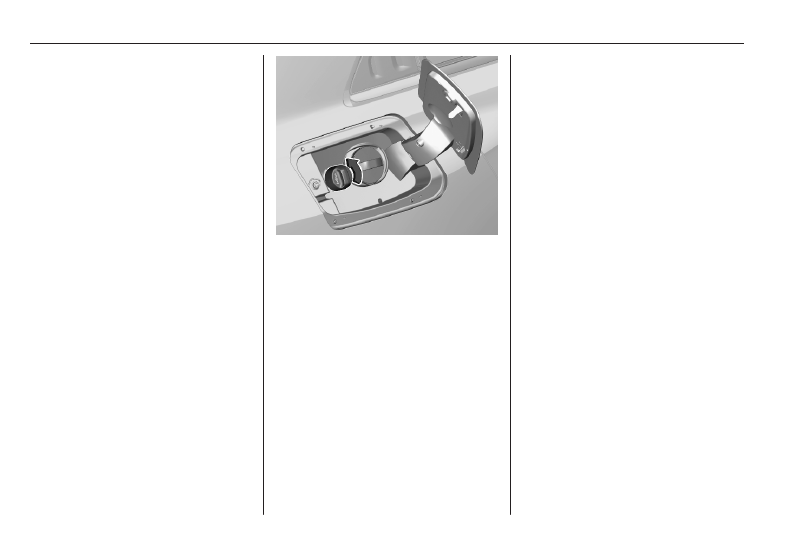
The filler neck for AdBlue is located

behind the fuel filler flap.
The fuel filler flap can only be opened

if the vehicle is unlocked.

1. Switch off the ignition.
2. Close all doors to avoid ammonia

fumes entering the interior of the

vehicle.

3. Release the fuel filler flap by

pushing the flap 

3

 198.

4. Unscrew protective cap from the

filler neck.

5. Open AdBlue canister.
6. Mount one end of the hose on the

canister and screw the other end

on the filler neck.

7. Lift the canister until it is empty, or

until the flow from the canister has

stopped.

8. Place the canister on the ground

to empty the hose, wait

15 seconds.

9. Unscrew the hose from the filler

neck.

10. Mount the protective cap and turn

clockwise until it engages.

Notice

Dispose of AdBlue canister

according to environmental

requirements. Hose can be reused

after flushing with clear water before

AdBlue dries out.

Driving and operating

135

Electric drive unit

Caution

If the vehicle seems to accelerate

slowly or not respond when you try

to go faster, do not continue your

journey. The electric drive unit

could be damaged. Consult a

workshop as soon as possible.

Caution

Spinning the tyres or holding the

vehicle in one place on a hill using

only the accelerator pedal may

damage the electric drive unit. If

you are stuck, do not spin the

tyres. When stopping on a hill, use

the brakes to hold the vehicle in

place.

The vehicle uses an electric drive unit

with a 1-gear transmission. The

selector is located on the centre

console between the seats.
P : park position

R : reverse mode

N : neutral mode

D : automatic mode

B : automatic mode with one-pedal

driving

After selecting a mode, the selector

will return to the centre position. The

selected mode is indicated in the

Driver Information Centre.

Do not accelerate while engaging a

mode. Never depress the accelerator

pedal and brake pedal at the same

time.
When D or R is selected, the vehicle

slowly begins to creep when the

brake is released.

Park position P

9

Warning

Do not leave the vehicle when the

propulsion system is running, the

vehicle may move suddenly. You

or others can be injured. To be

sure the vehicle will not move,

even if you are on even ground,

make sure the parking brake is

applied and P is selected.

To shift into P, press button P when

vehicle is stationary. In P, the front

wheels of the vehicle are blocked.
To shift out of P, depress the brake

pedal and select the desired mode.

136

Driving and operating

The vehicle automatically shifts into

P when

● the ignition is switched off
● the driver's door is opened while

the vehicle's speed is below

3 mph

The vehicle will not shift into P if it is

moving too fast. Stop the vehicle and

shift into P.

Reverse mode R

To shift into and out of R, the vehicle

must be at standstill and the brake

pedal has to be depressed.

Caution

Shifting into R while the vehicle is

moving forwards could damage

the electric drive unit. Only shift

into R after the vehicle has been

stopped.

Neutral modeN

In this position, the propulsion system

does not transfer torque to the

wheels.

Automatic mode D

This mode is for normal driving.
To shift into and out of D, the vehicle

must be at standstill and the brake

pedal has to be depressed.

Automatic mode B with one-pedal

driving

In this mode, vehicle speed is

significantly reduced by releasing the

accelerator pedal without operating

the brake pedal.
Use B when driving down steep hills,

in deep snow, in mud or in stop-and-

go traffic.

9

Warning

In the case of extreme

temperatures or if the high voltage

battery is almost fully charged, the

brake force of the engine braking

may be temporarily reduced. If the

braking force is not sufficient, the

driver has to be prepared to use

the brake pedal.

To activate B, select D and press

button B
To deactivate B, press button B.
Regenerative braking 

3

 148.

Free wheeling / car wash mode

To avoid that the vehicle shifts from N

into P, enable free wheeling:
With the vehicle stationary and the

engine running, depress the brake

pedal and select N.

Driving and operating

137

Within five seconds do the following:

1. Depress and hold the brake

pedal.

2. Switch off the ignition by pressing

Start/Stop for at least one second

and move the selector forwards or

backwards.

3. Take your foot off the brake pedal

and switch on the ignition.

4. Depress and hold the brake pedal

and push the electric parking

brake to release it.

5. Take your foot off the brake pedal

and switch off the ignition.

A message is displayed in the Driver

Information Centre indicating that the

wheels are unblocked for the next

15 minutes.
To revert to normal operation,

depress the brake pedal and switch

on the engine.
Parking brake 

3

 145.

Automatic transmission

Automatic transmission

PHEV

P : park position

R : reverse mode

N : neutral mode

D : automatic mode

B : automatic mode with one-pedal

driving

After selecting a mode, the selector

will return to the centre position. The

selected mode is indicated in the

Driver Information Centre.

Do not accelerate while selecting a

mode. Never depress the accelerator

pedal and brake pedal at the same

time. When a driving mode is

selected, the vehicle slowly begins to

creep when the brake is released.

Park position P

9

Warning

Do not leave the vehicle when the

propulsion system is running, the

vehicle may move suddenly. You

or others can be injured. To be

sure the vehicle will not move,

even if you are on even ground,

make sure the parking brake is

applied and P is selected.

To shift into P, press button P when

vehicle is stationary. In P, the front

wheels of the vehicle are blocked.
To shift out of P, depress the brake

pedal and select the desired mode.

138

Driving and operating

The vehicle automatically shifts into

P when

● the ignition is switched off
● the driver's door is opened while

the vehicle's speed is below

3 mph

If the ignition is switched off while N is

selected, the vehicle shifts into P after

a delay of approx. five seconds.

Reverse mode R

To shift into and out of R, the vehicle

must be at standstill and the brake

pedal has to be depressed.

Caution

Shifting into R while the vehicle is

moving forward could damage the

automatic transmission. Only shift

into R after the vehicle has been

stopped.

Neutral modeN

In this mode, the propulsion system

does not transfer torque to the

wheels. To restart the propulsion

system when the vehicle is already

moving, use D only.
When N is selected, P is engaged

after a short time.
If the driver's door is opened while N

is selected, an audible signal is given

and P  is engaged. The audible signal

stops when the driver's door is closed.

Automatic mode D

Notice

In slippery conditions, operate the

vehicle in D for enhanced riding and

handling performance.

Automatic mode B with one-pedal

driving

In this mode, vehicle speed is

significantly reduced by releasing the

accelerator pedal without operating

the brake pedal.
Use B when driving down steep hills,

in deep snow, in mud or in stop-and-

go traffic.

9

Warning

In the case of extreme

temperatures or if the high voltage

battery is almost fully charged, the

brake force of the regenerative

braking may be temporarily

reduced. If the braking force is not

sufficient, the driver has to be

prepared to use the brake pedal.

To activate B, select D and press

button B
To deactivate B, press button B.
Regenerative braking 

3

 148.

Driving and operating

139

Free wheeling / car wash mode

To avoid that the vehicle shifts from N

into P, enable free wheeling:
With the vehicle stationary and the

engine running, depress the brake

pedal and select N.
Within five seconds do the following:

1. Depress and hold the brake

pedal.

2. Switch off the ignition by pressing

Start/Stop for at least one second

and move the selector forwards or

backwards.

3. Take your foot off the brake pedal

and switch on the ignition.

4. Depress and hold the brake pedal

and push the electric parking

brake to release it.

5. Take your foot off the brake pedal

and switch off the ignition.

A message is displayed in the Driver

Information Centre indicating that the

wheels are unblocked for the next

15 minutes.
To revert to normal operation,

depress the brake pedal and switch

on the engine.

Parking brake 

3

 145.

PHEV characteristics

The electric engine is integrated into

the automatic transmission.

Whenever possible the vehicle is

propelled by the electric engine. In

additon, the drive mode can be

selected.
Drive modes 

3

 143.

The high voltage battery is charged

using a charging cable and

additionally by engine braking.

Automatic transmission ICE

The automatic transmission permits

automatic gearshifting (automatic

mode) or manual gearshifting

(manual mode).

Transmission display

The mode or selected gear is shown

in the Driver Information Centre.
In automatic mode, the driving

programme is indicated by D.
R indicates reverse gear.
N indicates neutral mode.

P indicates park mode.
M indicates manual mode. The

number of the selected gear is

indicated.

Gear selection

Move the selector or press the

respective buttons.
P : park position, front wheels are

blocked, engage only when the

vehicle is stationary

R : reverse gear, engage only when

the vehicle is stationary

N : neutral

D : automatic mode

M : manual mode

140

Driving and operating

Shifting

Shifting always starts from a centre

position and is operated by moving

the selector. Once operated, the

selector will return to the centre

position.The selected mode is

indicated in the Driver Information

Centre.
Park position P

9

Warning

Do not leave the vehicle when the

propulsion system is running, the

vehicle may move suddenly. You

or others can be injured. To be

sure the vehicle will not move,

even if you are on even ground,

make sure the parking brake is

applied and P is selected.

To shift into P, press button P.
To shift out of P, depress the brake

pedal and select the desired mode.
The vehicle will not shift into P if it is

moving too fast. Stop the vehicle and

shift into P.

The vehicle automatically shifts into

P when

● the ignition is switched off
● the driver's door is opened while

the vehicle's speed is below

3 mph

If the ignition is switched off while N is

selected, the vehicle shifts into P after

a delay of approx. five seconds.
Reverse gear R

To shift into and out of R, the vehicle

must be at standstill and the brake

pedal has to be depressed.
Neutral N

In this mode, the propulsion system

does not transfer torque to the

wheels. To restart the propulsion

system when the vehicle is already

moving, use D only.
When N is selected, P is engaged

after a short time.
If the driver's door is opened while N

is selected, an audible signal is given

and P  is engaged. The audible signal

stops when the driver's door is closed.

Automatic mode  D

Notice

In slippery conditions, operate the

vehicle in D for enhanced riding and

handling performance.

Manual mode  M

In this mode, it is possible to change

gears manually using steering wheel

paddles.

Engine braking

To utilise the engine braking effect,

select a lower gear in good time when

driving downhill.

Free wheeling / car wash mode

To avoid that the vehicle shifts from N

into P, enable free wheeling:
With the vehicle stationary and the

engine running, depress the brake

pedal and select N.
Within five seconds do the following:

1. Depress and hold the brake

pedal.

2. Switch off the ignition by pressing

Start/Stop for at least one second

and move the selector forwards or

backwards.

Driving and operating

141

3. Take your foot off the brake pedal

and switch on the ignition.

4. Depress and hold the brake pedal

and push the electric parking

brake to release it.

5. Take your foot off the brake pedal

and switch off the ignition.

A message is displayed in the Driver

Information Centre indicating that the

wheels are unblocked for the next

15 minutes.
To revert to normal operation,

depress the brake pedal and switch

on the engine.
Parking brake 

3

 145.

Deactivation of the automatic

operation of park position P and of

electric parking brake

For this procedure, refer to the

description of the automatic parking

brake.
Parking brake 

3

 145

Manual mode

Manual mode M can be activated in

each driving situation and speed

when D is selected.

The selected gear is indicated in the

Driver Information Centre.
If a higher gear is selected when

vehicle speed is too low, or a lower

gear when vehicle speed is too high,

the shift is not executed. This can

cause a message in the Driver

Information Centre.
In manual mode, no automatic

shifting to a higher gear takes place

at high engine revolutions.

Press button M.
Pull steering wheel paddles to select

gears manually.
Pull right paddle + to shift to a higher

gear.

Pull left paddle - to shift to a lower

gear.
Multiple pulls allow gears to be

skipped.

Gear shift indication

The symbol 

Y

 or 

Z

 with a number

beside it is indicated when

gearshifting is recommended for fuel

saving reasons.
Shift indication appears only in

manual mode.

Electronic driving programmes

Following a cold start, the operating

temperature programme increases

engine speed to quickly bring the

catalytic converter to the required

temperature.
Special programmes automatically

adapt the shifting points when driving

up inclines or down hills.
In snowy or icy conditions or on other

slippery surfaces, the electronic

transmission control enables the

driver to select manually first, second

or third gear for starting off.

142

Driving and operating

Kickdown

Pressing down the accelerator pedal

beyond the kickdown detent will lead

to maximum acceleration

independent of selected driving

mode. The transmission shifts to a

lower gear depending on engine

speed.

Fault

In the event of a fault, 

C

 illuminates

and a message is displayed in the

Driver Information Centre.
Vehicle messages 

3

 90.

Electronic transmission control

enables only third gear. The

transmission no longer shifts

automatically.
Do not drive faster than 62 mph.
Have the cause of the fault remedied

by a workshop.

Interruption of power supply

In the event of an interruption of

power supply, it is not possible to

select another mode when P is

selected.
Towing the vehicle 

3

 235.

If the vehicle battery is discharged,

start the vehicle using jump leads

3

 233.

If the vehicle battery is not the cause

of the fault, seek the assistance of a

workshop.

Manual transmission

To engage reverse, with the vehicle

stationary and engine at idle depress

the clutch pedal, pull the ring under

the selector lever and engage the

gear.
If the gear does not engage, set the

selector lever to neutral, release the

clutch pedal and depress again. Then

repeat gear selection.
Do not slip the clutch unnecessarily.
When operating, depress the clutch

pedal completely. Do not use the

pedal as a foot rest.

Driving and operating

143

When clutch slip is detected for a

specific time, the engine power will be

reduced. A warning is displayed in the

Driver Information Centre. Release

the clutch.

Caution

It is not advisable to drive with the

hand resting on the selector lever.

Gear shift indication 

3

 82.

Stop-start system 

3

 127.

Drive systems

Drive modes

To select the respective drive mode,

use the shown toggle switch.
Propulsion types 

3

 4.

ICE

The following drive modes are

selectable.

Normal mode

The settings in this mode are set by

default. Everytime the ignition is

switched on, this mode is selected.

Sport mode

Vehicles with manual transmission:

This mode allows to obtain a more

dynamic driving with action on the

power steering, accelerator and the

possibility of displaying the vehicle’s

dynamic settings on the instrument

panel.
Vehicles with automatic transmission:

This mode allows to obtain a more

dynamic driving with action on the

power steering, accelerator and gear

changes. Depending on version, it is

possible to display the vehicle’s

dynamic settings on the instrument

panel and activate / deactivate the

display colour.

Eco mode

This mode reduces the fuel

consumption by optimising the

operation of the heating and air

conditioning.
While coasting the vehicle, the engine

is idling with reduced engine brake.

PHEV

The following drive modes are

selectable.

144

Driving and operating

Electric mode

This mode allows 100% electric

driving.
The maximum speed is approx.

84 mph.
This mode is selected by default

when the vehicle is started. If the

conditions do not allow this mode, a

message is displayed and hybrid

mode is selected.

Hybrid mode

This mode optimises the vehicle's fuel

consumption by simultaneous or

alternation operation of internal

combustion engine and electrical

engine depending on driving

conditions and driving style.
In this mode, driving 100% electrically

is possible if the charge level of the

high voltage battery is sufficient and

acceleration requirements are

modest.

Sport mode

This mode allows more dynamic

driving. Electric energy is used to

support the internal combustion

engine as long as there is enough

electric energy in the high voltage

battery left.

BEV

The following drive modes are

selectable.

Normal mode

The settings in this mode are set by

default. Everytime the ignition is

switched on, this mode is selected.
To optimise range, electric engine

power output is reduced.

Sport mode

The settings in this mode allow more

dynamic driving. The vehicle's

dynamic parameters can be

displayed in the Driver Information

Centre.
This mode allows maximum electric

engine power output.

Eco mode

To optimise range, electric engine

power output is reduced and heating

is switched off.

Brakes

Antilock brake system

Antilock brake system (ABS)

prevents the wheels from locking.
ABS starts to regulate brake pressure

as soon as a wheel shows a tendency

to lock. The vehicle remains

steerable, even during hard braking.
ABS control is made apparent

through a pulse in the brake pedal

and the noise of the regulation

process.
For optimum braking, keep the brake

pedal fully depressed throughout the

braking process, despite the fact that

the pedal is pulsating. Do not reduce

the pressure on the pedal.
When braking in an emergency, the

hazard warning flashers are switched

on automatically depending on the

force of deceleration. They are

switched off automatically the first

time you accelerate.
After starting off, the system performs

a self-test which may be audible.

Driving and operating

145

Control indicator 

i


3

 82.

Fault

9

Warning

If there is a fault in the ABS, the

wheels may be liable to lock due

to braking that is heavier than

normal. The advantages of ABS

are no longer available. During

hard braking, the vehicle can no

longer be steered and may

swerve.

Have the cause of the fault remedied

by a workshop.

Parking brake

9

Warning

Before leaving the vehicle, check

parking brake status. Control

indicator 

j

 illuminate constantly

when electric parking brake is

applied.

Applying when vehicle is

stationary

Pull the switch 

j

. If the control

indicator 

j

 illuminates, the electric

parking brake is applied.

Control indicator 

j


3

 81.

The electric parking brake can always

be activated, even if the ignition is off.
Do not operate electric parking brake

system too often without the engine

running as this will discharge the

vehicle battery.

Releasing

Switch on ignition. Keep the brake

pedal depressed and then push the

switch 

j

. If the control indicator 

j

extinguishes, the electric parking

brake is released.

Drive away function

Vehicles with manual transmission:

Depressing the clutch pedal and then

slightly releasing the clutch pedal and

slightly depressing the accelerator

pedal releases the electric parking

brake automatically. This is only

possible if the automatic operation of

the electric parking brake is activated.

It is not possible when switch 

j

 is

pulled at the same time.

146

Driving and operating

Vehicles with automatic transmission:

Engaging R, D or M and then

depressing the accelerator pedal

releases the electric parking brake

automatically. This is only possible if

the automatic operation of the electric

parking brake is activated. It is not

possible when switch 

j

 is pulled at

the same time.

Braking when vehicle is moving

When the vehicle is moving and the

switch 

j

 is kept pulled, the electric

parking brake system will decelerate

the vehicle. As soon as the switch

j

 is released, braking will be

stopped.
The antilock brake system and the

Electronic Stability Control stabilise

the vehicle while the switch 

j

 is kept

pulled. If an error of the electric

parking brake occurs, a warning

message is displayed in the driver

information centre. If the antilock

brake system and the Electronic

Stability Control fail, one or both

indicators 

i

 and 

J

 illuminate in the

Driver Information Centre. In this

case, stability during deceleration of

the vehicle can only be maintained

with repeated short pulls of the switch

until the vehicle is immobilised.

Automatic operation

Automatic operation includes

automatic application and automatic

release of the electric parking brake.
The electric parking brake can also be

applied or released manually by using

the switch 

j

.

Automatic application:

● The electric parking brake is

automatically applied when the

vehicle is stationary and the

ignition is switched off.

j

 illuminates in the Driver

Information Centre and message

is displayed to confirm the

application.

Automatic release:

Notice

The automatic release of the electric

parking brake is inhibited as long as

the driver's door is open.

● Parking brake releases

automatically on driving off.

j

 extinguishes in the Driver

Information Centre and a display

message pops up to confirm the

release.

Deactivation of automatic operation

In certain situations, e.g. in extreme

cold weather conditions or when

towing, it may be necessary to

deactivate the automatic operation of

the electric parking brake.

1. Start the engine.
2. If the parking brake is released,

pull the switch 

j

 to apply the

parking brake.

3. Take your foot off the brake pedal.
4. Press the switch 

j

 for at least

ten seconds and maximum

15 seconds.

5. Release the switch 

j

.

6. Depress and hold the brake

pedal.

7. Pull the switch 

j

 for two

seconds.

Driving and operating

147

The deactivation of the automatic

operation is confirmed by the

illumination of 

o

 in the Driver

Information Centre. Now, the electric

parking brake can only be applied and

released manually.
To reactivate the automatic

operation, repeat the steps described

above.
The automatic operation can also be

deactivated temporarily, i.e. until the

next ignition cycle:

1. With the vehicle stationary and

the engine running, depress the

brake pedal and move the gear

selector to the neutral position.

2. While depressing the brake pedal,

switch off the ignition.

3. Take your foot off the brake pedal

and switch on the ignition.

4. Depress and hold the brake pedal

and push the electric parking

brake to release it.

5. Take your foot off the brake pedal

and switch off the ignition.

To revert to normal operation,

depress the brake pedal and switch

on the engine.

Automatic transmission 

3

 139.

Manual transmission 

3

 142.

Fault

Failure mode of electric parking brake

is indicated by a control indicator

k

 and by a message displayed in

the Driver Information Centre.
Vehicle messages 

3

 90.

Control indicator 

j

 flashes: electric

parking brake is not fully applied or

released. When continuously

flashing, release electric parking

brake and retry applying.

Brake assist

If the brake pedal is depressed

quickly and forcefully, maximum

brake force is automatically applied.
The operation of the brake assist

might become apparent by a pulse in

the brake pedal and a greater

resistance when depressing the

brake pedal.

Maintain steady pressure on the

brake pedal as long as full braking is

required. Maximum brake force is

automatically reduced when brake

pedal is released.

Hill start assist

The system helps prevent unintended

movement when driving away on

inclines.
When releasing the brake pedal after

stopping on an incline, brakes remain

on for further two seconds. The

brakes release automatically as soon

as the vehicle begins to accelerate.
The system is active if the following

conditions are met:

● vehicle stationary
● brake pedal depressed
● driver's door closed

148

Driving and operating

Regenerative braking

9

Warning

In the case of extreme

temperatures or if the high voltage

battery is almost fully charged, the

brake force of the engine braking

may be temporarily reduced. If the

braking force is not sufficient, the

driver has to be prepared to use

the brake pedal.

9

Warning

Depending on the engine braking

force the brake lights are

illuminated.

Regenerative braking generates

electrical energy resulting from

engine braking to charge the high

voltage battery.
Electric drive unit 

3

 135.

Automated transmission PHEV

3

 137.

Ride control systems

Electronic Stability Control

and Traction Control system

Electronic Stability Control improves

driving stability when necessary,

regardless of the type of road surface

or tyre grip.
As soon as the vehicle starts to

swerve (understeer / oversteer),

engine output is reduced and the

wheels are braked individually.
Electronic Stability Control operates

in combination with the Traction

Control system. It prevents the driven

wheels from spinning.
The Traction Control system is a

component of the Electronic Stability

Control.
The Traction Control system

improves driving stability when

necessary, regardless of the type of

road surface or tyre grip, by

preventing the driven wheels from

spinning.

As soon as the driven wheels starts to

spin, engine output is reduced and

the wheel spinning the most is braked

individually. This considerably

improves the driving stability of the

vehicle on slippery road surfaces.

Electronic Stability Control and the

Traction Control system are

operational after each engine start as

soon as the control indicator 

J

extinguishes.
When Electronic Stability Control or

the Traction Control system operates,

J

 flashes.

When Electronic Stability Control or

the Traction Control system is not

operational, 

J

 illuminates

accompanied by a message in the

Driver Information Centre.

Driving and operating

149

After reconnecting the vehicle

battery, the system needs a

recalibration by driving a short

distance.

9

Warning

Do not let this special safety

feature tempt you into taking risks

when driving.
Adapt speed to the road

conditions.

Control indicator 

b


3

 83.

Deactivation / Reactivation

Press 

_

 and deactivate / reactivate

Traction Control in the Info Display.
Deactivation is confirmed by the

illumination of 

K

 and a message in the

Driver Information Centre.

Fault

If there is a fault in the system, the

control indicator 

J

 illuminates

continuously, a message appears in

the Driver Information Centre and a

warning chime sounds. The system is

not operational.
Have the cause of the fault remedied

by a workshop.

Driver assistance

systems

9

Warning

Driver assistance systems are

developed to support the driver

and not to replace the driver's

attention.
The driver accepts full

responsibility when driving the

vehicle.
When using driver assistance

systems, always take care

regarding the current traffic

situation.

9

Warning

The usage of a license plate

support on the front bumper may

affect the proper radar unit

functionality.
When using a license plate

support, follow the markings and

indications on the front bumper.

150

Driving and operating

Cruise control

The cruise control can store and

maintain speeds above 25 mph. For

vehicles with manual transmission,

any gear has to be selected. For

vehicles with automatic transmission,

position D or the second or a higher

gear in position M must be selected.
Deviations from the stored speeds

may occur when driving uphill or

downhill.
The system maintains the vehicle

speed at the preset speed by the

driver, without any action on the

accelerator pedal.
The preset speed can be exceeded

temporarily by pressing the

accelerator pedal firmly.
The status and preset speed is

displayed in the Driver Information

Centre.
Do not use the cruise control if it is not

advisable to maintain a constant

speed.

Switching on the system

Press 

/

.

The cruise control screen is

displayed. 

/

 is grey indicating that

the system is still not active.

Activation of the functionality

If all operating conditions are met,

OK? is displayed.

Press OK to store the current vehicle

speed as speed setting and activate

the cruise control. 

/

 changes from

grey to green indicating that system is

active. The accelerator pedal can be

released.
Alternatively, move the thumb wheel

to 

-

 to increase or 

!

 to decrease

the speed and store this speed as

speed setting. Cruise control is

immediately activated if the

thumbwheel is moved upwards or

downwards. 

/

 changes from grey to

green.

Setting speed by the driver

Driving and operating

151

If the system is active, the preset

speed can be changed by moving the

thumb wheel to 

-

 to increase

or 

!

 to decrease the speed. Move

thumb wheel repeatedly to change

speed in small steps, move and hold

to change speed in large steps.

Adopting speed by the speed limit

recognition

A detected speed limit can be used as

new set speed for the cruise control.

To detect speed limit sign, the traffic

sign assistant has to be activated.
Traffic sign assistant 

3

 176.

When passing the speed limit sign

OK? is automatically displayed.
Press OK on the steering wheel to

store the suggested speed.
The suggested speed is shown as

new speed setting.
After passing the speed limit sign

Press OK on the steering wheel.

OK? is displayed
Press OK to store the suggested

speed.
The suggested speed is shown as

new speed setting.

Exceeding the set speed

It is always possible to drive faster

than the set speed by depressing the

accelerator pedal. When the

accelerator pedal is released, the

vehicle returns to the stored speed.
While the set speed is exceeded, the

set speed setting flashes.

Deactivation of the functionality

Press 

"

. The vehicle is driven

without cruise control.

Cruise control is deactivated, but not

switched off. Last stored speed

remains in memory for later speed

resume.
The cruise control may be

deactivated automatically in the

following cases:

● brake pedal depressed
● traction control system or

electronic stability control is

operating

● reverse gear engaged, N

selected or no gear engaged

● clutch pedal depressed for more

than five seconds

● electric parking brake engaged

Resume stored speed

Press 

"

Switching off the system

Press 

/

, the cruise control mode is

deselected and the cruise control

screen is hidden from the Driver

Information Centre.

152

Driving and operating

System limitations

Never use the system in the following

situations:

● In an urban area with the risk of

pedestrians crossing the road.

● In heavy traffic (except versions

with the Stop & Go function).

● On winding or steep roads.
● On slippery or flooded roads.
● In poor weather conditions.
● In the event of restricted visibility

for the driver.

● Driving on a speed circuit.
● Driving on a rolling road.
● When using snow chains, non-

slip covers or studded tyres.

When driving down a steep hill, the

system cannot prevent the vehicle

from exceeding the set speed. Brake

if necessary.
When driving up a steep hill or when

towing, the set speed may not be

reached or maintained.

Fault

The speed limit recognition may not

operate correctly if traffic signs do not

comply with the Vienna Convention

on Road Signs and Signals.
In the event of a cruise control fault,

the speed is cleared resulting in

flashing of the dashes.
Have the system checked by a

workshop.

Speed limiter

The speed limiter prevents the

vehicle from exceeding a preset

maximum speed.
The maximum speed can be set at

speeds above 18 mph.
The driver can accelerate the vehicle

up to the preset speed. Deviations

from the limited speed may occur

when driving downhill.

Switching on the system

Press 

.

.

The speed limiter screen is

displayed. 

.

 is grey indicating that

the system is still not active.

Driving and operating

153

Activation of the functionality

Press OK or 

"

 to activate the speed

limiter and store the current vehicle

speed as speed setting. 

.

 is

illuminated in green.

Setting speed by the driver

The preset speed can be changed by

moving the thumb wheel to 

-

 to

increase or 

!

 to decrease the

speed. Move thumb wheel repeatedly

to change speed in small steps, move

and hold to change speed in large

steps.

Adopting speed by the speed limit

recognition

A detected speed limit can be used as

new set speed for the speed limiter.

To detect speed limit signs, the traffic

sign assistant has to be activated.
Traffic sign assistant 

3

 176.

When passing the speed limit sign

OK? is automatically displayed.

Press OK on the steering wheel to

store the suggested speed.
The suggested speed is shown as

new speed setting.
After passing the speed limit sign

Press OK on the steering wheel.
OK? is displayed.
Press OK to store the suggested

speed.
The suggested speed is shown as

new speed setting.

Exceeding the speed limit

In the event of an emergency, it is

possible to exceed the speed limit by

depressing the accelerator pedal

firmly to the final point. In this case,

the preset speed value flashes.
Release the accelerator pedal and

the speed limiter function is

reactivated once a speed lower than

the limit speed is obtained.
When exceeding the preset speed is

not caused by depressing the

accelerator pedal, e.g., when driving

down a steep slope, an audible signal

is given.

9

Warning

On a steep descent or in the event

of sharp acceleration, the speed

limiter will not be able to prevent

the vehicle from exceeding the

preset speed. If necessary,

depress the brake pedal to control

the vehicle's speed.

154

Driving and operating

Deactivation of the functionality

Press 

"

, speed limiter is in pause

mode and a message is displayed.

The vehicle is driven without speed

limiter.
Speed limiter is deactivated, but not

switched off. Last stored speed

remains in memory for later speed

resume.

Resume limit speed

Press 

"

, the stored speed limit will be

obtained.

Switching off the system

Press 

.

, the speed limiter mode is

deselected and the speed limiter

screen is hidden from the Driver

Information Centre.

Fault

The speed limit recognition may not

operate correctly if traffic signs do not

comply with the Vienna Convention

on Road Signs and Signals.

In the event of a speed limiter fault,

the speed is cleared resulting in

flashing of the dashes.
Have the system checked by a

workshop.

Adaptive cruise control

The adaptive cruise control is an

enhancement of the cruise control

with the additional feature of

maintaining a certain following

distance to the vehicle ahead.

It uses a camera located at the top of

the windscreen and a radar unit

located in the front bumper to detect

the vehicles ahead. If no vehicle is

detected in the driving path, the

adaptive cruise control behaves like a

conventional cruise control.

The adaptive cruise control

automatically decelerates the vehicle

when approaching a slower moving

vehicle. It then adjusts the vehicle

speed to follow the vehicle ahead at

the selected following distance. The

vehicle speed increases or decreases

to follow the vehicle ahead, but will

not exceed the set speed. It may

apply limited braking with activated

brake lights.
If the vehicle ahead accelerates or

changes lane, the adaptive cruise

control progressively accelerates the

vehicle to return to the stored set

speed. If the driver operates the turn

lights to overtake a slower vehicle, the

adaptive cruise control allows the

vehicle to temporarily approach the

vehicle ahead to help passing it.

However, the set speed will never be

exceeded.
If the vehicle ahead is moving too

slowly and the selected following

distance cannot be maintained

anymore, a warning chime is given

and a message is displayed. The

message prompts the driver to take

back control of the vehicle. On

Driving and operating

155

vehicles with manual transmission,

the system can brake the vehicle until

19 mph. On vehicles with automatic

transmission, the system can brake

the vehicle until a full stop. Depending

on version, the system can

automatically accelerate the vehicle

after a full stop.

9

Warning

The brake lamps come on if the

vehicle is slowed down by active

emergency braking.
If the brake lights fail, the system

does not operate.

Switching on the system

Press 

_

 and make sure the Drive

Assist is activated in the Info Display.

Press 

,

 successively until the

adaptive cruise control mode is

selected.
The adaptive cruise control screen is

displayed. The system is still not

activated.

Operation conditions

The system can be activated if the

following conditions are met:

● vehicle speed between 19 mph

and 112 mph for vehicles with

manual transmission, between

0 mph and 112 mph for vehicles

with automatic transmission

● driver's door closed

● drivers's seat belt fastened
● D selected or second or higher

gear engaged

● parking brake released
● brake pedal depressed if vehicle

stationary

Activation of the functionality

If all operating conditions are met,

OK? is displayed.

Press OK to store the current vehicle

speed and activate the cruise control.

On the adaptive cruise control

screen, the set speed and a road

element are displayed in green. The

accelerator pedal can be released.
Alternatively, move the thumb wheel

to 

-

 to increase or 

!

 to decrease

the speed and store this speed. The

cruise control is immediately

activated if the thumbwheel is moved

156

Driving and operating

upwards or downwards. On the

adaptive cruise control screen, the

set speed and the road element are

displayed in green.

Setting speed by the driver

The set speed can be changed by

moving the thumb wheel to 

-

 to

increase or 

!

 to decrease the

speed. Move thumb wheel repeatedly

to change speed in small steps, move

and hold to change speed in large

steps.

Adopting speed by the speed limit

recognition

A detected speed limit can be used as

new value for the adaptive cruise

control.
When passing the speed limit sign

OK? is automatically displayed.
Press OK on the steering wheel to

store the suggested speed.
The suggested speed is shown as

new speed setting.
After passing the speed limit sign

Press OK on the steering wheel.

OK? is displayed
Press OK to store the suggested

speed.
The suggested speed is shown as

new speed setting.
Traffic sign assistant 

3

 176.

Exceeding the set speed

It is always possible to drive faster

than the set speed by depressing the

accelerator pedal. When the

accelerator pedal is released, the

vehicle returns to the stored speed. If

a slower moving vehicle is ahead, the

following distance selected by the

driver is restored.
While the set speed is exceeded, the

set speed flashes on the adaptive

cruise control screen.

9

Warning

Accelerating by the driver

deactivates automatic braking by

the system. This is indicated as a

pop-up warning in the Driver

Information Centre.

Resuming stored speed

Press 

"

 or OK to reactivate the

adaptive cruise control at the stored

speed.

Driving and operating

157

Adaptive cruise control on

vehicles with automatic

transmission

For vehicles with automatic

transmission, the adaptive cruise

control allows to maintain the

selected distance behind a braking

vehicle until a complete stop is

reached.
If the system has stopped your

vehicle behind another vehicle, the

green control indicator 

.

 is

displayed to the left of the set speed

setting. This symbol notifies, that the

vehicle is hold automatically in stop

position.
While the vehicle is hold in stop

position, the following

recommendations should be

followed:

● Do not leave the vehicle.
● Do not open the load

compartment.

● Do not engage the reverse gear.
● Do not drop off or pick up

passengers.

Within three seconds after the vehicle

has been stopped by the system, the

vehicle slowly moves again. After

three seconds, accelerate or

depress 

.

 to drive away. Pay

attention to the surroundings of the

vehicle when driving away.
If the vehicle stays stopped for more

than five minutes without any action

of the driver, the electric parking

brake is applied. Control indicator

j

 will illuminate. To release electric

parking brake, press the accelerator

pedal.
Electric parking brake 

3

 145.

9

Warning

When the system is deactivated or

cancelled, the vehicle will no

longer be held at a stop and can

start moving. Be always prepared

to manually apply the brake to hold

the vehicle stationary.
Do not leave the vehicle while it is

being held at a stop by adaptive

cruise control. Always move

selector lever to park position P

and switch off the ignition before

leaving the vehicle.

Setting the following distance

When the adaptive cruise control

detects a slower moving vehicle in the

driving path, it will adjust the vehicle

speed to maintain the following

distance selected by the driver.
The following distance can be set to

close (1 bar), normal (2 bars) or far (3

bars).
If the engine is running and the

adaptive cruise control is switched on

(grey) or active (green), you can

modify the following distance setting:

158

Driving and operating

Press the button to display the current

following distance setting in the Driver

Information Centre.
Press the button successively to

select the required following distance

setting. The selected following

distance is indicated by full bars on

the adaptive cruise control screen.

9

Warning

The driver accepts full

responsibility for the appropriate

following distance based on traffic,

weather and visibility conditions.

Following distance must be

adjusted or the system switched

off when required by the prevailing

conditions.

Detecting the vehicle ahead

If the system detects a vehicle in the

driving path, the adaptive cruise

control screen changes accordingly.

Deactivation of the functionality

Press 

"

.

The adaptive cruise control is

deactivated, but not disabled. The

last stored set speed remains in

memory for later usage.

The adaptive cruise control is

deactivated automatically in the

following cases:

● brake pedal depressed
● traction control system or

electronic stability control is

operating

● reverse gear engaged, N

selected or no gear engaged

● speed falls below 19 mph for a

vehicle with manual transmission

● risk of engine stalling in case of a

vehicle with manual transmission

● clutch pedal depressed for more

than ten seconds

● electric parking brake engaged
● seat belt unfastened
● driver's door opened

Switching off the system

Press 

,

 successively until the

desired mode to switch off assistance

is selected.

Driving and operating

159

Driver's attention

● Use the adaptive cruise control

carefully on bends or mountain

roads, as it can lose the vehicle

ahead and needs time to detect it

again.

● Do not use the system on

slippery roads as it can create

rapid changes in tyre traction

(wheel spinning), so that you

could lose control of the vehicle.

● Do not use the adaptive cruise

control during rain, snow or

heavy dirt, as the radar sensor

can be covered by a water film,

dust, ice or snow. This reduces or

suppresses completely the

visibility. In case of sensor

blockage, clean the sensor

cover.

● Do not use the system when the

spare wheel is in use.

System limits

9

Warning

The system's automatic brake

force does not permit hard braking

and the braking level may not be

sufficient to avoid a collision.

● After a sudden lane change, the

system needs a certain time to

detect the next preceding

vehicle. So if a new vehicle is

detected, the system may

accelerate instead of braking.

● The adaptive cruise control only

considers traffic driving in the

same direction.

● The adaptive cruise control does

not consider pedestrians, cyclists

and animals for braking and

driving off.

● The adaptive cruise control does

not consider stationary vehicles.

As the radar's field of detection is

quite narrow, it is possible that the

system may not detect:

● vehicles of reduced width, e.g.

motorcycles, scooters

● vehicles not running in the middle

of the lane

● vehicles entering a corner
● vehicles suddenly pulling out

Deactivate the system in the following

situations:

● when driving in a tight bend
● when approaching a roundabout
● when following a vehicle not

detected by system, e.g., a

motorcycle

● when the vehicle ahead sharply

decelerates

● when a vehicle cuts in sharply

between your vehicle and the

vehicle ahead

160

Driving and operating

Hill considerations

9

Warning

Do not use the adaptive cruise

control on steep hill roads.

System performance on hills depends

on vehicle speed, vehicle load, traffic

conditions and the road gradient. It

may not detect a vehicle in your path

while driving on hills. On steep hills,

you may have to use the accelerator

pedal to maintain your vehicle speed.

When going downhill you may have to

brake to maintain or reduce your

speed.
Note that applying the brake

deactivates the system.

Radar unit

The radar unit is located in the middle

of the front bumper.

9

Warning

The radar unit was aligned

carefully during manufacture.

Therefore, in the event of a front-

end impact, do not use the system.

The front bumper may appear to

be intact, however the sensor

behind may be affected and react

incorrectly. After an accident,

consult a workshop to verify and

adjust the radar unit position.

9

Warning

The usage of a license plate

support on the front bumper may

affect the proper radar unit

functionality.
When using a license plate

support, follow the markings and

indications on the front bumper.

Fault

In the event of an adaptive cruise

control fault, a warning light is

illuminated in the Driver Information

Centre and a warning message is

displayed in the Driver Information

Centre accompanied by an audible

signal.
The speed limit recognition may not

operate correctly if traffic signs do not

comply with the Vienna Convention

on Road Signs and Signals.
Have the system checked by a

workshop.
As a safety measure, do not use the

system if the brake lights are faulty.

Do not use the system if the front

bumper is damaged.

Driving and operating

161

Active emergency braking

Active emergency braking can help to

reduce the damage and injury from a

crash with a preceding vehicle, with a

cyclist or with a pedestrian when the

driver does not actively take action

either by manual braking or by

steering. Before active emergency

braking applies, the driver is warned

by the forward collision alert.
The system includes the following

functions:

● forward collision alert
● smart brake assist
● automatic emergency braking

The system uses a camera located at

the top of the windscreen and

depending on version a radar unit

located in the front bumper to

calculate the probability of a frontal

collision.

9

Warning

This system is not intended to

replace the driver responsibility for

driving the vehicle and looking

ahead. Its function is limited to

supplemental use only to reduce

the vehicle speed before a

collision.
The system may not react to

animals. After a sudden lane

change, the system needs a

certain time to detect the next

preceding vehicle.
The driver must always be ready

to take action and apply the brakes

and steer to avoid collisions.

Activating / deactivating the

system

Active emergency braking is

activated / deactivated in the Info

Display.

Press 

_

 and activate / deactivate the

system in the Info Display.
Info Display 

3

 87.

If deactivated, 

m

 illuminates in the

Driver Information Centre. When

ignition is switched on next time, the

system is activated by default.

162

Driving and operating

Functionality

When a moving vehicle has been

detected, active emergency braking

operates from 6 mph to 53 mph for

vehicles with camera, from 6 mph to

87 mph for vehicles with camera and

radar.
When a stationary vehicle, a cyclist or

a pedestrian has been detected,

active emergency braking operates if

the vehicle speed does not exceed

50 mph.

Forward collision alert

The forward collision alert warns the

driver if there is a risk of collision with

the vehicle ahead, with a cyclist or a

pedestrian.

Alerting the driver

The driver is warned by following

alerts:

● Level 1: A warning message is

displayed in the Driver

Information Centre, when the

distance to the vehicle ahead

gets too small.

● Level 2: A warning message is

displayed in the Driver

Information Centre and a warning

chime sounds, when a collision is

imminent and immediate driver's

action is required.

● Level 3: Depending on version,

the vehicle may produce a short

brake jerk to confirm the risk of

collision. The immediate driver's

action is required.

9

Warning

When approaching a vehicle

ahead too rapidly, a level 2 alert

may be displayed without a level 1

alert before.
Level 1 alerts depend on the alert

sensitivity set. This alert type is

only displayed in case of moving

vehicles. At lower speed it is

disabled.

Selecting the alert sensitivity

Notice

If the alert sensitivity setting with the

longest distance is set, the system

warns earlier. This increases the

safety, but increases the amount of

alerts if the legal safety distance is

not kept. To reduce the number of

alerts, select a shorter alert

sensitivity setting.

Three alert sensitivities can be

selected in the driver assistance

systems menu.
Vehicle personalisation 

3

 91.

The chosen setting will be memorised

when the ignition has been switched

off. The alert sensitivity will vary

based on selected alert setting.

Smart brake assist

If the driver brakes, but not sufficiently

to avoid a collision, this system will

supplement the braking. This

assistance will only be provided if the

driver presses the brake pedal.
Smart brake assist will automatically

disengage when the brake pedal is

released.

Automatic emergency braking

This function intervenes after the

warning chime if the driver does not

operate the brake pedal quickly

Driving and operating

163

enough. The system tries to reduce

the impact speed of the collision or to

avoid a collision if the driver fails to

react.
If automatic emergency braking is

applied, 

m

 flashes in the Driver

Information Centre.
Below a speed of 19 mph, automatic

emergency braking may slow down

the vehicle to a complete stop. Else,

the speed will be reduced by a

maximum of 16 mph. For versions

with camera and radar, the speed

reduction may be extended to

31 mph if both sensors are able to

detect the hazard.
The driver must apply the brake to

come to a complete stop.

● Automatic transmission: If the

vehicle comes to a complete

stop, automatic emergency

braking is maintained for a

certain time. Keep the brake

pedal depressed to prevent the

vehicle from starting off again.

● Manual transmission: If the

vehicle comes to a complete

stop, the engine may stall. Keep

the brake pedal depressed to

prevent the vehicle from rolling.

Cruise control and adaptive cruise

control will be deactivated when an

emergency automatic braking occurs.

9

Warning

Do not rely on the system to brake

the vehicle. Automatic emergency

braking will not brake outside of its

operating speed range and only

responds to detected vehicles and

pedestrians.

● the corresponding turn light is

activated in advance

● the vehicle speed is between

3 mph and 12 mph

● the vehicle is about to cross the

driving path of another vehicle

● the vehicle speed is between

3 mph and 50 mph

● the pedestrian has been enough

time in the capturing fields of the

sensors

● visibility is sufficient for the

sensors to detect the pedestrian

Operation conditions

The system requires the following

operating conditions:

● vehicle moving forward without

trailer

● brake system operational
● Electronic Stability Control and

Traction Control activated

● seat belts fastened on all seats
● constant speed on roads with no

or low curvature

164

Driving and operating

System limitations

The system is automatically

deactivated in the following

situations:

● diameter of the spare wheel too

small

● fault with the brake pedal or with

a brake light detected

● fault in the sensors, in the

electronic or in the brake system

detected

● trailer with an electrical plug

connection detected

● following an impact (e.g.

collision). Have the system

checked by a workshop.

We recommend to deactivate the

system in any situation in which the

ignition is switched on and active

emergency braking represents a risk

such as:

● carrying long objects on roof bars
● using an automatic car wash
● placing the vehicle on a roller

bench in a workshop

● towing the vehicle

● following an impact to the

windscreen close to the camera

● following a front bumper

deformation, e.g. during parking

● attaching a trailer, particularly

trailers without own braking

system

● driving with snow chains

Fault

If the system is not available due to

system limits or operating conditions,

m

 illuminates in the Driver

Information Centre.
In certain cases, 

m

 illuminates

accompanied by a message that the

sensor is blind. For vehicle equipped

only with camera, the system is

deactivated. For systems equipped

with camera and radar, the system

may operate in a degraded mode.

This may be caused by reduced

visibilty due to weather conditions or

by an actual blockage of the sensor.

In this case, verify whether the

camera or the radar unit are blocked

by dirt or other foreign objects.

In rare cases such as sensor

initialisation, board voltage out of

regular range etc., the system may

not be available or may operate in a

degraded mode. This is not indicated

to the driver.
If a fault occurs, 

m

 illuminates, a

message indicating the fault is

displayed and an audible signal is

given. Seek the assistance of a

workshop.
If 

m

 and 

C

 are displayed after

having the engine switched off and

restarted, seek the assistance of a

workshop.
If at least one seat belt of the front

seats is not fastened, 

m

 and 

a

illuminate. The system is deactivated

until all seat belts are fastened.
Vehicle messages 

3

 90.

Automatic post collision

braking

If an accident is detected, the vehicle

requests automatic post collision

braking. The goal of this function is to

reduce the risk of further collisions if

Driving and operating

165

the driver does not react. The

automatic post collision braking is not

operational if the capability of the

vehicle to trigger and execute the

automatic post collision braking is

unavailable, as it can occur in

destructive accidents or in other

specific accident scenarios.
It is possible to override the automatic

braking by pressing the accelerator

pedal or the brake pedal.

System limitations

The system operates if the following

conditions are fulfilled:

● airbags or seat belt pretensioners

have been deployed by the

collision

● braking system and electric

functions remain continuously

operational during and after

collision

● driver has not depressed brake

pedal or accelerator pedal

Fault

If automatic post collision braking is

not available, the control indicator 

J

or 

d

 illuminates continuously, a

corresponding message appears in

the Driver Information Centre and a

warning chime sounds.
Have the cause of the fault remedied

by a workshop.

Parking assist

General information

9

Warning

The driver bears full responsibility

for the parking manoeuvre.
Always check the surrounding

area when driving backwards or

forwards while using parking

assist system.

Front-rear parking assist

The front-rear parking assist

measures the distance between the

vehicle and obstacles in front and

behind the vehicle. It warns of objects

in the vehicle's direction and in the

detection zone of the sensors by

giving acoustic signals and display

indication.

The system operates with ultrasonic

parking sensors in the rear and front

bumper.

Activation


Content      ..     3      4      5      6     ..