DB2 Server for VSE. Operations Guide / Handbooks (2004-2007) - page 11
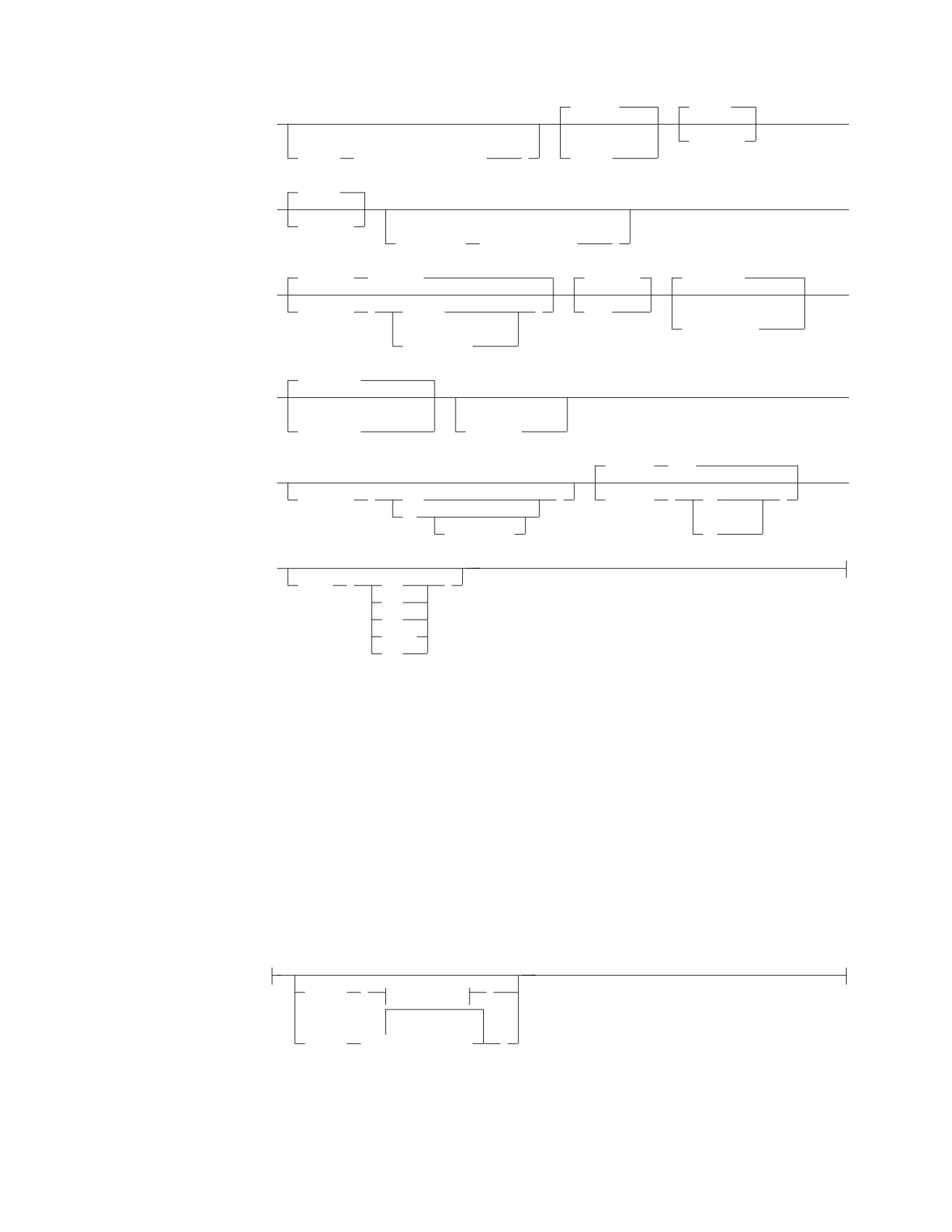
,PERiod
,PRint
►
►
(2)
(2)
,NOPRint
,OWner
(authorization_name
)
,COMma
,PUnch
►
►
,NOPUnch
(2)
,QUALifier
(collection_id
)
,RELease
(COMMIT)
,REPLACE
,SEQuence
►
►
,RELease
(
COMMIT
)
,NEW
(3)
(2)
,NOSEQuence
DEALLOCATE
,SQLApost
►
►
(2)
(4)
(5)
,SQLQuote
,NOSQLCA
,STDSQL
(NO)
►
►
,SQLFLAG
(
SAA
)
,STDSQL
(
NO
)
89
(6)
(COMPLETE)
89
►
,TIME
(
EUR
)
ISO
JIS
LOCAL
USA
Notes:
1
COBOL and PL/I only (DB2 Server for VM only).
2
Only meaningful for a non-DB2 Server for VM or -DB2 Server for VSE
application server.
3
C only.
4
COBOL only.
5
Implied if STDSQL(89) is specified.
6
86 is a synonym for 89.
multiple-user-mode-parms:
DBFile
(
fileparms
)
▼
DBList
(
server_name
)
Chapter 5. Preprocessing the Program
55
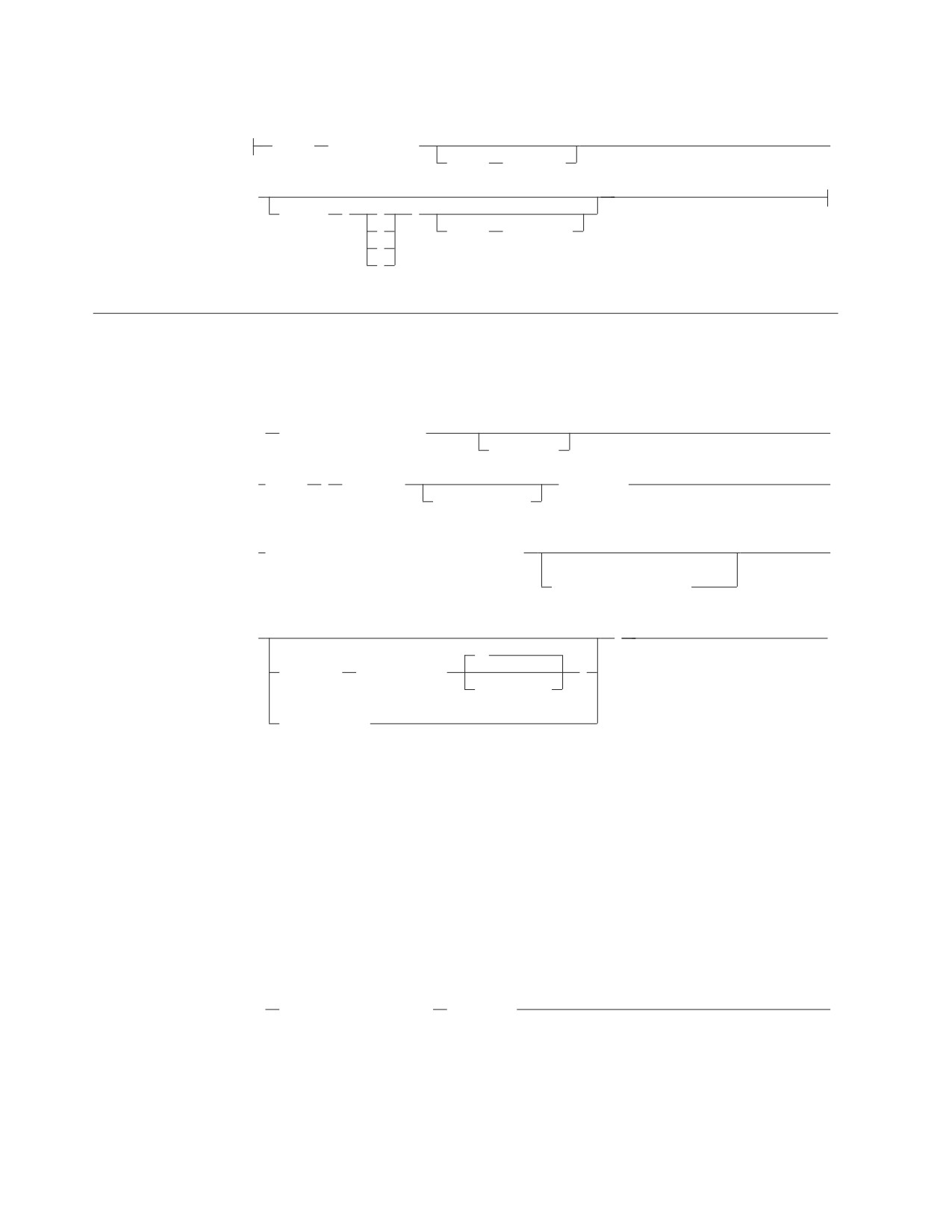
single-user-mode-parms:
Dbname
(server_name)
►
dcssID
(dcss_id)
►
LOGmode
(
A
)
L
PARMID
(filename)
N
Y
Program Preparation Command - VSE Users
Multiple User Mode
(1)
►►
// EXEC PGM=ARIPRPx
►
,SIZE=AUTO
► ,PARM=
’
PREPname=
package_id
►
collection_id.
► ,USERid= authorization_name/password
►
(2)
DBNAME= server_name
►
’
►◄
.A
PrepFile=
( membername
)
.membertype
(3)
| prepparms |
Notes:
1
The x represents A for assembler, B for C, C for COBOL, F for FORTRAN,
and P for PL/I.
2
From 1 to 18 characters, and identifies the DBNAME for the application
server.
3
Same as prepparms for VM on page “Program Preparation Command - VM
Users” on page 53.
Single User Mode
►►
// EXEC PGM=ARISQLDS
,SIZE=AUTO
►
56

(1)
▼
►
,PARM=
PROGNAME=ARIPRPx
,PARM=
’
►
initialization_parameter,
► PREPname=
package_id
►
collection_id.
► ,USERid= authorization_name/password
►
(2)
DBNAME= server_name
►
’
►◄
.A
PrepFile=
( membername
)
.membertype
(3)
| prepparms |
Notes:
1
x represents A for assembler, B for C, C for COBOL, F for FORTRAN and P
for PL/I.
2
From 1 to 18 characters, and identifies the DBNAME for the application
server.
3
Same as prepparms for VM on page “Program Preparation Command - VM
Users” on page 53.
Program BIND Command - VSE Users
►► CBND PACKAGE(
package_id)
►
collection_id.
►
►
INfile
( private_file_id
)
Chapter 5. Preprocessing the Program
57

►
►◄
▼
NEW
REPLACE
KEEP
REVOKE
OWner
( authorization_name
)
QUALifier
( collection_id
)
NOCHECK
CHECK
ERROR
▼
DBList
(
server_name
)
USERid
( authorization_name/password
)
MSGQueue
( name
)
QRY
Note: For any options not specified on the CBND transaction, the default option
will be the option specified when the package was preprocessed, unless
otherwise noted.
58

Chapter 6. Interactive SQL Commands
Starting and Stopping ISQL - VM Users
To use ISQL in a VM environment, follow these steps:
1. Log on to VM.
2. IPL CMS.
3. Start ISQL.
To start ISQL, type the following 4-character transaction identifier and press
ENTER:
ISQL
To stop communication with the DB2 Server for VM database manager through
ISQL, type the following command in the input area and press ENTER:
EXIT
To end your VM terminal session, type the following command and press ENTER.
LOGOFF
Starting and Stopping ISQL - VSE Users
To start ISQL, type the following 4-character transaction identifier and press
ENTER:
ISQL
If your installation has not defined a default authorization name, enter the
authorization-name and password on the ISQL welcome panel, or use the explicit
SQL CONNECT statement as follows:
CONNECT authorization-name IDENTIFIED BY password
To stop communication with the DB2 Server for VSE database manager through
ISQL, type the following command in the input area and press ENTER:
EXIT
BACKOUT
Nullifies changes made since the last SAVE command or, if no previous SAVE
command was issued, since the start of the INPUT command. Use this command
only while applying the INPUT command with AUTOCOMMIT on.
►► BACKOUT
►◄
BACKWARD
Displays rows that occur before those that are currently displayed.
►► BACKWARD
►◄
rows_integer
MAX
59

CANCEL
Cancels a command, an SQL statement, or a logical unit of work that is in
progress.
►► CANCEL
►◄
CHANGE
Modifies the current SQL statement in the command buffer and displays the result.
►► CHAnge
/ replaced_string
/
►◄
replacing_string
/
COLUMN
Displays the result of the interactive select-statement so that it begins with the
specified column at the left edge of the display.
1
►► COLumn
►◄
position_in_select_list
DISPLAY
Shows the results of the associated interactive select-statement on the display. This
command can only be issued from a routine.
►► DISPLAY
►◄
END
Ends the display of either a SELECT, COUNTER, SHOW or INPUT command, or a
DISPLAY command in a routine.
►► END
►◄
ERASE
Erases stored SQL statements.
▼
►► ERASE
stored_statement_name
►◄
60
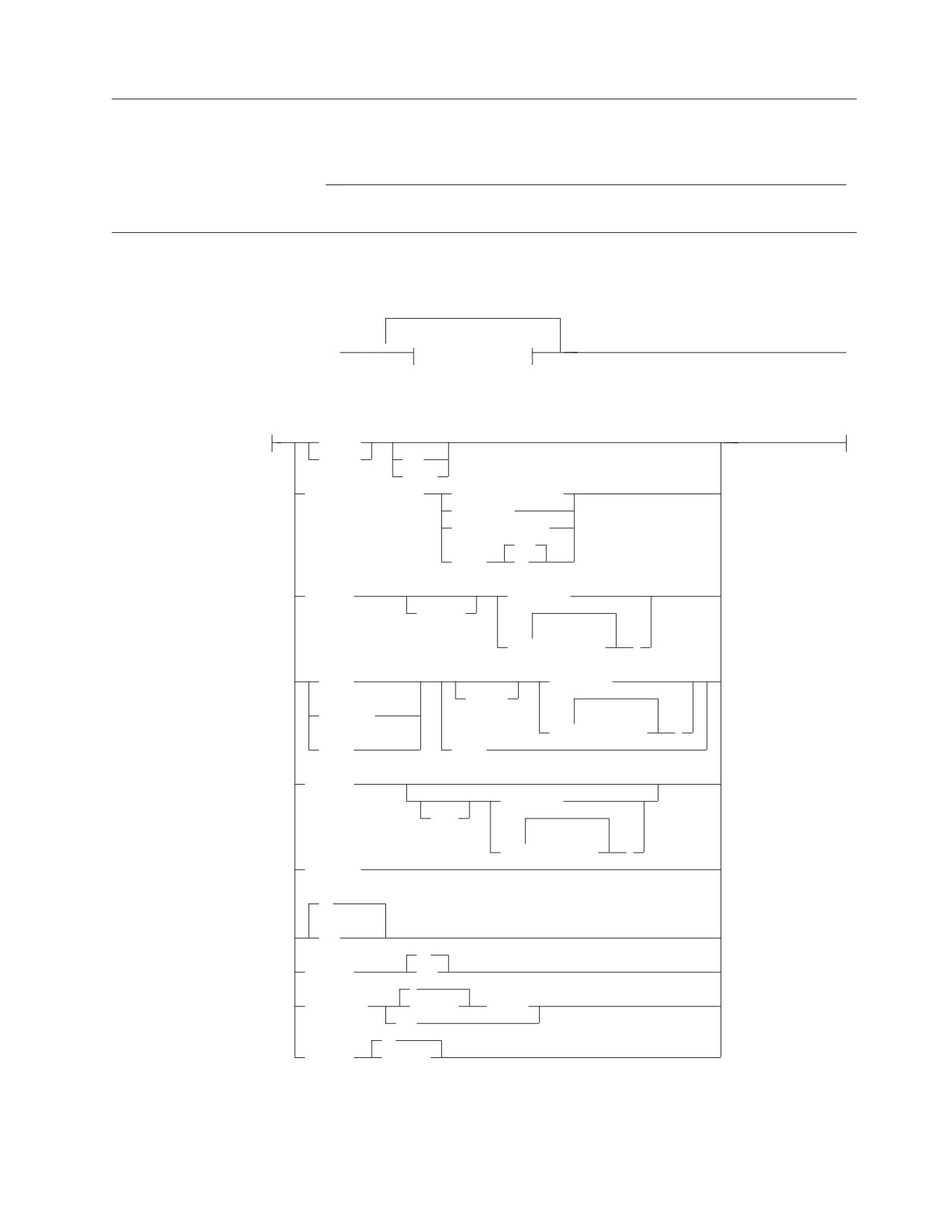
EXIT
Ends the current ISQL terminal session.
►► EXIT
►◄
FORMAT
Controls the format of the query result that is displayed.
(1)
►► FORMAT
▼
Format options
►◄
Format options:
BTITLE
TTITLE
str
ERASE
COLumn column-id
DPLACes integer
NAME str
WIDth integer
OFF
ZEROs
ON
(2)
EXCLude
column-id
ALL BUT
▼
(
column-id
)
(2)
GROUP
column-id
(2)
EXCEPT
SUBTotal
▼
(2)
(
column-id
)
TOTal
ERASE
(2)
INCLude
column-id
ONLY
▼
(
column-id
)
NULL str
(2)
ON
(2)
OFF
(2)
ON
OUTLINE
OFF
2
SEParator
integer
BLANKs
str
20
VARChar
integer
Notes:
1
Formatting can be performed only on the first 45
columns of a query result.
Chapter 6. Interactive SQL Commands
61

2
Any formatting command containing the keywords EXCLude, GROUP,
INCLude, ON/OFF, OUTLINE, SUBTotal, or TOTal, causes the query to be
reexecuted.
FORWARD
Moves your display forward through a query result.
►► FORWARD
►◄
rows_integer
MAX
HELP
Retrieves online documentation (available as an option during installation of the
database manager).
►► HELP
►◄
CONTENTs
topic_name
HOLD
Prevents an SQL statement from being processed when it is entered.
►► HOLD sql_statement
►◄
IGNORE
Nullifies a partially entered, multiple line command.
►► IGNORE
►◄
INPUT
Inserts one or more rows of data into a table or view.
►► INPut
table_name
►◄
view_name
,
▼
(
column_name
)
Interactive Select
The Interactive Select statement retrieves data from a table.
interactive-select-statement
62
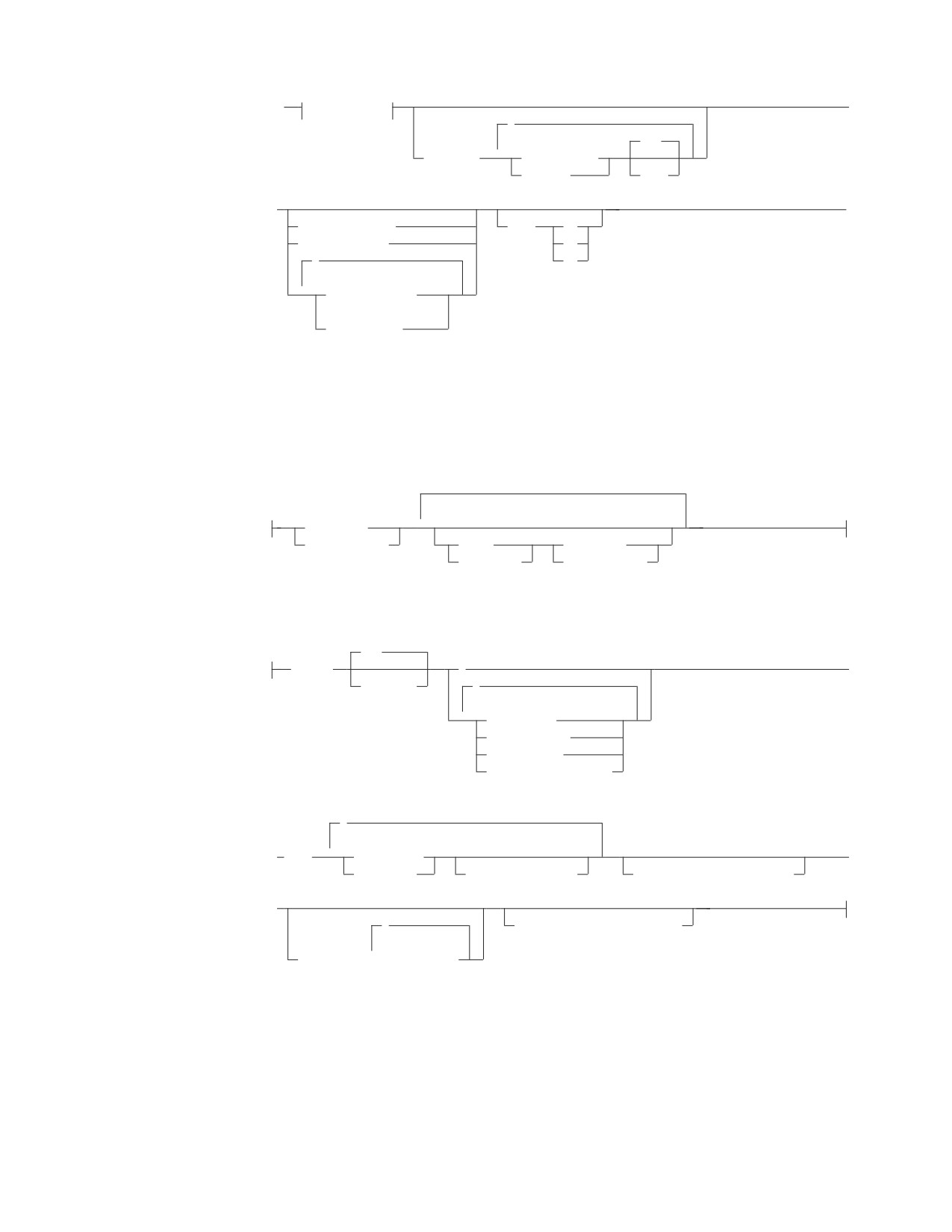
►►
fullselect
►
,
ASC
▼
ORDER BY
column_name
integer
DESC
|
►
►◄
FOR FETCH ONLY
WITH
RR
FOR READ ONLY
CS
,
UR
▼
FOR UPDATE OF
(1)
column_name
Notes:
1
The update-clause cannot be specified if the fullselect contains an
order-by-clause.
fullselect:
subselect
▼
(fullselect)
UNION
subselect
UNION ALL
(fullselect)
subselect:
ALL
SELECT
►
DISTINCT
,
▼
expression
table_name.*
view_name.*
correlation_name.*
,
▼
►
FROM
table_name
►
view_name
correlation_name
WHERE search_condition
►
,
HAVING search_condition
▼
GROUP BY
column_name
Chapter 6. Interactive SQL Commands
63
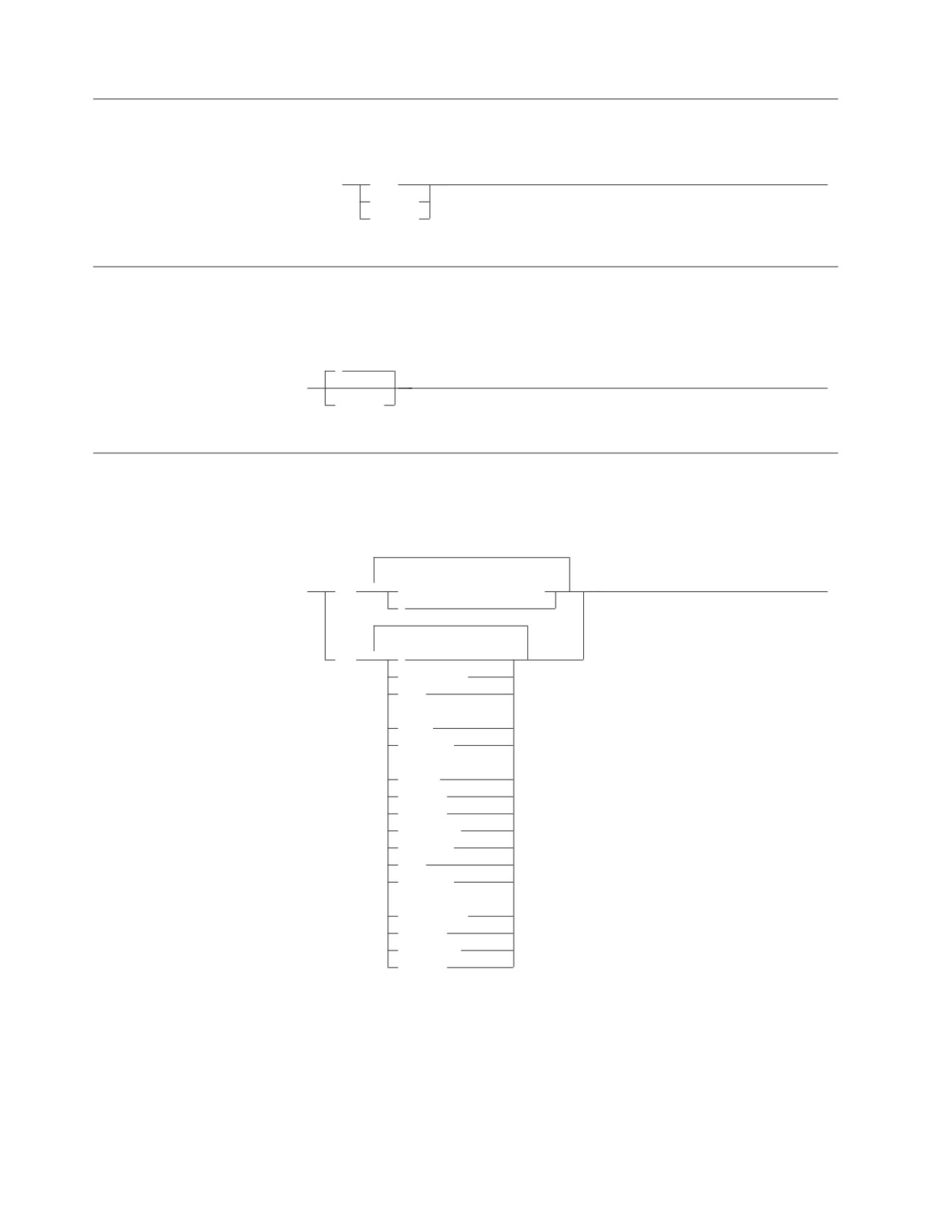
ISQLTRACE
Traces activities within ISQL.
►► ISQLTrace
DUMP
►◄
DISPLAY
integer
LEFT
Starts the display integer columns to the left, counting from the leftmost column on
the display.
1
►► LEFT
►◄
integer
LIST
Lists information about stored SQL statements, or lists the settings of certain
operational characteristics set by the SET command.
▼
►► LIST
SQL
stored-statement-name
►◄
▼
SET
AUTOCommit
CASE
(1)
CLAss
CONTInue
(1)
COPies
COSTest
DECimal
ISOLation
LANGuage
NULL
PAGEsize
(1)
PRINTRoute
RUNMode
SEParator
VARChar
Notes:
1
The parameters CLAss, COPies, and PRINTRoute are not applicable to VM.
64
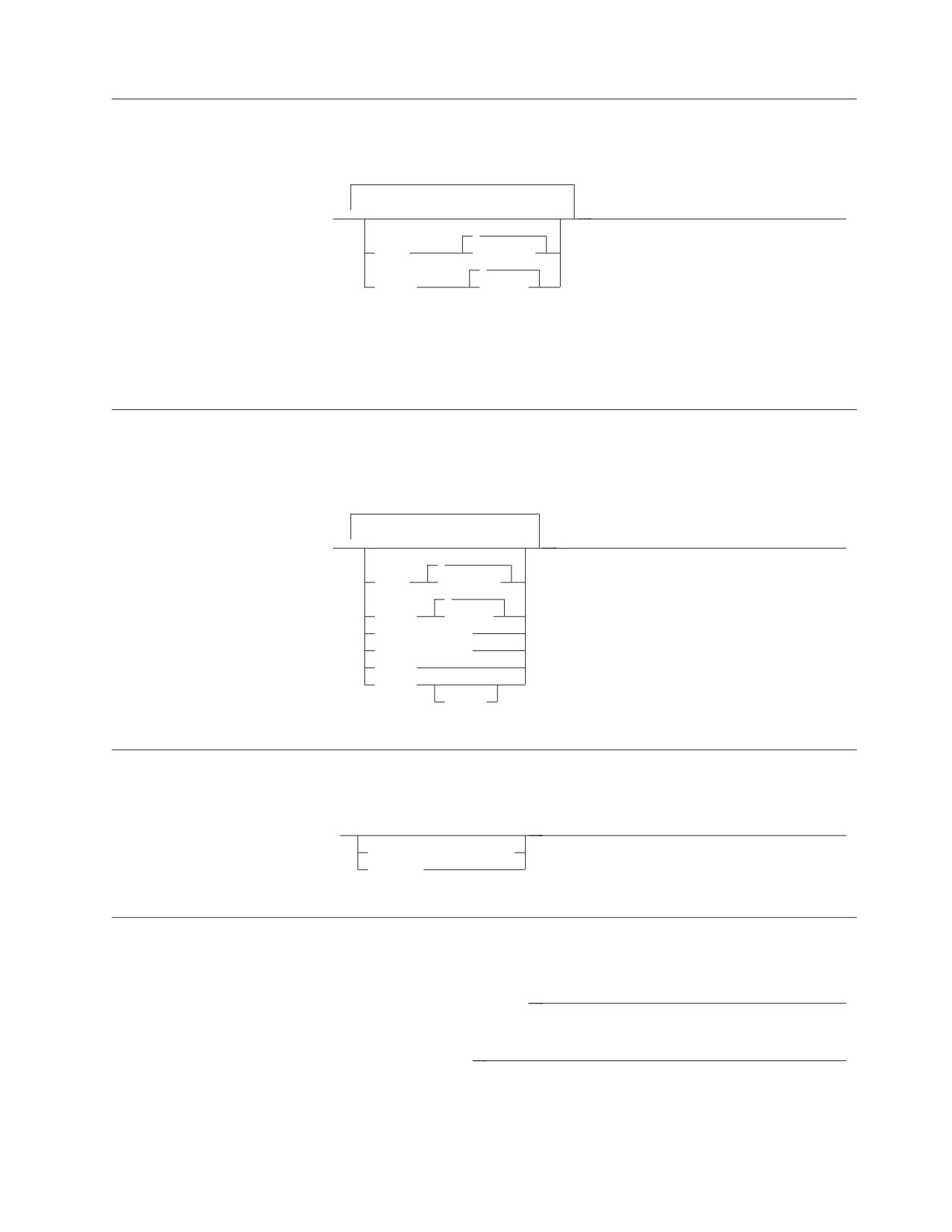
PRINT - VM Users
Requests printed copies of a query result by sending it to the system printer.
▼
►► PRInt
►◄
(1)
A
CLAss
character
(1)
1
COPies
integer
Notes:
1
The value for CLASS and COPIES specified in the PRINT command remain
in effect until changed by a subsequent PRINT or CP SPOOL command.
PRINT - VSE Users
Requests printed copies of a query result by sending it to the system printer,
POWER remote printer, or CICS/VSE terminal.
▼
►► PRInt
►◄
?
CLAss
character
1
COPies
integer
TERMid termid
DESTid wkstat
SYStem
TOUSER
userid
RECALL
Retrieves a stored SQL statement.
►► RECALL
►◄
stored_statement_name
PREVIOUS
RENAME
Renames a stored SQL statement.
►► RENAME old_stored_statement_name
►◄
►► new_stored_statement_name
►◄
Chapter 6. Interactive SQL Commands
65

RIGHT
Starts the display integer columns to the right, counting from the leftmost column
of the display.
1
►► RIGHT
►◄
integer
RUN
Initiates the processing of a routine. Multiple parameters are separated by blanks.
Enclose a parameter in single quotation marks if it contains a blank.
►► RUN routine_name
►◄
(
▼
parameter
)
SAVE
Saves all changes since the last SAVE command or, if no SAVE command was
issued, since the start of the INPUT command. SAVE is used while you are using
the INPUT command with AUTOCOMMIT on only.
►► SAVE
►◄
SET
Sets specified operational characteristics.
66
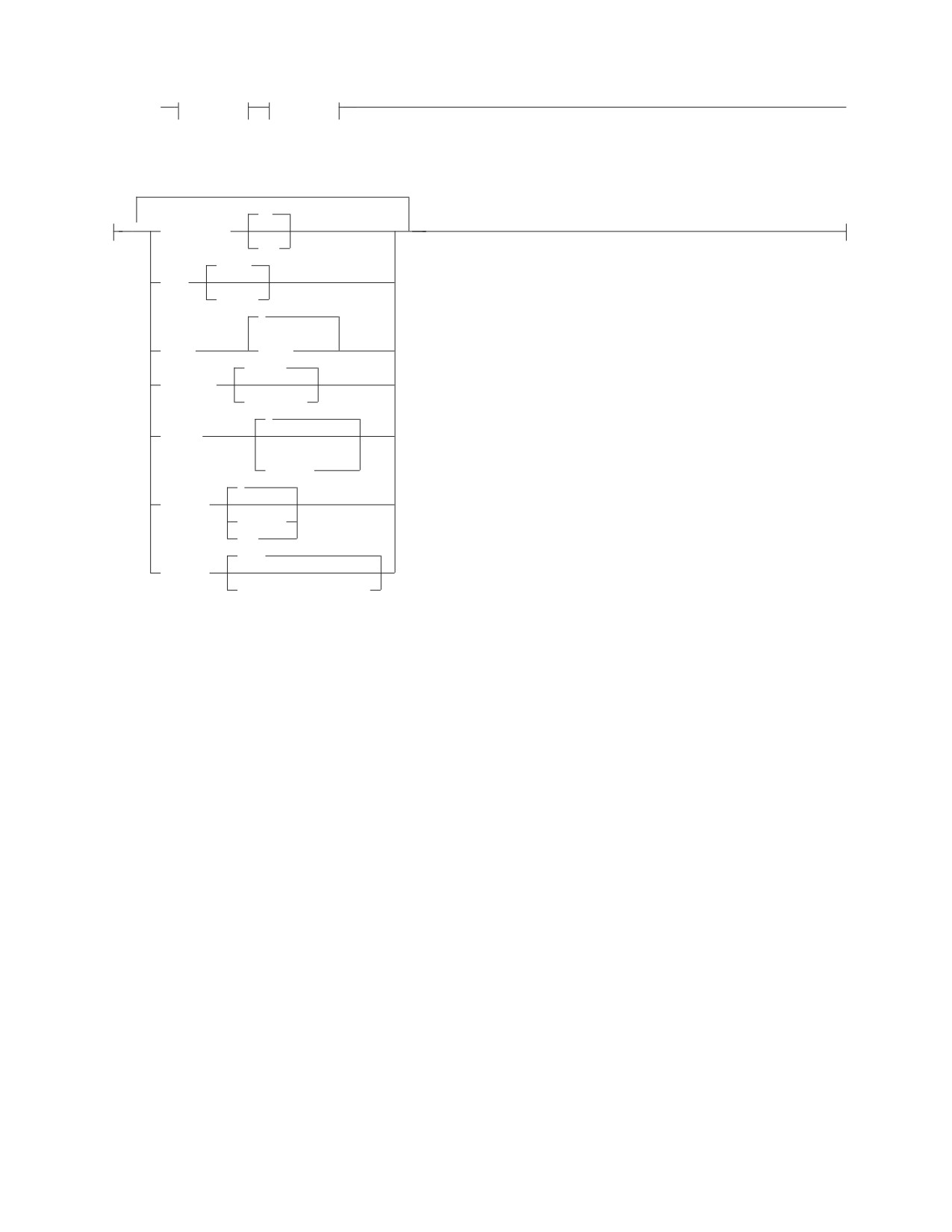
►► SET
Group_1
Group_2
►◄
Group_1:
ON
▼
AUTOCommit
OFF
UPper
CASE
STRing
?
(1)
(2)
CLAss
class
hyphen
CONTinue
character
(1)
1
COPies
(3)
integer
0
COSTest
integer
OFF
//./
DECimal
/thousands/decimal/
Notes:
1
The parameters CLAss, COPies, and PRINTRoute are not applicable to VM.
2
Output class wanted (letters from A to Z).
3
Number of copies to be printed.
Chapter 6. Interactive SQL Commands
67
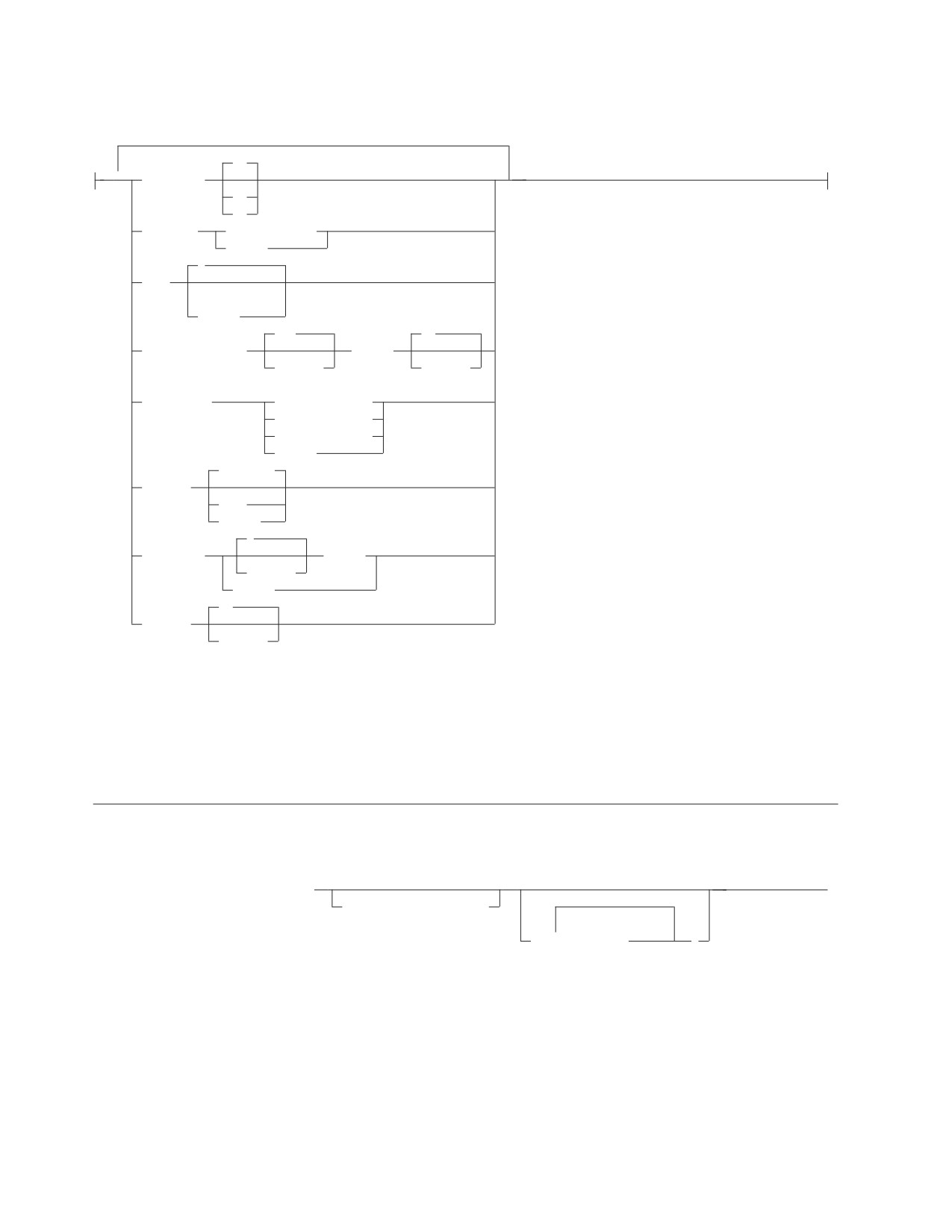
Group_2:
RR
▼
ISOLation
CS
UR
LANGuage
language_name
langid
?
NULL
(1)
string
132
66
PAGEsize WIDth
LENgth
integer
integer
(2)
PRINTRoute
DESTid wkstat
TERMid termid
TOUser userid
SYSTem
CONTInue
RUNMode
STOP
CANCEL
2
SEParator
BLANKs
integer
string
20
VARChar
integer
Notes:
1
A maximum of 20 characters can be used for null values.
2
The parameters CLAss, COPies, and PRINTRoute are not applicable to VM.
START
Processes the current SQL statement or a stored SQL statement.
►► START
►◄
stored_statement_name
(1)
▼
(
parameter
)
Notes:
1
Enclose a parameter in single quotation marks when it contains a blank.
68

STORE
Saves the current SQL statement for later use. The statement remains stored until
erased.
►► STORE stored_statement_name
►◄
REPLACE
TAB
Displays all characters of a column that are too wide to fit on the display.
1
►► TAB
►◄
integer
ISQL Program Function Keys
The following default Program Function (PF) keys are provided through ISQL.
PF1, PF13
Issues a HELP command, which retrieves an explanation of the use
of online help information and provides a list of topics available.
PF2, PF14
Issues a START command, which starts the command in the SQL
command buffer (the current SQL command).
PF3, PF15
Issues an END command, which ends the display of a query.
PF4, PF16
Issues a PRINT command, which requests the currently displayed
query result to be printed on the system or workstation printer.
PF5, PF17
Issues a RECALL command, which displays the contents of the
SQL command buffer.
PF6, PF18
Not assigned.
PF7, PF19
Issues a BACKWARD command.
PF8, PF20
Issues a FORWARD command, which can be used to scroll through
the query result half a screen at a time.
PF9, PF21
Issues a HOLD command, which prevents an SQL command from
being processed when it is entered.
PF10, PF22
Issues a LEFT 1 command, which moves your view of the query
result one column to the left.
PF11, PF23
Issues a RIGHT 1 command, which moves your view of the query
result one column to the right.
PF12, PF24
Performs the RETRIEVE function, which moves the previously
entered line into the input area.
Note: The CP SET command can be used to set the PF key functions.
CMS Subset VM Users
This CMS subset section applies to VM users. There is no equivalent section for
VSE.
Chapter 6. Interactive SQL Commands
69
CMS or CP commands can be entered during an ISQL session. Supported
commands from the CMS subset environment can be entered without terminating
the ISQL session. To enter the CMS subset environment, type CMS on the
command line, and press ENTER. Refer to Figure 1.
While in the CMS subset environment, you should not use any commands,
programs, or execs that access the database manager. If they are used, the results
are unpredictable and error conditions could occur.
To exit from the CMS environment, type RETURN in the command line, and press
ENTER.
ISQL Environment
CMS Subset Environment
CMS
CMS Command
RETURN
Figure 1. Using the CMS Subset Environment
70
Chapter 7. Operator Commands
The following operator commands can be used within ISQL, or entered from the
database machine operator console. For the complete set of operator commands,
see the DB2 Server for VSE & VM Operation manual.
COUNTER
Used primarily to monitor system performance.
►► COUNTER
►◄
▼
name
Valid names are:
BEGINLUW
DBSSCALL
LDIRBUFF
PAGEREAD
CHKPOINT
DEADLCK
LOCKLMT
PAGWRITE
DASDIO
DIRREAD
LOGREAD
RDSCALL
DASDREAD
DIRWRITE
LOGWRITE
ROLLBACK
DASDWRIT
ESCALATE
LPAGBUFF
WAITLOCK
SHOW
Monitors system activity.
71
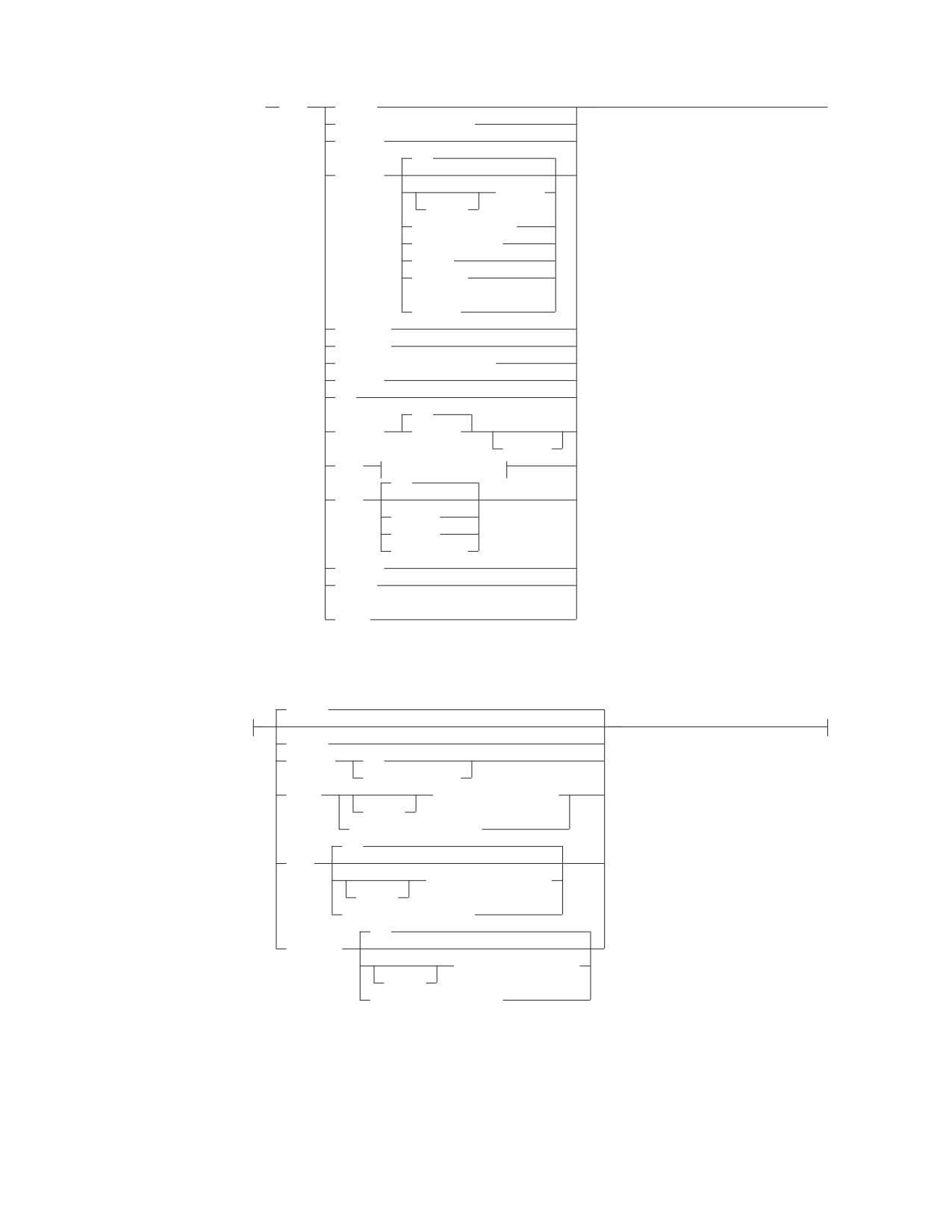
►►
SHOW
ACTIVE
►◄
ADDRESS module_name
BUFFERS
ALL
CONNECT
userid1
USERID
AGENT agent_no
LUWID luwid1
ACTIVE
INACTIVE
(1)
WAITING
DBCONFIG
DBEXTENT
DBSPACE dbspace_number
INVALID
LOG
ALL
LOGHIST
integer
SERVICE
LOCK
lock parameters
ALL
POOL
SUMMARY
DELETED
pool_number
STORAGE
SYSTEM
(2)
USERS
lock
parameters
MATRIX
ACTIVE
DBSPACE
ALL
dbspace_number
GRAPH
authorization_name
USERID
AGENT agent_number
ALL
USER
authorization_name
USERID
AGENT agent_number
ALL
WANTLOCK
authorization_name
USERID
AGENT agent_number
Notes:
1
The SHOW CONNECT WAITING is not supported in the VSE environment.
2
The keyword USERS is not applicable to a VSE system.
72
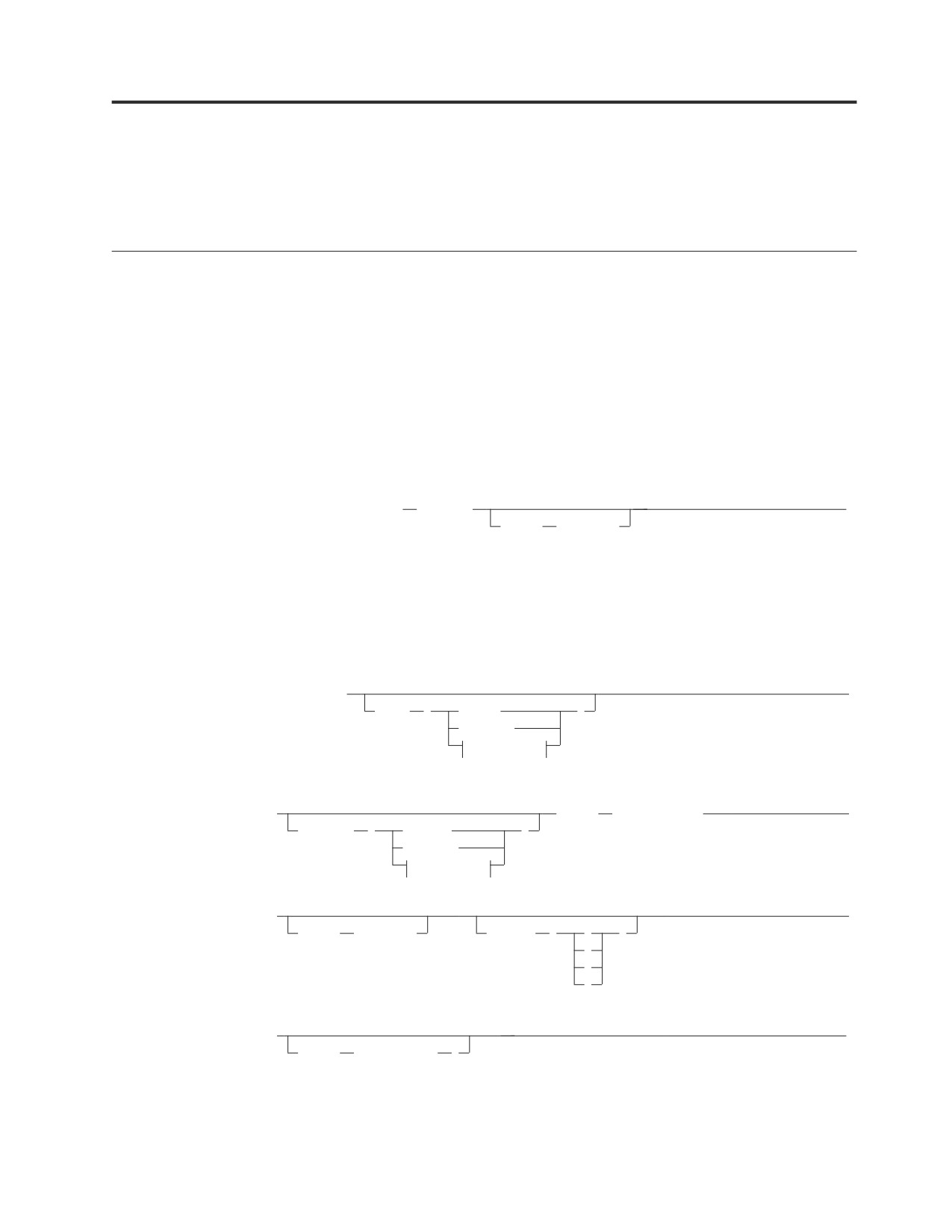
Chapter 8. Database Services Utility Commands
The Database Services Utility (DBS Utility) processes commands that are unique to
the DBS Utility and certain SQL statements.
Starting and Stopping the DBS Utility
Before using the DB2 Server for VM or DB2 Server for VSE database manager for
any application, initialize your database. The method of initialization depends on
whether the DBS Utility is run in multiple user mode or single user mode.
Starting the DBS Utility - VM Users
SQLINIT EXEC
This portion of the SQLINIT command should be issued before the SQLDBSU
EXEC to initialize DB2 Server for VM database access and load the multiple user
support system routines.
►► SQLINIT Dbname
(dbname)
►◄
dcssID
(dcss_id)
For more information about using the SQLINIT EXEC, see the DB2
Server for VSE
& VM Database Administration manual.
SQLDBSU EXEC
Used to invoke the DBS Utility in single or multiple user mode.
►► SQLDBSU
►
sysIN
(
Reader
)
Terminal
fileparms
(1)
►
Dbname
(server_name)
►
sysPRint
(
Printer
)
Terminal
fileparms
(1)
(1)
►
►
dcssID
(dcss_id)
LOGmode
(
A
)
L
N
Y
(1)
►
►◄
PARMID
( file_name
)
73
fileparms:
file_name
file_type
file_mode
Notes:
1
Only applicable to single user mode.
Exiting from the DBS Utility - VM Users
Batch Mode
If a control file is supplied with the SYSIN option, an exit is made from the utility
automatically after all the commands in the control file are processed.
Interactive Mode
If a control file is not supplied, the DBS Utility is used interactively. To exit, type
the following command, and press ENTER.
EXIT;
Any uncommitted work is committed, and an exit is made from the utility to the
conversational monitor system (CMS).
Starting the DBS Utility - VSE Users
Multiple User Mode
To invoke the DBS Utility, use the following EXEC statement as part of the JCL:
// EXEC PGM=ARIDBS,SIZE=AUTO
Single User Mode
To invoke the DBS Utility, use either:
// EXEC PROC=ARISDBSD
or
// EXEC ARISQLDS,SIZE=AUTO,
X
// PARM=’SYSMODE=S,LOGMODE=N,PROGNAME=ARIDBS’
Exiting from the DBS Utility - VSE Users
The DBS Utility automatically ends after all commands in the control file are
processed; that is, when /* is encountered.
COMMENT
Documents input by supplying the Database Services Utility COMMENT
commands at appropriate points within the Database Services Utility control
command input stream. The utility displays the comments in the Database Services
Utility message file listing.
►► COMMENT 'string_constant'
►◄
74
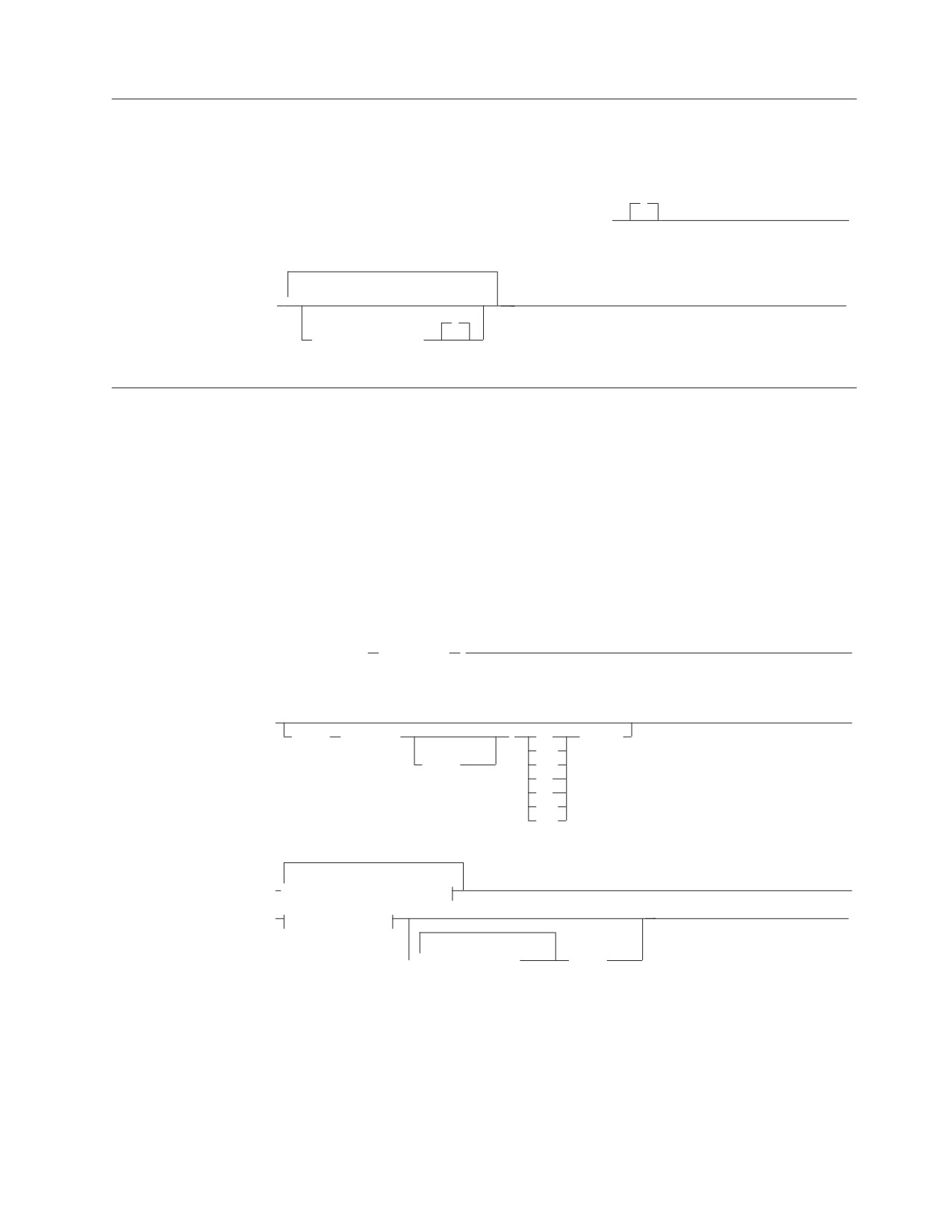
CREATE SCHEMA
The sequential SCHEMA input file contains one CREATE SCHEMA statement,
which is the first statement in the file.
;
►► CREATE SCHEMA AUTHORIZATION authorization_id
►
► ▼
►◄
;
schema_statement
DATALOAD
Loads or adds rows into existing tables from data in a sequential input file.
DATALOAD and its subcommands are on more than one input record with each
record in general containing data for a table row. Refer to the syntax diagram on
76.
Table-Column-ID-Subcommand (TCI)
Identifies the location of the input records of the data for a table column. Each
table-column-id-subcommand occupies a separate input record. Data must be in
the same record positions in all records that relate to the table. Refer to the syntax
diagram on 76.
►► DATALOAD TABLE
( table_name
)
►
(2)
►
►
IF POS
( startpos
)
=
constant
(1)
<>
-endpos
^=
<
>
<=
>=
► ▼ table-column-id-subcommand
►
► infile-subcommand
►◄
(3)
(4)
▼
user_data_records
ENDDATA
Chapter 8. Database Services Utility Commands
75
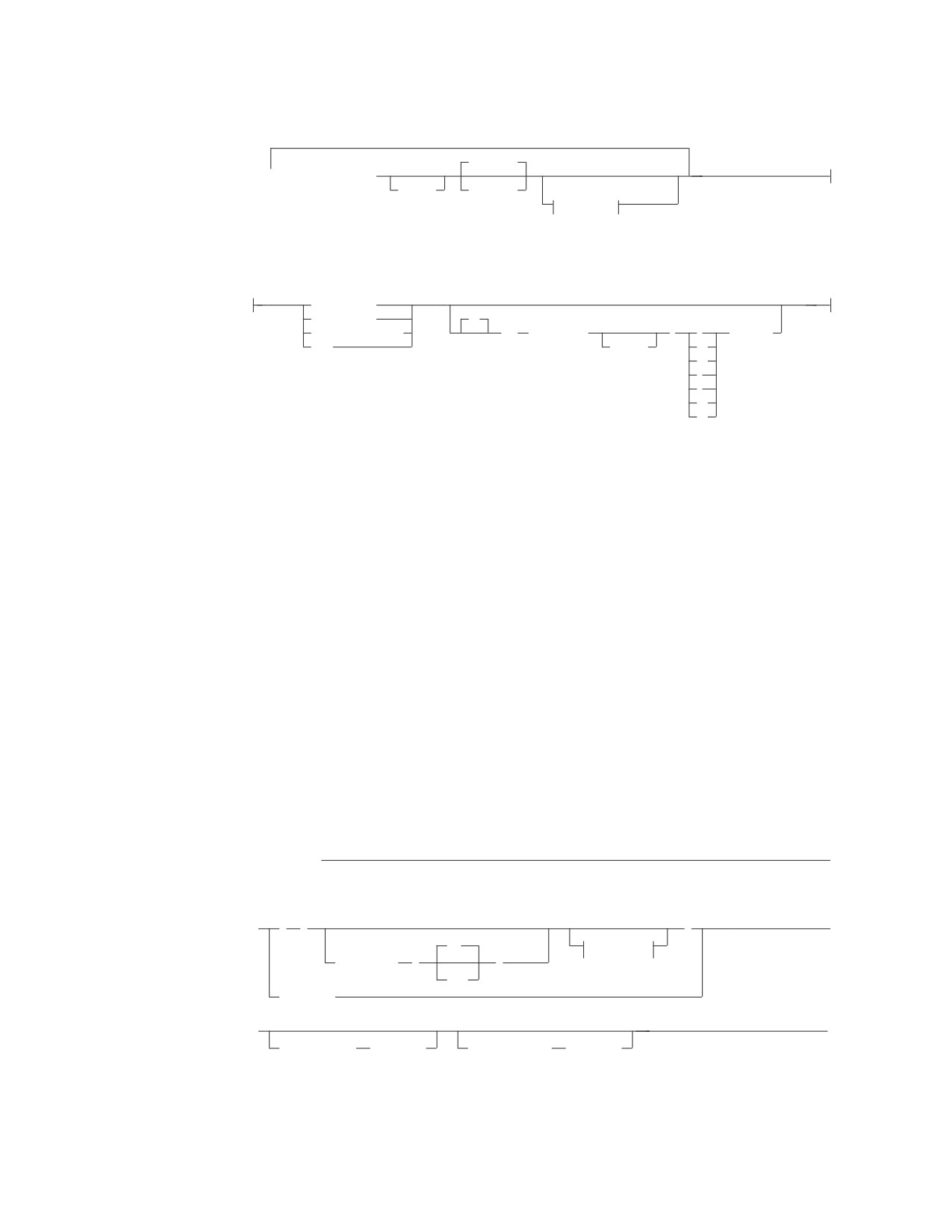
table-column-id-subcommand:
CHARacter
▼
col_name startpos
-endpos
data_type
(5)
(6)
nc-clause
nc-clause:
(5)
(6)
(6)
CURRENT DATE
CURRENT TIME
IF
CURRENT TIMESTAMP
POS
( startpos
)
=
constant
NULL
-endpos
<>
^=
<
>
<=
>=
Notes:
1
No blanks are allowed between startpos, hyphen, and endpos.
2
These options must appear on the same physical line as DATALOAD TABLE.
3
The user-data-records contain the data referenced by the preceding
DATALOAD subcommands.
4
ENDDATA identifies the end of user-supplied data embedded in the control
file. The command is valid if the previous DBS Utility command was an
INFILE(*) subcommand.
5
nc-clause is the short form for null-current-clause.
6
This clause must appear on the same physical line.
Infile-subcommand
Identifies the file containing the data referenced by the preceding DATALOAD and
TCI subcommands. When INFILE is followed by an asterisk, the data is in the
control file and immediately follows the subcommand.
infile-subcommand - VM
►► INFILE
►
(1)
►
(
)
►
NO
(1)
options
CONTINUED
(
)
YES
(ddname)
►
►◄
COMMITCOUNT
(ccount)
RESTARTCOUNT
(rcount)
76
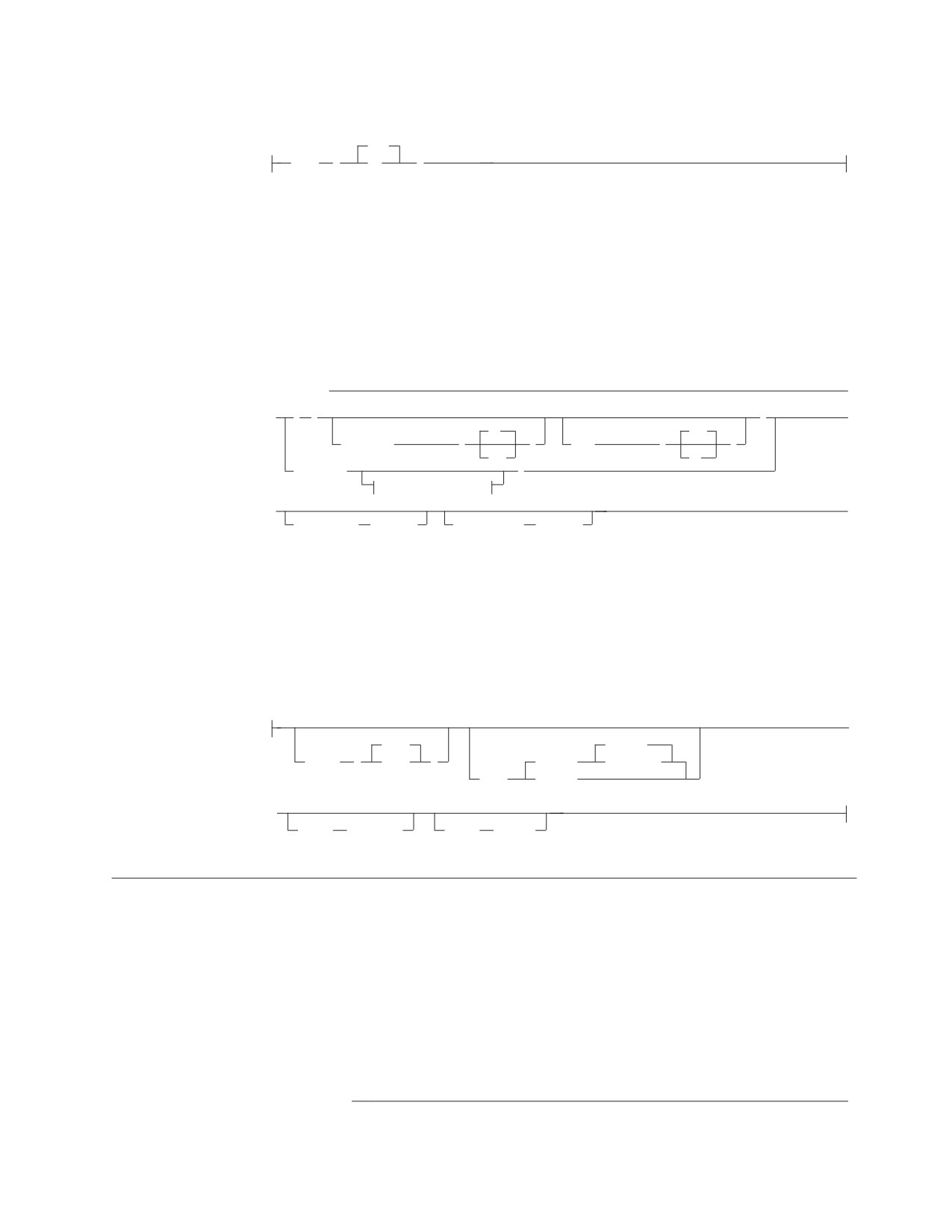
options
YES
(2)
(3)
LIST
(
NO
)
Notes:
1
These options must appear on the same physical line as INFILE.
2
No blanks are allowed between the keywords CONTINUED and LIST and
the value specified for CONTINUED and LIST.
3
LIST can be specified before CONTINUED.
infile-subcommand - VSE
►► INFILE
►
►
(
)
►
(1)
(2)
NO
(1)
(2)
YES
CONTINUED
(
)
LIST
(
)
YES
NO
( ddname
)
tape/disk options
►
►◄
COMMITCOUNT
(ccount)
RESTARTCOUNT
(rcount)
Notes:
1
No blanks are allowed between the keywords CONTINUED and LIST and
the value specified for CONTINUED and LIST. LIST can be specified before
CONTINUED.
2
LIST can be specified before CONTINUED.
tape/disk options for DB2 Server for VSE:
►
2048
REWIND
BLKSZ
(
size
)
(TAPE)
NOREWIND
PDEV
(DASD)
►
RECFM
(format)
RECSZ
(size)
DATAUNLOAD
Selectively unloads data from tables and views to a user-defined sequential file of
data.
Data-Field-Identification Subcommand
Identifies the location in the output record where the data for a column in the
select-list parameter should be placed, and identifies the output record data-field
data-type.
(1)
►► DATAUNLOAD
►
Chapter 8. Database Services Utility Commands
77
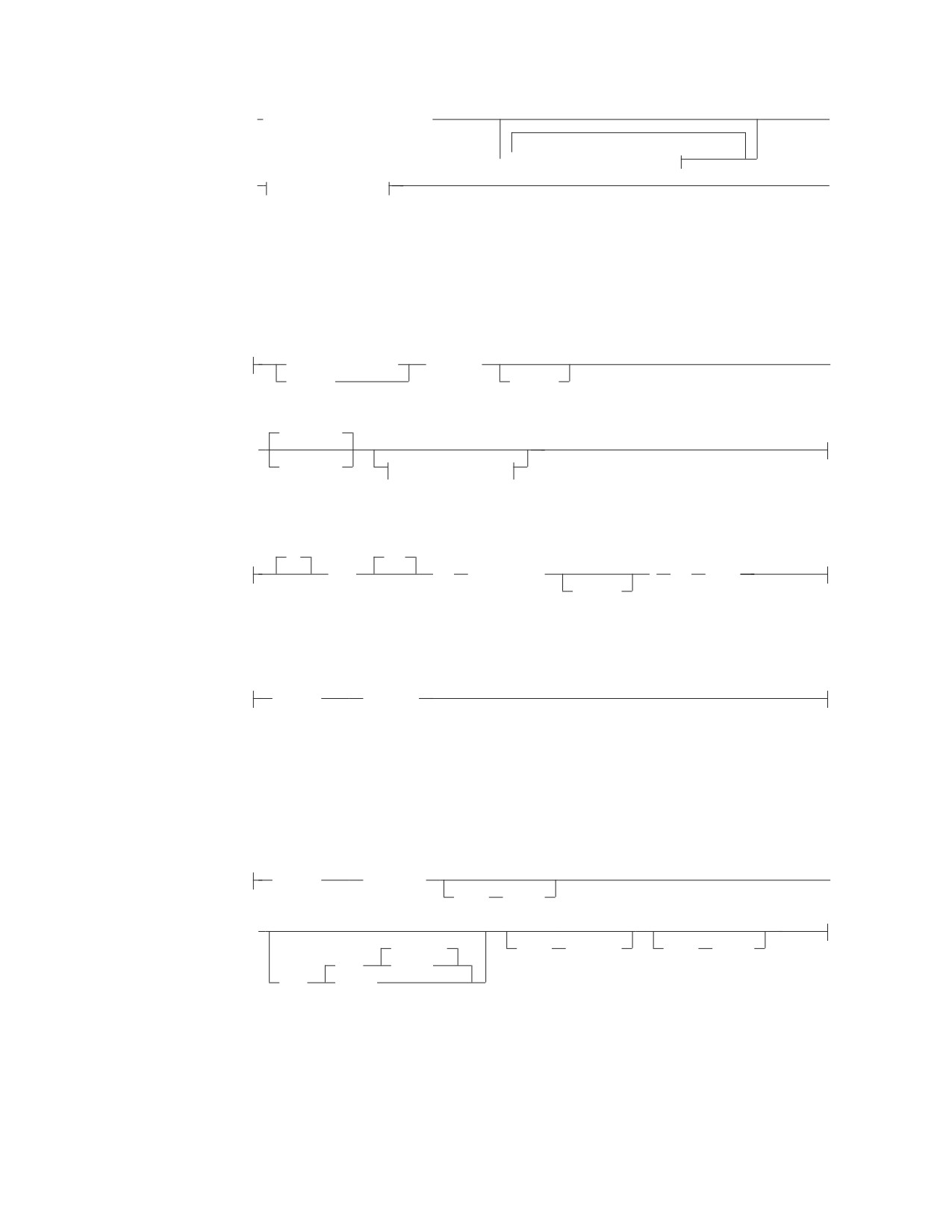
(1)
(2)
►
interactive_select_statement;
►
(1)
(2)
▼
data-field-id-subcommand
► outfile-subcommand
►◄
Notes:
1
Each of these must be a separate record.
2
Both must appear on the same physical line.
data-field-id-subcommand (DFI):
column_reference
startpos
►
integer
-endpos
CHARacter
►
data_type
set-null-clause
set-null-clause:
IF
SET
NULL
POS
( startpos
)
=
value
-endpos
outfile-subcommand - VM:
(1)
OUTFILE
(ddname)
Notes:
1
The outfile-subcommand identifies the sequential output file that contains the
data referenced by the preceding DATAUNLOAD subcommands.
outfile-subcommand - VSE:
(1)
OUTFILE
( ddname
►
BLKSZ
(size)
►
NOREWIND
RECFM
(format)
RECSZ
(size)
TAPE
REWIND
PDEV
(DASD)
Notes:
1
The outfile-subcommand identifies the sequential output file that contains the
data referenced by the preceding DATAUNLOAD subcommands.
78

REBIND PACKAGE
Rebinds an existing package.
|
EXPLAIN (NO)
►► REBIND PACKAGE
(package_name)
EXPLAIN (YES)
►◄
RELOAD DBSPACE
Identifies a RELOAD DBSPACE request and identifies a DBSPACE to be loaded.
VM Users
►► RELOAD DBSPACE
(dbspace_name)
NEW
INFILE
(ddname)
►
PURGE
►
►
COMMITCOUNT
( ccount
)
RESTARTTABLE
( table_name
)
►
►◄
RESTARTCOUNT
( rcount
)
VSE Users
►► RELOAD DBSPACE
(dbspace_name)
NEW
►
PURGE
► INFILE
( ddname
►
2048
BLKSZ
(
size
)
►
)
►
REWIND
COMMITCOUNT
( ccount
)
(TAPE)
NOREWIND
PDEV
(DASD)
►
►◄
RESTARTTABLE
( table_name
)
RESTARTCOUNT
( rcount
)
RELOAD PACKAGE
Identifies a RELOAD PACKAGE request and a package to be loaded. The
UNLOAD PACKAGE output file becomes the input file for the RELOAD
PACKAGE command.
VM Users
►► RELOAD PACKAGE
(package_name)
NEW
►
KEEP
REPLACE
REVOKE
Chapter 8. Database Services Utility Commands
79
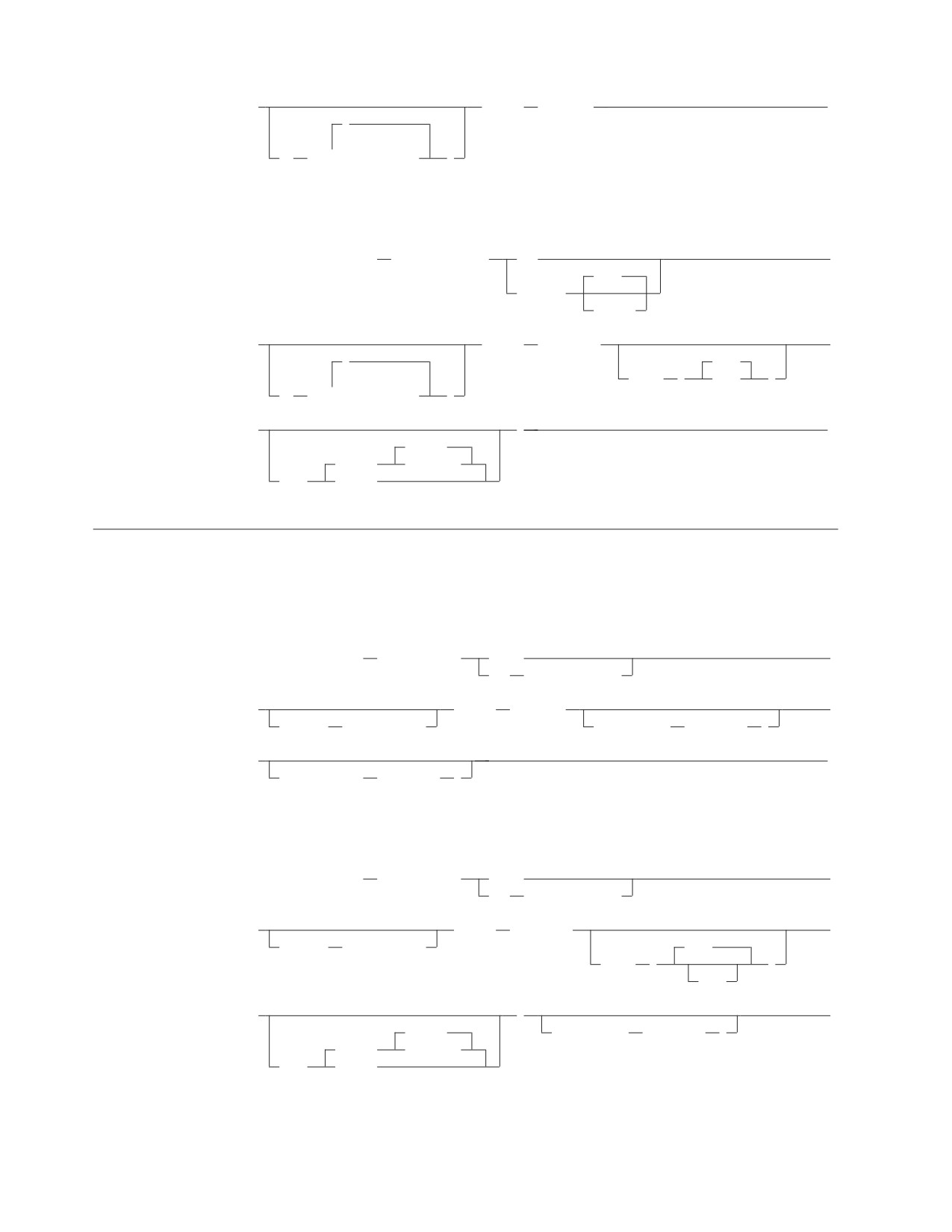
►
INFILE
(ddname)
►◄
,
▼
TO
(
server_name
)
VSE Users
►► RELOAD PACKAGE
(package_name)
NEW
►
KEEP
REPLACE
REVOKE
►
INFILE
( ddname
►
,
2000
BLKSZ
(
size
)
TO
(
▼
server_name
)
►
)
►◄
REWIND
(TAPE)
NOREWIND
PDEV
(DASD)
RELOAD TABLE
Identifies a RELOAD TABLE request and a table to be loaded.
VM Users
►► RELOAD TABLE
(table_name)
PURGE
►
NEW
(dbspace_name)
►
INFILE
(ddname)
►
INTABLE
(table_name)
COMMITCOUNT
( ccount
)
►
►◄
RESTARTCOUNT
( rcount
)
VSE Users
►► RELOAD TABLE
(table_name)
PURGE
►
NEW
(dbspace_name)
►
INFILE
( ddname
►
INTABLE
(table_name)
2048
BLKSZ
(
)
size
►
)
►
REWIND
COMMITCOUNT
( ccount
)
(TAPE)
NOREWIND
PDEV
(DASD)
80
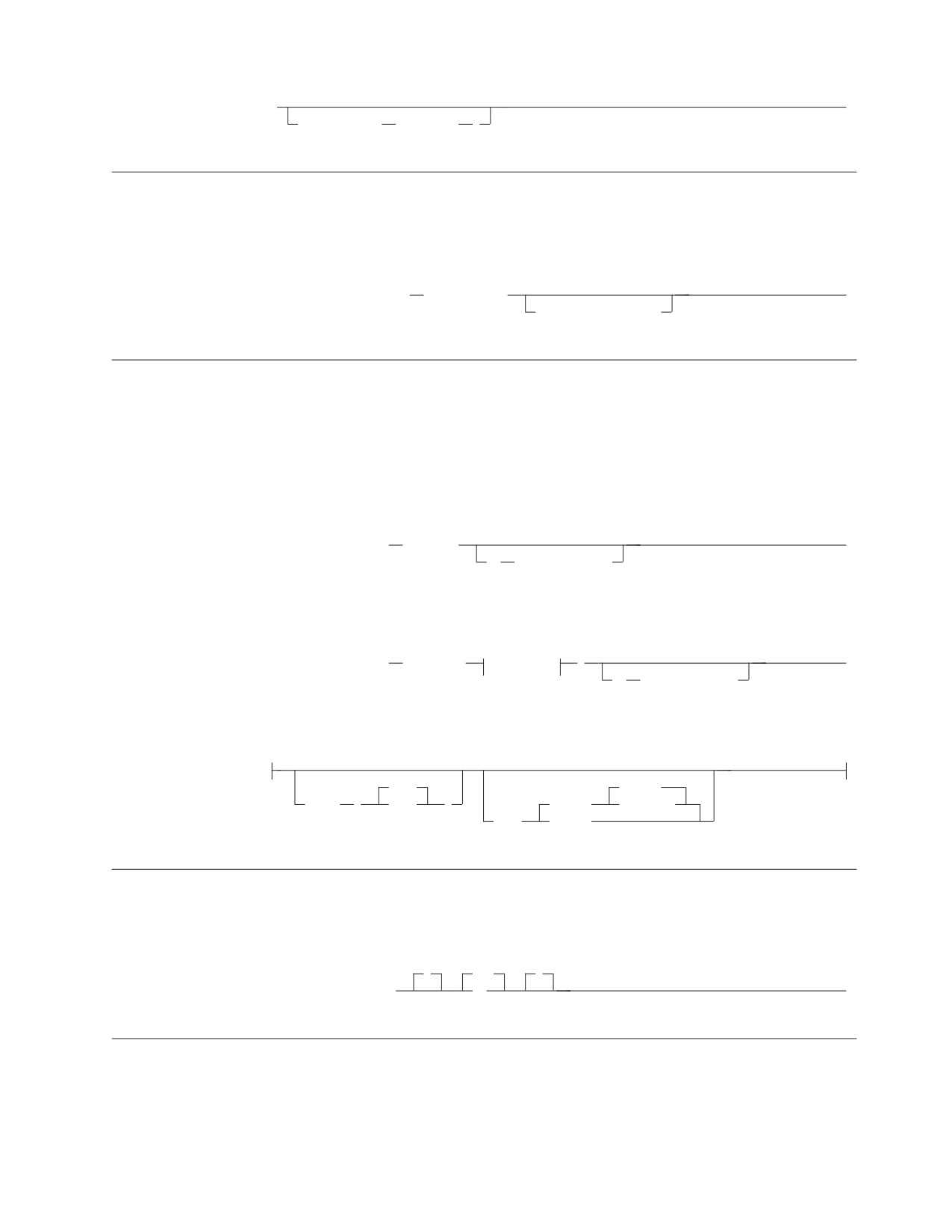
►
►◄
RESTARTCOUNT
( rcount
)
REORGANIZE INDEX
Corrects index fragmentation and skewing of index key values without first having
to drop the index and then create it by using the DROP INDEX and CREATE
INDEX SQL statements.
►► REORGANIZE INDEX
(index_name)
►◄
PCTFREE = integer
SCHEMA
Specifies an authorization ID and a list of table, view, and privilege definitions
using the syntax of the SQL CREATE TABLE, CREATE VIEW, and GRANT
statements. The SCHEMA command reads the text of a schema file and processes
the statements in it.
VM Users
►► SCHEMA INFILE
(ddname)
►◄
IN
(dbspace_name)
VSE Users
►► SCHEMA INFILE
( ddname
option-c
)
►◄
IN
(dbspace_name)
option-c:
2000
REWIND
BLKSZ
(
size
)
(TAPE)
NOREWIND
PDEV
(DASD)
SET AUTOCOMMIT
Activates or suppresses the automatic execution of the SQL COMMIT WORK
statements. The SET AUTOCOMMIT command cannot span input records.
(
OFF
)
►► SET AUTOCOMMIT
ON
►◄
SET ERRORMODE
v Suspends the normal DBS Utility actions taken after a command processing error
is detected and causes the DBS Utility to continue processing commands after an
error has occurred
v Forces the DBS Utility to enter error mode processing
Chapter 8. Database Services Utility Commands
81

v Resumes normal DBS Utility command processing.
The SET ERRORMODE command cannot span input records. If you do not supply
a SET ERRORMODE command in the input records, the DBS Utility operates as if
you issued SET ERRORMODE OFF.
(
OFF
)
►► SET ERRORmode
ON
►◄
CONTINUE
SET FORMAT
Identifies whether the Database Services Utility should use column-or-block
format, column-or-list format, or only list format for SQL select-statement results. If
not specified, Database Services Utility processing uses column-or-block format for
SQL select-statement output.
(
CB
)
►► SET FORMAT
CL
►◄
LO
SET ISOLATION
Controls the isolation level used for Database Services Utility processing. Each time
the Database Services Utility runs, the isolation level is initialized to repeatable
read (RR). SQL processing through the Database Services Utility is performed at
the RR isolation level until a SET ISOLATION command is encountered.
The other isolation level settings are cursor stability (CS) and uncommitted read
(UR).
(
RR
)
►► SET ISOLation
CS
►◄
UR
SET LINECOUNT (LINEWIDTH)
Defines the number of lines per page for Database Services Utility message file
output and the number of print data positions used in each Database Services
Utility message file record containing SQL SELECT statement output.
The SET LINECOUNT command cannot span input records. You must specify
either the LINEWIDTH(www) parameter or the LINECOUNT(ccc) parameter, or
both, to prevent a Database Services Utility processing error from occurring.
82
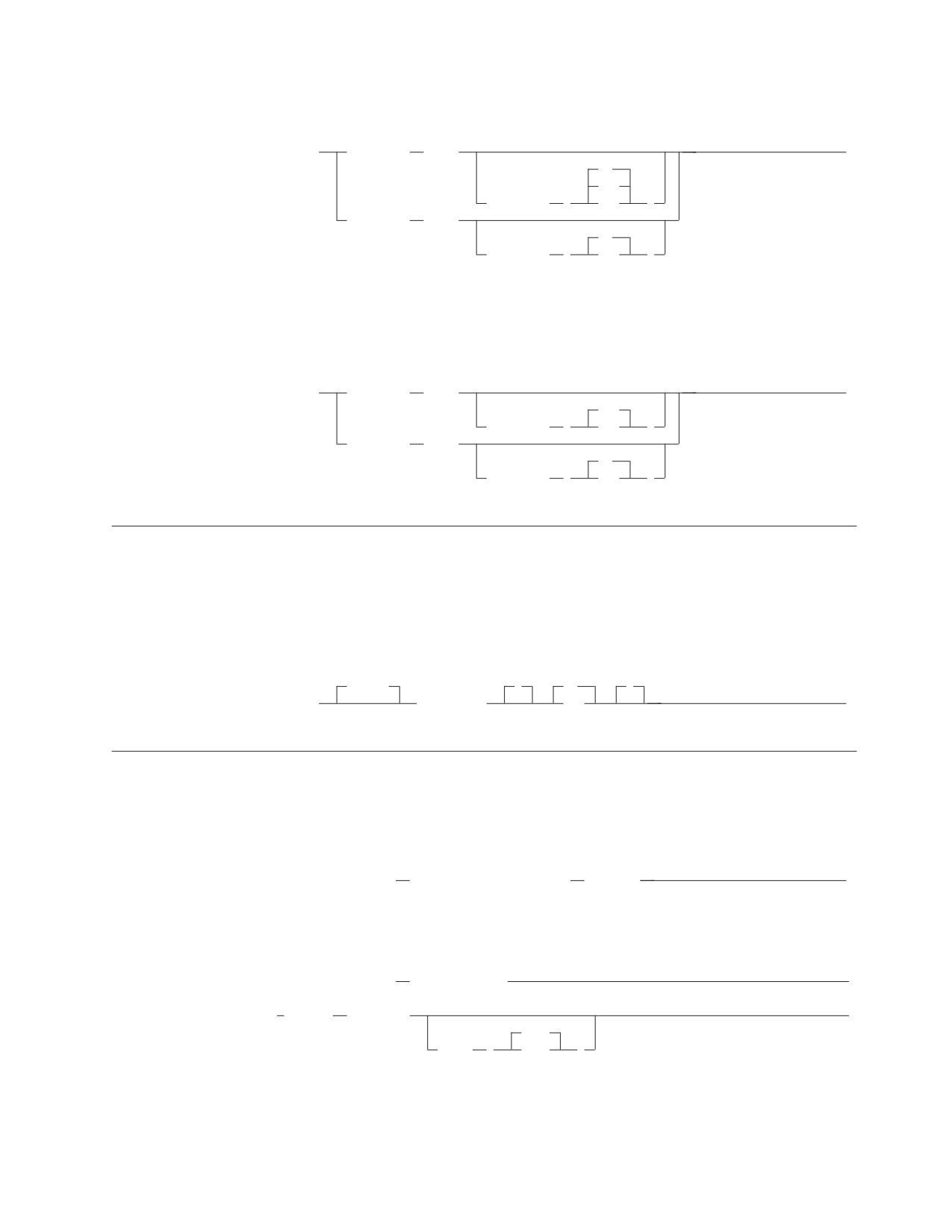
VM Users
►► SET
LineCount
(ccc)
►◄
80
120
LineWidth
(
www
)
LineWidth
(www)
60
LineCount
(
ccc
)
Note: 80 is valid in DB2 Server for VM only.
VSE Users
►► SET
LineCount
(ccc)
►◄
120
LineWidth
(
www
)
LineWidth
(www)
60
LineCount
(
ccc
)
SET UPDATE STATISTICS
Controls the automatic UPDATE STATISTICS processing performed during
Database Services Utility RELOAD TABLE, RELOAD DBSPACE, and DATALOAD
TABLE command processing. The command cannot span input records. If you do
not supply a SET UPDATE STATISTICS command in the input records, the
Database Services Utility operates as if you issued SET UPDATE STATISTICS ON.
UPDATE
(
ON
)
►► SET
STATISTICS
OFF
►◄
UNLOAD DBSPACE
Unloads all tables of the specified DBSPACE to a sequential output file.
VM Users
►► UNLOAD DBSPACE
(dbspace_name) OUTFILE
(ddname)
►◄
VSE Users
►► UNLOAD DBSPACE
(dbspace_name)
►
► OUTFILE
( ddname
►
2048
BLKSZ
(
size
)
Chapter 8. Database Services Utility Commands
83

►
)
►◄
NOREWIND
(TAPE)
REWIND
PDEV
(DASD)
UNLOAD PACKAGE
Unloads a specific package to a file.
VM Users
►► UNLOAD PACKAGE
(package_name)
OUTFILE
(ddname)
►◄
FROM
(server_name)
VSE Users
►► UNLOAD PACKAGE
(package_name)
►
FROM
(server_name)
► OUTFILE
( ddname
►
2000
BLKSZ
(
size
)
►
)
►◄
NOREWIND
(TAPE)
REWIND
PDEV
(DASD)
UNLOAD TABLE
Unloads a specific table or view to an output file.
VM Users
►► UNLOAD TABLE
(table_name) OUTFILE
(ddname)
►◄
VSE Users
►► UNLOAD TABLE
(table_name) OUTFILE
( ddname
►
2048
BLKSZ
(
size
)
►
)
►◄
NOREWIND
(TAPE)
REWIND
PDEV
(DASD)
84
Chapter 9. SQLCA and SQLDA
SQL Communication Area (SQLCA)
The SQLCA is a collection of variables that are updated at the end of the execution
of every SQL statement.
Note: The field names are those provided by the SQL INCLUDE statement for
Assembler, COBOL and PL/I. The names for C and FORTRAN are similar.
Field Name and Data Type
Description
SQLCAID CHAR(8)
The constant SQLCA.
SQLCABC INTEGER
Length of SQLCA. Always 136.
SQLCODE INTEGER
Negative: error condition,
Zero: successful execution,
Positive: warning condition.
SQLERRML SMALLINT
Length of SQLERRMC.
SQLERRMC VARCHAR(70)
Zero, one, or more tokens separated by X'FF'.
SQLERRP CHAR(8)
Characters 1 to 3 identify the
product.
All 8 characters identify the
module if the SQLCODE < 0.
SQLERRD(1) INTEGER
RDS return code.
SQLERRD(2) INTEGER
DBSS return code.
SQLERRD(3) INTEGER
Number of rows affected by INSERT,
UPDATE or DELETE.
SQLERRD(4) INTEGER
Rough estimate of resources.
SQLERRD(5) INTEGER
For DELETE with RI: number of
dependent rows.
For local time exit: function number.
SQLERRD(6) INTEGER
Reserved.
SQLWARN array:
'' if all indicators blank,
'S' if SQLWARN6 = 'S',
SQLWARN0
CHAR(1)
'W' otherwise.
SQLWARN1 CHAR(1)
'W' if value truncated when assigned
to the host variable.
'Z' if invalid mixed data value
is truncated.
SQLWARN2 CHAR(1)
'W' if null values eliminated from function
result.
SQLWARN3 CHAR(1)
'W' if not enough host variables for column
values.
SQLWARN4 CHAR(1)
'W' if WHERE missing from prepared
UPDATE or DELETE.
SQLWARN5 CHAR(1)
'W' indicates performance degradation.
SQLWARN6 CHAR(1)
'S' if database manager is in
unusable state due to error.
'W' if database manager was
forced to terminate LUW.
SQLWARN7 CHAR(1)
'W' if adjustment made for last day
of month.
'Z' if loss of digits on decimal
division.
85
Field Name and Data Type
Description
SQLWARN8 CHAR(1)
'W' if statement disqualified for
blocking.
'Z' if substitute character used
on conversion.
SQLWARN9 CHAR(1)
'W' if not enough storage for blocking.
SQLWARNA CHAR(1)
'V' if error in converting SQLCA
at application requester.
'W' if blocking factor could not
be maintained.
SQLSTATE CHAR(5)
Standard cross-product return code.
SQL Descriptor Area (SQLDA)
An SQLDA is a collection of variables that is required for execution of the
DESCRIBE statement, and can optionally be used by the OPEN, FETCH,
EXECUTE, PUT, and Extended PREPARE statements.
Note: The field names in the following table are those provided by the SQL
INCLUDE statement for Assembler and PL/I. The names for C are the same
except that they are in lower case.
Field Name
Data Type
Use in DESCRIBE
Use in Other Statements
SQLDAID
The constant SQLDA.
Not used.
CHAR(8)
SQLDABC
Length of SQLDA, equal to
Same.
INTEGER
SQLN*44+16.
SQLN
Number of occurences of
Same.
SMALLINT
SQLVAR.
SQLD
Number of columns being
Number of host variables
SMALLINT
described (times 2 if BOTH
described by occurrences of
specified). Zero for a
SQLVAR.
non-SELECT statement.
Field Name
Data Type
Use in DESCRIBE
Use in Other Statements
SQLVAR array:
86
Field Name
Data Type
Use in DESCRIBE
Use in Other Statements
SQLTYPE SMALLINT
384/385 date
384/385 char containing
date
388/389 time
388/389 char containing
time
392/393 timestamp
392/393 char containing
timestamp
448/449 short varchar
448/449 short varchar
452/453 character
452/453 character
456/457 long varchar
456/457 long varchar
460/461
460/461 NUL-terminated
string
464/465 short vargraphic
464/465 short vargraphic
468/469 graphic
468/469 graphic
472/473 long vargraphic
472/473 long vargraphic
480/481 float
480/481 float
484/485 packed decimal
484/485 packed decimal
496/497 large integer
496/497 large integer
500/501 small integer
500/501 small integer
504/505
504/505 DISPLAY SIGN
LEADING
SEPARATE
SQLLEN
External length of column.
External length of host
SMALLINT
variable.
SQLDATA
SBCS: X'0000' ccsid,
Address of host variable.
CHAR(4)
mixed: X'0000' ccsid,
or pointer
bit: X'0000FFFF',
graphic: X'0000' ccsid,
otherwise: unused.
SQLIND
1st byte set for
Address of indicator variable,
CHAR(4)
character data:
if there is one.
or pointer
SBCS: X'01'
MIXED: X'02'
BIT: X'FF',
otherwise: unused.
SQLNAME
Name or label of the column.
SBCS: X'0000' ccsid,
VARCHAR(30)
mixed: X'0000' ccsid,
bit: X'0000FFFF',
graphic: X'0000' ccsid,
otherwise: unused.
Chapter 9. SQLCA and SQLDA
87
88
Chapter 10. Catalog Tables
The DB2 Server for VM and DB2 Server for VSE database management systems
maintain a set of tables, called catalog tables, that store information about the
database. The catalog tables are automatically updated by the database manager
during normal operation and in response to SQL data definition and control
statements. Following is a Roadmap.
Roadmap
Item
Catalog Table
Page
authorization
SYSUSERAUTH
93
SYSUSERLIST
93
character conversion
SYSSTRINGS
93
character set
SYSCHARSETS
90
coded character set identifiers
SYSCCSIDS
90
SYSSTRINGS
93
column
SYSCOLUMNS
91
SYSKEYCOLS
92
column update privilege
SYSCOLAUTH
91
column with field procedure
SYSFIELDS
91
constraint
SYSKEYS
92
dbspace
SYSDBSPACES
91
SYSUSAGE
93
SYSDROP
91
dbspace waiting to be dropped
SYSDROP
91
default
SYSOPTIONS
92
dropped dbspace
SYSDROP
91
dropped table
SYSDROP
91
field procedures
SYSFPARMS
91
SYSFIELDS
91
foreign key
SYSKEYS
92
index
SYSINDEXES
91
SYSUSAGE
93
index column statistics
SYSCOLSTATS
91
SYSCOLUMNS
91
SYSINDEXES
91
key
SYSKEYS
92
key column
SYSKEYCOLS
92
language for character set
SYSLANGUAGE
92
option
SYSOPTIONS
92
package
SYSACCESS
90
SYSUSAGE
93
package run privilege
SYSPROGAUTH
92
password
SYSUSERAUTH
93
privilege
SYSCOLAUTH
91
SYSPROGAUTH
92
SYSTABAUTH
93
primary key
SYSKEYS
92
89
Item
Catalog Table
Page
statistics
SYSCATALOG
90
SYSCOLSTATS
91
SYSCOLUMNS
91
SYSDBSPACES
91
SYSINDEXES
91
stored procedures
SYSPARMS
92
SYSPSERVERS
93
SYSROUTINES
92
synonym
SYSSYNONYMS
93
table
SYSCATALOG
90
SYSCOLUMNS
91
SYSUSAGE
93
table privilege
SYSTABAUTH
93
table waiting to be dropped
SYSDROP
91
unique constraint
SYSKEYS
92
view
SYSVIEWS
93
SYSCATALOG
90
SYSCOLUMNS
91
SYSACCESS
90
SYSUSAGE
93
view privilege
SYSTABAUTH
93
Catalog Table Descriptions
Following is a description of the catalog tables:
SYSACCESS Records information about the tables in which packages are stored.
CONSTKN
FIRSTROW
TABID
TNAME
CREATOR
LINKID
TABTYPE
VALID
DBSPACENO
PLABEL
TIMESTAMP
SYSCATALOG Contains a row for each table or view in the database, including
one for itself and one for each catalog table.
AVGROWLEN
DBSPACENO
NCOLS
ROWCOUNT
CLUSTERROW
DEPENDENTS
NOVERFLOW
TABID
CLUSTERTYPE
INACTIVE
NPAGES
TABLETYPE
CREATOR
LFDDBSPACE
PARENTS
TLABEL
DATACAPTURE
LFDLINK
PCTPAGES
TNAME
DBSPACENAME
LFDTABID
REMARKS
SYSCCSIDS Contains a row for every CCSID supported by the database manager.
CCSID
DBCSID
SUBTYPE
CHARNAME
SBCSID
SYSCHARSETS Rows contain information about various EBCDIC character sets;
information is based on what is specified in the CHARNAME initialization
parameter.
CHARCLASS
CHARTRANS
NAME
90
SYSCOLAUTH Records grants of the UPDATE privilege on tables and views
when the privilege is granted on a column-by-column basis.
COLNAME
GRANTEE
TIMESTAMP
CREATOR
GRANTOR
TNAME
SYSCOLSTATS Keeps column statistics for a column which is the first column of
an index.
CNAME
FREQ2PCT
TNAME
VAL90
CREATOR
FREQ1VAL
VAL10
FREQ1PCT
FREQ2VAL
VAL50
SYSCOLUMNS Contains a more detailed description of the database than
SYSCATALOG.
AVGCOLLEN
COLINFO
HIGH2KEY
REMARKS
CCSID
COLNO
LENGTH
SUBTYPE
CLABEL
COLTYPE
LOW2KEY
SYSLENGTH
CNAME
CREATOR
NULLS
TNAME
COLCOUNT
FLDPROC
ORDERFIELD
SYSDBSPACES Contains a row for each PUBLIC and PRIVATE DBSPACE in the
database, including those DBSPACEs that no user has yet acquired.
DBSPACENAME
FREEPCT
NPAGES
OWNER
DBSPACENO
LOCKMODE
NRHEADER
PCTINDX
DBSPACETYPE
NACTIVE
NTABS
POOL
SYSDROP Contains a list of objects waiting to be dropped.
DBSPACENO
QUALF
TABID
SYSFIELDS Contains a row for each column that has a field procedure associated
with it.
CNAME
FLDLENGTH
FPNAME
TNAME
COLNO
FLDTYPE
FPPARMLIST
CREATOR
FPEXITPARML
FPWORKAREA
SYSFPARMS Holds the field procedure value block contents for each field
procedure.
CNAME
FPEXITPARM
SEQNO
CREATOR
FPNAME
TNAME
SYSINDEXES Contains a row for every index currently in existence, including the
indexes that the database manager maintains on its own catalog tables.
CLUSTER
FIRSTKEYCOUNT INDEXTYPE
NLEAF
Chapter 10. Catalog Tables
91
CLUSTERRATIO
FULLKEYCOUNT IPCTFREE
NLEVELS
COLNAMES
ICREATOR
KEYLEN
RELEASE
COLNUMBERS
IID
KEYTYPE
TNAME
CREATOR
INAME
LOCKMODE
SYSKEYCOLS Contains a row for every column in every key.
CCSID
FLDPROC
KEYTYPE
TCREATOR
CNAME
KEYNAME
SYSLENGTH
TIMESTAMP
DATACODE
KEYORD
TABLEORD
TNAME
SYSKEYS Contains a row for each primary and each foreign key.
DELETERULE
KEYNAME
REFTNAME
TIMESTAMP
INAME
KEYTYPE
STATUS
TNAME
KEYCOLS
REFTCREATOR
TCREATOR
SYSLANGUAGE Contains the names of all national languages currently installed,
a unique four-character code for each language, and a brief description of each
language.
LANGID
LANGKEY
LANGUAGE
REMARKS
SYSOPTIONS Contains the options and defaults that may be implemented for this
database.
REMARKS
SQLOPTION
VALUE
The following named rows describe the options and defaults that may be
implemented for this database:
CCSIDGRAPHIC
DATE
MCCSIDGRAPHIC
CCSIDMIXED
DBCS
MCCSIDMIXED
CCSIDSBCS
DEFAULT LANGUAGE
MCCSIDSBCS
CHARNAME
LDATELEN
RELEASE
CHARSUB
LTIMELEN
TIME
SYSPARMS Describes the parameters for the stored procedures defined.
NAME
AUTHID
PARMNAME
SUBTYPE
ROUTINEID
ROWTYPE
ORDINAL
CCSID
TYPENAME
DATATYPEID
LENGTH
SCALE
SYSPSERVERS Defines the stored procedure servers where stored procedures run
and puts them in groups.
PSERVER
SERVGROUP
AUTOSTART
DESCRIPTION
SYSPROGAUTH Records privileges of users to run programs, and to grant these
privileges to other users.
92
CREATOR
GRANTOR
RUNAUTH
GRANTEE
PROGNAME
TIMESTAMP
SYSROUTINES Specifies the load module or phase name and package name for a
given stored procedure.
NAME
AUTHID
LOADMOD
ROUTINEID
PARMCOUNT
LANGUAGE
PARAMETERSTYLE
STAYRESIDENT
PROGRAMTYPE
COMMITONRETURN RESULTSETS
SERVGROUP
DEFSERV
RUNOPTS
REMARKS
SYSSTRINGS Contains a list of the valid combinations for source and target
CCSID tags when using the remote unit of work feature.
ERRORBYTE
OUTCCSID
TRANSPROC
TRANSTAB2
INCCSID
SUBBYTE
TRANSTAB1
TRANSTYPE
SYSSYNONYMS Contains a row for every synonym currently in effect.
ALTNAME
CREATOR
TNAME
USERID
SYSTABAUTH Records privileges owned by users to access tables and views, and
privileges on tables and views exercised by programs.
ALTERAUTH
GRANTOR
SCREATOR
TIMESTAMP
DELETEAUTH
INDEXAUTH
SELECTAUTH
TTNAME
GRANTEE
INSERTAUTH
STNAME
UPDATEAUTH
GRANTEETYPE
REFAUTH
TCREATOR
UPDATECOLS
SYSUSAGE Records dependencies of one database object on another.
BCREATOR
BTYPE
DNAME
TIMESTAMP
BNAME
DCREATOR
DTYPE
SYSUSERAUTH Records special privileges of DBA, RESOURCE, SCHEDULE or
CONNECT authority held by a user or a special privilege exercised by a program.
AUTHOR
NAME
RESOURCEAUTH
DBAAUTH
PASSWORD
SCHEDULEAUTH
SYSUSERLIST Records special privileges for access by users who do not have
DBA authority.
AUTHOR
NAME
SCHEDULEAUTH
DBAAUTH
RESOURCEAUTH
SYSVIEWS Contains the definitions of all views.
SEQNO
VIEWCHECK
VIEWNAME
VCREATOR
VIEWMAT
VIEWTEXT
Chapter 10. Catalog Tables
93
94