Volkswagen Golf Variant / Jetta. Manual - part 729
 

  Index      Volkswagen     Volkswagen Golf Variant (2007), Jetta (2005) - service repair manual


Search            


Content   ..  727  728  729  730   ..


Volkswagen Golf Variant / Jetta. Manual - part 729


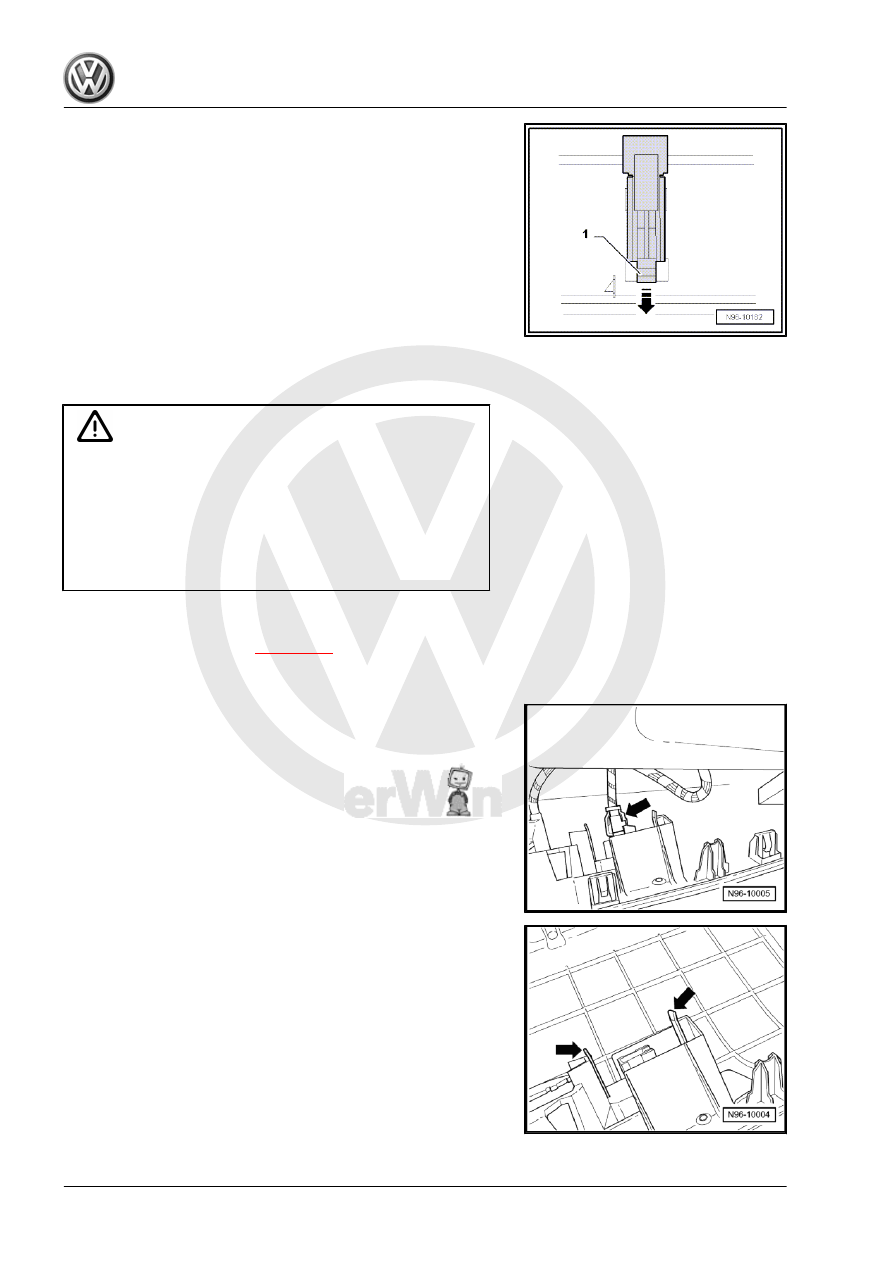
switch -E26- out of guide rail -arrow-.

Installing
Installation is carried out in reverse order of removal.

2.4

Removing and installing regulator for

switch and instrument illumination -E20-

Caution

♦ Switch off ignition and all electrical consumers.
♦ Remove the ignition key.
♦ When removing and installing components that are in view

(switches, covers, trim), mask off areas where tools ( re‐

moval wedge -VAS 3409- , screwdriver) are used to lever

out those components using commercially available

masking tape.

Removing
– Remove light switch -E1- 

⇒ page 383

 .

– Removing driver side storage compartment ⇒  General body

repairs, interior; Rep. gr.  68 .

– Disconnect connector -arrow-.

– Release locking lugs -arrows- and remove regulator for switch

and instrument illumination -E20- .

Installing
Installation is carried out in reverse order of removal.

386

Removing and installing warning lamp

for airbag deactivated on front passen‐

ger side -K145-

WARNING

Comply with the safety precautions when working on the airbag

⇒  General body repairs, interior; Rep. gr.  69 .

Caution

♦ Switch off ignition and all electrical consumers.
♦ Remove the ignition key.
♦ When removing and installing components that are in view

(switches, covers, trim), mask off areas where tools ( re‐

moval wedge -VAS 3409- , screwdriver) are used to lever

out those components using commercially available

masking tape.

Removing
– Remove centre vents ⇒  Heating, air conditioning system;

Rep. gr.  80 .

– Disconnect connectors -arrows-.

– Release locking lugs -arrows- and remove airbag warning

lamp from passenger side -K145- .

Installing
Installation is carried out in reverse order of removal.

2. Lights and switches in dash panel    

387

Removing and installing hazard warning

light switch -E3-

Caution

♦ Switch off ignition and all electrical consumers.
♦ Remove the ignition key.
♦ When removing and installing components that are in view

(switches, covers, trim), mask off areas where tools ( re‐

moval wedge -VAS 3409- , screwdriver) are used to lever

out those components using commercially available

masking tape.

Removing
– Remove centre vents ⇒  Heating, air conditioning system;

Rep. gr.  80 .

– Disconnect connectors -arrows-.

– Release locking lugs -arrows- and remove hazard warning

light switch -E3- .

Installing
Installation is carried out in reverse order of removal.

2.7

Removing and installing footwell lights

Left footwell light -W9- / right footwell light -W10- are removed and

installed in same way and description is only given for one.
Special tools and workshop equipment required

388

Caution

♦ Switch off ignition and all electrical consumers.
♦ Remove the ignition key.
♦ When removing and installing components that are in view

(switches, covers, trim), mask off areas where tools ( re‐

moval wedge -VAS 3409- , screwdriver) are used to lever

out those components using commercially available

masking tape.

Removing
– Use removal wedge -VAS 3409- to prise left footwell light -W9-

out of trim beneath dash panel.

– Disconnect connector -arrow-.
Renewing bulb:

2. Lights and switches in dash panel    

389


Content   ..  727  728  729  730   ..