Volkswagen Golf Variant / Jetta. Manual - part 627
 

  Index      Volkswagen     Volkswagen Golf Variant (2007), Jetta (2005) - service repair manual


Search            


Content   ..  625  626  627  628   ..


Volkswagen Golf Variant / Jetta. Manual - part 627


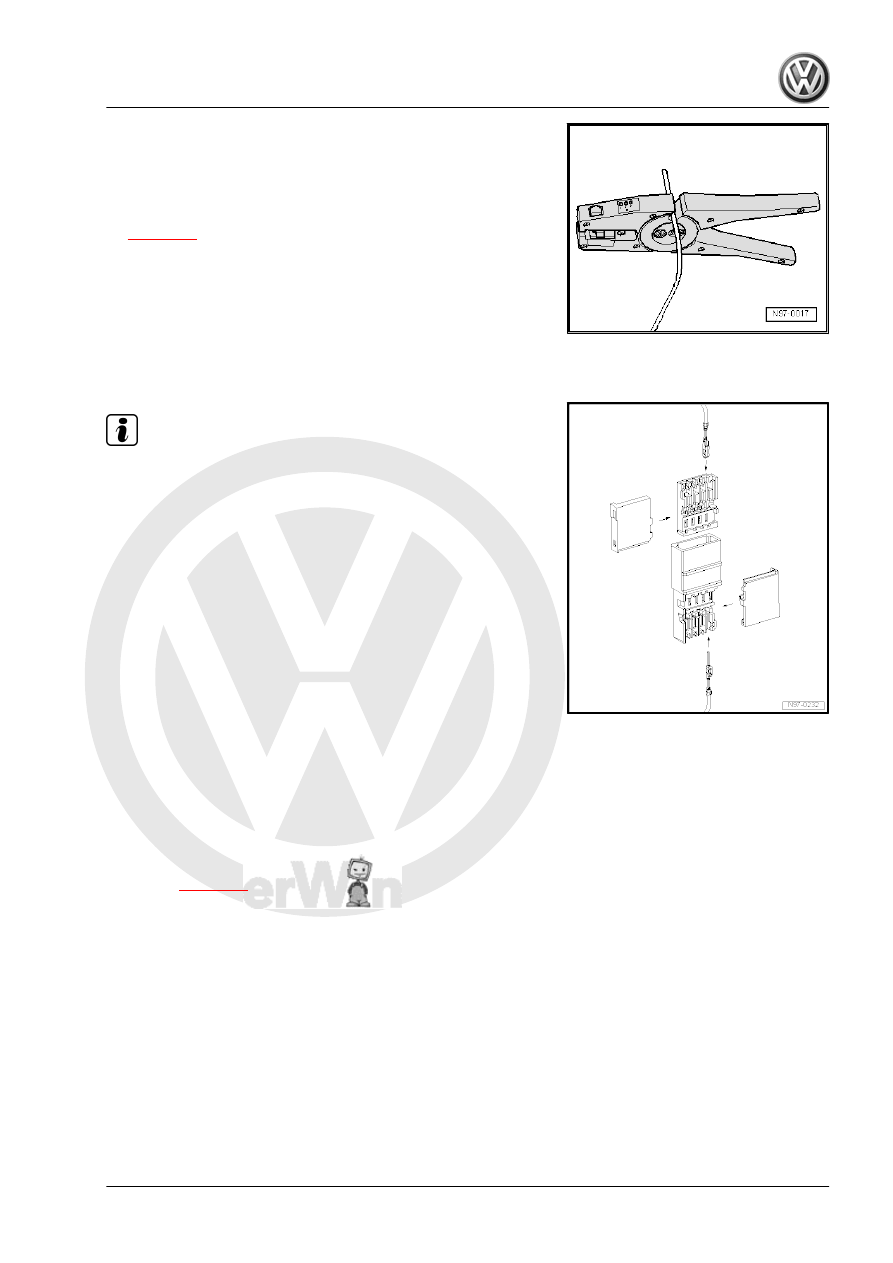
wiring harness accordingly using wire strippers -VAS 1978/3- .

– Crimp the stripped ends of the repair wire and single wire of

the vehicle's own wiring harness using the crimping pliers -

VAS 1978/1A- and a crimp connector, as described in the

chapter entitled “Wiring open circuit with one repair position”

⇒ page 98

 .

2.5.4

Repairs to contact housings using cut

and clamp technique

Note

For technical reasons, the contact housings for cut and clamp

technique can only be supplied with the cut and clamp con‐

tacts inserted.

These contacts can be removed just like any other contact

housing if they are not needed.

Repair wires can be supplied that already have the appropriate

contacts crimped on ⇒  Electronics parts catalogue “(ETKA)” .

2.6

Releasing and dismantling contact

housings

2.6.1

Notes on releasing and dismantling con‐

tact housings

♦ Observe the general notes on repairs to the vehicle electrical

system 

⇒ page 90

 .

♦ To release, always use the correct release tools. Under no

circumstances should the contacts be pulled out of the contact

housings with force.

♦ Damaged contact housings must always be replaced. New

contact housings can be ordered from the OTC in Kassel.

♦ As an aid to disengage the secondary locking mechanisms, a

small screwdriver can be used.

♦ The socket/pin assignment can be found stamped on the sec‐

ondary locking mechanism or on the rear of the contact hous‐

ing.

♦ For more detailed information about the locations of connec‐

tors, see ⇒ Current flow diagrams, Electrical fault finding and

Fitting locations.

2. Repairs to wiring harnesses and connectors    

105

vices can be gleaned from the table in the ⇒  operating instruc‐

tions of -VAS 1978/35- .

2.6.2

Secondary locking element

The secondary locking mechanism is a housing catch (second

line locking mechanism) that secures all the wires in one contact

housing. If a secondary locking mechanism is fitted to a contact

housing, this must always be opened or removed using the ap‐

propriate tool before releasing and pulling out individual crimp

contacts.
The secondary locking mechanism is different in colour from the

rest of the contact housing. This makes it easier to identify the

secondary locking mechanism and clarifies its intended function.
The types of contact housing shown here are just a few examples

to show the different functions of secondary locking mechanism.
Example 1
The housing catch is disengaged by removing a “toothed ele‐

ment” -arrow-.

Example 2
The housing catch is disengaged by opening a “flap” -arrow-.

Example 3
The housing catch can be disengaged by detaching a “slide”

-arrow-.

2.6.3

Primary locking element

The primary locking mechanism is what fixes an individual crimp

contact in the contact housing.
If necessary, any housing catches in place (secondary locking

mechanisms) must be released or removed prior to disengaging

the contacts using the prescribed tool 

⇒ page 106

 .

106

just a few examples to show the different functions of primary

locking mechanism.
♦ Round connector systems 

⇒ page 107

♦ Flat connector systems 

⇒ page 108

♦ Special connector systems 

⇒ page 109

The assignment of the correct release tool to the respective lock‐

ing device is indicated by the table in the ⇒  operating instructions

of -VAS 1978/35- .

2.6.4

Round connector systems

Any housing catches in place (secondary locking mechanisms)

must be released or removed prior to disengaging the contacts

using the prescribed tool 

⇒ page 106

 .

– Insert the release tool appropriate for the contact housing in

the release port of the contact housing.

– Grab hold of the contact by the wire and push it lightly into the

contact housing -arrow-.

Note

By pushing the contact in the direction of the contact housing, the

locking tabs of the contact are lifted up by the housing edge and

can be disengaged using the release tool.

– At the same time, push the release tool in the direction of the

contact housing -arrow- and pull out the released contact from

the contact housing.

– The release tool can be pulled out of the contact housing again

once the contact has been removed.

2. Repairs to wiring harnesses and connectors    

107

Flat connector systems

Any housing catches in place (secondary locking mechanisms)

must be released or removed prior to disengaging the contacts

using the prescribed tool 

⇒ page 106

 .

Flat connector with one locking tab
– Insert the release tool appropriate for the contact housing in

the release port of the contact housing.

– Grab hold of the contact by the wire and push it lightly into the

contact housing -arrow-.

Note

By pushing the contact in the direction of the contact housing, the

locking tab of the contact is lifted up by the housing edge and can

be disengaged using the release tool.

– At the same time, push the release tool in the direction of the

contact housing and pull out the released contact from the

contact housing -arrow-.

– The release tool can be pulled out of the contact housing again

once the contact has been removed.

Flat connector with two locking tabs

– Insert the release tool appropriate for the contact housing in

the release port of the contact housing.

– Grab hold of the contact by the wire and push it fully into the

contact housing -arrow-.

Note

By pushing the contact in the direction of the contact housing, the

locking tabs of the contact are lifted up by the housing edge and

can be disengaged using the release tool.

– At the same time, push the release tool in the direction of the

contact housing and pull out the released contact from the

contact housing -arrow-.

– The release tool can be pulled out of the contact housing again

once the contact has been removed.

Asymmetrical

108


Content   ..  625  626  627  628   ..