Volkswagen Golf Variant / Jetta. Manual - part 318
 

  Index      Volkswagen     Volkswagen Golf Variant (2007), Jetta (2005) - service repair manual


Search            


Content   ..  316  317  318  319   ..


Volkswagen Golf Variant / Jetta. Manual - part 318


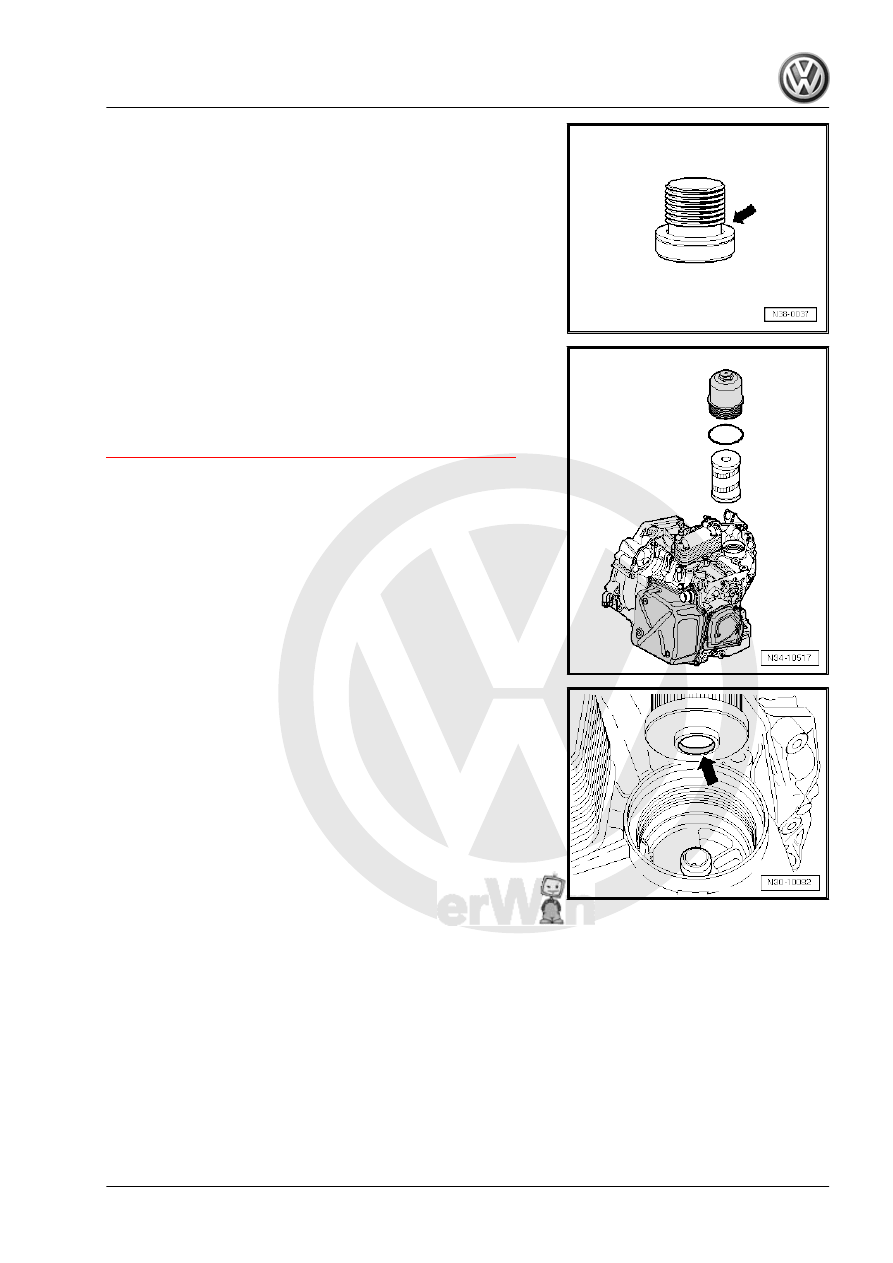
– Remove the filter if necessary.
There are Often Uncertainties as to Whether the Filter Must Be

Replaced or Not.
The information on changing the fluid filter can help when making

this decision. Refer to

⇒ “1.5.2 Transmission Fluid Filter, When To Change ”, page 4

 .

– Insert the new filter with the seat facing downward and tighten

the housing to 20 Nm.

– After repairing, the filter does not have to be changed again

when the filling fluid.

Removing the Clutch End Cover

2. Dual Clutch, Removing and Installing    

19

-1- in direction of -arrow- and remove.

– Remove the clutch end cover -2- with a screwdriver -1- (or a

pry bar) through the opening for the starter in the direction of

-arrow- and then remove the clutch end cover.

Note

The clutch end cover that was removed cannot be installed

again.

Only install a »new« clutch end cover. Refer to

⇒ “2.2 Clutch End Cover, Installing”, page 20

 .

2.2

Clutch End Cover, Installing

⇒ “2.2.1 Clutch End Covers Delivered without Bushings, Instal‐

ling”, page 21
⇒ “2.2.2 Clutch End Covers Delivered with Bushings, Installing”,

page 23

There Are Two Types of Clutch End Covers.

20

to

⇒ “2.2.1 Clutch End Covers Delivered without Bushings, In‐

stalling”, page 21

 .

♦ Clutch end covers that are delivered with a white bushing. Re‐

fer to

⇒ “2.2.2 Clutch End Covers Delivered with Bushings, Instal‐

ling”, page 23

 .

2.2.1

Clutch End Covers Delivered without

Bushings, Installing

Special tools and workshop equipment required
♦ Clutch Cover Plate Guide Sleeve - T10302-
Always replace the clutch end cover and the locking ring. Never

use a hammer to install the clutch cover and never lubricate the

center seal or touch it.

Caution

Do not touch the hole in the center in a new clutch end cover.

The clutch end cover must not be touched inside the hole, oiled

or come into contact with any other substances in that area.

Leaks will develop.

– Only hold the clutch end cover as illustrated.

Caution

Clean the assembly sleeve before use and do not use scratch‐

ed assembly sleeves.

The new clutch cover must not have any oil in the around the

center seal and it must be dry.
– Clean end of clutch shaft if necessary.
Do not apply adhesive to inside of the cover.
– If this is done, carefully remove the adhesive!
Only coat outer edge of seal with DSG® transmission fluid.
– Place the sleeve on a level surface
The center seal on new clutch end cover must now be »pre-

formed«:

2. Dual Clutch, Removing and Installing    

21

whole sleeve. This brings the sealing lip into its installation

position.

– Remove the sleeve upward out of the clutch end cover and

place it on the end of the clutch shaft.

– Guide the clutch end cover horizontally over the sleeve and

press it evenly onto its seat.

Caution

Handle with care. Any type of impact on the clutch end cover

will cause leaks.

The clutch end cover can be carefully lifted in its seat using a

screwdriver -arrow- until a »new« locking clip can be installed.
– Install the new circlip.
– Remove the Clutch Cover Plate Guide Sleeve - T10302- .

22


Content   ..  316  317  318  319   ..