Volkswagen Golf / Golf Plus. Manual - part 217
s
p
e
c
t
t
o
th
e
c
o
rr
e
c
t
n
e
s
s
o
f
in
fo
r
m
a
tio
n
in
th
is
d
o
c
um
en
t.
C
o
py
rig
ht b
y
V
olk
sw
a
ge
n
A
G.
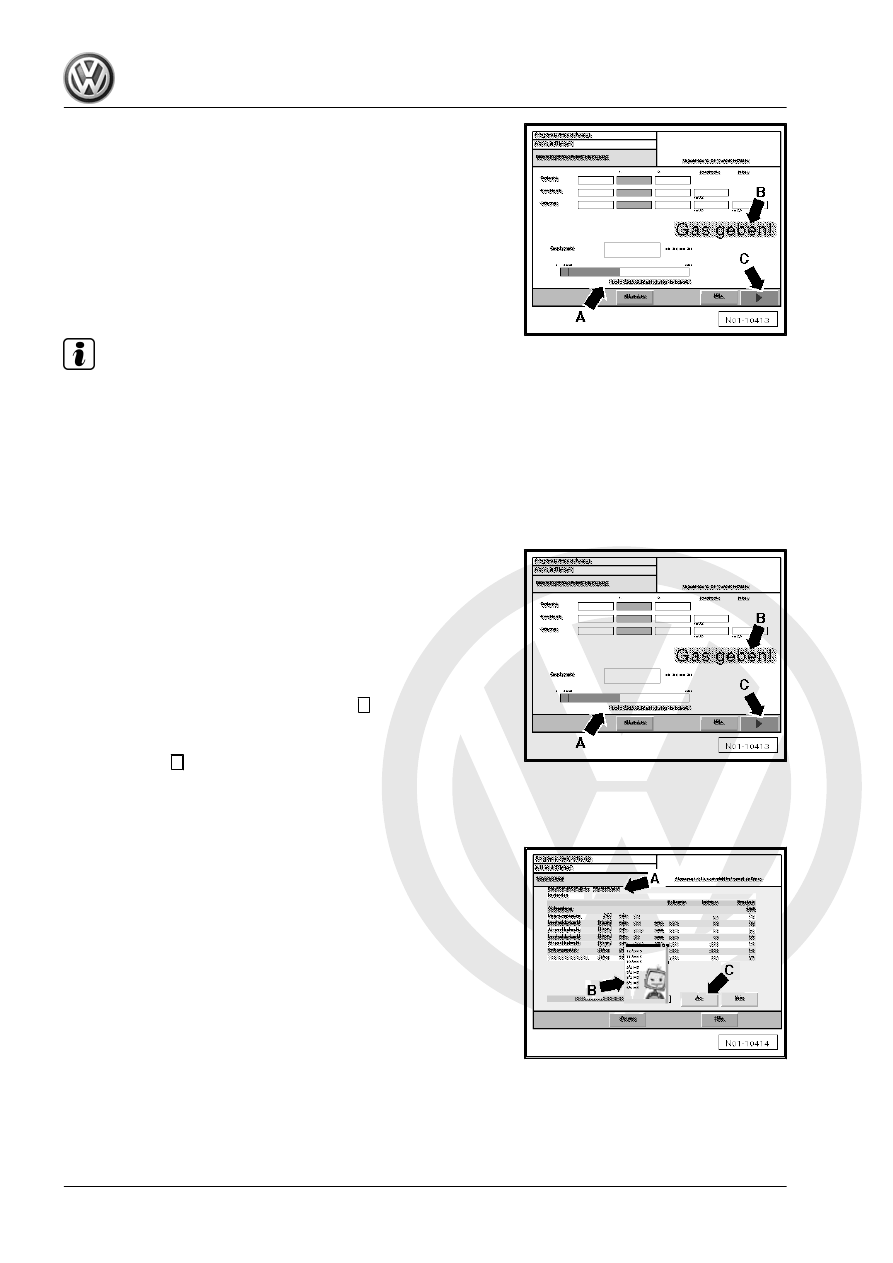
– Follow instructions on display -arrow B-.
– Depress accelerator pedal fully when prompted and hold until
the prompt for idling is shown on display.
Free acceleration - phase 3:
– Remove foot from accelerator pedal when the prompt for idling
is shown on display -arrow B- and run engine at idling speed.
The test results and information on the latest “Free acceleration”
are shown on display -arrow A-. If the measured values are not
OK, here you can obtain information why the “Free acceleration”
has failed.
Note
♦
If the field is coloured white the measured value is within tol‐
erance.
♦
If the field is coloured red the measured value is outside tol‐
erance.
♦
If the field is coloured yellow the measured value is outside
tolerance, but can be assessed by the operator.
Further throttle bursts:
– Follow instructions on display -arrow B-.
Now the next throttle burst follows, starting with phase 1 of “Free
acceleration”.
Many “Free accelerations” can be carried out until:
♦ Three “Free accelerations” have been completed in succes‐
sion and the range of acceleration is OK.
♦ All values are OK, with the exception of range of acceleration,
and the test is continued by pressing the
→
button -arrow C-.
(In this case, the operator assesses if the value is OK.)
♦ The values are not OK and the measurement is skipped by
pressing the
→
button -arrow C-.
If the measured values are OK after three throttle bursts in suc‐
cession, i.e. all fields are coloured white, the exhaust emissions
test is completed.
Evaluation:
When the exhaust emissions test has been performed, the log is
shown on display.
The test result is displayed.
Now remarks concerning the exhaust emissions test can be en‐
tered -arrow A-. They will then be included in the test log.
– When the exhaust emissions test is classed as passed, select
-arrow B- EET sticker issued in drop-down menu and date.
– Then confirm with “Yes” -arrow C-.
The exhaust emissions test log is shown on display and can be
printed out as often as required in the menu “Print preview” using
“Print” button -arrow A-.
Maintenance - Edition 11.2009
178
5. Exhaust emissions test