Volkswagen Golf / Golf Plus. Manual - part 90
 

  Index      Volkswagen     Volkswagen Golf (2004) / Golf Plus (2005) - service repair manual


Search            


Content   ..  88  89  90  91   ..


Volkswagen Golf / Golf Plus. Manual - part 90


Specified torque

Universal joint to steering box

♦ Use new bolt

30 Nm

Steering column to mounting bracket

20 Nm

5.3

Basic setting for steering angle sensor

G85 steering angle sender must be

checked after the following repair work:

♦ When vehicle steering angle sensor -G85- is removed or re‐

newed,

♦ If steering column was removed or renewed;
♦ If steering lock housing with steering column switch was re‐

moved or renewed;

♦ If steering box was removed or renewed;
♦ If steering wheel was repositioned.

5.4

Handling and transporting steering col‐

umn

WARNING

♦ Adherence to proper steering column handling is essen‐

tial.

♦ Improper handling of steering column may damage the

steering column, leading to safety risks.

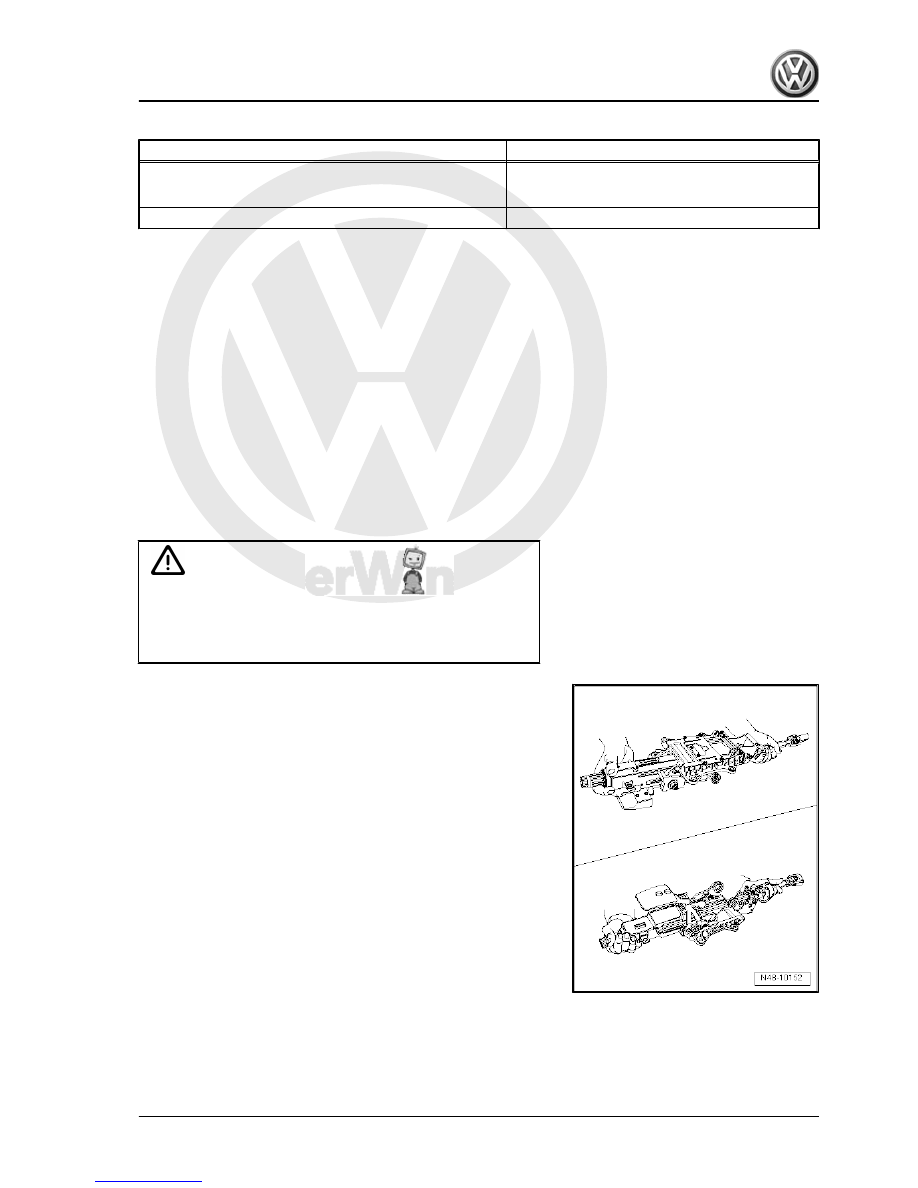
Proper steering column handling and transport
♦ Use both hands to transport steering column.
♦ Hold steering column upper jacket tube and in area of upper

universal joint.

5. Steering column, Golf Plus, CrossGolf    

357


Improper handling of steering column with safety risks
Following methods of handling will damage universal joint bushes

of lower steering column bearing:
♦ Transporting steering column with one hand on jointed shaft.
♦ Bending joints more than 90°.

5.5

Checking steering column for damage

Visual check
– Check all steering column parts for damage.
Checking function
– Check that steering column turns smoothly and easily.
– Check that steering column can be adjusted in reach and

height.

5.6

Removing and installing mounting

bracket

Special tools and workshop equipment required

358

     Rep. Gr.48 - Steering


⇒ page 339

 .

– Remove dash panel insert ⇒  Electrical system; Rep. Gr.  90 ;

Dash panel insert; Removing and installing dash panel insert .

– Remove bolts -arrows- under bracket.

– Push connector -1- in -direction of arrow- and remove from

support in mounting bracket.

– Remove bolts -arrows- from bracket to body.

Note

Bolts -arrows- are screwed in from cross member.

– Unscrew bolt -1- and remove mounting bracket from body.
Installing

5. Steering column, Golf Plus, CrossGolf    

359


Note

Bolts -arrows- are screwed in from cross member.

– Insert connector -1- into support in mounting bracket and push

to stop opposite -direction of arrow-.

– Install bolts -arrows- under bracket.
– Install steering column 

⇒ page 342

 .

– Install dash panel insert ⇒  Electrical system; Rep. Gr.  90 ;

Dash panel insert; Removing and installing dash panel insert .

– Perform basic settings for steering angle sensor -G85- using

vehicle diagnosis, testing and information system -VAS

5051B- .

Specified torques

Component

Specified torque

Mounting bracket to body

20 Nm

Strut to mounting bracket

20 Nm

Steering column to mounting bracket

20 Nm

5.7

Removing and installing strut

Special tools and workshop equipment required

360

     Rep. Gr.48 - Steering


Content   ..  88  89  90  91   ..