Infiniti QX55 (2023 year). Manual in english - page 1
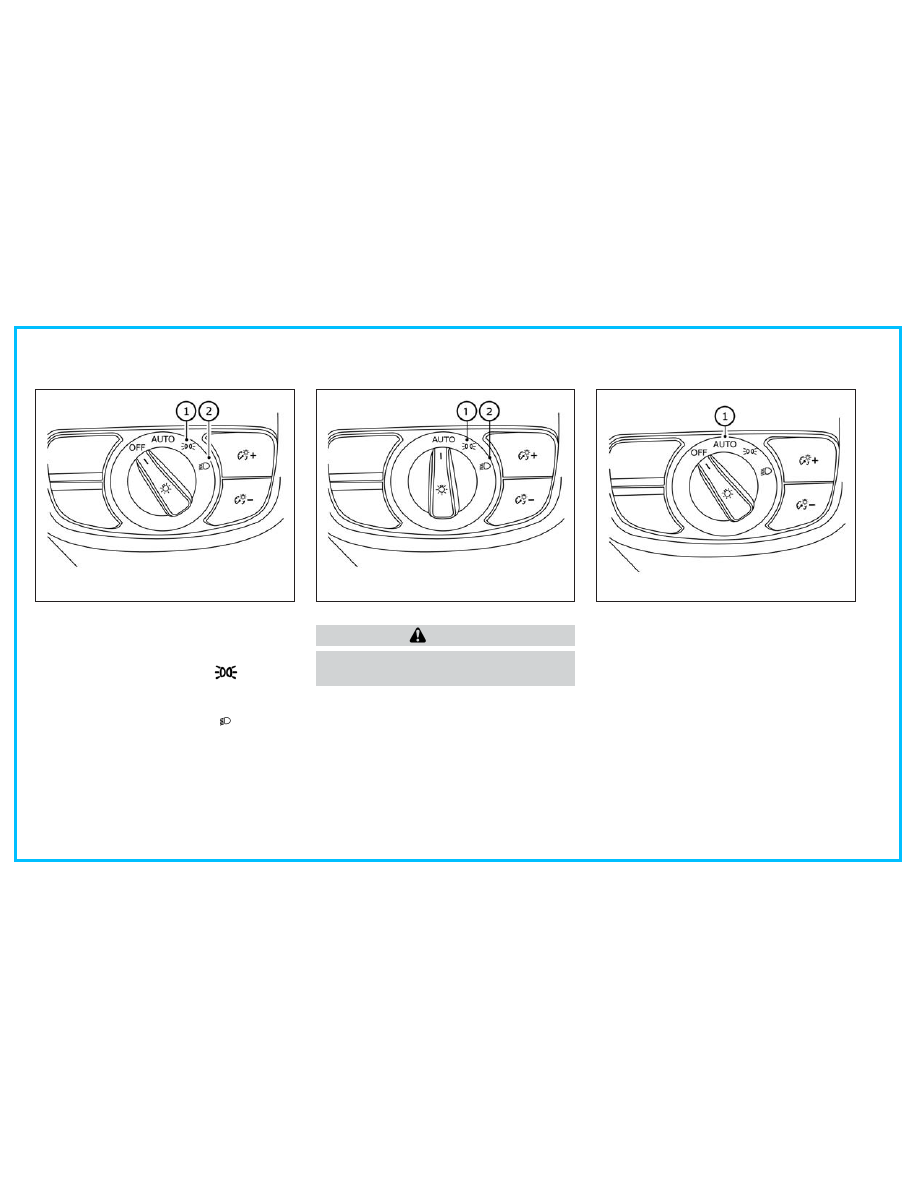
HEADLIGHT CONTROL SWITCH
Lighting
䊊
1
Rotate the switch to the
position,
and the front parking, tail, license plate,
and instrument panel lights will come on.
䊊
2
Rotate the switch to the
position,
and the headlights will come on and all
the other lights remain on.
CAUTION
Use the headlights with the engine running
to avoid discharging the vehicle battery.
Autolight system
The autolight system allows the headlights to
turn on and off automatically. The autolight
system can:
• Turn on the headlights, front parking, tail,
license plate and instrument panel lights
automatically when it is dark.
• Turn off all the lights (except daytime run-
ning lights) when it is light.
• Keep all the lights on for a period of time
after you place the ignition switch in the
OFF position and all doors are closed.
LIC3818
Type A (if so equipped)
LIC4755
Type B (if so equipped)
LIC3819
Type A (if so equipped)
HEADLIGHT SWITCH
-------------------------------------------------------------------------------------------------------------------------------------------------------------
NOTE:
Autolight activation sensitivity and the
time delay for autolight shutoff can be
adjusted. For additional information, refer
to the separate INFINITI InTouch® Owner’s
Manual.
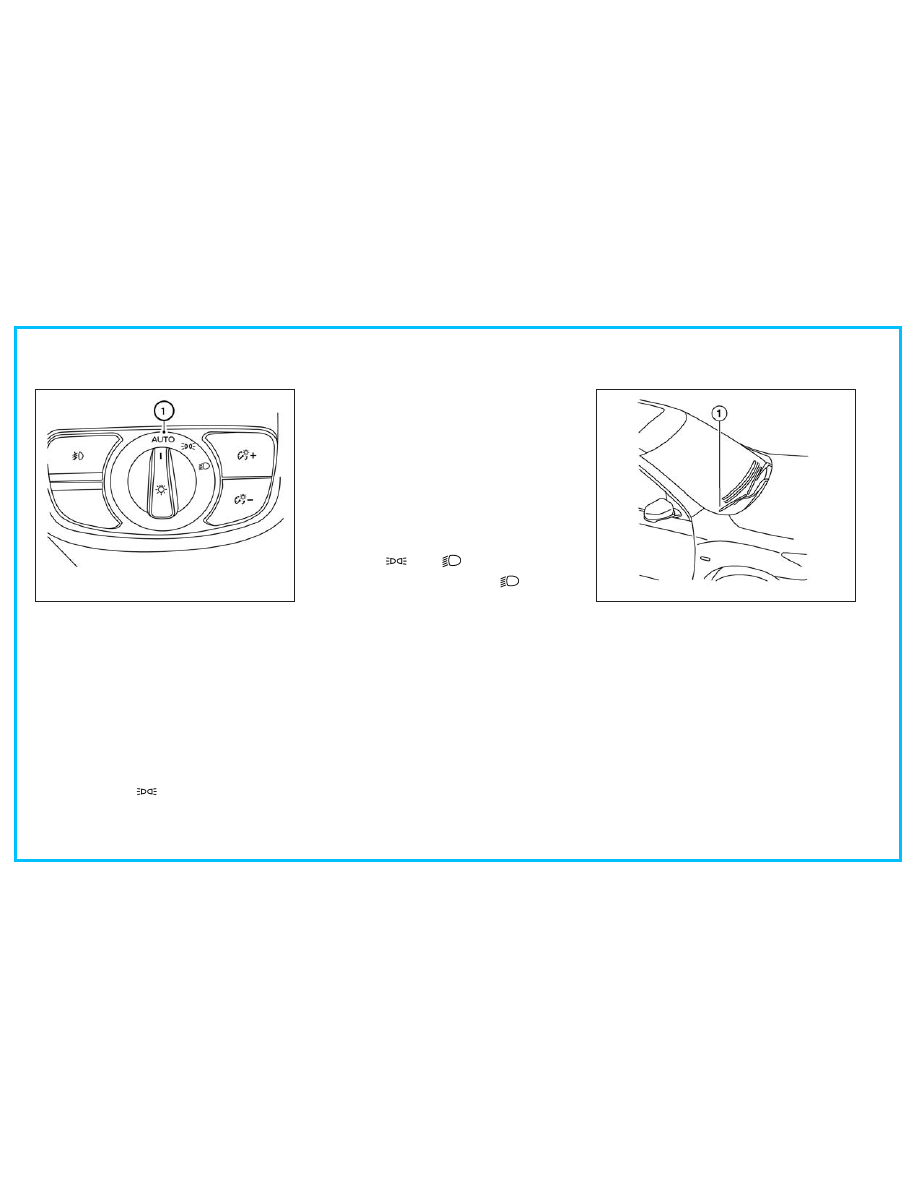
To turn on the autolight system:
1.
For USA:
Turn the headlight switch to the
AUTO position
O
1
.
For CAN:
Turn the headlight switch to the
AUTO
O
1
or
position.
2. Place the ignition switch in the ON position.
3. The autolight system automatically turns
the headlights on and off.
Initially, if the ignition switch is placed in the
OFF position and a door is opened and left
open, the headlights remain on for a period of
time. If another door is opened while the
headlights are on, then the timer is reset.
To turn the autolight system off:
For USA:
Turn the switch to the OFF (if so
equipped),
, or
position.
For CAN:
Turn the switch to the
position.
If the ignition switch is pushed to the OFF
position and one of the doors is opened and
this condition is continued, the headlights re-
main on for 5 minutes.
Be sure you do not put anything on top of the
autolight sensor located in the top side
O
1
of
the instrument panel. The autolight sensor
controls the autolight; if it is covered, the
autolight sensor reacts as if it is dark out and
the headlights will illuminate. If this occurs
while parked with the engine off and the ig-
nition switch placed in the ON position, your
vehicle's battery could become discharged.
LIC4756
Type B (if so equipped)
LIC2237