Infiniti QX50 (2023 year). Manual in english - page 4
 

  Index      Manuals     Infiniti QX50 (2023 year). Manual in english


Search            copyright infringement  


Content      ..     2      3      4      5     ..


Infiniti QX50 (2023 year). Manual in english - page 4


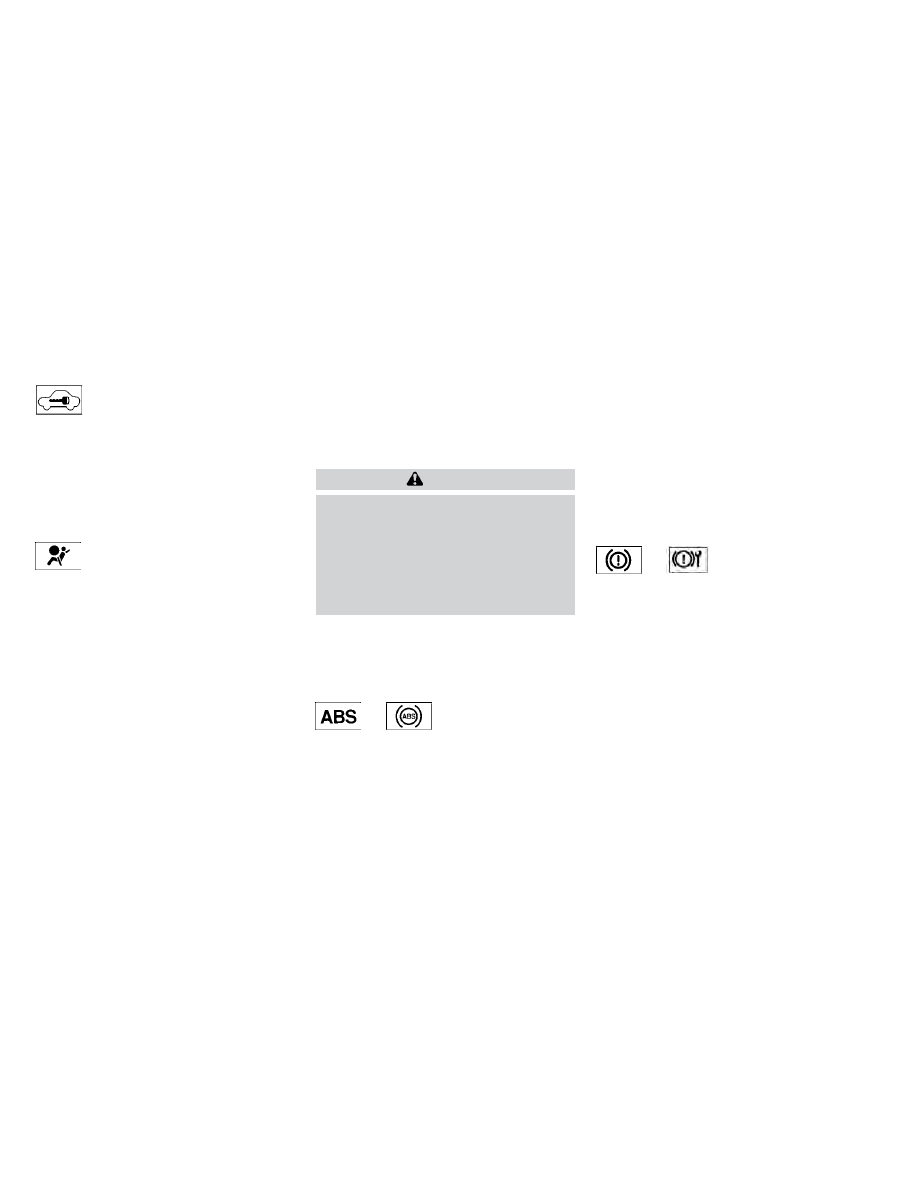
Security indicator light

This light blinks when the ignition switch is
placed in the OFF or LOCK position.

The blinking security indicator light indicates
that the security systems equipped on the
vehicle are operational.

For additional information, see “Security sys-
tems” (P. 2-33).

Supplemental air bag
warning light

When the ignition switch is placed in the ON
position, the supplemental air bag warning
light illuminates for about 7 seconds and
then turns off. This means the system is
operational.

If any of the following conditions occur, the
front air bag, side air bag, curtain air bag, and
pretensioner seat belt systems need servicing:
• The supplemental air bag warning light re-

mains on after approximately 7 seconds.

• The supplemental air bag warning light

flashes intermittently.

• The supplemental air bag warning light

does not come on at all.

It is recommended that you visit an INFINITI
retailer for these services.

Unless checked and repaired, the supplemen-
tal restraint system (air bag system) and/or
the pretensioners may not function properly.
For additional information, see “Supplemen-
tal Restraint System (SRS)” (P. 1-41).

WARNING

If the supplemental air bag warning light is
on, it could mean that the front air bag, side
air bag, curtain air bag and/or preten-
sioner systems will not operate in an acci-
dent. To help avoid injury to yourself or
others, have your vehicle checked as soon
as possible. It is recommended that you
visit an INFINITI retailer for this service.

WARNING/INDICATOR LIGHTS
(yellow)

For additional information, see “Vehicle in-
formation display” (P. 2-19).

or

Anti-lock Braking
System (ABS)
warning light

When the ignition switch is placed in the ON
position, the ABS warning light illuminates
and then turns off. This indicates the ABS is
operational.

If the ABS light comes on while the engine is
running, it may indicate the anti-lock braking
system is not functioning properly. Have the
system checked. It is recommended that you
visit an INFINITI retailer for this service.

If an ABS malfunction occurs, the anti-lock
function is turned off. The brake system then
operates normally, but without anti-lock
assistance. For additional information, see
“Brake system” (P. 5-140).

or

Electronic parking

brake warning light

The electronic parking brake system warning
light functions for the electronic parking
brake system. If the warning light illuminates,
it may indicate the electronic parking brake
system is not functioning properly. Have the
system checked. It is recommended that you
visit an INFINITI retailer for this service.

For additional information, see “Electronic
parking brake” (P. 5-24).

Instruments and controls

2-13

CarManuals2.com

-------------------------------------------------------------------------------------------------------------------------------------------------------------

Forward Emergency
Braking (FEB) with
Pedestrian Detection
system warning light

This light comes on when the ignition switch
is placed in the ON position. It turns off after
the engine is started.

This light illuminates when the FEB with
Pedestrian Detection system is set to OFF in
the lower display.

If the light illuminates when the FEB with
Pedestrian Detection system is on, it may
indicate that the system is unavailable. For
additional information, see “Forward Emer-
gency Braking (FEB) with Pedestrian Detec-
tion” (P. 5-109) and “Predictive Forward
Collision Warning (PFCW)” (P. 5-120).

Front passenger air bag
status light

The front passenger air bag status light will
be lit and the passenger front air bag will be
off depending on how the front passenger
seat is being used.

For additional information, see “Front pas-
senger air bag and status light” (P. 1-52).

Low tire pressure warning
light

Your vehicle is equipped with a Tire Pressure
Monitoring System (TPMS) that monitors the
tire pressure of all tires.

The low tire pressure warning light warns of
low tire pressure or indicates that the TPMS
is not functioning properly.

After the ignition switch is placed in the ON
position, this light illuminates for about 1 sec-
ond and turns off.

Low tire pressure warning

If the vehicle is being driven with low tire
pressure, the warning light will illuminate. A
“Tire Pressure Low - Add Air” warning also
appears in the vehicle information display.

When the low tire pressure warning light il-
luminates, you should stop and adjust the
tire pressure of all four tires to the recom-
mended COLD tire pressure shown on the
Tire and Loading Information label located in
the driver's door opening. The low tire pres-
sure warning light does not automatically
turn off when the tire pressure is adjusted.
After the tire is inflated to the recommended
pressure, the vehicle must be driven at
speeds above 16 mph (25 km/h) to activate

the TPMS and turn off the low tire pressure
warning light. Use a tire pressure gauge to
check the tire pressure.

The “Tire Pressure Low - Add Air” warning
appears each time the ignition switch is placed
in the ON position as long as the low tire
pressure warning light remains illuminated.

For additional information, see “Vehicle in-
formation display” (P. 2-19) and “Tire Pres-
sure Monitoring System (TPMS)” (P. 5-5) and
(P. 6-3).

TPMS malfunction

If the TPMS is not functioning properly, the
low tire pressure warning light will flash for
approximately 1 minute when the ignition
switch is placed in the ON position. The light
will remain on after 1 minute. Have the sys-
tem checked. It is recommended that you visit
an INFINITI retailer for this service. The "Tire
Pressure Low — Add Air" warning does not
appear if the low tire pressure warning light
illuminates to indicate a TPMS malfunction.

For additional information, see “Tire Pressure
Monitoring System (TPMS)” (P. 5-5) and “Tire
pressure” (P. 8-27).

2-14

Instruments and controls

CarManuals2.com

-------------------------------------------------------------------------------------------------------------------------------------------------------------

WARNING

Radio waves could adversely affect elec-
tric medical equipment. Those who use a
pacemaker should contact the electric
medical equipment manufacturer for the
possible influences before use.

If the light does not illuminate with the
ignition switch placed in the ON position,
have the vehicle checked as soon as pos-
sible. It is recommended that you visit an
INFINITI retailer for this service.

If the light illuminates while driving,
avoid sudden steering maneuvers or
abrupt braking, reduce vehicle speed,
pull off the road to a safe location and
stop the vehicle as soon as possible. Driv-
ing with under-inflated tires may perma-
nently damage the tires and increase the
likelihood of tire failure. Serious vehicle
damage could occur and may lead to an
accident and could result in serious per-
sonal injury or death. Check the tire pres-
sure for all four tires. Adjust the tire
pressure to the recommended COLD tire
pressure shown on the Tire and Loading
Information label located in the driver’s
door opening to turn the low tire pres-
sure warning light OFF. If the light still

illuminates while driving after adjusting
the tire pressure, a tire may be flat or the
TPMS may be malfunctioning. If you
have a flat tire, replace it with a replace-
ment tire as soon as possible. If no tire is
flat and all tires are properly inflated,
have the vehicle checked. It is recom-
mended that you visit an INFINITI re-
tailer for this service.

When using a wheel without the TPMS
such as the spare tire, the TPMS will not
function and the low tire pressure warning
light will flash for approximately 1 minute.
The light will remain on after 1 minute.
Have your tires replaced and/or TPMS
system reset as soon as possible. It is rec-
ommended that you visit an INFINITI re-
tailer for these services.

Replacing tires with those not originally
specified by INFINITI could affect the
proper operation of the TPMS.

CAUTION

The TPMS is not a substitute for the
regular tire pressure check. Be sure to
check the tire pressure regularly.

If the vehicle is being driven at speeds of
less than 16 mph (25 km/h), the TPMS
may not operate correctly.

Be sure to install the specified size of
tires to the four wheels correctly.

Malfunction Indicator Light
(MIL)

If this indicator light comes on steady or blinks
while the engine is running, it may indicate a
potential emission control malfunction.

The MIL may also come on steady if the
fuel-filler cap is loose or missing, or if the
vehicle runs out of fuel. Check to make sure
the fuel-filler cap is installed and closed
tightly, and that the vehicle has at least 3 gal-
lons (11.4 liters) of fuel in the fuel tank.

After a few driving trips, the

light should

turn off if no other potential emission control
system malfunction exists.

If this indicator light comes on steady for
20 seconds and then blinks for 10 seconds
when the engine is not running, it indicates
that the vehicle is not ready for an emission
control system inspection/maintenance test.
For additional information, see “Readiness for
Inspection/Maintenance (I/M) test” (P. 10-35).

Instruments and controls

2-15

CarManuals2.com

-------------------------------------------------------------------------------------------------------------------------------------------------------------

Master warning light

When the ignition switch is in the ON posi-
tion, the master warning light illuminates if
any of the following (if so equipped) are dis-
played on the vehicle information display:
• I-Key system warnings
• Low washer fluid warning
• Door/ liftgate open warning (when vehicle

is stopped)

• Loose fuel cap warning
• Low tire pressure warning
• Flat tire warning
• Transmission system warning
• Headlight warning
• Driver Attention Support system warning
• Shipping mode warning
• All Wheel Drive (AWD) system warning
• Adaptive Front lighting System (AFS)

warning

• Driving Aids malfunction warning
• Chassis Control system warning
• Engine warnings

For additional information, see “Vehicle in-
formation display” (P. 2-19).

Power steering warning
light

WARNING

If the engine is not running or is turned
off while driving, the power assist for the
steering will not work. Steering will be
harder to operate.

When the power steering warning light
illuminates with the engine running,
there will be no power assist for the
steering. You will still have control of the
vehicle, but the steering will be harder to
operate. Have the power steering sys-
tem checked. It is recommended that you
visit an INFINITI retailer for this service.

Models with Direct Adaptive Steering®:

When the ignition switch is in the ON posi-
tion, the power steering warning light illumi-
nates. After starting the engine, the power
steering warning light stays on for a few
seconds and turns off. This indicates that
Direct Adaptive Steering is operational. Drive
the vehicle after the power steering warning
light turns off.

If the power steering warning light illumi-
nates while driving, pull off the road to a safe
location and stop the vehicle. If the power

steering warning light turns off, you can drive
again. If the power steering warning light
continues to illuminate, have the Direct
Adaptive Steering checked. It is recom-
mended that you visit an INFINITI retailer for
this service. For additional information, see
“Power Steering”. (P. 5-137).

Models with electric power steering:

When the ignition switch is in the ON posi-
tion, the power steering warning light illumi-
nates. After starting the engine, the power
steering warning light turns off. This indicates
the electric power steering is operational.

If the power steering warning light illumi-
nates while the engine is running, it may
indicate the electric power steering is not
functioning properly and may need servicing.
It is recommended that you have the electric
power steering checked by an INFINITI
retailer.

When the power steering warning light illu-
minates with the engine running, the power
assist to the steering will cease operation but
you will still have control of the vehicle. At this
time, greater steering efforts are required to
operate the steering wheel, especially in
sharp turns and at low speeds. For additional
information, see “Power Steering” (P. 5-137).

2-16

Instruments and controls

CarManuals2.com

-------------------------------------------------------------------------------------------------------------------------------------------------------------

Rear Automatic Braking
(RAB) system warning light

This light comes on when the ignition switch
is placed in the ON position. It turns off after
the engine is started.

This light illuminates when the RAB system is
turned off in the vehicle information display.

If the light illuminates when the RAB system
is on, it may indicate that the system is un-
available. For additional information, see
“Rear Automatic Braking (RAB)” (P. 5-104).

Slip indicator light

This indicator light will blink when the VDC
system is operating, thus alerting the driver to
the fact that the road surface is slippery and
the vehicle is nearing its traction limits.

You may feel or hear the system working; this
is normal.

The light will blink for a few seconds after the
VDC system stops limiting wheel spin.

The

indicator light also comes on when

you place the ignition switch in the ON posi-
tion. The light will turn off after a period of
time if the system is operational. If the light
does not come on have the system checked.

It is recommended that you visit an INFINITI
retailer for this service.

Vehicle Dynamic Control
(VDC) OFF indicator light

This indicator light comes on when the VDC is
turned off in the lower display. This indicates
the VDC has been turned off.

Turn the VDC on again by reactivating it in
the lower display, or restarting the engine.
The system will be reactivated. For additional
information, see “Vehicle Dynamic Control
(VDC) system” (P. 5-142).

The VDC light also comes on when the igni-
tion switch is placed in the ON position. The
light will turn off after a period of time if the
system is operational. If the light stays on or
comes on along with the

indicator light

while you are driving, have the VDC system
checked. It is recommended that you visit an
INFINITI retailer for this service.

WARNING

VDC should remain on unless freeing a ve-
hicle from mud or snow.

While the VDC system is operating, you
might feel a slight vibration or hear the sys-
tem working when starting the vehicle or ac-
celerating, but this is normal.

WARNING/INDICATOR LIGHTS
(other)

For additional information, see “Vehicle in-
formation display” (P. 2-19).

Automatic brake hold
indicator light (white/green)

This light illuminates to show the status of
the automatic brake hold system.

When the automatic brake hold system is on
standby, the indicator light will illuminate
white.

When the automatic brake hold system is op-
erating, the indicator light will illuminate green.

For additional information, see “Automatic
brake hold” (P. 5-26).

ECO drive indicator light
(green) (if so equipped)

When the ECO mode has been selected, the
ECO drive indicator light will illuminate, blink,
or remain off depending on the accelerator
pedal operation. This is to help the driver drive
economically. For additional information, see
“ECO mode” (P. 5-31).

Instruments and controls

2-17

CarManuals2.com

-------------------------------------------------------------------------------------------------------------------------------------------------------------

Front fog light indicator
light (green) (if so equipped)

The front fog light indicator light illuminates
when the front fog lights are on. For addi-
tional information, see “Fog light switch”
(P. 2-47).

High Beam Assist indicator
light (green)

This indicator light illuminates when the
headlights come on while the headlight
switch is in the AUTO position with the high
beams selected. This indicates that the high
beam assist is operational.

For additional information, see “Headlight
switch” (P. 2-40).

High beam indicator light
(blue)

This blue light comes on when the headlight
high beams are on and goes out when the
low beams are selected.

The high beam indicator light also comes on
when the passing signal is activated.

Side light and headlight
indicator light (green)

The side light and headlight indicator light
illuminates when the side light or headlights
are on (not including daytime running or sig-
nature lights). If the headlight switch is in the
AUTO position, the side light and headlight
indicator light will illuminate when the head-
lights turn on. For additional information, see
“Headlight switch” (P. 2-40).

Turn signal/hazard indicator
lights (green)

The appropriate light flashes when the turn
signal switch is activated.

Both lights flash when the hazard switch is
turned on.

AUDIBLE REMINDERS

Brake pad wear warning

The disc brake pads have audible wear warn-
ings. When a disc brake pad requires replace-
ment, it makes a high pitched scraping sound
when the vehicle is in motion, whether or not
the brake pedal is depressed. Have the brakes
checked as soon as possible if the warning
sound is heard.

Key reminder chime (if so equipped)

A chime sounds if the driver's door is opened
while the ignition switch is placed in the OFF
position or placed in the OFF or LOCK posi-
tion with the key left in the vehicle. Make sure
the ignition switch is placed in the LOCK
position, and take the key with you when
leaving the vehicle.

Light reminder chime

With the ignition switch placed in the OFF
position, a chime sounds when the driver's
door is opened if the headlights or parking
lights are on.

Turn the headlight control switch off before
leaving the vehicle.

Intelligent Key door buzzer (if so
equipped)

The Intelligent Key door buzzer sounds if any
one of the following improper operations is
found.
• The Intelligent Key is left inside the vehicle

when locking the doors.

• The Intelligent Key is taken outside the ve-

hicle when operating the vehicle.

2-18

Instruments and controls

CarManuals2.com

-------------------------------------------------------------------------------------------------------------------------------------------------------------

When the buzzer sounds, be sure to check
both the vehicle and the Intelligent Key
System. For additional information, see
“INFINITI Intelligent Key” (P. 3-6)

The vehicle information display is located to
the left of the speedometer. It displays such
items as:
• Trip computer information
• Drive system warnings and settings (if so

equipped)

• Intelligent Cruise Control (ICC) (if so

equipped) system information

• Intelligent Key operation information
• Indicators and warnings
• Tire Pressure information
• Compass
• Audio

• Fuel Economy
• Driving Aids
• Engine Oil
• Chassis Control
• Navigation (if so equipped)
• ProPILOT Assist
• Traffic Sign Recognition (if so equipped)
• Variable Compression Turbo
• Other information

LIC3224

VEHICLE INFORMATION DISPLAY

Instruments and controls

2-19

CarManuals2.com

-------------------------------------------------------------------------------------------------------------------------------------------------------------

HOW TO USE THE VEHICLE
INFORMATION DISPLAY

The vehicle information display can be navi-
gated using the

and

buttons lo-

cated on the steering wheel.

1.

and

— select/enter the vehicle

information display menu items

Vehicle settings and features can be adjusted
in the lower display. For additional informa-
tion, refer to the separate INFINITI InTouch®
Owner’s Manual.

STARTUP DISPLAY

When the vehicle in placed in the ON position
the screens that display in the vehicle infor-
mation include:
• Active system status
• Trip computer
• Speed Limit Sign (if so equipped)
• Tire pressure information
• Fuel economy
• Warnings
• Audio
• Navigation (if so equipped)
• Engine Oil
• Speed
• Intelligent Cruise Control (if so equipped)
• Variable Compression Turbo
• Chassis Control
• Driving Aids

Warnings will only display if there are any
present. For additional information see, “Ve-
hicle information display warnings and indi-
cators” (P. 2-24).

To control what items display in the vehicle
information display, refer to the separate
INFINITI InTouch® Owner’s Manual

LIC3944

2-20

Instruments and controls

CarManuals2.com

-------------------------------------------------------------------------------------------------------------------------------------------------------------

TRIP COMPUTER

LIC5117

Instruments and controls

2-21

CarManuals2.com

-------------------------------------------------------------------------------------------------------------------------------------------------------------

1. Vehicle speed (MPH or km/h)

The vehicle speed mode shows the current
vehicle speed and the average vehicle speed
since the last reset.

Average vehicle speed:

Push the

or

switch on the steering

wheel for longer than 1.5 seconds to reset.

The average vehicle display is updated every
30 seconds. the first 30 seconds after a rest,
the display shows “– – –’’

2. Elapsed time and trip odometer

Elapsed time:

The elapsed time shows the time since the
last reset. Push the

or

switch on

the steering wheel for longer than 1.5 sec-
onds to reset. The trip odometer is also reset
at the same time.

Trip odometer:

The trip odometer shows the total distance
the vehicle has been driven since the last
reset. Push the

or

switch on the

steering wheel for longer than 1.5 seconds to
reset. The elapsed time is also reset at the
same time.

3. Fuel economy display

Current fuel consumption:

The current fuel consumption mode shows
the current fuel consumption.

Average fuel consumption:

The average fuel consumption mode shows
the average fuel consumption since the last
reset. Push the

or

switch on the

steering wheel for longer than 1.5 seconds to
reset.

The display is updated every 30 seconds. For
about the first 1/3 of a mile (500 m) after a
reset, the display shows “– –.”

The average fuel consumption is also reset in
the lower display. For additional information,
refer to the separate INFINITI InTouch®
Owner’s Manual.

4. Navigation (if so equipped)

When the route guidance is set in the naviga-
tion system, this item shows the navigation
route information.

5. Audio

The audio mode shows the status of audio
information.

6. Driving Aids

The driving aids mode shows the operating
condition for the following systems (if so
equipped):
• Forward

–– Forward Emergency Braking with Pe-

destrian Detection system

–– Predictive Forward Collision Warning

(PFCW)

• Lane:

–– Lane Departure Warning (LDW)
–– Lane Departure Prevention (LDP)

• Blind Spot:

–– Blind Spot Warning (BSW)
–– Blind Spot Intervention® (BSI)

For additional information, see “Blind Spot
Intervention® (BSI)” (P. 5-54), “Blind Spot
Warning (BSW)” (P. 5-45), “Lane Departure
Warning (LDW)” (P. 5-35), “Forward Emer-
gency Braking (FEB) with Pedestrian Detec-
tion” (P. 5-109), “Predictive Forward Colli-
sion Warning (PFCW)” (P. 5-120) or “Lane
Departure Prevention (LDP)” (P. 5-40).

7. Tire Pressures

The tire pressure mode shows the pressure of
all four tires while the vehicle is driven.

2-22

Instruments and controls

CarManuals2.com

-------------------------------------------------------------------------------------------------------------------------------------------------------------

When the “Tire Pressure Low — Add Air” or
“Flat Tire — Visit dealer” warning appears, the
display can be switched to the tire pressure
mode by pushing the

or

switch to

reveal additional details on the displayed
warning.

For additional information, see “Low tire pres-
sure warning light” (P. 2-14), “Tire Pressure
Monitoring System (TPMS)” (P. 5-5), “Flat tire”
(P. 6-3) and “Types of tires” (P. 8-35)

8. Chassis Control

This mode shows the operating condition of
the following systems:
• Hill start assist system
• Automatic brake hold function
• Active Trace Control system
• Active Engine Brake system
• Active Ride Control system

For additional information, see “Chassis Con-
trol” (P. 5-144).

9. Oil control system

Engine oil information informs the distance
to oil change. Never exceed one year or 7500
miles (12000 km) between oil change inter-
vals. For additional information, see “Oil con-
trol system” (P. 2-24).

10. Variable Compression Turbo

This is not a physical gauge. It is a display
option in the vehicle information display that
can be selected. For additional information,
see “Variable Compression Turbo” (P. 2-8).

11. ProPILOT Assist

The ProPILOT Assist mode shows operating
conditions for the following systems:
• Intelligent Cruise Control (ICC)
• Steering Assist

The display will also be shown when the Pro-
PILOT Assist is turned on. For additional in-
formation, see “ProPILOT Assist” (P. 5-73).

12. Traffic Sign Recognition (if so
equipped)

The Traffic Sign Recognition (TSR) system
provides the driver with information about
the most recently detected speed limit.

For additional information, see “Traffic Sign
Recognition (TSR) (P. 5-32).

13. Compass

This display indicates the direction the vehicle
is heading.

RESETTING THE TRIP
COMPUTER

1. Press the

button until you reach the

trip computer mode.

2. Press the

button again for more

than 1.5 seconds to reset average fuel
consumption, average speed, distance to
empty, and journey time.

TIRE PRESSURE INFORMATION
(Display Settings)

The tire pressure mode shows the pressure of
all four tires while the vehicle is driven.

When the “Tire Pressure Low-Add Air” or
“Flat Tire-Visit dealer” (if so equipped)
warning appears, the display can be switched
to the tire pressure mode by pushing the
or

switch on the steering wheel.

The tire pressure unit can be changed in the
lower display.

1. Touch the “Settings” key.

2. Select “Meter” and then select “TPMS

settings”.

For additional information, refer to the sepa-
rate INFINITI InTouch® Owner’s Manual.

Instruments and controls

2-23

CarManuals2.com

-------------------------------------------------------------------------------------------------------------------------------------------------------------

NOTE:

After the ignition switch is placed in the ON
position, it may take a period of time for
the tire pressure to be displayed while the
vehicle is driven. Depending on the radio
wave circumstance, tire pressure may not
correctly be displayed.

OIL CONTROL SYSTEM

Engine oil information informs the distance
to oil change. Never exceed one year or 7500
miles (12000 km) between oil change
intervals.

Display when
ignition is ON

Display timing

Action Required

Engine Oil
Service due in
xxx miles

Remaining oil
life is less than
940 miles
(1500 km).

Plan to have
your vehicle
serviced.

Engine Oil
Service due

Remaining oil
life is 0 miles
(0 km).

Have your
vehicle serviced
within two
weeks or less
than 500 miles
(800 km).

The oil change interval cannot be adjusted
manually.

The distance to oil change interval is calcu-
lated depending on the driving conditions and
set automatically by the oil control system.

CAUTION

If the oil replacement indicator is displayed,
change the engine oil within two weeks or
less than 500 miles (800 km).

Operating the vehicle with deteriorated oil
can damage the engine.

To reset oil control system:

1. Place the ignition switch in the “ON”

position.

2. Push the trip computer switches

and

located on the right side of the steer-

ing wheel to change the display.

3. Select the Engine Oil Service due in xxx

miles display.

4. Push and hold the

or

switch for

longer than 1 second. Hold until the re-
maining distance changes to – – – miles
(km).

VEHICLE INFORMATION
DISPLAY WARNINGS AND
INDICATORS

The following messages may appear in your
vehicle information display.

Engine start operation for
Intelligent Key system
(if I-Key battery level is low)

This indicator appears when the battery of
the Intelligent Key is low and when the Intel-
ligent Key system and the vehicle are not
communicating normally.

If this appears, touch the ignition switch
with the Intelligent Key while depressing the
brake pedal. For additional information, see
“INFINITI Intelligent Key battery discharge”
(P. 8-22).

Key Battery Low

This indicator appears when the Intelligent
Key battery is running out of power.

If this indicator appears, replace the battery
with a new one. For additional information,
see “Battery replacement” (P. 8-22).

2-24

Instruments and controls

CarManuals2.com

-------------------------------------------------------------------------------------------------------------------------------------------------------------

Key ID Incorrect

This warning appears when the ignition
switch is placed in the OFF position and the
Intelligent Key is not recognized by the sys-
tem. You cannot start the engine with an
unregistered key.

For additional information, see “INFINITI In-
telligent Key System” (P. 3-6).

Key System Error: See
Owner’s Manual

After the ignition switch is placed in the ON
position, this warning appears for a period of
time and then turns off.

The Key System Error message warns of a
malfunction with the Intelligent Key system.
If the warning appears while the engine is
stopped, it may be impossible to start the
engine.

If the warning appears while the engine is
running, you can drive the vehicle. However in
these cases, have the system checked. It is
recommended that you visit an INFINITI re-
tailer for this service.

No Key Detected

This warning appears when the Intelligent
Key is left outside the vehicle with the ignition
switch in the ON position. Make sure the
Intelligent Key is inside the vehicle.

For additional information, see “INFINITI
Intelligent Key System” (P. 3-6).

AFS System Error: See Owner’s Manual

This message may appear when the Adaptive
Front lighting System (AFS) encounters an
error.

For additional information, see Adaptive
Front lighting System (AFS) (P. 2-45).

Rear Door Alert is activated

When the system is enabled, this message
appears when the Rear Door Alert system is
active and can remind the driver to check the
back seat.
• Using the steering wheel switch, a driver

can select “Dismiss Message” to clear the
display for a period of time. If no selection is
made, this message automatically turns off
after a period of time.

• Using the steering wheel switch, a driver

can select “Disable Alert” to disable the
horn alert for the remainder of the current
trip.

WARNING

Selecting “Dismiss Message” during a stop
within a trip temporarily dismisses the
message for that stop without turning the
system off. Alerts can be provided for
other stops during the trip. Selecting “Dis-
able Alert” turns off the Rear Door Alert
system for the remainder of a trip and no
audible alert will be provided.

NOTE:

This system is disabled until a driver enables
it using the vehicle information display. For
additional information, see “How to use the
vehicle information display” (P. 2-20).

For additional information, see “Rear Door
Alert” (P. 2-58).

Check Rear Seat For All Articles

When the system is enabled, this message
appears when the vehicle comes to a com-
plete stop, the vehicle is transitioned from the
D (Drive) position to P (Park) position, and the
driver exits the vehicle. This message alerts
the driver, after a period of time, to check for
items in the rear seat after the audible alert
has been provided.

Instruments and controls

2-25

CarManuals2.com

-------------------------------------------------------------------------------------------------------------------------------------------------------------

NOTE:

This system is disabled until a driver enables
it using the vehicle information display. For
additional information, see “How to use the
vehicle information display” (P. 2-20).

For additional information, see “Rear Door
Alert” (P. 2-58).

Chassis Control System Error: See
Owner’s Manual

This warning appears if the chassis control is
not functioning properly. Have the system
checked as soon as possible. It is recom-
mended that you visit an INFINITI retailer for
this service.

For additional information, see “Chassis Con-
trol” (P. 5-144).

Check position of shift lever

This message appears when a malfunction
occurs in the electric shift device.

Have the system checked. It is recommended
that you visit an INFINITI retailer for this
service.

Door/liftgate Open

This warning appears when a door or the
liftgate has been opened.

Flat Tire — Visit dealer

This warning appears when the low tire pres-
sure warning light in the meter illuminates
and one or more flat tires are detected while
driving. For additional information, see “Flat
tire” (P. 6-3) and “Types of tires” (P. 8-35).

Headlight System Error: See Owner’s
Manual

This warning appears when there is an error
with the system. For additional information,
see “Headlight switch” (P. 2-40).

INFINITI Drive Mode Selector indicator

When a driving mode is selected using the
INFINITI Drive Mode Selector, the selected
mode indicator is displayed.
• PERSONAL
• SPORT
• STANDARD
• ECO

For additional information, see “INFINITI
Drive Mode Selector” (P. 5-29).

Loose Fuel Cap

This warning appears when the fuel-filler cap
is not tightened correctly after the vehicle has
been refueled. For additional information,
see “Fuel-filler cap” (P. 3-28).

Low Fuel

This warning appears when the fuel level in
the fuel tank is getting low. Refuel as soon as
it is convenient, preferably before the fuel
gauge reaches 0 (Empty).

There will be a

small reserve of fuel in the tank when the fuel
gauge needle reaches 0 (Empty).

Low Washer Fluid

This warning appears when the windshield-
washer fluid is at a low level. Add windshield-
washer fluid as necessary. For additional
information, see “Windshield-washer fluid”
(P. 8-11).

Neutral Hold Mode activated indicator

This indicator appears when the Neutral hold
mode is activated. To exit the Neutral hold
mode, place the vehicle in any other shift
position other than N (Neutral). For addi-
tional information, see “Neutral hold mode
function” (P. 5-21).

2-26

Instruments and controls

CarManuals2.com

-------------------------------------------------------------------------------------------------------------------------------------------------------------

Neutral Hold Mode guidance indicator

This indicator appears after approximately 5
seconds when the shift position is in the N
(Neutral) position (Neutral hold mode is avail-
able). For additional information, see “Neu-
tral hold mode function” (P. 5-21).

Neutral Hold Mode was not activated
indicator

This indicator appears when the Neutral hold
mode is unavailable. To activate the Neutral
hold mode, wait for a while without shifting
and then perform the operations again. For
additional information, see “Neutral hold
mode function” (P. 5-21).

Power will turn off to save the battery

This warning appears in the message area of
the vehicle information display after a period
of time if the shift position has not moved
from the P (Park) position.

Power turned off to save the battery

This message appears after the ignition
switch is automatically turned off. For addi-
tional information, see “Push-button ignition
switch positions” (P. 5-14).

Press Brake Pedal

This message may appear in the following
situations:
• The driver tries to release the electronic

parking brake manually without depressing
the brake pedal.

• The vehicle is stopped on a steep hill; and

there is a possibility of moving backwards,
even if the electronic parking brake is
applied.

• The vehicle moves while the automatic

brake hold is activated.

For additional information, see “Electronic
parking brake” (P. 5-24).

Push brake and start switch
to drive

This indicator appears when the shift position
is in the P (Park) position.

This indicator also appears when the vehicle
has been started using the Remote Engine
Start (if so equipped) function.

This indicator means that the engine will start
by pushing the ignition switch with the brake
pedal depressed. You can start the engine
from any position of the ignition switch.

Rear seat belt reminder

This rear seat belt reminder appears when
the ignition switch is placed in the ON
position.

If any of the rear passenger seat belts are not
fastened, the seat belt icon illuminates in red
to show which seat belt is not fastened.
When a rear passenger’s seat belt has been
securely fastened, the color of the corre-
sponding seat belt icon will change. The
warning is displayed for approximately 65
seconds.

A chime will sound and the rear seat belt
warning will appear if a rear passenger’s seat
belt is unfastened. The chime will sound
when seat belt is unfastened with the vehicle
speed greater than 10 mph (15km/h). The
seat belt icon illuminates in red until the cor-
responding rear passenger’s seat belt is fas-
tened. The warning will automatically turn off
after approximately 35 seconds.

Release Parking Brake

This warning appears in the message area of
the vehicle information display when the
parking brake is set and the vehicle is driven.

Instruments and controls

2-27

CarManuals2.com

-------------------------------------------------------------------------------------------------------------------------------------------------------------

Reminder: Turn OFF
Headlights

This warning appears when the headlights
are left in the ON position when exiting the
vehicle. Place the headlight switch in the OFF
or AUTO position. For additional informa-
tion, see “Headlight switch” (P. 2-40).

Shift system malfunction: Visit Dealer

This message appears when a malfunction
occurs in the electric shift control system at
6 mph (10 km/h) or higher.

Have the system checked. It is recommended
that you visit an INFINITI retailer for this
service.

Shift to Park

This warning appears only when all the fol-
lowing conditions are met:
• The ignition switch is in the ON position.
• The driver’s door is open.
• Vehicle is stopped (or vehicle speed is less

than 1.8 mph (3 km/h).

• Shift position is in a position other than the

P (Park) position.

If this warning appears, press the P (Park)
button.

Shift to P range

This warning appears when the driver’s door
is opened with the shift position in any posi-
tion other than the P (Park) position.

If this warning appears, move the shift posi-
tion to the P (Park) position.

Shipping Mode On Push Storage Fuse

This warning may appear if the extended
storage switch is not pushed in. When this
warning appears, push in the extended stor-
age switch to turn off the warning. For addi-
tional information, see “Extended storage
switch” (P. 2-60).

Stop vehicle and Apply
parking brake

This message may appear when the battery
charge is low.

Please park vehicle as soon as possible. It is
recommended that you visit an INFINITI
retailer.

Transmission Shift Position
indicator

This indicator shows the transmission shift
position.

Tire Pressure Low - Add Air

This warning appears when the low tire pres-
sure warning light in the meter illuminates
and low tire pressure is detected. The
warning appears each time the ignition
switch is placed in the ON position as long as
the low tire pressure warning light remains
illuminated. If this warning appears, stop the
vehicle and adjust the tire pressures of all four
tires to the recommended COLD tire pressure
shown on the Tire and Loading Information
label. For additional information, see “Low tire
pressure warning light” (P. 2-14) and “Tire
Pressure Monitoring System (TPMS)” (P. 5-5).

When parked apply parking
brake

This message appears when a malfunction
occurs in the electric shift control system be-
low 6 mph (10 km/h).

Have the system checked. It is recommended
that you visit an INFINITI retailer for this
service.

AWD Error: See Owner’s
Manual

This warning appears when the All-Wheel
Drive (AWD) system is not functioning prop-
erly while the engine is running.

2-28

Instruments and controls

CarManuals2.com

-------------------------------------------------------------------------------------------------------------------------------------------------------------

AWD High Temp. Stop vehicle

This warning may appear while trying to free
a stuck vehicle due to increased oil tempera-
ture. The driving mode may change to
2-Wheel Drive (2WD). If this warning is dis-
played, stop the vehicle with the engine idling,
as soon as it is safe to do so. Then if the
warning turns off, you can continue driving.

AWD Tire Size Incorrect: See
Owner’s Manual

This warning may appear if there is a large
difference between the diameters of the
front and rear wheels. Pull off the road in a
safe area, with the engine idling. Check that
all the tire sizes are the same, that the tire
pressure is correct and that the tires are not
excessively worn.

CVT (AT) Malfunction Service now

This warning appears when there is a prob-
lem with the CVT system. If this warning
comes on, have the system checked. It is rec-
ommended that you visit an INFINITI retailer
for this service.

CVT (AT) hot Power reduced

This transmission has a high fluid tempera-
ture protection mode. If the fluid temperature
becomes too high (for example, climbing
steep grades in high temperatures with heavy
loads, such as when towing a trailer), engine
power and, under some conditions, vehicle
speed will be decreased automatically to re-
duce the chance of transmission damage.
Vehicle speed can be controlled with the ac-
celerator pedal, but the engine and vehicle
speed may be reduced.

WARNING

When the high fluid temperature protec-
tion mode operation occurs, vehicle speed
may be gradually reduced. The reduced
speed may be lower than other traffic,
which could increase the chance of a colli-
sion. Be especially careful when driving. If
necessary, pull to the side of the road at a
safe place and allow the transmission to
return to normal operation; or have it re-
paired if necessary.

Engine hot Power reduced

This engine has a high fluid temperature pro-
tection mode. If the fluid temperature be-
comes too high (for example, climbing steep
grades in high temperatures with heavy
loads, such as when towing a trailer), engine
power and, under some conditions, vehicle
speed will be decreased automatically to re-
duce the chance of engine damage. Vehicle
speed can be controlled with the accelerator
pedal, but the engine and vehicle speed may
be reduced.

WARNING

When the high fluid temperature protec-
tion mode operation occurs, vehicle speed
may be gradually reduced. The reduced
speed may be lower than other traffic,
which could increase the chance of a colli-
sion. Be especially careful when driving. If
necessary, pull to the side of the road at a
safe place and allow the engine to return to
normal operation; or have it repaired if
necessary.

Instruments and controls

2-29

CarManuals2.com

-------------------------------------------------------------------------------------------------------------------------------------------------------------

Engine Malfunction: Power Reduced
Service now

This warning appears when the engine is not
operating under normal conditions. If this
warning comes on, have the system checked.
It is recommended that you visit an INFINITI
retailer for this service.

Engine Malfunction Service now

This warning appears when there is a prob-
lem with the engine. If this warning comes on,
have the system checked. It is recommended
that you visit an INFINITI retailer for this
service.

Engine Stalled: Stop safely

This message appears 30 seconds before the
vehicle is shut down due to an above normal
operating exhaust temperature. The Mal-
function Indicator Light (MIL) and malfunc-
tion warning (red) will illuminate. Have the
system checked. It is recommended that you
visit an INFINITI retailer immediately for this
service.

Service CVT (AT) Power reduced

This transmission has a high fluid tempera-
ture protection mode. If the fluid temperature
becomes too high (for example, climbing
steep grades in high temperatures with heavy

loads, such as when towing a trailer), engine
power and, under some conditions, vehicle
speed will be decreased automatically to re-
duce the chance of transmission damage.
Vehicle speed can be controlled with the ac-
celerator pedal, but the engine and vehicle
speed may be reduced.

WARNING

When the high fluid temperature protec-
tion mode operation occurs, vehicle speed
may be gradually reduced. The reduced
speed may be lower than other traffic,
which could increase the chance of a colli-
sion. Be especially careful when driving. If
necessary, pull to the side of the road at a
safe place and allow the transmission to
return to normal operation; or have it re-
paired if necessary.

Blind Spot Warning (BSW)
indicator

This indicator appears when the BSW system
is engaged.

For additional information, see “Blind Spot
Warning (BSW)” (P. 5-45) and “Blind Spot
Intervention® (BSI)” (P. 5-54).

Cruise control indicator

This indicator shows the cruise control sys-
tem status.

When cruise control is activated, a green
circle will appear to indicate it is set. The
vehicle information display will also display
the speed the cruise control was set at. If you
accelerate past the set speed, the speed will
blink until you either cancel cruise control or
go back to the set speed. If cruise control is on
and canceled, the speed will be displayed to
show the speed the vehicle will return to if the
resume button is activated.

Currently Not Available

This message appears when the VDC system
is turned off. The following systems (if so
equipped) will be turned off automatically:
BSI system, LDP system and the ProPILOT
Assist system.

For additional information, see “Vehicle Dy-
namic Control (VDC)” (P. 5-142), “Blind Spot
Intervention® (BSI)” (P. 5-54), “Lane Depar-
ture Prevention (LDP)” (P. 5-40) and/or
“ProPILOT Assist” (P. 5-73).

2-30

Instruments and controls

CarManuals2.com

-------------------------------------------------------------------------------------------------------------------------------------------------------------

Lane Departure Prevention
(LDP) ON / Blind Spot
Intervention® (BSI) ON /
ProPILOT Assist status
indicator

This indicator shows when the LDP/BSI/
ProPILOT Assist system is engaged.

For additional information, see Lane Depar-
ture Prevention (LDP) (P. 5-40), Blind Spot
Intervention® (BSI) (P. 5-54), ProPILOT
Assist (P. 5-73).

Forward Driving Aids temporarily
disabled Front Sensor blocked See
Owner’s Manual

This message appears when the front radar
sensor may be obstructed due to:
• mud, dirt, snow, ice, etc.
• inclement weather (rain, fog, snow, etc.)

All forward driving aids are temporarily dis-
abled until the system detects that the front
radar sensor is no longer obstructed.

For additional information, see:
• Forward Emergency Braking (FEB) with

Pedestrian Detection (P. 5-109)

• Predictive

Forward

Collision

Warning

(PFCW) (P. 5-120)

• ProPILOT Assist (P. 5-73)

Lane Departure Warning
(LDW)/Lane Departure
Prevention (LDP) indicator

This indicator shows when the LDW/LDP
systems are engaged.

For additional information, see “Lane Depar-
ture Warning (LDW)” (P. 5-35) and “Lane
Departure Prevention (LDP) (P. 5-40).

Malfunction

This warning appears when one or more of
the following systems (if so equipped) is not
functioning properly:
• Blind Spot Intervention® (BSI)
• Blind Spot Warning (BSW)
• Forward Emergency Braking (FEB) with

Pedestrian Detection

• Lane Departure Warning (LDW)
• Lane Departure Prevention (LDP)
• Predictive

Forward

Collision

Warning

(PFCW)

• ProPILOT Assist
• Rear Cross Traffic Alert (RCTA)
• Traffic Sign Recognition (TSR)

If one or more of these warning appears, have
the system checked. It is recommended that
you visit an INFINITI retailer for this service.

Not Available Bad Weather

This message may appear when the Steering
Assist system is engaged.

Under the following condition, the Steering
Assist system is automatically canceled:
• When the wiper (HI) operates

The system will be available when the above
condition no longer exists.

Not Available: High Camera Temp

This message appears when the camera de-
tects an interior temperature of more than
104°F (40°C).

For additional information, see “Blind Spot
Intervention® (BSI)” (P. 5-54) , “Lane Depar-
ture Warning (LDW)” (P. 5-35), “Lane Depar-
ture Prevention (LDP)” (P. 5-40) or “Traffic
Sign Recognition (TSR)” (P. 5-32).

Not Available Poor Road Conditions

This message may appear when the ProPI-
LOT Assist system, the Blind Spot Interven-
tion® (BSI) system, or the Lane Departure
Prevention (LDP) system is engaged.

Instruments and controls

2-31

CarManuals2.com

-------------------------------------------------------------------------------------------------------------------------------------------------------------

Under the following conditions, the ProPILOT
Assist system, the Blind Spot Intervention®
(BSI) system, or the Lane Departure Prevention
(LDP) system is automatically canceled:
• When the VDC operates
• When a wheel slips

The above system cannot be used in some
situations (VDC operates and wheel slips).

Not Available Seat Belt Not
Fastened

This message may appear when the Intelli-
gent Cruise Control (ICC) (with ProPILOT
Assist) system is engaged.

Under the following condition, the ICC (with
ProPILOT Assist) system is automatically
canceled:
• When the driver’s seat belt is not fastened

The above system cannot be used when the
driver’s seat belt is not fastened.

Not Available Visibility is Impaired

This message may appear when the Intelli-
gent Cruise Control (ICC) (with ProPILOT
Assist) system is engaged.

Under the following conditions, The ICC
(with ProPILOT Assist) system is automati-
cally canceled:
• The camera area of the windshield is

fogged up or covered with dirt, water
drops, ice, snow, etc.

• Strong light, such as sunlight or high beams

from oncoming vehicles, enter the front
camera

The system will be available when the above
conditions no longer exist.

If the warning message continues to appear,
stop the vehicle in a safe location, turn the
engine off, and clean the windshield.

ProPILOT Assist indicators

These indicators show the ProPILOT Assist
system status.

For additional information, see “ProPILOT
Assist” (P. 5-73).

Rear Automatic Braking
(RAB) system indicator

This indicator appears to indicate the status
of the Rear Automatic Braking (RAB) system.
For additional information, see “Rear Auto-
matic Braking (RAB)” (P. 5-104).

Speed Limit Sign indicator

This message may appear when the Traffic
Sign Recognition system is engaged.

For additional information, see “Traffic Sign
Recognition (TSR)” (P. 5-32).

Steering Assist Alert

This message may appear when the Steering
Assist system is engaged.

It will be displayed under the following
condition:
• When not holding the steering wheel or

when there is no steering wheel operation

Please hold on the steering wheel immedi-
ately. When the steering operation is de-
tected, the warning turns off and the steering
assist function is automatically restored.

Steering Assist Not Available:
Cannot Detect Lane

This message may appear when the Steering
Assist system is engaged.

2-32

Instruments and controls

CarManuals2.com

-------------------------------------------------------------------------------------------------------------------------------------------------------------

Under the following conditions, the Steering
Assist system is automatically canceled:
• When lane markers in the traveling lane

cannot be correctly detected for a period of
time due to such items as a snow rut, re-
flection of light on a rainy day or several
unclear lane markers are present

If you want to use the Steering Assist system
again, cancel the ProPILOT Assist system
and set it again when lane markers are clearly
visible.

Steering Assist status

This indicator appears when the Steering
Assist system is engaged.

For additional information, see “ProPILOT
Assist” (P. 5-73).

System fault See Owner’s Manual

This warning appears if there is a malfunction
in the Rear Automatic Braking (RAB) system.
For additional information, see “Rear Auto-
matic Braking (RAB)” (P. 5-104).

Unavailable: Side Radar Obstruction

This message appears when one of the fol-
lowing systems (if so equipped) becomes un-
available because a radar blockage is de-
tected.
• Blind Spot Intervention® (BSI)
• Blind Spot Warning (BSW)
• Rear Cross Traffic Alert (RCTA)

For additional information, see “Blind Spot
Intervention® (BSI)” (P. 5-54), “Blind Spot
Warning (BSW)” (P. 5-45) or “Rear Cross
Traffic Alert (RCTA)” (P. 5-66).

Vehicle ahead detection
indicator

This indicator shows when the following sys-
tems (if so equipped) are engaged and have
detected a vehicle:
• Forward Emergency Braking (FEB) with

Pedestrian Detection

• Predictive

Forward

Collision

Warning

(PFCW)

For additional information, see “Forward
Emergency Braking (FEB) with Pedestrian
Detection” (P. 5-109) or “Predictive Forward
Collision Warning (PFCW)” (P. 5-120)

Your vehicle has two types of security systems:
• Vehicle security system
• INFINITI Vehicle Immobilizer System

VEHICLE SECURITY SYSTEM

The vehicle security system provides visual
and audible alarm signals if someone opens
the doors, liftgate or hood when the system is
armed. It is not, however, a motion detection
type system that activates when a vehicle is
moved or when a vibration occurs.

LIC0661

SECURITY SYSTEMS

Instruments and controls

2-33

CarManuals2.com

-------------------------------------------------------------------------------------------------------------------------------------------------------------

The system helps deter vehicle theft but can-
not prevent it nor can it prevent the theft of
interior or exterior vehicle components in all
situations. Always secure your vehicle even if
parking for a brief period. Never leave your
Intelligent Key in the vehicle, and always lock
the vehicle when unattended. Be aware of
your surroundings, and park in secure, well-lit
areas whenever possible.

Many devices offering additional protection,
such as component locks, identification
markers, and tracking systems, are available
at auto supply stores and specialty shops.
An INFINITI retailer may also offer such
equipment. Check with your insurance com-
pany to see if you may be eligible for dis-
counts for various theft protection features.

How to arm the vehicle security
system

1. Close all windows and the moonroof (if so

equipped).

(The system can be armed even

if the windows and moonroof are open.)

2. Remove the Intelligent Key from the

vehicle.

3. Close all doors, hood and liftgate. Lock all

doors. The doors can be locked with the
Intelligent Key, door handle request
switch, or power door lock switch.

4. Confirm that the

security indicator

light stays on for about 30 seconds. The
vehicle security system is now pre-armed.
The vehicle security system will automati-
cally shift into the armed phase. The
security light begins to flash once every
three seconds. If during the pre-armed
phase one of the following occurs, the
system will not arm:

• Any door is unlocked with the Intelligent

Key or door request switch.

• Ignition switch is placed in AUTO ACC or

ON position.

Even when the driver and/or passengers
are in the vehicle, the system will activate
with all the doors, hood and liftgate locked
with the ignition switch placed in the
LOCK position. When placing the ignition
switch in the AUTO ACC or ON position,
the system will be released.

Vehicle security system activation

The vehicle security system will give the fol-
lowing alarm:
• The turn signals blink and the horn sounds

intermittently.

• The alarm automatically turns off after a

period of time. However, the alarm reacti-
vates if the vehicle is tampered with again.
The alarm can be shut off by pressing the

button on the Intelligent Key.

The alarm is activated by:
• Opening the door or liftgate without using

the Intelligent Key (even if the door is un-
locked by releasing the door inside lock
switch).

How to stop an activated alarm

The alarm stops only by unlocking the driver’s
door or the liftgate by pressing the
button on the Intelligent Key or pushing the
request switch on the driver's or passenger's
door with the Intelligent Key in range of the
door handle.

INFINITI VEHICLE IMMOBILIZER
SYSTEM

The INFINITI Vehicle Immobilizer System will
not allow the engine to start without the use
of a registered INFINITI Vehicle Immobilizer
System key.

2-34

Instruments and controls

CarManuals2.com

-------------------------------------------------------------------------------------------------------------------------------------------------------------

If the engine fails to start using a registered
INFINITI Vehicle Immobilizer System key
(for example, when interference is caused by
another INFINITI Vehicle Immobilizer System
key, an automated toll road device or auto-
matic payment device on the key ring), restart
the engine using the following procedures:

1. Leave the ignition switch in the ON posi-

tion for approximately 5 seconds.

2. Place the ignition switch in the OFF or

LOCK position, and wait approximately
10 seconds.

3. Repeat steps 1 and 2.

4. Restart the engine while holding the

device (which may have caused the inter-
ference) separate from the registered
INFINITI Vehicle Immobilizer System key.

If the no start condition re-occurs, INFINITI
recommends placing the registered INFINITI
Vehicle Immobilizer System key on a separate
key ring to avoid interference from other
devices.

FCC Notice:

For USA:

This device complies with Part 15 of the FCC
Rules. Operation is subject to the following
two conditions: (1) This device may not
cause harmful interference, and (2) this de-
vice must accept any interference received,
including interference that may cause unde-
sired operation.

NOTE:

Changes or modifications not expressly ap-
proved by the party responsible for compli-
ance could void the user's authority to oper-
ate the equipment.

For Canada:

This

device

contains

licence-exempt

transmitter(s)/receivers(s)

that

comply

with Innovation, Science and Economic De-
velopment Canada’s licence-exempt RSS(s).
Operation is subject to the following two
conditions: (1) This device may not cause
interference. (2) This device must accept any
interference, including interference that may
cause undesired operation of the device.

Security indicator light

The security indicator light blinks whenever
the ignition switch is placed in the OFF or
LOCK position.
This function indicates the INFINITI Vehicle
Immobilizer System is operational.
If the INFINITI Vehicle Immobilizer System is
malfunctioning, the light will remain on while
the ignition switch is placed in the ON position.

If the light still remains on and/or the engine
will not start, seek service for the INFINITI
Vehicle Immobilizer System service as soon
as possible. Please bring all registered keys
that you have. It is recommended that you
visit an INFINITI retailer for this service.

LIC0474

Instruments and controls

2-35

CarManuals2.com

-------------------------------------------------------------------------------------------------------------------------------------------------------------

SWITCH OPERATION

WARNING

In freezing temperatures the washer solu-
tion may freeze on the windshield and ob-
scure your vision which may lead to an ac-
cident. Warm the windshield with the
defroster before you wash the windshield.

CAUTION

Do not operate the washer continuously
for more than 30 seconds.

Do not operate the washer if the
windshield-washer fluid reservoir is
empty.

Do not fill the windshield-washer fluid
reservoir with windshield-washer fluid
concentrates at full strength. Some
methyl alcohol based windshield-washer
fluid concentrates may permanently
stain the grille if spilled while filling the
windshield-washer fluid reservoir.

Pre-mix windshield-washer fluid con-
centrates with water to the manufactur-
er’s recommended levels before pouring
the fluid into the windshield-washer
fluid

reservoir.

Do

not

use

the

windshield-washer fluid reservoir to mix
the windshield-washer fluid concentrate
and water.

NOTE:

If the windshield wiper operation is inter-
rupted by snow or ice, the wiper may stop
moving to protect its motor. If this occurs,
turn the wiper switch to the OFF position
and remove the snow or ice that is on and
around the wiper arms. In approximately 1
minute, turn the switch on again to operate
the wiper.

The windshield wiper and washer operates
when the ignition switch is in the ON position.

Push the lever down to operate the wiper at
the following speed:

1

Intermittent — intermittent operation can
be adjusted by turning the knob toward

O

A

(slower) or

O

B

(faster). Also, the inter-

mittent operation speed varies in accor-
dance with the vehicle speed. (For ex-
ample, when the vehicle speed is high,
the intermittent operation speed will be

LIC4019

Type A (if so equipped)

LIC3097

Type B (if so equipped)

WIPER AND WASHER SWITCH

2-36

Instruments and controls

CarManuals2.com

-------------------------------------------------------------------------------------------------------------------------------------------------------------

faster.) Further, if so equipped, the rain-
sensing feature will adjust the speed of
the intermittent operation. For additional
information,

see

“Rain-sensing

auto

wiper system” (P. 2-37).

2

Low — continuous low speed operation

3

High — continuous high speed operation

Push the lever up

O

4

to have one sweep

operation of the wiper.

Pull the lever toward you

O

5

to operate the

washer. The wiper will also operate several
times.

Drip Wipe:

A brief period of time after using the washer,
the wiper will perform a one sweep opera-
tion automatically to clear any remaining
windshield-washer fluid from the windshield.

NOTE:

The Drip Wipe feature may be disabled. For
additional information, refer to the separate
INFINITI InTouch® Owner’s Manual.

RAIN-SENSING AUTO WIPER
SYSTEM (if so equipped)

CAUTION

Do not touch the rain sensor and around
it when the wiper switch is in the AUTO
position and the ignition switch is in the
ON position. The wipers may operate
unexpectedly and cause an injury or may
damage a wiper.

The rain-sensing auto wipers are in-
tended for use during rain. If the switch is
left in the AUTO position, the wipers
may operate unexpectedly when dirt,
fingerprints, oil film or insects are stuck
on or around the sensor. The wipers may
also operate when exhaust gas or mois-
ture affect the rain sensor.

When the windshield glass is coated with
water repellent, the speed of the rain-
sensing auto wipers may be higher even
though the amount of the rainfall is small.

Be sure to turn off the rain-sensing auto
wiper system when you use a car wash.

The rain-sensing auto wipers may not
operate if rain does not hit the rain sen-
sor even if it is raining.

Using Genuine NISSAN wiper blades is
recommended for proper operation of
the rain-sensing auto wiper system. For
additional information, see “Windshield
wiper blades” (P. 8-17).

The rain-sensing auto wiper system can au-
tomatically turn on the wipers and adjust the
wiper speed depending on the rainfall and the
vehicle speed by using the rain sensor located
on the upper part of the windshield.

LIC3817

Instruments and controls

2-37

CarManuals2.com

-------------------------------------------------------------------------------------------------------------------------------------------------------------

To set the rain-sensing auto wiper system,
place the lever in the AUTO position

O

1

. The

wiper will sweep once while the ignition
switch is in the ON position.

The rain sensor sensitivity level can be ad-
justed by turning the knob toward the front

O

2

(High) or toward the rear

O

3

(Low).

– High — High sensitive operation
– Low — Low sensitive operation

To turn the rain-sensing auto wiper system
off, rotate the lever to the OFF position, or
rotate the lever to the low or high position.

The rain-sensing feature may be disabled.
For additional information, refer to the sepa-
rate INFINITI InTouch® Owner’s Manual.

REAR SWITCH OPERATION

WARNING

In freezing temperatures the washer solu-
tion may freeze on the rear window and
obscure your vision which may lead to an
accident. Warm the rear window with
the defroster before you wash the rear
window.

CAUTION

Do not operate the washer continuously
for more than 30 seconds.

Do not operate the washer if the
windshield-washer fluid reservoir is
empty.

Do not fill the windshield-washer fluid
reservoir with windshield-washer fluid
concentrates at full strength. Some
methyl alcohol based windshield-washer
fluid concentrates may permanently
stain the grille if spilled while filling the
windshield-washer fluid reservoir.

Pre-mix windshield-washer fluid con-
centrates with water to the manufactur-
er’s recommended levels before pouring
the fluid into the windshield-washer
fluid

reservoir.

Do

not

use

the

windshield-washer fluid reservoir to mix
the windshield-washer fluid concentrate
and water.

LIC4244

2-38

Instruments and controls

CarManuals2.com

-------------------------------------------------------------------------------------------------------------------------------------------------------------

NOTE:

If the rear window wiper operation is inter-
rupted by snow, etc., the wiper may stop
moving to protect its motor. If this occurs,
turn the wiper switch to OFF and remove the
snow, etc. on and around the wiper arms.
After about 1 minute, turn the switch on
again to operate the wiper.

The rear window wiper and washer operate
when the ignition switch is in the ON position.
Turn the switch clockwise from the OFF po-
sition to operate the wiper.

1

Intermittent — intermittent operation (not
adjustable)

2

Low — continuous low speed operation

Push the switch forward

O

3

to operate the

washer. The wiper will also operate several
times.

If the windshield wipers are on and the ve-
hicle is placed in R (Reverse) the rear wiper
will automatically turn on while the vehicle
remains in R (Reverse).

NOTE:

The Reverse Link feature may be disabled. For
additional information, refer to the separate
INFINITI InTouch® Owner’s Manual.

To defrost the rear window glass and outside
mirrors (if so equipped), place the ignition
switch in the ON position and push the rear
window defroster switch on. The rear win-
dow defroster indicator light comes on. Push
the switch again to turn the defroster off.

The rear window defroster automatically
turns off after approximately 15 minutes.

To turn on the wiper deicer (if so equipped),
place the ignition switch in the ON position
and push the wiper deicer switch on. The
wiper deicer indicator light comes on. Push
the switch again to turn the deicer off.

CAUTION

When cleaning the inner side of the rear
window, be careful not to scratch or dam-
age the rear window defroster.

NOTE:

The top and bottom few rows of wires on the
rear window are not part of the rear window
defroster system. These wires make up the
antenna for the audio system.

LIC3816

REAR WINDOW DEFROSTER, OUTSIDE
MIRROR DEFROSTER (if so equipped), AND
WIPER DEICER (if so equipped) SWITCH

Instruments and controls

2-39

CarManuals2.com

-------------------------------------------------------------------------------------------------------------------------------------------------------------

HEADLIGHT CONTROL SWITCH

Lighting

1

Rotate the switch to the

position,

and the front parking, tail, license plate,
and instrument panel lights will come on.

2

Rotate the switch to the

position,

and the headlights will come on and all
the other lights remain on.

CAUTION

Use the headlights with the engine running
to avoid discharging the vehicle battery.

Autolight system

The autolight system allows the headlights to
turn on and off automatically. The autolight
system can:
• Turn on the headlights, front parking, tail,

license plate and instrument panel lights
automatically when it is dark.

• Turn off all the lights (except daytime run-

ning lights) when it is light.

• Keep all the lights on for a period of time

after you place the ignition switch in the
OFF position and all doors are closed.

LIC3818

Type A (if so equipped)

LIC4755

Type B (if so equipped)

LIC3819

Type A (if so equipped)

HEADLIGHT SWITCH

2-40

Instruments and controls

CarManuals2.com

-------------------------------------------------------------------------------------------------------------------------------------------------------------

NOTE:
Autolight activation sensitivity and the
time delay for autolight shutoff can be
adjusted. For additional information,
refer to the separate INFINITI InTouch®
Owner’s Manual.

To turn on the autolight system:

1.

For USA:

Turn the headlight switch to the

AUTO position

O

1

.

For CAN:

Turn the headlight switch to the

AUTO

O

1

or

position.

2. Place the ignition switch in the ON

position.

3. The autolight system automatically turns

the headlights on and off.

Initially, if the ignition switch is placed in the
OFF position and a door is opened and left
open, the headlights remain on for a period of
time. If another door is opened while the
headlights are on, then the timer is reset.

To turn the autolight system off:

For USA:

Turn the switch to the OFF (if so

equipped),

, or

position.

For CAN:

Turn the switch to the

position.

The headlights will turn on automatically at
twilight or in rainy weather (when the wind-
shield wiper is operated continuously).

If the ignition switch is pushed to the OFF
position and one of the doors is opened and
this condition is continued, the headlights re-
main on for 5 minutes.

Be sure you do not put anything on top of the
autolight sensor located in the top side

O

1

of

the instrument panel. The autolight sensor
controls the autolight; if it is covered, the
autolight sensor reacts as if it is dark out and
the headlights will illuminate. If this occurs
while parked with the engine off and the ig-
nition switch placed in the ON position, your
vehicle's battery could become discharged.

LIC4756

Type B (if so equipped)

LIC2237

Instruments and controls

2-41

CarManuals2.com

-------------------------------------------------------------------------------------------------------------------------------------------------------------

Headlight beam select

1

To select the high beam function, rotate
the headlight control switch to the
position, then push the lever forward.
The high beam lights come on and the

light illuminates.

2

Pull the lever back to select the low beam.

3

Pulling and releasing the lever flashes the
headlight high beams on and off.

High Beam Assist

The High Beam Assist system will operate
when the vehicle is driven at speeds of ap-
proximately 25 mph (40 km/h) and above.
If an oncoming vehicle or leading vehicle ap-
pears in front of your vehicle when the head-
light high beam is on, the headlight will be
switched to the low beam automatically.

WARNING

The High Beam Assist system is a conve-
nience but it is not a substitute for safe
driving operation. The driver should re-
main alert at all times, ensure safe driv-
ing practices and switch the high beams
and low beam manually when necessary.

The high beam or low beam may not
switch automatically under the follow-
ing conditions. Switch the high beam and
low beam manually.

During bad weather (rain, fog, snow,
wind, etc.).

When a light source similar to a head-
light or tail light is in the vicinity of the
vehicle.

When the headlights of the oncoming
vehicle or the leading vehicle are
turned off, when the color of the light
is affected due to foreign materials on
the lights, or when the light beam is
out of position.

When there is a sudden, continuous
change in brightness.

When driving on a road that passes
over rolling hills, or a road that has
level differences.

When driving on a road with many
curves.

When a sign or mirror-like surface is
reflecting intense light towards the
front of the vehicle.

When the container, etc. being towed
by a leading vehicle is reflecting in-
tense light.

When a headlight on your vehicle is
damaged or dirty.

When the vehicle is leaning at an
angle due to a punctured tire, being
towed, etc.

LIC3820

2-42

Instruments and controls

CarManuals2.com

-------------------------------------------------------------------------------------------------------------------------------------------------------------

The timing of switching the low beam
and high beam may change under the fol-
lowing situations.

The brightness of the headlights of the
oncoming vehicle or leading vehicle.

The movement and direction of the on-
coming vehicle and the leading vehicle.

When only one light on the oncoming
vehicle or the leading vehicle is
illuminated.

When the oncoming vehicle or the
leading vehicle is a two-wheeled
vehicle.

Road conditions (incline, curve, the
road surface, etc.).

The number of passengers and the
amount of luggage.

High Beam Assist operation

To activate the High Beam Assist system,
turn the headlight switch to the AUTO posi-
tion

O

1

and push the lever forward

O

2

(high

beam position). The High Beam Assist indica-
tor light in the meter will illuminate while the
headlights are turned on.

If the High Beam Assist indicator light does
not illuminate in the above condition, it may
indicate that the system is not functioning
properly. Have the system checked. It is rec-
ommended that you visit an INFINITI retailer
for this service.

When the vehicle speed lowers to less than
approximately 16 mph (25 km/h), the head-
light uses the low beam.

LIC3819

Type A (if so equipped)

LIC4756

Type B (if so equipped)

Instruments and controls

2-43

CarManuals2.com

-------------------------------------------------------------------------------------------------------------------------------------------------------------

To turn off the High Beam Assist system, turn
the headlight switch to the

position or

select the low beam position by placing the
lever in the neutral position.

Ambient image sensor maintenance

The ambient image sensor

O

1

for the High

Beam Assist system is located in front of the
inside mirror. To maintain the proper opera-
tion of the High Beam Assist system and
prevent a system malfunction, be sure to ob-
serve the following:
• Always keep the windshield clean.
• Do not attach a sticker (including transpar-

ent material) or install an accessory near
the ambient image sensor.

• Do not strike or damage the areas around

the ambient image sensor. Do not touch the
sensor lens that is located on the ambient
image sensor.

If the ambient image sensor is damaged due
to an accident, it is recommended that you
visit an INFINITI retailer.

Battery saver system

The battery saver system automatically turns
off the ignition after a period of time when
the ignition switch is left in the AUTO ACC or
ON position.

The battery saver system automatically turns
off the following lights after a period of time
when the ignition switch is placed in the OFF
position and the doors are closed:
• Headlights, when the headlight switch is in

the

or

position

• Interior lights, when left in the ON position

CAUTION

Even though the battery saver feature au-
tomatically turns off the headlights after a
period of time, you should turn the head-
light switch to the OFF position when the
engine is not running to avoid discharging
the vehicle battery.

LIC3821

LIC4259

2-44

Instruments and controls

CarManuals2.com

-------------------------------------------------------------------------------------------------------------------------------------------------------------


Content      ..     2      3      4      5     ..