Vauxhall Mokka B (2023 year). Manual in english - page 5
134
Infotainment system
1
)
If switched off: switch
power on / off
If switched on: mute system
Turn: adjust volume
2
Info Display
Home menu will be
displayed by a 3-finger
touch on screen
3
h
Open climate menu if available
4
c
Display navigation app
when phone projection is
active ................................... 143
5
b
Open audio menu:
Radio ................................... 141
External devices (USB,
Bluetooth) ............................ 143
6
a
Open phone menu .............. 148
Display phone projection
screen when phone
projection is active .............. 143
7
d
Open menu for picture
function ............................... 143
8
_
Open vehicle settings menu
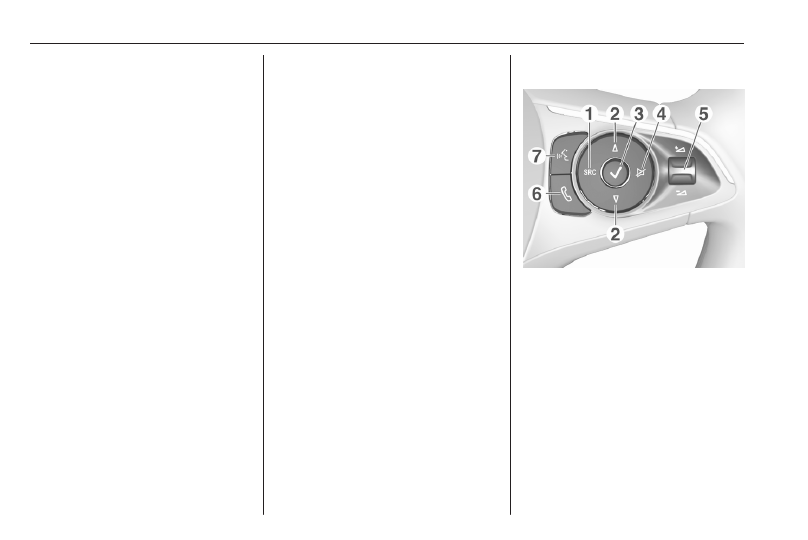
Steering wheel controls
1
SRC (Source)
Select audio source,
confirm selection with
A
Long press: mute system
2
c
/
d
Select next / previous
preset radio station when
radio active .......................... 141
or select next / previous
track / picture when
external devices active ....... 143