Vauxhall Mokka B (2023 year). Manual in english - page 4
102
Infotainment system
Network and connected services
Press
d
and then select OPTIONS
to display the Bluetooth, network and
connected services settings.
To connect the vehicle to a Wi-Fi
network, touch
y
. A list of all
available Wi-Fi networks is displayed.
It is also possible to share the Wi-Fi
connection for other devices.
To update the service and connection
status, go to the menu for connected
services
z
and touch
R
.
To use the connected services, make
sure that data sharing and the vehicle
position are activated in the privacy
menu in the System settings.
Apps
To show specific apps of your
smartphone on the display of the
Infotainment system, connect your
smartphone.
Press
d
to display the main menu of
the apps mode.
Touch Apple CarPlay or
Android Auto. A menu with different
selectable apps is displayed.
For a detailed description
Settings
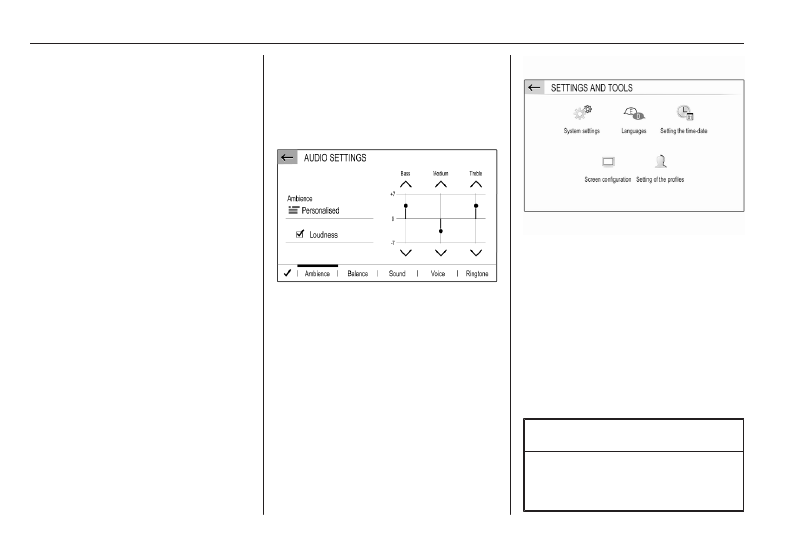
Press SET /
z
and then select Audio
settings to display the respective
menu.
Press SET /
z
and then OPTIONS to
display a menu for various system-
related settings.
Vehicle settings
Select
_
to open a menu for various
vehicle-related settings.
Vehicle personalisation
Menu operation
The display of the Infotainment
system has a touch-sensitive surface
that allows direct interaction with the
displayed menu controls.
Caution
Do not use pointed or hard items
like ballpoint pens, pencils or
similar for touch screen operation.