Kia Niro Hybrid / Plug-in Hybrid (2022 year). Manual in english - page 13
Driving your vehicle
OYG056045
OYG056048
ODEP051327N
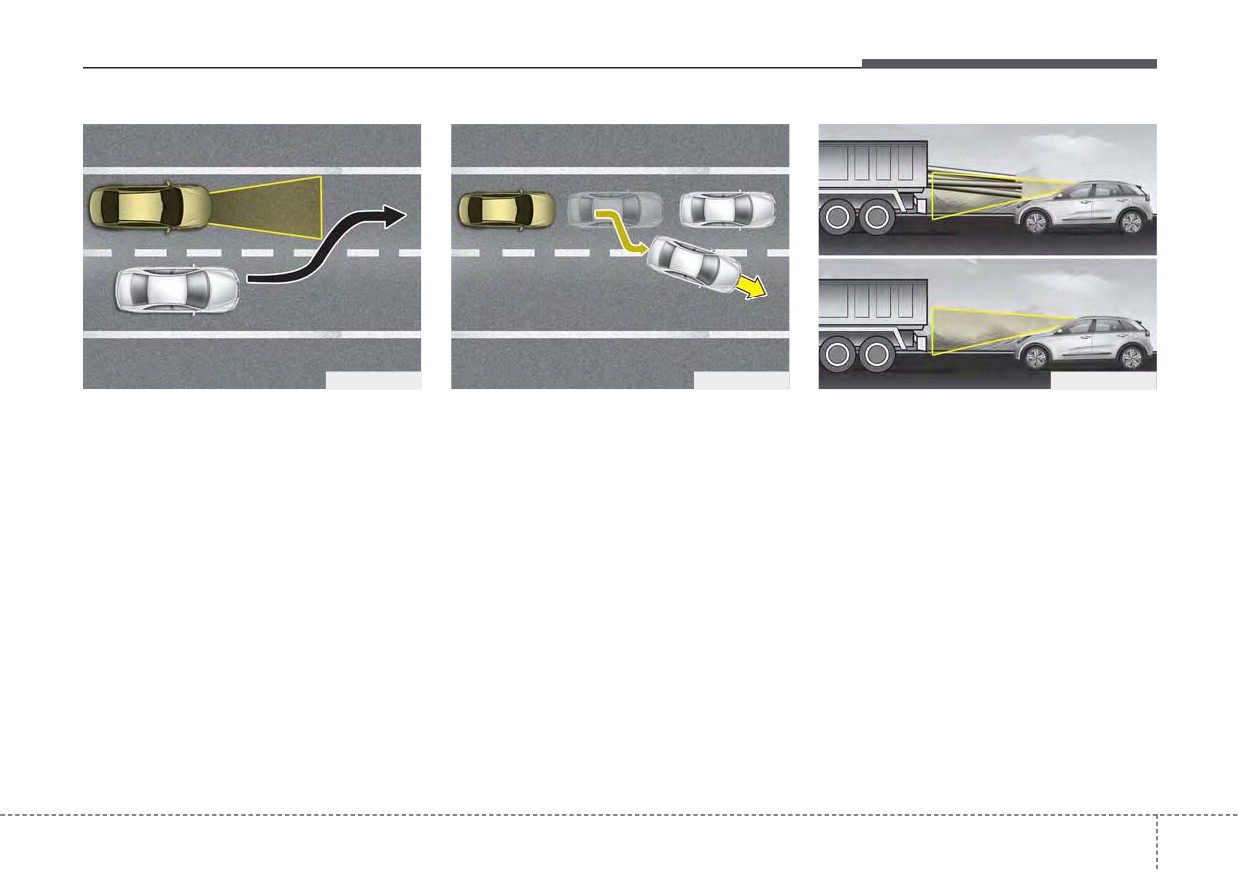
- Changing lanes
When driving in stop-and-go traffic,
- Recognizing the vehicle
and a stopped vehicle in front of you
When a vehicle changes lanes in
When the vehicle in front has heavy
merges out of the lane, Forward
front of you, Forward Collision-
loading extended rearward, or when
Collision-Avoidance Assist may not
Avoidance Assist may not immedi-
the vehicle in front has higher ground
immediately detect the new vehicle
ately detect the vehicle, especially if
clearance, it may induce a haz-
that is now in front of you. In this
the vehicle changes lanes abruptly.
ardous situation. Always pay atten-
case, you must maintain a safe brak-
In this case, you must maintain a
tion to road and driving conditions,
ing distance, and if necessary,
safe braking distance, and if neces-
while driving and, if necessary,
depress the brake pedal to reduce
sary, depress the brake pedal to
depress the brake pedal to reduce
your driving speed in order to main-
reduce your driving speed in order to
your driving speed in order to main-
tain a safe distance.
maintain a safe distance.
tain distance.
5 67
Driving your vehicle
Detecting pedestrian
•
There is an item similar to a per-
son's body structure.
WARNING
The sensor may be limited when:
•
The pedestrian is small.
•
Do not use Forward Collision-
•
The pedestrian is not fully detected
Avoidance Assist when tow-
by the front view camera recogni-
•
The pedestrian has impaired
ing a vehicle. Application of
tion function, for example, if the
mobility.
Forward Collision-Avoidance
pedestrian is leaning over or is not
•
In case of front view camera sen-
Assist while towing may
fully walking upright.
sor recognition is in a marginal
adversely affect the safety of
•
The pedestrian is moving very
state.
your vehicle or the towing
quickly or appears abruptly in the
•
When the pedestrian suddenly
vehicle.
front view camera detection area.
interrupts in front of the vehicle.
•
Use extreme caution when the
•
The pedestrian is wearing clothing
•
When there is any other electro-
vehicle in front of you has
that easily blends into the back-
magnetic interference.
cargo that extends rearward
ground, making it difficult to be
•
When the construction area, rail or
from the cab, or when the
detected by the front view camera
other metal object is near the
vehicle in front of you has
recognition function.
pedestrian.
higher ground clearance.
•
The outside lighting is too bright
•
In case of a large number of
•
Forward Collision-Avoidance
(e.g. when driving in bright sunlight
pedestrian are gathered.
Assist is designed to detect
or in sun glare) or too dark (e.g.
and monitor the vehicle ahead
when driving on a dark rural road
•
When it is difficult to distinguish
in the roadway through front
at night).
between surroundings and pedes-
view camera recognition. It is
trian.
•
It is difficult to detect and distin-
not designed to detect bicy-
guish the pedestrian from other
•
When it is at night or in dark sur-
cles, motorcycles, or smaller
objects in the surroundings, for
roundings.
wheeled objects such as lug-
example, when there is a group of
gage bags, shopping carts, or
pedestrian, or a large crowd.
strollers.
(Continued)
5
68
Driving your vehicle
This device complies with Part 15
Radio frequency radiation exposure
(Continued)
of the FCC rules.
information:
•
Never try to test the operation
Operation is subject to the following
This equipment complies with FCC
of
Forward
Collision-
three conditions:
radiation exposure limits set forth for
Avoidance Assist. Doing so
uncontrolled environment.
1. This device may not cause harmful
may cause severe injury or
interference, and
This equipment should be installed
death.
and operated with minimum distance
2. This device must accept any inter-
•
If the front glass or front view
of 8 in. (20 cm) between the radiator
ference received, including inter-
camera have been replaced or
(antenna) and your body.
ference that may cause undesired
repaired, have your vehicle
operation.
This transmitter must not be co-
inspected by an authorized
located or operating in conjunction
Kia dealer.
3. Changes or modifications not
with any other antenna or transmit-
expressly approved by the party
•
If the function detects an
ter.
object that has a similar
responsible for compliance could
void the user's authority to operate
shape or characteristics of a
vehicle or a pedestrian,
the device.
Forward Collision-Avoidance
Assist may operate.
✽ NOTICE
In some instances, Forward
Collision-Avoidance Assist may be
cancelled when subjected to electro-
magnetic interference.
5
69
Driving your vehicle
FORWARD COLLISION-AVOIDANCE ASSIST (FCA) (SENSOR FUSION) (IF EQUIPPED)
Forward Collision-Avoidance Assist
Forward Collision-Avoidance
is to reduce or to avoid accident risk.
WARNING
Assist setting and activation
It recognizes the distance from a
Take the following precautions
Forward safety
vehicle ahead, a pedestrian or a
when using Forward Collision-
cyclist through the sensors (i.e. front
The driver can activate Forward
Avoidance Assist :
view camera and front radar), and, if
Collision-Avoidance Assist by plac-
•
This function is only a supple-
necessary, warns the driver of acci-
ing the ignition switch or ENGINE
mental function and it is not
START/STOP button to the ON posi-
dent risk with the warning message
intended to, nor does it replace
tion and by selecting:
or the warning alarms and apply
the need for the extreme care
emergency braking.
“User Settings Driver Assistance
and attention of the driver. The
Forward Safety”
❈ FCA stands for Forward Collision-
sensing range and objects
Avoidance Assist.
-
If you select “Active Assist”, Forward
detectable by the sensors are
Collision-Avoidance Assist acti-
❈ Sensor fusion (front view camera
limited. Pay attention to the
vates. Forward Collision-Avoidance
+ front radar) Forward Collision-
road conditions at all times.
Assist produces warning messages
Avoidance Assist operates for the
•
Never drive too fast in accor-
and warning alarms in accordance
vehicle ahead, the pedestrian or
dance with the road condi-
with the collision risk levels. Also, it
the cyclist in front.
tions or while cornering.
controls the brakes in accordance
•
Always drive cautiously to
with the collision risk levels.
prevent unexpected and sud-
-
If you select
“Warning Only”,
den situations from occur-
Forward
Collision-Avoidance
ring.
Forward Collision-
Assist activates and produces only
Avoidance Assist does not
warning alarms in accordance with
stop the vehicle completely
the collision risk levels. You should
and is only intended to help
control the brake directly because
mitigate an imminent colli-
Forward
Collision-Avoidance
sion.
Assist do not control the brake.
-
If you select “Off”, Forward Collision-
Avoidance Assist deactivates,
5
70
Driving your vehicle
The warning light illumi-
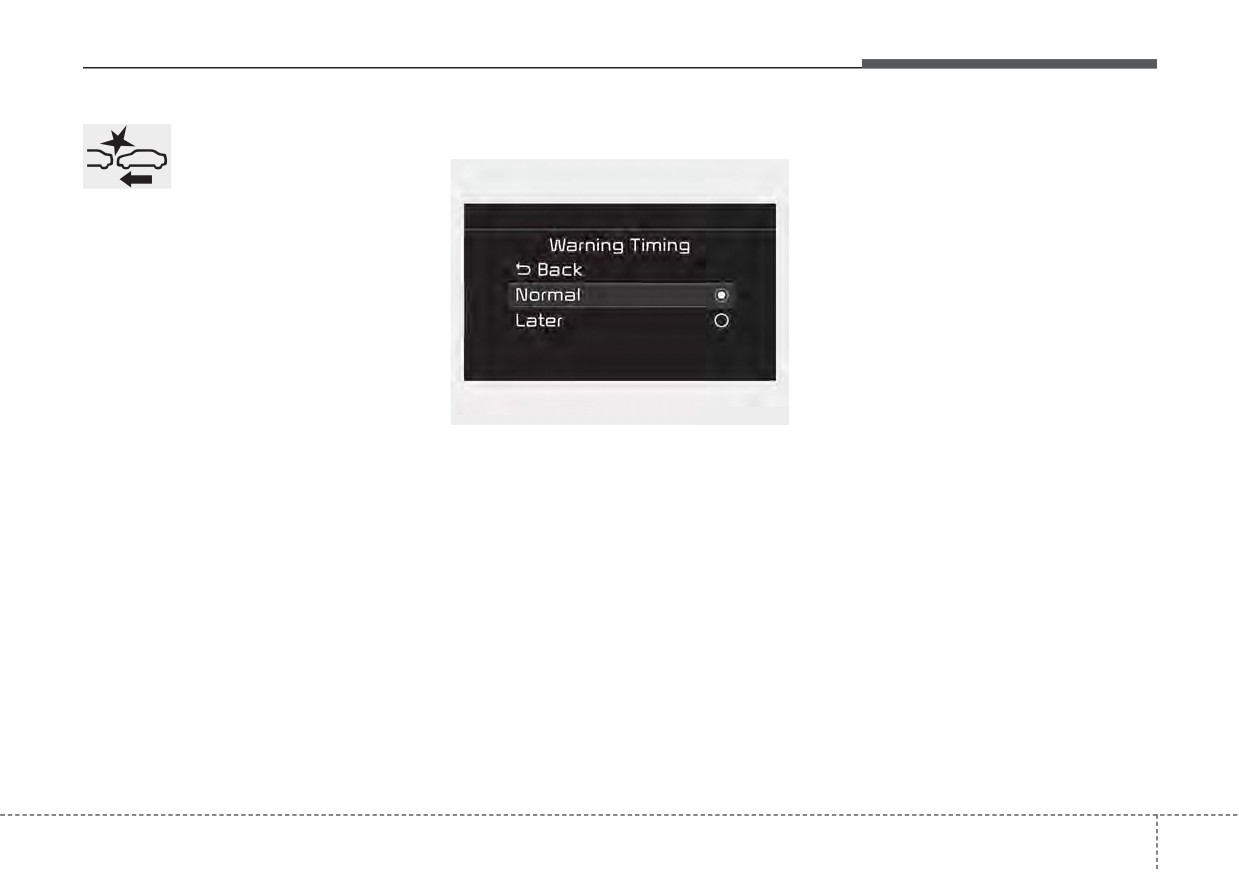
Warning Timing
The options for the initial Forward
nates on the LCD display,
Collision Warning includes the fol-
when you cancel Forward
lowing:
Collision-Avoidance
- Normal:
Assist. The driver can monitor the
When this condition is selected, the
Forward Collision-Avoidance Assist
initial Forward Collision Warning is
ON/OFF status on the LCD display.
activated normally. This setting
Also, the warning light illuminates
allows for a nominal amount of dis-
when the ESC (Electronic Stability
tance between the vehicle ahead
Control) is turned off. When the
before the initial warning occurs.
warning light remains ON with
Forward Collision-Avoidance Assist
- Later:
activated, have your vehicle inspect-
When this condition is selected, the
ed by an authorized Kia dealer.
OYG059344L
initial Forward Collision Warning is
The driver can select the initial warn-
activated later than normal. This set-
ing activation time on the LCD dis-
ting reduces the amount of distance
play.
between the vehicle ahead, the
pedestrian or the cyclist before the
Go to the “User Settings Driver
initial warning occurs.
Assistance
Warning Timing
Normal/Later”
Select 'Later' when traffic is light and
when driving speed is slow.
If the vehicle in front puts on a burst
of speed, the driver can notice the
warning alarm is early even though
the later option is selected.
5
71
Driving your vehicle
✽ NOTICE
Prerequisite for activation
✽ NOTICE
If you change the warning timing,
Forward Collision-Avoidance Assist
Forward Collision-Avoidance Assist
the warning timing of other func-
gets ready to be activated, when the
may not operate properly according
tions may change. Always be aware
“Active assist” or
“Warning only”
to the frontal situation, the direction
of warning timing before changing
under the Forward Safety is selected
of pedestrian or cyclist and speed.
the warning timing.
on the LCD display, and when the fol-
lowing prerequisites are satisfied.
-
The ESC is activated.
-
The driving speed is over 5 mph (8
km/h).
(However,
Forward
Collision-Avoidance Assist is acti-
vated within certain driving speed.)
-
When recognizing the vehicle or the
pedestrian or the cyclist in front.
(However, Forward Collision-
Avoidance Assist does not activate
according to conditions in front and
vehicle functions, but it notices only
certain warnings.)
-
Forward Collision-Avoidance Assist
does not operate properly or it only
produces a warning alarms in
accordance with the driving or vehi-
cle condition.
-
If the warning only under the
Forward Safety is selected, Forward
Collision-Avoidance Assist pro-
duces only warning alarms in accor-
dance with the collision risk levels.
5
72
Driving your vehicle
Forward Collision-Avoidance
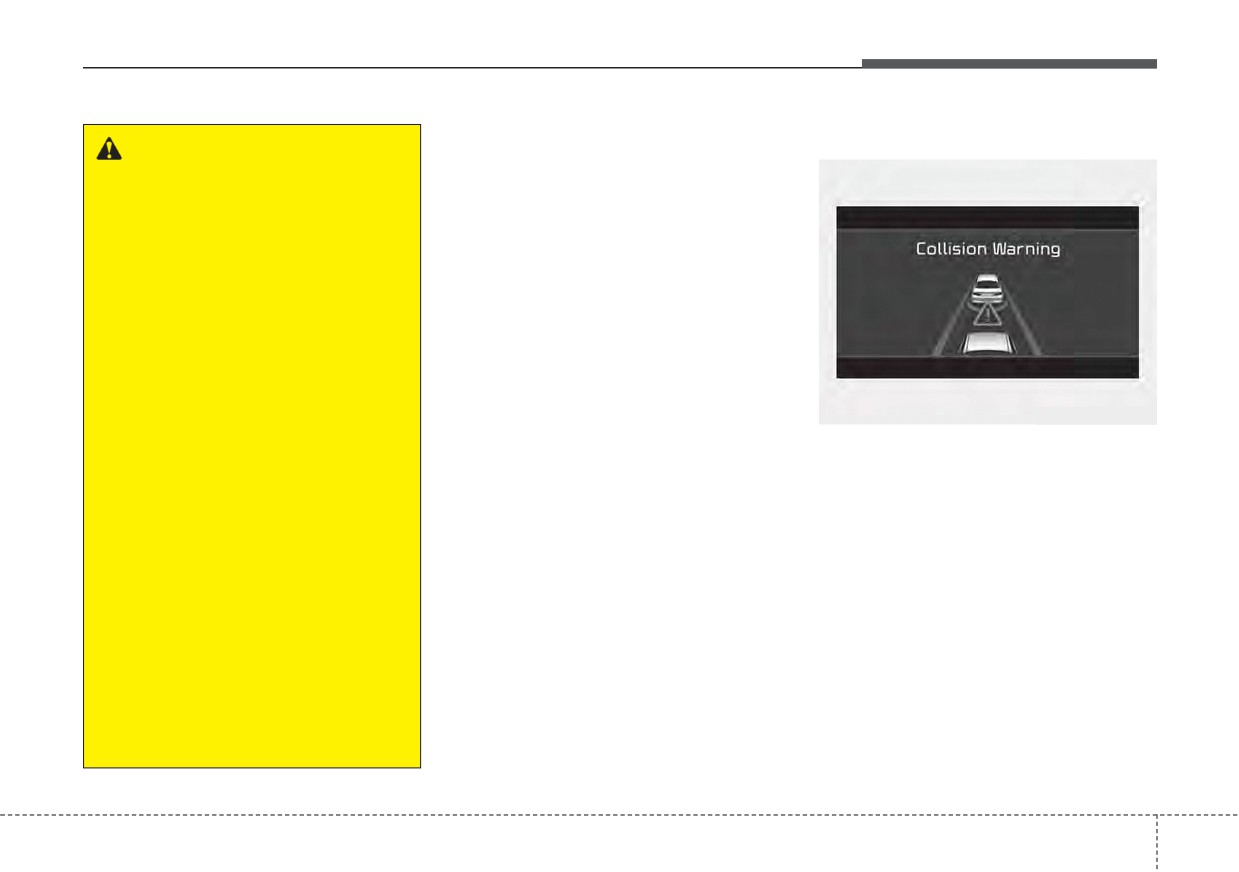
Collision Warning (1st warning)
WARNING
Assist warning message and
•
Completely stop the vehicle in
function control
a safe location before operat-
Forward Collision-Avoidance Assist
ing the switch on the steering
produces warning messages and
wheel to activate/deactivate
warning alarms in accordance with
Forward Collision-Avoidance
the collision risk levels of followings
Assist.
like vehicle’s sudden braking in front
•
Forward Collision-Avoidance
or lack of vehicle distance or collision
Assist automatically activates
to pedestrian or cyclist. Also, it con-
upon placing the ignition
trols the brakes in accordance with
switch to the ON position. The
the collision risk levels.
driver can deactivate Forward
The driver can select the initial warn-
OJF058389L
Collision-Avoidance Assist by
ing activation time in the User set-
•
The warning message appears on
canceling the function setting
tings in the LCD display. The
on the LCD display or
the LCD display with the warning
options for the initial Forward
alarms.
Infotainment System screen.
Collision Warning include Normal or
•
Forward Collision-Avoidance
Late initial warning time.
•
The Vehicle may slow down slightly
Assist automatically deacti-
- It will operate if the vehicle speed
vates upon canceling the ESC.
is greater than 5 mph (8 km/h)
When the ESC is canceled,
and less than or equal to 110
Forward Collision-Avoidance
mph (180 km/h) on a forward
Assist cannot be activated on
vehicle. (Depending on the condi-
the LCD display or Infotainment
tion of the vehicle ahead and the
System screen.
environment surrounding it, the
possible maximum operating
Forward Collision-Avoidance
Assist warning light will illu-
speed may be reduced.)
minate, which is normal.
5
73
Driving your vehicle
- For pedestrian and cyclist, the
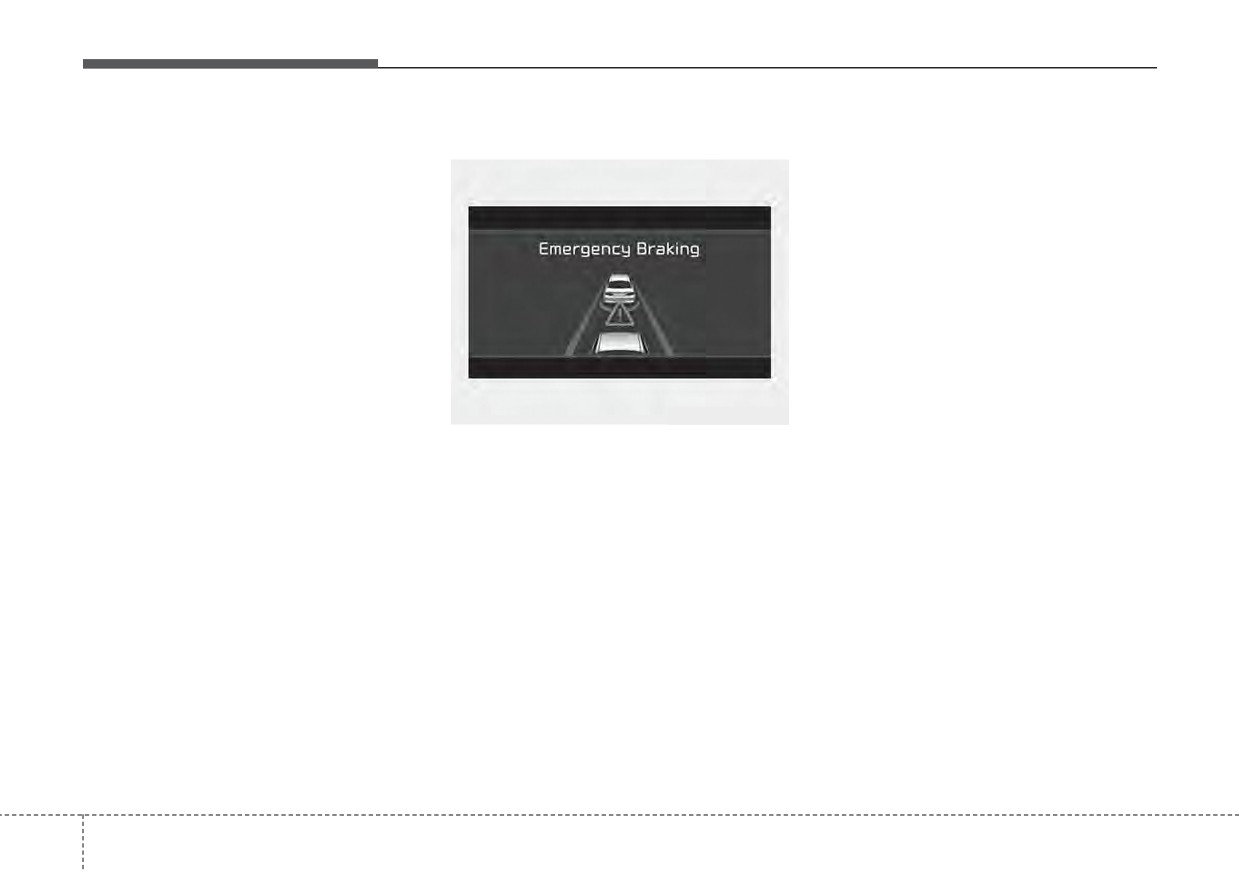
Emergency Braking (2nd warning)
- For pedestrian and cyclist, the
vehicle speed is greater than or
vehicle speed is greater than or
equal to 5 mph (8 km/h) and less
equal to 5 mph (8 km/h) and less
than
45 mph
(70 km/h).
than
45 mph
(70 km/h).
(Depending on the condition of
(Depending on the condition of
pedestrian and bike riders and
pedestrian and bike rider and the
the surrounding environment the
surrounding environment the pos-
possible maximum operating
sible maximum operating speed
speed may be reduced.)
may be reduced.)
•
Forward Collision-Avoidance Assist
•
Forward
Collision-Avoidance
controls the brakes within certain
Assist controls the brakes within
limit to release shock from the colli-
certain limit to release shock from
sion.
the collision.
OJF058390L
- If you select
“Warning Only”,
Forward
Collision-Avoidance
•
The warning message appears on
Forward
Collision-Avoidance
Assist controls the maximum
the LCD display with the warning
Assist activates and produces
brakes just before the collision.
alarms.
only warning alarms in accor-
- If you select
“Warning Only”,
dance with the collision risk lev-
•
The brake control is maximized
Forward
Collision-Avoidance
els. You should control the brake
just before a collision, reducing
Assist activates and produces
directly
because Forward
impact when it strikes a forward
only warning alarms in accor-
Collision-Avoidance Assist do not
vehicle.
dance with the collision risk lev-
control the brake.
- It will operate if the vehicle speed
els. You should control the brake
is greater than 5 mph (8 km/h)
directly
because Forward
and less than or equal to 50 mph
Collision-Avoidance Assist do not
(80 km/h) on a forward vehicle.
control the brake.
(Depending on the condition of
the vehicle ahead and the envi-
ronment surrounding it, the possi-
ble maximum operating speed
may be reduced.)
5
74
Driving your vehicle
Brake operation
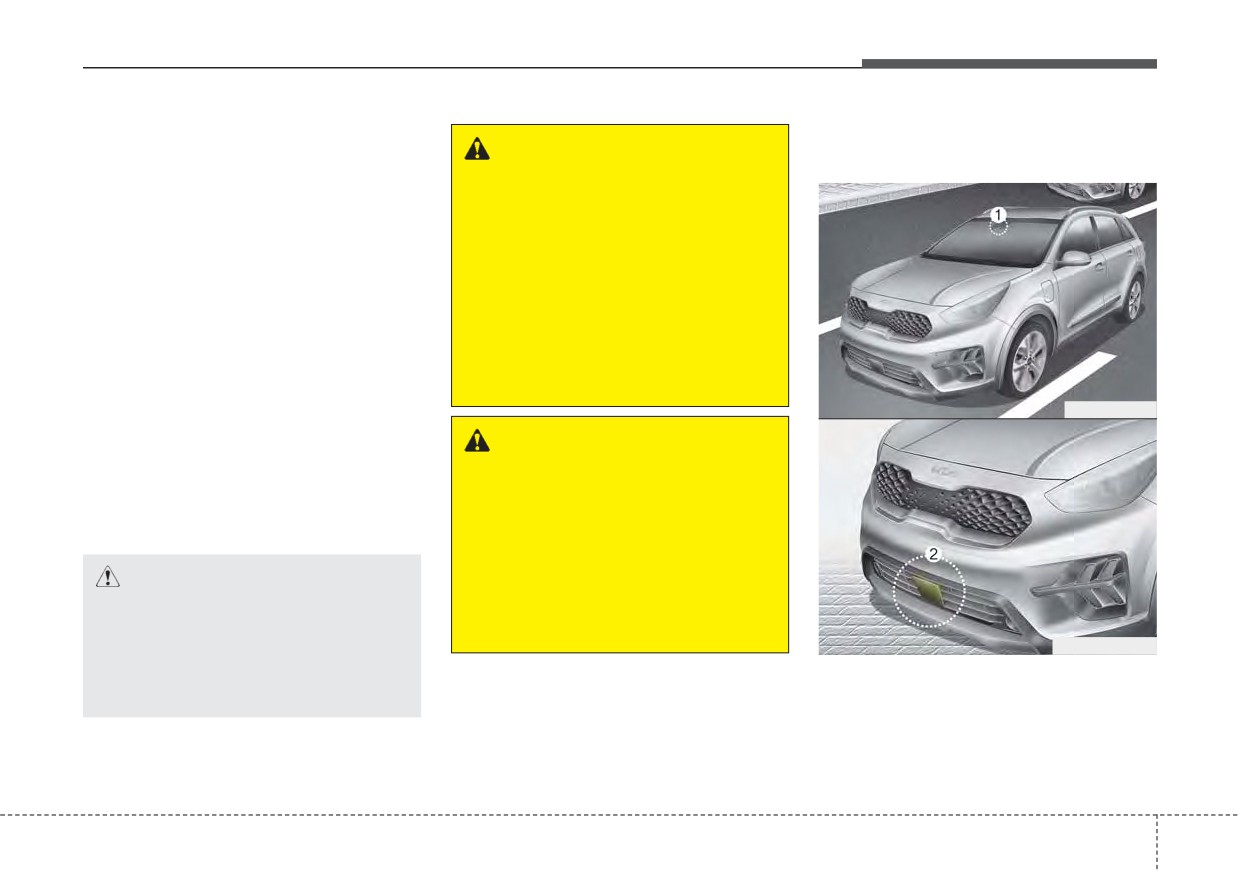
Detecting sensors (Front view
WARNING
camera/Front radar)
•
In an urgent situation, the braking
system enters into the ready status
Forward Collision-Avoidance
Assist cannot avoid all colli-
for prompt reaction to assist the driv-
er in depressing the brake pedal.
sions. Forward Collision-
Avoidance Assist might not
•
Forward
Collision-Avoidance
completely stop the vehicle
Assist provides additional braking
before a collision, due to ambi-
power for optimum braking per-
ent, weather and road condi-
formance, when the driver
tions. The driver has the
depresses the brake pedal.
responsibility to drive safely
•
The braking control is automatical-
and control the vehicle.
ly deactivated, when the driver
ODEP051029
sharply depresses the accelerator
pedal, or when the driver abruptly
WARNING
operates the steering wheel.
Forward Collision-Avoidance
•
The braking control is automatical-
Assist operates in accordance
ly canceled, when risk factors dis-
with certain risk factors, such as
appear.
the
distance
from the
vehicle/passer-by in front, the
CAUTION
speed of the vehicle/passer-by in
The driver should always pay
front, and the driver's vehicle
great caution to vehicle opera-
operation.
ODEP051417N
tion, even though there is no
warning message or warning
[1] : Front view camera
alarm.
[2] : Front radar
The sensors are that detecting the
distance to vehicles ahead, pedestri-
an or cyclist.
5
75
Driving your vehicle
In bad weather conditions such as
✽ NOTICE
(Continued)
heavy rain, heavy snow, and fog, or
•
Do not tint the window or install
•
Do not install any accessories,
when sensor is covered by foreign
stickers, accessories around the
such as license plate molding or
material, dust, etc., the sensors will
inside mirror where the camera is
sticker, on the sensor area. Nor
be degraded and the function will be
installed.
arbitrarily replace the bumper.
temporarily disabled.
•
Make sure the front view camera
Those may adversely affect the
installation point does not get wet.
Always keep the sensor clean.
sensing performance.
•
Do not impact or arbitrarily
•
Always keep the sensor/bumper
remove any front radar compo-
area clean.
nents.
•
Use only soft cloths to wash the
•
Do not place
reflective
vehicle. Also, do not spray highly-
objects(white paper or mirror etc.)
pressurized water on the sensor
on the crash pad.
installed on the bumper.
The function may activate unnec-
•
Be careful not to apply unneces-
essarily due to reflect of the sun-
sary force on the frontal sensor
light.
area. When the sensor moves out
•
Excessive audio volume may dis-
of the correct position due to
turb the sound of the function
external force, the function may
warning alarm.
not normally operate even without
•
For more cautions for the front
the warning light or message. In
view camera sensor, refer to the
this case, have your vehicle
“Lane Keeping Assist (LKA)” in
inspected by an authorized Kia
this chapter.
dealer.
•
Use only the genuine Kia sensor
cover. Do not arbitrarily apply
paint on the sensor cover.
(Continued)
5
76
Driving your vehicle
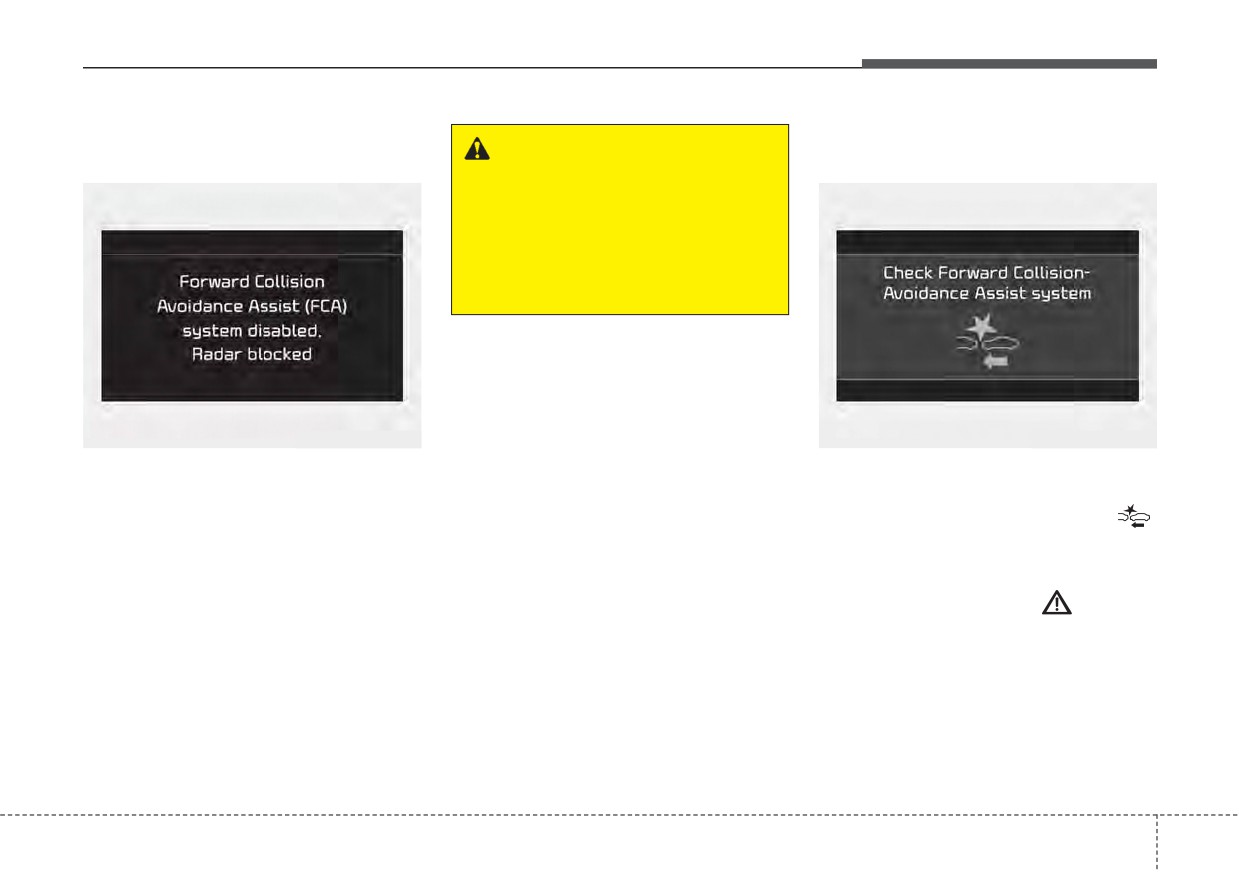
Warning message and warning
Forward Collision-Avoidance
light
WARNING
Assist malfunction
Forward Collision-Avoidance
Assist may not activate without
any warning messages accord-
ing to driving condition, traffic
on the road, weather, road con-
dition, etc.
OJF058392L
OJF058394L
If the sensor or sensor cover is cov-
•
When Forward Collision-Avoidance
ered by bad weather or foreign objects,
Assist is not working properly,
dust, etc., v operation may temporarily
Forward Safety warning light (
)
stop. In this case, the warning mes-
will illuminate and the warning mes-
sage appears to warn the driver.
sage will appear for a few seconds.
After the message disappears, the
This is not a malfunction with Forward
master warning light (
) will illu-
Collision-Avoidance Assist. To operate
minate. In this case, have your vehi-
Forward Collision-Avoidance Assist
cle inspected by an authorized Kia
again, remove the foreign substances.
dealer.
Forward Collision-Avoidance Assist
•
Forward
Collision-Avoidance
may not properly operate when the
Assist warning message may
front radar is contaminated or an
appear along with the illumination
object such as an open area is not
of the ESC warning light.
existed after engine start.
5
77
Driving your vehicle
(Continued)
(Continued)
WARNING
Also, in certain instances the
•
Forward Collision-Avoidance
•
Forward Collision-Avoidance
front view camera or front
Assist operates only for the
Assist is only a supplemental
radar recognition function may
vehicle/pedestrian in front, while
function for the driver’s con-
not detect the vehicle, pedestri-
driving forward. It does not oper-
venience. The driver has the
an or cyclist
(if equipped)
ate for any animals or vehicles
ultimate responsibility to con-
ahead. Forward Collision-
in the opposite direction.
trol and operate the vehicle
Avoidance Assist may not acti-
safely. Do not solely depend on
•
Forward Collision-Avoidance
vate and the warning message
Forward Collision-Avoidance
Assist does not recognize the
will not be displayed.
Assist. Rather, maintain a safe
vehicle, which transversally
braking distance, and, if neces-
•
Forward Collision-Avoidance
drives across the crossroad,
sary, depress the brake pedal
Assist may unnecessarily pro-
or the vehicle, which is parked
to lower the driving speed.
duce the warning message
in the transversal direction.
and the warning alarms. Also,
•
In certain instances and under
•
If the vehicle in front stops
due to the sensing limitation,
suddenly, you may have less
certain driving conditions,
Forward Collision-Avoidance
Forward Collision-Avoidance
control of the brake system.
Assist may not produce the
Therefore, always keep safe
Assist may activate uninten-
warning message and the
tionally. This initial warning
distance between your vehicle
warning alarm at all.
and the vehicle in front of you.
message appears on the LCD
•
When there is a malfunction
display with a warning chime.
•
Forward Collision-Avoidance
with Forward Collision-
(Continued)
Assist may activate during
Avoidance Assist, the braking
braking and the vehicle may
control does not operate upon
stop suddenly. And the load in
detecting a collision risk even
the vehicle may endanger pas-
with other braking systems
sengers. Therefore, always be
normally operating.
mindful of the load volume in
(Continued)
the vehicle.
(Continued)
5
78
Driving your vehicle
Limitation of Forward
(Continued)
(Continued)
Collision-Avoidance Assist
•
Forward Collision-Avoidance
•
Forward Collision-Avoidance
Forward Collision-Avoidance Assist
Assist may not activate if the
Assist may not activate
is an assistant function for a driver in
driver applies the brake pedal
according to driving condi-
a certain risky driving condition and it
to avoid risk of collision.
tion, traffic on the road,
does not take every responsibility for
weather, road condition, etc.
•
Forward Collision-Avoidance
all risks from driving condition.
Assist does not operate when
•
Forward Collision-Avoidance
Forward Collision-Avoidance Assist
the vehicle is in reverse. In
Assist may not activate in
monitors the driving situations
these circumstances, you
response to all types of vehi-
through the front radar and the front
must maintain a safe braking
cles.
view camera sensor. Thus, for a situ-
distance, and if necessary,
ation out of the sensing range,
depress the brake pedal to
Forward Collision-Avoidance Assist
reduce the driving speed in
may not normally operate. The driver
order to maintain a safe dis
should pay great caution in the fol-
tance.
lowing situations. Forward Collision-
•
The regular braking function
Avoidance Assist operation may be
will operate normally even if
limited.
There is a problem with
Forward Collision-Avoidance
Assist brake control function
or other functions. In this
case, the braking control will
not operate in an imminent
collision.
(Continued)
5
79
Driving your vehicle
Recognizing vehicles
•
The front view camera’s field of
•
The vehicle drives inside a build-
view is not well illuminated (either
ing, such as a basement parking
The sensor may be limited when:
too dark or too much reflection or
lot
•
The front view camera or front
too much backlight that obscures
•
The front view camera does not
radar sensor is blocked with a for-
the field of view)
recognize the entire vehicle in
eign object or debris
•
The vehicle in front does not have
front.
•
The front view camera lens is con-
their rear lights or their rear lights
•
The front view camera is damaged.
taminated due to tinted, filmed or
does not turned ON or their rear
coated windshield, damaged
•
The brightness outside is too low
lights are located unusually.
glass, or stuck of foreign matter
such as when the headlamps are
(sticker, bug, etc.) on the glass
•
The outside brightness changes
not on at night or the vehicle is
suddenly, for example when enter-
going through a tunnel.
•
Inclement weather such as heavy
ing or exiting a tunnel
rain or snow obscures the field of
•
The shadow is on the road by a
•
When light coming from a street
view of the front radar sensor or
median strip, trees, etc.
light or an oncoming vehicle is
front view camera
•
The vehicle drives through a toll-
reflected on a wet road surface
•
There is interference by electro-
gate.
such as a puddle in the road
magnetic waves
•
The windshield glass is fogged up; a
•
The field of view in front is
•
There is severe irregular reflection
clear view of the road is obstructed.
obstructed by sun glare
from the front view camera sensor
•
The rear part of the vehicle in front
•
The vehicle in front is driving errat-
•
The front view camera/front radar
is not normally visible. (the vehicle
ically
sensor recognition is limited
turns in other direction or the vehi-
•
The vehicle is on unpaved or
cle is overturned.)
•
The vehicle in front is too small to
uneven rough surfaces, or road
be detected (for example a motor-
•
The adverse road conditions cause
with sudden gradient changes.
cycle etc.)
excessive vehicle vibrations while
•
The vehicle is driven near areas
•
The vehicle in front is an oversize
driving
containing metal substances as a
vehicle or trailer that is too big to
construction zone, railroad, etc.
be detected by the front view cam-
era recognition function (for exam-
ple a tractor trailer, etc.)
5
80
Driving your vehicle
•
The sensor recognition changes
•
When the front view camera
suddenly when passing over a
(including lens) or front radar is
speed bump
damaged.
•
The vehicle in front is moving lon-
•
If not using headlamp or using
gitudinally to the driving direction
weak light in the night or in a tun-
nel.
•
The vehicle in front is stopped lon-
gitudinally
•
Backlight is shining in the driving
•
The vehicle in front is driving
direction of the vehicle. (Including
oncoming vehicle headlights.)
OHM059349L
towards your vehicle or reversing
•
When the rear part of the front
•
You are on a roundabout and the
vehicle is small or low.
vehicle in front circles
•
When a trailer or other vehicle is
•
It is difficult to secure the field of
towing the front vehicle.
view of the front view camera such
as backlight, reflected light, and
•
When the ground clearance of the
darkness.
front vehicle is high.
•
When the front view camera is
•
When a front vehicle makes sud-
blocked by continuous washer
den lane changes unexpectedly.
OHM059350L
spray and wiper operation.
•
The vehicle in front is a special
purpose vehicle, a trailer, or a truck
loading with unusual shape of lug-
gage.
•
The ambient light is too high or low.
•
The front view camera is contami-
nated by front glass tinting, attach-
ing film, water proof coating, dam-
OHM059351L
aged, foreign material such as a
sticker, worm, etc.
5
81
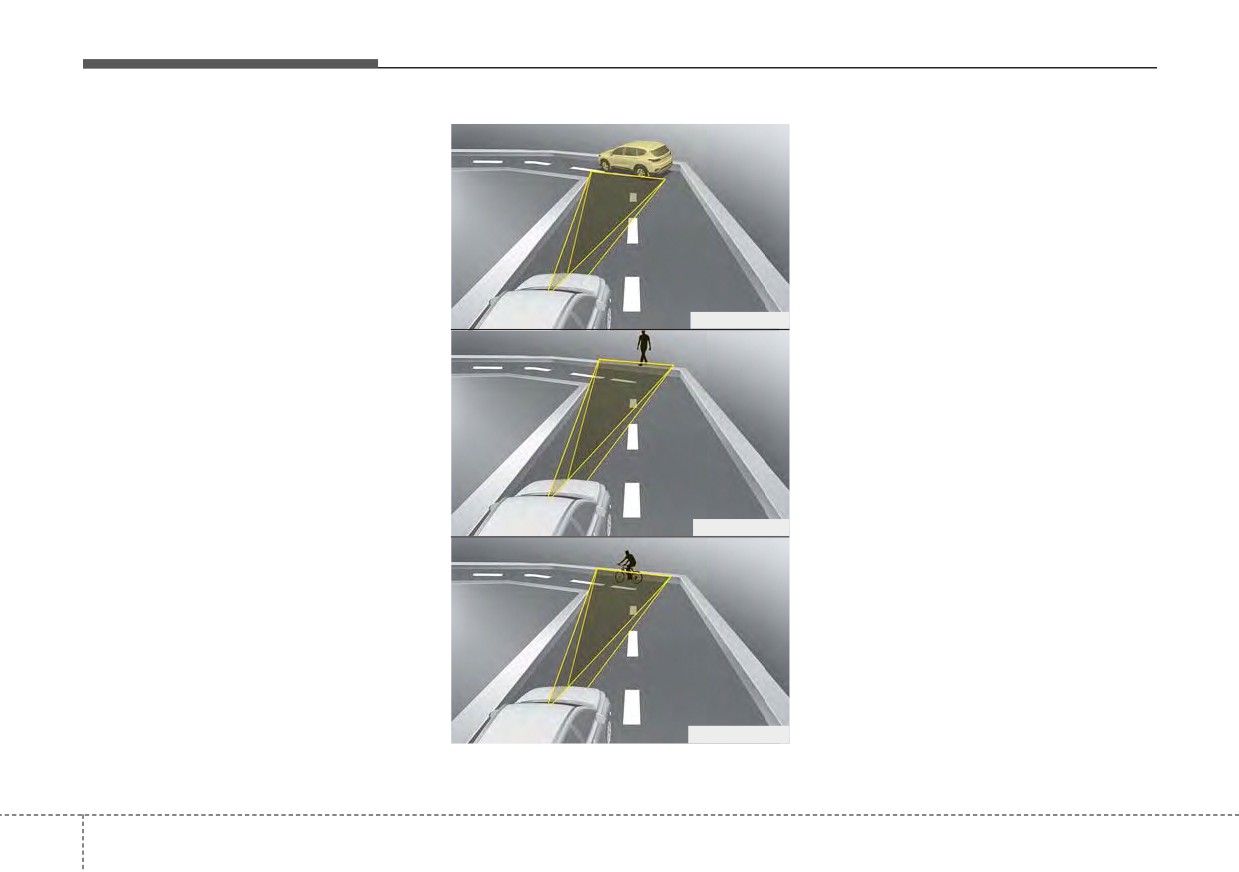
Driving your vehicle
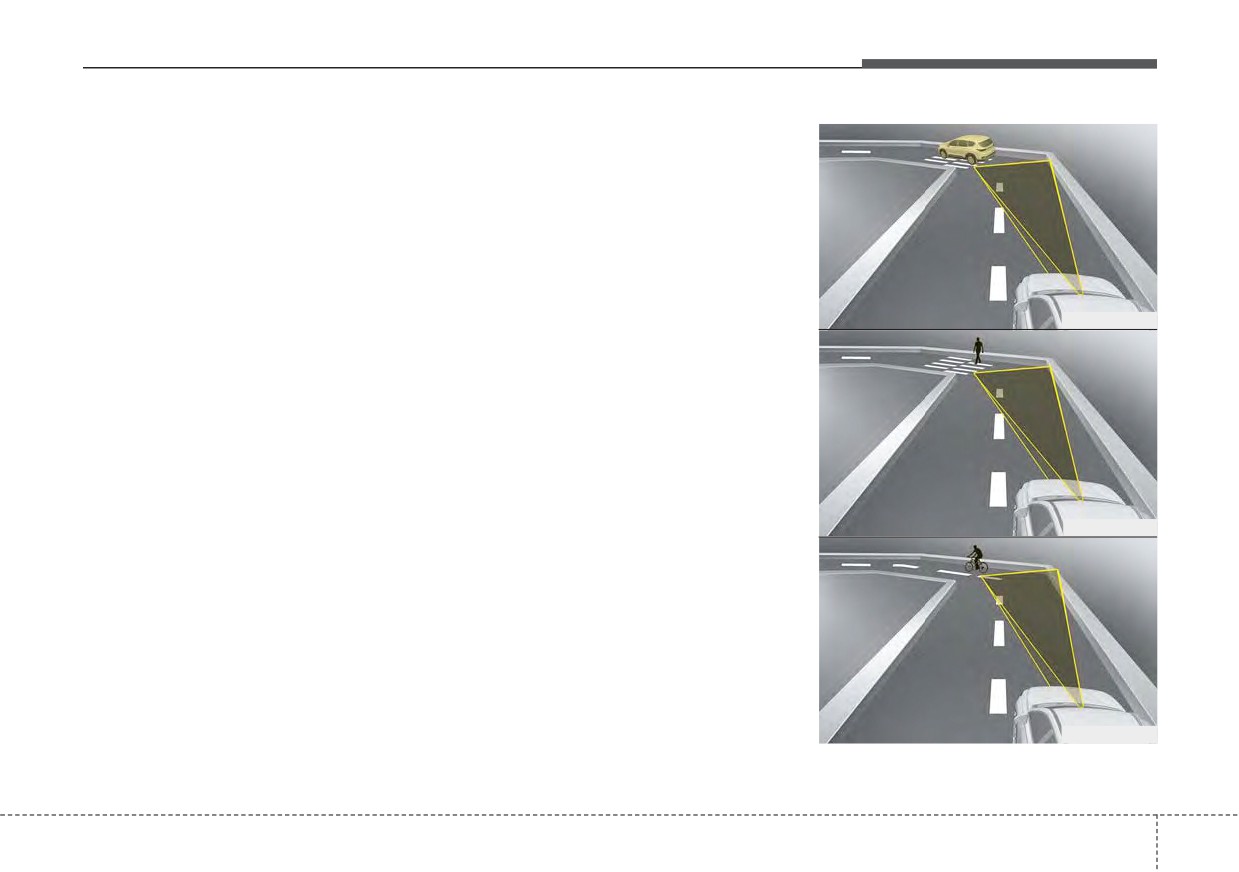
- Driving on a curved road
Forward Collision-Avoidance Assist
may recognize a vehicle or pedestri-
The performance of Forward
an or cyclist in the next lane or out-
Collision-Avoidance Assist may be
side the lane when driving on a
limited when driving on a curved
curved road.
road.
If this occurs, the function may
The front view camera or front radar
unnecessarily alarm the driver and
sensor recognition function may not
apply the brake. Always pay attention
detect the vehicle, pedestrian or
to road and driving conditions, while
cyclist traveling in front on a curved
OHM059352L
driving.
road.
This may result in no alarm and brak-
ing when necessary.
Always pay attention to road and
driving conditions, and if necessary,
depress the brake pedal to reduce
your driving speed in order to main-
tain a safe distance.
OHM059353L
OHM059354L
5
82
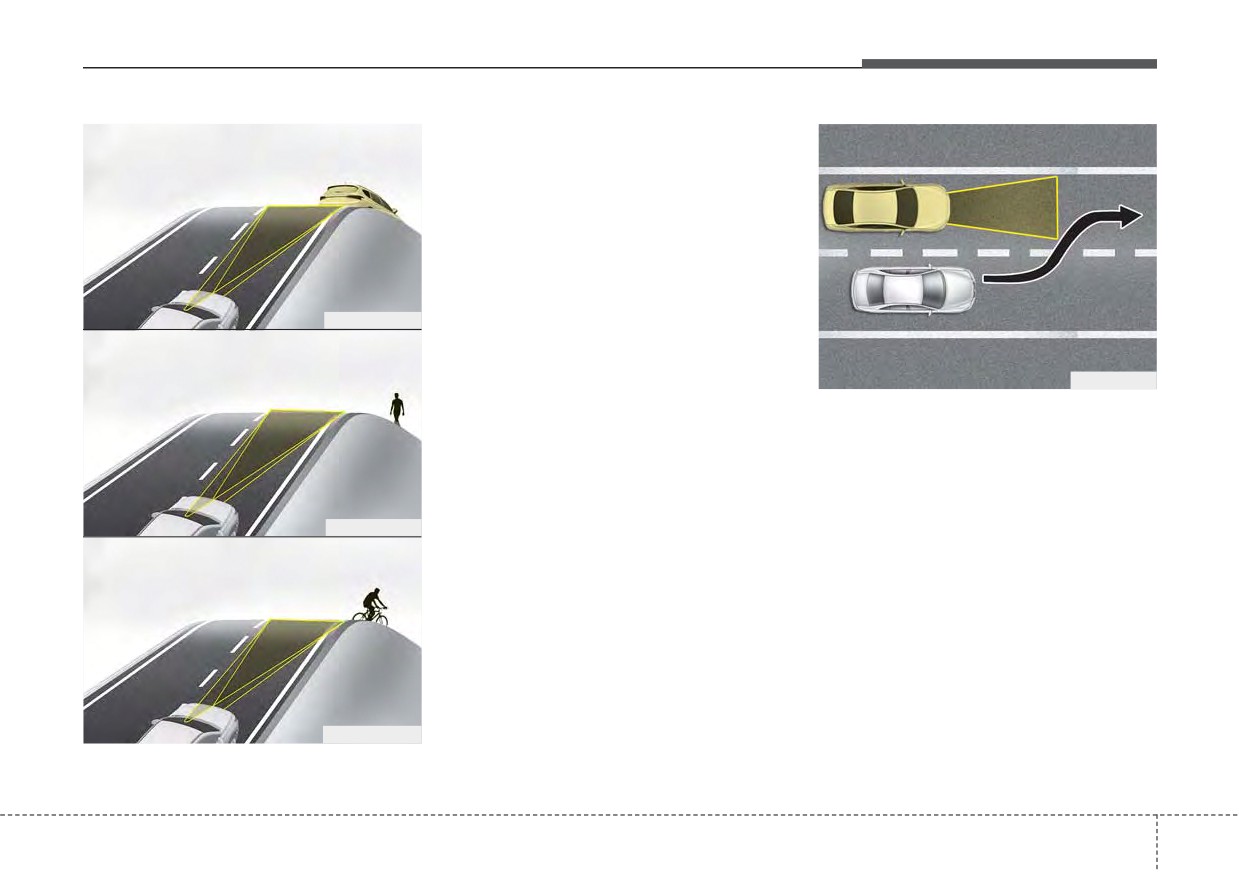
Driving your vehicle
- Driving on a sloped road
The performance of Forward
Collision-Avoidance Assist may be
decreased while driving upward or
downward on a sloped road. The
front view camera or front radar sen-
sor recognition may not detect the
vehicle, pedestrian or cyclist in front.
This may result in unnecessary
OHM059355L
alarm and braking or no alarm and
braking when necessary.
OJF055028
When the function suddenly recog-
nizes the vehicle, pedestrian or
- Changing lanes
cyclist in front while passing over a
When a vehicle changes lanes in
slope, you may experience sharp
front of you, Forward Collision-
deceleration.
Avoidance Assist may not immedi-
Always keep your eyes forward while
ately detect the vehicle, especially if
OHM059356L
driving upward or downward on a
the vehicle changes lanes abruptly.
sloped road, and, if necessary,
In this case, you must maintain a
depress the brake pedal to reduce
safe braking distance, and if neces-
your driving speed in order to main-
sary, depress the brake pedal to
tain distance.
reduce your driving speed in order to
maintain a safe distance.
OHM059357L
5
83
Driving your vehicle
Recognizing pedestrian or cyclist
The sensor may be limited when:
•
The pedestrian or cyclist is not fully
detected by the front view camera
recognition function, for example, if
the pedestrian is leaning over or is
not fully walking upright
•
The pedestrian or cyclist is moving
very quickly or appears abruptly in
the front view camera detection
area
OJF055029
ODEP051328N
•
The pedestrian or cyclist is wear-
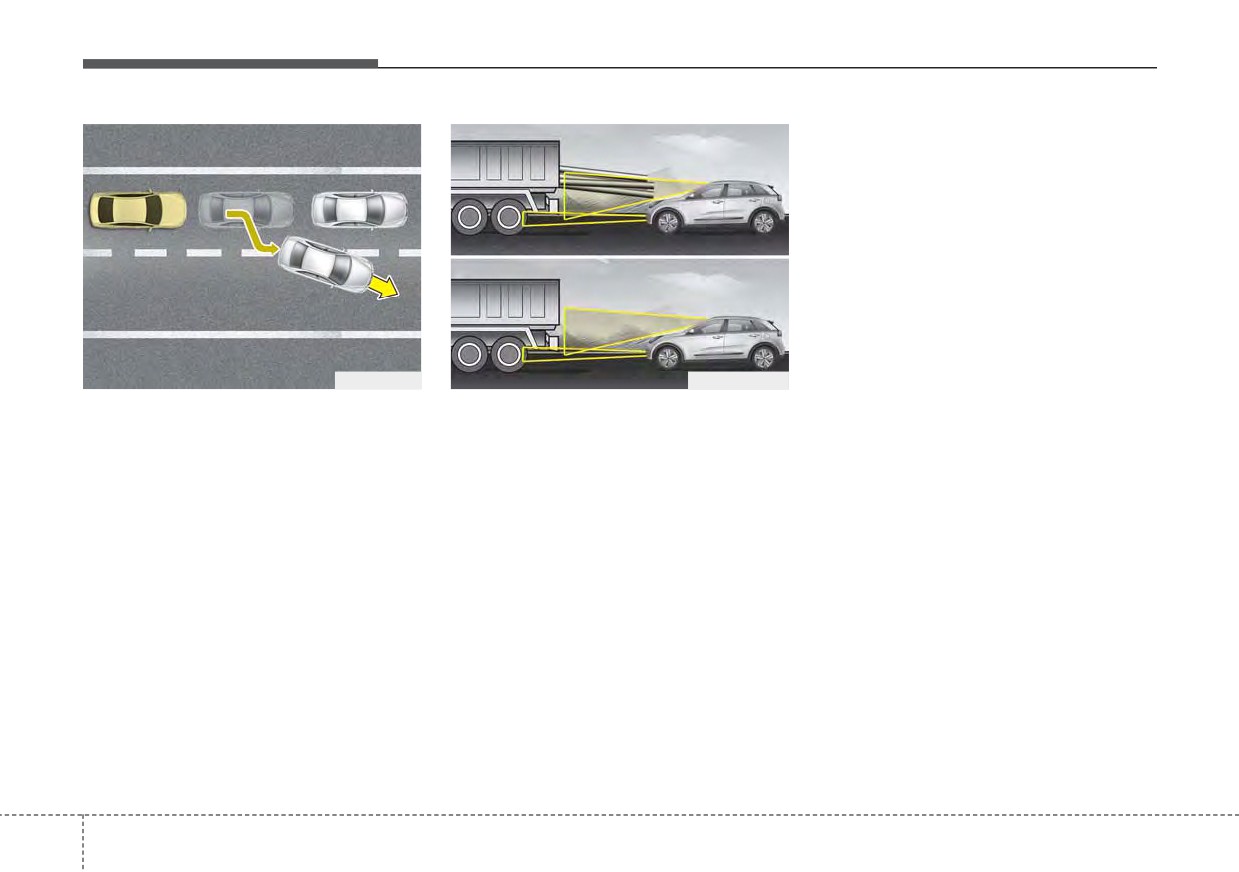
When driving in stop-and-go traffic,
- Recognizing the vehicle
ing clothing that easily blends into
and a stopped vehicle in front of you
When the vehicle in front has heavy
the background, making it difficult
merges out of the lane, Forward
loading extended rearward, or when
to be detected by the front view
Collision-Avoidance Assist may not
the vehicle in front has higher ground
camera recognition function
immediately detect the new vehicle
clearance, it may induce a haz-
•
The outside lighting is too bright
that is now in front of you. In this
ardous situation. Always pay atten-
(e.g. when driving in bright sunlight
case, you must maintain a safe brak-
tion to road and driving conditions,
or in sun glare) or too dark (e.g.
ing distance, and if necessary,
while driving and, if necessary,
when driving on a dark rural road
depress the brake pedal to reduce
depress the brake pedal to reduce
at night)
your driving speed in order to main-
your driving speed in order to main-
tain a safe distance.
tain distance.
5 84
Driving your vehicle
•
It is difficult to detect and distin-
•
The field of view in front is
•
When a pedestrian or cyclist sud-
guish the pedestrian or cyclist from
obstructed by sun glare
denly interrupts in front of the vehi-
other objects in the surroundings,
cle.
•
The windshield glass is fogged up;
for example, when there is a group
a clear view of the road is obstruct-
•
When there are many pedestrian
of pedestrian, cyclists or a large
ed
or cyclist.
crowd
•
The adverse road conditions cause
•
When there is an object that
•
There is an item similar in shape or
excessive vehicle vibrations while
reflects front radar well. (such as a
appearance to a person
driving
guardrail or a nearby vehicle)
•
The pedestrian or cyclist is below
•
When the pedestrian or cyclist
the sensor's viewing range
suddenly enters the path of travel
•
The sensor can not identify the
of the vehicle
pedestrian's outline because of
•
When the cyclist in front is riding
other items changing their profile,
perpendicular to the direction of
such as mobility assistance devices
travel
•
The front view camera or front
•
When there is any electromagnetic
radar is obstructed by a foreign
interference
object or debris
•
When the cyclist is near areas con-
•
Inclement weather such as heavy
taining metal objects such as a
rain or snow obscures the field of
construction zone, railroad, etc.
view of the front radar sensor or
•
If the bicycle material is not reflect-
front view camera
ed well on the front radar
•
When light coming from a street
•
When a pedestrian or cyclist’s
light or an oncoming vehicle is
height is small.
reflected on a wet road surface
such as a puddle in the road
•
When a pedestrian or cyclist’s
behavior is unstable.
5
85
Driving your vehicle
This device complies with Part 15
(Continued)
WARNING
of the FCC rules.
•
Never try to test the operation
•
Do not use Forward Collision
Operation is subject to the following
of Forward Collision-Avoidance
avoidance Assist when towing a
three conditions:
Assist. Doing so may cause
vehicle. Application of Forward
1. This device may not cause harmful
severe injury or death.
Collision-Avoidance
Assist
interference, and
while towing may adversely
•
If the front bumper, front glass,
2. This device must accept any inter-
affect the safety of your vehicle
front view camera or front
ference received, including inter-
or the towing vehicle.
radar have been replaced or
ference that may cause undesired
repaired, have your vehicle
•
Use extreme caution when the
operation.
inspected by an authorized Kia
vehicle in front of you has
dealer.
3. Changes or modifications not
cargo that extends rearward
expressly approved by the party
from the cab, or when the
•
If the function detects an
object that has a similar
responsible for compliance could
vehicle in front of you has
void the user's authority to operate
higher ground clearance.
shape or characteristics of a
vehicle or a pedestrian,
the device.
•
Forward Collision-Avoidance
Forward Collision-Avoidance
Assist is designed to detect
Radio frequency radiation exposure
Assist may operate.
and monitor the vehicle ahead
information:
or detect a pedestrian or
This equipment complies with FCC
cyclist in the roadway through
✽ NOTICE
radiation exposure limits set forth for
front view camera recognition
uncontrolled environment.
and front radar signals. It may
In some instances, Forward
Collision-Avoidance Assist may be
This equipment should be installed
not always detect bicycles,
motorcycles, or smaller
cancelled when subjected to electro-
and operated with minimum distance
magnetic interference.
of 8 in. (20 cm) between the radiator
wheeled objects such as lug-
gage bags, shopping carts, or
(antenna) and your body.
strollers.
This transmitter must not be co-
located or operating in conjunction
(Continued)
with any other antenna or transmit-
ter.
5
86
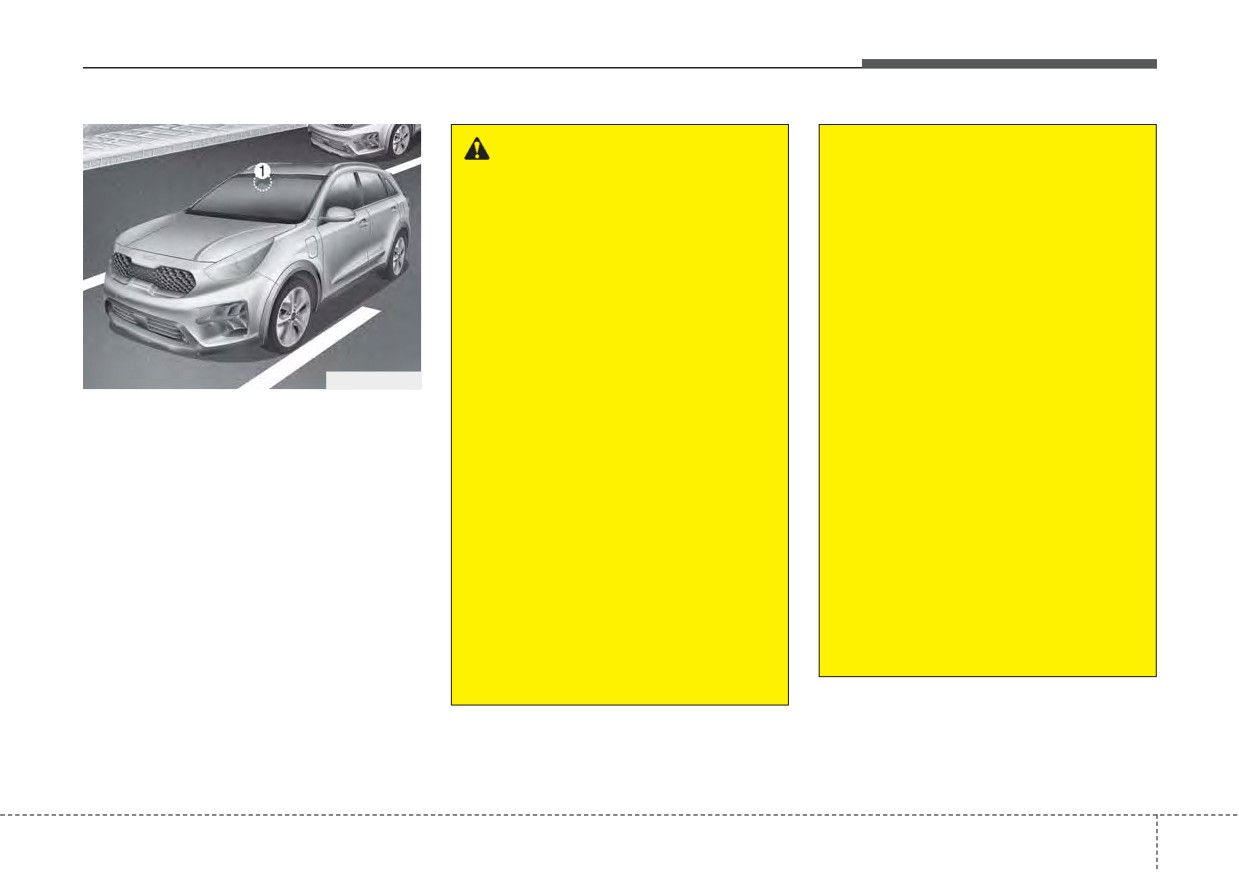
Driving your vehicle
LANE KEEPING ASSIST (LKA) (IF EQUIPPED)
(Continued)
WARNING
•
The operation of Lane
•
Driver is responsible for being
Keeping Assist can be can-
aware of surroundings and
celed or not work properly
steering the vehicle safely.
depending on road condition
•
Do not steer the steering
and surroundings. Always be
wheel suddenly when the
cautious when driving.
steering wheel is being assist-
•
Do not disassemble the front
ed by the function.
view camera or attached any
•
Lane Keeping Assist helps
type of coating or accessories
prevent the driver from mov-
ODEP051029
to it. If you disassemble the
ing out of the lane uninten-
front view camera, take your
Lane Keeping Assist detects the lane
tionally by assisting the dri-
vehicle to an authorized Kia
markers on the road with a front view
ver’s steering. If the driver
dealer to check if the function
camera (1) at the front windshield,
intentionally drives on one
needs a calibration.
and assists the driver’s steering to
side of the driving lane, a con-
•
When you replace the wind-
help keep the vehicle in the lanes.
tinuous steering force may
shield glass, front view cam-
When the function detects the vehi-
occur. However, the function
era or related parts of the
cle straying from its lane, it warns the
is just a convenience function
steering, take your vehicle to
driver with a visual and audible warn-
and the steering wheel is not
an authorized Kia dealer to
ing, while applying a slight counter-
always controlled. While driv-
check if the function needs a
steering torque, trying to prevent the
ing, the driver should pay
calibration.
vehicle from moving out of its lane.
attention to the steering
wheel.
(Continued)
(Continued)
5
87
Driving your vehicle
Lane Keeping Assist operation
(Continued)
(Continued)
•
The function detects lane
•
If other beeps such as the
markers and controls the
seat belt warning sound are in
steering wheel by a front view
operation and override Lane
camera, therefore, if the lane
Keeping Assist alarming func-
markers are hard to detect,
tion, Lane Keeping Assist
the function may not work
beeps may not occur.
properly. Always be cautious
•
At high vehicle speeds, the
when using the function.
steering torque needed for
•
When the lane markers are
assistance may not be suffi-
hard to detect, please refer to
cient to keep your vehicle
“DRIVER’S ATTENTION”.
within the lane. If so, the vehi-
cle may move out of its lane.
ODEP051113N
•
Do not remove or damage the
Always obey the speed limit
related parts of the front view
To activate/deactivate Lane Keeping
camera function.
when using Lane Keeping
Assist :
Assist.
•
Do not place objects on the
With the ignition switch or ENGINE
•
If you attach objects to the
crash pad that reflect light
START/STOP button in the ON posi-
steering wheel, the function
such as mirrors, white paper,
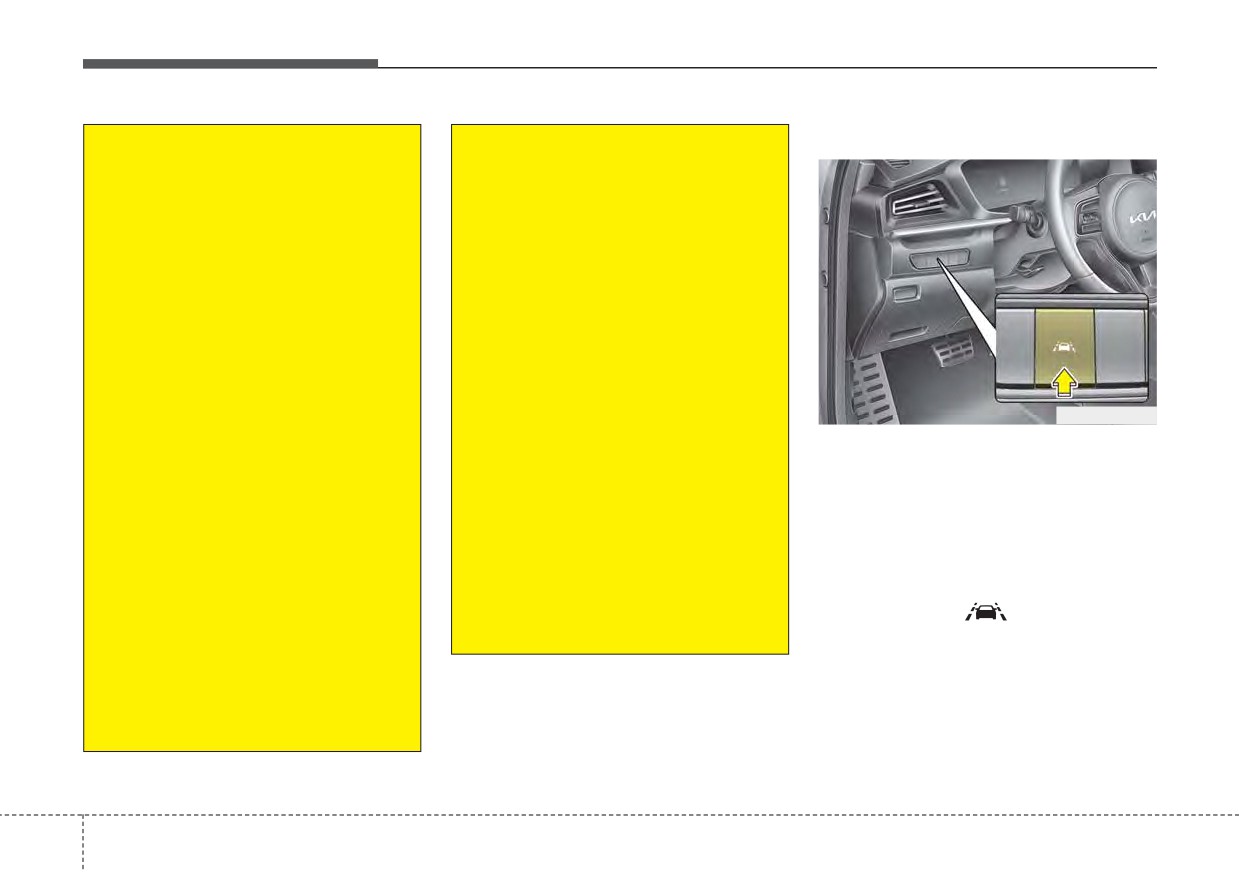
tion, press the Lane Safety button
may not assist steering.
etc. it may cause malfunction
located on the instrument panel on
of Lane Keeping Assist if sun-
•
If you attach objects to the
the lower left hand side of the driver.
light is reflected.
steering wheel, hands off
The indicator (
) in the cluster
alarm may not work properly.
•
You may not hear warning
display will initially illuminate white.
sound of Lane Keeping Assist
When the indicator(white) was acti-
because of the excessive
vated in the previous ignition cycle,
audio sound.
the function turns on without any
(Continued)
control. If you press the Lane Safety
button again, the indicator on the
cluster display will go off.
5
88
Driving your vehicle
❈ The color of indicator will change
Lane Keeping Assist setting
depend on the condition of Lane
The driver can change Lane Keeping
Keeping Assist.
Assist to Lane Departure Warning or
- White : Sensor does not detect
change the Lane Keeping Assist
the lane marker or vehi-
mode from the LCD display.
cle speed is less than 40
“User Settings Driver Assistance
mph (60 km/h).
Lane Safety
Lane Keeping
- Green : Sensor detects the lane
Assist/Lane Departure Warning/Off”
marker and function is
able to control the steer-
ing.
Lane Keeping Assist
ODEEV051027
Lane Keeping Assist mode guides
To activate/deactivate Lane Keeping
the driver to keep the vehicle within
Assist:
the lanes. It rarely controls the steer-
ing wheel, when the vehicle drives
With the ignition switch or ENGINE
well inside the lanes. However, it
START/STOP button in the ON posi-
starts to control the steering wheel,
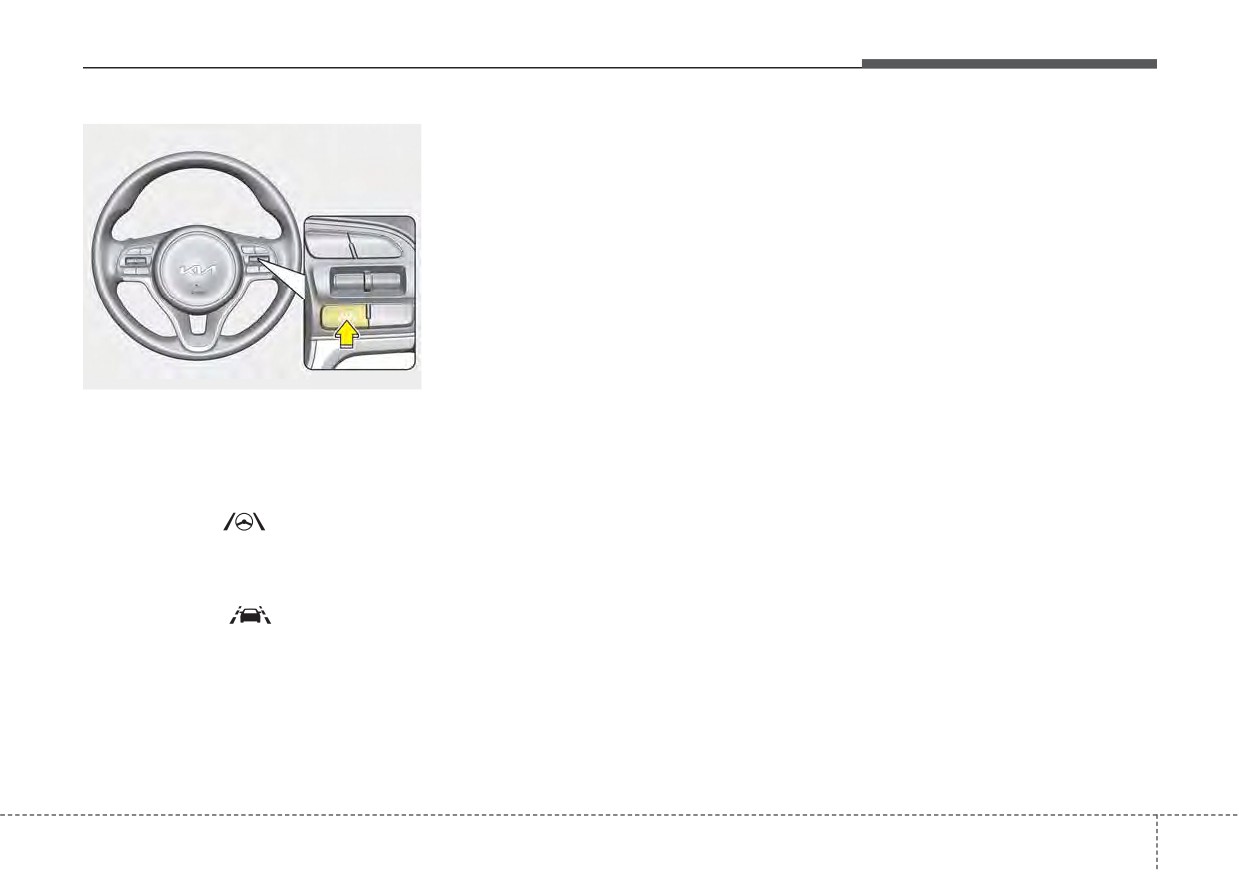
tion, press and hold the Lane Driving
when the vehicle is about to deviate
Assist button (
) located on the
from the lanes.
steering wheel to turn off Lane
Keeping Assist. Press and hold the
button again to turn on the function.
The indicator (
) in the cluster
display will initially illuminate white. If
you pressing and holding the Lane
Driving Assist button located on the
steering wheel, Lane Keeping Assist
will be turned off and the indicator on
the cluster display will go off.
5
89
Driving your vehicle
Lane Departure Warning
Lane Keeping Assist activa-
tion
WARNING
Lane Departure Warning warns the
driver with a visual and acoustic
Lane Keeping Assist is a func-
warning when the function detects
tion to help prevent the driver
the vehicle leaving the lane. In this
from leaving the lane. However,
mode, the steering wheel will not be
the driver should not solely rely
controlled. When the vehicle’s front
on the function and should
wheel contacts the inside edge of
always check road conditions
lane line, the contacted line will be
wen driving.
displayed on the LCD display.
Off
If you select ‘Off’, it is the same with
pressing Lane Safety (
) button
ODEP050112N
to release.
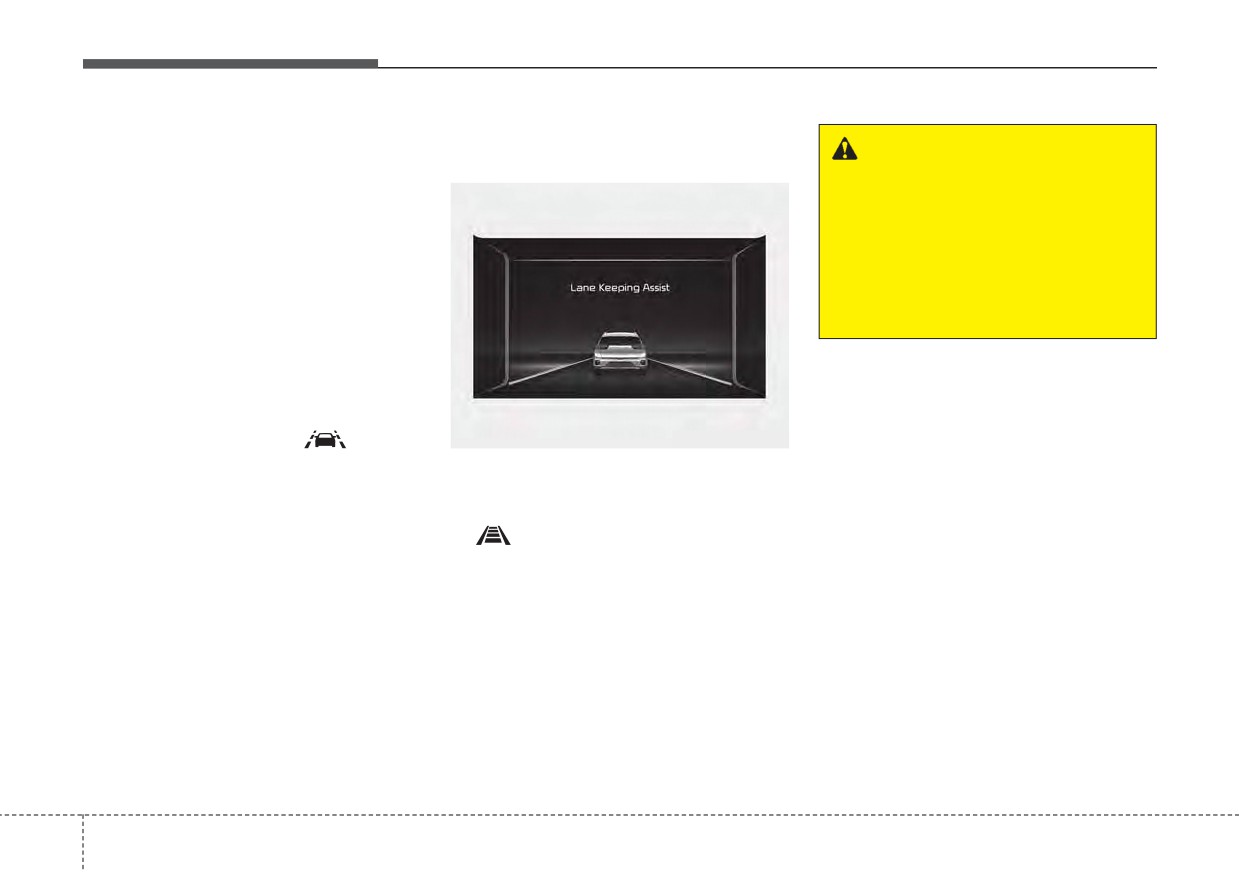
• To see Lane Keeping Assist screen
on the LCD display in the cluster,
Tab to the Driving Assist mode
(
).
• After Lane Keeping Assist is acti-
vated, if both lane markers are
detected, vehicle speed is over 40
mph (60 km/h) and all the activa-
tion conditions are satisfied, a
green steering wheel indicator will
illuminate and the steering wheel
will be controlled.
5
90
Driving your vehicle
■ Lane undetected
■ Lane detected
Warning
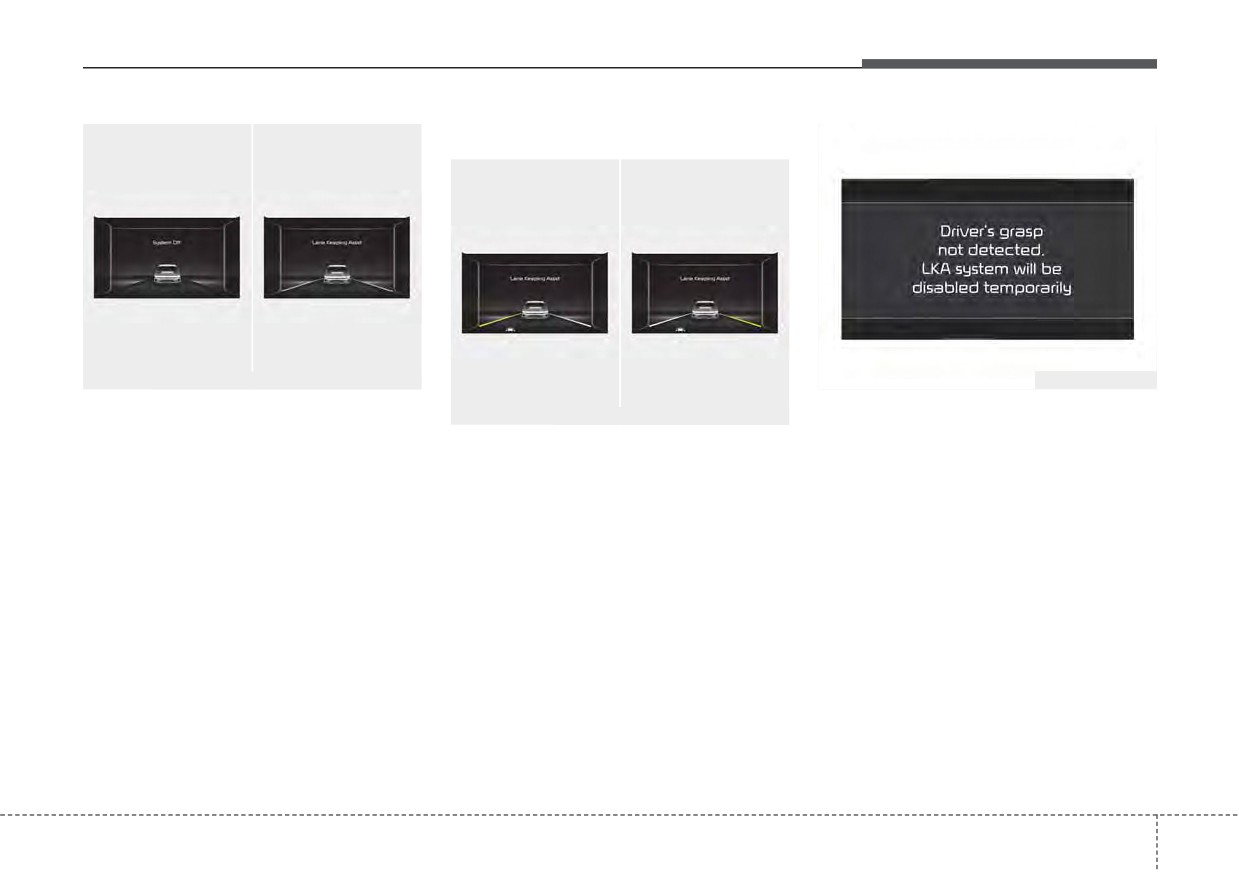
■ Hands off warning message while LKA is acti-
vated
■ Left lane
■ Right lane
ODEP051114L/ODEP050112N
ODEP051122N
If the speed of the vehicle is over 40
If the driver takes hands off the steer-
ODEP059118L/ODEP059119L
mph (60 km/h) and the function
ing wheel for several seconds while
If the vehicle leaves a lane, the lane
detects lane markers, the color
Lane Keeping Assist is activated, the
marker you cross will blink on the
changes from gray to white.
function will warn the driver.
LCD display and the warning sound
is provided.
5
91
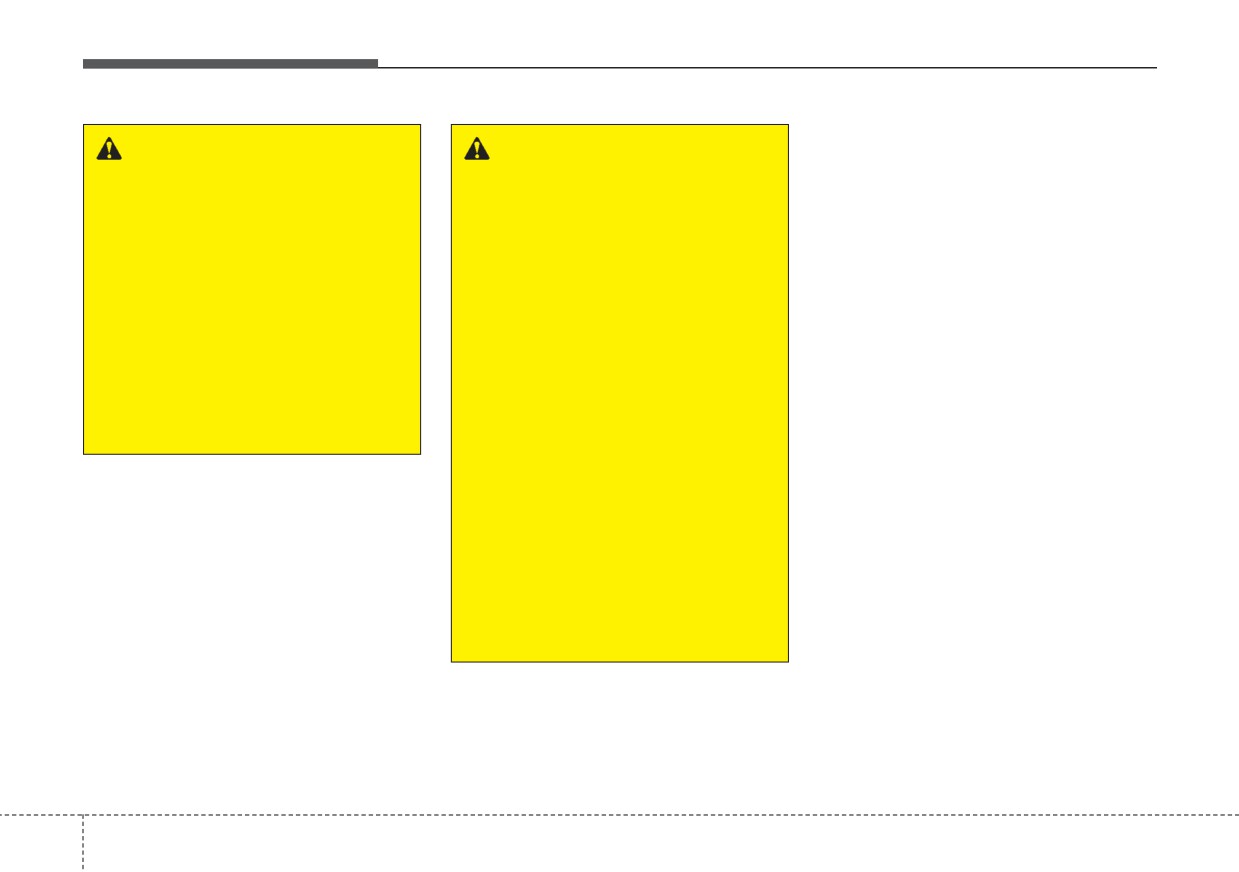
Driving your vehicle
✽ NOTICE
WARNING
WARNING
•
Even though the steering is assist-
•
The hands-off warning mes-
•
The driver is responsible for
ed by the function, the driver may
sage may be delayed accord-
accurate steering.
control the steering.
ing to road conditions.
•
Even though the steering is
•
The steering wheel may feel heav-
Therefore, always have your
assisted by the function, the
ier when the steering wheel is
hands on the steering wheel
driver may control the steer-
assisted by the function than when
while driving.
ing wheel.
it is not.
•
If you hold the steering wheel
•
Turn off the function and drive
lightly, the function may dis-
the vehicle in the below situa-
play the hands off warning
tions:
because Lane Keeping Assist
- In bad weather
may believe you are not grab-
bing the wheel.
- In bad road conditions
- When the steering wheel
needs to be controlled by the
driver frequently.
- When towing a vehicle or
trailer.
•
The steering wheel may feel
heavier when the steering
wheel is assisted by the func-
tion than when it is not.
5
92
Driving your vehicle
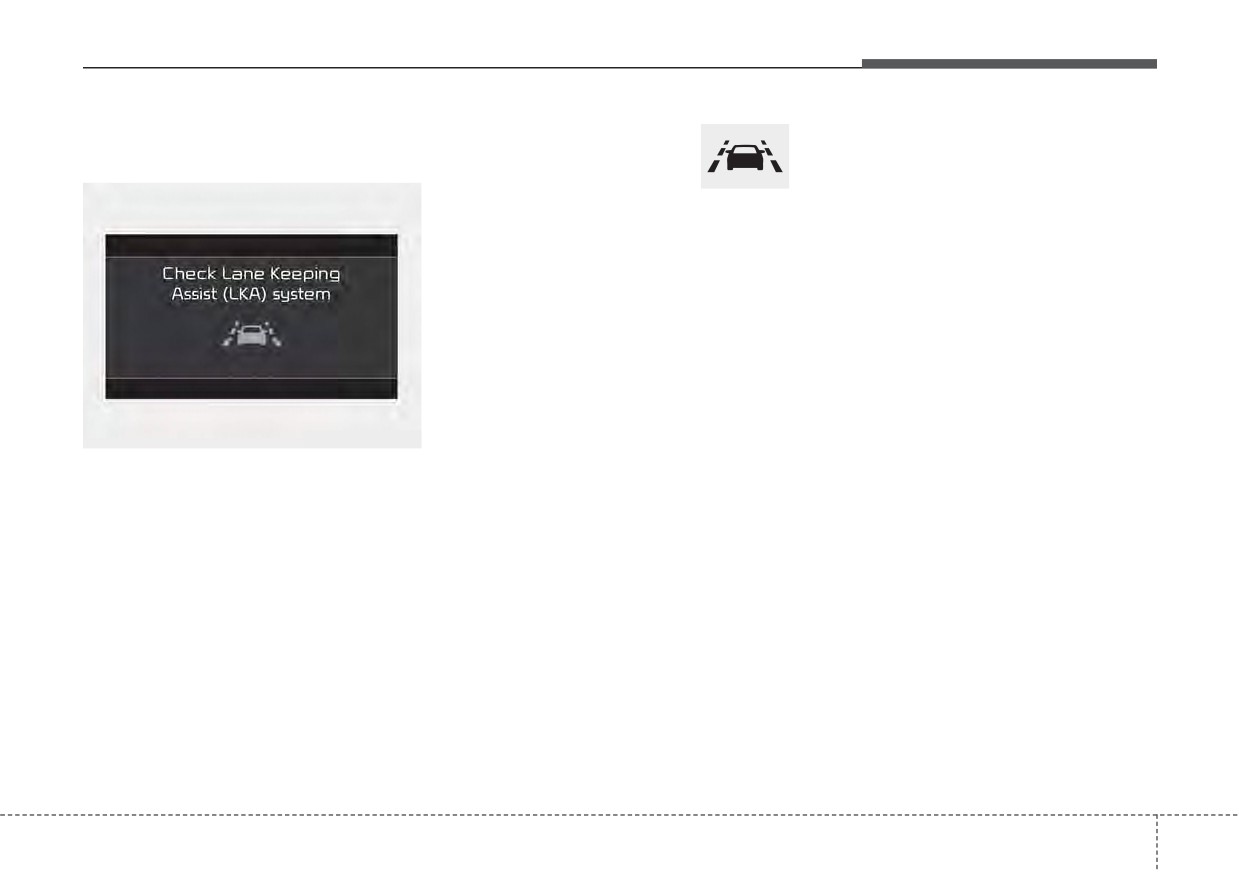
Lane Keeping Assist malfunc-
Lane Safety indicator
Lane Keeping Assist will be canceled
tion
when:
•
You change lanes with the turn sig-
nal.
Lane Safety indicator (yellow) will illu-
- Using the turn signal to change
minate if Lane Keeping Assist is not
lanes.
working properly. If this occurs, have
the function checked by an authorized
- If you change lanes without the
Kia dealer.
turn signal on, the steering wheel
might be controlled.
•
Lane Keeping Assist can transition
to steering assist mode when the
car is near to middle of the lane
after function on or the lane was
ODEP059310L
changed. Lane Keeping Assist can
not assist steering if the vehicle fol-
•
If there is a problem with the func-
lows lane marker too close contin-
tion a message will appear. If the
uously before transition to steering
problem continues Lane Keeping
assist mode.
Assist failure indicator will illumi-
nate.
•
The control of ESC
(Electronic
Stability Control) or VSM (Vehicle
Stability Management) is activated.
•
The steering will not be assisted
when your drive fast on a sharp
curve.
5
93
Driving your vehicle
•
The steering will not be assisted
DRIVER’S ATTENTION
(Continued)
when vehicle speed is below 34
•
The lane marker is not visible due
The driver must be cautious in the
mph (55 km/h) and over 125 mph
to snow, rain, stain, a puddle or
below situations as the function may
(200 km/h).
other factors.
not work properly when recognition
•
A shadow is on the lane marker
•
The steering will not be assisted
of the lane marker is poor or limited
because of a median strip,
when you change lanes fast.
:
guardrail, noise barriers and oth-
•
The steering will not be assisted
ers.
when you brake suddenly.
When lane and road condition is
•
When the lane markers are com-
poor
•
The steering will not be assisted
plicated or a structure substitutes
•
It is difficult to distinguish the lane
when the lane is very wide or nar-
for the lines such as a construc-
marker from road when the lane
row.
tion area.
marker is covered with dust or
•
The steering will not be assisted
•
There are crosswalk signs or other
sand.
when only one side lane marker is
symbols on the road.
•
It is difficult to distinguish the
detected.
•
The lane suddenly disappears
color of the lane marker from
such as at the intersection.
•
There are more than two lane
road.
•
The lane marker in a tunnel is cov-
markers such as a construction
•
There is something looks like a
ered with dirt or oil and etc.
area.
lane marker.
•
The lane is very wide or narrow.
•
Radius of a curve is too small.
•
The lane marker is indistinct or
damaged.
•
When you turn steering wheel sud-
When external condition is inter-
•
The number of lanes increases/
denly, Lane Keeping Assist will be
vened
decreases or the lane lines are
disabled temporarily.
• The brightness of outside changes
crossing
(Driving through a toll
•
Driving on a steep slope or hill.
suddenly when entering/existing a
plaza/toll gate, merged/divided
tunnel or passing under a bridge.
lane).
• The headlamps are not on at night
•
There are more than two lane
or in a tunnel, or light level is low.
markers.
(Continued)
•
The lane marker is very thick or
thin.
(Continued)
5
94
Driving your vehicle
(Continued)
•
There is a boundary structure in
WARNING
the roadway.
Lane Keeping Assist is a func-
•
The light of street, sun, or oncom-
tion to help prevent the driver
ing vehicle reflects from the water
from leaving the lane. However,
on the road.
the driver should not solely rely
•
When light shines brightly in the
on the function and should
reverse direction you drive.
always drive safely and exercise
•
Road surface is not even.
safe driving practices.
•
The distance from the vehicle
ahead is very short or the vehicle
ahead drives hiding the lane line.
•
You drive on a steep grade or a
sharp curve.
•
The vehicle vibrates heavily.
•
The temperature near inside mir-
ror is very high due to direct sun
light and etc.
when front visibility is poor
• The lens or windshield is covered
by strange materials.
• The sensor cannot detect the lane
because of fog, heavy rain or snow.
• The windshield is fogged by
humid air in the vehicle.
• Putting something on the crash
pad and etc.
5
95
Driving your vehicle
BLIND-SPOT COLLISION WARNING (BCW) (IF EQUIPPED)
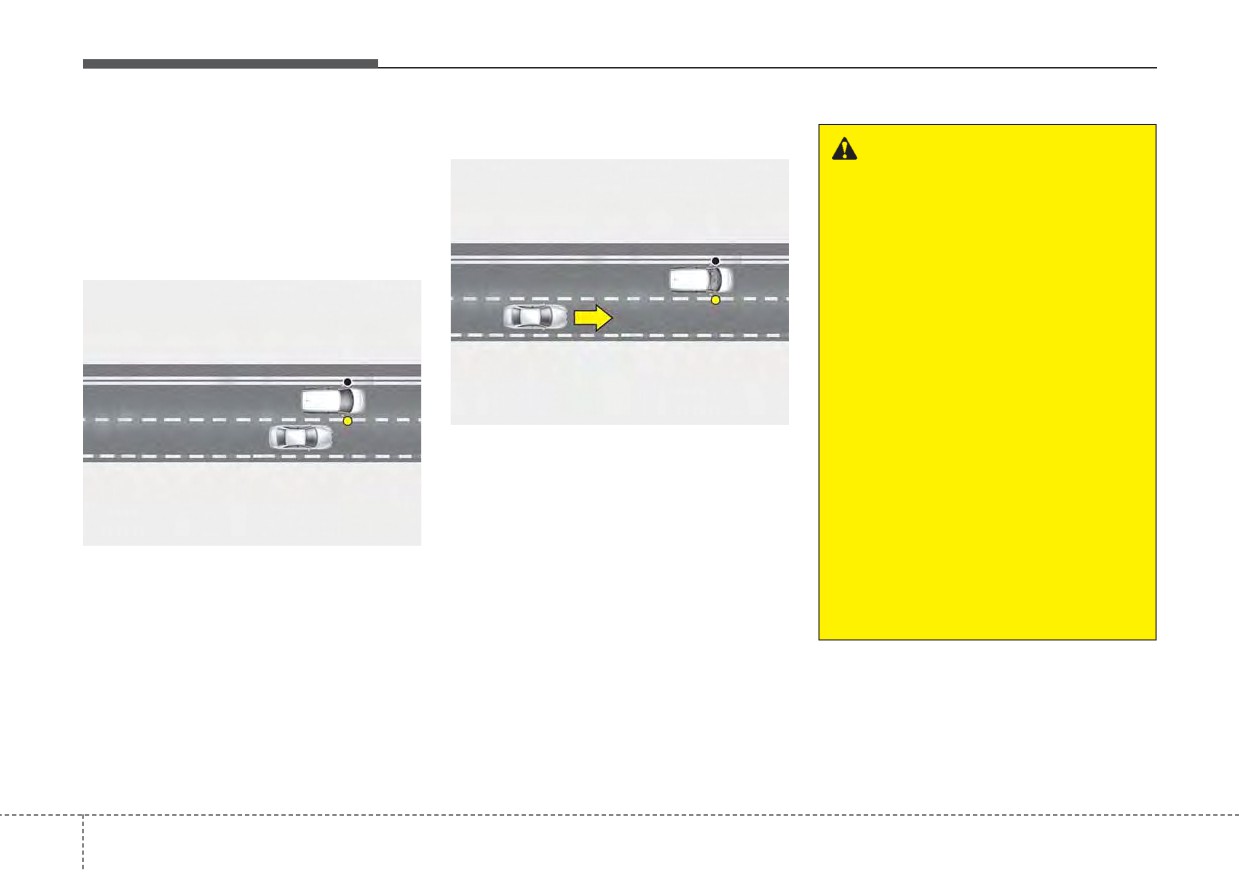
Blind-Spot Collision Warning uses
2) Closing at high speed
radar sensors in the rear bumper to
WARNING
monitor and warn the driver of an
•
Blind-Spot Collision Warning
approaching vehicle
in
the
driver's
is a supplemental function to
blind spot area.
assist you. Do not entirely rely
1) Blind-Spot Area
on the function.
Always pay attention, while
driving, for your safety.
•
Always be aware of road con-
ditions while driving and be
warn for unexpected situa-
tions even though Blind-Spot
OSK3058090L
Collision Warning is operat-
ing.
Blind-Spot Collision Warning feature
•
Blind-Spot Collision Warning
will warn you when a vehicle is
approaching in an adjacent lane at a
is not a substitute for proper
and safe driving. Always drive
high rate of speed. If the driver acti-
vates the turn signal when the func-
safely and use caution when
OSK3058089L
changing lanes or backing up
tion detects an oncoming vehicle, the
function sounds an audible warning.
the vehicle. BCW may not
It warns by detecting the vehicles in
detect every object alongside
the blind spots.
the vehicle.
The blind spot detection range varies
relative to vehicle speed.
Note that if your vehicle is traveling
much faster than the vehicles around
you, the warning will not occur.
5
96
Driving your vehicle
Blind-Spot Collision Warning
•
If the vehicle is turned off then on
setting and activation
again, the function maintains
the
previous state.
Blind-Spot Collision Warning set-
ting
•
The driver can activate the function
by placing the ignition switch or
ENGINE START/STOP button to the
ON position and by selecting “User
Settings
Driver Assistance
Blind-Spot Safety”
- Blind-Spot Collision Warning
ODEP051293N
turns on and gets ready to be
•
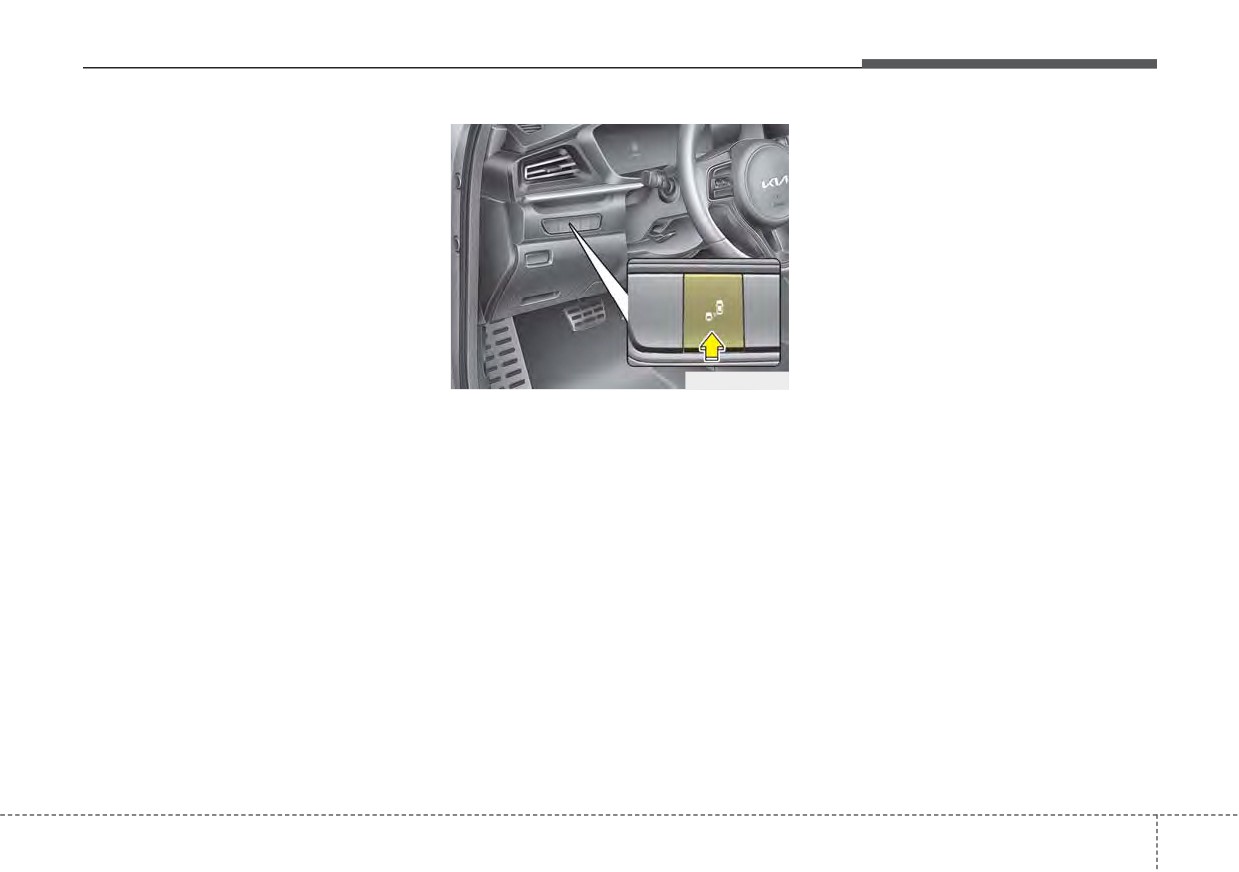
If you press Blind-Spot Safety but-
activated when “Warning Only” is
ton while “Warning Only” is select-
selected. Then, if a vehicle
ed the indicator on the button extin-
approaches the driver's blind spot
guishes and the function deacti-
area a warning sounds.
vates.
- The function is deactivated and
•
If you press Blind-Spot Safety but-
the indicator on the Blind-Spot
ton while the function is cancelled
Safety button is extinguished
the indicator on the button illumi-
when 'Off' is selected.
nates and the function activates. In
this case, the function returns to the
state before the vehicle turned off.
When the function is initially turned
on and when the motor is turned off
then on again while the function is
in activation, the warning light will
illuminate for 3 seconds on the out-
side rearview mirror.
5
97
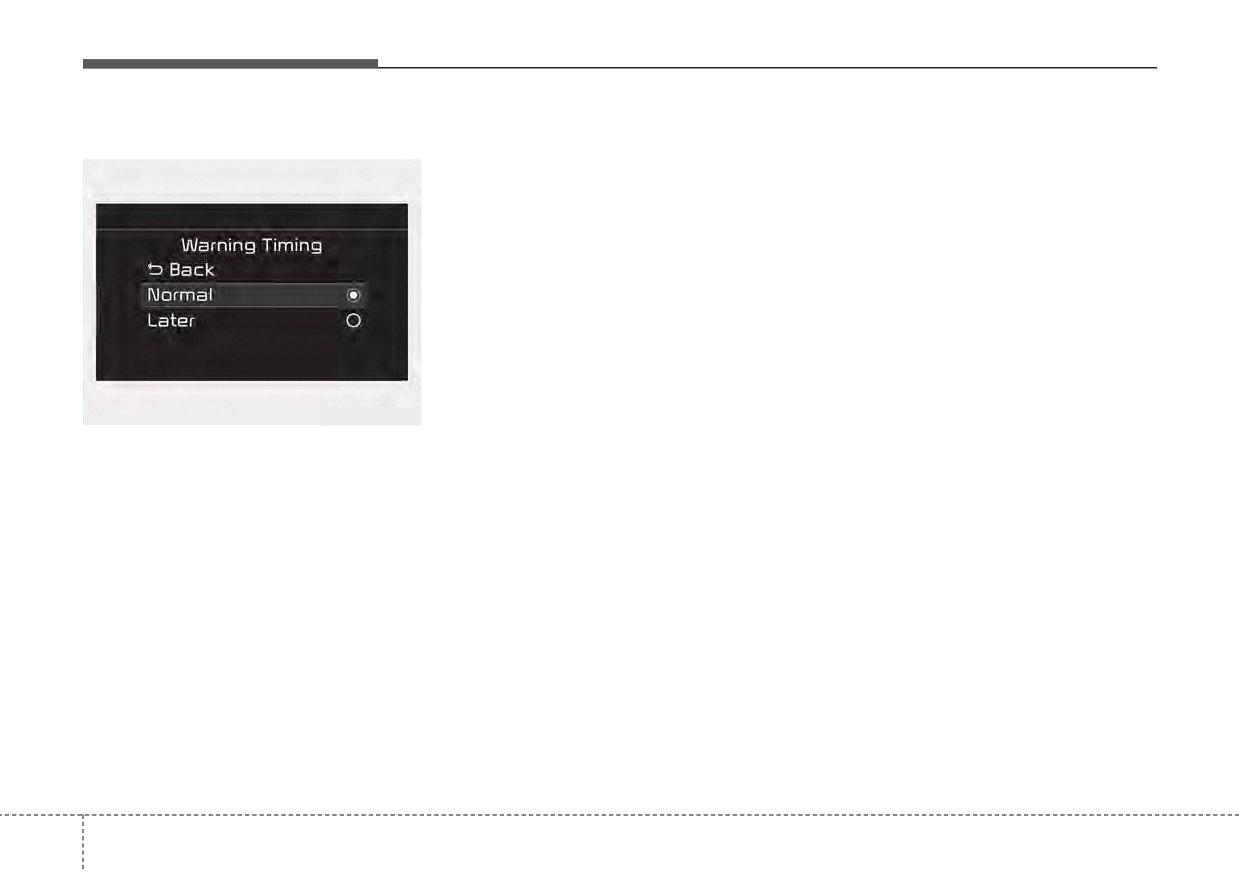
Driving your vehicle
Warning Timing
- Normal:
Operating conditions
When this condition is selected,
The function enters the ready status,
the initial Blind-Spot Collision
when ‘Warning Only’ is selected and
Warning is activated normally. If
the following conditions are satisfied:
this setting feels too sensitive
• Warning Only
change the option to ‘Normal’.
(1) Blind-Spot Collision Warning will
The warning activation time may
activate when:
feel late if the side/rear vehicle
- The vehicle speed above approxi-
abruptly accelerates.
mately 20 mph (30 km/h).
- Later:
Select this warning activation
time when the traffic is light and
OYG059344L
you are driving in a low speed.
•
The driver can select the initial
warning activation time select “User
✽ NOTICE
Settings
Driver Assistance
If you change the warning timing,
Warning Timing”
the warning time of other functions
•
The options for the initial Blind-
may change. Always be aware
Spot Collision Warning includes
before changing the warning timing.
the following:
5
98