Kia Niro Hybrid / Plug-in Hybrid (2022 year). Manual in english - page 12
Driving your vehicle
Electronic Parking Brake
✽ NOTICE
Releasing the parking brake
(EPB) (if equipped)
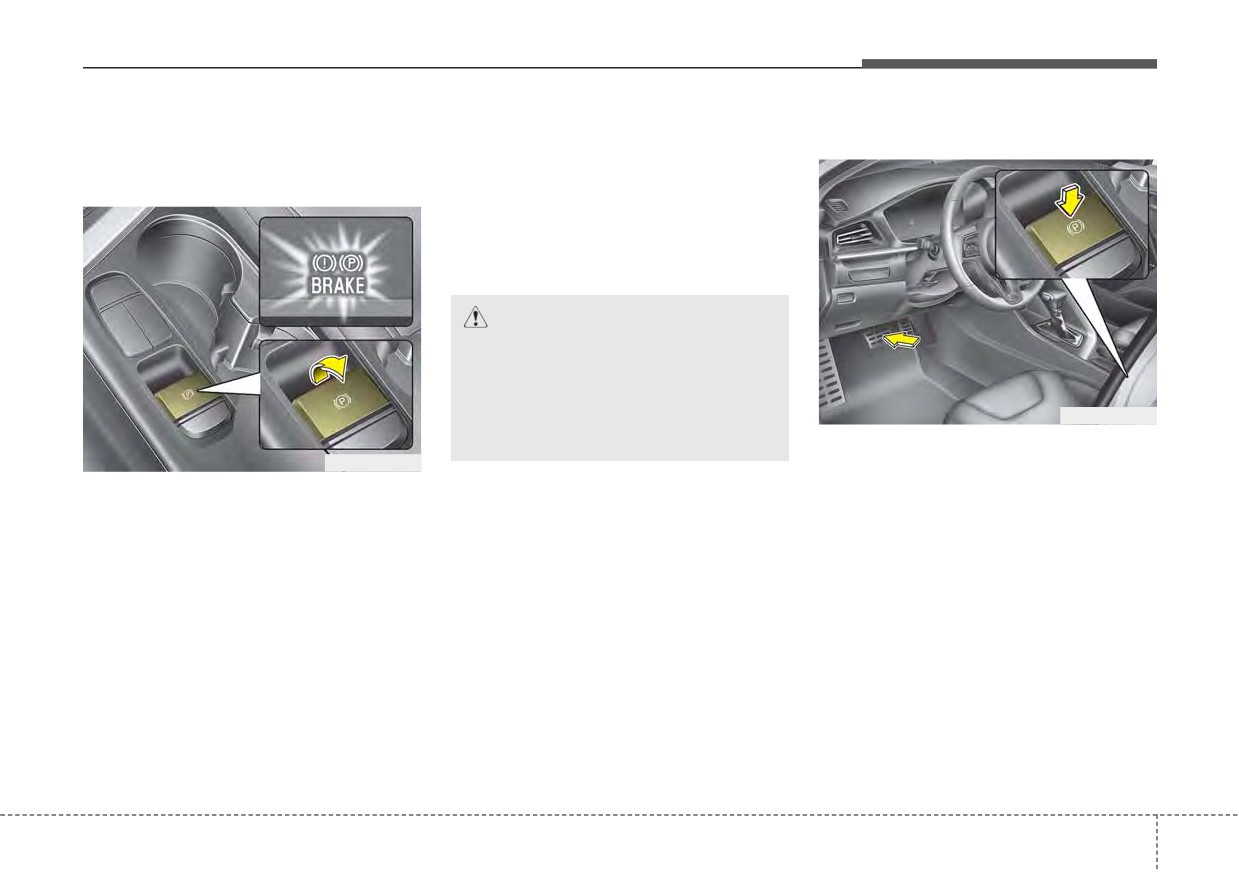
On a steep incline or when pulling a
Applying the parking brake
trailer if the vehicle does not stand
still, do as follows:
1. Apply the EPB.
2. Pull up the EPB switch for more
than 3 seconds.
CAUTION
Do not operate the EPB while
the vehicle is moving except in
an emergency situation. It could
damage the vehicle system and
ODEP059285
endanger driving safety.
To release the EPB
(Electronic
ODEP059284
Parking Brake), press the EPB switch
To apply the EPB (Electronic Parking
in the following condition:
Brake):
1. Place the ENGINE START/STOP
1. Press the brake pedal.
button in the ON position.
2. Pull up the EPB switch.
2. Press the brake pedal.
3. Make sure the warning light comes
3. The shift lever must be in P (Park).
on. Also, the EPB is applied auto-
4. Make sure the brake warning light
matically if the Auto Hold button is
goes off.
on when the engine is turned off.
However, if you keep pressing the
EPB switch till the engine is turned
off, the EPB will not be applied.
5
35
Driving your vehicle
To release EPB (Electronic Parking
✽ NOTICE
EPB (Electronic Parking Brake) may
Brake) automatically:
be automatically applied when:
• For your safety, you can engage
•
Shift lever in P (Park)
the EPB even though the ignition
• The EPB is overheated
With the engine running depress
switch or ENGINE START/STOP
• Requested by other systems
the brake pedal and shift out of P
button is in the OFF position, but
• The hybrid system is turned off
(Park) to R (Reverse) or D (Drive).
you cannot release it.
with the EPB applied
• For your safety, depress the brake
• Shift lever in N (Neutral)
pedal and release the parking
With the engine running depress
brake manually with the EPB
✽ NOTICE
the brake pedal and shift out of N
switch when you drive downhill or
• If Auto Hold is operating (Green
(Neutral) to R
(Reverse) or D
when backing up the vehicle.
light), EPB is applied automatical-
(Drive).
ly when the hybrid system is
•
Depress the accelerator pedal
CAUTION
turned off.
slowly when the following condi-
• If Auto Hold is in ready position
• If the parking brake warning
tions are satisfied:
(White light), EPB is applied auto-
light is still on even though
1. Start the engine.
matically after 1 second from the
the EPB has been released,
2. Fasten the driver's seat belt.
hybrid system off timing. In this
have the system checked by
case, if the EPB switch is pressed
3. Close the driver's door, engine
an authorized Kia dealer.
within 1 second, the EPB will not
hood and liftgate.
• Do not drive your vehicle with
be applied.
4. The shift lever is in R (Rear), D
the EPB applied. It may cause
(Drive) or manual mode.
excessive brake pad and
brake rotor wear.
Make sure the brake warning light
goes off.
5
36
Driving your vehicle
System warning
WARNING
CAUTION
•
To prevent unintentional
•
A click or electric brake motor
movement when stopped and
whine sound may be heard
leaving the vehicle, do not use
while operating or releasing the
the shift lever in place of the
EPB, but these conditions are
parking brake. Set the parking
normal and indicate that the
brake and make sure the shift
EPB is functioning properly.
lever is securely positioned in
•
When leaving your keys with a
P (Park).
parking lot attendant or valet,
•
Never allow anyone who is
make sure to inform him/her
unfamiliar with the vehicle to
how to operate the EPB.
touch the parking brake. If the
•
The EPB may malfunction if
ODEP059326N
parking brake is released
you drive with the EPB applied.
•
If you try to drive off depressing the
unintentionally, serious injury
•
When you automatically
accelerator pedal with the EPB
may occur.
release EPB by depressing
applied, but doesn't release auto-
•
All vehicles should always
the accelerator pedal, depress
matically, a warning will sound and
have the parking brake fully
it slowly.
a message will appear.
engaged when parking to
•
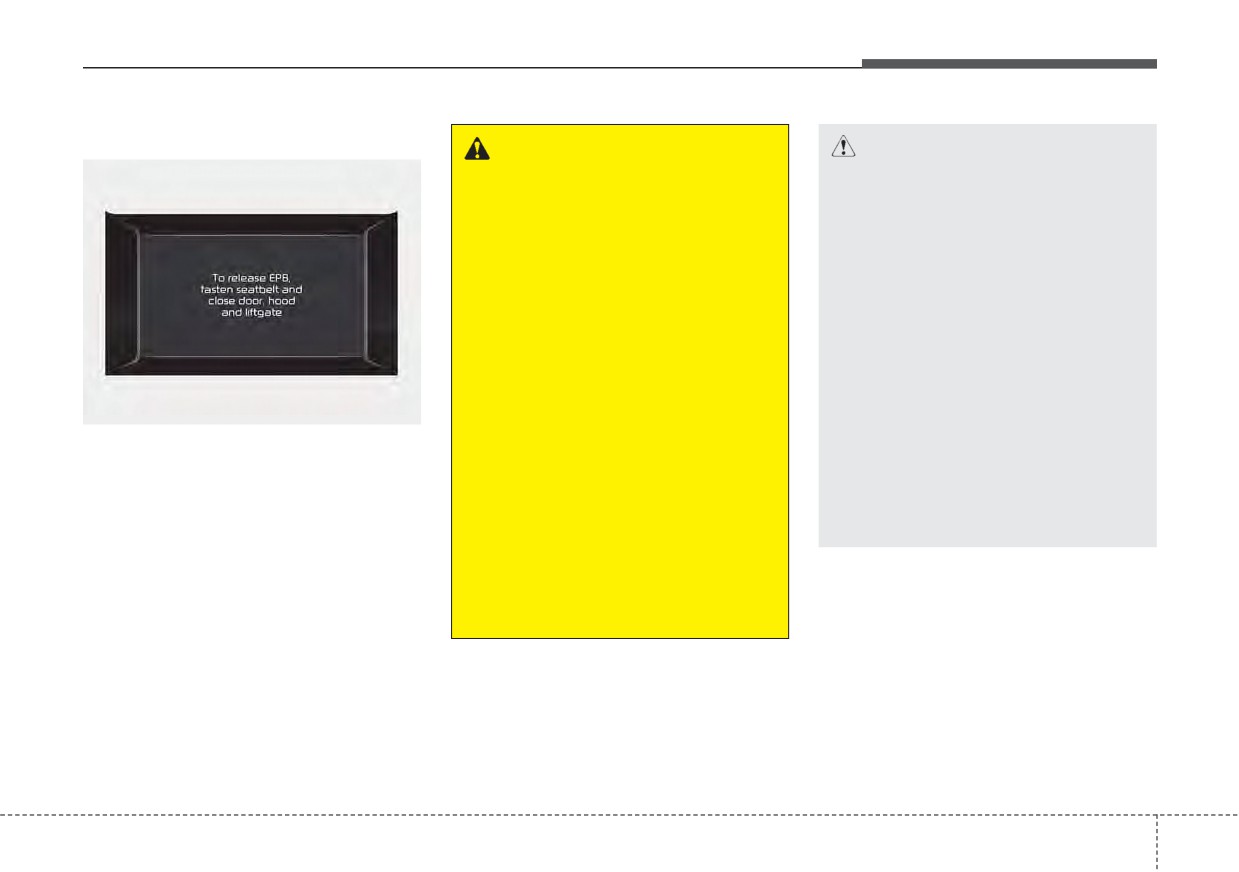
If the driver's seat belt is not fastened
avoid inadvertent movement
and the door, hood and liftgate is
of the car which can injure
opened, a warning will sound and a
occupants or pedestrians.
message will appear.
•
If there is a problem with the vehi-
cle, a warning may sound and a
message may appear.
If
the above situation occurs,
depress the brake pedal and release
EPB by pressing the EPB switch.
5
37
Driving your vehicle
System warning
System warning
CAUTION
Engage the brake pedal when
the above message appears for
the Auto Hold and EPB may not
activate.
OJF058375L
OJF058377L
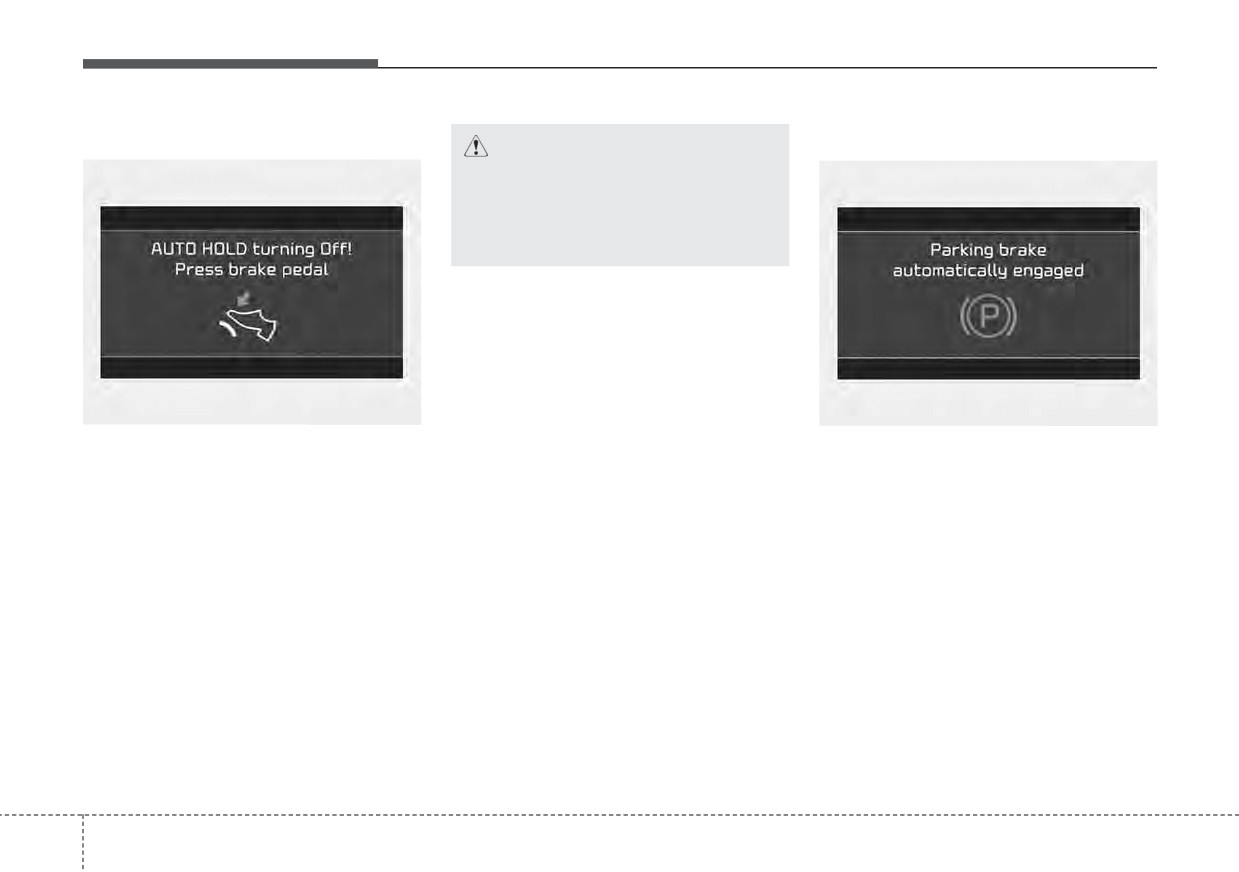
When the conversion from Auto Hold
If the EPB is applied while Auto Hold
to EPB is not working properly a
is activated because of ESC
warning will sound and a message
(Electronic Stability Control) signal, a
will appear.
warning will sound and a message
will appear.
5
38
Driving your vehicle
EPB malfunction indicator
If this occurs, have your vehicle
(Continued)
(if equipped)
checked by an authorized Kia dealer
as soon as possible.
•
If the parking brake warning
light blinks when the EPB
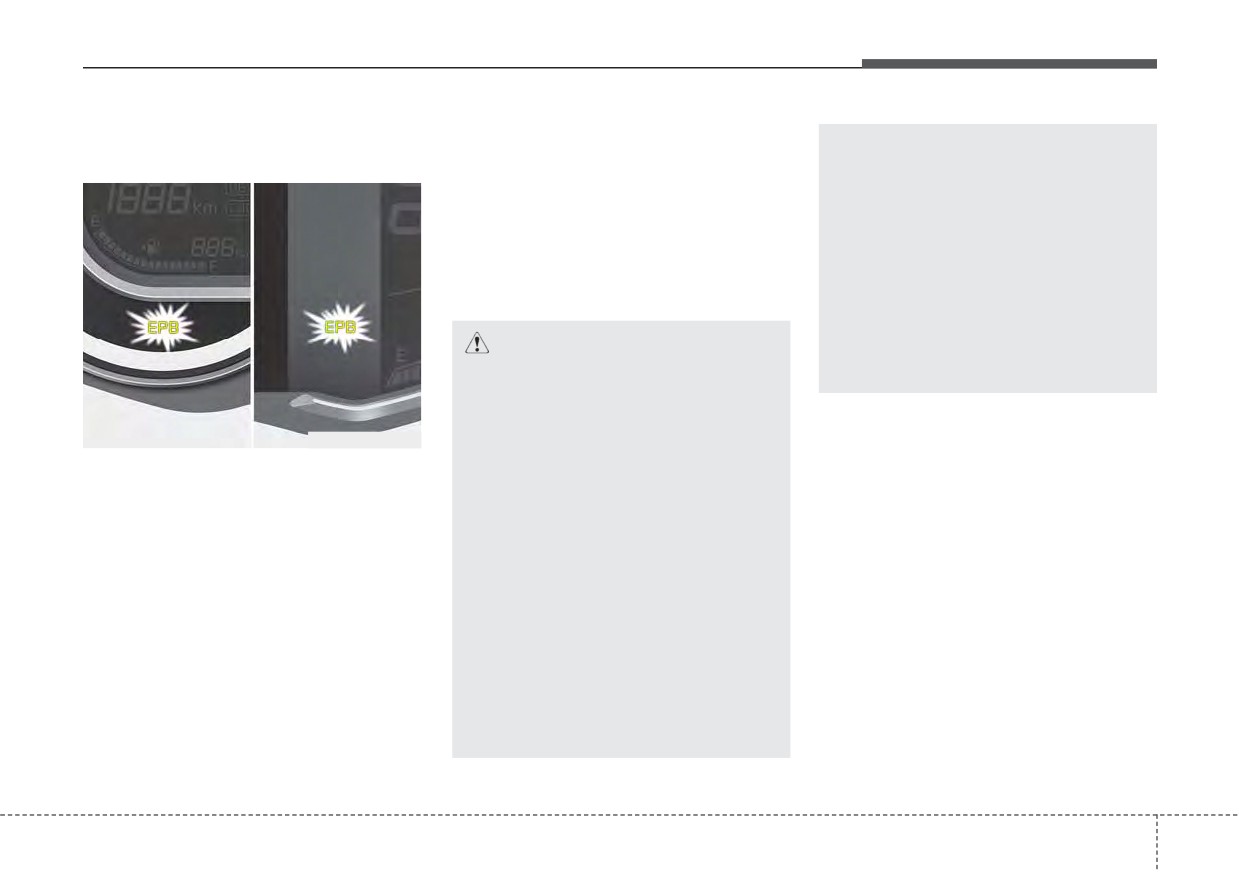
The EPB malfunction indicator may
warning light is on, press the
illuminate when the ESC indicator
switch, then pull it up. Once
comes on to indicate that the ESC is
more press it back to its origi-
not working properly, but it does not
nal position and pull it back
indicate a malfunction of the EPB.
up. If the EPB warning does
not go off, have the system
CAUTION
checked by an authorized Kia
dealer.
•
The EPB warning light may
illuminate if the EPB switch
operates abnormally. Shut the
ODEP059286
engine off and turn it on again
after a few minutes. The warn-
This warning
light illuminates if the
ing light will go off and the
ignition switch or ENGINE START/
EPB switch will operate nor-
STOP button is changed to the ON
mally. However, if the EPB
position and goes off in approximately
warning light is still on, have
3 seconds if the system is operation
the system checked by an
normally.
authorized Kia dealer.
If the EPB malfunction indicator
•
If the parking brake warning
remains on, comes on while driving,
or does not come on when the igni-
light does not illuminate or
blinks even though the EPB
tion switch or ENGINE START/STOP
button is changed to the ON position,
switch was pulled up, the EPB
is not applied.
this indicates that the EPB may have
malfunctioned.
(Continued)
5
39
Driving your vehicle
Emergency braking
✽ NOTICE
When the EPB (Electronic Parking
Brake) does not release
If there is a problem with the brake
During emergency braking by the
pedal while driving, emergency brak-
EPB, the parking brake warning
If the EPB does not release normal-
ing is possible by pulling up and
light will illuminate to indicate that
ly, take your vehicle to an authorized
holding the EPB switch. Braking is
the system is operating.
Kia dealer by loading the vehicle on
possible only while you are holding
a flatbed tow truck and have the sys-
the EPB switch.
tem checked.
CAUTION
If you continuously notice a
WARNING
noise or burning smell when the
Do not operate the parking
EPB is used for emergency brak-
brake while the vehicle is mov-
ing, have your vehicle checked
ing except in an emergency sit-
by an authorized Kia dealer.
uation.
5
40
Driving your vehicle
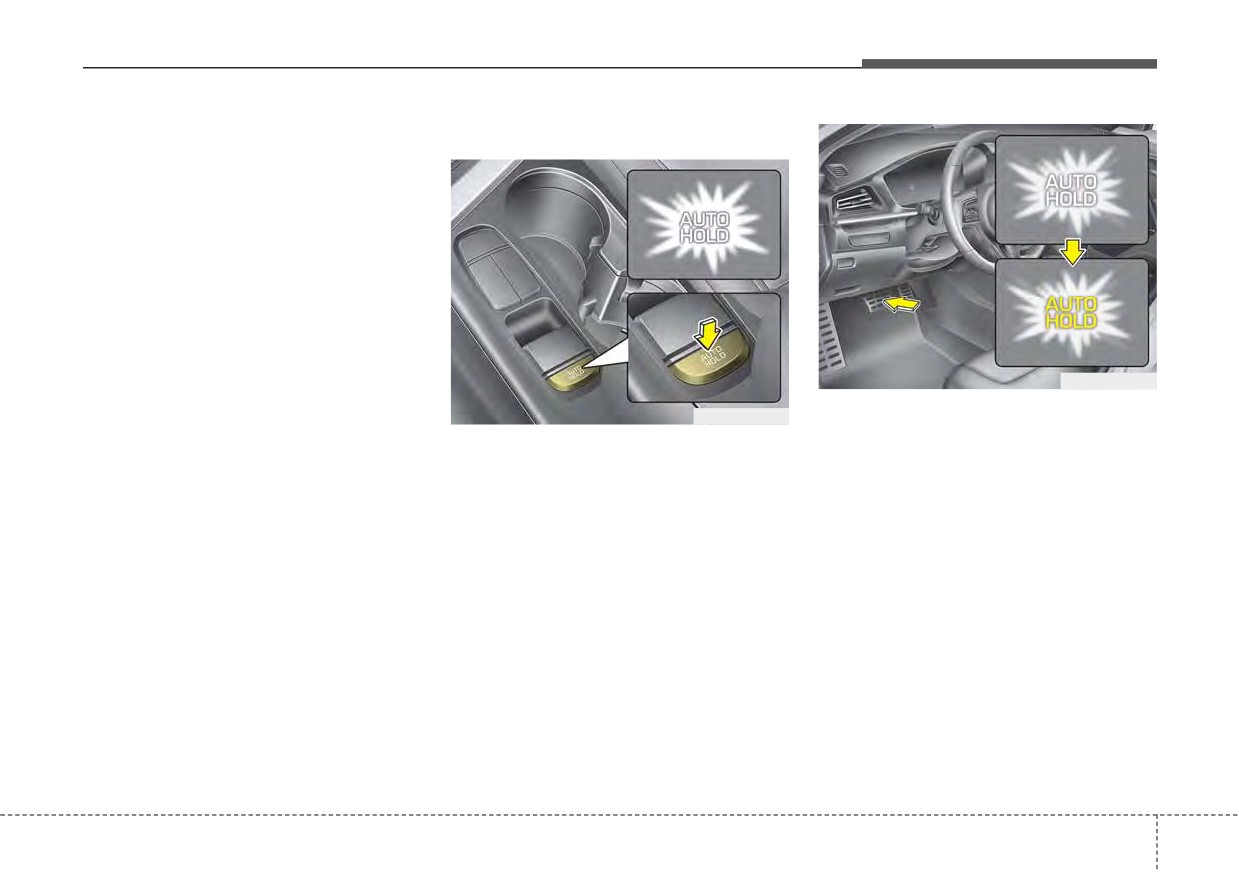
AUTO HOLD (if equipped)
Set up
The Auto Hold maintains the vehicle
in a standstill even though the brake
pedal is not depressed after the driv-
er brings the vehicle to a complete
stop by depressing the brake pedal.
ODEP059288
2. When you stop the vehicle com-
ODEP059287
pletely by depressing the brake
1. With the driver's door, engine
pedal, the AUTO HOLD indicator
hood closed, fasten the driver's
changes from white to green.
seat belt or depress the brake
3. The vehicle will remain stationary
pedal and then press the Auto
even if you release the brake pedal.
Hold button. The white AUTO
HOLD indicator will come on and
4. If EPB is applied, Auto Hold will be
the system will be in the standby
released.
position.
5
41
Driving your vehicle
Leaving
Cancel
✽ NOTICE
If you press the accelerator pedal
•
The Auto Hold does not operate
with the shift lever in D (Drive) or
when:
manual mode, the Auto Hold will be
- The driver's door is opened
released automatically and the vehi-
- The engine hood is opened
cle will start to move. The indicator
- The shift lever is in P (Park) or R
changes from green to white.
(Reverse)
- The EPB is applied
•
For your safety, the Auto Hold
WARNING
automatically switches to EPB in
When driving off from Auto
such cases:
Hold by depressing the acceler-
- The driver's door is opened
ator pedal, always check the
- The engine hood is opened
surrounding area near your
ODEP059289
- The vehicle is in a standstill for
vehicle.
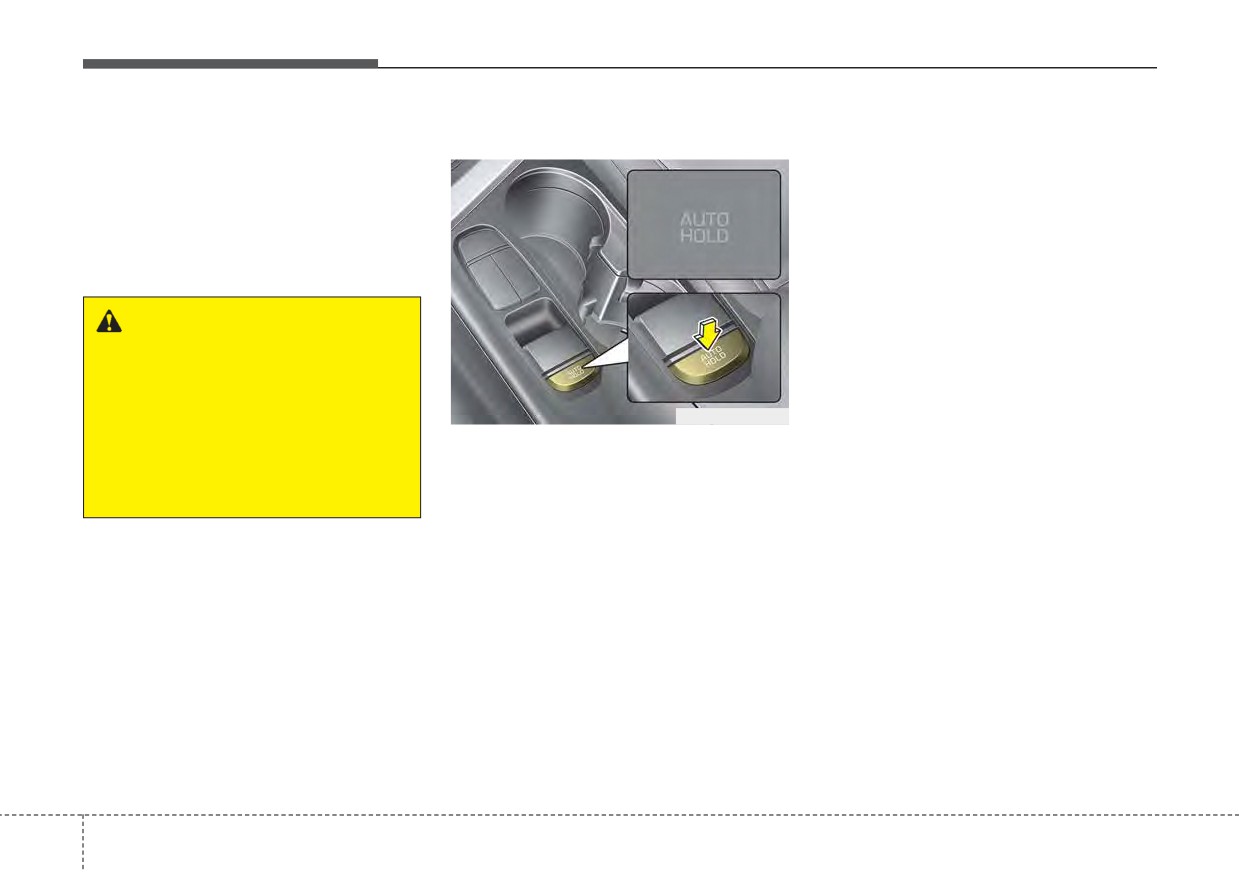
To cancel the Auto Hold operation,
more than 10 minutes
Slowly depress the accelerator
press the Auto Hold switch. The
- The vehicle is standing on a steep
pedal for a smooth launch.
AUTO HOLD indicator will go out.
slope
To cancel the Auto Hold operation
- The vehicle moved several times
when the vehicle is at a standstill,
(Continued)
press the Auto Hold switch while
depressing the brake pedal.
5
42
Driving your vehicle
(Continued)
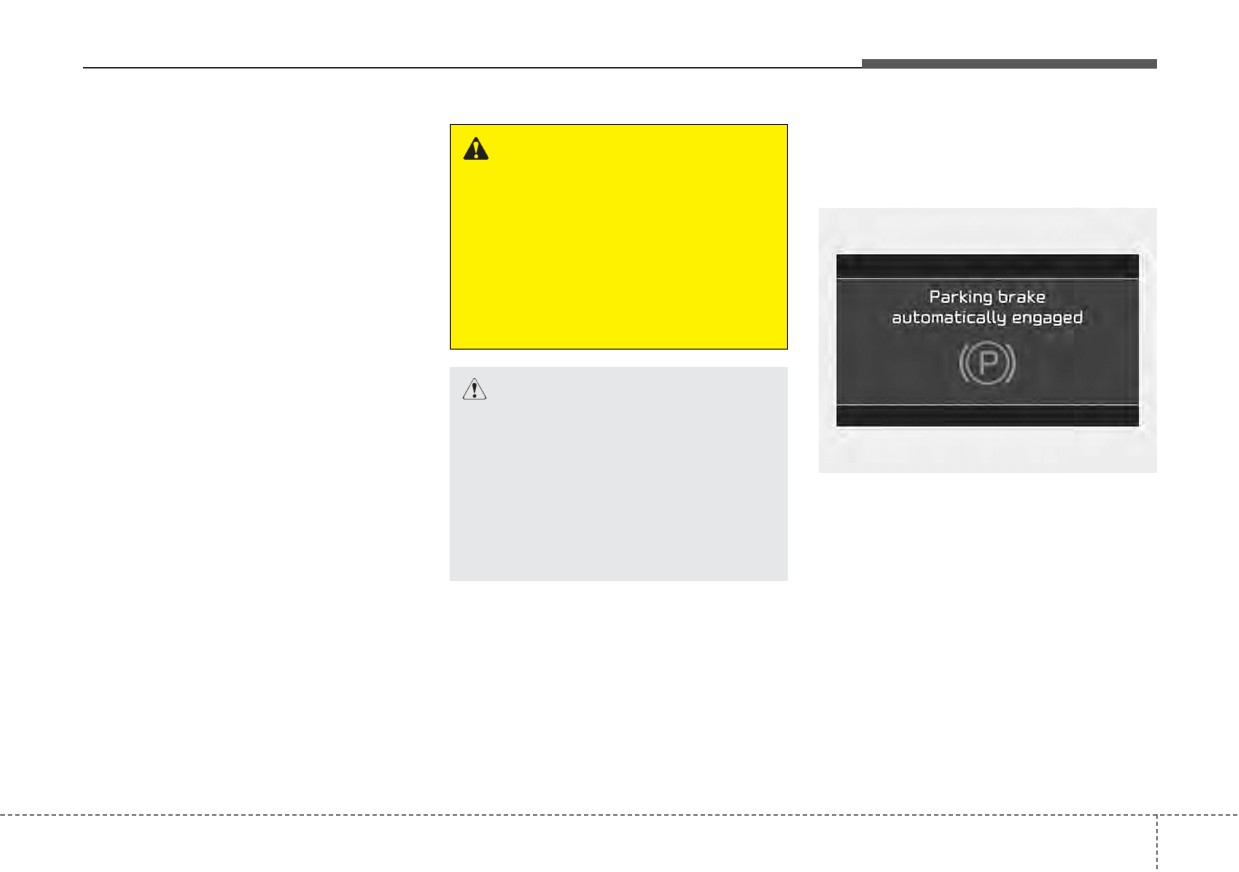
Warning messages
In these cases, the brake warning
WARNING
Parking brake automatically
light comes on, the AUTO HOLD
• Press the accelerator pedal
engaged
indicator changes from green to
slowly when you start the
white, and a warning sounds and a
vehicle.
message will appear to inform you
• For your safety, cancel the
that EPB has been automatically
Auto Hold when you drive
engaged. Before driving off again,
downhill or back up or park
press foot brake pedal, check the
the vehicle.
surrounding area near your vehi-
cle and release parking brake
manually with the EPB switch.
•
If the AUTO HOLD indicator
CAUTION
lights up yellow, the Auto Hold is
If there is a malfunction with the
not working properly. Take your
driver’s door, engine hood open
vehicle to an authorized Kia deal-
detection system, the Auto Hold
OJF058377L
er and have the system checked.
may not work properly.
•
While operating Auto Hold, you
When the EPB is applied from Auto
Take your vehicle to an author-
may hear mechanical noise.
Hold, a warning will sound and a
ized Kia dealer and have the sys-
However, it is normal operation
message will appear.
tem checked.
noise.
5 43
Driving your vehicle
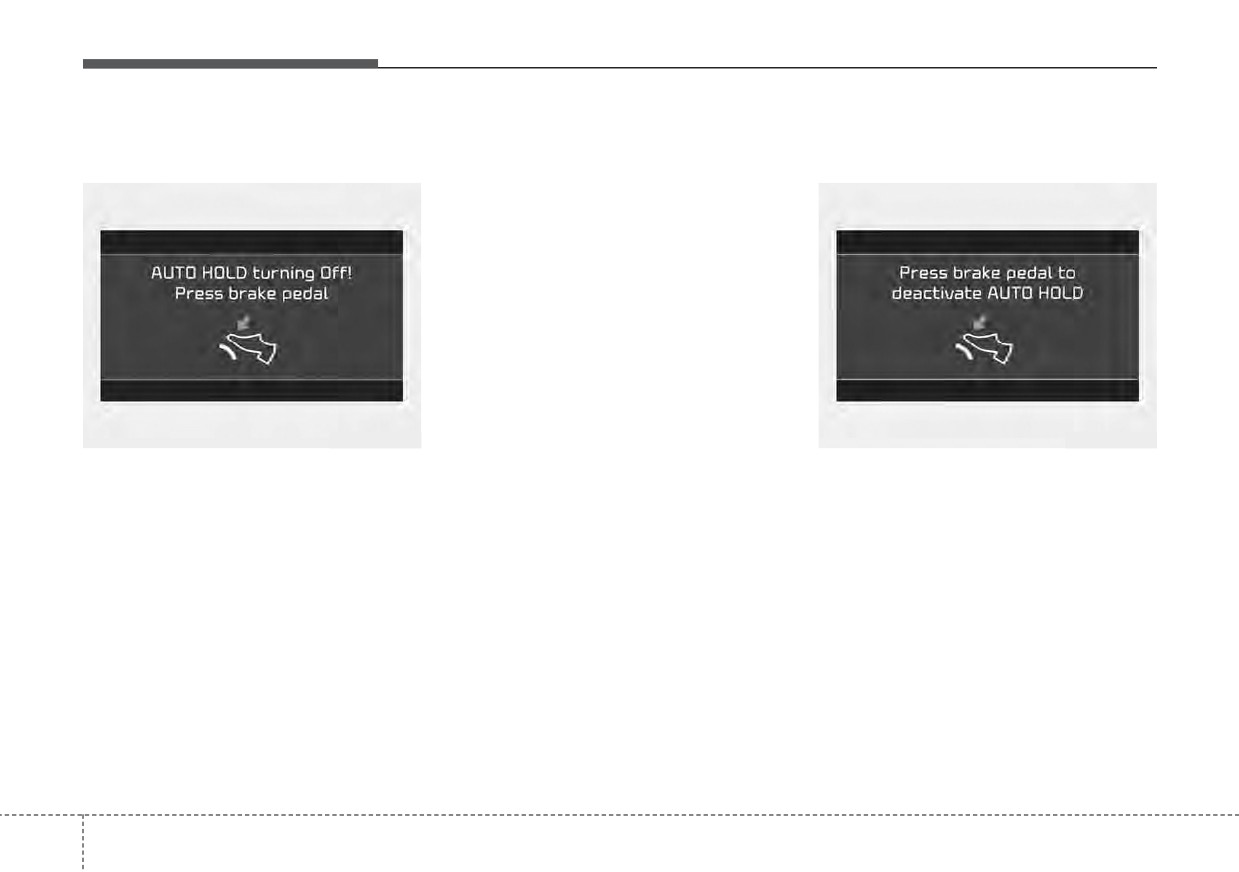
AUTO HOLD turning Off!
✽ NOTICE
Press brake pedal to deactivate
Press brake pedal
AUTO HOLD
When this message is displayed, the
Auto Hold and EPB may not oper-
ate. For your safety, depress the
brake pedal.
OJF058375L
OJF058381L
When the conversion from Auto Hold
If you did not apply the brake pedal
to EPB is not working properly a
when you release the Auto Hold by
warning will sound and a message
pressing the [AUTO HOLD] switch, a
will appear.
warning will sound and a message
will appear.
5 44
Driving your vehicle
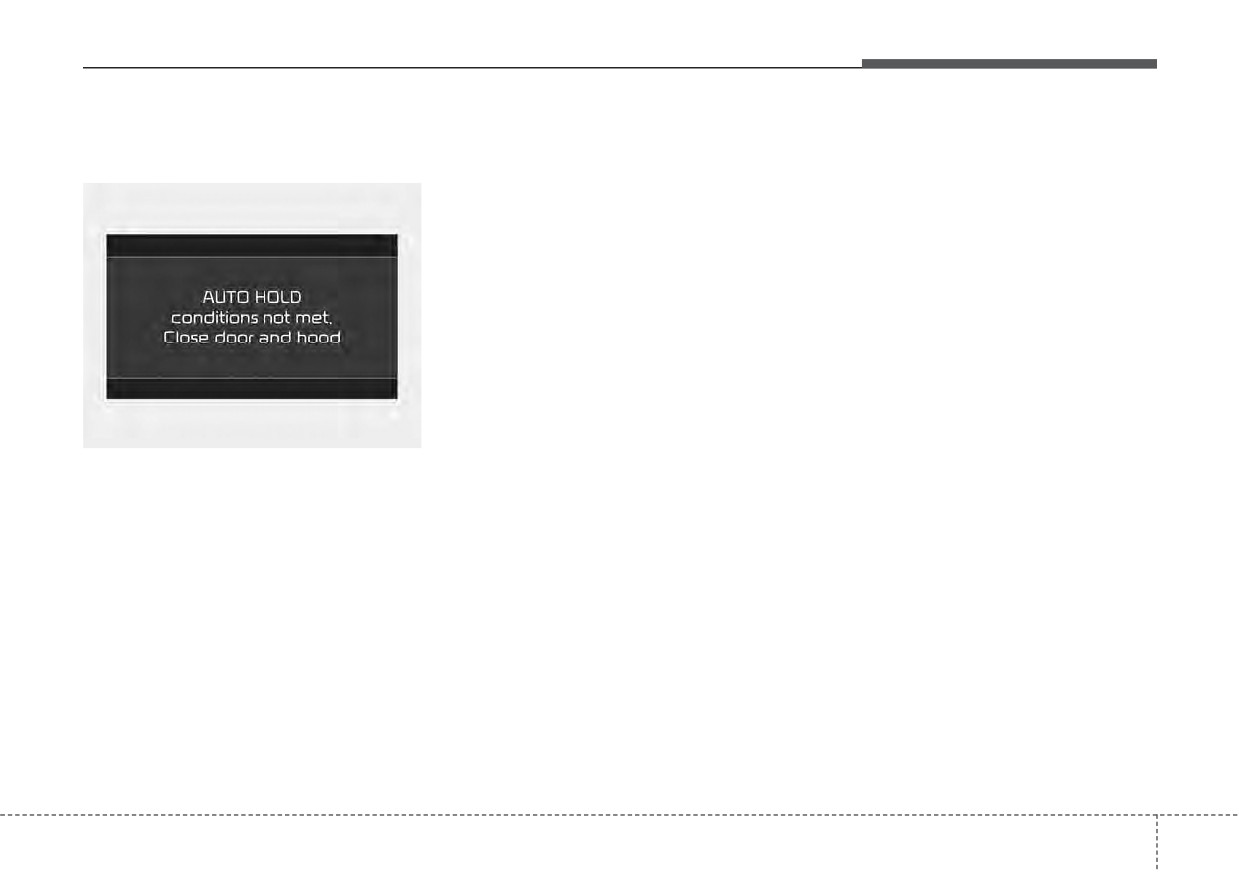
AUTO HOLD conditions not met.
Anti-lock brake system (ABS)
The ABS continuously senses the
Close door and hood
speed of the wheels. If the wheels
ABS (or ESC) will not prevent acci-
are going to lock, the ABS system
dents due to improper or dangerous
repeatedly modulates the hydraulic
driving maneuvers. Even though
brake pressure to the wheels.
vehicle control is improved during
emergency braking, always maintain
When you apply your brakes under
a safe distance between you and
conditions which may lock the
objects ahead. Vehicle speeds
wheels, you may hear a
“tik-tik’’
should always be reduced during
sound from the brakes, or feel a cor-
extreme road conditions. The vehicle
responding sensation in the brake
should be driven at reduced speeds
pedal. This is normal and it means
in the following circumstances:
your ABS is active.
• When driving on rough, gravel or
In order to obtain the maximum benefit
snow-covered roads
from your ABS in an emergency situa-
ODEP059313L
tion, do not attempt to modulate your
• When driving with tire chains
When you press the [AUTO HOLD]
brake pressure and do not try to pump
installed
switch, if the driver’s door, engine
your brakes. Press your brake pedal as
• When driving on roads where the
hood are not closed, a warning will
hard as possible to allow the ABS to
road surface is pitted or has differ-
sound and a message will appear on
control the force being delivered to the
ent surface heights.
the LCD display. At this moment,
brakes.
press the [AUTO HOLD] button after
Driving in these conditions increases
closing the driver’s door and hood.
the stopping distance for your vehicle.
✽ NOTICE
A click sound may be heard in the
engine compartment when the vehi-
cle begins to move after the engine is
started. These conditions are normal
and indicate that the anti-lock brake
system is functioning properly.
5
45

Driving your vehicle
•
Even with the anti-lock brake sys-
•
When you drive on a road having
tem, your vehicle still requires suf-
poor traction, such as an icy road,
ficient stopping distance. Always
and have operated your brakes
maintain a safe distance from the
continuously, the ABS will be active
vehicle in front of you.
continuously and the ABS warning
light may illuminate. Pull your vehi-
•
Always slow down when cornering.
cle over to a safe place and stop
The anti-lock brake system cannot
the engine.
prevent accidents resulting from
excessive speeds.
•
Restart the engine. If the ABS
warning light goes off, then your
•
On loose or uneven road surfaces,
ABS system is normal. Otherwise,
operation of the anti-lock brake
W-78
you may have a problem with the
system may result in a longer stop-
ABS. Contact an authorized Kia
ping distance than for vehicles
The ABS warning light will stay on for
dealer as soon as possible.
equipped with a conventional
approximately 3 seconds after the
brake system.
ignition switch or the ENGINE
START/STOP button is ON. During
that time, the ABS will go through
self-diagnosis and the light will go off
if everything is normal. If the light
stays on, you may have a problem
with your ABS. Contact an author-
ized Kia dealer as soon as possible.
5
46
Driving your vehicle
Electronic Stability Control
Only a safe and attentive driver can
✽ NOTICE
(ESC)
prevent accidents by avoiding
When you jump start your vehicle
maneuvers that cause the vehicle to
because of a drained battery, the
lose traction. Even with ESC
engine may not run as smoothly and
installed, always follow all the normal
the ABS warning light may turn on at
precautions for driving
- including
the same time. This happens because
driving at safe speeds for the condi-
of low battery voltage. It does not
tions.
mean your ABS has malfunctioned.
•
Do not pump your brakes!
WARNING
•
Have the battery recharged before
driving the vehicle.
For maximum protection, always
wear your seat belt. No system,
no matter how advanced, can
compensate for all driver error
ODEP051016N
and/or driving conditions.
The Electronic
Stability Control
Always drive responsibly.
(ESC) system is designed to stabi-
lize the vehicle during cornering
maneuvers. ESC checks where you
are steering and where the vehicle is
actually going. ESC applies the
brakes on individual wheels and
intervenes with the engine manage-
ment system to stabilize the vehicle.
Electronic stability control (ESC) will
not prevent accidents. Excessive
speed in turns, abrupt maneuvers
and hydroplaning on wet surfaces
can still result in serious accidents.
5
47
Driving your vehicle
The Electronic Stability Control (ESC)
ESC operation
When operating
system is an electronic system
ESC ON condition
When the ESC is in opera-
designed to help the driver maintain
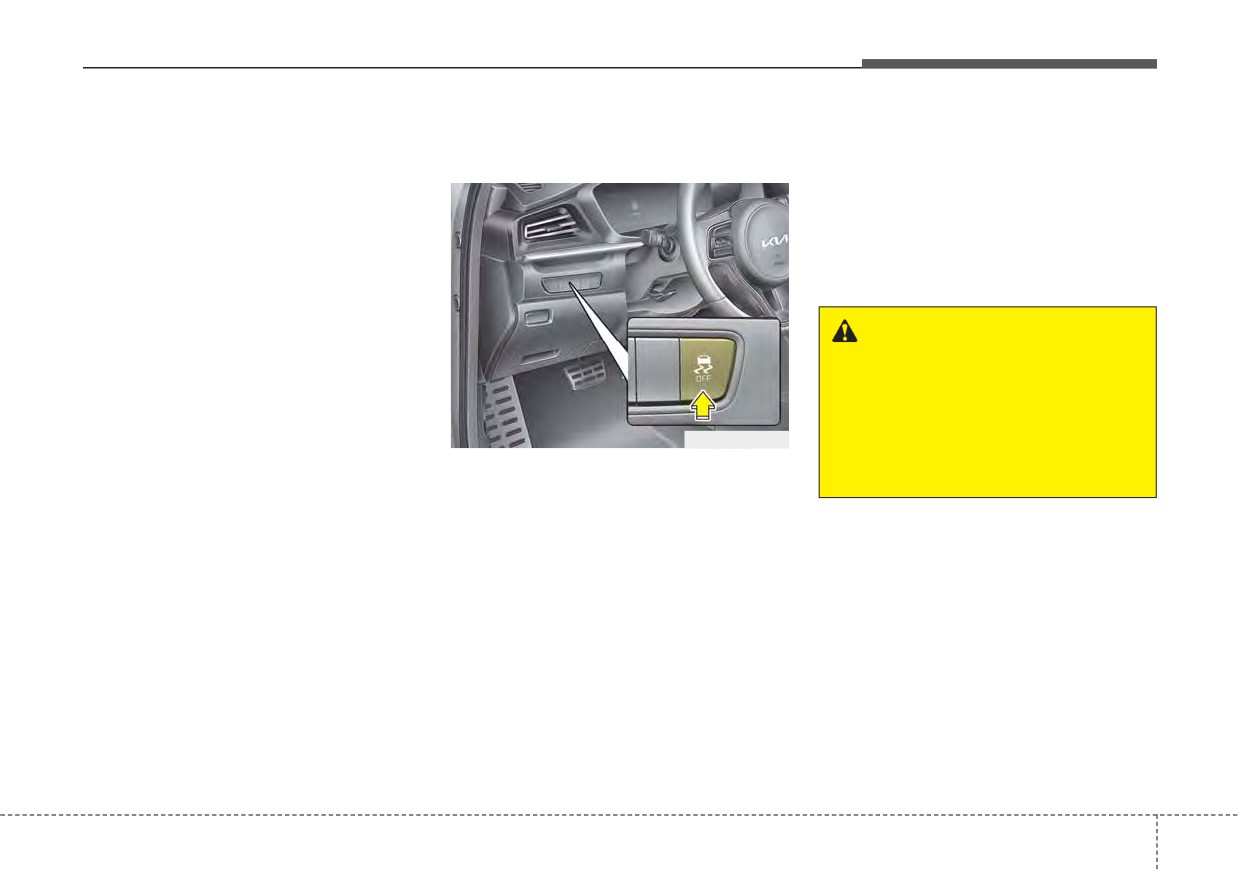
tion, the ESC indicator light
• When the ignition switch or
vehicle control under adverse condi-
blinks.
-
the ENGINE START/STOP
tions. It is not a substitute for safe driv-
button is turned ON, ESC
• When the Electronic
ing practices. Factors including speed,
and ESC OFF indicator
Stability Control is operat-
road conditions and driver steering
lights illuminate for approxi-
ing properly, you can feel a
input can all affect whether ESC will be
mately
3 seconds, then
slight pulsation in the vehi-
effective in preventing a loss of control.
ESC is turned on.
cle. This is only the effect
It is still your responsibility to drive and
of brake control and indi-
corner at reasonable speeds and to
• Press the ESC OFF but-
cates nothing unusual.
leave a sufficient margin of safety.
ton for at least half a sec-
ond after turning the igni-
• When moving out of the
When you apply your brakes under
tion switch or the ENGINE
mud or driving on a slip-
conditions which may lock the wheels,
START/STOP button ON
pery road, pressing the
you may hear a “tik-tik’’ sound from the
to turn ESC off. (ESC OFF
accelerator pedal may not
brakes, or feel a corresponding sensa-
indicator will illuminate). To
cause the engine rpm
tion in the brake pedal. This is normal
turn the ESC on, press the
(revolutions per minute) to
and it means your ESC is active.
ESC OFF button (ESC
increase.
OFF indicator light will go
✽ NOTICE
off).
A click sound may be heard in the
• When starting the engine,
engine compartment when the vehi-
you may hear a slight tick-
cle begins to move after the engine is
ing sound. This is the ESC
started. These conditions are normal
performing an automatic
and indicate that the Electronic
system self-check and does
Stability Control System is function-
not indicate a problem.
ing properly.
5
48
Driving your vehicle
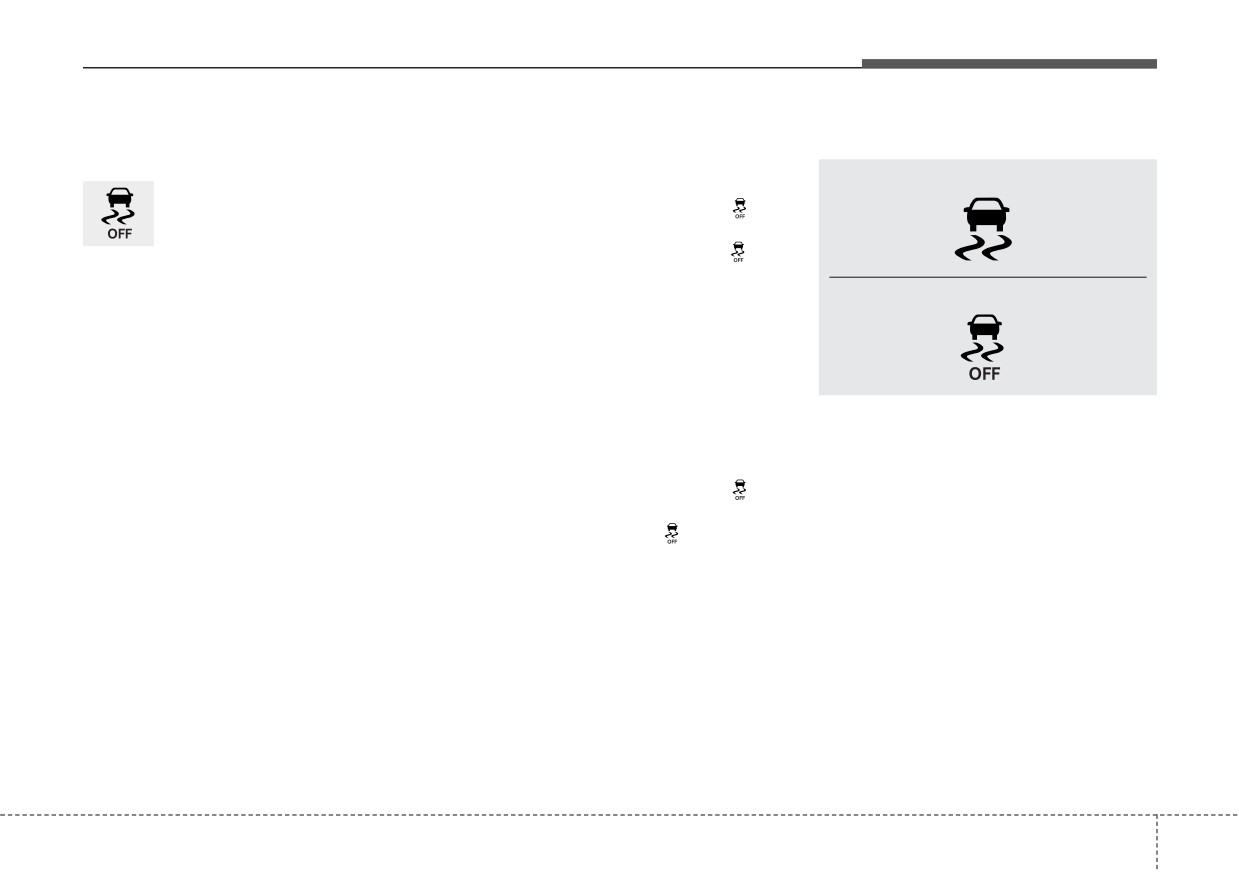
ESC operation off
“Traction Control disabled”
Indicator light
ESC OFF state
• ESC off state 1
■ ESC indicator light
This car has 2 kinds of ESC
To cancel ESC operation, press the
off states.
ESC OFF button (ESC OFF
) for
less than 3 seconds and the ESC
If the engine stops when
OFF indicator light (ESC OFF
) will
ESC is off, ESC remains off.
illuminate. At this state, the engine
Upon restarting the engine,
■ ESC OFF indicator light
control function does not operate. It
the ESC will automatically
means the traction control function
turn on again.
does not operate. Only the brake con-
trol function will operate.
“Traction & Stability Control disabled”
When ignition switch or the ENGINE
• ESC off state 2
START/STOP button is turned to ON,
the indicator light illuminates, then
To cancel ESC operation, press the
goes off if the ESC system is operat-
ESC OFF button (ESC OFF
) for
ing normally.
more than 3 seconds. ESC OFF indi-
cator light (ESC OFF
) will illumi-
The ESC indicator light blinks when-
nate and ESC OFF warning chime
ever ESC is operating or illuminates
will sound. At this state, the engine
when ESC fails to operate.
control function and brake control
The ESC OFF indicator light comes
function do not operate. It means the
on when the ESC is turned off with
car stability control function will not
the button.
operate any more.
5
49
Driving your vehicle
ESC OFF usage
✽ NOTICE
WARNING - Electronic sta-
When driving
•
When operating the vehicle on a
bility control
• ESC should be turned on for daily
dynamometer, ensure that the
Drive carefully even though your
ESC is turned off (ESC OFF light
driving whenever possible.
vehicle has Electronic Stability
illuminated). If the ESC is left on,
• To turn ESC off while driving, press
Control. It can only assist you in
it may prevent the vehicle speed
the ESC OFF button while driving
maintaining control under cer-
from increasing, and result in false
on a flat road surface.
tain circumstances.
diagnosis.
•
Turning the ESC off does not
WARNING - Operating
affect ABS or brake system opera-
ESC
tion.
Never press the ESC OFF but-
ton while ESC is operating (ESC
indicator light blinks).
If ESC is turned off while ESC is
operating, the vehicle may slip
out of control.
5
50
Driving your vehicle
Vehicle Stability Management
VSM operation
VSM operation off
(VSM)
When the VSM is in operation, ESC
If you press the ESC OFF button to
indicator light (
) blinks.
turn off the ESC, the VSM will also
This system provides further
enhancements to vehicle stability
When the vehicle stability manage-
cancel and the ESC OFF indicator
light (
) illuminates.
and steering responses when a vehi-
ment is operating properly, you can
cle is driving on a slippery road or a
feel a slight pulsation in the vehicle
To turn on the VSM, press the button
vehicle detects changes in coeffi-
and/or abnormal steering responses
again. The ESC OFF indicator light
cient of friction between right wheels
(EPS- Electronic Power Steering).
goes out.
and left wheels when braking.
This is only the effect of brake and
EPS control and indicates nothing
unusual.
WARNING
WARNING
- Tire/
- Vehicle stability manage-
Wheel size
ment
The VSM does not operate when:
When replacing tires and wheels,
Drive carefully even though your
• Driving on a sloping road such as a
make sure they are the same size
vehicle has vehicle stability
gradient or incline
as the original tires and wheels
management. It can only assist
• Driving in reverse
installed. Driving with varying
you in maintaining control of the
tire or wheel sizes may diminish
• ESC OFF indicator light
(
)
vehicle under certain circum-
any supplemental safety benefits
remains on the instrument cluster
stances.
of the VSM system.
• EPS indicator light remains on the
instrument cluster
5
51
Driving your vehicle
Malfunction indicator
•
The Vehicle Stability Management
Hill-start Assist Control (HAC)
system is not a substitute for safe
The VSM can be deactivated even if
A vehicle has the tendency to roll
driving practices but a supplemen-
you don’t cancel the VSM operation
back on a steep hill when it starts to
tary function only. It is the responsi-
by pressing the ESC OFF button. It
go after stopping. The Hill-start
bility of the driver to always check
indicates that a malfunction has
Assist Control
(HAC) prevents the
the speed and the distance to the
been detected somewhere in the
vehicle from rolling back by applying
vehicle ahead. Always hold the
Electric Power Steering system or
the brakes automatically for about 2
steering wheel firmly while driving.
VSM system. If the ESC indicator
seconds. The brakes are released
light
(
) or EPS warning light
•
Your vehicle is designed to activate
when the accelerator pedal is
remains on, take your vehicle to an
according to the driver’s intention,
depressed or after about 2 seconds.
authorized Kia dealer and have the
even with installed VSM. Always fol-
The HAC is activated only for about 2
system checked.
low all the normal precautions for
seconds, so when the vehicle is
driving at safe speeds for the condi-
starting off always depress the accel-
tions - including driving in inclement
erator pedal.
weather and on a slippery road.
WARNING - Maintaining
WARNING
Brake Pressure on Incline
For maximum protection,
HAC does not replace the need
always wear your seat belt. No
to apply brakes while stopped on
system, no matter how
an incline. While stopped, make
advanced, can compensate for
sure you maintain brake pres-
all driver error and/or driving
sure sufficient to prevent your
conditions.
Always drive
vehicle from rolling backward
responsibly.
and causing an accident. Don’t
release the brake pedal until you
are ready to accelerate forward.
5
52
Driving your vehicle
Good braking practices
•
Don't "ride" the brake pedal.
If your vehicle is facing uphill, turn
Resting your foot on the brake
the front wheels away from the
•
Check to be sure the parking brake
pedal while driving can be danger-
curb to help keep the vehicle from
is not engaged and the parking
ous because the brakes might
rolling. If there is no curb or if it is
brake indicator light is out before
overheat and lose their effective-
required by other conditions to
driving away.
ness. It also increases the wear of
keep the vehicle from rolling, block
•
Driving through water may get the
the brake components.
the wheels.
brakes wet. They can also get wet
•
If a tire goes flat while you are driv-
•
Under some conditions your park-
when the vehicle is washed. Wet
ing, apply the brakes gently and
ing brake can freeze in the
brakes can be dangerous! Your
keep the vehicle pointed straight
engaged position. This is most like-
vehicle will not stop as quickly if the
ahead while you slow down. When
ly to happen when there is an
brakes are wet. Wet brakes may
you are moving slowly enough for it
accumulation of snow or ice
cause the vehicle to pull to one side.
to be safe to do so, pull off the road
around or near the rear brakes or if
To dry the brakes, apply the brakes
and stop in a safe place.
the brakes are wet. If there is a risk
lightly until the braking action
that the parking brake may freeze,
•
If your vehicle is equipped with a
returns to normal, taking care to
apply it only temporarily while you
dual clutch transmission, don't let
keep the vehicle under control at all
put the shift lever in P (Dual clutch
your vehicle creep forward. To
times. If the braking action does not
transmission) and block the rear
avoid creeping forward, keep your
return to normal, stop as soon as it
wheels so the vehicle cannot roll.
foot firmly on the brake pedal when
is safe to do so and call an author-
Then release the parking brake.
the vehicle is stopped.
ized Kia dealer for assistance.
•
Do not hold the vehicle on an
•
Be cautious when parking on a hill.
•
Don't coast down hills with the
Firmly engage the parking brake
incline with the accelerator pedal.
vehicle out of gear. This is extreme-
This can cause the transaxle to
and place the shift lever in P (Dual
ly hazardous. Keep the vehicle in
clutch transmission). If your vehicle
overheat. Always use the brake
gear at all times, use the brakes to
pedal or parking brake.
is facing downhill, turn the front
slow down, then shift to a lower
wheels into the curb to help keep
gear so that engine braking will
the vehicle from rolling.
help you maintain a safe speed.
5
53
Driving your vehicle
FORWARD COLLISION-AVOIDANCE ASSIST (FCA) (FRONT VIEW CAMERA ONLY)
(IF EQUIPPED)
Forward Collision-Avoidance Assist
Forward Collision-Avoidance
is designed to detect Forward
WARNING
Assist setting and activation
Collision-Avoidance Assist
(FCA)
Take the following precautions
(Sensor fusion) vehicle ahead or
Forward Safety
when using Forward Collision-
pedestrian ahead in the roadway
Avoidance Assist :
The driver can activate Forward
through front view camera recogni-
Collision-Avoidance Assist by plac-
•
This function is only a supple-
tion to warn the driver that a collision
ing the ignition switch or ENGINE
mental function and it is not
is imminent, and if necessary, apply
START/STOP button to the ON posi-
intended to, nor does it replace
emergency braking.
tion and by selecting:
the need for extreme care and
❈ FCA stands for Forward Collision-
attention of the driver. The
“User Settings Driver Assistance
Avoidance Assist
sensing range and objects
Forward Safety”
detectable by the sensors are
-
If you select “Active Assist”, Forward
limited. Pay attention to the
Collision-Avoidance Assist acti-
road conditions at all times.
vates. Forward Collision-Avoidance
Assist produces warning messages
•
Never drive too fast in accor-
and warning alarms in accordance
dance with the road condi-
with the collision risk levels. Also, it
tions or while cornering.
controls the brakes in accordance
•
Always drive cautiously to
with the collision risk levels.
prevent unexpected and sud-
-
If you select
“Warning Only”,
den situations from occur-
Forward Collision-Avoidance Assist
ring.
Forward Collision-
activates and produces only warn-
Avoidance Assist does not
ing alarms in accordance with the
stop the vehicle completely
collision risk levels. You should con-
and is only intended to help
trol the brake directly because
mitigate an imminent colli-
Forward Collision-Avoidance Assist
sion.
does not control the brake.
-
If you select “Off”, Forward Collision-
Avoidance Assist deactivates,
5
54
Driving your vehicle
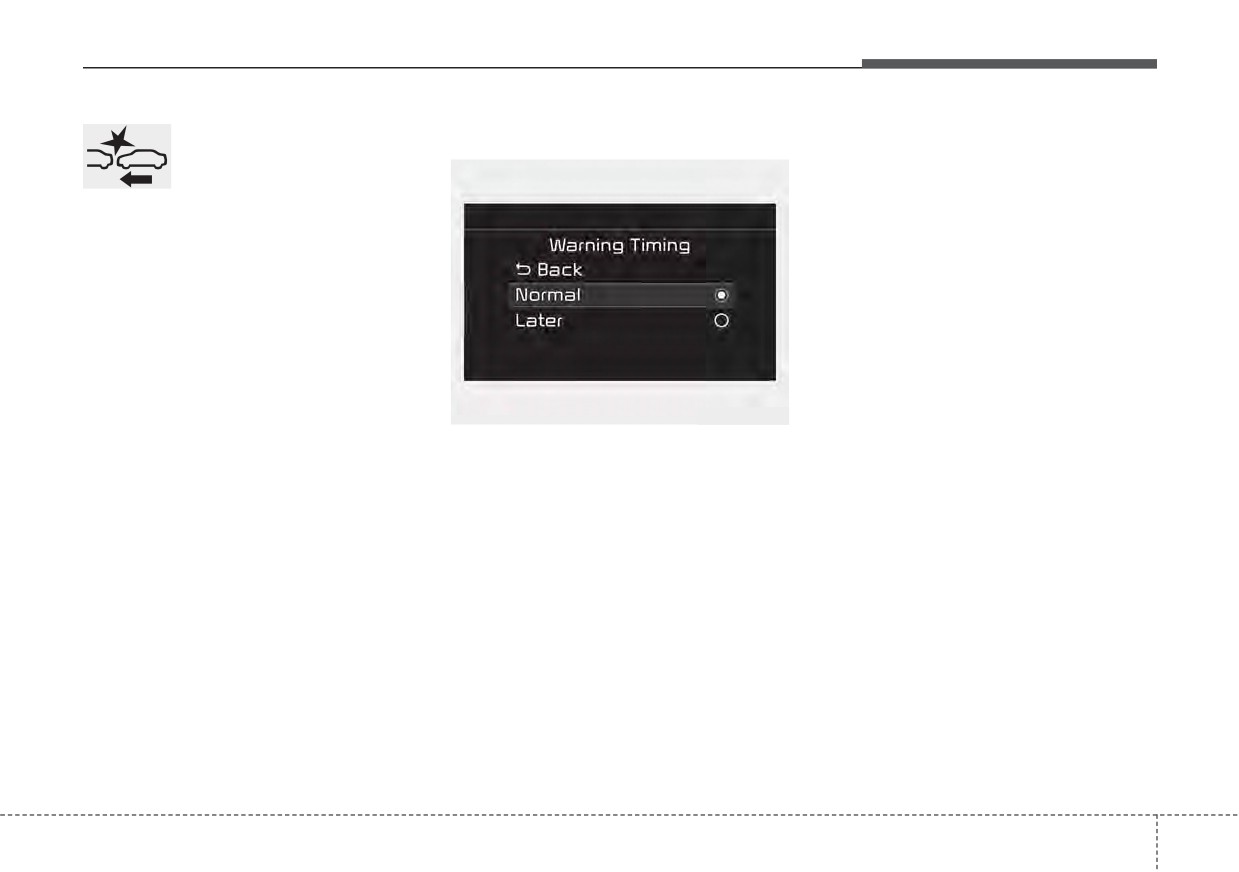
The warning light illumi-
Warning Timing
The options for the initial Forward
nates on the LCD display,
Collision Warning includes the fol-
when you cancel Forward
lowing:
Collision-Avoidance
- Normal:
Assist.
When this condition is selected, the
The driver can monitor Forward
initial Forward Collision Warning is
Collision-Avoidance Assist ON/OFF
activated normally. This setting
status on the LCD display. Also, the
allows for a nominal amount of dis-
warning light illuminates when the
tance between the vehicle ahead
ESC (Electronic Stability Control) is
before the initial warning occurs.
turned off. When the warning light
- Later:
remains ON with Forward Collision-
Avoidance Assist activated, have
When this condition is selected, the
OYG059344L
initial Forward Collision Warning is
your vehicle inspected by an author-
ized Kia dealer.
The driver can select the initial warn-
activated later than normal. This set-
ing activation time on the LCD dis-
ting reduces the amount of distance
play.
between the vehicle or pedestrian
before the initial warning occurs.
Go to the “User Settings Driver
Assistance
Warning Timing
Select 'Later' when traffic is light and
Normal/Later”
when driving speed is slow.
5
55
Driving your vehicle
✽ NOTICE
Prerequisite for activation
WARNING
If you change the warning timing,
Forward Collision-Avoidance Assist
the warning timing of other systems
gets ready to be activated, when the
•
Completely stop the vehicle on
may change. Always be aware of
“Active Assist”, or
“Warning Only”,
a safe location before operating
warning timing before changing the
under the Forward Safety is selected
the switch on the steering
warning timing.
on the LCD display, and when the fol-
wheel to activate/deactivate
lowing prerequisites are satisfied.
Forward Collision-Avoidance
Assist.
- The ESC is activated.
•
Forward Collision-Avoidance
- The driving speed is over 5 mph (8
Assist automatically activates
km/h). (However, Forward Collision-
upon placing the ignition switch
Avoidance Assist is activated within
to the ON position. The driver
certain driving speed.)
can
deactivate
Forward
- The function detects a vehicle or a
Collision-Avoidance Assist by
pedestrian in front, which may collide
canceling the function setting on
with your vehicle. (Forward Collision-
the LCD display or Infotainment
Avoidance Assist may not be activat-
System screen.
ed or may sound a warning alarm in
•
Forward Collision-Avoidance
accordance with the driving situation
Assist automatically deacti-
or vehicle condition.)
vates upon canceling the ESC.
❈Forward
Collision-Avoidance
When the ESC is canceled,
Assist may not operate properly
Forward Collision-Avoidance
according to the frontal situation,
Assist cannot be activated on
the direction and speed of pedes-
the LCD display or Infotainment
trian.
System screen.
Forward Collision-Avoidance
Assist warning light will illu-
minate, which is normal.
5
56
Driving your vehicle
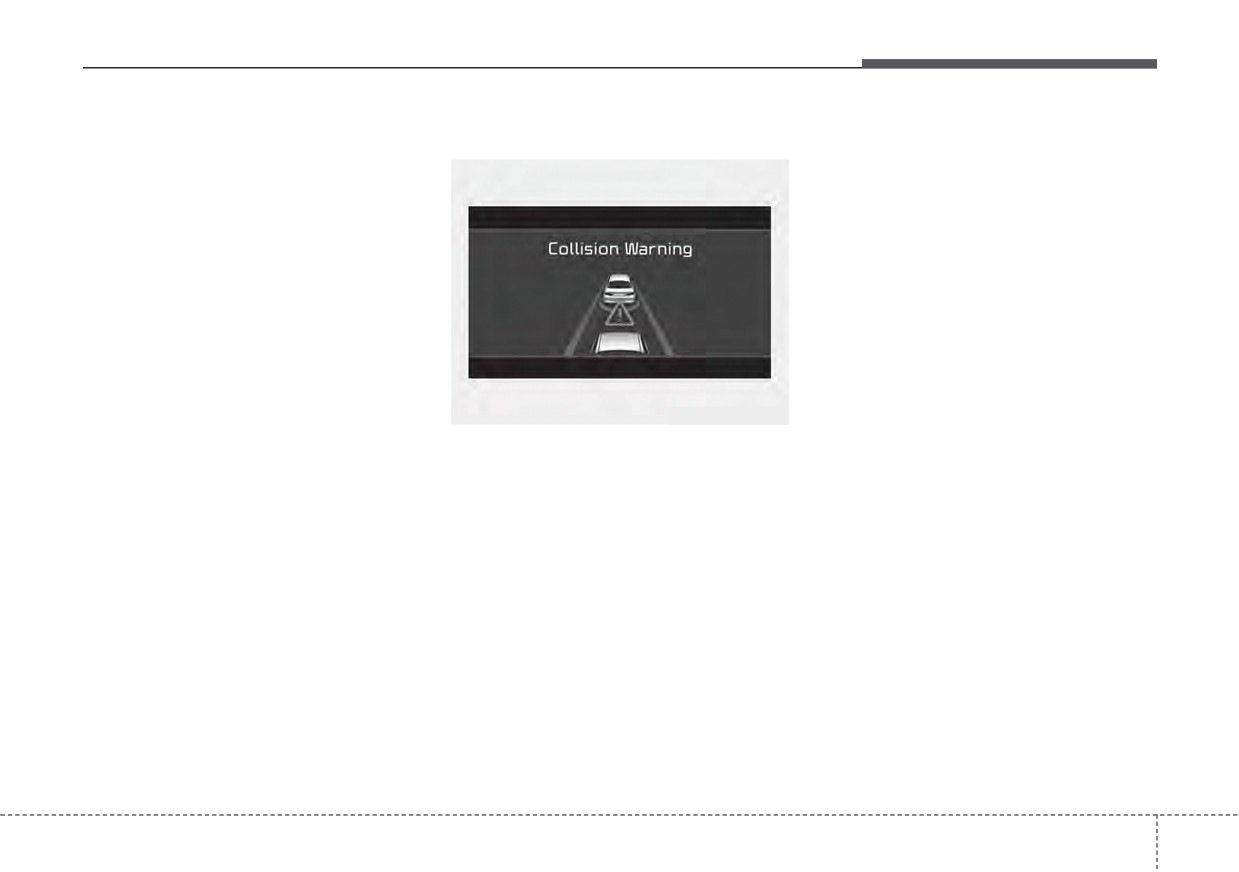
Forward Collision-Avoidance
Collision Warning (1st warning)
- For pedestrian, the vehicle speed
Assist warning message and
is greater than or equal to 5 mph
function control
(8 km/h) and less than 40 mph (60
km/h). (Depending on the condi-
Forward Collision-Avoidance Assist
tion of pedestrian and the sur-
produces warning messages and
rounding environment the possi-
warning alarms in accordance with
ble maximum operating speed
the collision risk levels, such as
may be reduced.)
abrupt stopping of the vehicle in
•
Forward Collision-Avoidance Assist
front, insufficient braking distance,
controls the brakes within certain
pedestrian detection. Also, it controls
limit to release shock from the colli-
the brakes in accordance with the
sion.
collision risk levels.
- If you select
“Warning Only”,
The driver can select the initial warn-
OJF058389L
Forward
Collision-Avoidance
ing activation time in the ‘Settings’ on
•
The warning message appears on
Assist activates and produces
the LCD display or Infotainment
the LCD display with the warning
only warning alarms in accor-
System screen. The options for the
alarms.
dance with the collision risk lev-
initial Forward Collision Warning
•
The Vehicle may slow down slightly
els. You should control the brake
include Normal or Late initial warning
directly
because Forward
time.
- It will operate if the vehicle speed
is greater than 5 mph (8 km/h)
Collision-Avoidance Assist does
not control the brake.
and less than or equal to 40 mph
(60 km/h) on a forward vehicle.
(Depending on the condition of
the vehicle ahead and the envi-
ronment surrounding it, the possi-
ble maximum operating speed
may be reduced.)
5
57
Driving your vehicle
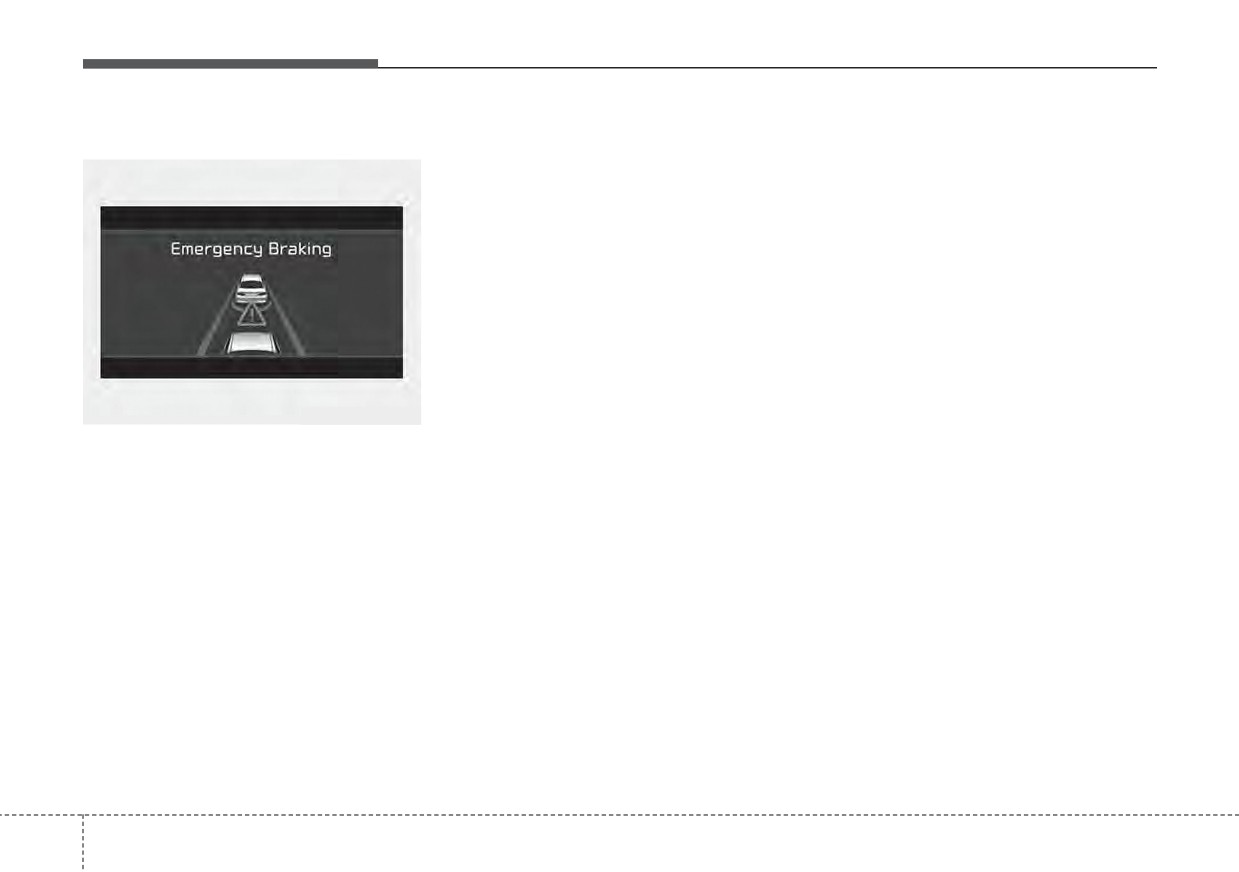
Emergency Braking (2nd warning)
- For pedestrian, the vehicle speed
Brake operation
is greater than or equal to 5 mph
•
In an urgent situation, the braking
(8 km/h) and less than 40 mph
system enters into the ready status
(60 km/h).
(Depending on the
for prompt reaction to assist the driv-
condition of pedestrian and the
er in depressing the brake pedal.
surrounding environment the pos-
sible maximum operating speed
•
Forward
Collision-Avoidance
Assist provides additional braking
may be reduced.)
power for optimum braking per-
•
Forward
Collision-Avoidance
formance, when the driver
Assist controls the brakes within
depresses the brake pedal.
certain limit to release shock from
•
The braking control is automatical-
the collision.
ly deactivated, when the driver
Forward Collision-Avoidance Assist
OJF058390L
sharply depresses the accelerator
controls the maximum brakes just
•
The warning message appears on
pedal, or when the driver abruptly
before the collision.
operates the steering wheel.
the LCD display with the warning
- If you select
“Warning Only”,
alarms.
•
The braking control is automatical-
Forward
Collision-Avoidance
ly canceled, when risk factors dis-
•
The brake control is maximized
Assist activates and produces
appear.
just before a collision, reducing
only warning alarms in accor-
impact when it strikes a forward
dance with the collision risk levels.
vehicle.
You should control the brake
- It will operate if the vehicle speed
directly
because
Forward
is greater than 5 mph (8 km/h)
Collision-Avoidance Assist do not
and less than or equal to 40 mph
control the brake.
(60 km/h) on a forward vehicle.
(Depending on the condition of
the vehicle ahead and the envi-
ronment surrounding it, the possi-
ble maximum operating speed
may be reduced.)
5
58
Driving your vehicle
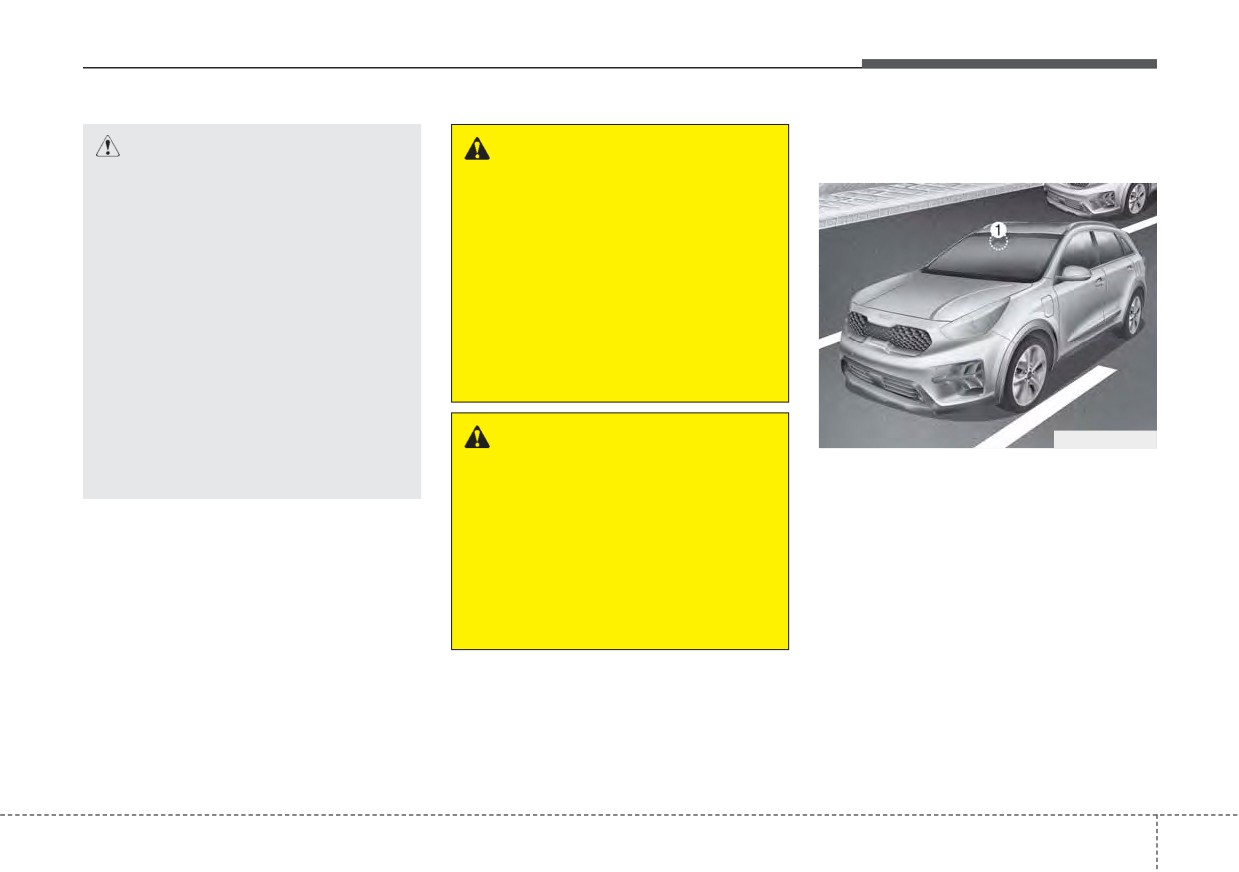
Detecting sensor (Front view
CAUTION
WARNING
camera)
•
The driver should always pay
Forward Collision-Avoidance
great caution to vehicle opera-
Assist cannot avoid all colli-
tion, even though there is no
sions. Forward Collision-
warning message or warning
Avoidance Assist might not
alarm.
completely stop the vehicle
•
If any other warning sound
before a collision, due to ambi-
such as seat belt warning
ent, weather and road condi-
chime is already generated,
tions. The driver has the
Forward Collision-Avoidance
responsibility to drive safely
Assist warning may not
and control the vehicle.
sound.
•
Excessive audio volume may
WARNING
ODEP051029
disturb the sound of the func-
tion warning alarm.
Forward Collision-Avoidance
[1] : Front view camera
Assist operates in accordance
It is a sensor that decide the risk of a
with certain risk factors, such
collision by detecting the distance to
as the distance from the vehi-
vehicles ahead or pedestrian.
cle/pedestrian in front, the
In bad weather conditions such as
speed of the vehicle/pedestrian
heavy rain, heavy snow, and fog, or
in front, and the driver's vehicle
when the front view camera is cov-
operation.
ered by foreign material, dust, etc.,
the front view camera will be degrad-
ed and the function will be temporar-
ily disabled.
Always keep the front view camera
sensor clean.
5
59
Driving your vehicle
✽ NOTICE
(Continued)
Warning message and warning
•
Do not impact or arbitrarily
light
•
Be careful not to apply unneces-
remove any front view camera
sary force on the frontal sensor
components.
area. When the sensor moves out
•
Do not place
reflective
of the correct position due to
objects(white paper or mirror etc.)
external force, Forward Collision-
on the crash pad.
Avoidance Assist may not normal-
Forward Collision-Avoidance
ly operate even without the warn-
Assist may activate unnecessarily
ing light or message. In this case,
due to reflect of the sunlight.
have your vehicle inspected by an
•
For more cautions for the camera
authorized Kia dealer.
sensor, refer to Lane Keeping
•
Keep the sensor and sensor area
Assist (LKA) in this chapter.
clean.
•
Be careful not to force to shock on
OBDM058129N
sensor or area. If the sensor is out
of the position by the shock,
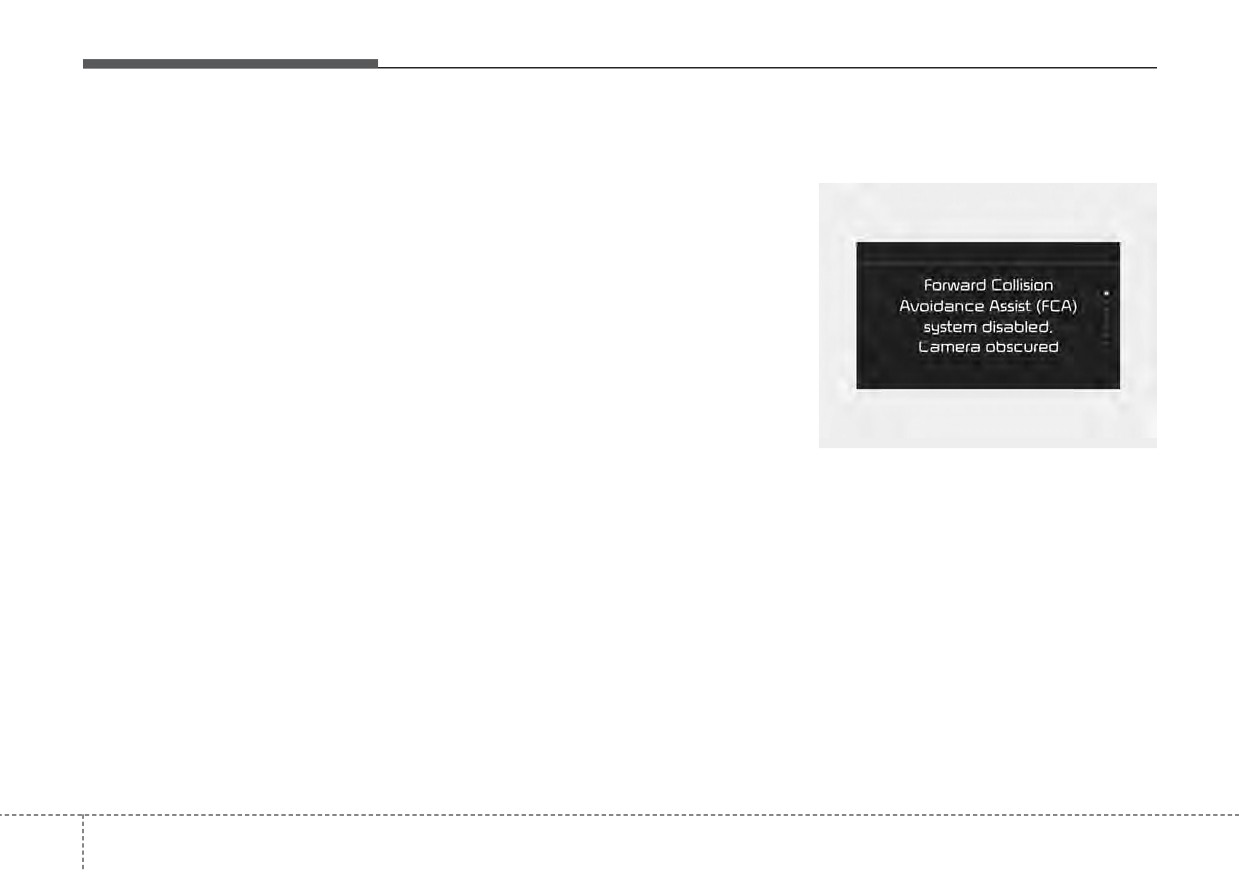
If the front view camera is covered by
Forward Collision-Avoidance
bad weather or foreign objects, dust,
Assist may not normally operate
etc., Forward Collision-Avoidance
even without the warning light ON
Assist operation may stop temporari-
or message. In this case, have your
ly. If this occurs, a warning message
vehicle inspected by an authorized
will appear on the LCD display.
Kia dealer.
Forward Collision-Avoidance Assist
•
Do not tint the window or install
will operate normally when debris is
stickers, accessories around the
removed.
inside mirror where the front view
camera is installed.
•
Make sure the front view camera
installation point does not get wet.
(Continued)
5
60
Driving your vehicle
Forward Collision-Avoidance
WARNING
Assist malfunction
WARNING
Forward Collision-Avoidance
•
Forward Collision-Avoidance
Assist may not activate without
Assist is only a supplemental
any warning messages accord-
function for the driver’s con-
ing to driving condition, traffic
venience. The driver should
on the road, weather, road con-
hold the responsibility to con-
dition, etc.
trol the vehicle operation. Do
not solely depend on Forward
Collision-Avoidance Assist.
Rather, maintain a safe braking
distance, and, if necessary,
depress the brake pedal to
lower the driving speed.
OJF058394L
•
In certain instances and under
•
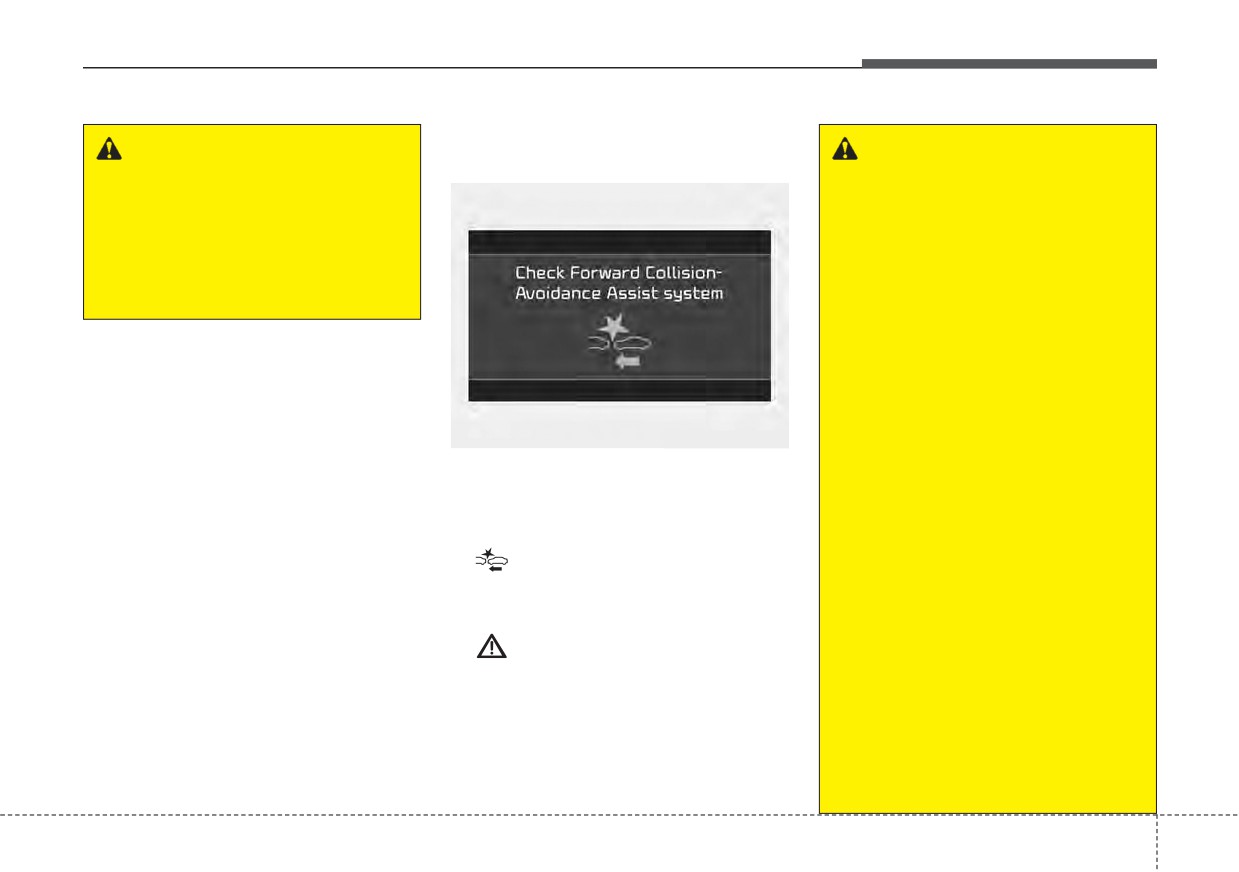
When
Forward
Collision-
certain driving conditions,
Avoidance Assist is
not working
Forward Collision-Avoidance
properly,
Forward Collision-
Assist may activate uninten-
Avoidance Assist warning light
tionally. This initial warning
(
) will illuminate and the warn-
message appears on the LCD
ing message will appear for a few
display with a warning chime.
seconds. After the message disap-
Also, in certain instances the
pears, the master warning light
front radar sensor or front view
(
) will illuminate. In this case,
camera recognition function
have your vehicle inspected by an
may not detect the vehicle or
authorized Kia dealer.
pedestrian ahead. Forward
•
The Forward Collision-Avoidance
Collision-Avoidance Assist may
Assist warning message may
not activate and the warning
appear along with the illumination
message will not be displayed.
of the ESC warning light.
(Continued)
5
61
Driving your vehicle
(Continued)
(Continued)
(Continued)
•
If there is a malfunction with
•
Even if there is any problem
•
Forward Collision-Avoidance
Forward Collision-Avoidance
with the brake control function
Assist cannot detect the driv-
Assist, the autonomous emer-
of Forward Collision-Avoidance
er approaching the side view
gency braking may not be
Assist, the vehicle's basic brak-
of a parked vehicle (for exam-
applied even through the
ing performance will operate
ple on a dead end street.) In
braking system is operating
normally. However, brake con-
these situations, you must
normally.
trol function for avoiding colli-
maintain a safe braking dis-
sions may not activate.
tance, and if necessary,
•
If the vehicle in front stops
depress the brake pedal to
suddenly, you may have less
•
Forward Collision-Avoidance
reduce the driving speed in
control of the brake system.
Assist operates only to detect
order to maintain a safe dis-
Therefore, always keep a safe
vehicles, pedestrian in front of
tance.
distance between your vehicle
the vehicle.
and the vehicle in front of you.
•
Forward Collision-Avoidance
•
Forward Collision-Avoidance
•
Forward Collision-Avoidance
Assist does not operate when
Assist may not activate as a
result of the road conditions,
Assist may activate during
the vehicle is in reverse.
braking and the vehicle may
inclement weather, driving
•
Forward Collision-Avoidance
conditions or traffic condi-
stop, suddenly shifting loose
Assist is not designed to
objects toward the passen-
tions.
detect other objects on the
gers. Always keep loose
•
Forward Collision-Avoidance
road such as animals.
objects secured.
Assist does not operate for all
•
Forward Collision-Avoidance
vehicles and pedestrian.
•
Forward Collision-Avoidance
Assist does not detect vehi-
Assist may not activate if the
cles in the opposite lane.
driver applies the brake pedal
•
Forward Collision-Avoidance
to avoid a collision.
Assist does not detect cross
(Continued)
traffic vehicles that are
approaching.
(Continued)
5
62
Driving your vehicle
Limitation of Forward
Recognizing vehicles
•
The driver's field of view is not well
Collision-Avoidance Assist
illuminated (either too dark or too
The sensor may be limited when:
much reflection or too much back-
Forward Collision-Avoidance Assist
•
The function may not work around
light that obscures the field of view)
is designed to monitor the vehicle
15 seconds after starting the vehi-
•
The vehicle in front does not have
ahead in the roadway through front
cle or the initialization or rebooting
view camera recognition to warn the
of the front view camera.
their rear lights properly turned
ON.
driver that a collision is imminent,
•
The front view camera is blocked
and if necessary, apply emergency
•
The outside brightness changes
with a foreign object or debris
braking. In certain situations, the
suddenly, for example when enter-
•
The front view camera lens is con-
front view camera may not be able to
ing or exiting a tunnel
taminated due to tinted, filmed or
detect the vehicle ahead or pedestri-
•
The vehicle in front is driving errat-
coated windshield, damaged
an ahead. In these cases, Forward
ically
glass, or stuck of foreign matter
Collision-Avoidance Assist may not
(sticker, bug, etc.) on the glass
•
The vehicle is on unpaved or
operate normally. The driver must
uneven rough surfaces, or road
pay careful attention in the following
•
Inclement weather such as heavy
with sudden gradient changes.
situations where Forward Collision-
rain or snow obscures the field of
Avoidance Assist operation may be
view of the front view camera
•
The vehicle is under ground level
limited.
•
There is interference by electro-
or inside a building.
magnetic waves
•
The vehicle is driven near areas
containing metal substances as a
•
The front view camera recognition
construction zone, railroad, etc.
is limited
•
The sensor recognition changes
•
The vehicle in front is too small to
suddenly when passing over a
be detected (for example a motor
speed bump
cycle or bicycle etc.)
•
The vehicle in front is an oversize
•
The vehicle shakes heavily.
vehicle or trailer that is too big to
•
You are on a roundabout and the
be detected by the front view cam-
vehicle in front circles
era recognition function (for exam-
ple a tractor trailer, etc.)
5
63
Driving your vehicle
•
The front view camera is broken.
•
The windshield glass is fogged up;
Detecting pedestrian
•
The headlamps are not on at night
•
It is hard to see the rear side of the
The sensor may be limited when:
or in a tunnel, or light level is low.
vehicle in front.
•
The pedestrian is not fully detected
•
The light of street, sun, oncoming
•
When it is hard to see the rear side
by the front view camera recogni-
vehicle and so on reflects from the
of the front vehicle. (The front vehi-
tion function, for example, if the
water on the road.
cle is turning or is overturned.)
pedestrian is leaning over or is not
fully walking upright.
•
When light shines brightly in the
•
When the rear part of the front
reverse direction you drive.
vehicle is small or low.
•
The pedestrian is moving very
quickly or appears abruptly in the
•
The shadow is on the lane marker
•
When a trailer or other vehicle is
front view camera detection area.
by a median strip, trees, etc.
towing the front vehicle.
•
The pedestrian is wearing clothing
•
The windshield glass is fogged up;
•
When the ground clearance of the
that easily blends into the back-
a clear view of the road is obstruct-
front vehicle is high.
ground, making it difficult to be
ed
•
When a front vehicle makes sud-
detected by the front view camera
•
The front view camera sensor
den lane changes unexpectedly.
recognition function.
recognition is limited
•
The outside lighting is too bright
•
When only a part of vehicle image
(e.g. when driving in bright sunlight
does not cover the entire vehicle.
or in sun glare) or too dark (e.g.
•
When the front view camera is
when driving on a dark rural road
blocked by continuous washer
at night).
spray and wiper operation.
•
It is difficult to detect and distin-
•
The vehicle in front is a special
guish the pedestrian from other
purpose vehicle, a trailer, or a truck
objects in the surroundings, for
loading with unusual shape of lug-
example, when there is a group of
gage.
pedestrian or a large crowd.
•
The ambient light is too high or low.
•
There is an item similar to a per-
•
The vehicle is passing a tunnel, a
son's body structure.
tollgate, or partially paved road.
•
The pedestrian is small.
5
64
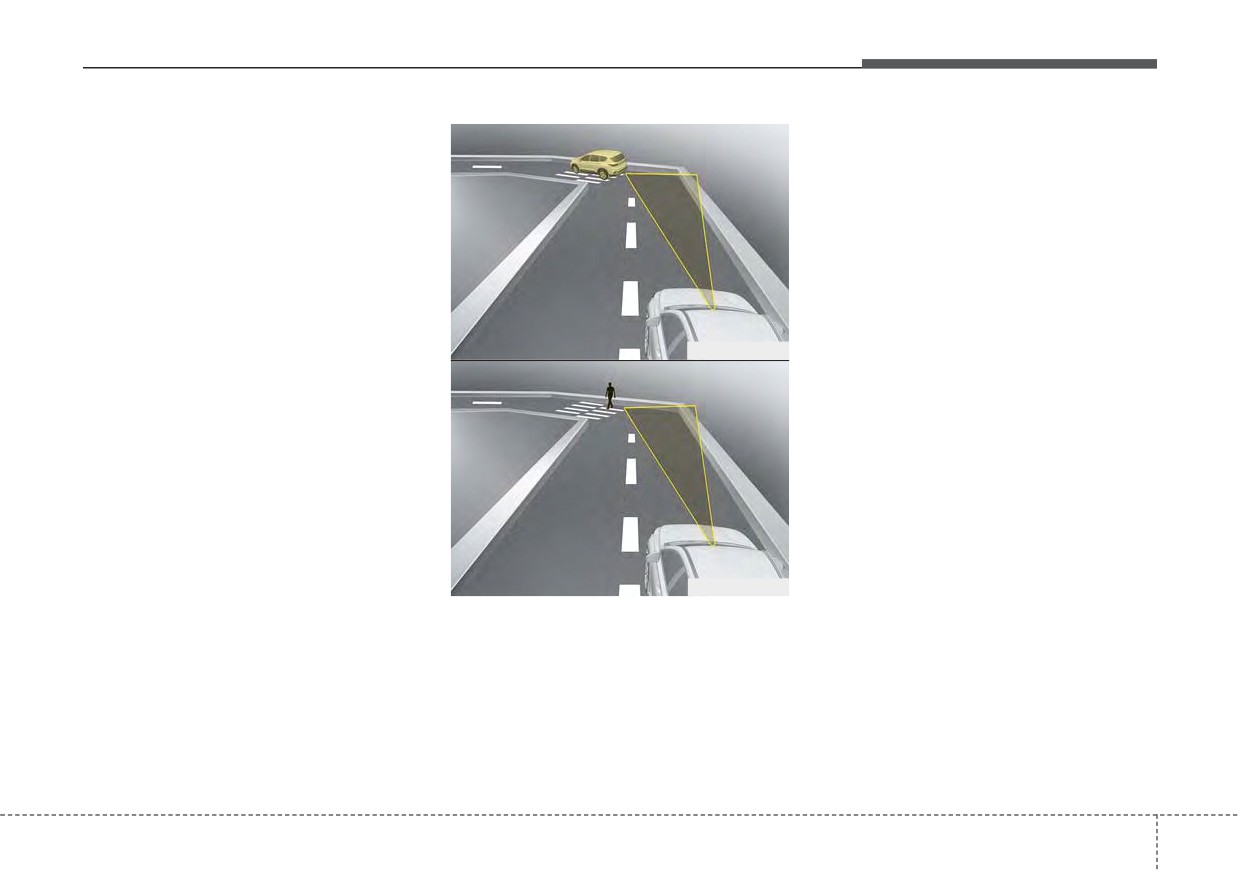
Driving your vehicle
• The pedestrian has impaired
This may result in no alarm and
mobility.
braking when necessary. Always pay
attention to road and driving condi-
• When the pedestrian suddenly
tions, and if necessary, depress the
interrupts in front of the vehicle.
brake pedal to reduce your driving
speed in order to maintain a safe dis-
tance.
OHM059342L
OHM059343L
- Driving on a curve
The performance of Forward
Collision-Avoidance Assist may be
limited when driving on a curved
road. The front view camera recogni-
tion function may not detect the vehi-
cle or pedestrian traveling in front on
a curved road.
5
65
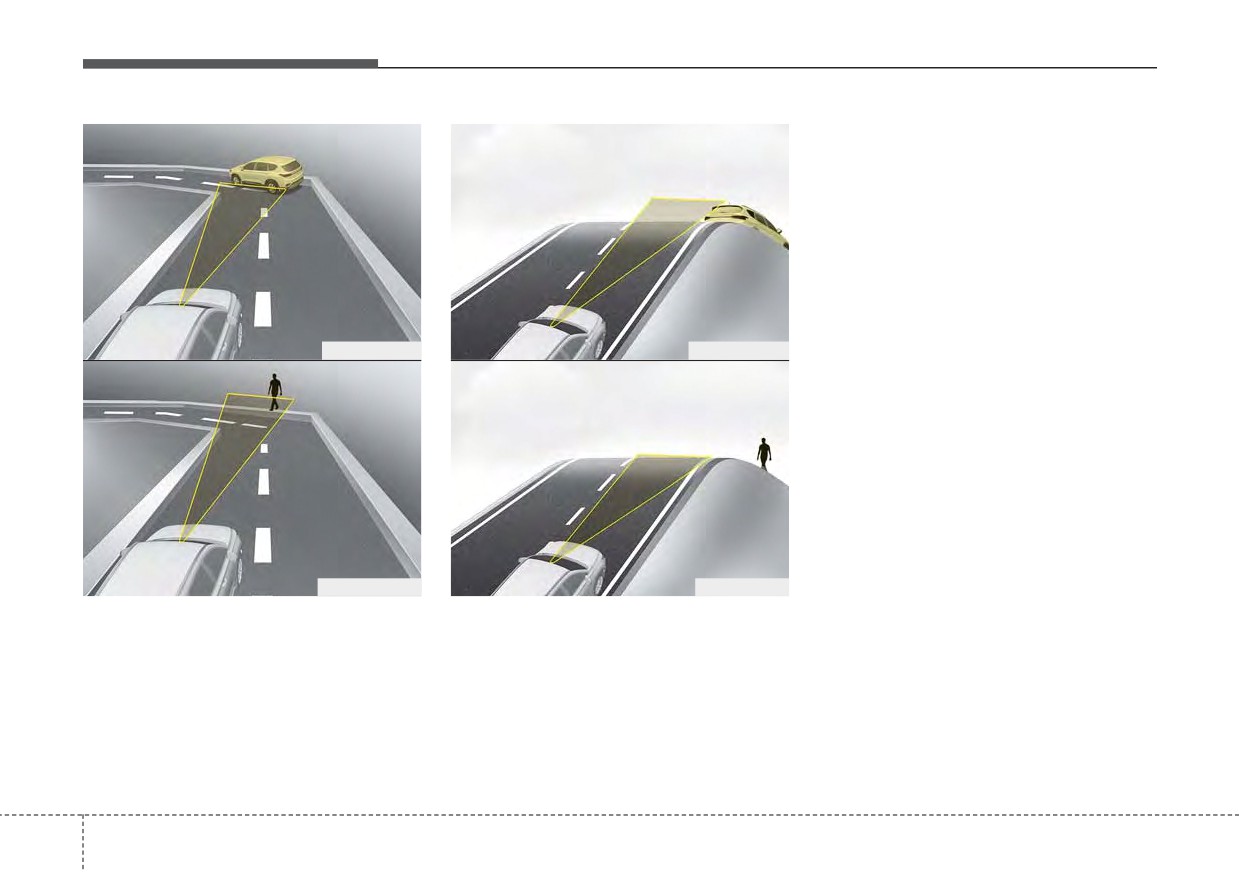
Driving your vehicle
This may result in unnecessary
alarm and braking or no alarm and
braking when necessary. When the
function suddenly recognizes the
vehicle or pedestrian in front while
passing over a slope, you may expe-
rience sharp deceleration. Always
keep your eyes forward while driving
upward or downward on a slope,
and, if necessary, depress the brake
OHM059344L
OHM059346L
pedal to reduce your driving speed in
order to maintain distance.
OHM059345L
OHM059347L
Forward Collision-Avoidance Assist
- Driving on a slope
may recognize a vehicle or pedestrian
The performance of Forward
in the next lane or outside the lane
Collision-Avoidance Assist may be
when driving on a curved road. If this
decreased while driving upward or
occurs, the function may unnecessar-
downward on a slope. The front view
ily alarm the driver and apply the
camera recognition may not detect
brake. Always pay attention to road
the vehicle or pedestrian in front.
and driving conditions, while driving.
5 66