Infiniti Jx35 (2013 year). Instruction - part 15
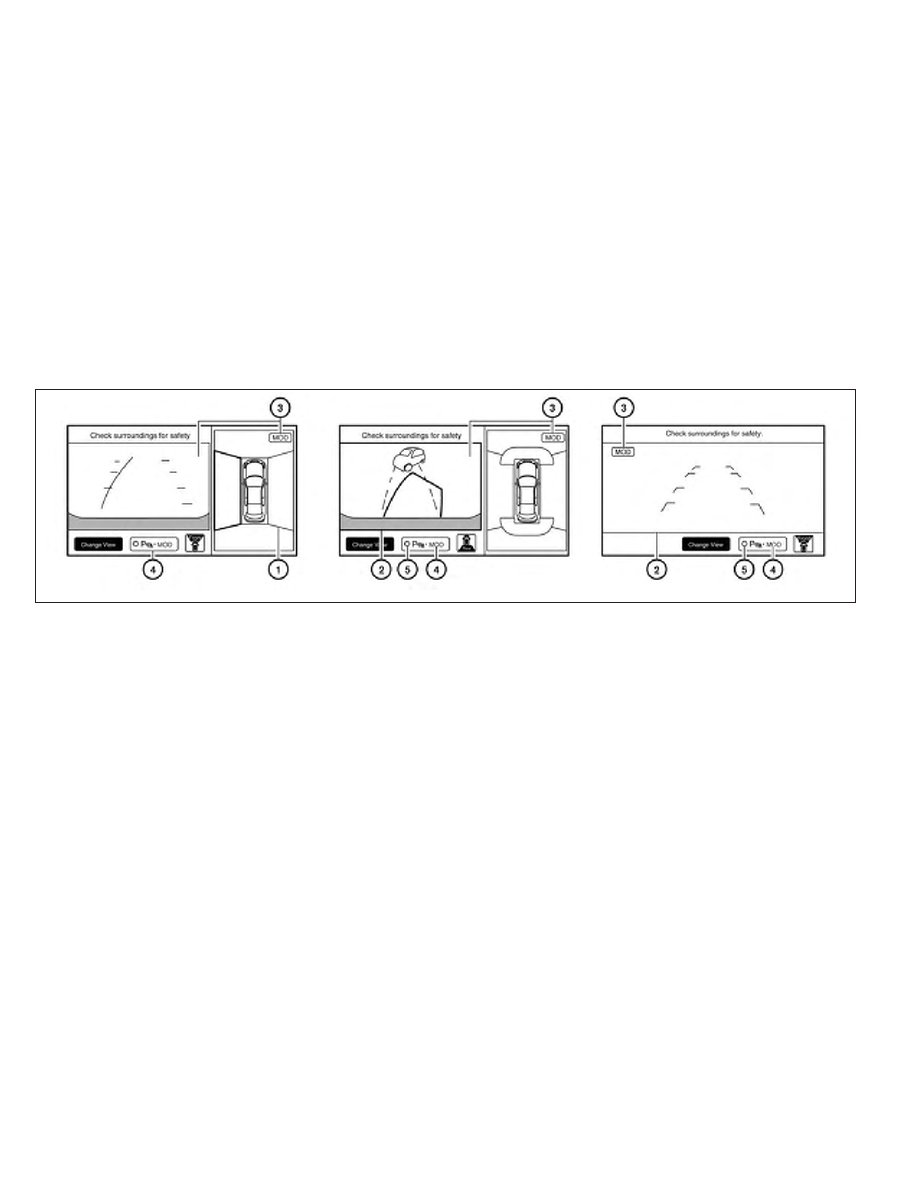
If the MOD system detects the moving objects
surrounding the vehicle, the yellow frame will be
displayed on the camera image and a chime
sounds.
When the MOD system detects a moving object
surrounding the vehicle, the yellow frame will be
displayed on the view where the objects are
detected and a chime will sound once. While the
MOD system continues to detect moving ob-
jects, the yellow frame continues to be displayed.
In the bird-eye view, the yellow frame
䊊
1
is dis-
played on each camera image (front, rear, right,
left) depending on where moving objects are
detected.
The yellow frame
䊊
2
is displayed on each view in
the front view, front-wide view, rear view and
rear-wide view modes.
While the sonar or the BCI chime (if so equipped)
is beeping, the MOD system does not chime.
A blue MOD icon is displayed in the view where
the MOD system is operative. A gray MOD icon is
displayed in the view where the MOD system is
not operative.
When the “MOD” key
䊊
4
is selected, the MOD
system will turn off temporarily and the indicator
䊊
5
will turn off. At the same time the camera-
aiding sonar will also be turned OFF. When the
key is pressed again, the indicator will turn on and
the MOD system will turn back on.
If the MOD system is turned off, the MOD icon
䊊
3
is not displayed.
The MOD system will turn on automatically under
the following conditions:
● When the shift selector is in the R position.
● When the CAMERA button is pressed to
switch from a different screen to the camera
view on the display
● When vehicle speed decreases below ap-
proximately 5 mph (8 km/h).
LHA2322
4-48
Monitor, climate, audio, phone and voice recognition systems