Infiniti G37 Coupe (2012 year). Instruction - part 17
4-86
Monitor, climate, audio, phone and voice recognition systems
SAA1567
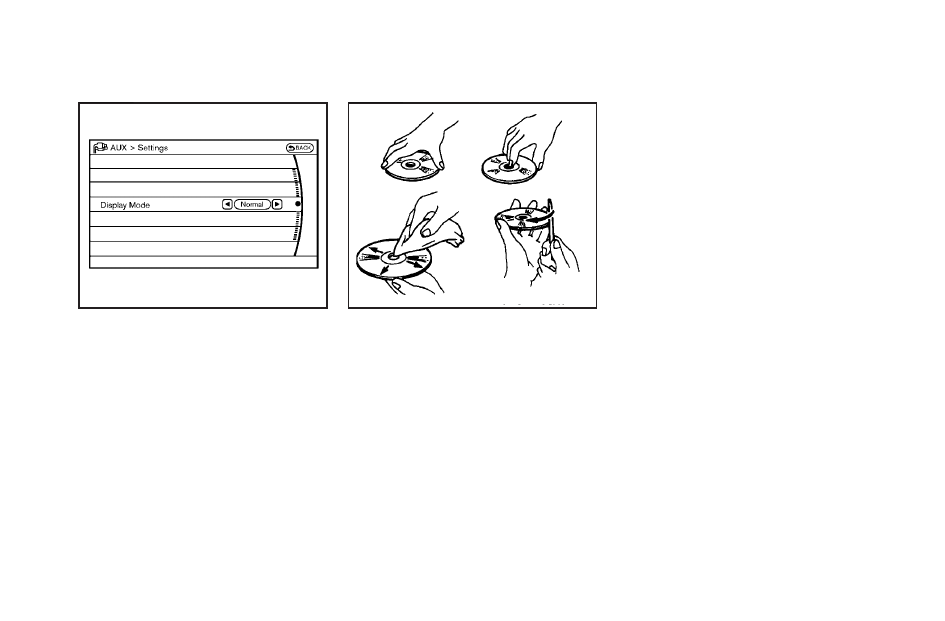
AUX Menu
When the
“Setting” key on the display is
selected while in the AUX mode, the menu
screen will be displayed.
Display Mode:
Choose the display mode from the follow-
ing items.
. Normal
. Wide
. Cinema
SAA0451
CD/DVD/USB MEMORY CARE AND
CLEANING
CD/DVD
. Handle a CD/DVD by its edges. Never
touch the surface of the disc. Do not
bend the disc.
. Always place the discs in the storage
case when they are not being used.
. To clean a disc, wipe the surface from
the center to the outer edge using a
clean, soft cloth. Do not wipe the disc
using a circular motion.
Do not use a conventional record
cleaner or alcohol intended for indus-
trial use.
. A new disc may be rough on the inner
and outer edges. Remove the rough
edges by rubbing the inner and outer
edges with the side of a pen or pencil
as illustrated.
USB memory
. Never touch the terminal portion of the
USB memory.
. Do not place heavy objects on the USB
memory.
. Do not store the USB memory in highly
humid locations.
. Do not expose the USB memory to
direct sunlight.
. Do not spill any liquids on the USB
memory.
Refer to the USB memory Owner
’s Instruction
for the details.