Infiniti G Convertible (2012 year). Instruction - part 16
4-78
Monitor, climate, audio, phone and voice recognition systems
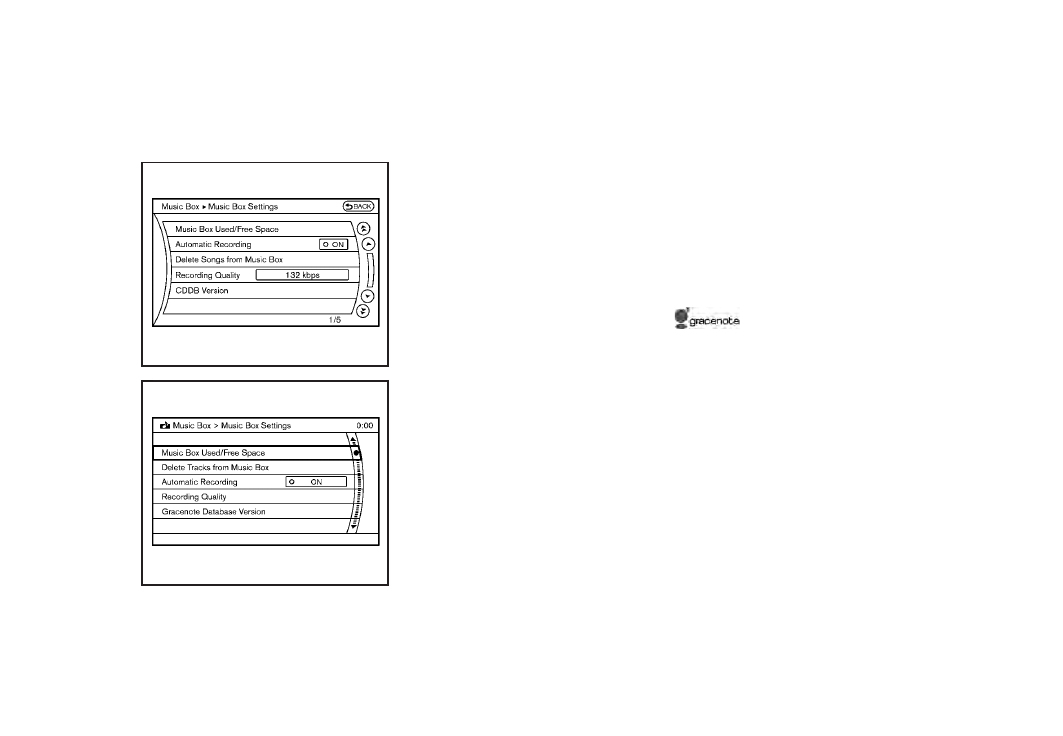
SAA2517
Models with navigation system
SAA2438
Models without navigation system
Music Box
®
settings
To set the Music box
®
hard drive/flash
memory to your preferred settings, select
the “Menu” key during playback, and the
“Music Box Settings” key with the INFINITI
controller, and then push the ENTER
button.
Music Box
®
Used/Free Space:
Information about “Saved Album”, “Saved
Track” and “Remaining Time” is displayed.
Automatic Recording:
When this item is turned on, the Music
Box
®
hard drive/flash memory automati-
cally starts recording when a CD is
inserted.
Delete Songs from Music Box
®
:
Deletes the current song, selected songs or
albums by choosing from the list, or all
songs/albums in the Music Box
®
.
Recording Quality:
Set the recording quality of 105 kbps or
132 kbps. The default is set to 105 kbps.
CDDB Version (models with navigation
system)/Gracenote Database Version
(models without navigation system):
The version of the built-in Gracenote
Database is displayed.
Gracenote
NOTE:
. The information contained in the Grace-
note Database is not fully guaranteed.
. The service of the Gracenote Database
on the Internet may be stopped with-
out prior notice for maintenance.
End-User License Agreement
USE OF THIS PRODUCT IMPLIES ACCEP-
TANCE OF THE TERMS BELOW.
Gracenote
®
MusicID
®
Terms of Use
This application or device contains soft-
ware from Gracenote, Inc. of Emeryville,
California (“Gracenote”). The software from
Gracenote (the “Gracenote Software”) en-
ables this application to perform disc and/
or file identification and obtain music-
related information, including name, artist,
track, and title information (“Gracenote
Data”) from online servers or embedded
databases (collectively, “Gracenote Ser-
vers”) and to perform other functions. You
may use Gracenote Data only by means of
the intended End-User functions of this
application or device. You agree that you