Infiniti G Convertible (2012 year). Instruction - part 12
4-14
Monitor, climate, audio, phone and voice recognition systems
SAA2975
Models with navigation system
SAA2740
Models without navigation system
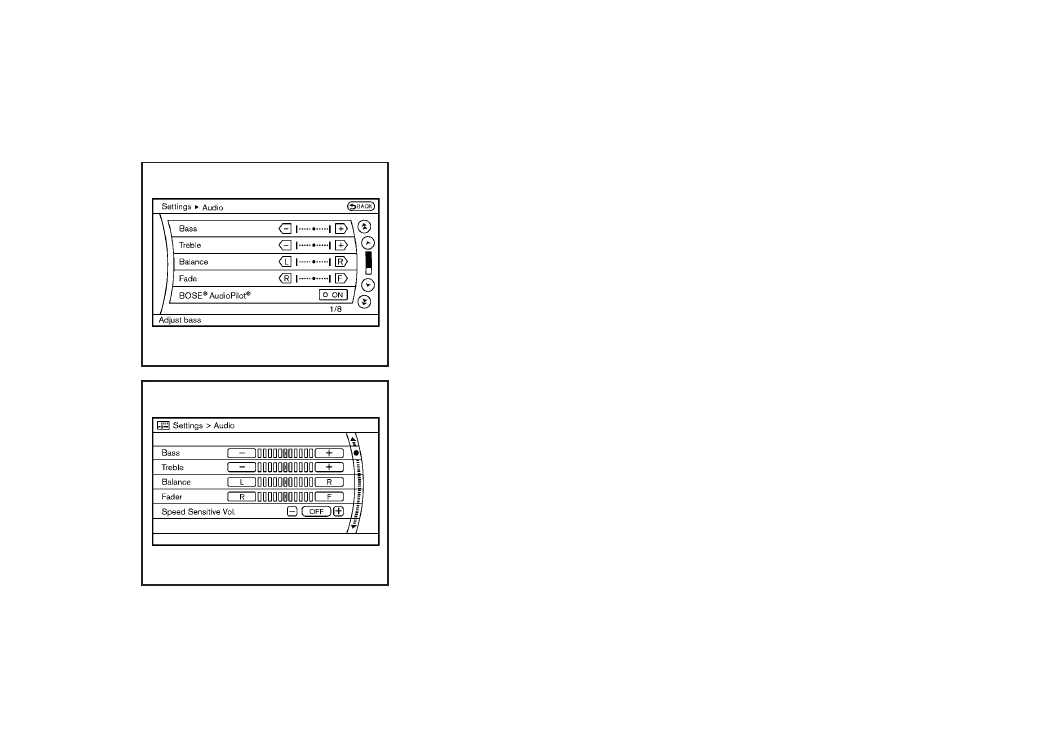
Audio settings
The display as illustrated will appear when
pushing the SETTING button and selecting
the “Audio” key.
Bass/Treble/Balance/Fade:
To adjust the speaker tone quality and
sound balance, select the “Bass”, “Treble”,
“Balance” or “Fade” key and adjust it with
the INFINITI controller.
These items can also be adjusted by
pushing and turning the AUDIO knob.
Precision Phased Audio (if so equipped):
When this item is turned to ON, super high
pitch sound and super low pitch sound are
emphasized and midrange sound is played
naturally.
Speed Sensitive Vol. (if so equipped):
The audio system’s volume is increased
with the vehicle speed. Select the “Speed
Sensitive Vol.” and adjust the effect level
with the INFINITI controller. The Speed
Sensitive Volume function is turned off
when the level is set to OFF. Increasing the
value will cause the volume to increase
faster with vehicle speed.
BOSE
®
AudioPilot
®
(if so equipped):
BOSE
®
AudioPilot
®
adjusts the volume and
sound quality depending on the changes of
the vehicle speeds and the noise picked up
by the microphone. It compensates for
noise from different road surface condi-
tions and open windows.
Surround Vol. (if so equipped):
To adjust the surround sound volume,
select “Surround Vol.” and adjust it with
the INFINITI controller.
DivX
®
Registration Code (models with
navigation system):
The registration code for a device that is
used to download DivX
®
files will be
displayed on the screen. If a disc is loaded
or a USB memory is connected to the audio
system, this function will not be activated.
Display Album Cover Art (models with
navigation system):
When this item is turned to ON, the album
cover image is displayed when playing
iPod or MP3 music files through a CD, DVD
or USB memory. When the image is not
properly embedded in the file or device,
the image will not be displayed.