Infiniti G35 (2008 year). Instruction - part 18
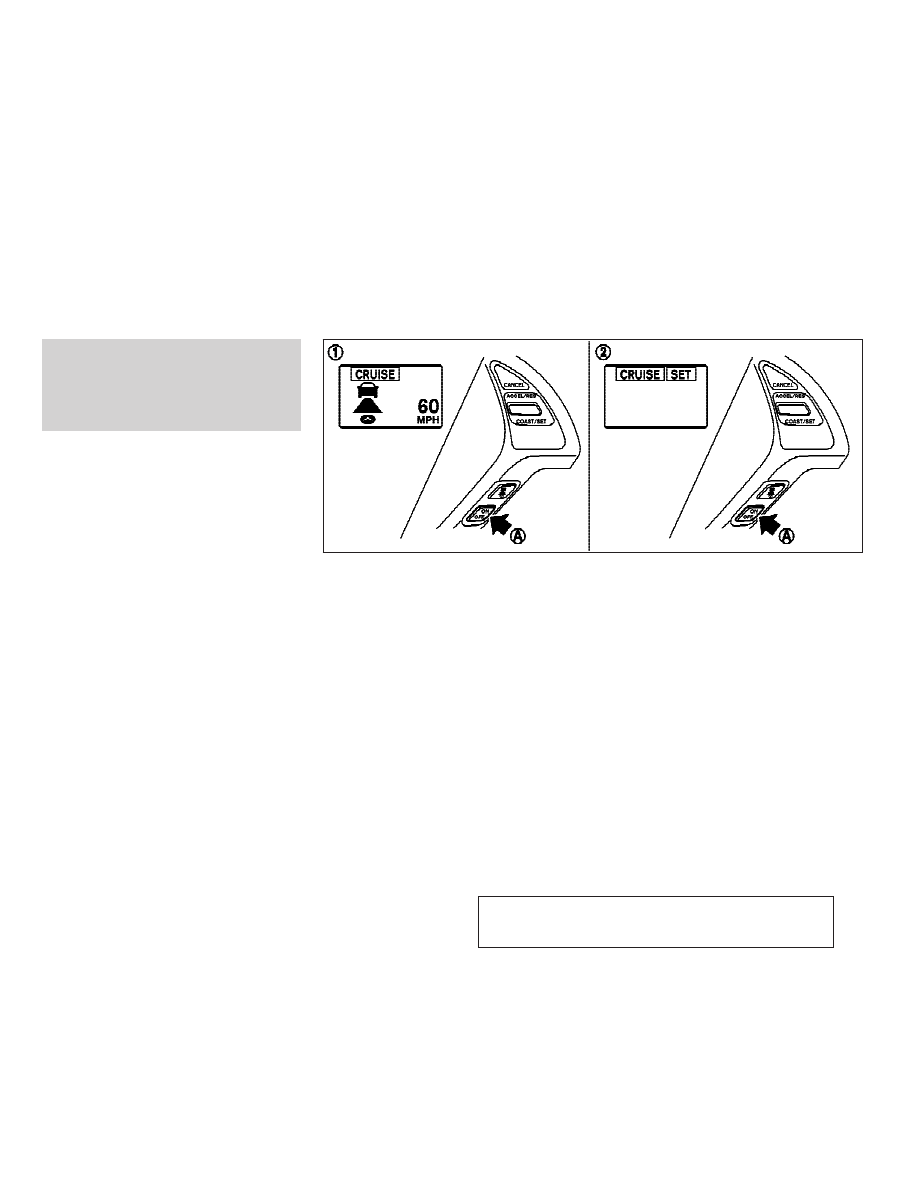
● In the conventional (fixed speed) cruise con-
trol mode, a warning buzzer will not sound to
warn you if you are too close to the vehicle
ahead. Pay special attention to the distance
between your vehicle and the vehicle ahead
of you or a collision could occur.
1. Vehicle-to-vehicle distance control mode
2. Conventional (fixed speed) cruise control
mode
Push the MAIN switch
s
A
to choose the cruise
control mode between the vehicle-to-vehicle
distance control mode
s
1
and the conventional
(fixed speed) cruise control mode
s
2
.
Always confirm the setting in the Intelligent
Cruise Control system display.
For the vehicle-to-vehicle distance control
mode, see the following description. For the
conventional (fixed speed) cruise control mode,
see page 5-37.
SELECTING THE VEHICLE-TO-VEHICLE
DISTANCE CONTROL MODE
To choose the vehicle-to-vehicle distance con-
trol mode
s
1
, quickly push and release the
MAIN switch
s
A
.
Once a control mode is activated, it cannot be
changed to the other cruise control mode. To
change the mode, push the MAIN switch once to
turn the system off. Then push the MAIN switch
again to turn the system back on and select the
desired cruise control mode.
SSD0604
5-20
Starting and driving
w
—
—
07/14/07—pattie
X