DB2 Server for VSE & VM Application Programming (Version 7 Release 5) - page 3

EXEC SQL DECLARE QUERY CURSOR FOR
SELECT PROJNO, ACTNO, ACSTAFF
FROM PROJ_ACT X
WHERE ACENDATE > ’2000-01-01’
AND ACSTAFF <
(SELECT AVG(ACSTAFF)
FROM PROJ_ACT
WHERE ACTNO = X.ACTNO)
EXEC SQL OPEN QUERY
EXEC SQL FETCH QUERY INTO :PN, :AN., :AS
EXEC SQL CLOSE QUERY
The X table in this query is slightly different. Conceptually, whenever there are
other conditions besides the one containing the subquery, they are applied to the
correlation table first. The X table that is derived from the PROJ_ACT table is:
PROJNO ACTNO ACSTAFF ACSTDATE ACENDATE
------ ------ ------- ---------- ----------
AD3111
80
1.25 1999-04-15 2000-01-15
MA2112
70
1.50 1999-02-15 2000-02-01
MA2113
70
2.00 1999-04-01 2000-12-15
MA2113
80
1.50 1999-09-01 2000-02-01
OP1010
130
4.00 1999-01-01 2000-02-01
Only rows with an ACENDATE greater than '2000-01-01' are included
in this "correlation table".
The values 70, 80, and 130 are used for X.ACTNO. Similarly, if you include a
GROUP BY clause in the outer-level query, that grouping is applied to the
conceptual correlation table first. Thus, if you use a correlated subquery in a
HAVING clause, it is evaluated once per group of the conceptual table (as defined
by the outer-level query’s GROUP BY clause). When you use a correlated subquery
in a HAVING clause, the correlated column-reference in the subquery must be a
property of each group (that is, must be either the group-identifying column or
another column used with a column function).
The use of a column function with a correlated reference in a subquery is called a
correlated function. The argument of a correlated function must be exactly one
correlated column (for example, X.ACSTAFF), not an expression. A correlated
function may specify the DISTINCT option; for example: COUNT(DISTINCT
X.ACTNO). If so, the DISTINCT counts as the single permitted DISTINCT
specification for the outer-level query-block (remember that each query-block may
use DISTINCT only once). For information on query-block, refer to the DB2 Server
for VSE & VM Database Administration manual.
Illustrating a Correlated Subquery
When would you want to use a correlated subquery? The use of a column function
is sometimes a clue. Consider this problem:
List the employees whose level of education is higher than the average for their
department.
First you must determine the select-list items. The problem says to “List the
employees”. This implies that the query should return something to identify the
Chapter 3. Coding the Body of a Program
83

employees. LASTNAME from the EMPLOYEE table should be sufficient. The
problem also discusses the level of education (EDLEVEL) and the employees’
departments (WORKDEPT). While the problem does not explicitly ask for these
columns, including them in the select-list will help illustrate the solution. A part of
the query can now be constructed:
SELECT LASTNAME, WORKDEPT, EDLEVEL
FROM EMPLOYEE
Next, a search condition (WHERE clause) is needed. The problem statement says,
“...whose level of education is higher than the average for that employee’s
department”. This means that for every employee in the table, the average
education level for that employee’s department must be computed. This statement
fits the description of a correlated subquery. Some property (average level of
education of the current employee’s department) is being computed for each row.
A correlation_name is needed on the EMPLOYEE table:
SELECT LASTNAME, WORKDEPT, EDLEVEL
FROM EMPLOYEE Y
The subquery needed is simple; it computes the average level of education for each
department:
SELECT AVG(EDLEVEL)
This clause tells the database
FROM EMPLOYEE
manager to compute the subquery
WHERE WORKDEPT = Y.WORKDEPT
once for each employee in the
outer- level query table.
The complete SQL statement is:
SELECT LASTNAME, WORKDEPT, EDLEVEL
FROM EMPLOYEE Y
WHERE EDLEVEL >
(SELECT AVG(EDLEVEL)
FROM EMPLOYEE
WHERE WORKDEPT = Y.WORKDEPT)
This will produce the following:
LASTNAME
WORKDEPT EDLEVEL
--------------- -------- -------
HAAS
A00
18
KWAN
C01
20
PULASKI
D21
16
HENDERSON
E11
16
LUCCHESI
A00
19
PIANKA
D11
17
SCOUTTEN
D11
17
JONES
D11
17
LUTZ
D11
18
MARINO
D21
17
JOHNSON
D21
16
SCHNEIDER
E11
17
MEHTA
E21
16
GOUNOT
E21
16
84
Application Programming

Suppose that instead of listing the employee’s department number, you list the
department name. A glance at the sample tables will tell you that the information
you need (DEPTNAME) is in a separate table (DEPARTMENT). The outer-level
query that defines a correlation variable can also be a join query.
When you use joins in an outer-level query, list the tables to be joined in the
FROM clause, and place the correlation_name next to one of these table names.
To modify the query to list the department’s name instead of the number, replace
WORKDEPT by DEPTNAME in the select-list. The FROM clause must now also
include the DEPARTMENT table, and the WHERE clause must express the
appropriate join condition.
This is the modified query:
SELECT LASTNAME, DEPTNAME, EDLEVEL
FROM EMPLOYEE Y, DEPARTMENT
WHERE Y.WORKDEPT = DEPARTMENT.DEPTNO
AND EDLEVEL >
(SELECT AVG(EDLEVEL)
FROM EMPLOYEE
WHERE WORKDEPT = Y.WORKDEPT)
This will produce the following:
LASTNAME
DEPTNAME
EDLEVEL
--------------- ------------------------------------ -------
HAAS
SPIFFY COMPUTER SERVICE DIV.
18
LUCCHESI
SPIFFY COMPUTER SERVICE DIV.
19
KWAN
INFORMATION CENTER
20
PIANKA
MANUFACTURING SYSTEMS
17
SCOUTTEN
MANUFACTURING SYSTEMS
17
JONES
MANUFACTURING SYSTEMS
17
LUTZ
MANUFACTURING SYSTEMS
18
PULASKI
ADMINISTRATION SYSTEMS
16
MARINO
ADMINISTRATION SYSTEMS
17
JOHNSON
ADMINISTRATION SYSTEMS
16
HENDERSON
OPERATIONS
16
SCHNEIDER
OPERATIONS
17
MEHTA
SOFTWARE SUPPORT
16
GOUNOT
SOFTWARE SUPPORT
16
The above examples show that the correlation_name used in a subquery must be
defined in the FROM clause of some query that contains the correlated subquery.
However, this containment may involve several levels of nesting. Suppose that
some departments have only a few employees and therefore their average
education level may be misleading. You might decide that in order for the average
level of education to be a meaningful number to compare an employee against,
there must be at least five employees in a department. The new statement of the
problem is:
List the employees whose level of education is higher than the average for that
employee’s department. Only consider departments with at least five employees.
Chapter 3. Coding the Body of a Program
85
The problem implies another subquery because, for each employee in the
outer-level query, the total number of employees in that persons department must
be counted:
SELECT COUNT(*)
FROM EMPLOYEE
WHERE WORKDEPT = Y.WORKDEPT
Only if the count is greater than or equal to 5 is an average to be computed:
SELECT AVG(EDLEVEL)
FROM EMPLOYEE
WHERE WORKDEPT = Y.WORKDEPT
AND 5 <=
(SELECT COUNT(*)
FROM EMPLOYEE
WHERE WORKDEPT = Y.WORKDEPT)
Finally, only those employees whose level of education is greater than the average
for that department are included:
SELECT LASTNAME, DEPTNAME, EDLEVEL
FROM EMPLOYEE Y, DEPARTMENT
WHERE Y.WORKDEPT = DEPARTMENT.DEPTNO
AND EDLEVEL >
(SELECT AVG(EDLEVEL)
FROM EMPLOYEE
WHERE WORKDEPT = Y.WORKDEPT
AND 5 <=
(SELECT COUNT(*)
FROM EMPLOYEE
WHERE WORKDEPT = Y.WORKDEPT));
This will produce the following:
LASTNAME
DEPTNAME
EDLEVEL
--------------- ------------------------------------ -------
PIANKA
MANUFACTURING SYSTEMS
17
SCOUTTEN
MANUFACTURING SYSTEMS
17
JONES
MANUFACTURING SYSTEMS
17
LUTZ
MANUFACTURING SYSTEMS
18
PULASKI
ADMINISTRATION SYSTEMS
16
MARINO
ADMINISTRATION SYSTEMS
17
JOHNSON
ADMINISTRATION SYSTEMS
16
HENDERSON
OPERATIONS
16
SCHNEIDER
OPERATIONS
17
Note: The above query is different from the previous correlated subqueries in that
the first subquery may return no values. Suppose that a department with
three employees is being evaluated.
Working from bottom to top, the following occurs:
86
Application Programming
SELECT LASTNAME, DEPTNAME, EDLEVEL
FROM EMPLOYEE Y, DEPARTMENT
WHERE Y . WORKDEPT = DEPARTMENT . DEPTNO
NULL
Predicate is unknown
AND EDLEVEL >
(SELECT
AVG(EDLEVEL)
FROM EMPLOYEE
WHERE WORKDEPT = Y.WORKDEPT
AND 5 <=
3
Predicate is false
(SELECT
COUNT(*)
FROM EMPLOYEE
WHERE WORKDEPT =
' A00 '
))
The inner-most subquery evaluates to 3. Thus, the expression “AND 5 <= 3” is
false. Because that expression is false, no rows satisfy the search condition of the
next subquery, and a null value is returned to the outer-most query. This causes
the predicate “EDLEVEL > subquery)” to evaluate to the unknown truth value.
The join condition “Y.WORKDEPT = DEPARTMENT.DEPTNO”, however, is
always true:
WHERE Y.WORKDEPT = DEPARTMENT.DEPTNO AND EDLEVEL > (subquery)
"TRUE"
AND
"UNKNOWN"
"UNKNOWN"
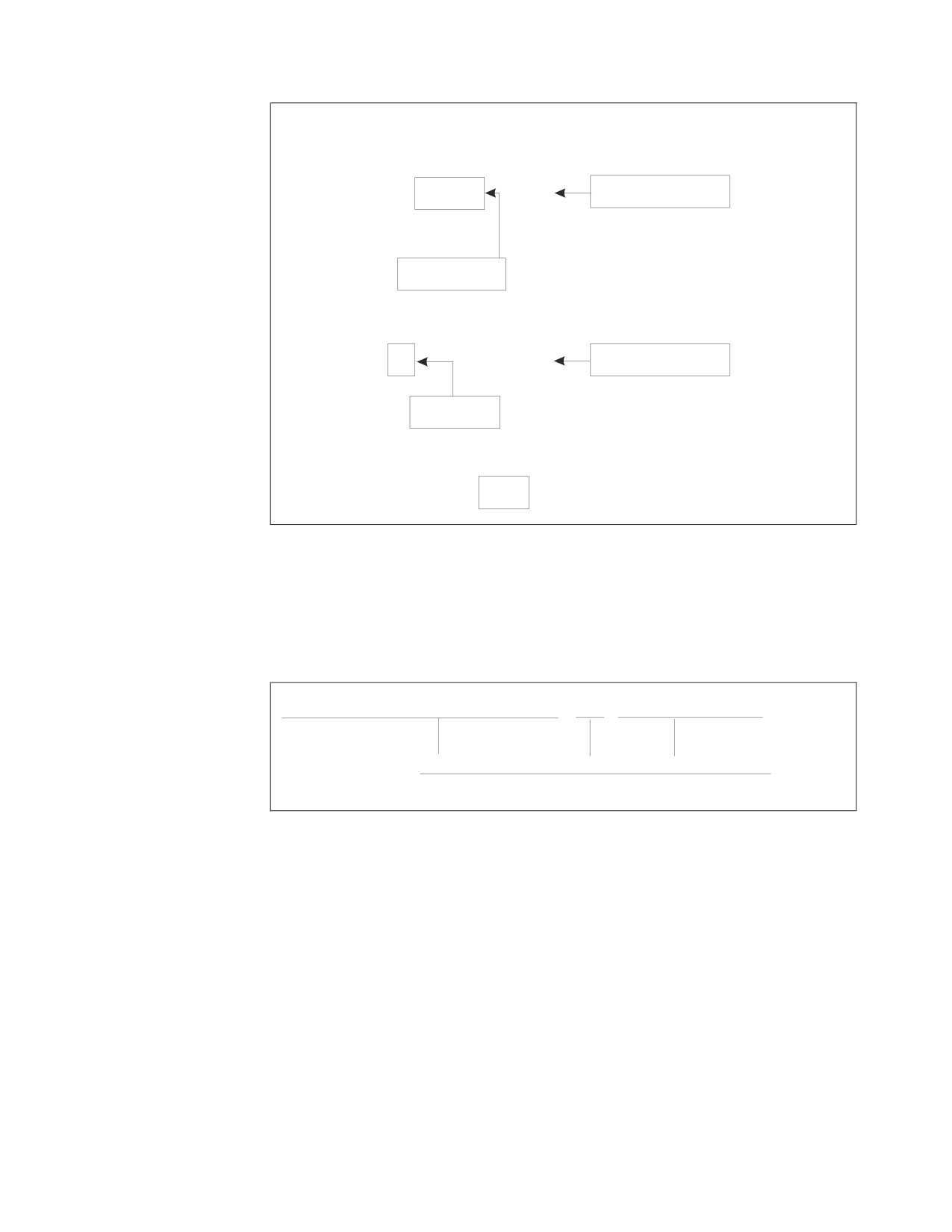
The following figure is the “AND” truth table for search conditions; “TRUE AND
UNKNOWN” causes the search condition in the query to be “UNKNOWN,” as
indicated above.
Chapter 3. Coding the Body of a Program
87

AND
T
F
?
T
T
F
?
F
F
F
F
?
?
F
?
No rows satisfy the search condition, so no employee is listed for department A00;
exactly the result wanted in this case.
Using a Subquery to Test for the Existence of a Row
You can use a subquery to test for the existence of a row satisfying some condition.
In this case, the subquery is linked to the outer-level query by the predicate
EXISTS or NOT EXISTS. (Refer to the DB2 Server for VSE & VM SQL Reference
manual for the syntax of the EXISTS predicate.)
When you link a subquery to an outer query by an EXISTS predicate, the subquery
does not return a value. Rather, the EXISTS predicate is true if the answer set of
the subquery contains one or more rows, and false if it contains no rows.
The EXISTS predicate is often used with correlated subqueries. The example below
lists the departments that currently have no entries in the PROJECT table:
DECLARE C1 CURSOR FOR
SELECT DEPTNO, DEPTNAME
FROM
DEPARTMENT X
WHERE
NOT EXISTS
(SELECT *
FROM PROJECT
WHERE DEPTNO = X.DEPTNO)
ORDER BY DEPTNO
You may connect the EXISTS and NOT EXISTS predicates to other predicates by
using AND and OR in the WHERE clause of the outer-level query.
Table Designation Rule for Correlated Subqueries
Unqualified correlated references are allowed. For example, assume that table EMP
has a column named SALARY and that table DEPT has a column named BUDGET,
but no column named SALARY.
SELECT * FROM EMP
WHERE EXISTS (SELECT * FROM DEPT
WHERE BUDGET < SALARY)
In this example, the system checks the innermost FROM clause for a SALARY
column. Not finding one, it then checks the next innermost FROM clause (which in
88
Application Programming
this case is the outer FROM clause). It is only necessary to use a qualified
correlated reference when you want the system to ignore a column with the same
name in the innermost tables.
To assist you in these situations, a warning message SQLCODE +12 (SQLSTATE
'01545') is issued whenever an SQL statement is executed that contains an
unqualified correlated reference in a subquery.
Combining Queries into a Single Query: UNION
The UNION operator enables you to combine two or more outer-level queries into
a single query. Each of the queries connected by UNION is executed to produce an
answer set; these answer sets are then combined, and duplicate rows are
eliminated from the result.
When ALL is used with UNION (that is, UNION ALL), duplicate rows are not
eliminated when two or more outer-level queries are combined into a single query.
If you are using the ORDER BY clause, you must write it after the last query in the
UNION. The system applies the ordering to the combined answer set before it
delivers the results to your program using the usual cursor mechanism.
It is possible (though unusual) to write a query using the UNION operator that
does not return results with a cursor. In this instance, only one row must be
retrieved from the tables, and an INTO clause must be placed only in the first
query.
The UNION operator is useful when you want to merge lists of values derived
from two or more tables and eliminate any duplicates from the final result.
UNION ALL will give better performance, however, because no internal sort is
done. This sort is done with the UNION operator to facilitate the elimination of
duplicates.
When both UNION and UNION ALL are used in the same query, processing is
from left-to-right. If the last union operation is UNION, the duplicates will be
eliminated from the final results; if it is UNION ALL, the duplicates will not be
eliminated. However, the left-to-right priority can be altered by the use of
parenthesis. A parenthesized subselect is evaluated first, followed, from
left-to-right, by the other components of the statement. For example, the results of
the following two queries, where A, B, and C are subselects, could be quite
different:
A UNION (B UNION ALL C)
(A UNION B) UNION ALL C
In the following example, the query returns all projects for which the estimated
mean number of employees is greater than 0.50, and it returns all the projects
where the proportion of employee time spent on the project is greater than 0.50:
Chapter 3. Coding the Body of a Program
89
SELECT PROJNO,’MEAN’
FROM PROJ_ACT
WHERE ACSTAFF > .50
UNION
SELECT PROJNO,’PROPORTION’
FROM EMP_ACT
WHERE EMPTIME > .50
The database manager combines the results of both queries, eliminates the
duplicates, and returns the final result in ascending order.
Note: The ascending order is a direct result of the internal sort, which is
performed to facilitate the elimination of duplicates.
PROJNO
EXPRESSION
------
------------
AD3110
MEAN
AD3110
PROPORTION
AD3111
MEAN
AD3111
PROPORTION
AD3112
MEAN
AD3112
PROPORTION
AD3113
MEAN
AD3113
PROPORTION
IF1000
MEAN
IF1000
PROPORTION
IF2000
MEAN
IF2000
PROPORTION
MA2100
MEAN
MA2100
PROPORTION
MA2110
MEAN
MA2110
PROPORTION
MA2111
MEAN
MA2111
PROPORTION
MA2112
MEAN
MA2112
PROPORTION
MA2113
MEAN
MA2113
PROPORTION
OP1010
MEAN
OP1010
PROPORTION
OP2000
MEAN
OP2010
MEAN
OP2010
PROPORTION
OP2011
MEAN
OP2011
PROPORTION
OP2012
MEAN
OP2012
PROPORTION
PL2100
MEAN
PL2100
PROPORTION
To connect queries by the UNION operator, you must ensure that they obey the
following rules:
v All corresponding items in the select-lists of the queries in the union must be
compatible.
v An ORDER BY clause, if used, must be placed after the last query in the union.
The order-list must contain only integers, not column names. In the example
query above, ORDER BY 1 is acceptable, but ORDER BY PROJNO is not.
90
Application Programming

v None of the queries in a union may select long strings.
v A union may not be specified inside a subquery.
v A union may not be used in the definition of a view.
v VARCHAR and VARGRAPHIC values that differ only by trailing blanks are
considered equal. One of the values will be eliminated as a duplicate value
unless UNION ALL is selected.
Unions between columns that have the same data type and the same length
produce a column with that type and length. If they are not of the same type and
length but they are union-compatible, the resulting column-type is a combination
of the two original columns.
The results of a UNION between two union-compatible items is summarized
below. The first row and first column of the table represent the data-type of the
first and second columns of the UNION join.
String Columns
CHAR
VARCHAR
GRAPHIC
VARGRAPHIC
CHAR
CHAR
VARCHAR
ERROR
ERROR
VARCHAR
VARCHAR
VARCHAR
ERROR
ERROR
GRAPHIC
ERROR
ERROR
GRAPHIC
VARGRAPHIC
VARGRAPHIC
ERROR
ERROR
VARGRAPHIC
VARGRAPHIC
The length attribute of the resulting column will be the greater of the length
attributes of the original columns.
The UNION operators between columns that have the same character subtype and
CCSID produce a column with that subtype and CCSID. If they do not have the
same subtype and CCSID, the resulting subtype and CCSID are determined
following specific rules. For a detailed discussion of these rules, refer to the DB2
Server for VSE & VM SQL Reference manual.
Numeric Columns
SMALLINT
INTEGER
DECIMAL
SINGLE
DOUBLE
PRECISION
PRECISION
SMALLINT
SMALLINT
INTEGER
DECIMAL
DOUBLE
DOUBLE
PRECISION
PRECISION
INTEGER
INTEGER
INTEGER
DECIMAL
DOUBLE
DOUBLE
PRECISION
PRECISION
DECIMAL
DECIMAL
DECIMAL
DECIMAL
DOUBLE
DOUBLE
PRECISION
PRECISION
SINGLE
DOUBLE
DOUBLE
DOUBLE
SINGLE
DOUBLE
PRECISION
PRECISION
PRECISION
PRECISION
PRECISION
PRECISION
DOUBLE
DOUBLE
DOUBLE
DOUBLE
DOUBLE
DOUBLE
PRECISION
PRECISION
PRECISION
PRECISION
PRECISION
PRECISION
When both of the original columns are DECIMAL data-types, special rules apply
for determining the scale and precision of the resulting column.
Chapter 3. Coding the Body of a Program
91

Where s is the scale of the first column of the UNION join, s’ is the scale of the
second column, p is the precision of the first column, and p’ is the precision of the
second, the resulting column’s precision is:
MIN( 31,MAX( s , s’ ) + MAX( p-s , p’-s’ ) )
The scale of the resulting column is the maximum scale of the original columns of
the UNION join, MAX( s, s’).
When a UNION is performed on a DECIMAL and either an INTEGER or
SMALLINT column, the resulting column’s scale and precision can be calculated
with the previous formulas. However, remember to substitute 11 and 0 for the
precision and scale of an INTEGER column, and 5 and 0 for a SMALLINT column.
Datetime/Timestamp Columns
DATE
TIME
TIMESTAMP
DATE
DATE
ERROR
ERROR
TIME
ERROR
TIME
ERROR
TIMESTAMP
ERROR
ERROR
TIMESTAMP
Note: CHAR, VARCHAR, GRAPHIC, and VARGRAPHIC are not
union-compatible with DATE, TIME, or TIMESTAMP.
SQL Comments within Static SQL Statements
You can use a comment as a separator within static SQL statements written in the
various host languages. This comment is referred to as an SQL comment (as
opposed to host language comments), and is identified by two consecutive
hyphens (--) on the same line, not separated by a space and not part of a literal, a
string of DBCS characters, a quoted identifier, or an embedded host language
comment. In COBOL, the two hyphens must be preceded by a blank. The comment
ends at the end of the line.
Here is the sample query from the previous discussion on UNION, documented
with a few SQL comments:
SELECT PROJNO,’MEAN’
FROM PROJ_ACT -- PROJECT ACTIVITY TABLE
WHERE ACSTAFF > .50
-- FIRST QUERY IS FOR ESTIMATED MEAN NUMBER OF EMPLOYEES
UNION
-- SECOND QUERY IS FOR PROPORTION OF EMPLOYEE TIME
SELECT PROJNO,’PROPORTION’
FROM EMP_ACT -- EMPLOYEE ACTIVITY TABLE
WHERE EMPTIME > .50
The DB2 Server for VSE & VM SQL Reference manual for the detailed syntax rules
on the use of SQL comments within application programs.
Using Stored Procedures
A stored procedure is a user-written application program that is compiled and
stored at the server. When the database manager is running in multiple user mode,
local applications or remote DRDA applications can invoke the stored procedure.
Since the SQL statements issued by a stored procedure are local to the server, they
92
Application Programming
do not incur the high network costs of distributed statements. Instead, a single
network send and receive operation is used to invoke a series of SQL statements
contained in the stored procedure.
Figure 21 and Figure 22 illustrate how the use of stored procedures reduces
network traffic by decreasing the number of commands that flow between the
application requester and the application server.
Application Server
Application Requester
┌──────────────────────────┐
┌───────────────────────┐
│
│
│
│
│
│
│ EXEC SQL CREATE
├──────────► │ Process statement and
│
│ TABLE ...
│◄───────────┤ return SQLCA
│
│
│
│
│
│ EXEC SQL INSERT ...
├──────────► │ Process statement and
│
│
│◄───────────┤ return SQLCA
│
│
│
│
│
│ EXEC SQL COMMIT
├──────────► │ Process statement and
│
│ WORK ...
│◄───────────┤ return SQLCA
│
│
│
│
│
└───────────────────────┘
│
│
└──────────────────────────┘
Figure 21. Without Stored Procedures
Application Server
Stored Procedure Server
┌───────────────────────┐
┌────────────────────────┐
Application Requester
│
│
│
│
┌───────────────────┐
│
│
│
│
│
│
│
│
│
│
│ EXEC SQL CALL ... ├────►│Send request to stored ├───►│Invoke stored procedure │
│
│
│procedure server
│
│application
│
│
│
│
│
│
│
│
│
│Process statement and
│◄───┤EXEC SQL INSERT ...
│
│
│
│return SQLCA
├───►│
│
│
│
│
│
│
│
│
│
│Process statement and
│◄───┤EXEC SQL UPDATE ...
│
│
│
│return SQLCA
├───►│
│
│
│
│
│
│
│
│ Process results
│◄────┤Return results to
│◄───┤Stored procedure
│
│
│
│application requester
│
│completes and returns
│
│
│
│
│
│results
│
│
│
│
│
│
│
│ EXEC SQL COMMIT
├────►│Process statement and
│
│
│
│ WORK ...
│◄────┤return SQLCA
│
│
│
└───────────────────┘
│
│
│
│
└───────────────────────┘
└────────────────────────┘
Figure 22. With Stored Procedures
For information on the stored procedure environment, including stored procedure
servers, refer to the DB2 Server for VSE & VM Database Administration manual.
There are several other benefits that can be gained through the use of stored
procedures, including:
v In many applications, the integrity of the host variables used in SQL statements
is critical to the business function provided by the application. For example, a
Chapter 3. Coding the Body of a Program
93
debit/credit application might need to guarantee that the host variable values do
not change between debit and credit operations. In these applications, the
application designer would like to guarantee that sophisticated users cannot
employ online debugging tools to manipulate the content of SQL statements or
host variables used by the SQL application. By using stored procedures, the
application designer can encapsulate the application’s SQL statements into a
single message to the server, which moves the sensitive processing beyond the
reach of even the most sophisticated workstation user.
v Stored procedures can be used to hide the details of the database design from
client applications. In addition to simplifying the writing of client applications,
this means that if the database design is changed, only the stored procedure
needs to be modified. The more client applications that use the stored procedure,
the greater the benefit.
v Stored procedures can be used to hide sensitive data from application programs.
v Business logic can be encapsulated at the server, rather than being included in
numerous application programs.
v It is easier to maintain an environment in which applications are kept at the
server rather than spread across a number of requesters.
Writing Stored Procedures
Stored procedure that are to be used on a DB2 Server for VSE & VM database can
be written in PL/I, COBOL, C, or Assembler. Stored procedures are very much like
regular application programs, with the following exceptions:
v They must be LE compliant
v They cannot contain the following SQL statements: CONNECT, COMMIT,
ROLLBACK, or CALL
Note: Stored procedures must be written as MAIN programs; they cannot be SUB
programs.
The following is an example of a simple stored procedure. It contains one SQL
statement that SELECTs the salary of a given employee from the
SQLDBA.EMPLOYEE table. The employee number is provided as input, and the
salary and the SQLCODE for the SELECT statement are returned.
94
Application Programming
IDENTIFICATION DIVISION.
PROGRAM-ID. SAMP1.
ENVIRONMENT DIVISION.
INPUT-OUTPUT SECTION.
FILE-CONTROL.
DATA DIVISION.
FILE SECTION.
WORKING-STORAGE SECTION.
EXEC SQL BEGIN DECLARE SECTION END-EXEC.
01
CHAR6HV
PIC X(6).
01
SALHV
PIC S9(7)V9(2) COMPUTATIONAL-3.
EXEC SQL END DECLARE SECTION END-EXEC.
EXEC SQL INCLUDE SQLCA END-EXEC.
LINKAGE SECTION.
01
CHAR6
PIC X(6).
01
SALARY
PIC S9(7)V9(2) COMPUTATIONAL-3.
01
SQLCD
PIC S9(9) COMP.
PROCEDURE DIVISION USING CHAR6 SALARY SQLCD.
* TURN OFF SQL EXCEPTION PROCESSING *
EXEC SQL WHENEVER SQLWARNING CONTINUE END-EXEC.
EXEC SQL WHENEVER SQLERROR CONTINUE END-EXEC.
EXEC SQL WHENEVER NOT FOUND CONTINUE END-EXEC.
MOVE CHAR6 TO CHAR6HV.
EXEC SQL
SELECT SALARY INTO :SALHV FROM SQLDBA.EMPLOYEE
WHERE EMPNO = :CHAR6HV
END-EXEC.
MOVE SALHV TO SALARY.
MOVE SQLCODE TO SQLCD.
STOP RUN.
The following is an example of a CALL statement that could be used to invoke the
procedure shown above:
CALL SAMP_PROC (’000250’, :SALARY, :SQLCD)
The SQL CALL statement is discussed in more detail in “Calling Stored
Procedures” on page 96.
Returning Information from the SQLCA
Information about the execution of SQL statements within a stored procedure is
not returned to the application that invoked the stored procedure. If SQLCODE,
SQLSTATE, or any other information from the SQLCA is required by the calling
application, that information must be included in the parameter list of the stored
procedure and the parameters must be set explicitly in the stored procedure. This
is because there are many situations in which a negative SQLCODE does not
necessarily indicate a problem (such as dropping a table that does not exist). The
person who writes the stored procedure application must determine what
SQLCODEs should be returned to the caller.
Chapter 3. Coding the Body of a Program
95
See “Writing Stored Procedures” on page 94 for an example of a stored procedure
that returns an SQLCODE.
Language Environment® (LE) Considerations
As mentioned previously, stored procedures must be LE-compliant. IBM Language
Environment for MVS and VM and the IBM Language Environment for VSE/ESA
establish a common run-time environment for different programming languages. It
combines essential run-time services, such as condition handling and storage
management. All of these services are available through a set of interfaces that are
consistent across programming languages. With LE, you can use one run-time
environment for your applications, regardless of the application’s programming
languages or system resource requirements.
Language Environment is the prerequisite run-time environment for applications
generated with the following IBM compiler products:
v IBM C for VM/ESA
v IBM SAA AD/Cycle C/370
v IBM COBOL for MVS and VM
v IBM SAA AD/Cycle COBOL/370
v IBM PL/I for MVS and VM
v IBM SAA AD/Cycle PL/I MVS and VM
v IBM C for VSE/ESA
v IBM COBOL for VSE/ESA
v IBM PL/I for VSE/ESA
Stored procedures can be written in assembly language as long as the assembly
language program uses the required macros to operate as an IBM Language
Environment application program.
For complete details, see the Language Environment documentation.
Preparing to Run a Stored Procedure
For DB2 Server for VM, once the stored procedure has been written, it must be
preprocessed, compiled, and linked like any application program, and the load
module must be put on a disk that can be accessed by the stored procedure server
that will run the stored procedure. For DB2 Server for VSE, once the stored
procedure has been written, it must be preprocessed, compiled, and linked like any
application program, and the phase must be put in a library that is in the stored
procedure server’s search path. In addition, the CREATE PROCEDURE statement
must be used to define the stored procedure to the database manager. See the DB2
Server for VSE & VM SQL Reference manual for information on the CREATE
PROCEDURE statement.
Calling Stored Procedures
Once a stored procedure has been created and the CREATE PROCEDURE
statement has been used to define it, it can be invoked. The SQL CALL statement
is used in an application program to invoke a stored procedure. The syntax of the
CALL statement is shown in Figure 23 on page 97.
96
Application Programming

►► CALL
procedure-name
►◄
host-variable
(
)
,
▼
host-variable
constant
NULL
USING DESCRIPTOR descriptor-name
Figure 23. Syntax of SQL CALL statement
For a complete description of the CALL statement, see the DB2 Server for VSE &
VM SQL Reference manual.
As indicated in Figure 23, the procedure name can be a host variable or a constant,
and parameters can be provided in a parameter list or in a descriptor (SQLDA). A
simple example of a CALL statement might look like this:
EXEC SQL CALL PROC1 (’000250’, :lastname, :salary, :sqlcd)
The CALL statement shown above assumes that none of the input parameters can
have null values. If you need to allow for null values, use indicator variables with
the host variables, as follows:
EXEC SQL CALL PROC1 (:empno :empnoi,
:lastname :lnamei,
:salary :salaryi,
:sqlcd :sqlcdi)
If you do not know the parameter structure of the procedure, or if you prefer to
use one structure rather than several host variables, you would use the following
form of the CALL statement:
EXEC SQL CALL PROC1 USING DESCRIPTOR :sqlda
where sqlda is the name of an SQLDA. The parameter information must be put in
the SQLDA before the CALL is issued.
The final example provides maximum flexibility:
EXEC SQL CALL :procname USING DESCRIPTOR :sqlda
where sqlda is the name of an SQLDA. The parameter information must be put in
the SQLDA before the CALL is issued.
Authorization
Authorization for stored procedures is done on a package level. That is, the issuer
of the CALL statement must be authorized to run the package associated with the
stored procedure. See Chapter 10, “Assigning Authority and Privileges,” on page
269 for more information on authorization.
AUTHIDs
On the CREATE PROCEDURE statement, you can specify an AUTHID. If you do,
then only a user with that AUTHID can run the stored procedure. The AUTHID
corresponds to the SQL ID of a connected user. This facility is useful for testing
modifications to a stored procedure. It allows the database administrator to create
a private copy of the stored procedure, modify and test it, without affecting the
Chapter 3. Coding the Body of a Program
97

copy of the stored procedure that is publicly accessible. Once the stored procedure
is fully tested, it can replace the existing, publicly accessible stored procedure.
Stored Procedure Parameters
The parameters for a stored procedure are defined on the CREATE PROCEDURE
statement. The CREATE PROCEDURE statement makes an entry in
SYSTEM.SYSPARMS for each parameter. The entry in SYSTEM.SYSPARMS
indicates the datatype, size, and purpose (input, output, or both) of the parameter.
The stored procedure must have a declaration for each parameter that is passed to
it. The declaration of each parameter must be compatible with the datatype and
size specified for it in SYSTEM.SYSPARMS. Table 11 shows the compatible
definitions for parameters in C, COBOL, PL/I, and Assembler.
Table 11. Definitions of Stored Procedure Parameters
SYSPARMS
C
COBOL
PL/I
Assembler
CHAR(n)
char
PIC X(n)
CHAR(n)
CLn
varname[n+1]
CHAR(1)
char
PIC X(1)
CHAR(1)
CL1
VARCHAR(n)
char
01 parm
CHAR(n)
H,CLn
varname[n+1]
49 parml
VARYING
PIC S9(4) COMP
49 parmd
PIC X(n)
SMALLINT
short
PIC S9(4) COMP
BIN FIXED(15)
H
INTEGER
long
PIC S9(9) COMP
BIN FIXED(31)
F
DECIMAL(x,y)
DECIMAL[(p,[s])]
PIC S9(x-y)V9(y) COMP-3
DEC FIXED(x,y)
PLn[’decimal
or DEC[(p,[s])]
constant’] or
P’decimal
constant’
REAL
float
COMP-1
BIN FLOAT(21)
E
FLOAT
double
COMP-2
BIN FLOAT(53)
D
GRAPHIC(n)
not supported
PIC G(n) DISPLAY-1 or PIC N(n)
GRAPHIC(n)
not supported
VARGRAPHIC(n)
not supported
01 parm
GRAPHIC(n)
not supported
49 parml
VARYING
PIC S9(4) COMP
49 parmd
PIC G(n)
USAGE IS DISPLAY-1
or
49 parmd PIC N(n)
Each of the high-level language definitions for stored procedure parameters
support only a single instance (scalar value) of the parameter. There is no support
for structure, array, or vector parameters. In some applications, it may be necessary
to return a table of results, where the table represents multiple occurrences of one
or more of the parameters passed to the stored procedure. Since this support is not
provided by the SQL CALL statement, one of the following techniques may be
used by the application to provide the required capability:
v If the data to be returned is in a table in the database, the calling program can
fetch the rows directly using SQL. Since a DRDA requester can intermix SELECT
and CALL statements in a unit of work, the DRDA block fetch protocol can be
used to retrieve the required data efficiently.
98
Application Programming
v Tabular data can be converted to string format and returned as a character string
parameter to the calling program. The calling program and the stored procedure
can establish a convention for interpreting the content of the character string. For
example, the SQL CALL statement can pass a 1920 byte character string
parameter to a stored procedure, allowing the stored procedure to return a 24 by
80 screen image to the calling program.
Datatype Compatibility
The datatype of a parameter provided on the CALL does not have to be identical
to the datatype expected by the stored procedure, but it must be compatible. That
is, if the stored procedure expects a CHAR(4) parameter, the caller can provide a
character or varchar value with a length of 4 or less. Similarly, if the procedure
expects an integer, most numeric datatypes (decimal, smallint, float) are acceptable,
as long as the number is not too large to be represented by an integer. In general,
datatypes that are considered compatible in other SQL statements are also
considered compatible in an SQL CALL. That is, if the value being provided on the
SQL CALL could be inserted into a column that has the same datatype as the
stored procedure parameter, then it is valid for the SQL CALL statement.
For more information on datatype compatibility, see the DB2 Server for VSE & VM
SQL Reference manual.
Conventions for Passing Stored Procedure Parameters
When an SQL CALL statement is issued, DB2 Server for VSE & VM builds a
parameter list for the stored procedure, containing the parameters provided on the
SQL CALL statement. When the initial parameter list is built, the parameters
contain the values established on entry to the SQL CALL statement. Eventually, the
database manager will run the stored procedure and return values for the
parameters to the calling program. If a stored procedure fails to set one or more of
the output parameters, the database manager will not detect this fact. Instead, it
will return the output parameter(s) to the calling program, with the value(s)
established on entry to the SQL CALL statement.
In order for the stored procedure to receive parameters correctly, the stored
procedure must be coded to accept the parameter list supplied by the database
manager. DB2 Server for VSE & VM supports two parameter list conventions. The
parameter list convention is determined by the value of the PARAMETERSTYLE
column in the SYSTEM.SYSROUTINES catalog table, which can be GENERAL or
GENERAL WITH NULLS.
The GENERAL Linkage Convention
If the GENERAL linkage convention is used:
v Input parameters cannot be NULL.
v NULLs can be passed for output parameters only.
v The stored procedure cannot return NULLs for output parameters.
v A parameter must be defined in the stored procedure for each parameter passed
in the SQL CALL statement.
For performance reasons, the calling application may choose to pass null indicators
with the output parameters on the SQL CALL statement. If the null indicator
associated with an output parameter is negative on entry to the SQL CALL
statement, the application requester transmits only the null indicator to the server.
This can be beneficial when dealing with large output parameters, since the entire
output parameter is not transmitted to the server. Upon successful completion of
Chapter 3. Coding the Body of a Program
99

the SQL CALL statement, none of the null indicators associated with the output
parameters will be null, since the stored procedure is restricted to non-null
parameter values.
When the GENERAL parameter list format is used, register 1 points to a list of
addresses, which in turn point to the individual parameters. Figure 24 describes
the GENERAL parameter list convention.
Reg 1
Addr of parm 1
Parm 1 data
Addr of parm 2
Parm 2 data
Addr of parm 3
Parm 3 data
Addr of parm n
Parm n data
Figure 24. GENERAL parameter list
The GENERAL WITH NULLS Linkage Convention
This is the default. If the GENERAL WITH NULLS linkage convention is used:
v Input parameters can be NULL. This is achieved through the use of indicator
variables, or by specifying the keyword NULL.
v The stored procedure can return NULLs for output parameters, by using
indicator variables.
v A parameter must be defined in the stored procedure for each parameter passed
in the SQL CALL statement. An array of indicator variables, with one indicator
variable for each parameter, must also be defined in the stored procedure.
The indicator variables are passed to the stored procedure as a single parameter -
an array of SMALLINT variables with an element for each indicator variable.
Figure 25 on page 101 describes the GENERAL WITH NULLS parameter list
convention.
100
Application Programming

Reg 1
Addr of parm 1
Parm 1 data
Addr of parm 2
Parm 2 data
Addr of parm 3
Parm 3 data
Addr of parm n
Parm n data
Addr of Indicator
vector
Indicator 1
Indicator 2
Indicator 3
Indicator n
Figure 25. GENERAL WITH NULLS parameter list
The stored procedure must determine which input parameters are null by
examining the array of indicator variables. The stored procedure must also assign
values to the indicator variables when returning the output parameters to the
calling program.
The array of indicator variables is not defined in the PARMLIST column of
SYSTEM.SYSROUTINES, and is not specified as a parameter in the SQL CALL
statement. In the SQL CALL statement in the client program, the indicator
variables are coded after each parameter, for example:
EXEC SQL CALL PROCX (:parm1:indicator1, :parm2:indicator2)
or
EXEC SQL CALL PROCX (:parm1 INDICATOR :indicator1, :parm2 INDICATOR :indicator2)
In order to support the linkage conventions described above, the high level
language application must be coded to support the required parameter list
convention.
Coding Examples
For examples of how to code stored procedures to receive and return parameters in
C, COBOL, PL/I, or Assembler, refer to the appendix for that language.
Special Considerations for C
The PLIST(OS) run-time option must be supplied.
Special Considerations for PL/I
The NOEXECOPS procedure option must be supplied.
Result Sets
In addition to returning parameters, a stored procedure can return query data,
known as result sets. A result set is defined by declaring a cursor with the WITH
RETURN clause, opening the cursor within the stored procedure, and leaving it
open when the procedure returns. The resulting rows of data that can be fetched
constitute a result set.
Chapter 3. Coding the Body of a Program
101
Notes:
1.
For a procedure to return result sets, the RESULT_SETS column in the
SYSTEM.SYSROUTINES entry for that procedure must contain a non-zero
value.
2.
The DB2 Server for VSE & VM requester does not have the capability to
process result sets for procedures invoked over SQLDS protocol. DB2 Server
for VSE & VM returns result sets only to DRDA clients.
3.
If any FETCHes are issued within the stored procedure, the result set rows
returned to the client start with the row after the last row that was fetched
within the stored procedure. That is, if the stored procedure issues three
FETCHes, the result set returned to the client starts with the fourth row.
4.
The stored procedure must not use blocking. This is because if blocking is on,
the application server returns a full block of rows when a FETCH is issued,
leaving the cursor positioned on the row after the last row of the block. If the
stored procedure does not FETCH all of the rows in the block, the rows that
have already been returned to the stored procedure will not be returned to the
application requester.
5.
The name of the stored procedure’s cursor is returned to the client along with
the result set. The client application obtains the cursor name and an
application-oriented description of the result set through extensions to the
SQL DESCRIBE statement. Because of this, the cursor names within the stored
procedures should be meaningful to a DRDA client application.
6.
The SELECT statement associated with the cursor can reference tables,
synonyms, and views.
7.
The database manager does not return result sets for cursors that are closed
before the stored procedure terminates. The application programmer must
issue an SQL CLOSE for each cursor that is not supposed to be returned to
the DRDA client.
8.
Result sets are returned to the DRDA client in the order in which the cursors
were opened by the stored procedure.
9.
When a stored procedure returns result sets, a warning SQLCODE is returned
on the CALL statement. The SQL warning tells the application program that
result sets are present.
10.
Assume the RESULTSETS column in system catalog table SYSROUTINES has
the value "x" and the DRDA client supports up to "y" result sets. The database
manager returns the lesser of "x" and "y" result sets to the client (call it "z").
If a stored procedure attempts to return more than "z" result sets, the SQL
CALL statement completes with SQLCODE +464 and SQLSTATE 01609 and
the database manager returns the first "z" result sets.
If the stored procedure returns 1 to "z" result sets, the SQL CALL statement
completes with SQLCODE +466 and SQLSTATE 01610 and the database
manager returns all the result sets.
Coding Client Programs to Process Results Sets
A client application program can receive and process result sets over DRDA from a
stored procedure by using the following SQL Extensions:
v The RESULT SET LOCATOR SQL data type, which allows a host variable to be
used as a unique identifier for a query result set returned by the stored
procedure. This is only supported in client applications written in Assembler, C,
COBOL, or PL/I.
v The SQL ASSOCIATE LOCATORS statement, which associates result set locator
variables with each result set returned by the stored procedure.
102
Application Programming
v The SQL ALLOCATE CURSOR statement, which defines a cursor and associates
it with a result set locator variable. This cursor is then used to fetch the rows in
the result set.
v The SQL DESCRIBE PROCEDURE statement, which allows the client application
retrieve information about the result sets returned by the stored procedure.
v
>The SQL DESCRIBE CURSOR statement, which allows the client application to
receive information belonging to the particular result set associated with the
cursor that will be used to fetch the rows in the result set.
A client application programmer should consider the following when calling a
stored procedure that may return result sets:
v The client application can determine how many result sets are returned by using
the DESCRIBE PROCEDURE statement, and determine the contents of each
result set by using the DESCRIBE CURSOR statement.
v By knowing the number and contents of the result sets that a stored procedure
returns, an application program can be simplified. However, if code is written
for the more general case, in which the number and contents of result sets can
vary, major modifications to the client program are avoided if the stored
procedure changes.
v The DB2 Server for VSE & VM requester has read-only access to stored
procedure result sets. The DRDA limited block fetch protocol is used to transmit
the result set to the client, even when the stored procedure’s cursor is
updateable. This means that on UPDATE WHERE CURRENT OF or a DELETE
WHERE CURRENT of statement cannot be issued against a result set. If one of
these commands is issued against a result set, SQLCODE -520 is returned with
SQLSTATE 42828.
For information on how to process result sets on clients other than DB2 Server for
VSE & VM Requester, refer to the following manuals:
1. IBM DB2 Universal Database Call Level Interface Guide and Reference
2. DB2 for OS/390 Application Programming and SQL Guide.
Result Set Processing
If the number of result sets and the characteristics of each result set are know, the
following steps need to be performed in order to access each result set:
v Declare as many result-set locator variables as the number of result sets returned
by the stored procedure.
v Invoke the stored procedure using the SQL CALL statement.
v Issue the ASSOCIATE LOCATORS statement once.
v Issue one ALLOCATE CURSOR statement for each result set returned by the
stored procedure.
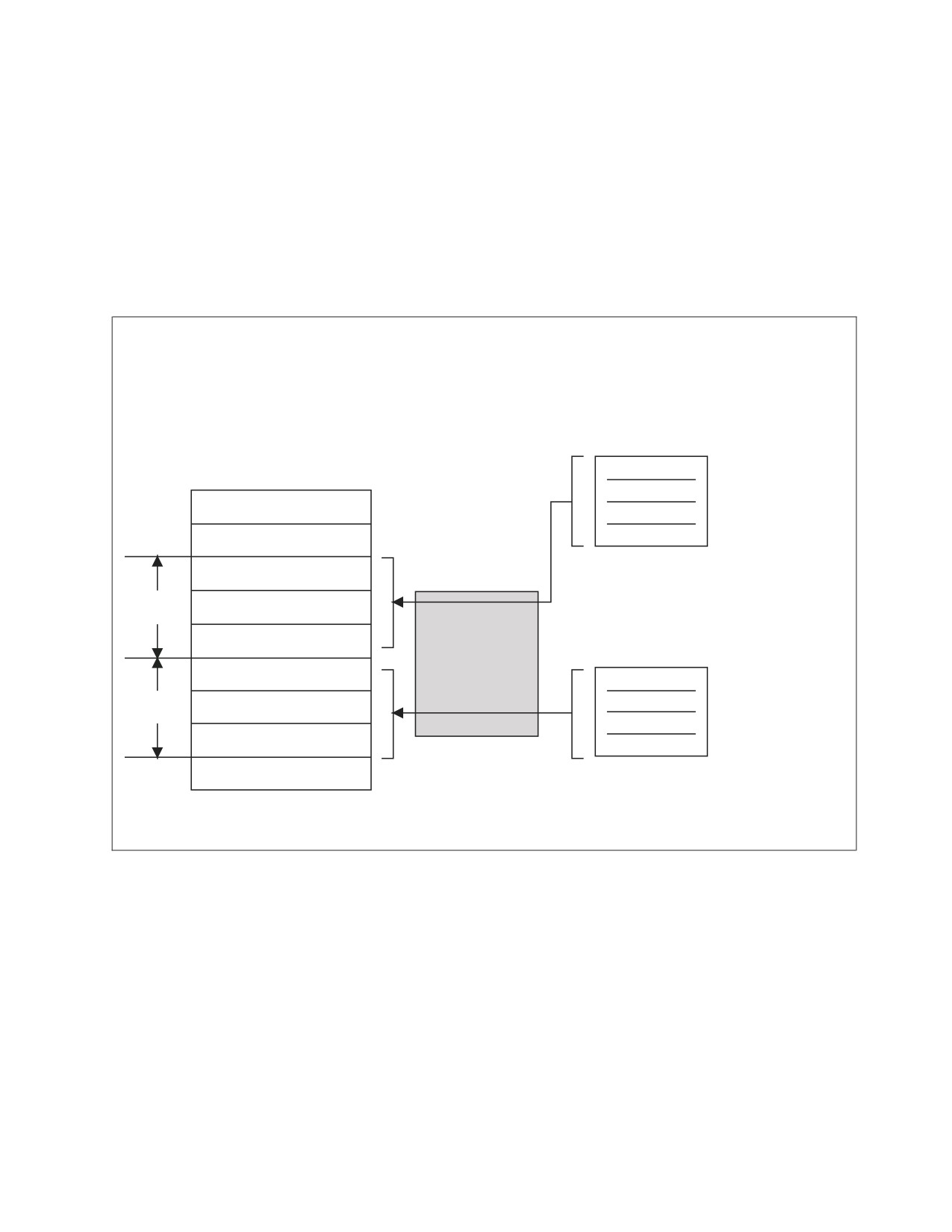
Figure 26 on page 104 shows the relationship among the new SQL statements and
the new data type.
Chapter 3. Coding the Body of a Program
103

CLIENT
STORED PROCEDURE
2
OPEN RESULT SET 1
3
RESULT SET LOCATOR1
ALLOCATE
FETCH CURSOR1
CURSOR1
1
OPEN RESULT SET 2
RESULT SET LOCATOR2
ALLOCATE
ASSOCIATE
FETCH CURSOR2
CURSOR2
LOCATORS
OPEN RESULT SET 3
RESULT SET LOCATOR3
ALLOCATE
FETCH CURSOR3
CURSOR3
Figure 26. Relationship Among the New SQL Statements and the New Data Type
After the SQL CALL statement is executed, the ASSOCIATE LOCATORS statement
is issued. The ASSOCIATE LOCATORS statement associates the result sets
returned by the stored procedure with the result-set locator variables declared
previously and specified in the ASSOCIATE LOCATORS statement (see (1) in
Figure 26). For each result set returned, the ALLOCATE CURSOR statement is
issued to assign a local cursor name to the result set locator variable (see (2) in
Figure 26). Then, the rows of each result set can be processed by using the FETCH
statement specifying the local cursor name (see (3) in Figure 26).
Note that the order of the association of result sets and result set locator variables
is the order that the stored procedure used in opening the cursor; the first open
cursor issued by the stored procedure is associated with the first result set locator
variable, the second open cursor issued by the stored procedure is associated with
the second result set locator variable, and so on. Also, note that only cursors that
were opened with the option WITH RETURN, and remain open after the
procedure terminates, are returned.
Multiple result sets can be processed in parallel. For example, the first row of the
first result set is processed, the first row of the second result set is processed, then
the second row of the first result set is processed.
After the client program issues an SQL CALL statement, the DESCRIBE
PROCEDURE statement can be used to obtain information about the result sets
returned by the stored procedure. The DESCRIBE PROCEDURE statement should
be used when the number of result sets the stored procedure returned is unknown.
The DESCRIBE PROCEDURE returns the number of result sets returned from the
stored procedure and places information about the results sets in SQLDA.
Likewise, after the client program issued an SQL CALL statement, the DESCRIBE
CURSOR statement can be used to obtain information about a specific result set
returned by the stored procedure. The DESCRIBE CURSOR statement should be
used when the column names and data types of a particular result set are
unknown. After execution of the DESCRIBE CURSOR statement, the SQLDA
contains the information belonging to each column in the result set.
104
Application Programming
Note: When the server is DB2 Server for VSE & VM, private protocol is not
supported. These new statements are only supported for distributed
applications. If any of these statements is executed over private protocol, the
user will receive SQLCODE -947.
Using the DESCRIBE PROCEDURE SQL Statement
After the client program issues an SQL CALL statement, the DESCRIBE
PROCEDURE statement can be used to obtain information about the result sets
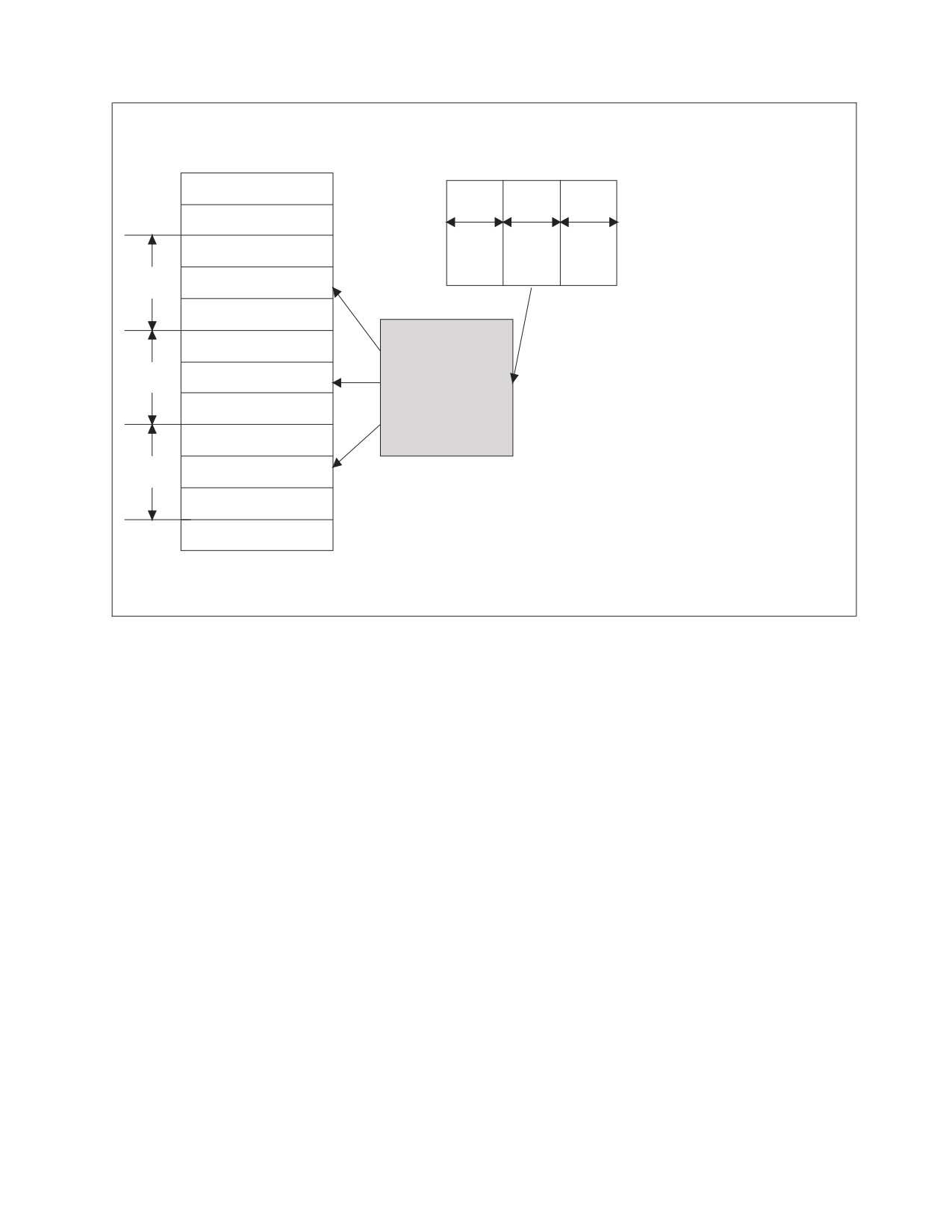
returned by the stored procedure. Figure 27 shows the DESCRIBE PROCEDURE
statement.
CLIENT
STORED
PROCEDURE
OPEN CURSOR1
SQLDA
SQLD = 2
SQLNAME = CURSOR1
SQLVAR1
SQLIND = -1
SQLDATA = LOCATOR1
DESCRIBE
OPEN CURSOR2
SQLNAME = CURSOR2
PROCEDURE
SQLVAR2
SQLIND = -1
SQLDATA = LOCATOR2
Figure 27. DESCRIBE PROCEDURE Statement
The DESCRIBE PROCEDURE statement should be used when the number of result
sets returned by the stored procedure is unknown. The DESCRIBE PROCEDURE
returns the number of result sets returned from the stored procedure and places
information about the result sets in an SQLDA, which must be made large enough
to hold the maximum number of result sets that the stored procedure may return.
To use the SQLDATA field from the DESCRIBE PROCEDURE statement, a result
set locator variable needs to be set up. A subscript variable is not valid in an
ALLOCATE CURSOR statement. For instance, the following is required to use the
SQLDATA variable for a COBOL program:
* Redefine the SQLDATA pointer as PIC S9(9) comp.
Chapter 3. Coding the Body of a Program
105
03 SQLDATA POINTER.
03 SQLDATANUM REDEFINES SQLDATA S9(9) COMP.
* Declare a result set locator variable to move the SQLDATA
* POINTER field too, to be used in the ALLOCATE CURSOR statement.
* You need to redefine this variable as PIC S9(9) comp.
01 LOCPTR SQL TYPE IS
RESULT-SET-LOCATOR VARYING.
01 LOCNUM REDEFINES LOCPTR S9(9) COMP.
* After the DESCRIBE PROCEDURE statement you can
* move the SQLDATANUM variable to the LOCNUM variable
MOVE SQLDATANUM(INDEX) TO LOCNUM.
* You can now allocate the cursor for the result set.
EXEC SQL ALLOCATE CURSOR1 CURSOR FOR RESULT SET
:LOCPTR
END-EXEC.
An alternative to using the SQLDATA field as shown above is to use the
ASSOCIATE LOCATORS statement to assign values to locator variables.
Using the DESCRIBE CURSOR SQL Statement
Once the application program issues an SQL CALL statement, the DESCRIBE
CURSOR statement can be used to obtain information about a specific result set
returned by the stored procedure. Figure 28 on page 107 shows the DESCRIBE
CURSOR statement.
106
Application Programming
SQLDA
RESULT SET 1
COL1
COL2
COL3
5
15
4
SQLD = 3
SQLTYPE = CHARACTER
SQLVAR1
SQLLEN = 5
SQLNAME = COL1
SQLTYPE = CHARACTER
DESCRIBE
SQLVAR2
SQLLEN = 15
CURSOR
SQLNAME = COL2
SQLTYPE = INTEGER
SQLVAR3
SQLLEN = 4
SQLNAME = COL3
SQLVAR 1
2
3
Figure 28. DESCRIBE PROCEDURE Statement
The DESCRIBE CURSOR statement should be used when the column names and
data types of a particular result set are unknown. After execution of the DESCRIBE
CURSOR statement, the contents of the SQLDA are similar to the execution of a
SELECT statement:
v The first 5 bytes of the SQLDAID are set to ’SQLRS’.
v SQLD contains the number of columns for this result set.
v Each SQLVAR entry gives information about a column.
In an SQLVAR entry:
v The SQLTYPE field contains the data type of the column.
v The SQLLEN field contains the length attribute of the column.
v The SQLNAME field contains the name of the column.
v The cursor name in the statement must have been previously allocated through
the ALLOCATE CURSOR statement.
Coding Summary to Process Result Sets
The following summarizes the steps to code a client application to process result
sets:
1. Declare a result set locator variable for each result set that is returned. If the
number of result sets is unknown, declare enough locator variables for the
maximum number of result sets that might be returned.
2. Call the stored procedure and check the SQL return code for a +466. A 466
SQLCODE indicates that the stored procedure returned one or more result sets.
Chapter 3. Coding the Body of a Program
107
3.
Determine how many result sets the stored procedure is returning if this is
unknown. Use the SQL statement DESCRIBE PROCEDURE to determine the
number of result sets returned and the corresponding cursor names. DESCRIBE
PROCEDURE places information about the result sets in the SQLDA.
4.
Associate result set locators to result sets.
5.
Allocate cursors for fetching rows from the result sets.
6.
Determine the contents of the result sets if unknown. Use the SQL statement
DESCRIBE CURSOR to determine the format of a result set and put this
information in an SQLDA. For each result set, an SQLDA big enough to hold
descriptions of all columns in the result set is needed. If the DESCRIBE
PROCEDURE statement is not used, host variables of the correct datatype and
size must be provided to receive the result sets.
7.
Fetch rows from the result sets into host variables by using the cursors you
allocate with the ALLOCATE CURSOR statements. If the DESCRIBE CURSOR
statement is executed before the FETCH, the following steps should be
performed before fetching any rows:
v Allocate storage for host variables and indicator variables. Use the content of
the SQLDA from the DESCRIBE CURSOR statement to determine how much
storage you need for each host variable.
v Put the address of the storage for each host variable in the appropriate
SQLDATA field of the SQLDA.
v Put the address of the storage for each indicator variable in the appropriate
SQLIND field in the SQLDA.
Fetching rows from a result set is the same as fetching rows from a table.
8.
Close all allocated cursors when finished processing the result sets.
The following sections are examples of C language code that accomplish each of
the steps discussed above.
Processing a Known Number of Result Sets: The following example of C
language code shows how to receive result sets when the number of result sets
returned is known. Coding for other languages is similar.
/*************************************************************/
/* Declare result set locators. For this example,
*/
/* assume you know that two result sets will be returned.
*/
/* Also, assume that you know the format of each result set. */
/*************************************************************/
EXEC SQL BEGIN DECLARE SECTION;
static volatile SQL TYPE IS RESULT_SET_LOCATOR *loc1, *loc2;
EXEC SQL END DECLARE SECTION;
/*************************************************************/
/* Call stored procedure P1.
*/
/* Check for SQLCODE +466, which indicates that result sets
*/
/* were returned.
*/
/*************************************************************/
EXEC SQL CALL P1(:parm1, :parm2, ...);
if(SQLCODE==+466)
{
/*************************************************************/
/* Establish a link between each result set and its
*/
/*************************************************************/
/* Associate a cursor with each result set.
*/
/*************************************************************/
108
Application Programming
EXEC SQL ALLOCATE C1 CURSOR FOR RESULT SET :loc1;
EXEC SQL ALLOCATE C2 CURSOR FOR RESULT SET :loc2;
/*************************************************************/
/* Fetch the result set rows into host variables.
*/
/*************************************************************/
while(SQLCODE==0)
{
EXEC SQL FETCH C1 INTO :order_no, :cust_no;
}
while(SQLCODE==0)
{
EXEC SQL FETCH C2 :order_no, :item_no, :quantity;
}
/*************************************************************/
/* All result sets have been processed, close allocated
*/
/* cursor.
*/
/*************************************************************/
EXEC SQL CLOSE C1;
EXEC SQL CLOSE C2;
}
Processing a Unknown Number of Result Sets: The following example of C
language code shows how to receive result sets when the number of result sets
returned, or what is in each result set, is unknown.
/*************************************************************/
/* Declare result set locators. For this example,
*/
/* assume that no more than three result sets will be
*/
/* returned, so declare three locators. Also, assume
*/
/* that you do not know the format of the result sets.
*/
/*************************************************************/
EXEC SQL BEGIN DECLARE SECTION;
static volatile SQL TYPE IS RESULT_SET_LOCATOR *loc1, *loc2, *loc3;
EXEC SQL END DECLARE SECTION;
/*************************************************************/
/* Call stored procedure P2.
*/
/* Check for SQLCODE +466, which indicates that result sets
*/
/* were returned.
*/
/*************************************************************/
EXEC SQL CALL P2(:parm1, :parm2, ...);
if(SQLCODE==+466)
{
/*************************************************************/
{
/*************************************************************/
/* Determine how many result sets P2 returned, using the
*/
/* statement DESCRIBE PROCEDURE.
:proc_da is an SQLDA
*/
/* with enough storage to accommodate up to three SQLVAR
*/
/* entries.
*/
/*************************************************************/
EXEC SQL DESCRIBE PROCEDURE P2 INTO :proc_da;
/*************************************************************/
/* Now that you know how many result sets were returned,
*/
/* establish a link between each result set and its
*/
/* locator using the ASSOCIATE LOCATORS. For this example,
*/
Chapter 3. Coding the Body of a Program
109
/* we assume that three result sets are returned.
*/
/*************************************************************/
EXEC SQL ASSOCIATE LOCATORS (:loc1, :loc2, :loc3) WITH PROCEDURE
P2;
/*************************************************************/
/* Associate a cursor with each result set.
*/
/*************************************************************/
EXEC SQL ALLOCATE C1 CURSOR FOR RESULT SET :loc1;
EXEC SQL ALLOCATE C2 CURSOR FOR RESULT SET :loc2;
EXEC SQL ALLOCATE C3 CURSOR FOR RESULT SET :loc3;
/*************************************************************/
/* Use the statement DESCRIBE CURSOR to determine the
*/
/* format of each result set.
*/
/*************************************************************/
EXEC SQL DESCRIBE CURSOR C1 INTO :res_da1;
EXEC SQL DESCRIBE CURSOR C2 INTO :res_da2;
EXEC SQL DESCRIBE CURSOR C3 INTO :res_da3;
/*************************************************************/
/* Assign values to the SQLDATA and SQLIND fields of the
*/
/* SQLDAs that you used in the DESCRIBE CURSOR statements.
*/
/* These values are the addresses of the host variables and
*/
/* indicator variables into which DB2 will put result set
*/
/* rows.
*/
/*************************************************************/
/*************************************************************/
/* Fetch the result set rows into the storage areas
*/
/* that the SQLDAs point to.
*/
/*************************************************************/
while(SQLCODE==0)
{
EXEC SQL FETCH C1 USING :res_da1;
}
while(SQLCODE==0)
{
EXEC SQL FETCH C2 USING :res_da2;
}
while(SQLCODE==0)
{
EXEC SQL FETCH C3 USING :res_da3;
}
/*************************************************************/
/* All result sets have been processed, close allocated
*/
/* cursor.
*/
/*************************************************************/
EXEC SQL CLOSE C1;
EXEC SQL CLOSE C2;
EXEC SQL CLOSE C3;
}
110
Application Programming
Chapter 4. Preprocessing and Running a DB2 Server for VM
Program
Defining the Steps to Execute the Program . . .
112
Selecting the Isolation Level to Lock Data
134
Comparing Single User Mode to Multiple User
Using the Blocking Option to Process Rows
Mode
112
in Groups
139
Using 31-Bit Addressing
112
Using the INCLUDE Statement
141
Initializing the User Machine
113
Including External Source Files
141
Using VM Implicit Connect
113
Including Secondary Input
141
Preprocessing the Program
114
Compiling the Program
142
Using the SQLPREP EXEC Procedure
114
Link-Editing and Loading the Program
142
Executing the SQLPREP EXEC in Single User
Link-Editing the Program with DB2 Server for
Mode
114
VM TEXT Files
143
Executing the SQLPREP EXEC in Multiple
Using the Resource Adapter Stub Routine
143
User Mode
115
Using Other TEXT Files
143
DB2 Server for VM Program Preparation
Including the TEXT File in the Link-Editing . .
143
Parameters
115
Using the CMS LOAD Command
143
Parameters for SQLPREP EXEC for Single
Using the CMS TXTLIB Command
144
and Multiple User Modes
118
Creating a Load Module Using the CMS
Parameters for SQLPREP EXEC for Single
GENMOD Command
144
User Mode Only
130
Running the Program
144
Parameters for SQLPREP EXEC in Multiple
Using a Consistency Token
144
User Mode Only
131
Loading the Package and Rebinding
145
|
Preprocessing and bindfile
131
Using Multiple User Mode
145
Preprocessing with an Unlike Application Server
132
Using Single User Mode
146
Using the Preprocessor Option File
132
Specifying User Parameters in Single User Mode
147
Using the Flagger at Preprocessor Time
133
Distributing Packages across Like and Unlike
Improving Performance Using Preprocessing
Systems
147
Parameters
134
|
Binding to Create Package
148
111
Defining the Steps to Execute the Program
This section discusses the factors involved in preparing a DB2 Server for VM
application program for operation. The major steps are:
1. Preprocessing
2. Compiling
3. Link-editing and loading
4. Running.
|
If preprocessing is performed with ″BIND″ and ″NOPACKAGE″ preprocessing
|
parameters, then additional Binding step is must before Running step to execute
|
the program successfully.
Note: Program preparation for FORTRAN language is not suported using Binding
step.
You also have to consider a few points before creating a DB2 Server for VM
package. They are:
v Running in single or multiple user mode
v Initializing your machine
v Using VM implicit connect.
Comparing Single User Mode to Multiple User Mode
One important factor that affects how application programs are preprocessed and
executed is whether the database manager is running in single or multiple user
mode.
Running a Program in Single User Mode
In single user mode, the system and your application programs run in a single
virtual machine. The application or preprocessor starts the database machine,
processes the SQL statements, and returns control to CMS. The application server
must be restarted for every invocation of an application program or preprocessor.
The database machine may have more than one application server defined for it,
but only a single application server can be active at any time.
Running a Program in Multiple User Mode
In multiple user mode, one or more applications concurrently access the same
application server. The system runs in one virtual machine while one or more DB2
Server for VM application programs or preprocessors operate in other virtual
machines. More than one application can access the same application server at the
same time, and an application program can access more than one application
server. Use the CONNECT statement to switch application servers from within an
application. This facility is called switching application servers (see “Switching
Application Servers” on page 302).
Using
31-Bit Addressing
The addressing mode of the application server is established when the application
server is started. The addressing mode of the application server is determined by
the information stored in the addressing mode (AMODE) field of the SQLDBN file
associated with the application server.
112
Application Programming
The addressing mode of the application requester is always 31-bit addressing.
Single user mode applications are invoked in the addressing mode of the
application server. If your single user mode application or user exit requires 24-bit
addressing and the addressing mode of the application server is 31-bit, you will
need to change the operating mode or the addressing mode of the application
server.
If the addressing mode of the application server does not match the addressing
mode of the single user mode application, errors may result.
Refer to the DB2 Server for VM System Administration manual for information on
single user mode, user exits, and how to determine and change the addressing
mode. To determine your dependencies on 24-bit addressing, see the VM/ESA:
CMS Application Migration Guide manual.
Initializing the User Machine
To preprocess or run a DB2 Server for VM application program in multiple user
mode, you must associate your user ID with the application server that you want
your program to access. To do this, specify the application server in the SQLINIT
EXEC.
You need only do this once, as long as you continue to operate on the same
application server or are using the CONNECT statement to switch application
servers. Even if you log off and log back on to your virtual machine, you retain
your association with the application server that was established by the SQLINIT
EXEC (the association is recorded on your A-disk).
If you want to switch to a different application server and cannot use the
CONNECT statement to do so, you must end your application program and
invoke the SQLINIT EXEC again, specifying the new application server.
For information on the SQLINIT EXEC, refer to the DB2 Server for VSE & VM
Database Administration manual.
Using VM Implicit Connect
In the VM environment, an explicit CONNECT statement is not required. Instead,
the database manager accepts the password verification of the VM virtual machine
and uses the VM user ID as the DB2 Server for VM user ID. This support is called
“implicit connect.” Implicit connect is possible if either the special user ID
ALLUSERS or the individual users have been granted CONNECT authority.
For example, assume the following GRANT statement:
GRANT CONNECT TO A, B, C, ALLUSERS
After this statement, any VM user may be implicitly connected to the system.
However, if the following statement is used, only users A, B, C can be implicitly
connected to the system:
REVOKE CONNECT FROM ALLUSERS
Thus, the special user ID “ALLUSERS” can be used to selectively turn the implicit
connect capability on or off for the total user set, while individual users can retain
implicit connect authority.
Chapter 4. Preprocessing and Running a DB2 Server for VM Program
113
If no explicit CONNECT is performed, an implicit connect occurs when the
database manager receives a request to execute the first executable SQL statement.
If the implicit connect is processed successfully, the statement is executed. As a
result, the SQLCA contains information on the status of the execution of that
statement. Information regarding warning conditions encountered while the
connection was processed is lost. If the connection fails, the SQLCA contains
information on the status of the connection.
Preprocessing the Program
Preprocessing does two things:
v It changes the SQL source code so that it can be processed during host language
compiling
v It converts the SQL statements into a package, and binds the package to the
database.
The preprocessor replaces all the SQL statements in the program with host
language code that invokes the new package. The new version of the program also
contains the SQL statements in comment form. The package contains information
to carry out the SQL requests made by the program. The database manager follows
the best access path to the data for each SQL statement in the program, using
available indexes and data statistics of which the system keeps track.
When the program is run, the new code calls the system to handle each SQL
statement. It also links the program to the application server and translates
messages and statements between the two.
Using the SQLPREP EXEC Procedure
The SQLPREP EXEC is used in both single and multiple user mode to preprocess
application programs.
The preprocessors supplied with the database manager have the following
program names:
ASM
Assembler Preprocessor
C
C Preprocessor
COBOL
COBOL Preprocessor
Fortran
Fortran Preprocessor
PLI
PL/I Preprocessor
The preprocessor takes source program input from SYSIN, and produces a
modified source program, a source listing, and a package in the database. The
modified source program output is sent to SYSPUNCH, and the source listing to
SYSPRINT. Using the SQLPREP EXEC, you can direct SYSIN, SYSPUNCH, and
SYSPRINT to various virtual devices and CMS files.
The syntax diagram on page “DB2 Server for VM Program Preparation
Parameters” on page 115 lists all the parameters for the SQLPREP EXEC. An
explanation of each parameter follows the figure.
Executing the SQLPREP EXEC in Single User Mode
In single user mode, the SQLPREP EXEC is executed on the database machine.
(The DBname parameter indicates that you are in single user mode, and identifies
114
Application Programming

the application server that you want to access.) The SQLPREP EXEC then issues an
SQLSTART and passes the DBname parameter. If the preprocessor encounters no
errors (warnings are permissible), a package is created or replaced on the specified
application server.
Executing the SQLPREP EXEC in Multiple User Mode
Use the SQLPREP EXEC in multiple user mode to preprocess an application
program on one or more application servers. Use the SQLINIT EXEC to establish
the default application server. If you want to preprocess your application program
on other application servers, use the DBList or DBFile parameter to specify the
other application servers on which you want to preprocess your application. Either
of these parameters temporarily overrides the application server specified by the
SQLINIT EXEC.
For each application server specified, the SQLPREP EXEC:
1. Establishes a link to the application server
2. Preprocesses the application program against the application server
3. Displays summary messages showing the results for this preprocessing step.
A package is created for each application server on which the program was
successfully preprocessed. If an error is encountered during preprocessing on one
of these application servers, and the ERROR parameter was not specified, a
package is not created for that application server. See page 122 for a discussion of
the ERROR option.
When the SQLPREP EXEC is used for more than one application server, only one
copy of the modified source program output is retained (the PUNCH parameter),
but all the source listings (the PRINT parameter) are appended to produce a single
source listing. The NOPUNCH and NOPRINT parameters may be used to
suppress modified source program output and source listings, respectively.
DB2 Server for VM Program Preparation Parameters
The following are parameters for all DB2 Server for VM preprocessors unless
otherwise noted.
►► SQLPREP
ASM
PrepParm
►
C
COBol
FORTran
PLI
► ( PREPname=
package_id
►
collection_id.
►
►
,PrepFile=
(
fileparms
)
prepparms
►
)
►
,USERid= authorization_name/password
Chapter 4. Preprocessing and Running a DB2 Server for VM Program
115
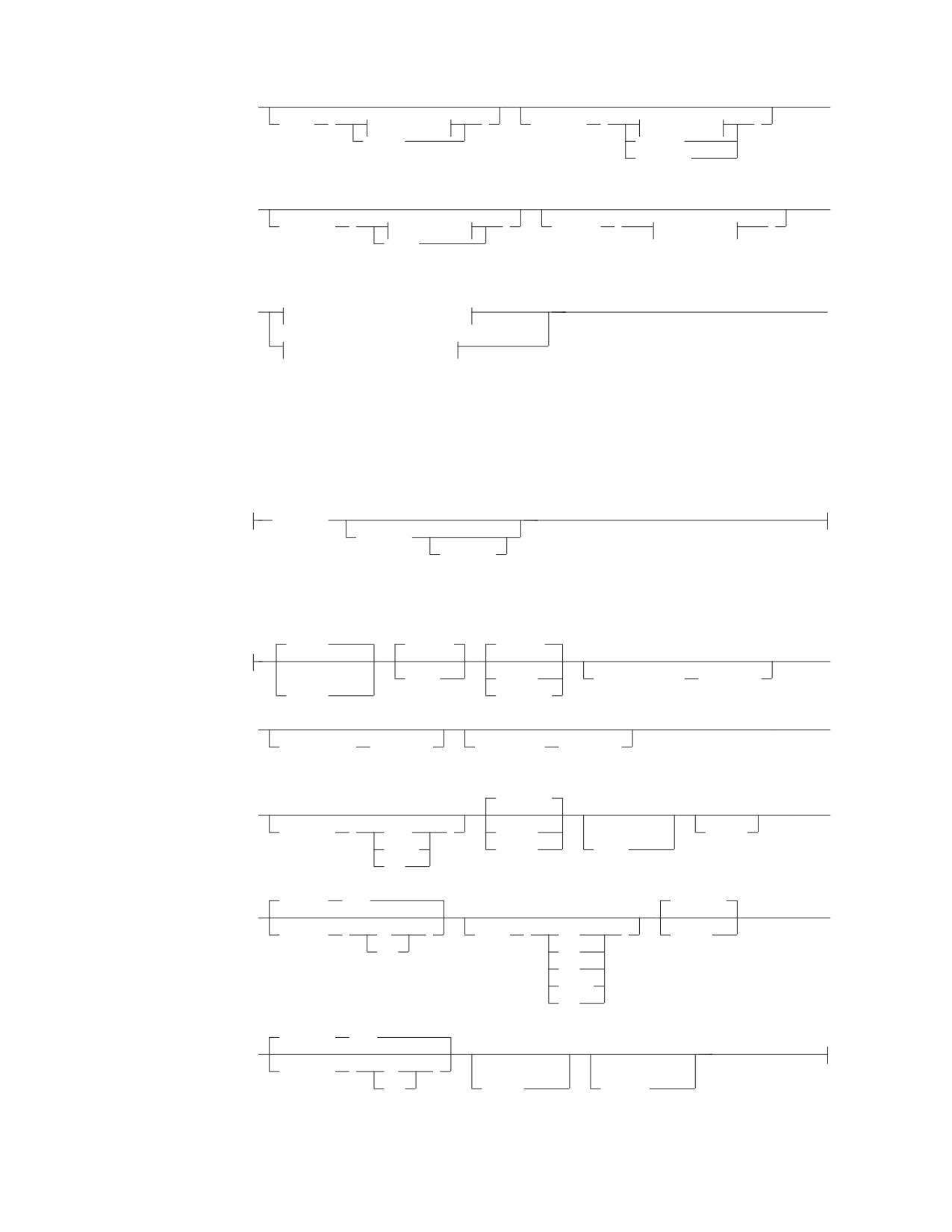
►
►
sysIN
(
fileparms
)
sysPRint
(
fileparms
)
Reader
Printer
Terminal
|
►
►
sysPUnch
(
fileparms
)
sysBInd
(
fileparms
)
Punch
(1)
(2)
►
multiple-user-mode-parms
►◄
(2)
single-user-mode-parms
Notes:
1
Optional for multiple-user-mode.
2
Valid for DB2 Server for VM only.
fileparms:
filename
filetype
filemode
prepparms:
|
,APOST
,NOBIND
,SBLocK
►
(1)
,BIND
,BLocK
,CCSIDGraphic
(integer)
,Quote
,NOBLocK
|
►
►
,CCSIDMixed
(integer)
,CCSIDSbcs
(integer)
|
,NOCHECK
(1)
►
►
,CHARSUB
(
Sbcs
)
,CHECK
(1)
,COBRC
Mixed
,ERROR
,COB2
Bit
|
,CTOKEN
(NO)
,NOEXIST
►
►
,CTOKEN
(
NO
)
,DATE
(
EUR
)
,EXIST
YES
ISO
JIS
LOCAL
USA
|
,EXPLAIN
(NO)
►
,EXPLAIN
(
NO
)
(2)
(3)
YES
,NOFOR
,DYNALC
116
Application Programming

Notes:
1
COBOL only (DB2 Server for VM only).
2
Implied if STDSQL(89) is specified for DB2 Server for VM.
3
COBOL, PL/I, C, and Assember only.
prepparms (continued):
,NOGRaphic
,ISOLation
(RR)
,KEEP
►
(1)
,ISOLation
(
CS
)
,REVOKE
,GRaphic
RR
(2)
RS
UR
USER
,LineCount
(60)
►
►
,LABEL
(label_text)
,LineCount
(integer)
|
,PACKAGE
,PERiod
►
►
(2)
,NOPACKAGE
(2)
,OWner
(authorization_name
)
,COMma
,PRint
,PUnch
►
►
,NOPRint
,NOPUnch
(2)
,QUALifier
(collection_id
)
,RELease
(COMMIT)
,REPLACE
,SEQuence
►
►
,RELease
(
COMMIT
)
,NEW
(3)
(2)
,NOSEQuence
DEALLOCATE
,SQLApost
►
►
(2)
(4)
(5)
,SQLQuote
,NOSQLCA
,STDSQL
(NO)
►
►
,SQLFLAG
(
SAA
)
,STDSQL
(
NO
)
89
(6)
(COMPLETE)
89
►
,TIME
(
EUR
)
ISO
JIS
LOCAL
USA
Notes:
1
COBOL and PL/I only (DB2 Server for VM only).
Chapter 4. Preprocessing and Running a DB2 Server for VM Program
117

2
Only meaningful for a non-DB2 Server for VM or -DB2
Server for VSE
application server.
3
C only.
4
COBOL only.
5
Implied if STDSQL(89) is specified.
6
86 is a synonym for 89.
multiple-user-mode-parms:
DBFile
(
fileparms
)
DBList
(
▼
server_name
)
single-user-mode-parms:
Dbname
(server_name)
►
dcssID
(dcss_id)
►
LOGmode
(
A
)
L
PARMID
(filename)
N
Y
Parameters for SQLPREP EXEC for Single and Multiple User
Modes
The parameters for the SQLPREP EXEC that apply to both single and multiple user
mode are described below. When choosing names within any of these parameters,
avoid whatever line-end-delimiter character (normally #) is being used in your
installation.
ASM
C
COBol
FORTran
PLI
This parameter identifies to the EXEC the preprocessor to be executed. This
parameter is required, and must be specified first. The order in which you specify
the other keywords is not important.
PREPname=package_id
PREPname=collection_id.package-id
The collection_id.package_id is the name by which the database manager
identifies the package. The collection_id portion is optional, and fully qualifies
the package_id and any unqualified objects referenced within the package.
If collection_id is not specified, it defaults to the user’s authorization ID at the
application requester site. In the database manager, however, an object’s
collection_id must be the same as the user’s authorization ID at the application
server site. If the collection_id does not match the application server
authorization ID, a preprocessing error results. This restriction does not apply
if the application server authorization ID has DBA authority.
118
Application Programming
The authorization ID at the application requester and application server sites is
the authorization_name specified on the USERid parameter. If the USERid
parameter is not specified, the authorization ID is the VM logon ID at the
application requester site. In some situations, the VM logon ID is converted
before it is received at the application server site. If the authorization ID is the
VM logon ID, the conversion can cause the authorization IDs at each site to
differ.
To avoid a situation in which the collection_id does not match the application
server authorization ID, explicitly state the collection_id equal to the application
server authorization ID.
For information on how to determine the authorization ID at the application
server site, refer to the DB2 Server for VM System Administration and the
Distributed Relational Database Connectivity Guide manuals.
USERid=authorization_name/password
The authorization_name is the name by which the application server identifies
the owner of a package. The password should agree with the one established
for this authorization_name by a DB2 Server for VM GRANT CONNECT
statement. This information is used when executing a CONNECT statement to
gain access to the application server, which determines whether proper
authorization exists for the static SQL statements in the program.
If the USERid option is not specified, refer to the DB2 Server for VM System
Administration manual, Chapter 6, Maintaining Database Security, for more
information about how to resolve the userid and password.
PrepFile=(filename)
PrepFile=(filename filetype)
PrepFile=(filename filetype filemode)
The PrepFile parameter identifies the file name (and optionally the file type
and file mode) of the CMS (or SFS) file containing the list of preprocessor
parameters. If filetype is not specified, PREPPP is used as the default. If filemode
is not specified, A is used as the default and the first file found with the
default file name and file type are used. For a detailed discussion of the
options file, see “Using the Preprocessor Option File” on page 132.
The following parameters can be specified in the PrepFile or on the command
line.
PrepParm
These parameters specify the preprocessor options.
APOST
Quote (COBOL preprocessor only)
|
You must include the Quote preprocessor parameter whenever you use the
|
Quote parameter in the COBOL compiler. Quote causes the preprocessor to
|
use double quotation marks (") as constant delimiters in the VALUE
|
clauses of the declarations it generates. If you do not specify this
|
parameter, the COBOL preprocessor defaults to APOST, and generates
|
single quotation mark (') delimiters for its internal source declarations.
|
The use of a single or double quotation marks in SQL statements is not
|
affected by this parameter. APOST/Quote is stored in the bind file header
|
if BIND is specified and a bind file is successfully created after
|
preprocessing.
NOBIND
BIND
|
When the NOBIND parameter is specified, the preprocessor does not create
Chapter 4. Preprocessing and Running a DB2 Server for VM Program
119
|
a bindfile; NOBIND is the default. When the BIND parameter is specified,
|
the preprocessor creates a bindfile. One bindfile per program is created
|
irrespective of number of target databases. The bindfile will not be created
|
if NOCHECK is in effect and there was an error found during SQL
|
statement validation. BIND is ignored if CHECK is specified. For a more
|
detailed discussion of the bind file, see “Preprocessing and bindfile” on
|
page 131 and “Binding to Create Package” on page 148.
|
Note: The Fortran preprocessor ignores the BIND parameter, if specified.
|
NOBLocK
BLocK
SBLocK
|
IBLocK
|
When the BLocK parameter is specified under private protocol , all eligible
|
query cursors return results in groups of rows, and all eligible insert
|
cursors process inserts in groups of rows. When BLocK parameter is
|
specified under DRDA, all eligible PUT statements are grouped together
|
for processing.
|
When the IBLocK parameter is specified under DRDA, all eligible
|
homogenous Insert statements are grouped together for processing.
|
Homogenous insert statements are defined as a set of insert statements
|
that:
|
v Access the same DB2 table
|
v Access the same set of columns in that table, in the same order
|
There must be an ’SQL COMMIT’ statement after a set of homogenous
|
insert statements. This causes the buffer to be sent, processed by the DB2
|
UDB server and the response is received and parsed by the application
|
requester.
|
The IBLocK parameter does not work under private protocol.
|
This improves the performance of programs running in multiple user
|
mode, where many rows are inserted or retrieved. For a discussion of
|
eligible cursors, see “Using the Blocking Option to Process Rows in
|
Groups” on page 139.
|
When NOBLocK is specified, rows are not grouped.
|
BLock/NOBLock is stored in the bind file header, if BIND is specified and
|
a bind file is successfully created after preprocessing. If you want to
|
change the BLocK option, you must recompile (or reassemble), and relink
|
your program after preprocessing it. You must also use SQLBIND or
|
rebuild the package if BIND is specified. Preprocessing alone does not
|
change the BLocK setting. You must also use SQLBIND to rebuild the
|
package if BIND is specified.
|
SBLocK is primarily for use with application servers that support the FOR
|
FETCH ONLY clause on the DECLARE CURSOR statement. When SBLock
|
is specified, all eligible cursors return results in group of rows. This is the
|
default.
|
Following is a comparison of the BLocK and SBLocK options as they apply
|
to the DB2 Server for VM preprocessors:
120
Application Programming
|
v If there are COMMIT, ROLLBACK, or dynamically defined statements in
|
a program, then:
|
- With BLocK, all eligible cursors are blocked (that is, the data on
|
which the cursor operates is transferred in groups of rows).
|
- With SBLocK, the FOR FETCH ONLY clause of the DECLARE
|
CURSOR statement can be used to select the cursors that are to be
|
blocked. Cursors without this clause are not blocked.
|
v If there are no COMMIT, ROLLBACK, or dynamically defined
|
statements in a program, the effects of BLocK and SBLocK are the same:
|
all eligible cursors are blocked.
|
Note: Only the DB2 Server for VM preprocessors turn off SBLocK blocking
|
because of the presence of COMMIT and ROLLBACK statements. In
|
non-DB2 Server for VM preprocessors, only the presence of
|
dynamically defined statements has this effect.
|
If you want to change the BLocK option, you must recompile (or
|
reassemble) and relink your program after preprocessing it. Preprocessing
|
alone does not change the BLocK setting.
|
The blocking of FETCH statements is supported both with the DRDA
|
protocol and SQLDS protocol. The blocking of PUTs is supported both
|
with DRDA and SQLDS protocols. The blocking of INSERT statements is
|
supported only with DRDA protocol and not with SQLDS. See “Using the
|
Blocking Option to Process Rows in Groups” on page 139 for guidelines on
|
deciding the programs for which to specify blocking.
CCSIDGraphic (integer)
|
This parameter specifies the default CCSID attribute to be used for graphic
|
columns created in the package, if an explicit CCSID is not specified on the
|
CREATE or ALTER statements in the package. If this parameter is not
|
specified, the target application server uses the system default. This option
|
is stored in the bind file header if BIND is specified and a bind file is
|
successfully created after preprocessing.
CCSIDMixed (integer)
|
This parameter specifies the default CCSID attribute to be used for
|
character columns created with the mixed subtype in the package, if an
|
explicit CCSID is not specified on the CREATE or ALTER statements in the
|
package. If this parameter is not specified, the target application server
|
uses the system default. This option is stored in the bind file header if
|
BIND is specified and a bind file is successfully created after
|
preprocessing.
CCSIDSbcs (integer)
|
This parameter specifies the default CCSID attribute to be used for
|
character columns created with the SBCS subtype in the package, if an
|
explicit CCSID is not specified on the CREATE or ALTER statements in the
|
package. If this parameter is not specified, the target application server
|
uses the system default. This option is stored in the bind file header if
|
BIND is specified and a bind file is successfully created after
|
preprocessing.
CHARSUB (Sbcs)
CHARSUB (Mixed)
CHARSUB (Bit)
|
This parameter specifies the character subtype attribute to be used for
Chapter 4. Preprocessing and Running a DB2 Server for VM Program
121
|
character columns created in the package, if an explicit subtype or CCSID
|
is not specified. If you do not specify this parameter, the target application
|
server uses the system default. This option is stored in the bind file header
|
if BIND is specified and a bind file is successfully created after
|
preprocessing.
NOCHECK
CHECK
ERROR
If you specify the NOCHECK parameter, the preprocessor executes
normally; that is, it validates all SQL statements when performing package
functions. If NOPACKAGE is specified, package functions are not
performed and so NOCHECK is ignored in this case. NOCHECK will be
stored in the BIND file header if BIND is specified and a bind file is
successfully created after preprocessing; NOCHECK is the default.
If you specify the CHECK parameter, the preprocessor checks all SQL
statements for validity and generates error messages if necessary, but does
not generate a package or bind file. PACKAGE and BIND are ignored if
CHECK is specified.
If you specify ERROR, the preprocessor executes normally except that most
statement-parsing errors are tolerated. When one of these errors is
detected, the preprocessor generates an error message in the output listing
and the modified source code in commented form, and continues
processing. The program can be compiled and executed, but the erroneous
statement cannot be executed. If NOPACKAGE is specified, package
functions are not performed and so ERROR is ignored in this case. ERROR
will be stored in the bind file header if BIND is specified and a bind file is
successfully created after preprocessing. You should use the ERROR option
when you are also generating a bind file and intend to bind it against a
remote application server, where at least one statement in the program is
specific to an unlike application server.
COB2 (COBOL preprocessor only)
This parameter enables you to use certain COBOL II functions that are
supported by the COBOL II Release 3 compiler and later. Refer to “Using
the COB2 Parameter (DB2 Server for VM)” on page 360 for a list of those
functions.
COBRC (COBOL preprocessor only)
If this parameter is specified, the preprocessor will generate the statement
'MOVE ZEROS TO RETURN-CODE' after it generates a call to ARIPRDI.
For more information, see “Using the COBRC Parameter” on page 361
CTOKEN (NO)
CTOKEN (YES)
|
This parameter causes the preprocessor to store a consistency token in the
|
modified source code and the package. At run time, consistency tokens in
|
the program’s load module and package must match before the application
|
server executes the package. CTOKEN(NO) is the default. If CTOKEN(YES)
|
is specified, the consistency token generated by the preprocessor will be an
|
8-byte 390 Time-of-Day (TOD) clock value. If CTOKEN(NO) is specified,
|
the consistency token will be 8 blanks. For a more detailed discussion of
|
consistency tokens, see “Using a Consistency Token” on page 144. This
|
option is stored in the bind file header if BIND is specified and a bind file
|
is successfully created after preprocessing.
DATE (EUR)
122
Application Programming
DATE (ISO)
DATE (JIS)
DATE (LOCAL)
DATE (USA)
|
If this parameter is specified, the output date format chosen overrides the
|
default format specified at installation time; otherwise, all dates will be
|
returned in the default format specified at installation time. (See the DB2
|
Server for VSE & VM SQL Reference manual for a description of these
|
formats.) This option is stored in the bind file header if BIND is specified
|
and a bind file is successfully created after preprocessing.
NOEXIST
EXIST
|
If the EXIST parameter is specified, the preprocessor executes normally;
|
that is, it generates modified source code and performs package functions.
|
An error will be generated if objects (such as tables) referenced in
|
statements in the program do not exist or if proper authorization does not
|
exist.
|
If the NOEXIST parameter is specified, object and authorization existence
|
is not required, and if not found, a warning will be issued. NOEXIST is the
|
default. NOEXIST/EXIST is stored in the bind file header if BIND is
|
specified and a bind file is successfully created after preprocessing.
|
EXPLAIN(NO)
EXPLAIN(YES)
|
This parameter specifies whether explanatory information for all
|
explainable SQL statements in a package should be produced.
|
EXPLAIN(NO) is the default.
|
If EXPLAIN(YES) is specified, each explainable SQL statement in the
|
program is explained during preprocessing. If you specify EXPLAIN(YES),
|
an EXPLAIN ALL is executed. The complete set of explanation tables must,
|
therefore, be available. If they are not available, you receive an SQLCODE
|
-649
(SQLSTATE = 42704) and preprocessing is not successful. To interpret
|
the explanation tables, refer to the DB2 Server for VSE & VM Performance
|
Tuning Handbook manual. This option is stored in the bind file header if
|
BIND is specified and a bind file is successfully created after
|
preprocessing.
NOFOR
This parameter enables you to omit the FOR UPDATE OF clause in the
static cursor query statement, and execute positioned updates to any
column in the result table for which you have UPDATE authority. It is
referred to in this manual as NOFOR support.
Note: This option is also implied if the STDSQL (89) or STDSQL (86)
parameter is specified.
DYNALC
This parameter enables you to preprocess an application program
containing FETCH statements for a cursor that is allocated by a dynamic
ALLOCATE CURSOR statement.
Note: This option is only accepted by the COBOL, PL/I, C, and Assembler
preprocessors.
NOGRaphic
Chapter 4. Preprocessing and Running a DB2 Server for VM Program
123
GRaphic (COBOL and PL/I preprocessors only)
The GRaphic parameter indicates to the preprocessor whether graphic
constants can be used in SQL statements and whether DBCS string format
should be validated. NOGRaphic is the default.
If GRaphic is specified, the preprocessor accepts SQL statements containing
graphic constants, and checks that all strings of DBCS characters are
correctly formatted.
If NOGRaphic is specified, the preprocessor does not allow graphic
constants in SQL statements, and does not verify the format of strings of
DBCS characters.
Note: If the DBCS parameter of the SQLINIT EXEC is specified as YES, the
graphic option is not used and preprocessing occurs as though
GRaphic had been specified. Refer to “Initializing the User Machine”
on page 113 for a discussion of the SQLINIT EXEC.
ISOLation (RR)
ISOLation (CS)
ISOLation (RS)
ISOLation (UR)
ISOLation (USER)
This parameter lets you specify one of the following isolation levels at
which your program runs:
v Specify RR (repeatable read) to have the database manager hold a lock
on all data read by the program in the current logical unit of work. This
is the default.
v Specify CS (cursor stability) to have the database manager hold a lock
only on the row or page of data pointed to by a cursor.
v Specify UR (uncommitted read) to have the database manager allow
applications to read data without locking, including uncommitted
changes made by other applications.
v RS (read stability) is not supported by application servers. For a
description of RS, see the IBM SQL Reference manual.
v Specify USER to have the application program control its isolation level.
You cannot specify the USER option when you are using DRDA protocol
(if you do, it is ignored and the isolation level defaults to CS).
|
See “Selecting the Isolation Level to Lock Data” on page 134 for guidelines
|
on choosing the isolation level for your program. This option is stored in
|
the bind file header if BIND is specified and a bind file is successfully
|
created after preprocessing.
|
Note: If you want to change the ISOLation option, you must recompile (or
|
reassemble) and relink your program after preprocessing it.
|
Preprocessing alone does not change the ISOLation setting. You
|
must also use Binder to rebuild the package if BIND is specified.
|
Preprocessing alone does not change the ISOLation setting.
KEEP
REVOKE
|
These parameters are applicable if the program has previously been
|
preprocessed, and the owner has granted the RUN privilege on the
|
resulting package to some other users. Specify the KEEP parameter to have
|
these grants of the RUN privilege remain in effect when the preprocessor
|
produces the new package. Specify the REVOKE parameter to remove all
124
Application Programming
|
existing grants of the RUN privilege. (These grants will also be removed if
|
the owner of the program is not entitled to grant all the privileges
|
embodied in the program.)
|
KEEP is the default. KEEP/REVOKE is stored in the bind file header if
|
BIND is specified and a bind file is successfully created after
|
preprocessing.
LABEL (label_text)
|
This parameter specifies a label for the package. Label_text can be up to 30
|
characters in length; the default is spaces. This option is stored in the bind
|
file header if BIND is specified and a bind file is successfully created after
|
preprocessing.
LineCount (integer)
The parameter determines how many lines per page are to be printed in
the output listing. The value integer specifies the number of lines per page.
The valid range for this value is 10 to 32 767. If no value is specified, or if
there is an error in the specification of the LineCount parameter, then the
default value of 60 is used.
OWner (authorization_name)
|
This parameter specifies the authorization_name of the owner of the package
|
being created. The OWner parameter is to be used when you are
|
preprocessing against a non-DB2 Server for VM application server.
|
However, if you specify this parameter when preprocessing against an
|
application server, the authorization_name must be the same as the
|
application server authorization ID. If this parameter is not specified, the
|
application server selects the default.
|
See the section on PREPname on page 118 for a discussion on application
|
server and application requester authorization IDs.
|
PACKAGE
|
NOPACKAGE
|
If you specify the PACKAGE parameter, the preprocessor performs
|
package functions and creates a package against a local database.
|
PACKAGE is ignored if CHECK is specified; PACKAGE is the default. If
|
you specify the NOPACKAGE parameter, the preprocessor does not
|
perform package functions and will not create a package. If you specify
|
NOCHECK as well as NOPACKAGE, NOCHECK is ignored. If you specify
|
ERROR as well as NOPACKAGE, ERROR is ignored.
PERiod
COMma
This parameter specifies the character that delimits decimals in SQL
statements. PERiod is the default.
For an application server, the only acceptable decimal delimiter is a period.
PRint
NOPRint
The PRint parameter specifies that the entire preprocessor modified source
listing output is produced. The NOPRint parameter specifies that the
preprocessor listing output is suppressed, except for the summary
messages that are normally printed at the end. PRint is the default.
PUnch
NOPUnch
The PUnch parameter specifies that the preprocessor modified source
Chapter 4. Preprocessing and Running a DB2 Server for VM Program
125
output is produced. The NOPUnch parameter specifies that the
preprocessor modified source output is suppressed.
QUALifier (collection_id)
This parameter specifies the default collection_id to be used within the
package to resolve unqualified object names in static SQL statements.
The QUALifier parameter is meant to be used when preprocessing against
a non-DB2 Server for VM application server. If you specify this parameter
when preprocessing against an application server, the collection_id must be
the same as the application server authorization ID. If you do not specify
this parameter, the default is selected by the application server.
RELease (COMMIT)
RELease (DEALLOCATE)
This parameter specifies when the application server releases the package
execution resources and any associated locks.
For an application server, the only acceptable action is
RELEASE(COMMIT), which releases resources at the end of a logical unit
of work.
|
REPLACE
|
NEW
|
This parameter specifies whether the package being created is new or
|
whether it will replace an existing package that has the same name. If
|
REPLACE is specified and no previous package exists with the same name,
|
no error or warning is issued, and the package is created. REPLACE is the
|
default. If NEW is specified, an error will occur if the package already
|
exists with the same name. REPLACE/NEW is stored in the bind file
|
header if BIND is specified and a bind file is successfully created after
|
preprocessing.
|
Note: If NEW is specified along with KEEP or REVOKE, an error will
|
occur.
|
SEQuence
NOSEQuence (C preprocessor only)
If SEQuence is specified, the preprocessor searches only columns 1 through
72 of the source file. When NOSEQuence is specified, the preprocessor
assumes there are no sequence numbers in the input file and it accepts
input from columns 1 to 80. SEQuence is the default.
Note: In the latter case, you must use the NOSEQ and MARGINS (1,80) C
compiler options when compiling the modified source.
SQLApost
SQLQuote (COBOL preprocessor only)
This parameter specifies the character that delimits strings (quoted literals)
in SQL statements. SQLApost and SQLQuote are optional parameters.
SQLApost is the default.
For an application server, the only acceptable string delimiter is a single
quotation mark.
NOSQLCA
This parameter allows you to declare an SQLCODE without declaring all
of the SQLCA structure. It is referred to as NOSQLCA support in this
manual.
126
Application Programming
If you request NOSQLCA support, it is your responsibility to make sure
that there are no explicit declarations of the SQLCA in your application
program. For more information on using SQLCODE without the SQLCA,
refer to “Using the Automatic Error-Handling Facilities” on page 197.
Note: This option is also implied if the STDSQL(89) or STDSQL (86)
parameter is specified.
SQLFLAG (SAA)
SQLFLAG (89)
SQLFLAG (89(COMPLETE))
This parameter invokes Flagger, a function that flags those static SQL
statements that do not conform to the SQL-89 standard or IBM’s Systems
Application Architecture* (SAA*) standard on an SQL dialect. If you
specify SAA, it provides syntax checking against the SAA Database Level 1
standard. If you specify 89, it will provide syntax checking against the
SQL-89 standard. If you specify 89(COMPLETE), it will provide both
syntax and semantics checking against the SQL-89 standard. Note that you
cannot check both SAA and SQL-89 in the same preprocessor run.
See “Using the Flagger at Preprocessor Time” on page 133 for more details
on this facility, including an explanation of the SQL-89 standard.
STDSQL (NO)
STDSQL (89)
STDSQL refers to the SQL Standard that has been implemented in the
user’s application program. If NO is specified or the STDSQL parameter is
not used, the preprocessor uses DB2 Server for VM standards. If 89 is
specified, functions specific to ANS SQL standard 89 are also provided by
the preprocessor. STDSQL(NO) is the default. These functions consist of
the following support:
v NOSQLCA
v NOFOR
Note: STDSQL(86) is a synonym for STDSQL(89).
|
TIME (EUR)
|
TIME (ISO)
|
TIME (JIS)
|
TIME (LOCAL)
|
TIME (USA)
|
If this parameter is specified, the output time format chosen overrides the
|
default format specified during installation. If it is not specified, all times
|
will be returned in the default format that was specified during
|
installation. (See the DB2 Server for VSE & VM SQL Reference manual for a
|
description of these formats.) This option is stored in the bind file header if
|
BIND is specified and a bind file is successfully created after
|
preprocessing.
|
sysBInd
|
This parameter identifies the name of the bindfile that will be created after
|
successful completion of preprocessing with ″BIND″ parameter.
|
sysBInd (filename)
|
sysBInd (filename filetype)
|
sysBInd (filename filetype filemode)
Chapter 4. Preprocessing and Running a DB2 Server for VM Program
127
|
This optional parameter identifies the filename (fn), and optionally the
|
filetype (ft) and filemode (fm), of the CMS bindfile. The filetype
|
specification defaults to ″BINDFILE″ and filemode defaults to A.
|
If this form of the sysBInd parameter is supplied, the following CMS
|
FILEDEF command is issued for the bindfile:
|
FILEDEF SYSBIND DISK fn ft fm . . .
|
(RECFM FB LRECL 80 BLOCK 800)
|
If this parameter is omitted, filename of the sysin parameter is used as fn,
|
while ft and fm default to ″BINDFILE″ and A respectively.
sysIN
Two choices exist:
1.
sysIN( filename)
sysIN( filename filetype )
sysIN( filename filetype filemode )
This optional parameter identifies the filename (fn), and optionally the
filetype (ft) and filemode (fm), of the CMS file containing the
preprocessor source input. The filetype specification defaults to the
following:
ASM
ASMSQL
C
CSQL
COBOL
COBSQL
Fortran
FORTSQL
PL/I
PLISQL
The file mode specification will default to A.
The following CMS FILEDEF command is issued for the preprocessor
source input file:
FILEDEF SYSIN DISK fn ft fm (RECFM FB LRECL 80 BLOCK 800)
2.
sysIN( Reader )
This specification of the sysIN optional parameter identifies that the
preprocessor source input file is a virtual reader file. The following
CMS FILEDEF command is issued for the preprocessor source input
file:
FILEDEF SYSIN READER (RECFM F LRECL 80)
Note: If the sysIN parameter is not specified, you must enter a CMS
FILEDEF command for the preprocessor source input
(ddname=SYSIN) before issuing the SQLPREP EXEC.
sysPRint
Five choices exist:
1. sysPRint( filename)
sysPRint( filename filetype )
sysPRint( filename filetype filemode )
This optional parameter identifies the filename (fn) and optionally the
filetype (ft) and filemode (fm) of the CMS file containing the preprocessor
source output listing. The filetype specification defaults to LISTPREP,
and the filemode specification to A.
128
Application Programming
If this form of the sysPRint parameter is supplied, the following CMS
FILEDEF command is issued for the preprocessor source output listing
file:
FILEDEF SYSPRINT DISK fn ft fm . . .
(RECFM FBA LRECL 121 BLOCK 1210 DISP MOD)
2.
sysPRint( Printer )
This specification of the sysPRint optional parameter identifies that the
preprocessor source output listing file is directed to a virtual printer
file. If sysPRint(Printer) is specified, the following CMS FILEDEF
command is issued for the preprocessor source output listing file:
FILEDEF SYSPRINT PRINTER (RECFM FA LRECL 121)
3.
sysPRint( Terminal )
This specification of the sysPRint optional parameter identifies that the
preprocessor source output listing file is directed to the console
terminal. If sysPRint(Terminal) is specified, the following CMS
FILEDEF command is issued for the preprocessor source output listing
file:
FILEDEF SYSPRINT TERM (RECFM FA LRECL 121)
4.
If the sysPRint parameter is not specified and the preprocessor source
input file was assigned to the virtual reader, then the preprocessor
source output listing file is assigned to the virtual printer by the CMS
FILEDEF command described in item 2 above.
5.
If the sysPRint parameter is not specified and the preprocessor source
input file was assigned to a CMS file, then the following default CMS
FILEDEF command is issued for the preprocessor source output listing
file:
FILEDEF SYSPRINT DISK fn LISTPREP A . . .
(RECFM FBA LRECL 121 BLOCK 1210 DISP MOD)
In this example, fn is the file name specification used for the
preprocessor SYSIN file, and file mode is defaulted to A.
Note: If sysPRint and sysIN information is not specified, then the user
must issue a CMS FILEDEF command for the preprocessor source
output listing file (ddname=SYSPRINT) before issuing the SQLPREP
EXEC.
sysPUnch
Four choices exist:
1. sysPUnch( filename)
sysPUnch( filename filetype )
sysPUnch( filename filetype filemode )
This optional parameter identifies the filename (fn) and optionally the
filetype (ft) and filemode (fm) of the CMS file containing the preprocessor
modified source output. The file type specification will default to a
value based on the preprocessor invoked as follows:
ASM
ASSEMBLE
C
C
COBOL
COBOL
Fortran
Fortran
PL/I
PLIOPT
The file mode specification will default to A.
Chapter 4. Preprocessing and Running a DB2 Server for VM Program
129
If this form of the sysPUnch parameter is supplied, the following CMS
FILEDEF command is issued for the preprocessor modified source
output file:
FILEDEF SYSPUNCH DISK fn ft fm . . .
(RECFM FB LRECL 80 BLOCK 800)
2. sysPUnch( Punch )
This specification of the sysPUnch optional parameter identifies that the
preprocessor modified source output file is directed to a virtual punch
file. If sysPUnch(Punch) is specified, the following CMS FILEDEF
command is issued for the preprocessor modified source output file:
FILEDEF SYSPUNCH PUNCH (RECFM F LRECL 80)
3. If the sysPUnch parameter is not specified and the preprocessor source
input file was assigned to the virtual reader, then the preprocessor
modified source output file is assigned to the virtual punch with the
CMS FILEDEF command described above in item 2 above.
4. If the sysPUnch parameter is not specified and the preprocessor source
input file is assigned to a CMS file, then the following default CMS
FILEDEF command is issued for the preprocessor modified source
output file:
FILEDEF SYSPUNCH DISK fn ft A . . .
(RECFM FB LRECL 80 BLOCK 800)
In this example, fn is the file name specification used for the
preprocessor source input file, and file mode is defaulted to A. ft is the
default file type as determined by the previously mentioned method.
Note: If sysPUnch and sysIN information is not specified, then the user
must issue a CMS FILEDEF command for the preprocessor modified
source output file (ddname=SYSPUNCH) before issuing the
SQLPREP EXEC.
Parameters for SQLPREP EXEC for Single User Mode Only
The parameters for the SQLPREP EXEC that apply only to single user mode are:
DBname(dbname)
This mandatory parameter identifies the name of the application server to be
accessed by the SQL statements in the preprocessor source input file.
This parameter is used as the DBname parameter for the SQLSTART EXEC that
is executed when the database manager is started in single user mode. The
system initialization parameters SYSMODE=S and PROGNAME=progname
(where progname varies according to which preprocessor is being invoked)
will also be supplied in the PARM parameter of the SQLSTART EXEC.
dcssID(dcssid)
This parameter identifies the method by which all DB2 Server for VM modules
will be loaded for execution. If this parameter is specified, it will be used as
the dcssID parameter for the SQLSTART EXEC. If this parameter is omitted,
the dcssID parameter will not be passed to the SQLSTART EXEC.
Refer to the DB2 Server for VM System Administration manual for more
information.
LOGmode (Y)
LOGmode (A)
LOGmode (N)
LOGmode (L)
This parameter identifies the value to be used for the DB2 Server for VM
130
Application Programming
initialization LOGmode parameter when the database manager is started in
single user mode. If this parameter is omitted, the LOGmode parameter will
not be supplied as an initialization parameter to the SQLSTART EXEC.
Refer to the DB2 Server for VM System Administration manual for more
information.
PARMID (filename)
This parameter identifies the file name of a CMS file that contains DB2 Server
for VM initialization parameters. If this parameter is omitted, the PARMID
parameter will not be passed as a parameter to the SQLSTART EXEC.
Refer to the DB2 Server for VM System Administration manual for more
information.
Parameters for SQLPREP EXEC in Multiple User Mode Only
The parameters for the SQLPREP EXEC that apply only to multiple user mode are:
DBFile (filename)
DBFile (filename filetype)
DBFile (filename filetype filemode)
This optional parameter specifies the file name, the file type, and optionally the
file mode of a CMS file containing a list of application servers on which the
program will be preprocessed. If filetype is not specified, PREPDB will be used
as the default file type. If filemode is not specified, the first file with the given
filename and filetype will be used.
The rules governing the format of the CMS file are as follows:
v Each record has only one application server name.
v The first word in each record is the application server name.
v Comments can be added to the right of the application server name,
separated from the application server name by a blank. will be treated as a
comment.
v An empty record or a record with an ″*″ in the first position will be treated
as a comment.
DBList (server_name)
This optional parameter specifies a list of application servers on which the
program will be preprocessed.
Note that this parameter and the DBFile parameter are mutually exclusive.
|
Preprocessing and bindfile
|
When a program is preprocessed successfully with ″BIND″ preprocessing
|
parameter, preprocessor creates a bindfile that contains preprocessing parameters
|
and modified SQL statements. Preprocessor does not necessarily connect to an
|
application server for the creation of the bindfile. Preprocessor creates one file per
|
program that is preprocessed. The bindfile created in preprocessing step is served
|
as input to the binding process to create the package in any local or remote
|
application server.
|
The overall effect of parameters that decide creation of package and bindfile in
|
combination with few other prep parameters has been summarized below. Some of
|
the parameters, though not mutually exclusive, can override the effect of other
|
parameters. The table below mentions various combination of some parameters
|
that are allowed, but their composite effects are different.
Chapter 4. Preprocessing and Running a DB2 Server for VM Program
131

|
Connection
|
with
|
database
|
Parameter1
Parameter2
Parameter3
Parameter4
Overall Effect
Action
required
|
BIND
PACKAGE
CHECK
ERROR
CHECK
Only syntax checking
NO
|
BIND
NOPACKAGE
CHECK
ERROR
CHECK +
Only syntax checking
NO
|
NOPACKAGE
|
NOBIND
PACKAGE
CHECK
ERROR
CHECK + NOBIND
Only syntax checking
NO
|
NOBIND
NOPACKAGE
CHECK
ERROR
NOBIND +
Only syntax checking
NO
|
NOPACKAGE +
|
CHECK
|
BIND
PACKAGE
NOCHECK
ERROR
ALL
Creates Bindfile &
YES
|
Package with error
|
tolerence
|
BIND
NOPACKAGE
NOCHECK
ERROR
BIND
Creates Bindfile
NO
|
NOBIND
PACKAGE
NOCHECK
ERROR
ALL
Creates Package with
YES
|
error tolerence
|
NOBIND
NOPACKAGE
NOCHECK
ERROR
NOBIND +
None
NO
|
NOPACKAGE
|
|
Preprocessing with an Unlike Application Server
The SQLPREP EXEC accepts only those parameters and options which are listed in
this manual. Some of those options are only meaningful to one or more of the
other IBM relational database server or servers. The SQLPREP EXEC does not filter
out options that are not applicable to an application server before sending them to
that application server.
Equivalent parameters and options for IBM relational database products are given
in the IBM SQL Reference manual. For example, the VALIDATE(BIND) parameter in
the DB2 product for z/OS and the EXIST parameter for the DB2 Server for VM
product are equivalent preprocessing parameters.
When the DB2 Server for VM system acts as an application server and receives an
unsupported preprocessing parameter value, it returns an error message to the
application requester.
Using the Preprocessor Option File
Instead of specifying all the preprocessing parameters (found in PrepParm) in the
SQLPREP EXEC you can use an options file. Maintaining a set of standard options
files has several advantages: they can save you time; they can ensure consistent use
of preprocessing parameters; and the number of parameters that you can use is not
limited by the number of positions on the command line.
You can use a preprocessor options file by including the PrepFile parameter when
you issue the PREP command. The file itself can contain only one preprocessor
parameter per line. If more are found an error message is returned. Blank lines are
ignored, and parameters may be in either upper or lower case. Comments may be
inserted into the options file by placing an asterisk (*) to the left of the comment.
Everything to the right of the asterisk is ignored. The file must be fixed blocked
and must have a record length of 80 bytes. Figure 29 on page 133 is an example of
a preprocessor option file.
132
Application Programming